The files
The free Excel templates we publish
These are ours, they are free, and the links below download the file. Nothing is gated. Each one is a working workbook rather than a formatted grid: the formulas are live, the dropdowns are wired, and none of them counts up to a fixed row, which is the failure described further down.
That last number is the one worth pausing on, because most excel templates fail it. A workbook with a year in its tab names or its formulas is a workbook you will replace, and replacing it means either re-entering a year of history or starting again. Each of these reads today’s date instead, so the file you download in August is still the right file the following March.
| Workbook | What it does | Download |
|---|---|---|
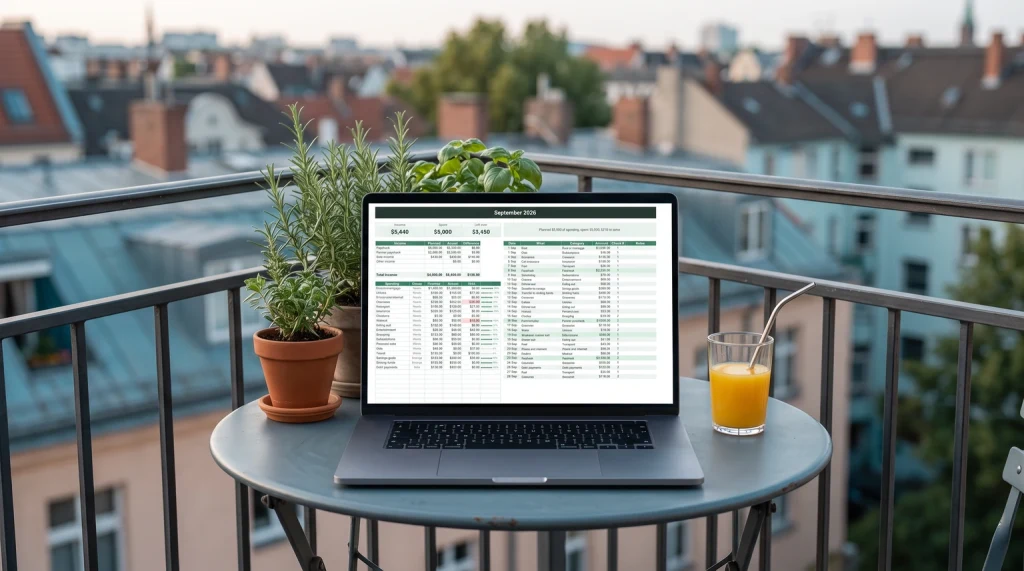
| Monthly budget | A plan, a transaction log and a dashboard. Your categories live on one tab and every other tab reads them, so adding a category is one edit. Room for 800 transactions before you touch anything. | .xlsx |
| Bill tracker | Recurring bills with their usual amount and their day of the month, and a schedule that rebuilds itself each month. Quarterly and annual bills appear only in the months they fall in. | .xlsx |
| Book tracker | What you read, when you finished it, where you heard about it, and what you thought. A separate to-read tab so the wishlist never clutters the record. | .xlsx |
| Airbnb host tracker | Payouts and expenses by property, with the expense categories mapped to the tax lines they belong on. The heaviest of the four at just over two thousand formulas. | .xlsx |
Every one of them is an .xlsx file, which matters more than it sounds and is the third check below. The budget workbook has its own walkthrough if you want the reasoning behind each tab before you download it: our Excel budget template guide covers the wiring in detail.
One free file we do not ship as a workbook first: invoices. Our free invoice generator fills one in on the page, with your logo, tax and discount, and hands it back as a PDF or an .xlsx, no sign-up.
For a small business, the workbook that answers “can we pay next month?” is a forecast rather than a budget. Our guide to the cash flow forecast template walks through the shape of one. If you would rather start from finished files, our Cash Flow Forecast Spreadsheet does the forecast, and the Marketing Plan & Budget Spreadsheet plans the spend.
The paperwork before a payment has its own file too: our guide to a purchase order template for Excel builds the PO log that keeps every order, its delivery date and what actually arrived.
Paid time off is the other workbook a small employer ends up building, and our PTO tracker in Excel guide starts from the leave policy rather than the grid, then forecasts the hours at risk before the year closes. The finished file is our PTO Tracker, Payroll & Employee Records Spreadsheet.
A nonprofit needs one more column than a business budget has: whether each grant is restricted to a purpose. Our nonprofit budget template guide walks through that split with a worked example. The finished file is our Nonprofit Budget & Grant Tracker Spreadsheet.
Under the lid
What is actually inside each workbook
Pages listing excel templates almost never tell you this, which is strange, because the tab names and the column headings are the entire product. Here is every tab in every file, with the columns that carry the work, taken from the workbooks this page serves rather than from a description of them.
- Tabs
- Start Here · Dashboard · Plan · Transactions · Settings
- Plan tab
- Category · Income or expense · Group · Planned each month · Notes
- Transactions tab
- Date · What it was · Category · Amount · Account · Income or expense · Group · Notes
- Room to grow
- 800 transaction rows before you add one, and the sums do not stop counting when you do
- Formulas
- 1,902
- What drives it
- The Plan tab. Group and type fill themselves in on every transaction from the category you pick
- Tabs
- Start Here · Dashboard · Bills · Recurring · Settings
- Bills tab
- Due date · Payee · Category · Amount · Paid? · Paid on · Paid with · Notes · Status
- Recurring tab
- Payee · Category · Usual amount · Day of the month · How often · Starting month · Autopay? · Notes
- Room to grow
- 600 bill rows, with the recurring list driving what appears each month
- Formulas
- 945
- What drives it
- The Recurring tab. A quarterly bill shows up in the three months it is due and stays out of the other nine
- Tabs
- Start Here · Dashboard · My Books · To Read · Settings
- My Books tab
- Title · Author · Genre · Format · Status · Started · Finished · Pages · Rating · My stars
- To Read tab
- Title · Author · Genre · Priority · Where I heard about it · Added · Notes
- Room to grow
- 500 finished books and 1,000 on the to-read list
- Formulas
- 611
- What drives it
- Status. Moving a book from reading to finished is what feeds the dashboard, so there is no second place to update
- Tabs
- Start Here · Dashboard · Income · Expenses · Tax Summary · Settings
- Income tab, 13 columns
- Payout date · Property · Platform · Reservation · Check in · Nights · Cleaning fee · Fee % · Platform fee · Tax collected · Net payout · Notes
- Expenses tab
- Date · Property · What it was · Category · Amount · Business use · Deductible · Paid with · Receipt? · Notes
- Room to grow
- 600 payouts and 600 expenses, split per property rather than lumped together
- Formulas
- 2,024
- What drives it
- The Settings tab, which holds your properties and maps every expense category to the tax line it belongs on
Two things are worth noticing across all four. Every workbook has a Settings tab, and every workbook has exactly one, which is the second check below arriving early. And every workbook opens on a Start Here tab rather than dropping you into a grid, because a spreadsheet you did not build is a spreadsheet you have to be told how to use.
The five checks
Five checks before you trust any Excel template
Free Excel templates fail in a small number of ways, and after enough of them the pattern is dull rather than surprising. Four of these five can be run before you commit anything to the file, and the whole set takes under two minutes. They apply to ours as readily as to anyone else’s.
-
i.
Does it stop counting?
Run this firstClick a cell showing a monthly figure and read the formula bar. Two specific row numbers means the workbook has a ceiling and will fail silently once you pass it. A whole column, or a name in square brackets, means it will not.
-
ii.
Is there one list, or four?
Find where the categories are defined. If the same list is typed into the log tab, the summary tab and a chart, then changing one thing means changing it in three places, and the day you forget one is the day the tabs stop agreeing with each other.
-
iii.
What is the file extension?
SafetyAn
.xlsxfile cannot run macro code at all. Microsoft’s format documentation is unambiguous that the format “cannot store Microsoft Visual Basic for Applications (VBA) macro code”, while.xlsmexists precisely to carry it. That is not a reason to refuse every macro file, but a budget template from a stranger has no business needing one. -
iv.
Is a year written into it?
Search the file for the current year. If it turns up in tab names, headings or formulas, the workbook expires and you will be hunting for the next version in January. A file that reads today’s date instead is a file you download once.
-
v.
Will it open where you need it?
Heavy add-ins and unusual functions can behave differently in the browser version. If you intend to log spending from a phone or a borrowed machine, open the file in Excel on the web before you rely on it. That version is free with a Microsoft account and 5 GB of storage, so testing costs nothing.
Check one is the famous one and check two is the one that catches more files. A template with the same category list typed in three places is not a system, it is three copies of a system, and they will disagree with each other by March. The tell is easy to spot: change one category name and see how many other places you have to visit before the numbers agree again.
Check three deserves a sentence more, because it is the only one on the list that is about safety rather than durability. Microsoft’s guidance is blunt: some macros “can pose a security risk by introducing viruses or malicious software to your computer”, and you should “never enable macros in a Microsoft 365 file unless you’re sure you know what those macros do”. A downloaded workbook that opens with a warning bar and asks you to enable content is asking for a decision you are not equipped to make about a stranger’s code. The reasonable answer is to keep looking.
A budget template from a stranger has no business needing to run code on your machine.
None of this requires you to understand formulas, and none of it is specific to our files. Run the same five over any excel templates you find anywhere, because every check is a thing you can see: a row number, a repeated list, four letters after a dot, a year, a file that opens or does not. That is deliberate, because the people who most need a working budget are rarely the people who enjoy auditing someone else’s spreadsheet.
The rest of the field
Where the other free Excel templates come from
Ours are four files, not a library, and there is no pretending otherwise. If none of them fits, these are the honest routes and what each is actually good at.
| Source | Best for | What to watch |
|---|---|---|
| Microsoft, inside the app | Starting from something rather than a blank grid. Reached through File, then New, with nothing to download and nobody to trust. | Built for everyone, so they are a spine rather than a system. Most people searching for a template have already seen these and moved on. |
| Independent template libraries | Breadth. If a spreadsheet exists for a job, one of these sites has a version of it. | Quality swings enormously across a single site, and the older files are often the ones with fixed ranges. Run the five checks on each file, not on the site. |
| Software companies’ free sets | Design. These are frequently the best-looking workbooks on the first page of results, because a design team was paid to make them. | They are the introduction to a paid product, which is fine as long as you know it. Judge the file rather than the funnel. |
| Forums and communities | Unusual situations nobody built a product for. Often the only place a genuinely odd requirement has been solved. | Unmaintained, unexplained and occasionally macro-enabled. This is where check three earns its place on the list. |
Marketplace listings are a fifth route and behave differently again: paid, often very cheap, and sold by volume rather than by design. A listing offering several thousand Excel templates for the price of a coffee is not lying about the count, and the count is not the thing that makes a workbook worth opening. One file you understand beats a folder of eleven thousand you will never scroll to the end of.
Making it fit
What to do when a template nearly fits
Most of the time the file you find is close but not right, and the instinct is to keep searching. Three small edits cover almost every near-miss, and doing them yourself is usually faster than finding a file that needed none of them.
-
1
Turn the log into a table
Select the rows and press
Ctrl+T. Microsoft documents what follows: “To add a row at the bottom of the table, start typing in a cell below the last table row. The table expands to include the new row.” That single change retires the ceiling problem permanently, and it takes longer to read this sentence than to do it. -
2
Move the lists onto one tab
If the categories are scattered, cut them onto a single settings tab and point every dropdown and lookup at that one place. It is twenty minutes of tedium that removes an entire class of future disagreement between tabs.
-
3
Delete the tabs you will not open
Ambitious templates ship with net worth, investments, sinking funds and a year-ahead forecast. Every one you keep but never fill is a tab you scroll past, and an unfilled tab quietly teaches you the file is out of date. Keep the two or three you will actually use.
What none of those three fixes is a file built around a way of working that is not yours. If the categories are wrong in kind rather than in number, or the whole thing assumes a business you do not run, close it. Twenty minutes of editing is worth it; two hours of it means you wanted a different file.
The same jobs exist away from a spreadsheet if that is where your week actually happens. Our digital bill tracker layouts cover the recurring side on a tablet, the book tracker guide covers the reading year, and hosts running a property will find the fuller build in our Airbnb Excel spreadsheet walkthrough.
The other platform
When a Google Sheet is the better answer
Excel earns its place when the file being yours matters. It sits on your own drive, opens with no connection, and will still open in a decade without anyone’s servers being involved. For a workbook you intend to keep for years, that is the stronger argument.
Sheets wins on sharing, and it wins by a distance. Two people in the same file at once, no version confusion, nothing to email around. Every workbook above also exists as a free Google Sheet, and our Google Sheets budget template guide covers that side of the same system. Pick the one that matches how the file will actually be used, not the one that sounds more capable.
There is one honest caveat about how these particular files are made, and it changes what to expect rather than whether to use them. The budget workbook’s Transactions log is already a real Excel Table. The bill, book and Airbnb trackers are not: they protect themselves with whole-column ranges rather than with the tables described in step one above. Their formulas, dropdowns and conditional formatting behave correctly in Excel, but if you want the table version, converting the log tab yourself is the two keystrokes above and is a genuine improvement.
All of our spreadsheet work sits together on the spreadsheets hub, free files included. If you download one of these and rewire it into something better, we would genuinely like to hear what you changed, because the useful ideas in these files have mostly come from readers telling us what was missing rather than from us guessing.
FAQ
Common questions, answered briefly
Are these Excel templates really free?
Where are Microsoft’s own Excel templates?
Is it safe to download an Excel template?
.xlsx format cannot store VBA macro code at all, while .xlsm exists to carry it. Microsoft also advises never enabling macros unless you know exactly what they do, because some can introduce viruses or malicious software. All four files above are .xlsx (checked August 2026).Do I need to pay for Excel to use these?
People also ask