The obvious question
Why search for an Excel budget template when Excel ships with them
It is worth starting with the awkward part. Open Excel, choose File and then New, and a set of budget templates is sitting right there, published by Microsoft, free, no download required. Anyone typing “excel budget template” into a search box has almost certainly already seen them and gone looking anyway. That is not irrational behaviour, and understanding why is the fastest route to a file you will actually keep.
The cost question, at least, is settled before you start. Microsoft states plainly that you get free access to Word, Excel and PowerPoint through Microsoft 365 for the web, with a free Microsoft account and 5 GB of storage attached. So nothing below requires a subscription, and any page implying you need one to open a spreadsheet is selling something.
| Route | What you get | Where it falls down |
|---|---|---|
| Microsoft’s own templates | First-party files, opened from inside the app or the web version, with nothing to download and nothing to trust. | Built to suit everybody, which means they are a spine rather than a system. They do not know how you spend and they do not try to. |
| A finance service’s free set | Well-made, good-looking workbooks, usually the best-designed files on the first page of results. | They are the front door to a paid subscription, and the download is the introduction. Judge the file, not the funnel. |
| A stranger’s workbook from a forum | Enormous variety, and often the only thing that fits an unusual situation. | Unmaintained and unexplained. When it breaks, you are debugging somebody else’s formulas with no documentation and no author. |
None of those routes is a trap. The paid services are solving a real chore, and a first-party template is a perfectly reasonable place to start. What the three have in common is that none of them tells you how to look at a budget workbook and predict whether it will survive contact with your actual spending. That is the whole difference between a file you download and a file you use, and it comes down to wiring rather than looks.
The failure
The thing that breaks around row sixty
Here is the single most common way an Excel budget template dies, and it is worth knowing because it does not announce itself.
Whoever built the file selected the rows that existed at the time and pressed AutoSum. Excel wrote something like =SUM(B2:B61), because sixty-one was the last row with anything in it that day. The workbook shipped, you started logging, and everything was correct for about two months. Then you typed a transaction into row 62. It is outside the range. It is not counted. The dashboard still shows a number, that number is still perfectly formatted, and it is now wrong.
A budget that quietly stops counting is worse than no budget at all, because you carry on trusting it.
There is no error, no red triangle and no warning, which is exactly why this survives in files that have been downloaded hundreds of thousands of times. The people who notice are the ones who happen to add up a column by hand one evening and find a gap of forty pounds they cannot explain. Most people never notice at all. They just develop a vague sense that the spreadsheet is not telling them the truth, and quietly stop opening it.
You can check any workbook for this in about fifteen seconds. Click the cell showing your monthly spending and read the formula bar. If you see two specific row numbers, the file has a ceiling. If you see a whole column such as =SUM(B:B), or a name in square brackets, it does not. That one test separates most of the free files on the first page of results from each other far better than any screenshot will.
The fix
Excel Tables, and why they are the reason to budget here at all
Whole-column sums avoid the problem. Excel has something better, which removes it as a category, and it is the strongest single argument for keeping a budget in Excel rather than in a browser tab.
Select your transaction rows and press Ctrl+T. Microsoft lists that shortcut as opening the Create Table dialog, and what comes out the other side is a named object rather than a rectangle of cells. From then on the range maintains itself. Microsoft’s own documentation is direct about it: “To add a row at the bottom of the table, start typing in a cell below the last table row. The table expands to include the new row.” Type into row 62 and row 62 is inside the table before you have finished the word.
The second half matters just as much for a budget. Microsoft describes a calculated column this way: “Enter a single formula in one cell, and then that formula will automatically expand to the rest of the column by itself.” So the lookup that turns a category into a spending group gets written once, and every future row inherits it. Nobody has to remember to drag anything down, which is the other quiet way these files rot.
The practical upshot is that a summary written against a table refers to it by name rather than by coordinates. A formula reading =SUM(Transactions[Amount]) means what it says, keeps meaning it after you add eleven months of entries, and is legible a year later when you have forgotten how you built the thing. Google Sheets has no direct equivalent, which is a real reason to prefer Excel for a workbook you intend to keep for years rather than share with four people this week.
=SUM(Transactions[Amount])
Totals the Amount column of an Excel table named Transactions, however many rows it grows to.
Where it runs
Desktop, browser or phone: what survives where
This is the question the roundups skip, and it decides whether an Excel budget template fits your week. A budget only works if logging a transaction is easier than not logging it, so where you can open the file matters more than how it looks.
| Where | What it is good for | What to know |
|---|---|---|
| Excel on the desktop | The monthly sit-down. Everything works, the file lives on your own drive, and it opens with no connection at all. | The version most templates are built and tested against, and the one where an unusual formula is least likely to surprise you. |
| Excel for the web | Logging from a borrowed machine, and sharing a read-only view without emailing a file around. | Free with a Microsoft account, which comes with 5 GB of storage. The file has to live in that storage for the browser to open it, so this is the route that trades offline for reach. |
| Excel on a phone | Entering a transaction in the ninety seconds after you spend the money, which is when it actually gets recorded. | Fine for typing into a table, awkward for editing formulas. Design the log tab so a phone entry is four taps, and do the thinking on a bigger screen. |
The pattern that works for most people is one file, kept on the desktop, opened on the phone only to add rows. Anything that requires you to be at a particular desk to record a coffee will lose to forgetting, every time.
The file
The free Excel budget template we publish
Ours is linked above and again below, and it is a direct download. No email address, no account, no sign-up form standing between you and the file. That is deliberate: a budget workbook is not worth an address, and asking for one is a decent signal that the file is the bait rather than the point.
What is inside it, and why each choice is there:
- One category list, in one place. The Plan tab holds your categories and the money you intend each to take. Every other tab reads that list, so adding “Vet” is one edit rather than four, and the dropdown on the log tab updates itself.
- Sums that run down whole columns. Nothing in the workbook counts up to a fixed row, which is the failure described above. Add a thousand transactions and the last one is still included.
- A dashboard that reads the date. Pick a month at the top and everything below follows. There is no year written anywhere in the file, so it does not expire and there is nothing to re-download in January.
- A transaction log built for speed. Date, category, amount, account. Pick the category and the spending group and the income-or-expense type fill themselves in, because the Plan tab already knows them.
- Example rows you are meant to delete. They exist so the dashboard shows something on first open rather than a screen of zeroes, and they are the first thing to clear out.
One note on how it is made. The Transactions log is already one of the tables described above, so it grows as you add entries with no conversion on your part, and the totals use whole-column ranges as well.
The file is here, with nothing in the way: download the monthly budget workbook. If a bill tracker is the more useful half of the job, the bill tracker workbook is free on the same terms.
If a spreadsheet is not where you want to spend your evenings, the same thinking exists on paper. Our digital budget planner layouts do the same job by hand, and the bill tracker, debt payoff tracker and savings tracker pages cover the three jobs a monthly budget usually spawns. Or print them: our Printable Budget Pack is the paper version.
Three pages go deeper than this one has room to. If the part that keeps breaking is the month itself, pay cycles, rollover and the bills that arrive once a year, the Excel monthly budget template page works through all of it. If you are budgeting alone rather than for a household, the personal budget template page covers what to delete and how to keep the file on your own machine. And if you would rather see one filled in before you commit an evening to it, the worked budget spreadsheet example shows every row with numbers in it.
If the budget you are building is for a business rather than a household, the harder question is usually timing: when money lands against when bills fall due. Our cash flow forecast template covers that side, month by month.
A charity, club or association has one more job to do in its budget: keeping grant money that may only be spent on one thing apart from money it can spend freely. Our nonprofit budget template shows how a year can end in surplus and still leave the overhead unpaid.
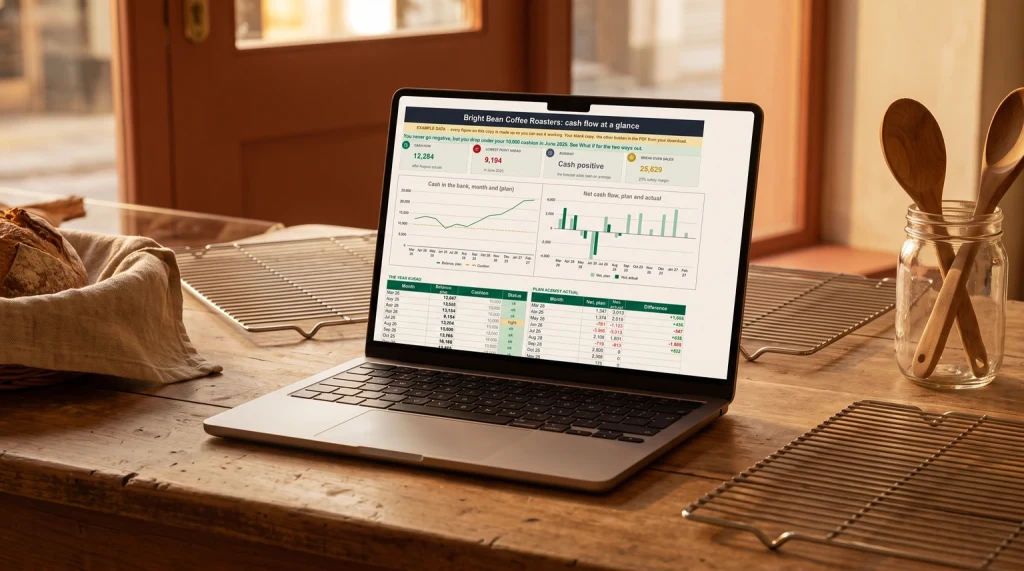
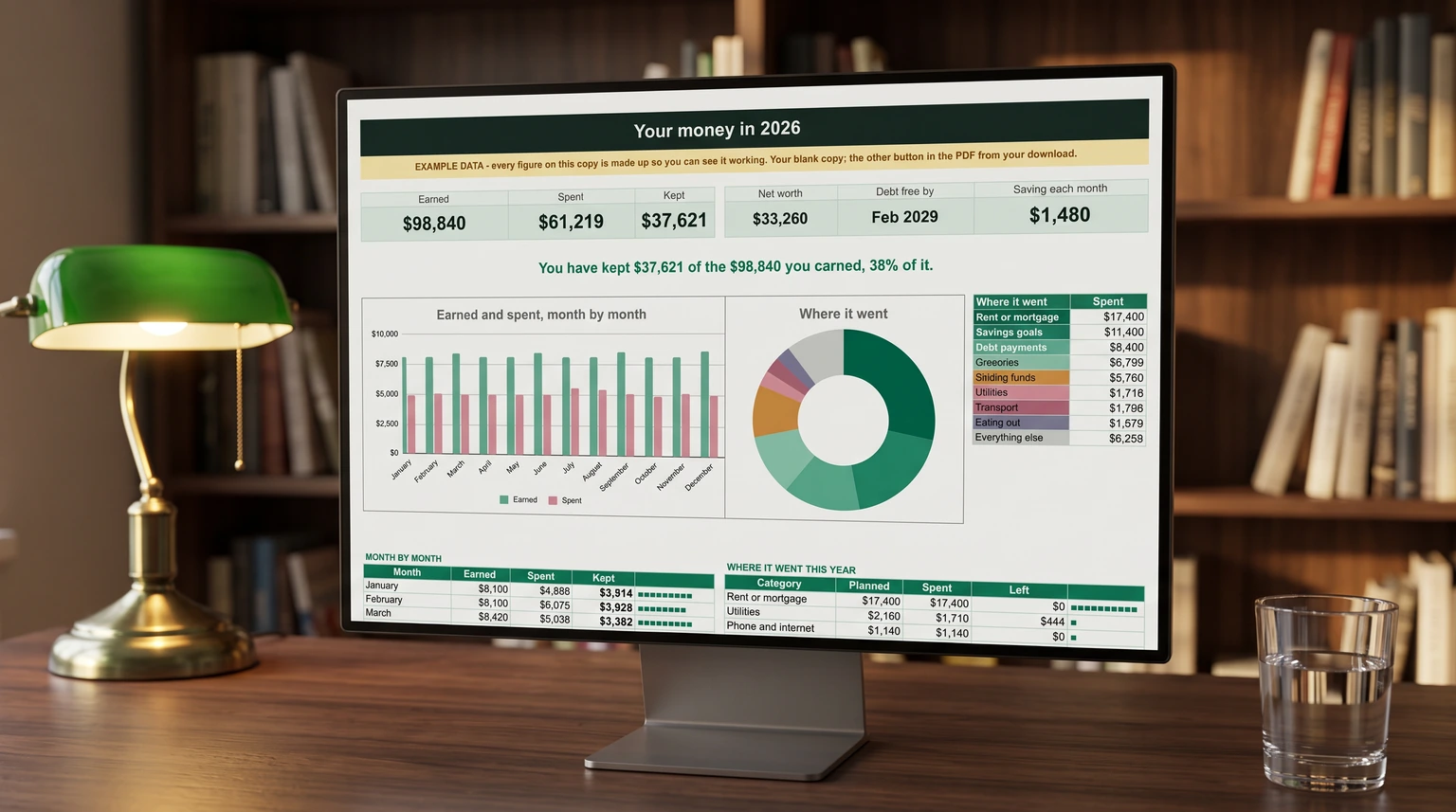
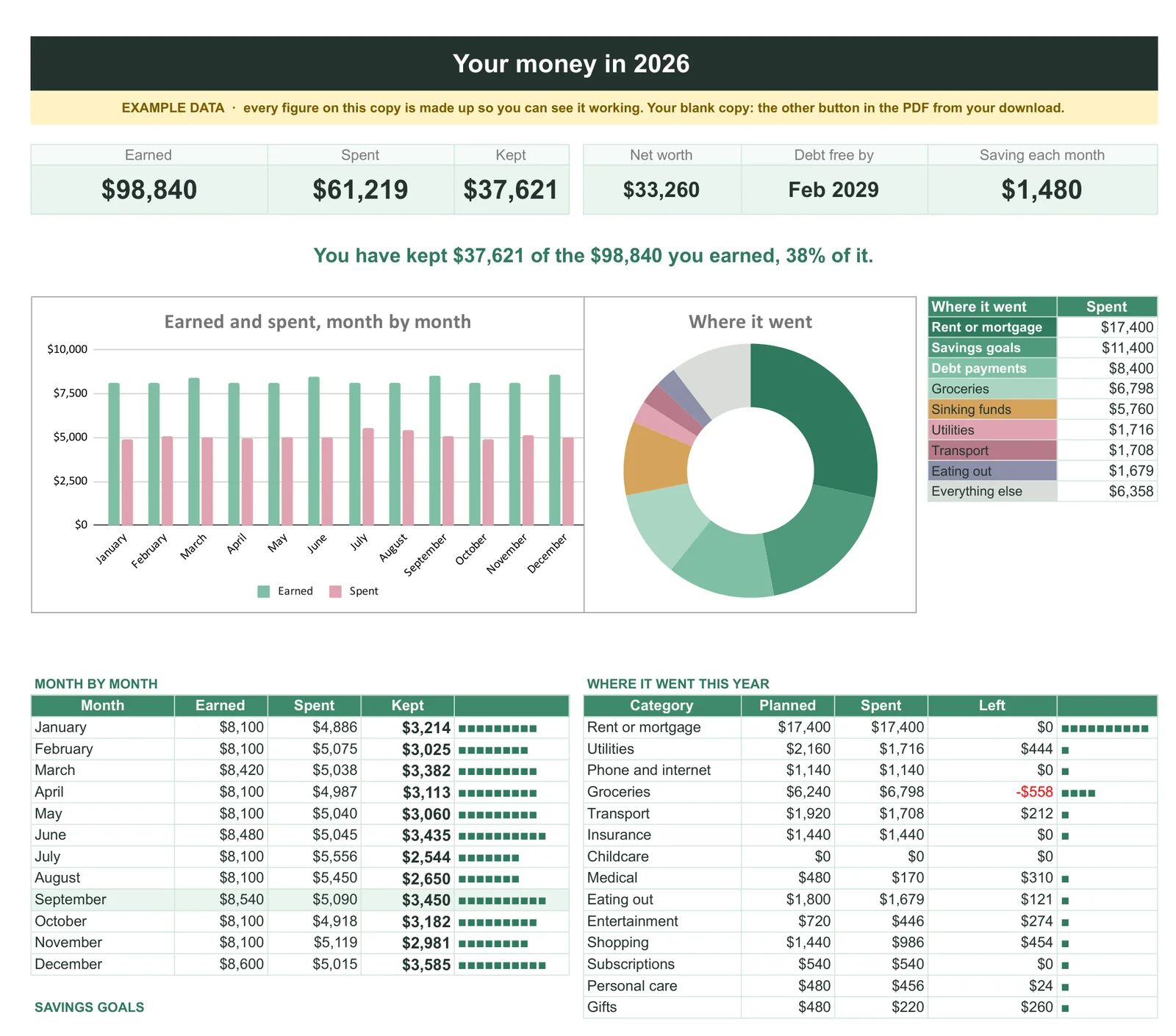
The free file does one month at a time, and does it properly. If you want the year around it, our Budget & Money Planner ($39, Google Sheets and Excel) is the paid version of the same wiring: a year page that tells you how much of what you earned you kept, a month tab per month with income by paycheck, bills that go green as you tick them, snowball and avalanche debt payoff side by side, sinking funds, savings goals and net worth, all reading one category list.
The other platform
Excel or Google Sheets for a budget
Both work, and an excel budget template is not automatically the better answer just because you searched for one. The choice is about how you live rather than which application is more capable, and the honest version fits in a paragraph each.
Choose Excel if the file being yours matters to you. It sits on your drive, it opens on a train with no signal, and it will still open in ten years without anyone’s servers being involved. Tables and structured references make a long-lived workbook easier to maintain than the equivalent built from raw ranges. If you are keeping one budget for years and mostly working alone, this is the better home.
Choose Google Sheets if two people need to be in the same file at once, or if you switch between machines constantly and never want to think about which one has the current version. Sharing is the thing it does better, and it does it by a wide margin. Our Google Sheets budget template is the same system built for that side, and the free sheet behind it is the source this Excel file was cut from.
What does not change either way is the part that decides whether you are still budgeting in six months, and it is not the platform. It is whether entering a transaction is quick enough that you do it on the day, and whether the categories are few enough that you never have to think about which one applies. Eight to twelve is usually plenty. Every category beyond that is a decision you have volunteered to make several hundred times a year, and the hesitation it creates is what ends the habit long before any formula does.
Whichever way you go, the excel budget template above is free, ungated and yours to change. If you rewire it into something better, we would genuinely like to see it: more of our spreadsheet work, free files included, sits on the spreadsheets hub, and the good ideas in those files mostly came from readers rather than from us.
FAQ
Common questions, answered briefly
Does Excel have a free budget template built in?
Is Excel free to use?
Why does my Excel budget stop adding up?
=SUM(B2:B61) ignores every row you add below 61, and it fails silently because the result is still a valid number. Switch to a whole-column range such as =SUM(B:B), or convert the range to a table with Ctrl+T so it grows with your entries.Should I budget in Excel or Google Sheets?
People also ask