You ask, we build it. Missing a template? Request it in the Hall and back what we build next.
№ · The reMarkable Set

Your reMarkable, your year.

4 (1 review)
Your reMarkable
Colour
Add to cart, $39

Instant download. Permanent link in your account.

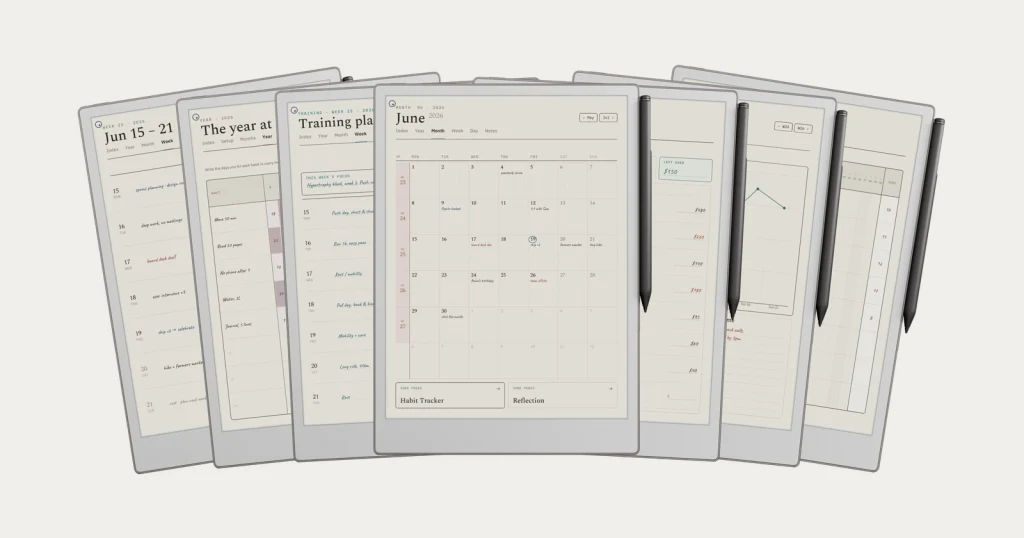
Six templates for a full year of weekly, daily and daybook planning, plus three infinite notebooks: grid, lines, dots. Dated 2026 and 2027, each one its own hyperlinked PDF, drawn for your reMarkable.

  • i. Hyperlinked PDF: taps work between every section
  • ii. Dated 2026 + 2027, no annual re-buy
  • iii. Drawn for your reMarkable, not a generic stylus
  • iv. Permanent link in your account, no subscription
№ 01 · Why this exists

Most planner PDFs look fine on a monitor and feel wrong on the device.

Generic templates assume a tablet, a finger, and a glossy panel. e-ink is none of those things. The refresh is slower; the contrast narrower; the pen feels like a pencil on cartridge. So the layout that looks elegant on a Behance preview can feel laboured at 8am on a Tuesday: letters too thin, taps half a beat behind, scrolling that fights the page.

We’ve built the Set with the device on the desk, not the monitor. Six templates, six geometries, six weights, exported separately for every reMarkable in the line. Same set, different file. The right one for the screen you’re looking at.

№ 02 · Inside the bundle

Three planners, drawn together.

The Weekly Planner 554 pages

The week, at a glance.

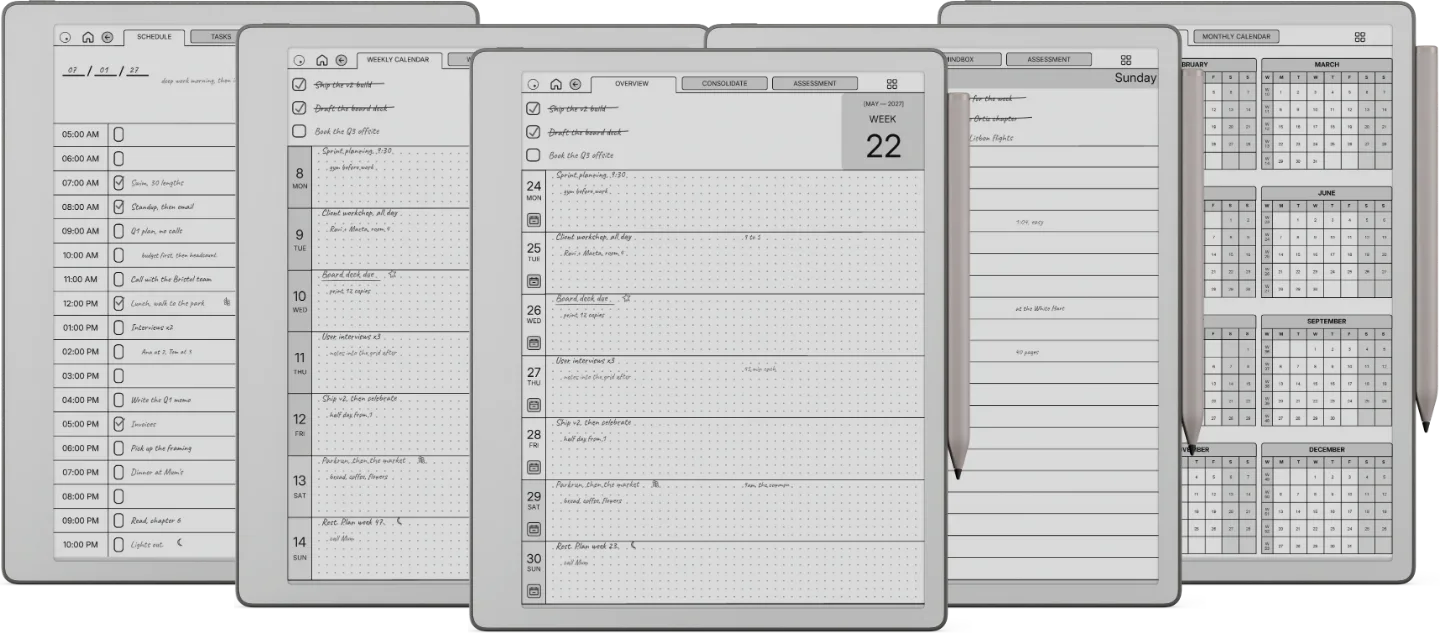
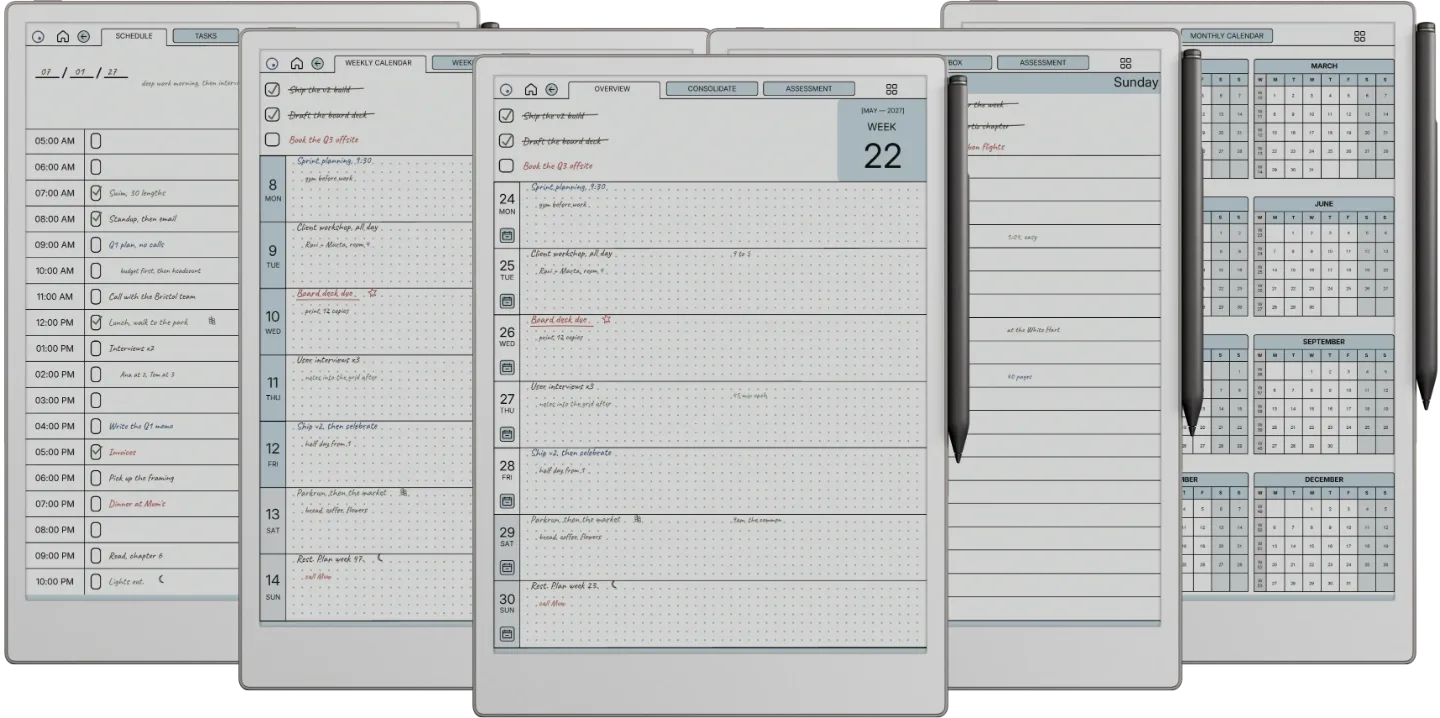
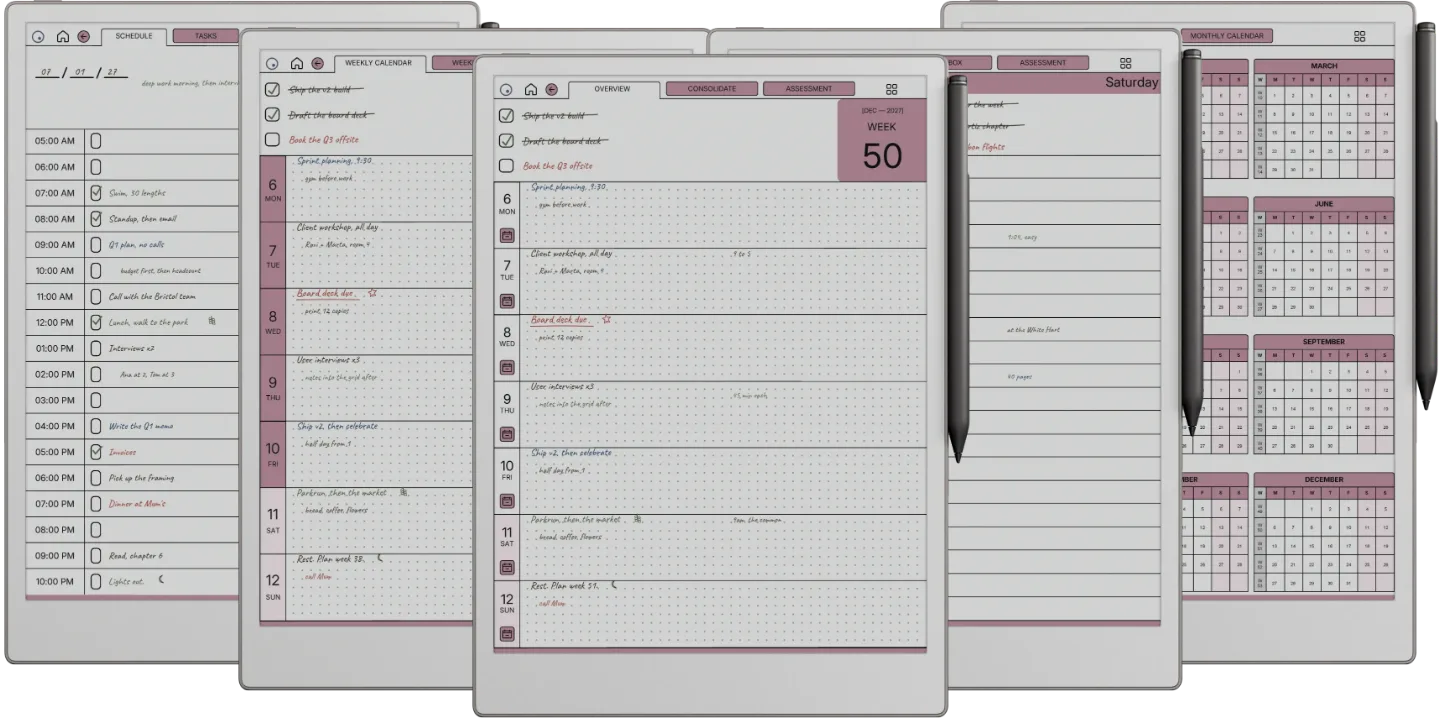
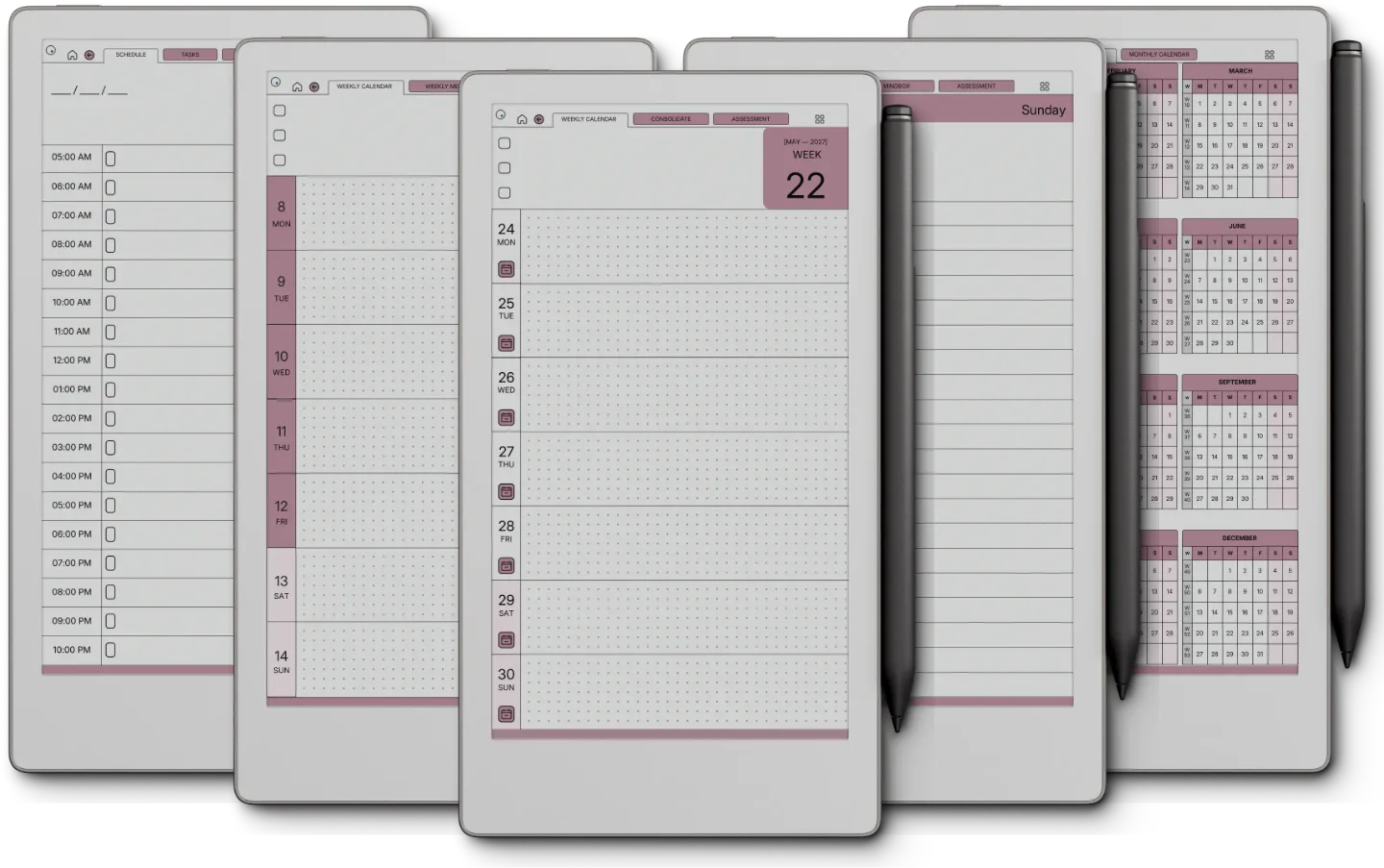
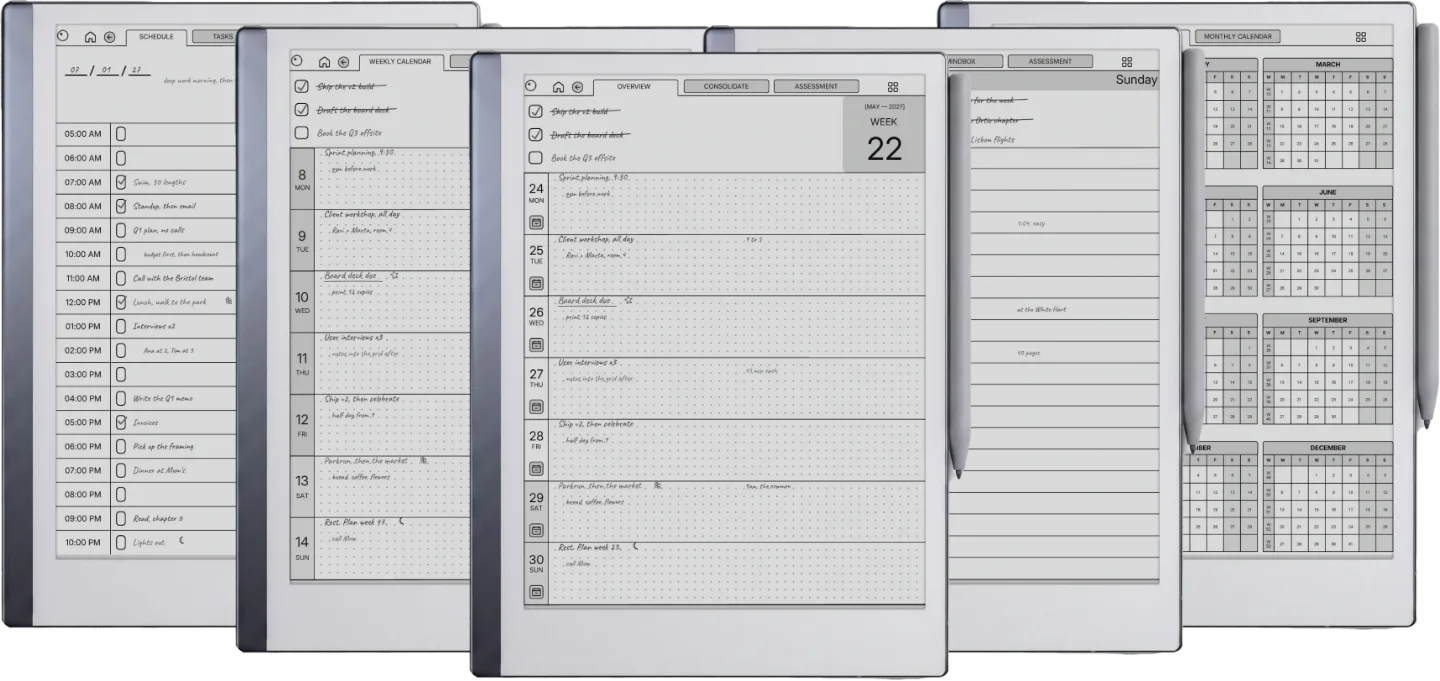
Dated 2026 + 2027, Monday or Sunday start. One page per week, seven dot-grid day rows, hyperlinked across months. Built so the year doesn’t disappear behind the day.

  • i. One page per week, seven day rows
  • ii. Monday or Sunday start
  • iii. Hyperlinked across months and years
Weekly Planner reMarkable 2 page 1
Weekly Planner reMarkable 2 page 2
Weekly Planner reMarkable 2 page 3
Weekly Planner reMarkable 2 page 4
Weekly Planner reMarkable 2 page 5
Weekly Planner reMarkable 2 page 6
Weekly Planner reMarkable Paper Pure page 1
Weekly Planner reMarkable Paper Pure page 2
Weekly Planner reMarkable Paper Pure page 3
Weekly Planner reMarkable Paper Pure page 4
Weekly Planner reMarkable Paper Pure page 5
Weekly Planner reMarkable Paper Pure page 6
Weekly Planner reMarkable Paper Pro page 1Weekly Planner reMarkable Paper Pro page 1
Weekly Planner reMarkable Paper Pro page 2Weekly Planner reMarkable Paper Pro page 2
Weekly Planner reMarkable Paper Pro page 3Weekly Planner reMarkable Paper Pro page 3
Weekly Planner reMarkable Paper Pro page 4Weekly Planner reMarkable Paper Pro page 4
Weekly Planner reMarkable Paper Pro page 5Weekly Planner reMarkable Paper Pro page 5
Weekly Planner reMarkable Paper Pro page 6Weekly Planner reMarkable Paper Pro page 6
Weekly Planner reMarkable Paper Pro Move page 1Weekly Planner reMarkable Paper Pro Move page 1
Weekly Planner reMarkable Paper Pro Move page 2Weekly Planner reMarkable Paper Pro Move page 2
Weekly Planner reMarkable Paper Pro Move page 3Weekly Planner reMarkable Paper Pro Move page 3
Weekly Planner reMarkable Paper Pro Move page 4Weekly Planner reMarkable Paper Pro Move page 4
Weekly Planner reMarkable Paper Pro Move page 5Weekly Planner reMarkable Paper Pro Move page 5
Weekly Planner reMarkable Paper Pro Move page 6Weekly Planner reMarkable Paper Pro Move page 6
The Daily Planner 1,330 pages

The page you’ll open first thing.

Three-thing day at the top, an hourly column from 5am to midnight with a tick box on every hour. A priority matrix and a quarter review are one tap away. The default for a reason.

  • i. Three-thing day, what you’ll be glad you did
  • ii. Hourly rows from 5am to midnight
  • iii. A priority matrix: do now, schedule, delegate, later
Daily Planner reMarkable 2 page 1
Daily Planner reMarkable 2 page 2
Daily Planner reMarkable 2 page 3
Daily Planner reMarkable 2 page 4
Daily Planner reMarkable 2 page 5
Daily Planner reMarkable 2 page 6
Daily Planner reMarkable Paper Pure page 1
Daily Planner reMarkable Paper Pure page 2
Daily Planner reMarkable Paper Pure page 3
Daily Planner reMarkable Paper Pure page 4
Daily Planner reMarkable Paper Pure page 5
Daily Planner reMarkable Paper Pure page 6
Daily Planner reMarkable Paper Pro page 1Daily Planner reMarkable Paper Pro page 1
Daily Planner reMarkable Paper Pro page 2Daily Planner reMarkable Paper Pro page 2
Daily Planner reMarkable Paper Pro page 3Daily Planner reMarkable Paper Pro page 3
Daily Planner reMarkable Paper Pro page 4Daily Planner reMarkable Paper Pro page 4
Daily Planner reMarkable Paper Pro page 5Daily Planner reMarkable Paper Pro page 5
Daily Planner reMarkable Paper Pro page 6Daily Planner reMarkable Paper Pro page 6
Daily Planner reMarkable Paper Pro Move page 1Daily Planner reMarkable Paper Pro Move page 1
Daily Planner reMarkable Paper Pro Move page 2Daily Planner reMarkable Paper Pro Move page 2
Daily Planner reMarkable Paper Pro Move page 3Daily Planner reMarkable Paper Pro Move page 3
Daily Planner reMarkable Paper Pro Move page 4Daily Planner reMarkable Paper Pro Move page 4
Daily Planner reMarkable Paper Pro Move page 5Daily Planner reMarkable Paper Pro Move page 5
Daily Planner reMarkable Paper Pro Move page 6Daily Planner reMarkable Paper Pro Move page 6
The Daybook 1,965 pages

One day, four tabs.

An hourly schedule from 5am to 10pm, then a tasks page, a finance page and a journal page for the same day, one tap apart. Plan it in the morning, write it down at night.

  • i. Hourly schedule from 5am to 10pm
  • ii. Tasks, finance and journal for every day
  • iii. Four tabs, one tap apart
Daybook reMarkable 2 page 1
Daybook reMarkable 2 page 2
Daybook reMarkable 2 page 3
Daybook reMarkable 2 page 4
Daybook reMarkable 2 page 5
Daybook reMarkable 2 page 6
Daybook reMarkable Paper Pure page 1
Daybook reMarkable Paper Pure page 2
Daybook reMarkable Paper Pure page 3
Daybook reMarkable Paper Pure page 4
Daybook reMarkable Paper Pure page 5
Daybook reMarkable Paper Pure page 6
Daybook reMarkable Paper Pro page 1Daybook reMarkable Paper Pro page 1
Daybook reMarkable Paper Pro page 2Daybook reMarkable Paper Pro page 2
Daybook reMarkable Paper Pro page 3Daybook reMarkable Paper Pro page 3
Daybook reMarkable Paper Pro page 4Daybook reMarkable Paper Pro page 4
Daybook reMarkable Paper Pro page 5Daybook reMarkable Paper Pro page 5
Daybook reMarkable Paper Pro page 6Daybook reMarkable Paper Pro page 6
Daybook reMarkable Paper Pro Move page 1Daybook reMarkable Paper Pro Move page 1
Daybook reMarkable Paper Pro Move page 2Daybook reMarkable Paper Pro Move page 2
Daybook reMarkable Paper Pro Move page 3Daybook reMarkable Paper Pro Move page 3
Daybook reMarkable Paper Pro Move page 4Daybook reMarkable Paper Pro Move page 4
Daybook reMarkable Paper Pro Move page 5Daybook reMarkable Paper Pro Move page 5
Daybook reMarkable Paper Pro Move page 6Daybook reMarkable Paper Pro Move page 6
Plus three Endless Notebooks

Infinite-paging, hyperlinked: lines for prose, dots for diagrams, grid for sketches.

Lines

Prose, meeting notes, anything written long.

Dots

Diagrams, wireframes, bullet journaling.

Grid

Sketches, tables, quiet maths.

reMarkable 2 Daily Planner
№ 04 · Tuned for the 2

Drawn at 3:4, the shape of the reMarkable 2.

10.3″ monochrome e-ink · 1404×1872 · 226 DPI · paperfeel Pen

RM2 is the workhorse; most reMarkables in the wild are this one. Layouts here read at full contrast against the slightly cooler RM2 screen, with rule lines weighted for the paperfeel nib and tap zones sized for thumbs-on-the-bezel single-hand use.

Hyperlinked navigation across the six templates. Tap targets sized for the device’s pen, not a generic stylus. The reMarkable 2, Paper Pure and Paper Pro share one 3:4 screen shape, so they share one set of files.

reMarkable Paper Pure Daily Planner
№ 04 · Tuned for the Paper Pure

Drawn at 3:4, the shape of the reMarkable Paper Pure.

10.3″ monochrome e-ink · 1404×1872 · 226 DPI · paperfeel Pen

Paper Pure keeps the RM2's quiet mono panel and pairs it with a thinner chassis and quicker refresh. It takes the same 3:4 files as the RM2 (rule lines weighted for the paperfeel nib, tap zones sized for one-handed reading), and they land a beat faster on every page turn.

Hyperlinked navigation across the six templates. Tap targets sized for the device’s pen, not a generic stylus. The reMarkable 2, Paper Pure and Paper Pro share one 3:4 screen shape, so they share one set of files.

reMarkable Paper Pro Daily PlannerreMarkable Paper Pro Daily Planner
№ 04 · Tuned for the Paper Pro

Drawn at 3:4, the shape of the reMarkable Paper Pro.

11.8″ colour e-ink · 1620×2160 · pressure-sensitive Marker

Paper Pro is the big colour reMarkable, and its screen is the same 3:4 shape as the RM2 and Paper Pure, so the same files fill it edge to edge with no bars. Every page simply gets bigger, and the warm paper tone and soft accents read true on the colour panel instead of jangling.

Hyperlinked navigation across the six templates. Tap targets sized for the device’s pen, not a generic stylus. The reMarkable 2, Paper Pure and Paper Pro share one 3:4 screen shape, so they share one set of files.

reMarkable Paper Pro Move Daily PlannerreMarkable Paper Pro Move Daily Planner
№ 04 · Tuned for the Move

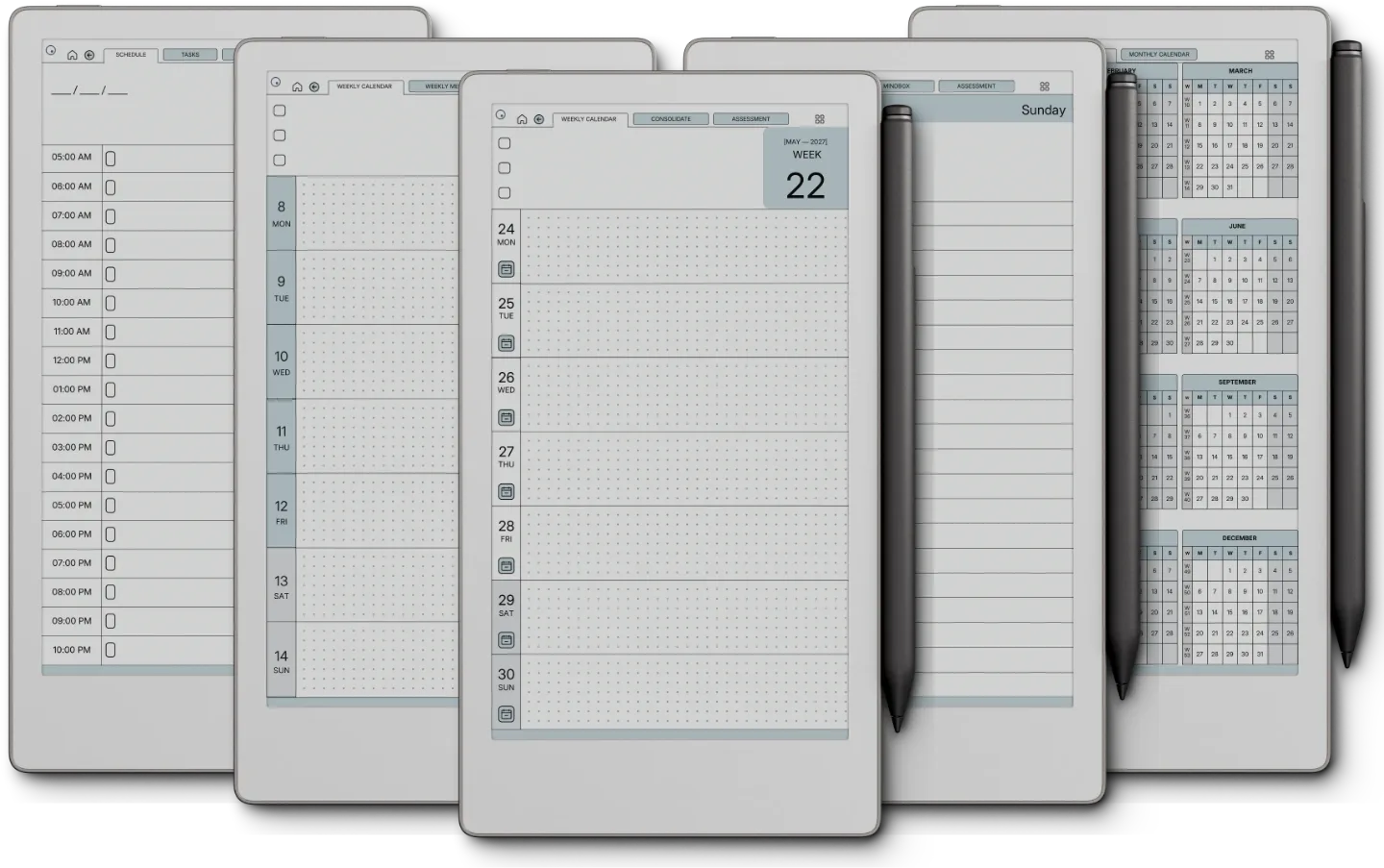
Re-drawn for the reMarkable Paper Pro Move.

7.3″ colour e-ink · 954×1696 · pocketable

Move is the pocket reMarkable, and a shrunken-down Paper Pro file is unreadable on it. So we re-drew. Shorter scan lines, larger tap targets, controls within thumb reach, and a navigation pattern built for one-handed reading on the train.

Hyperlinked navigation across the six templates. Tap targets sized for the device’s pen, not a generic stylus. The Move’s screen is taller and narrower than the other reMarkables, so it gets its own files, not the 3:4 set shrunk to fit.

№ 05 · How it lands on your device

Three steps, less than a minute.

i.

Download.

Instant download after purchase. Also in your account, forever.

ii.

Send to device.

Email-to-reMarkable, drop into the desktop app, or sync via the cloud.

iii.

Open and write.

Opens at the current week, because that’s the week you’re in.

№ 06 · What you actually get

Every file drawn for your device.

Format
Hyperlinked PDF
Pages
3,849 across the three planners · three Endless Notebooks
Years dated
2026 + 2027, both included
Devices
RM2, Paper Pro, Paper Pro Move, all included
Access
Re-download from your account
Delivery
Instant download · permanent link in your account
№ 07 · Last word

Get the Set.

Six templates, two years, drawn for the reMarkable on your desk.

$39 $174 separately
Add to cart

We build for the kind of person who still writes things down. Quietly. Without telling anyone. Mostly for themselves.

From the studio, on who this is for
№ 99 · Questions

Things you’ll want to know.

What is in the bundle?
Fifteen PDFs in the colour you pick: the Daily, Weekly and Daybook planners for 2026 and for 2027, each with a Monday and a Sunday start, three undated notebooks (lines, dots and grid), and a Quick Start guide for reMarkable.
Which reMarkable models does it fit?
All four. The reMarkable 2, Paper Pure and Paper Pro share a 3:4 screen and get the same 3:4 files. The Paper Pro Move gets its own set, drawn for its 9:16 screen.
Does it cover 2026 and 2027?
Yes. The three planners are dated for both years, a separate file for each. The notebooks are undated.
How do I get it onto my reMarkable?
Download it from your Templacity account, then import the PDF in the reMarkable desktop app with the Import button or by dragging it in. Importing is free, with no Connect subscription, and the file syncs to the tablet once it is paired.
How do I follow the links?
Tap them with a fingertip. On a reMarkable the Marker writes rather than navigates, so a tab touched with the pen leaves a mark instead of turning the page.
Will it show up in my reMarkable's Templates menu?
No. reMarkable does not support custom templates, so it opens as a PDF document, which is also what keeps the tabs and links working.
What if I pick the wrong device?
Email us and we will send the right set. The device is recorded in the order, not in the file, so you do not buy it again.
Is this a one-time purchase?
Yes. You pay once and keep the files, with no subscription. They appear in your Templacity account as soon as payment clears, and we email a backup link.
What if it doesn't work for me?
Digital downloads are non-refundable once delivered, but if you have any problem with the file itself, email us and we'll make it right.
№ · Bundle, or single

Take all six, or one.

Single template
$29
  • i. One template of your choice
  • ii. Hyperlinked PDF
  • iii. Permanent link in your account
  • iv. Drawn for your reMarkable
Browse single templates
One step up

The Complete System

The Planner, Budget Planner, Habit Tracker, Wellness Planner, Workout Planner and Work Planner, for $99.00. Bought separately the same files come to $213.00.

See what is inside →

№ · The whole reMarkable set

Every reMarkable planner and notebook we make, in one download

The reMarkable Template Bundle is for people who want one tablet to hold the whole system: a dated daily planner, a weekly planner and a daybook for 2026 and 2027, plus three undated notebooks. Every planner comes with weeks starting Monday and with weeks starting Sunday, in Blue or Blush, so the download is fifteen PDFs and a Quick Start guide for reMarkable.

What each one is for

  • Daily Planner: three pages a day, an hourly schedule from 5am to midnight under three goals, a notes page and an evening question, under a vision board and every quarter, month and week with its own review. 1,330 linked pages per year.
  • Weekly Planner: the week on one page with three goals and a dotted row per day, a memo page behind every day and a weekly review. 554 pages per year.
  • Daybook: 480 undated entries a year, 40 a month, each a schedule, a task list, a spending log and a journal line.
  • Notes: lines, dots and grid, 122 pages each, an index to twelve numbered sets of ten.

Which file you get

The reMarkable 2, Paper Pure and Paper Pro share a 3:4 screen, so those three choices deliver the same 3:4 files: grey on the reMarkable 2 and Pure, the accent in colour on the Pro. The Paper Pro Move gets its own set, cut for its 7.3-inch 9:16 screen. Import with the reMarkable desktop app, free and without Connect, and tap tabs and links with a fingertip, because the Marker draws rather than navigates.

№ · Reviews

What it has been like, in other people’s weeks.

We publish them as written, the three-star ones included. Reviews from a confirmed order carry a verified mark.

4 out of 5

Based on 1 verified purchase.

Used it, and have something to say?

A sentence helps the next person more than anything we could write about our own work.

Write a review
  1. James Sophocleus Verified purchase

    I learned about Templacity through a search on best templates for reMarkable2. Their articles did a great job of helping me understand what to look for and what different types of vendors offered. Good promo and useful information.

    The four rating is a 3 for the bundle and a 5 for service. The bundle was not really a good fit for my workflow. it is beautiful and useful, but not a good it. The studio recommended that I try their planner which was a great fit for me. And they didn’t charge me for my mistake. A very nice touch. They also have offered to make changes to their template based on my feedback.

    Templacity From the studio

    James, thank you for splitting the score so honestly, because it is exactly what helps the next person choose. The Bundle is a set of separate templates you arrange your own way; the Planner is one linked file where days, weeks and notes connect. If your work runs on daily notes and meetings, as yours does, the Planner is the one to start with. Glad it landed there, and glad our guides helped you get this far.

Add a review

Read by a person before it goes up, usually within a day. Your email stays with us and never appears on the page.

Instant download.

Your file is in your account the moment you check out, yours to re-download any time. A receipt lands in your inbox, too.

One-time purchase.

No subscription, no annual renewal, no upgrade nags. Pay once and the file is yours.

Quiet, secure checkout.

Stripe. Apple Pay. No spam, no “partners,” no reselling your details. Receipt, file, done.