The idea
What a digital debt payoff tracker actually does
A digital debt payoff tracker is a simple visual you keep on an e-ink tablet: one bar, chart, or shaded column for each debt, filled in a little more every time you make a payment. The math is nothing special; the point is watching a balance you have been avoiding turn into a picture that visibly moves. Debt is heavy partly because it is abstract, a number buried in an app you would rather not open, and a debt payoff tracker makes it concrete and, oddly, encouraging. Each shaded segment is proof the number is falling, and that visible progress is what carries people through the long middle of paying something off.
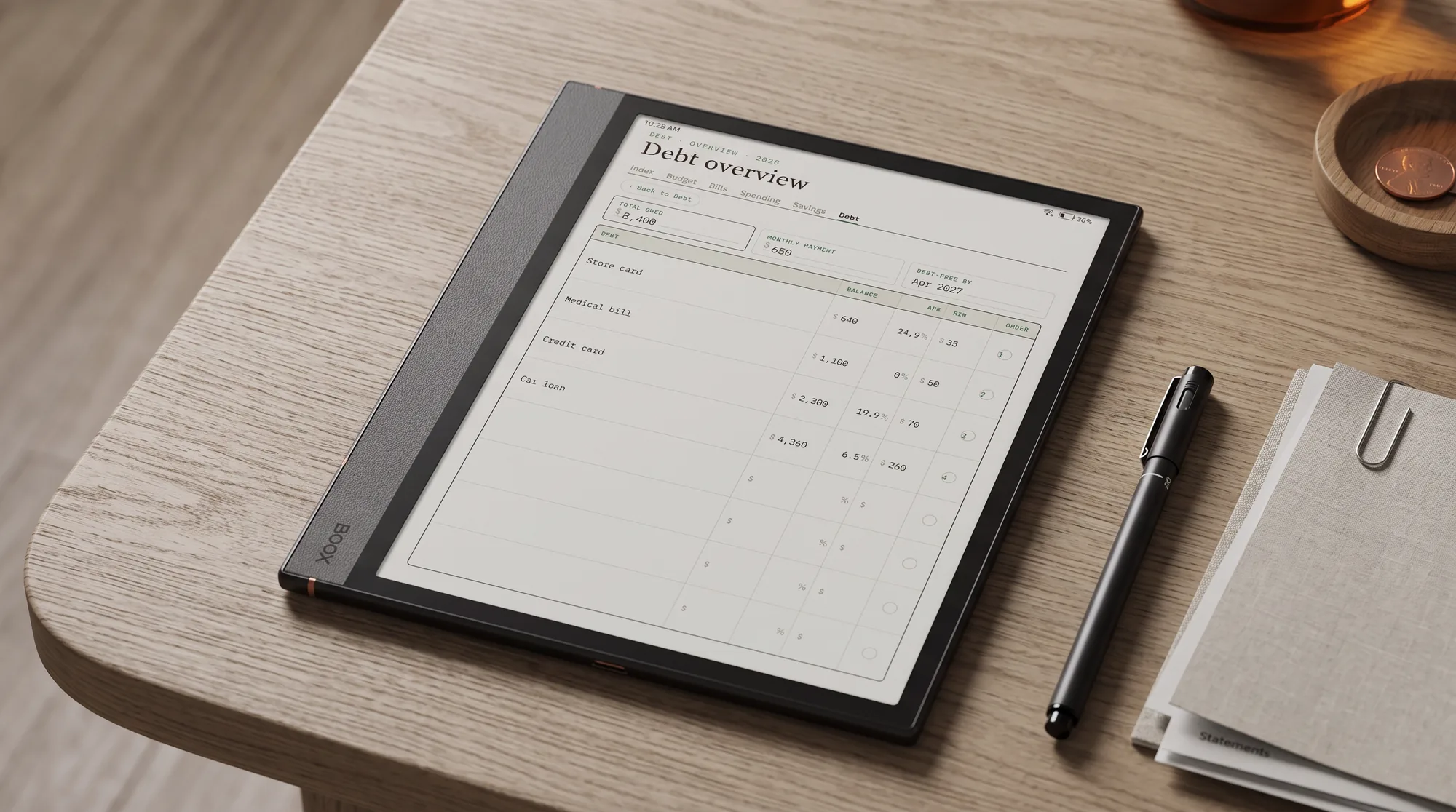
The setup is deliberately plain. You list each debt with its balance and rate, give each one a visual you can shade by hand, and update it on a fixed day. A running figure for the combined balance across all your debts shows the whole hill you are climbing, while the per-debt bars show which one is nearly done. That is the entire mechanism, and its power is emotional rather than financial: a tracker you can see beats a balance you keep flinching away from. If you are resetting your money as a whole rather than one debt, there is our Money Reset Pack.
Why e-ink
Why an e-ink tablet suits paying off debt
Paying off debt is a long, quiet job, and the tools that help are the calm ones. An e-ink tablet does not glow, does not notify, and does not sit inside the same phone that serves you one-tap checkouts and buy-now-pay-later offers all day. You open it, shade the bar for the payment you made, and close it, and the whole ritual takes a minute with nothing tempting you to spend on the other side. A reMarkable, a Kindle Scribe, or a writing-capable Boox all handle it equally well, because the job is small: hold a chart, take a pen mark, keep it. If your planner already lives on the tablet, the payoff chart sits beside your week where you will actually see it.
There is a fair trade to name. A budgeting app can pull your balances automatically and redraw the chart for you; a hand-shaded tracker asks you to write the number in. What you get for that minute is contact with the figure, which is exactly what makes the progress feel earned. People rarely quit paying off debt for lack of automation; they quit because the effort feels invisible. Shading the bar by hand makes it visible, and visible progress is what keeps the payments coming.
The method
How to set up a debt payoff tracker
A payoff tracker fails when it is either too fiddly to update or too vague to feel like progress. The setup below is quick to keep and clear to read, and it takes about twenty minutes once, before the first payment.
List every debt with its balance and rate.
Write down each one: card, loan, financing plan, the money you owe a friend. Note the balance and the interest rate beside it, because the rate decides the order in the next step.
Pick snowball or avalanche, and commit.
Snowball pays the smallest balance first for quick wins; avalanche pays the highest rate first to save the most money. Choose one and stop second-guessing it, because switching methods every month is how people stall.
Give each debt a visual you can shade.
A bar, a thermometer, or a grid of squares, one per debt, marked off as the balance falls. The visual is the whole motivation engine, so make it something you look forward to filling.
Update it on payday, every time.
Open the tracker the day money lands, shade what you paid, and write the new balance. A chart tied to payday gets updated; one left to when-you-remember goes blank by month two.
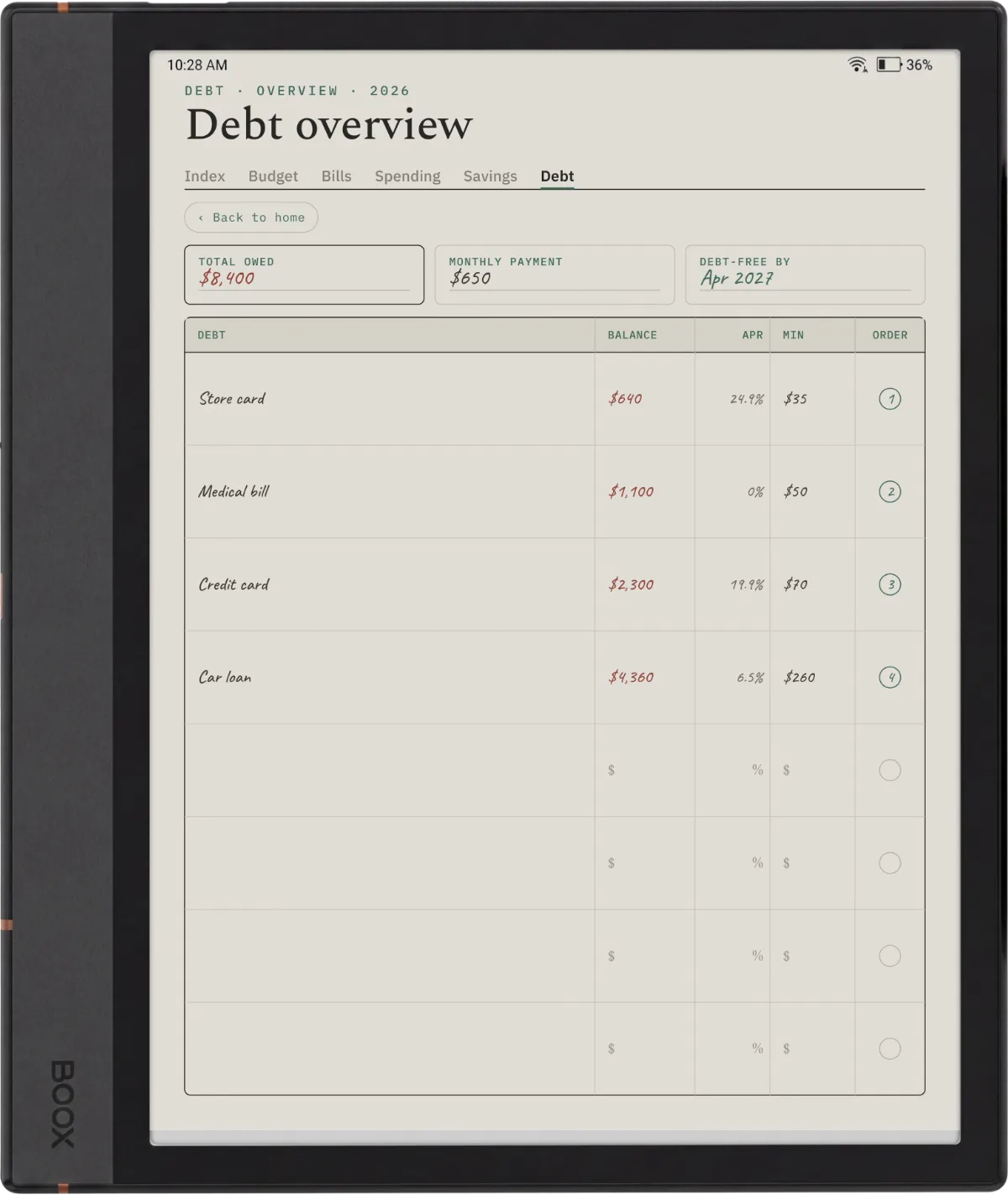
Keep the file dated rather than blank. A debt payoff tracker dated for 2026 and 2027 gives you the months to map a payoff timeline against, so you can see not just how much is left but roughly when the balance hits zero at your current pace. An undated sheet makes you redraw the calendar yourself, which is the small friction that quietly ends most trackers. Payoff is a marathon, and a dated file is the one that stays with you across it.
Snowball or avalanche
Snowball or avalanche: which order to pay
The two popular methods answer the same question differently. The debt snowball orders your debts smallest balance to largest and throws every spare dollar at the smallest, so you clear whole debts quickly and feel the momentum. The avalanche orders them by interest rate, highest first, so you pay the least in interest over the whole payoff. On paper the avalanche wins on money; in practice the snowball wins for a lot of people because finishing a debt early is a real reward that keeps them going. The consumer finance regulator lays out both approaches without picking a winner, which is the honest position.
On paper the avalanche wins on money; in practice the snowball wins for a lot of people, because finishing a debt early is a reward that keeps them going.Which method to pick
A tracker suits either method, and it is where the choice becomes real: order the bars the way your method says, and always feed the top one first. Whichever you pick, the discipline that actually pays debt down is the same steady habit of updating the page, which is why paying off debt sits so naturally beside the other money pages you keep by hand.
The bigger picture
Where a payoff tracker fits with bills and a budget
A payoff tracker does one job well: it shows the debts falling. It does not tell you what you can afford to throw at them, and that is where the rest of the money pages come in. A digital bill tracker shows what leaves your account each month, so you know what is genuinely spare, and a full budget decides how much of that spare goes to debt versus savings. The three work as a set: bills show the fixed costs, the budget sets the plan, and the payoff tracker shows the plan working.
If you want the wider view, our digital budget planner guide covers picking one for reMarkable, Kindle Scribe, and Boox, with the payoff tracker as one page of it. Keep it on the same tablet as your reMarkable planner or Kindle Scribe planner so the money pages sit beside the week they belong to.
Paying off debt is personal and quietly hard, and the method that clears one person’s cards leaves another cold, so if you keep a debt payoff tracker, tell us in the comments whether snowball or avalanche got you moving and what the visual looks like. The honest account of what actually kept someone paying is worth more to the next reader than any chart, and it helps us build pages around the way people really climb out.
FAQ
Common questions, answered briefly
What is a debt payoff tracker?
Is the debt snowball or avalanche method better?
How do I set up a debt payoff tracker on a tablet?
Should a debt payoff tracker be dated or undated?
Can I use a debt payoff tracker on a Kindle Scribe or Boox?
If yours isn’t above, drop the question in the comments and we’ll add it.
People also ask