What it is
What a digital journal template actually is
A digital journal template is a PDF built to be written in with a stylus: dated day pages, a few kinds of short page, and links that jump between them. You load it onto a tablet once, and from then on it behaves like a paper journal that never runs out of room and never gets left at home. People search for it as a digital diary template, a digital journal PDF or simply a journal PDF, and they mean the same thing. The only real difference between the words is regional. In British English a diary is often an appointment book, so journal is the safer name, but the file is identical.
What separates a good one from a folder of pretty pages is the linking. A year of daily entries is several hundred pages, and nobody scrolls through three hundred pages to find March. A usable journal PDF has an index, a tab strip on every page and a way to reach yesterday and tomorrow in one tap. Without that, the file works for a fortnight and then becomes a chore to open.
App or PDF
Journal app or digital diary PDF: which one you are after
Search for digital diary and most of what comes back is apps: things you type into on a phone, with reminders, cloud sync and a search box. They are good at what they do. If your journal is a quick typed note on the bus, an app is the right tool and a PDF will only slow you down.
A PDF is for a different habit. It is for people who want to write by hand, on a screen that feels like paper, without a keyboard or a notification anywhere near the page. That is why the e-ink tablets exist, and it is why a journal template sits so naturally on a reMarkable, a Kindle Scribe or a Boox. Handwriting is slower than typing, and for a journal that slowness is the point. The test is simple: if you picture yourself writing tonight’s entry with a pen, you want the PDF. If you would rather write on actual paper, our guide to the printable weekly planner covers layouts, paper sizes and printing.
The pages
The pages a digital journal template should hold
Most journals stop somewhere between week two and week six, and rarely for lack of things to say. A blank page asks for a full entry every night, and one missed night makes the next harder to start. So the pages that matter most are not the big ones. They are the small pages that let you keep the habit on a night when a full entry is beyond you.
| Page | Time it asks | What it is for |
|---|---|---|
| Day page | 10 to 20 min | The full entry |
| One line a day | 30 seconds | The night you cannot |
| Mood month | 30 seconds | Patterns you miss |
| Month review | 15 min, monthly | Closing the month |
| Memories and lists | Whenever | Things worth keeping |
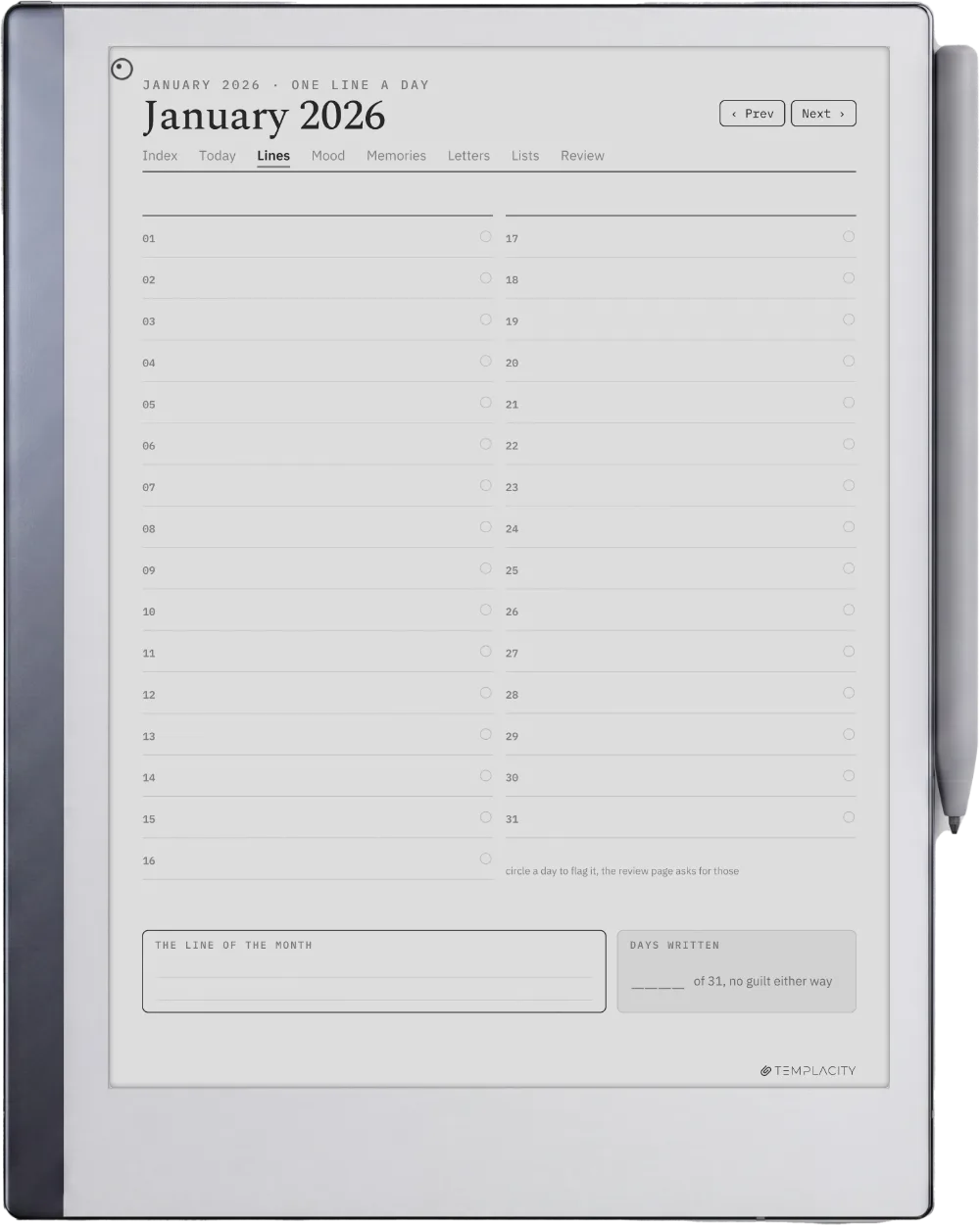
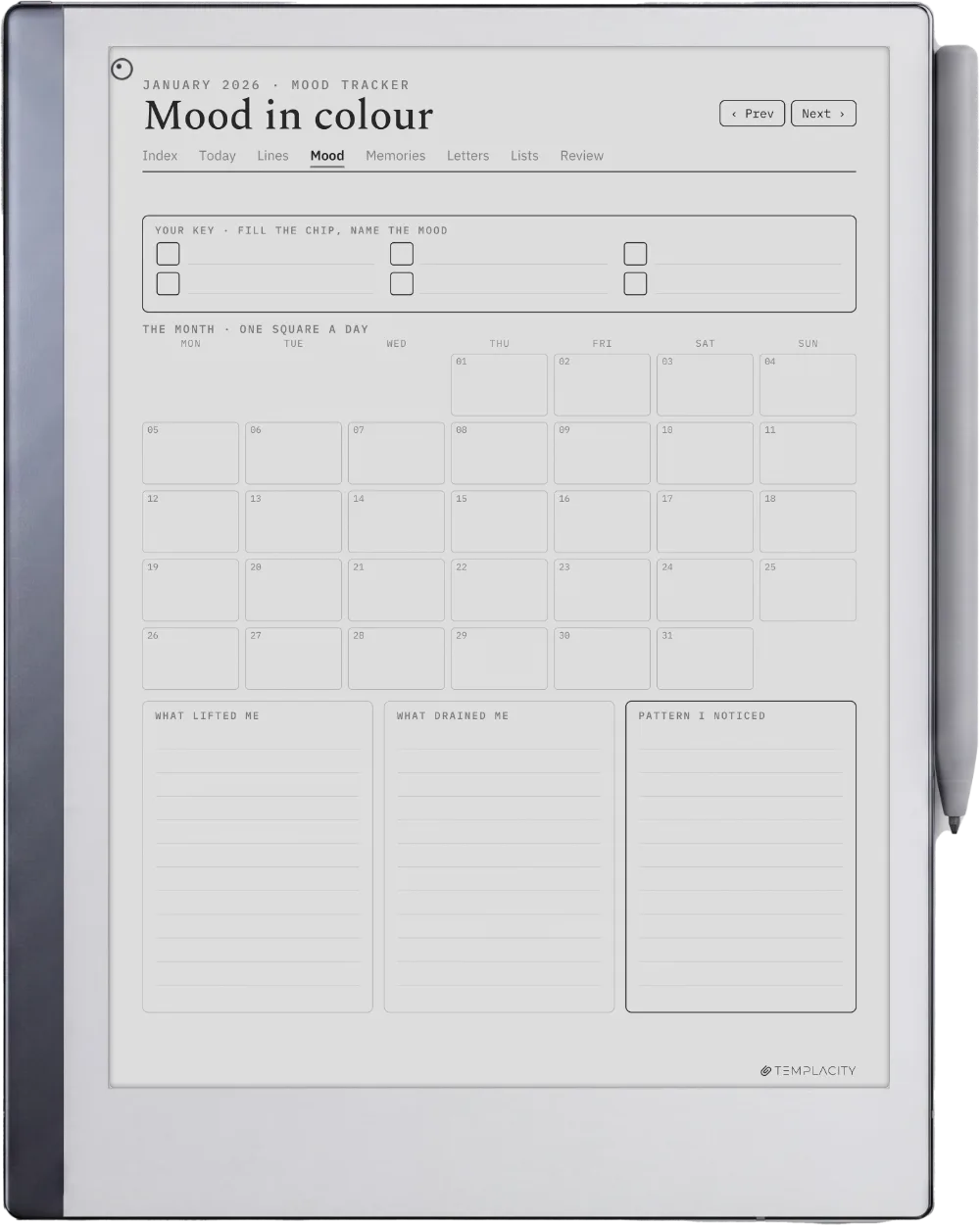
The one line a day page is the one we would never ship without. A whole month sits on a single page, one short line per date, so a missed evening costs you a sentence rather than a page. It is also the easiest way back in after a gap: you fill in yesterday’s line, and you are journaling again. The mood month does the same job for feelings, one square per day shaded to your own key, and over a few months it shows patterns a written entry never will.
The month review closes each month with a handful of questions: what happened, what you would not repeat, what you are proud of. Without it, a digital diary just runs out at the end of the year rather than ending. The memory pages, lists and letters are the ones you come back to, which is what turns a year of entries into something you reread.
A missed evening costs you a sentence rather than a page.The pages
Dated or undated
Dated or undated journal PDF
An undated journal PDF looks more flexible, since you can start any day. In practice it pushes work back onto you: every entry begins with writing the date, every month grid has to be numbered by hand, and a skipped week leaves no visible gap to fill. A dated file does that work once, at the source. Each day page already carries its date and weekday, the mood month starts on the real first weekday, and the links go straight to today.
The fair objection to dated pages is that they expire. The answer is to ship two years in one download, so a journal started in autumn still has a full year ahead of it. If you want a free-form layout you design yourself, the bullet journal method is the better fit, and if your journal is mostly about books, a reading journal template is built for that job.
Your tablet
Getting a digital journal template onto your tablet
Because it is a PDF, a journal template goes onto almost any writing tablet, and the steps are the ones you would use for any planner. The one thing to check before you buy is the page size: a file drawn for a 10.3 inch e-ink screen will look cramped on a 7 inch one, so pick the cut made for your device.
- reMarkable: import the PDF through the desktop or mobile app and write straight on it. reMarkable’s own guidance is that you can design a PDF to use as a template and import it onto the device, which is exactly what a journal file is (see the reMarkable templates article).
- Kindle Scribe: send the PDF with Send to Kindle, which lists PDF among its supported file types, and choose to keep it as a writable document.
- Boox and Supernote: copy the PDF across by cable or cloud folder and open it in the notes or document app.
- Goodnotes on iPad: import the PDF as a new notebook. Our Goodnotes journal template guide covers the iPad side in more detail.
Whichever tablet you use, tap through the links on the first day. If the index reaches every month and every day page reaches yesterday and tomorrow, the file will hold up for the year.
Ours
The journal we make
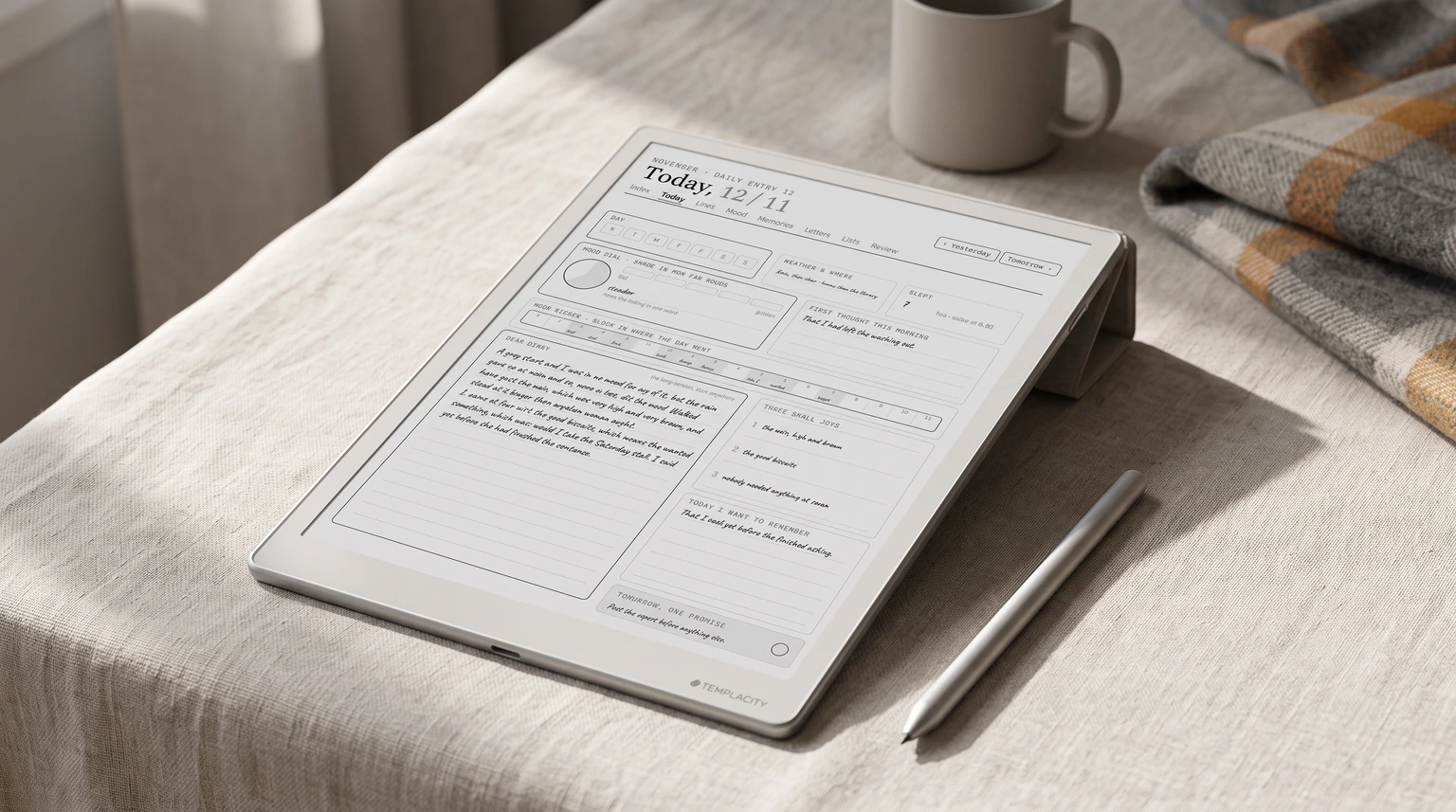
Full disclosure: we make one, so read this part as a maker describing their own file. The Journal is our digital journal template, built around the week you miss rather than the tidy one. It has a page for every day of the year with a mood dial, an hour ribbon, three small joys and room to write, every part of it optional. Each month opens with one line a day and a mood month, and closes on a review with four questions and three intentions. Around them sit a memory keeper for every month, a page for things people said, a dream log, four letters to later and sixteen running lists.
It runs to 464 hyperlinked pages, with 2026 and 2027 both in the download, in six languages, cut for reMarkable, Kindle Scribe, Boox, Supernote and Goodnotes on iPad. If you want an art-led journal full of stickers and themes, an independent illustrator will suit you better; ours is plain on purpose, so the handwriting is what you see. If you keep other notes beside your journal, our guide to a commonplace book and our roundup of the best reMarkable templates cover the rest of the shelf.
Journals are personal, and the one that works is the one you still open in March. If a page, a habit or a trick has kept your digital diary going past week six, tell us in the comments. What works for people who journal every night helps the next reader more than any template can.
FAQ
Common questions, answered briefly
What is a digital journal template?
Is a digital diary template different from a digital journal template?
Should I use a journal app or a journal PDF?
Can I put a journal PDF on a Kindle Scribe?
Is a dated or undated journal better?
How do I keep journaling after I miss a few days?
If yours isn’t above, drop the question in the comments and we’ll add it.
People also ask