What it needs
What a good reading journal template includes
A reading journal template is just a ready-made structure for recording what you read and what you thought of it, so you are not redrawing the same columns for every book. A good one starts with a small core: the title and author, the dates you read it, a rating, and room for a line or two of thought. Everything past that (a favourite quote, a one-line summary, a prompt or two) is a topping you add once the habit holds. The mistake most templates make is asking too much on a normal Tuesday, so the format you choose matters more than how pretty it looks. If you want the full picture of what a journal is and how it differs from a tracker, our reading journal guide is the place to start; this post is about which template format to actually use.
The formats
The formats: printable, notebook, and digital
Almost every reading journal template falls into one of four formats, and they ask very different things of you. A printable is a designed page you print and fill in by hand. A notebook is a blank book you draw your own spreads in. A spreadsheet is a digital sheet (usually Google Sheets or Excel) that types fast and does the maths. An app or Notion setup lives on your phone. Here is how they compare on the things that decide whether a journal survives the year.
| Format | Effort to keep | Make it yours | Owns your data | Best for |
|---|---|---|---|---|
| Printable PDF | Low, write by hand | Limited to the design | Yes, it is paper | A fast, no-setup start |
| Notebook spread | Medium, you draw it | Full freedom | Yes, it is paper | People who like the making |
| Spreadsheet | Low once set up | High, edit any column | Yes, your own file | Stats and sorting |
| App or Notion | Low, types on phone | Medium, within the app | Depends on the service | Logging on the go |
There is no single winner in that table, only trade-offs. Printables and notebooks keep you off a screen and make logging feel like reading rather than admin. A spreadsheet is the one that turns your reading into numbers without any effort from you, and an app keeps the journal in your pocket for the moment you finish a book on the train. The next sections walk each format in turn so you can see which one you would still be using in November.
Printable
Printable reading journal templates
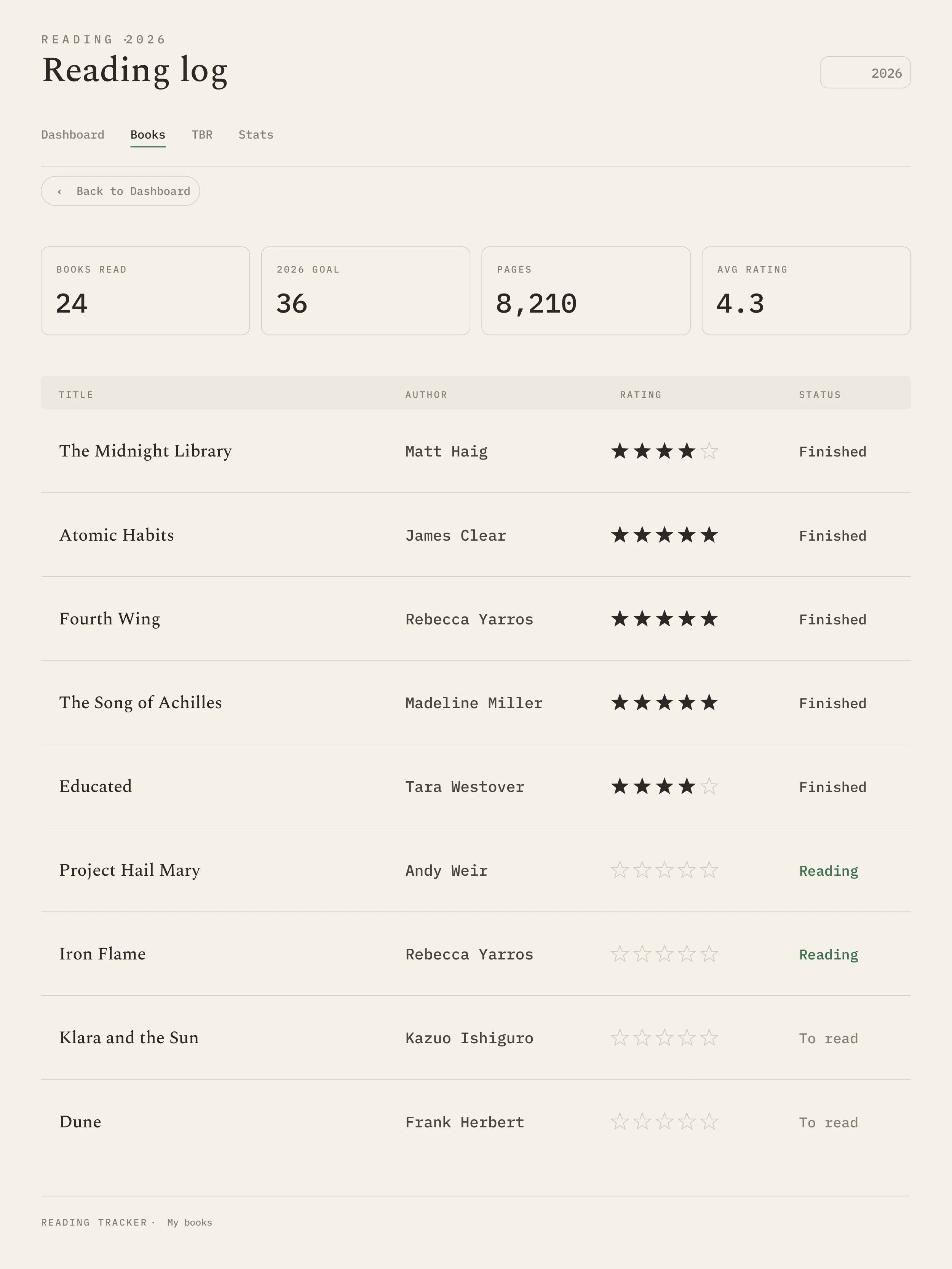
A printable reading journal template is the lowest-friction way to start, because there is nothing to set up: download, print, and start writing. The format suits people who already know they prefer pen and paper but do not want to design the pages themselves. Look for a printable that gives you both a running log (one line per book, for the year at a glance) and a per-book page (a half or full page for notes, a quote, and a rating). A printable that only offers elaborate full-page spreads will leave you feeling behind by week two, which is the opposite of the point.
Free printables are easy to find, and a free template you actually use beats a paid one that intimidates you. The honest catch is that most free pages are fixed: if the rating row is the wrong shape for you, you cannot move it. Paid printables on marketplaces like Etsy buy you nicer typography and more layout choices, not a different idea. Whichever you choose, print a single month first and live with it before you commit a whole binder, the same way you would test-drive any reading log template before printing fifty copies.
Notebook
Notebook and bullet-journal spreads
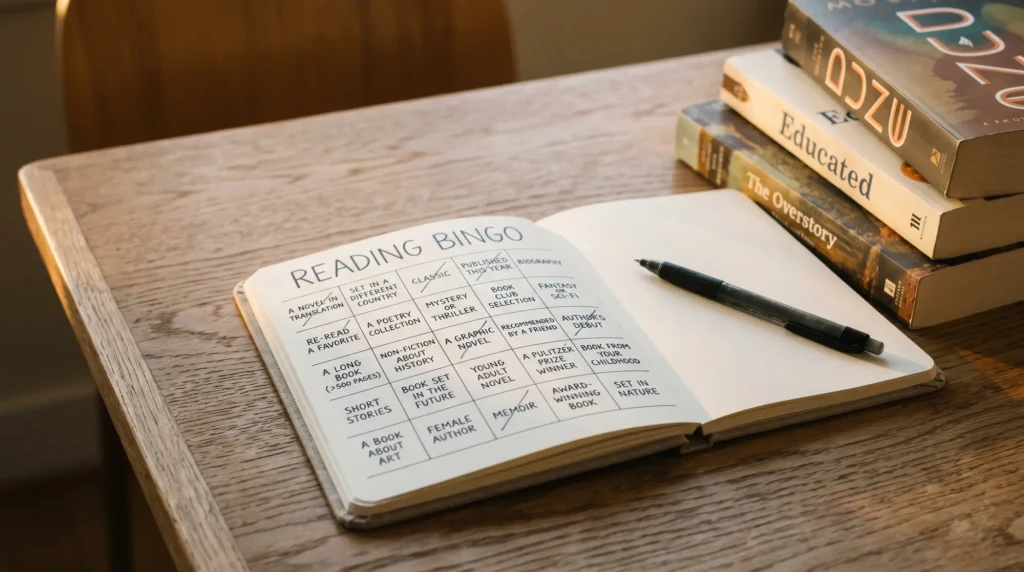
If you like the making as much as the reading, a blank notebook is the most flexible template there is, because you are the template. A bullet-journal style reading spread gives you a year-in-books page (one row or one spine per finished title), a TBR (to-be-read) list, and per-book pages you decorate as much or as little as you like. The freedom is the appeal and the risk: a notebook that opens with twelve ornate spreads is a notebook you abandon in March. Start with two pages, a year-in-books and a TBR, and add more only once they fill.
A reading journal template should lower the friction of logging, not add a new chore to your week.On choosing a format
For the layouts themselves, you do not need to invent anything: our reading journal ideas post is a deep well of prompts and spreads that drop straight into a notebook, and if you want the page to look as good as it reads, the aesthetic reading tracker guide carries over to a hand-kept journal. The notebook format rewards people who treat the journal as a small craft; if that is not you, one of the digital options below will keep you logging with far less upkeep.
Digital
Digital and spreadsheet templates
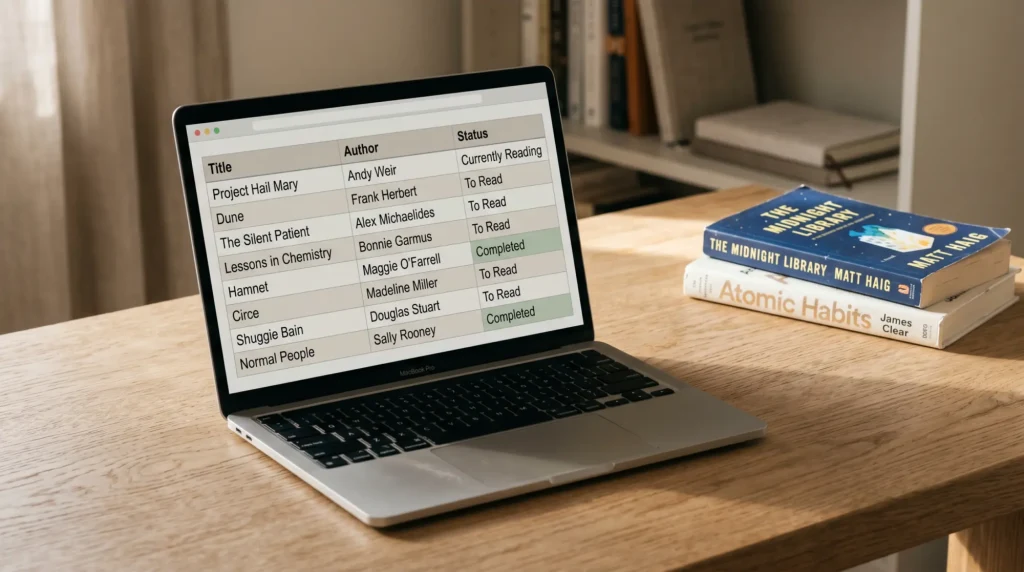
A digital reading journal template is the format that does work for you. A spreadsheet in Google Sheets or Excel logs as fast as you can type, sorts by author or rating in a click, and tallies your year (books finished, pages, average rating, formats) without you adding up a single column. That makes it the natural home for the counting side of reading, which is really the job of a reading tracker spreadsheet rather than a hand-kept journal. Apps like Goodreads and StoryGraph and a Notion database do the same job on your phone, with the trade-off that your data lives on someone else’s service and follows their rules.
The reason many readers land on a spreadsheet is ownership: it is your file, it works offline, and no one can change the features or the terms under you. That is the thinking behind our own reading tracker template, a Google Sheets file that keeps the reflection fields (a notes column, a favourite line, a rating) alongside the stats that tally themselves, in an Aesthetic design if you want the look as well as the function. It is one option among many on this page rather than the answer for everyone; if you want the deeper roundup of sheet-based options, our best reading tracker template guide compares them side by side. A spreadsheet earns its place when you want both the writing and the numbers in one file you control.
How to choose
How to choose the template that fits you
Choosing comes down to three honest questions. First, do you want to reflect or to count? If the writing is the point (quotes, thoughts, prompts), lean printable or notebook; if the numbers and lists are the point, lean spreadsheet. Second, how much upkeep will you actually give it? A printable or a sheet asks almost nothing, a decorated notebook asks for time you may not have. Third, does the look matter to you enough to keep you coming back? For some readers a beautiful page is the whole reason the habit survives, and that is a valid reason to choose a notebook or an Aesthetic sheet over a plain one.
If you are torn, the safe first move is a printable or a simple sheet for a month, then switch only if you find yourself wanting something the format cannot give. Most readers end up with a hybrid anyway: a quick digital log for everything they read, and a notebook page for the handful of books that earned a longer note. Whatever you pick, keep the entry short and write it the day you finish; the format that survives is the one that never feels like homework.
Which format did your reading journal end up in, and did you switch once before it stuck? Tell us in the comments. The template that survives a busy year is worth more than the prettiest one, and your reason for keeping it going helps the next reader more than any blank page ever could.
FAQ
Common questions, answered briefly
What should a reading journal template include?
Is a printable or digital reading journal template better?
Where can I find a free reading journal template?
What is the difference between a reading journal and a reading tracker template?
Can I keep a reading journal in a notebook instead of a template?
If yours isn’t above, drop the question in the comments and we’ll add it.
People also ask