The idea
What a digital bill tracker actually records
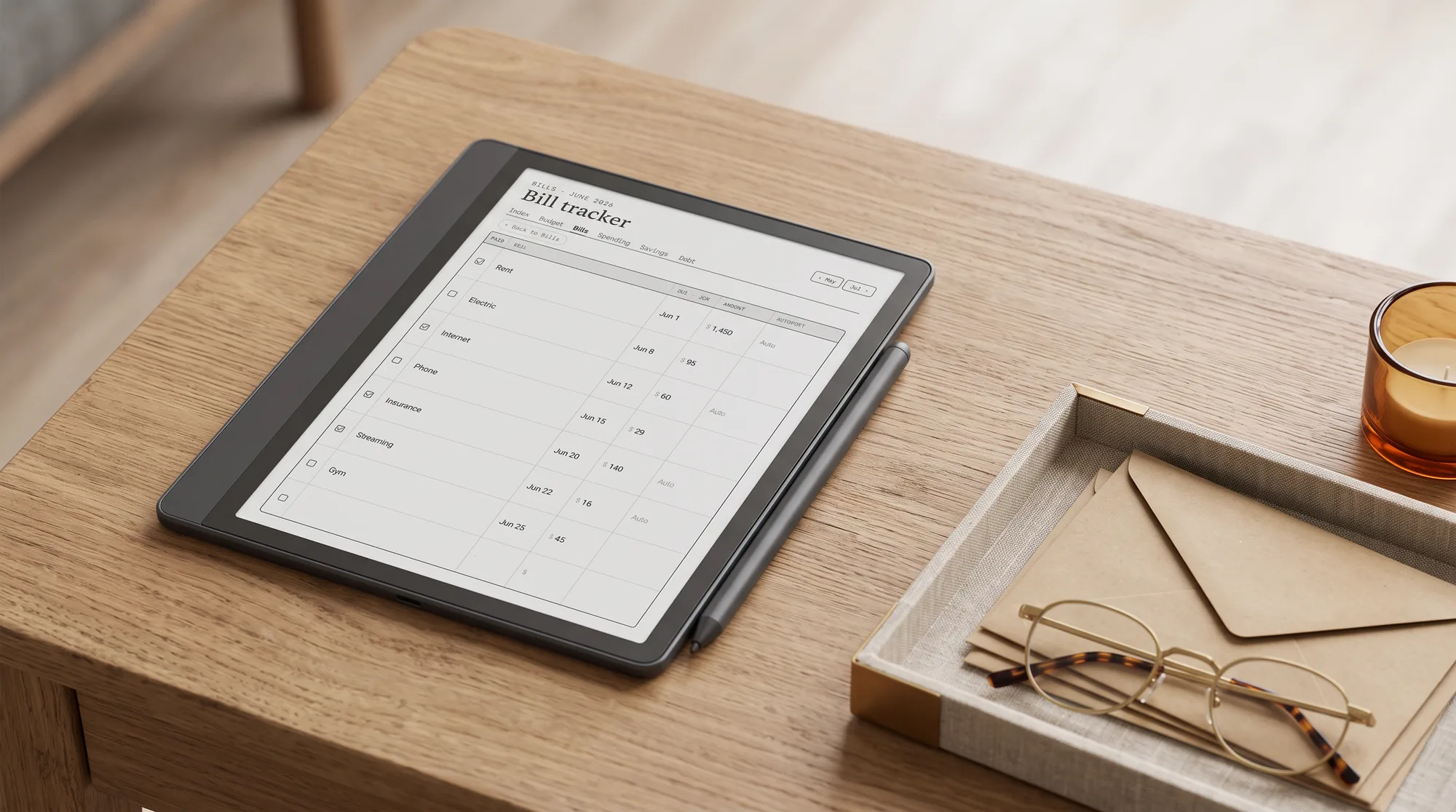
A digital bill tracker is a single sheet you keep on an e-ink tablet that lists every recurring bill in one place: the name, the due date, the amount, the category, and a box you tick once it is paid. That is the whole thing, and its value is not clever math but visibility. Bills go wrong when they are scattered across email, autopay, and memory, so one that lands a day early with no money set aside becomes a late fee and a small ding to your credit. A digital bill tracker gathers them onto one page you can read in seconds, which is usually all it takes to stop the misses.
The columns that earn their place are few. You want the bill name, the day of the month it falls, the amount (or “varies” for the ones that move), a note for whether it is on autopay, and the paid checkbox. A running tally at the bottom tells you what the month owes before payday, and a category tag lets you see at a glance how much is housing, how much is subscriptions, and how much is the quiet drip of things you forgot you signed up for. Everything past that is decoration, and decoration is what turns a sheet you keep into a sheet you abandon.
Why e-ink
Why an e-ink tablet suits bill tracking
Money admin is exactly the task you avoid when it lives on a glowing phone beside a dozen notifications. An e-ink tablet flips that. The screen does not glow, does not buzz, and does nothing but hold your page, so opening it to tick off the bills you paid is a calm two-minute ritual rather than a doom-scroll with a guilty aftertaste. A reMarkable, a Kindle Scribe, or a writing-capable Boox all handle the job equally well, because the job is small: show a list, take a pen mark, hold it. If you already keep a planner on one of these, the bill tracker sits one tap from your week, which is the quiet advantage of putting it on the tablet you already write on.
There is one fair trade worth naming. A banking app can flag a due date and pay a bill for you; a hand-marked sheet will not. What it gives back is a single, deliberate look at the whole month, the one thing scattered autopay never shows you, so you catch the price rise on a subscription or the annual renewal you meant to cancel. Most people are not missing bills for lack of an app; they are missing the overview. The tablet gives you the overview and asks two minutes for it.
If you would rather keep the list on paper, our bills tracker printable set has a monthly checklist with totals, a yearly 12-month grid and a 1 to 31 bill calendar, free in Letter, A4 and A5.
The method
How to set up a bill tracker you actually check
A bill tracker fails for predictable reasons: too many columns, no fixed moment to check it, and a layout that does not match how the month actually pays out. The setup below avoids all three, and it takes about fifteen minutes once before the first month.
List every recurring bill once.
Go through one full month of bank and card statements and write down everything that repeats: rent or mortgage, utilities, insurance, phone, and every subscription. The subscriptions are where the surprises hide, so do not skip the small ones.
Order the list by due date, not by size.
A tracker sorted by the day of the month reads the way the month actually happens, so you can see what is due before payday and what waits until after. Sorting by amount looks tidy and helps nobody.
Mark what is on autopay.
Flag every bill that pays itself so your eyes skip straight to the manual ones. The goal is a short list of bills that need a human, not a wall of rows you stop reading.
Anchor the check to payday.
Open the tracker the morning money lands, tick what cleared, and pay what is due before the next one. A tracker tied to payday gets opened; one left to willpower does not.
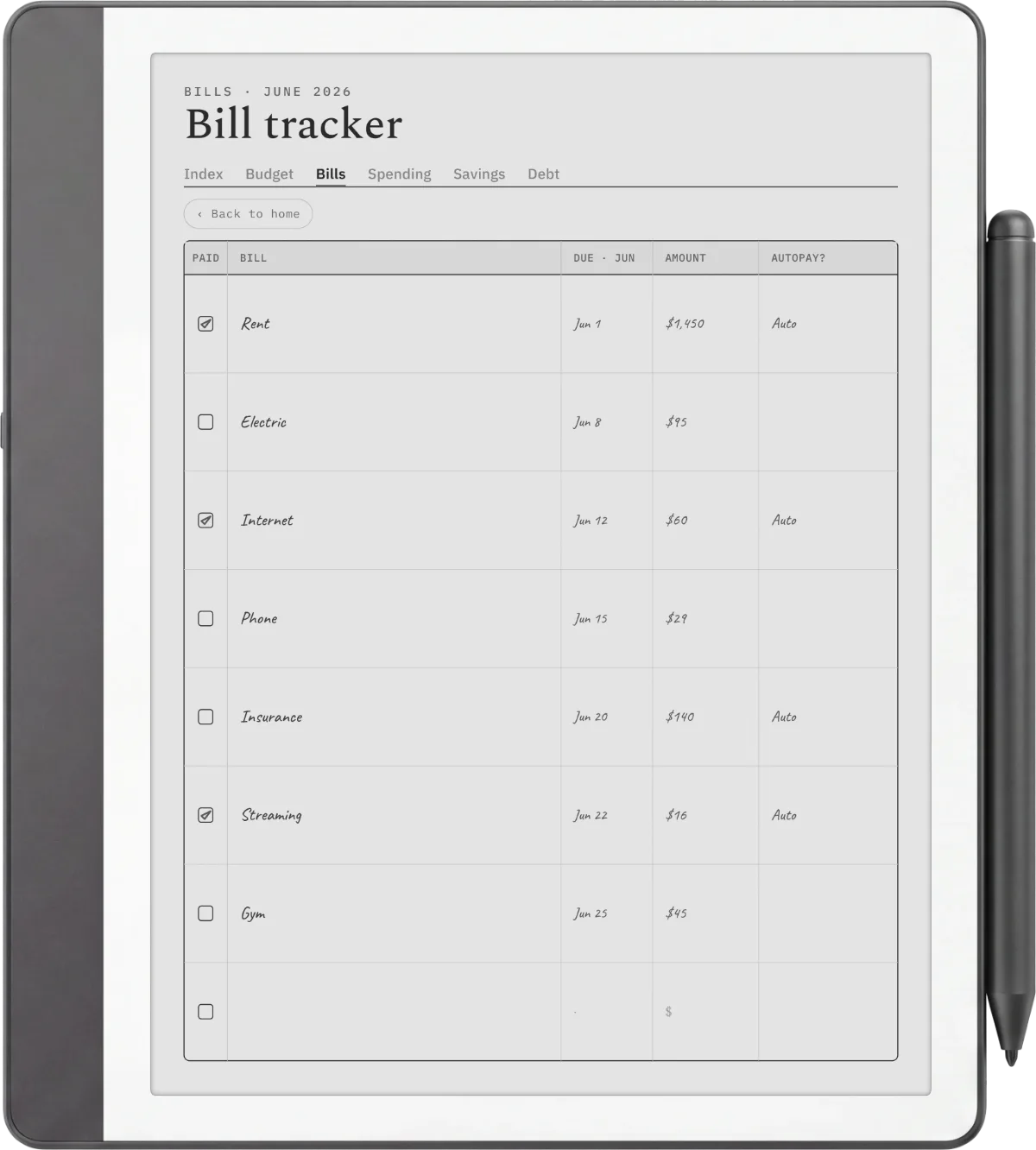
Keep the file dated rather than blank. A digital bill tracker dated for 2026 and 2027 opens to the current month and lays the days out for you, so the only thing you do is write the amount and tick the box. An undated grid asks you to redraw and re-date each month yourself, which is the small friction that ends most trackers by spring. If you want the reasoning behind a simple bills-and-spending view, the US consumer finance regulator keeps a plain budgeting guide that treats a bill list as the first step, before any spreadsheet.
The awkward bills
Monthly bills, annual bills, and the ones that ambush you
Monthly bills are the easy part; a good bill tracker earns its keep on the irregular ones. Insurance premiums, road tax, a domain renewal, an annual software licence, the dentist twice a year: these land as a single large charge that wrecks a month you did not plan for. The fix is a small second list on the same page, one line per annual bill with the month it falls, so the big ones are visible from January rather than sprung on you in October.
Insurance, road tax, an annual renewal: these land as a single large charge that wrecks a month you did not plan for.Why the annual list matters
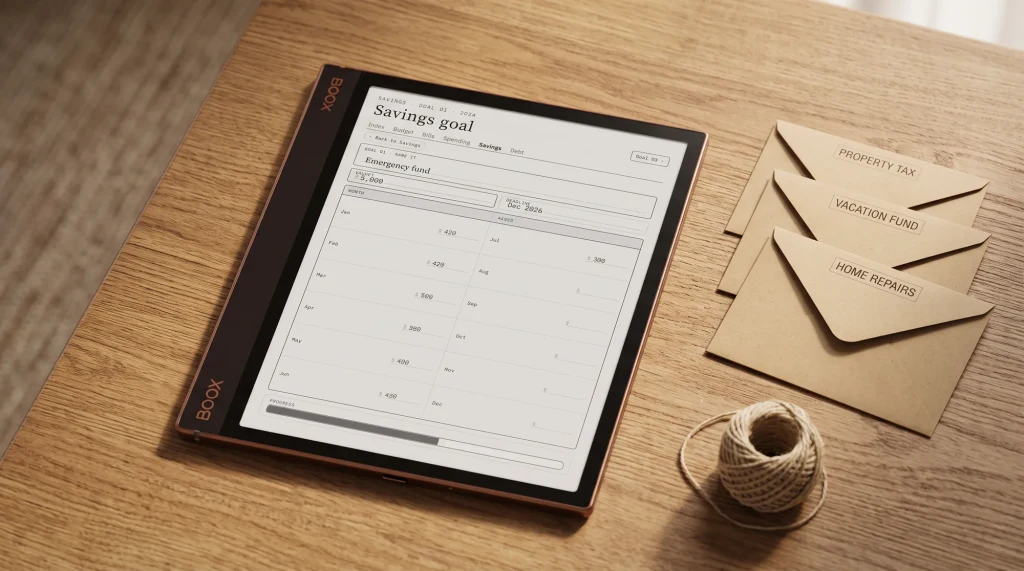
The calmer households do one more thing: they divide those annual bills by twelve and set the slice aside each month, so the big charge is already covered when it arrives. That habit has a name, sinking funds, and a dedicated sinking funds tracker is where you keep each one in its own column. Paying attention to bills is itself a small recurring habit, and if you keep other ones by hand, our digital habit tracker guide covers the same calm, dated approach applied to routines rather than money.
Tracker or planner
Where a bill tracker ends and a budget planner begins
A bill tracker answers one question: what do I owe, and when. That is enough for a lot of people, and there is no shame in stopping there. The moment you want to answer a bigger question, how much can I spend, where does the rest go, am I actually saving, you have outgrown the tracker and want a full budget. That is the line: the tracker watches the bills, the budget plans the whole paycheck. Most people start with the tracker because it is the fastest to keep, then graduate to a planner once the bills are under control.
If you are ready for the wider view, our digital budget planner guide walks through picking one for reMarkable, Kindle Scribe, and Boox, and a bill tracker slots in as one page of it. If part of what leaves your account each month is debt, a dedicated debt payoff tracker gives those balances their own chart to shade down. Keep them on the same tablet as your reMarkable planner or Kindle Scribe planner so the money pages sit beside the week they belong to.
How people track bills is oddly personal, and the columns one household swears by look like clutter to another, so if you keep a digital bill tracker, tell us in the comments what your sheet includes and what you cut. The honest list of what actually gets checked every payday is worth more to the next reader than any template full of columns, and it helps us build the page around the bills people really watch.
FAQ
Common questions, answered briefly
What is a digital bill tracker?
Is a bill tracker on a tablet better than a banking app?
What should a bill tracker include?
Should a digital bill tracker be dated or undated?
Can I use a bill tracker on a Kindle Scribe or Boox?
If yours isn’t above, drop the question in the comments and we’ll add it.
People also ask