What it is
What “remarkable planner” actually means in 2026
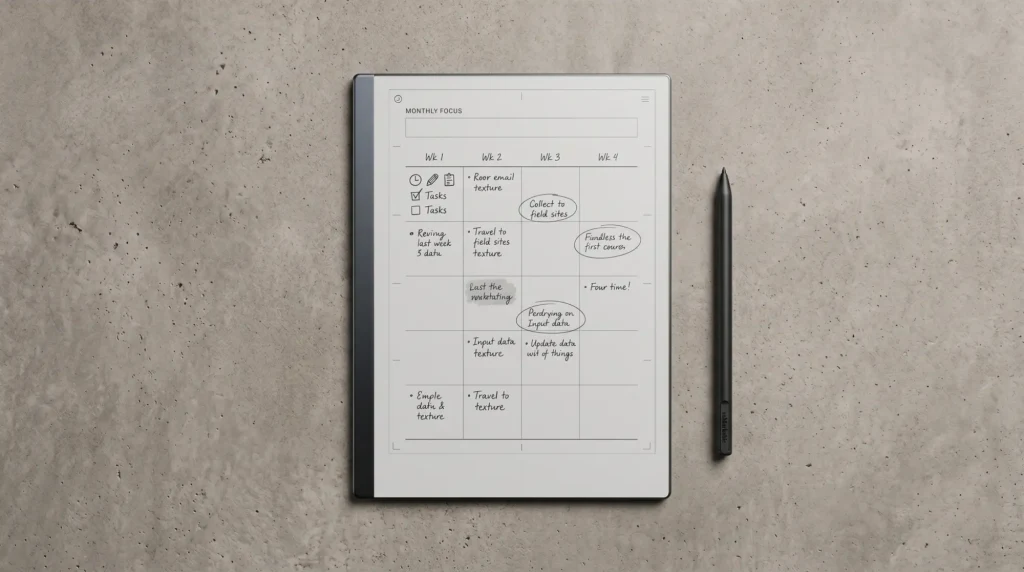
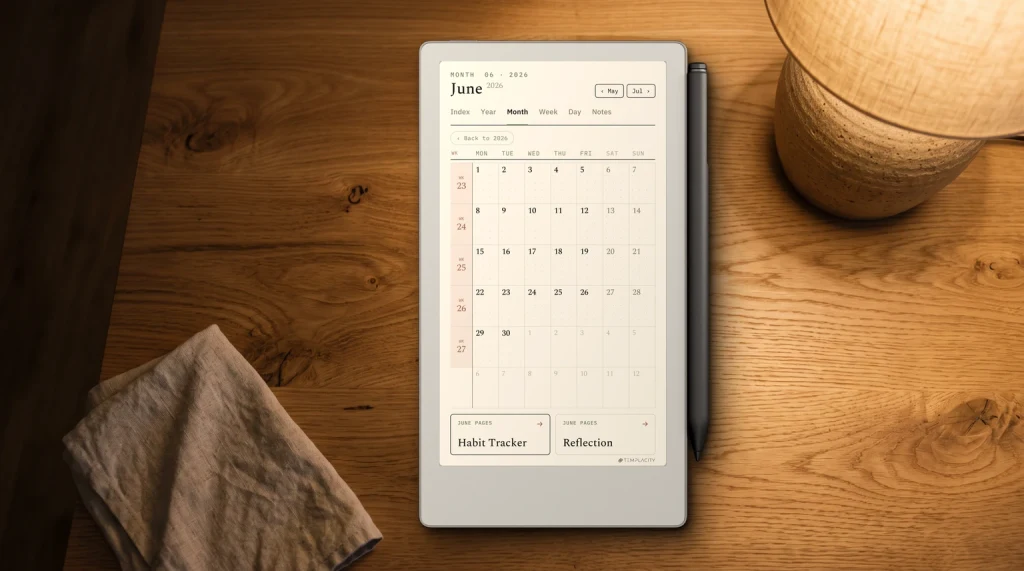
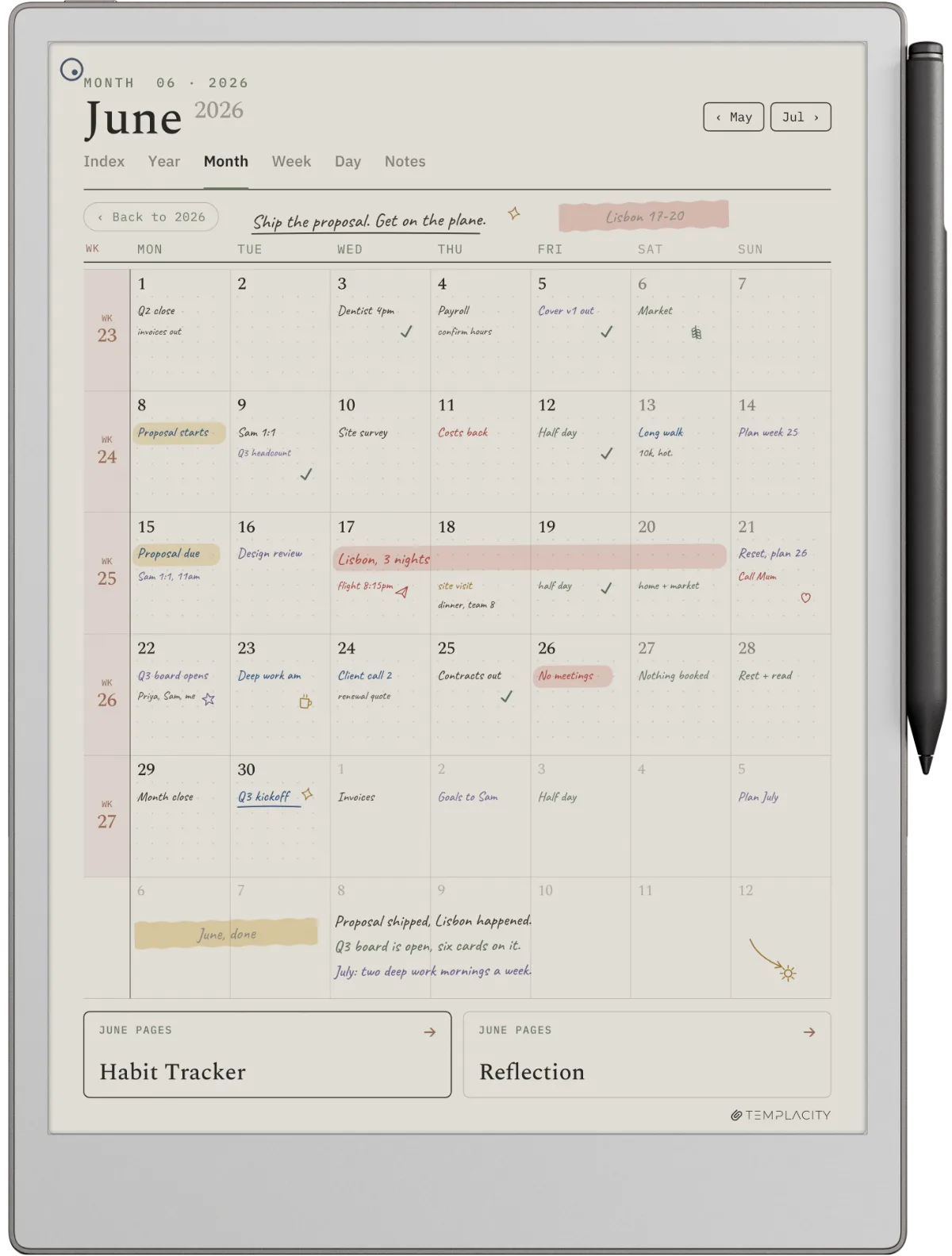
A remarkable planner is a planning system that runs on a reMarkable device, usually as a hyperlinked PDF imported into the device, sometimes as a native notebook template, occasionally from the Methods templates included with reMarkable’s Connect subscription. The common shape is a digital planner you write on with the stylus, navigate by tapping internal hyperlinks, and store inside the device’s filesystem the way you would treat a physical planner: open it, use it, never lose it.
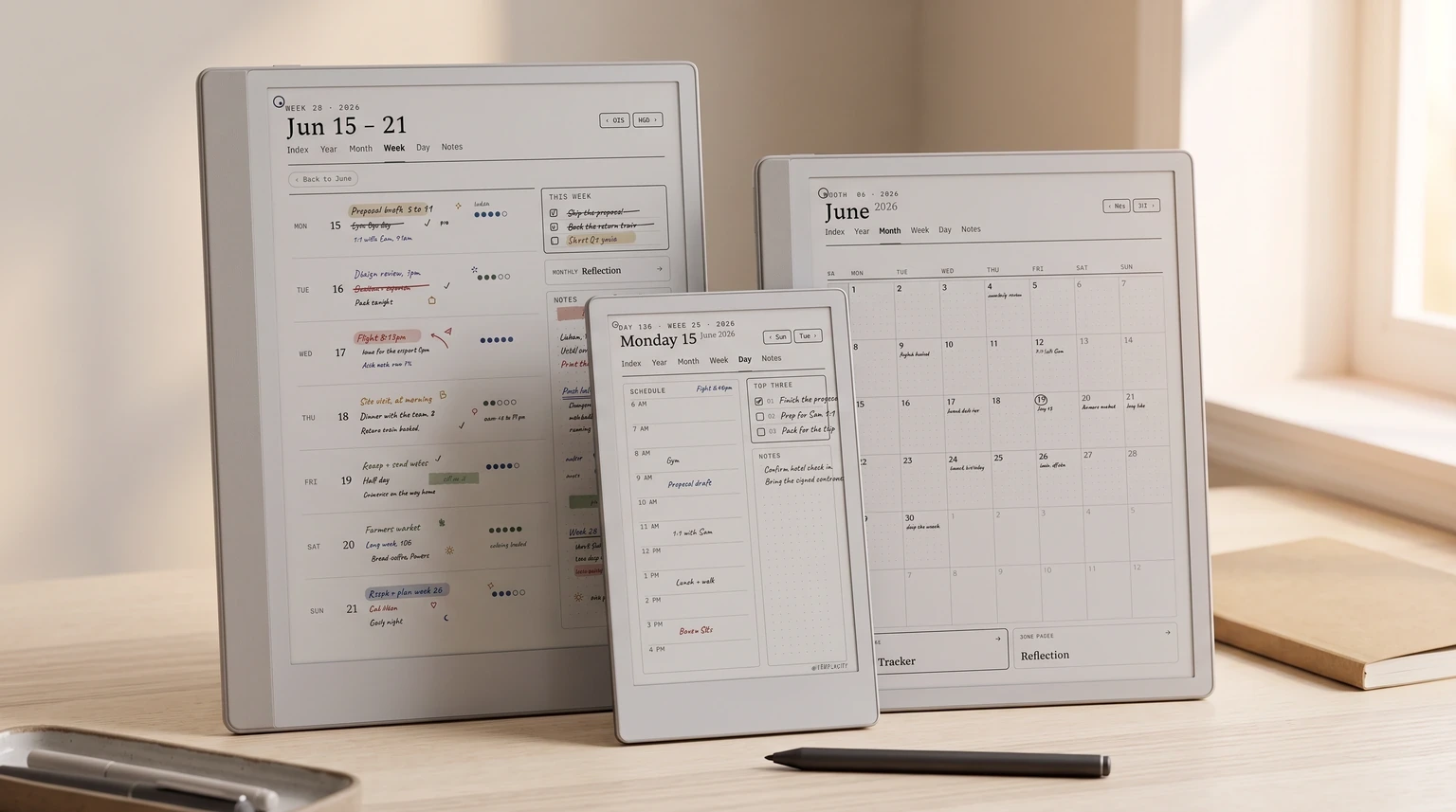
The ecosystem is bigger than the Kindle Scribe equivalent because reMarkable shipped four distinct devices into the lineup (the Paper Pro, the smaller Paper Pro Move, the Paper Pure that replaced the rM2 in 2026, and the rM2 itself, discontinued but still receiving software updates), and each has its own panel size and native template support. A planner sized correctly for the Paper Pro will not render at native resolution on the Paper Pro Move; a planner exported for the rM2 works on the Paper Pure at native resolution, because the two share a panel size and a pixel count. The mismatch to watch is the Paper Pro Move, whose narrow 7.3-inch 9:16 panel crops a planner drawn for a 10.3-inch 3:4 one. Layout, not calibration. Picking the right planner starts with picking the right reMarkable.
What is not the case: there is no first-party reMarkable planner subscription that ships as the default planning experience. reMarkable ships built-in notebook templates (lined, ruled, dotted, daily, weekly, monthly, quick sheet) and includes a set of Methods templates in its Connect subscription ($3.99 a month or $39.90 a year), but neither is a dated planning system. Every serious reMarkable planner workflow ends up as a PDF import from a template studio like Templacity (us) or a competitor, or Connect’s Methods templates if a guided framework is what you want. The PDF route is what this guide focuses on.
Device map
Which reMarkable can you plan on
Every current reMarkable runs a planner workflow. The differences are panel size, color rendering, repair model, and what bundle you should buy with the device. The four devices split cleanly by use case.
The reMarkable 2 is the 10.3-inch mono original, which reMarkable discontinued in 2026 and replaced with the Paper Pure; it still receives software updates. Same panel resolution as the Paper Pure, no frontlight, glued chassis. reMarkable still sells refurbished units, but only as bundles with a Marker and a folio, from $349, $50 under where the Paper Pure starts, so the refurb is the cheap way in again. The reMarkable Paper Pure is the 10.3-inch mono entry-level device, $399, with a screws-and-snaps chassis that supports a user-replaceable battery. It is the new default mono planner device and where most new buyers should start. Our Paper Pure pillar covers the spec deep-dive.
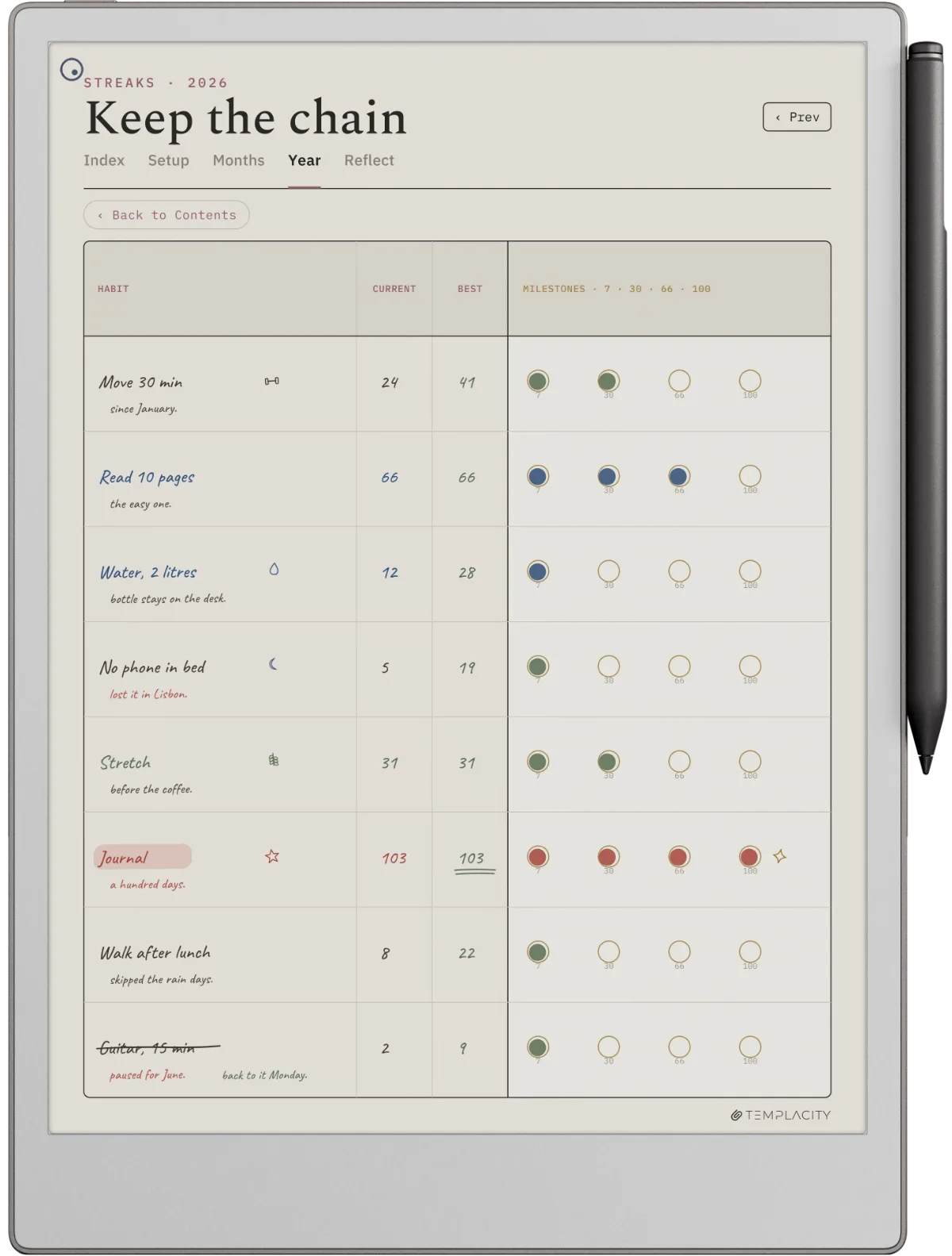
The reMarkable Paper Pro is the 11.8-inch color e-ink option, $629 base. Bigger panel, color support for the planners that use it (color-coded weeks, habit-grid status, mood swatches), aluminum chassis. The right pick when planning is the primary workflow and color matters. The reMarkable Paper Pro Move is the 7.3-inch compact color model, $449. Same color rendering as Paper Pro at a smaller footprint, useful for pocket-grade portability but the smaller panel forces denser planner layouts. Our coverage of each lives at the Paper Pro templates and Paper Pure templates cluster posts.
For most new planner buyers in 2026 the order of recommendation is Paper Pure first (mono, $399, repairable), Paper Pro second if color matters or you want the larger panel, Paper Pro Move third if portability outweighs panel size, and a refurbished rM2 only if you specifically want the original, since the refurb bundles start at the Paper Pure’s price.
Anatomy
What a working remarkable planner has to do
A reMarkable planner that survives daily use shares the same shape regardless of which device runs it. The four attributes below are what separate planners you open every day from planners you download and forget.
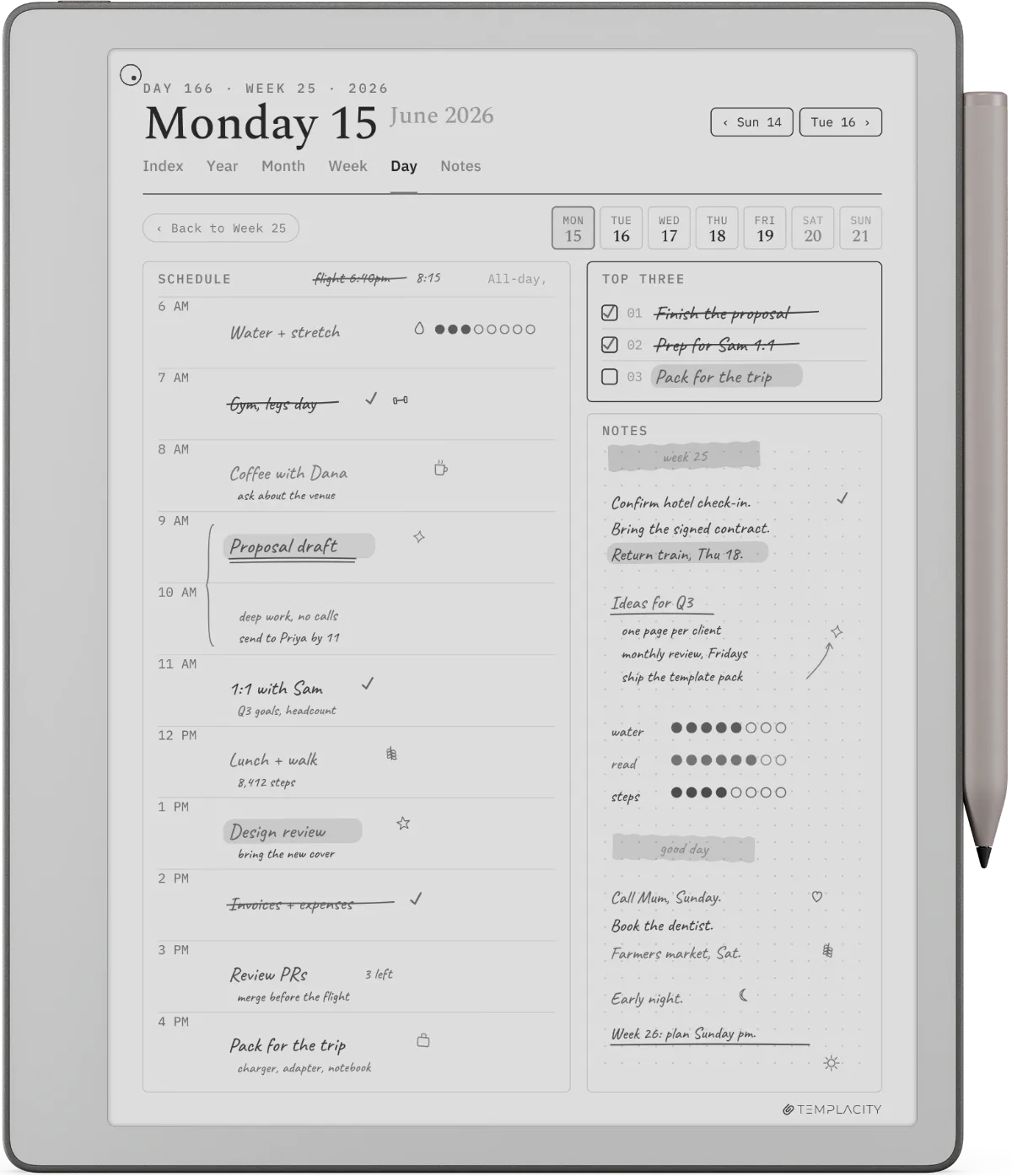
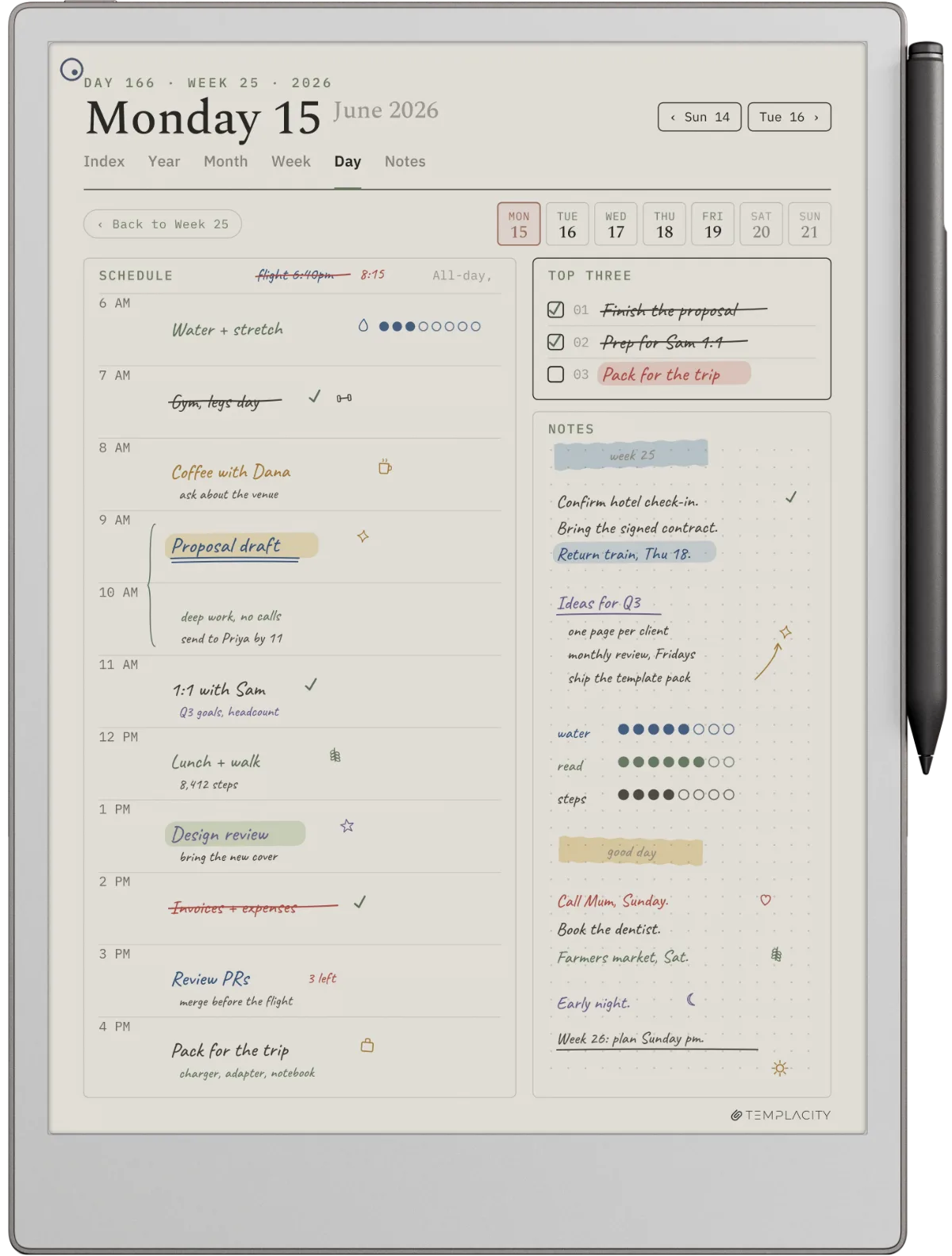
First, hyperlinked four-layer navigation. Year jumps to month, month jumps to week, week jumps to day, every leaf links back to its parent. Without internal links you are flipping next-page 40 times to reach Thursday, which on an e-ink page-turn surface is enough friction to abandon the planner by week three. Most free planners cap navigation at year-to-month and force you to scroll the rest.
Second, native pixel sizing per device. The rM2 and Paper Pure share 1404 x 1872 at 226 ppi on a 10.3-inch panel. The Paper Pro runs 1620 x 2160 at 229 ppi on 11.8 inches. The Paper Pro Move uses 954 x 1696 at 264 ppi on 7.3 inches. A planner exported at US-letter for any device renders with letterboxing or stretched proportions and the line work softens. The good planners get sized to the specific device from the design stage.
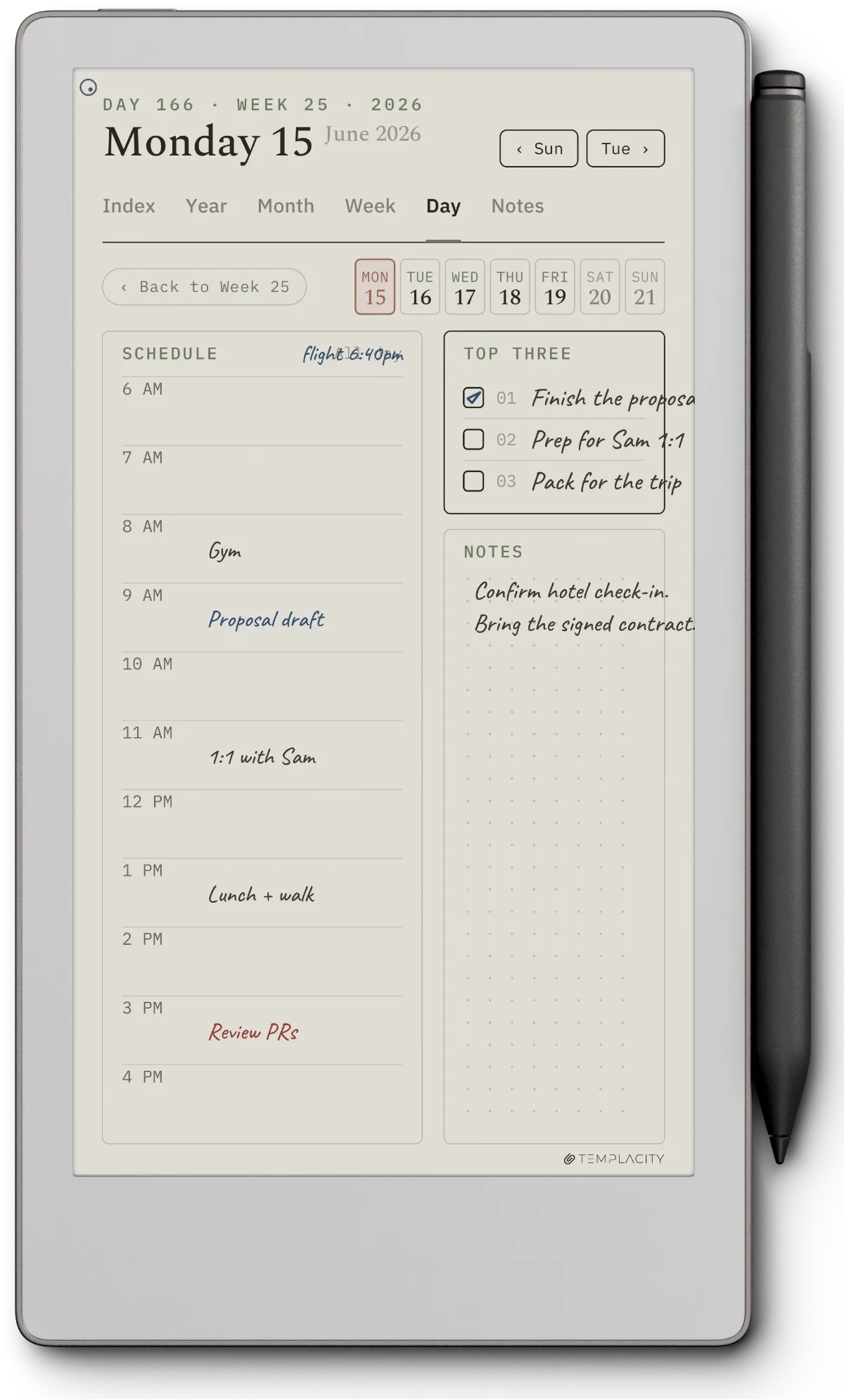
Third, light-grey form lines. The reMarkable’s e-ink rendering treats pen strokes as deep ink and prints at high contrast. Form lines drawn at pure black compete visually with handwriting at the same value; the page looks busy at any fill level. Templates that hold up draw form lines at 30 to 40 percent black so written notes pop and the form recedes.
Fourth, single-format focus. A “planner library” that includes weekly spreads, daily logs, monthly calendars, habit trackers, meal plans, and fitness logs all in one PDF does none of them well. The planners that earn daily use commit to one core layout (usually weekly or daily) and add the others as light supplements rather than headline features.
Workflow
Native templates vs PDF imports vs Connect’s Methods
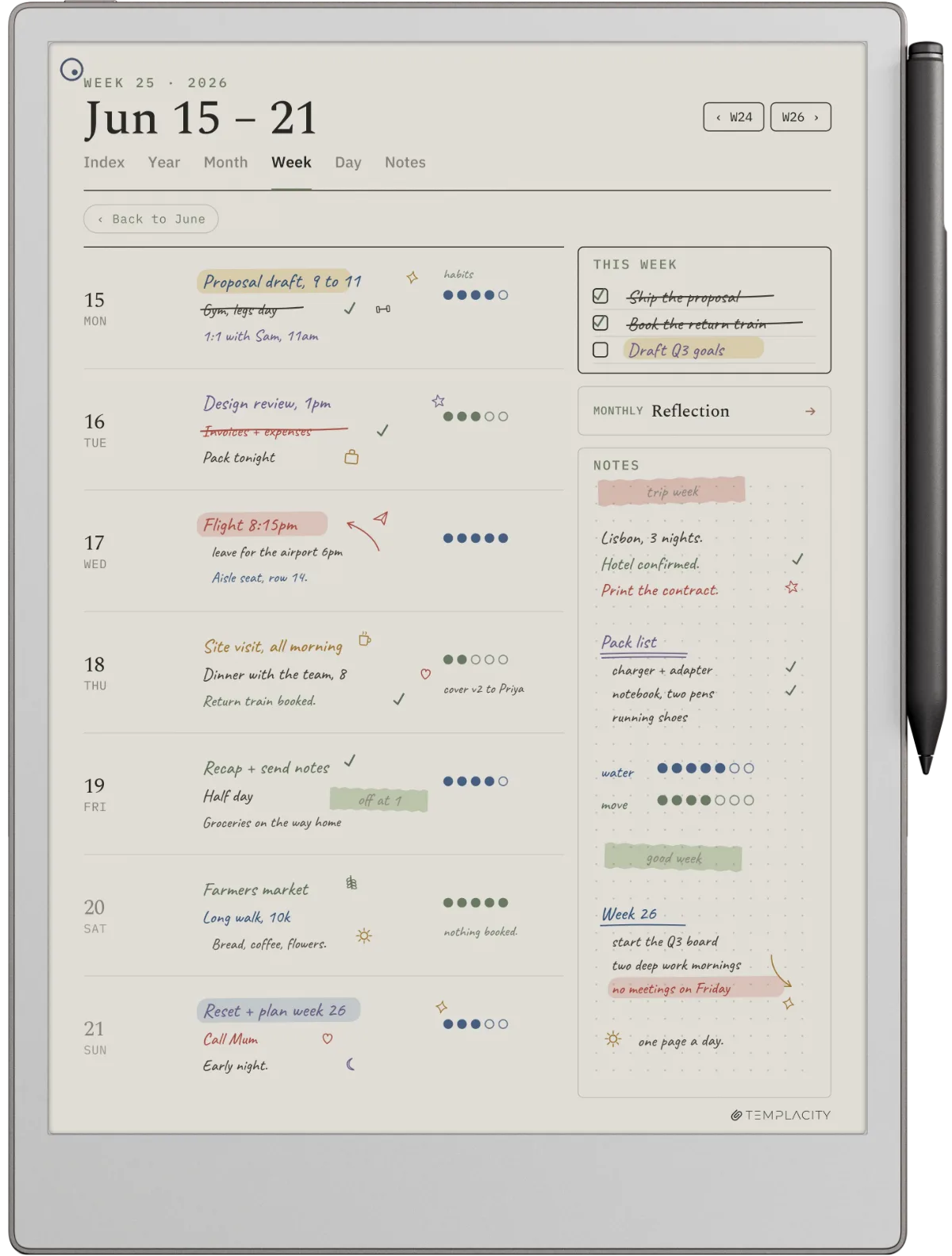
reMarkable supports three planner workflows that look superficially similar but solve different problems. Knowing which one fits saves the most common mistake (paying for a subscription when a one-time PDF planner would have done the job).
Native templates ship with the device. Every reMarkable includes a Templates menu under the new-notebook flow: lined, ruled, dotted, weekly, monthly, quick sheet, and a handful of variants. They are zero friction and zero cost. They are also static (no hyperlinks between pages, no year-month-week navigation, no dated versions) which makes them excellent for one-off notes and meeting captures, useless for ongoing planning that spans months. Our remarkable templates canonical explainer goes deep on what each native template is actually good for.
PDF imports are how serious planning happens on reMarkable. You design or buy a PDF planner sized for your specific device, sideload it via USB-C or the reMarkable desktop app (or the mobile app, the web app, or a linked Google Drive, Dropbox or OneDrive), and it appears in your library as a writable document with hyperlinks intact. This is the workflow most reMarkable planner content covers. It is what The Planner for reMarkable ships into. It is what every cluster post on this site assumes.
Connect’s Methods templates are the subscription route. reMarkable’s Connect plan costs $3.99 a month or $39.90 a year after a 50-day free trial, and lists Methods templates alongside handwriting search, unlimited cloud storage and the Meeting Notes Tool. They make sense if you already pay for Connect for sync or search and want a guided framework on top. The tradeoff is that the templates come with a recurring plan rather than a file you own outright. Our remarkable planner pro review covers one of the paid planner options if you want a comparison.
Picks
Best remarkable planners by use case
| Use case | Format that fits | Where to start |
|---|---|---|
| Academic (semester / coursework) | Weekly two-page spread, monthly reference, undated | Templacity weekly or community free |
| Work / project management | Daily log with task and meeting columns, weekly review | daily-log pick |
| Personal / journaling | Daily journal page, single layout, dated 2026 | free daily journal |
| Fitness / habit tracking | Habit grid, weekly check-in, monthly summary | habit template pack |
| Finance / monthly budget | Monthly two-column ledger, year-rollup tab | budget templates |
The honest filter cutting across all five use cases is whether you keep opening it. A reMarkable planner that looks beautiful in a screenshot but gets abandoned by April returns less than a plain layout you actually open every day. Our best reMarkable planner roundup ranks every pick on day-to-day usability rather than visual polish.
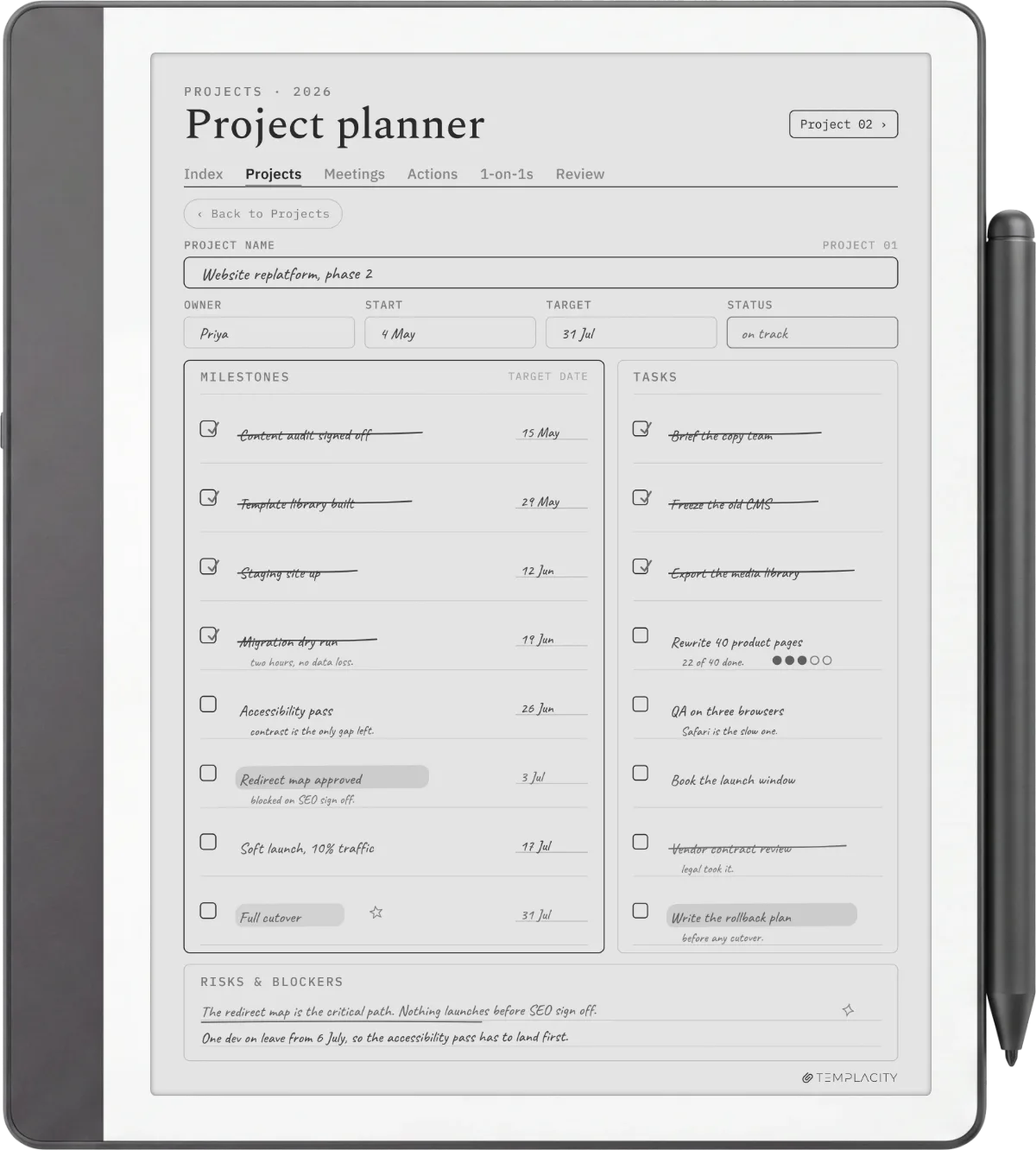
Running projects rather than days? Our Project Portfolio System puts up to 12 projects on a quarter timeline, each with a canvas, a board and a weekly review, for the reMarkable Paper Pro and Move.
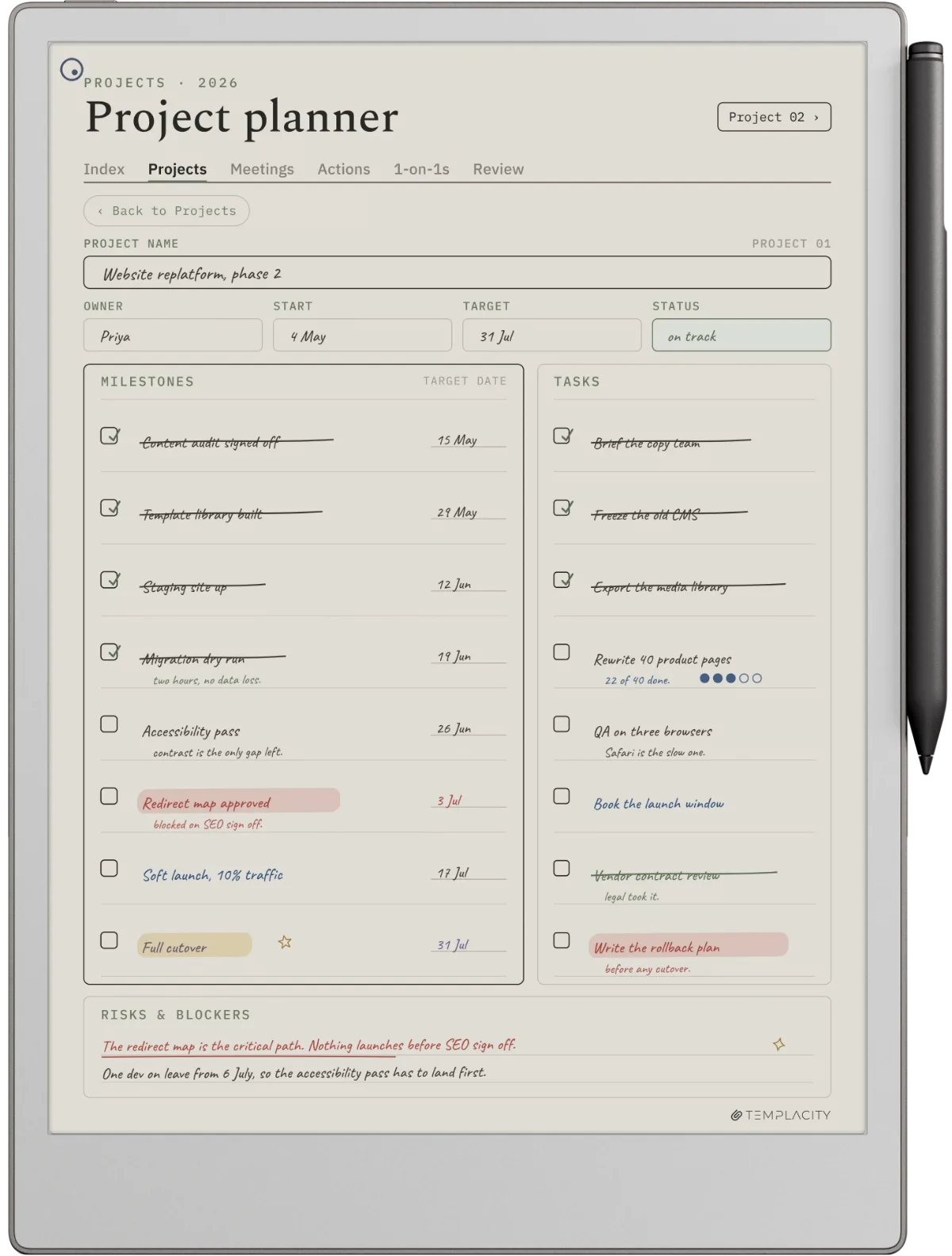
If you are buying for the first time and undecided, start with a weekly two-page spread. It asks the least of you on a busy day, suits all five use cases, and is the easiest entry into a planning routine. Daily logs are higher commitment; monthly calendars work as reference, not as primary planning.
If the month view is what you are after, know that the tablet ships no monthly template; our reMarkable calendar template guide covers where a dated month comes from, free and paid.
Free vs paid
Free remarkable planners vs paid: what you actually get
| Plan | Get you | Cost you |
|---|---|---|
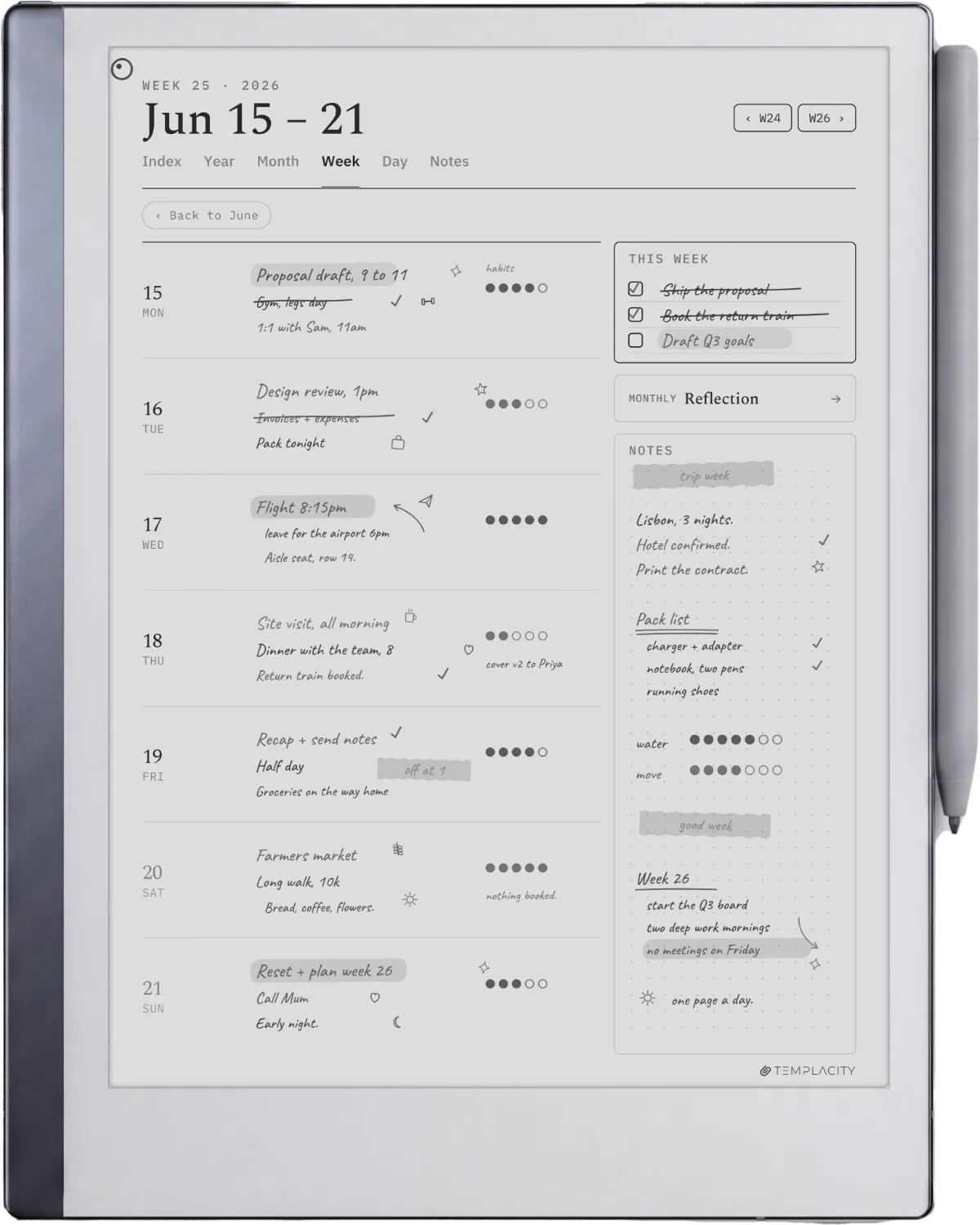
| Free planners | A working layout for most personal use cases. Most are sized roughly for the rM2 and Paper Pure, drawn in light grey, and hyperlinked at the year-to-month layer. | Patchy week-to-day hyperlinks; year-locked dates (a 2025 planner does not auto-roll to 2026); no support if the file corrupts mid-year; rare Paper Pro Move sizing. |
| Paid bundles ($20 to $60) | Full four-layer hyperlinking, multi-year date support, native pixel sizing verified across the lineup, replacement files when an install corrupts. | $20 to $60 once, plus the friction of paying for something you assumed should be free. |
The case for free is strong if you are sampling whether a reMarkable planner workflow fits your routine. Free reMarkable templates cover most needs at zero cost, and the rM2-specific free templates cluster catalogs the cleanest community options. Start there, run it for a month, then decide whether the friction of the cheaper options is worth paying to fix.
The case for paid is straightforward once a planner becomes load-bearing for your week. The two failure modes that hurt are mid-year corruption (no support means the planner is gone) and date rollover (you get to January 1 and the planner stops working). Both are solved problems on paid bundles. Whether you pay us, a competitor, or build your own is secondary; the point is that still opening it after month six is what separates the two camps.
Paid comes in two shapes: a file you buy once and keep, or a licence you renew every year. Our Key2Success Digital Planner review works through the yearly kind on a reMarkable, and where its cost adds up over the life of the tablet.
Paper Pure
reMarkable Paper Pure and the planner question
The Paper Pure replaced the rM2 in reMarkable’s lineup in 2026. Same 10.3-inch mono panel, same 1404 x 1872 pixel resolution, but with a newer Carta 1300 panel, a user-replaceable battery, and a screws-and-snaps chassis that addresses every long-term ownership complaint the rM2 had. Every reMarkable planner PDF designed for the rM2 runs on the Paper Pure without modification, which means the existing free and paid catalogs work on day one.
Two practical notes for new Paper Pure owners. First, the newer panel changes nothing about the planner workflow but renders small type more cleanly in good light planning sessions. Second, the repairability matters more than expected over a multi-year planner workflow: a year-three battery degradation that would mean replacement on the rM2 is a battery swap on the Paper Pure. Our Paper Pure templates cluster covers planner picks sized for the new device.
If you are deciding between Paper Pure and Paper Pro for planning use, mono Paper Pure wins on price and repairability. Paper Pro wins if color planning matters (color-coded categories, habit-grid status colors, mood swatches) or if the larger 11.8-inch panel is the right fit for your writing scale. Neither is a wrong answer for serious planning.
Vs Kindle Scribe
reMarkable planner vs Kindle Scribe planner: who should pick what
reMarkable Paper Pro vs Kindle Scribe: planner workflow
$629 base, Marker included
Best when planning is the primary use and the device is writing-first. Larger panel, color-coded planner support, deeper template ecosystem, native USB-C sideload. Reading is a secondary feature but workable.
Stylus included
Best when your planner workflow lives alongside reading. The Scribe is the only Kindle that takes notes, and the Amazon library integration matters if you read on Kindle already. Send-to-Kindle import is the cleanest PDF flow.
The summary: if writing is the primary workflow and reading is secondary, reMarkable. If you already read on Kindle and want planning bolted to the existing workflow, the Kindle Scribe. Our Paper Pure vs Kindle Scribe comparison goes deeper on the hardware tradeoffs, and the Kindle planner pillar is the Kindle-side counterpart to this guide.
One thing worth saying because most comparison posts will not: both devices solve the planner problem well. The wrong decision is not picking the wrong device, it is picking neither and continuing to plan on paper while wishing you had digital search and backup. Pick one within a month of reading this.
Verdict
What we’d buy if we were starting today
If we’re being honest about the case against our own bundle: free PDFs cover most casual needs, the bundle’s edge is hyperlink completeness and multi-year date support, both of which only start to matter after month three. The buyer who should pay us is the one who has tried a free planner, watched it break at the date rollover or the missing week-to-day link, and decided the friction is worth paying to remove. The buyer who has not hit that wall yet should start free.
Whatever you pick, the decision worth making this month is to pick at all. A Paper Pure with a reMarkable planner and a Scribe with a Kindle planner are both sound setups, and either beats the paper planner you keep meaning to start. Drop a question in the FAQ below if a specific use case is unclear, and bring the conversation into the community via the share row at the bottom.
FAQ
Common questions, answered briefly
Can you use a planner on a reMarkable?
Which reMarkable is best for planning?
Is there a free remarkable planner?
How do you import a planner to a reMarkable?
Does the reMarkable come with a planner?
What is the best remarkable planner for 2026?
Have a use case the FAQ misses? The share row at the bottom carries an email link, or drop a comment under any cluster post and we’ll fold the answer into the next refresh.
People also ask