What it is
What reMarkable Connect for Business actually covers
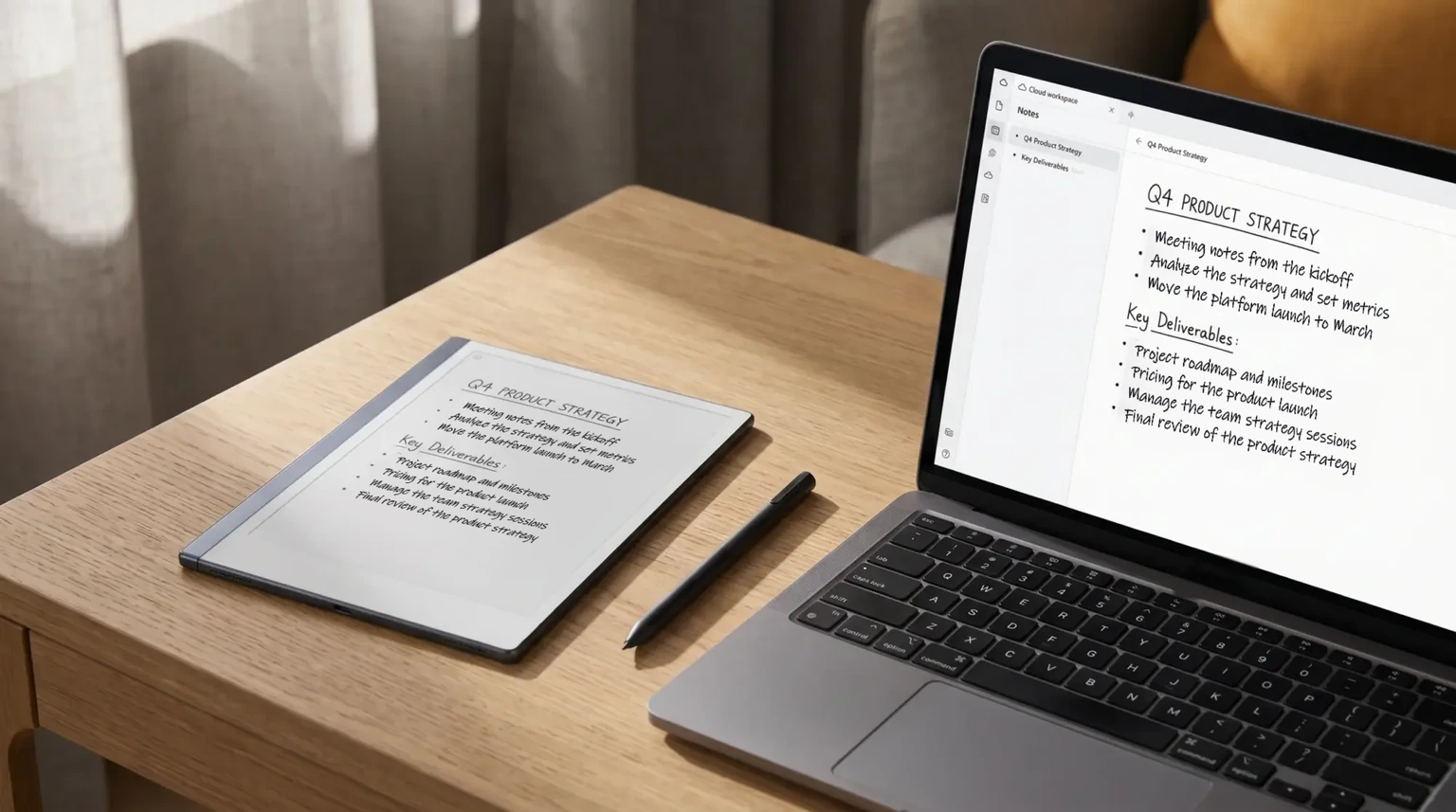
reMarkable Connect for Business is the team-tier version of reMarkable’s optional subscription, designed for organisations issuing reMarkable devices to multiple staff. reMarkable’s own plan table lists exactly four things the business tier adds and the individual plan does not: enterprise single sign-on that hooks into your existing login system, user management for roles and billing details, device management from a dashboard that can view and secure company tablets, and enforced security settings such as required passcodes and auto-lock. Every per-user productivity feature is identical to the individual plan.
The plan exists because reMarkable’s individual subscription was not built for procurement. Org buyers want one invoice, one admin contact, and one way to revoke access when someone leaves. Connect for Business gives them that. For a sole user or a household, the for-business tier is overspend; the individual Connect plan (or no Connect at all) covers the same productivity surface for less. The line is roughly five seats: at three or four reMarkables across a team, individual subscriptions are still cleaner; at five or more, Business starts paying for itself in admin time alone.
Pricing
reMarkable Connect pricing in 2026: individual vs business
reMarkable Connect, all three tiers
Annual figures are twelve months at the published monthly rate, not a discounted annual plan.
What the paid tiers add
- i. Unlimited cloud storage and sync, where the free tier is limited
- ii. Convert to Notebook, Meeting Notes Tool and handwriting search
- iii. AI convert-and-share, plus Send to Slack and Send to Miro
- iv. Methods templates and workbooks, and writing from the desktop and phone apps
- v. Business only: enterprise single sign-on, user management, device management, enforced passcode and auto-lock
What works on no subscription
- i. Handwriting conversion to typed text
- ii. Third-party cloud storage: Drive, Dropbox and OneDrive
- iii. Reading and organizing notes in the desktop and mobile apps
- iv. Screen Share to a bigger display
- v. Cloud storage and sync, and Read on reMarkable, both limited rather than absent
Prices and plan contents checked 30 July 2026 at reMarkable Connect pricing
Connect runs $3.99 a month per user after a 50-day free trial, and Connect for Business starts at $6.99 a month per seat and is sold through reMarkable’s sales team rather than self-serve checkout. The gap between them is $3.00 a user a month, which is the part worth arguing about: at ten seats that is $360 a year for administration features, not for anything that changes what the person holding the tablet can do.
One correction worth stating plainly, because most write-ups of this subscription (including our own earlier version of this page) get it backwards. Handwriting conversion, third-party cloud storage access, reading notes in the apps, and Screen Share all sit on reMarkable’s no-subscription tier. They are not what you buy Connect for. Cloud sync and Read on reMarkable are listed as limited rather than missing without a plan, so a reMarkable with no subscription is a functional connected device, not a crippled one.
Features
What Connect adds: the productivity layer on every plan
Connect’s productivity layer is the same whether you’re on individual or business, and it is narrower than most summaries claim. The paid tiers add unlimited cloud storage and sync, Convert to Notebook (import a document or article as an editable notebook rather than a flat PDF), the Meeting Notes Tool (pull your Google or Outlook calendar onto the device and generate prefilled notes per meeting), handwriting search across typed and handwritten pages, AI convert-and-share that turns a page into typed text and a summary of next steps, Send to Slack and Send to Miro, the Methods template and workbook library, and the ability to write and edit in the desktop and phone apps rather than only read there.
The feature most teams actually buy this for is the Meeting Notes Tool, because it is the one that changes a daily habit rather than an occasional export. Calendar in, prefilled page per meeting, notes filed in one folder without anyone naming a file. The cloud-storage integrations get named more often, but reMarkable puts third-party cloud storage on its no-subscription tier, so that is not the thing your money is buying. Weigh the subscription on sync limits, meeting notes, and handwriting search; those are the real dividing lines.
Worth it
Is reMarkable Connect for Business worth it?
The honest test is whether the org actually uses team folder structures. If the answer is yes, Connect for Business saves admin time and standardises where notes live. If the answer is no, the same productivity features are available on individual Connect at a lower per-user rate. The admin console is the differentiator: companies issuing reMarkables to staff need one place to add and remove devices when employees join and leave. Without that, IT ends up coordinating per-user subscriptions, which is slower and error-prone.
For the weekly leadership meeting itself, our Leadership Meeting System gives a management team 52 run-sheets, an issues list, quarterly goals and a scorecard, built for the Paper Pro and Move.
The other axis is procurement. Some orgs cannot issue a per-employee subscription because their finance setup does not handle reimbursement at that granularity. For those teams, the business plan’s single invoice is the only path that fits, regardless of whether the admin features would have been used. This is the sleeper reason most organisations move from individual to business: not the productivity gains, but the simpler billing.
Below five seats, individual subscriptions are usually cleaner. Above five, Connect for Business pays for itself in admin time before the per-seat math.What it is section
Decide
Picking between free, individual, and for-business
For a single user, the call usually lands on the free tier unless your reMarkable workflow regularly exports to cloud storage. The free tier handles device-to-app sync, which is enough for personal note-taking, PDF reading, and journaling. Add individual Connect when your workflow needs unlimited cloud storage, typing and editing notes in the apps, or handwriting search; the Drive, Dropbox and OneDrive integrations and handwriting conversion are on the free tier. Add Connect for Business only when you’re administering five or more reMarkables across a team and central billing is the actual constraint.
If you’re evaluating reMarkable for an organisation, the safer pilot is two or three individual Connect subscriptions for a month, then move to Connect for Business once admin friction shows up. Skipping the pilot and starting on Business is the common pattern but the rollback is friction-heavy if the team decides reMarkables are not the right tool. Our reMarkable alternatives piece covers the comparison set if you’re still deciding on the device itself.
If you’ve run Connect for Business at your org, drop the seat count and the friction patterns in the comments. The cost calculus is documented; the day-three patterns of which features earn their place and which sit unused are the parts that benefit from owner perspective.
FAQ
Common questions, answered briefly
What does reMarkable Connect for Business include?
How much does reMarkable Connect cost in 2026?
Is reMarkable Connect worth it for an individual user?
Do I need Connect for Business for a small team?
Can I use a reMarkable for business without Connect?
If yours isn’t above, drop the question in the comments and we’ll fold it in next refresh.
People also ask