For the broader buyer’s guide on running a remarkable planner across the lineup (which device fits, native templates vs PDF imports vs paid apps, free vs paid tradeoffs, and the Kindle Scribe comparison), see the pillar.
Landscape
Where a reMarkable calendar template comes from in 2026
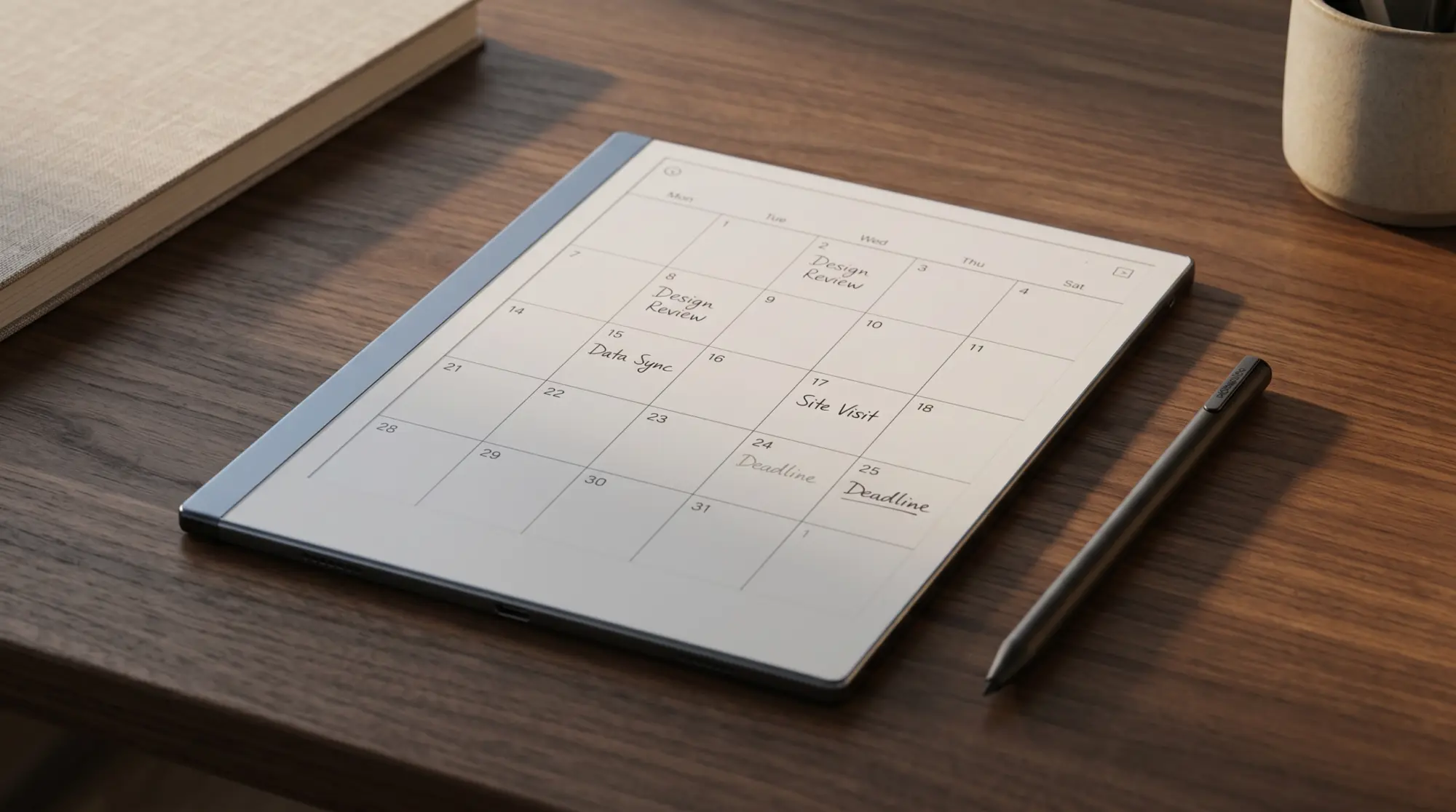
A monthly calendar for reMarkable 2 does not ship on the tablet. reMarkable’s own template guide groups the built-in templates into five categories (All, Creative, Grids, Life/organize and Lines) and names only daily and weekly planners under Life/organize, so every month view is a PDF you bring yourself. That leaves three sources. Recalendar.me generates a customisable PDF with linked navigation between months, weeks, and days. Our free 2027 calendar is the newest of the three: pick the reMarkable 2, a language and a Monday or Sunday week start, and a dated 2027 month downloads as a hyperlinked PDF with no email asked (the whole year comes by email). It is 2027 only, so for the rest of 2026 Recalendar.me still does the job. Paid bundles from template studios ship polished calendars often as part of larger planner packs. Each path serves a different reader; the right pick depends on what your calendar actually does in your workflow.
What the built-in planners do well: zero setup, always available, consistent styling with the rest of the rM2 templates. What they do not do: a month view, printed dates (you write the dates yourself), navigation links. A dated PDF fixes all three. The paid options add visual design polish and usually bundle a weekly spread plus daily log alongside the calendar.
Recalendar
Recalendar.me: the community-standard calendar generator
Recalendar.me is an open-source PDF calendar generator that has become the default community pick for monthly calendar for reMarkable 2 needs. The site lets you pick the year, the start day of week, the orientation, and the format (which views to include: year, month, week, day). Then it generates a single PDF you upload to the rM2 through the official app or web interface. The output is a PDF generated in your browser rather than a fixed raster size, with presets for the reMarkable line, so pick the one matching your tablet before you generate.
The killer feature is internal navigation. Each month page links to the weeks within it. Each week links to its days. Each day links back to its week. The PDF acts as a navigable calendar app on the device, which is the closest thing to a proper calendar UI you get on the rM2 without third-party launchers. Setup takes about ten minutes if you know what views you want; the default settings work for most readers.
| Option | Cost | Best feature | Best for |
|---|---|---|---|
| Built-in weekly planner | Free | Always available | An undated week, no month view. |
| Recalendar.me | Free | Internal navigation links | Primary planning + dated content. |
| Our free 2027 calendar | Free | Dated 2027, no setup, six languages | A dated month, downloaded in one tap. |
| Paid bundles | $20-60 | Visual polish + planner pack | Aesthetic-driven planners. |
| DIY (Inkscape) | Free | Full custom layout | Specific workflow needs. |
Read the table by what your monthly calendar for reMarkable 2 actually does. If it is a week you plan by hand, the built-in weekly planner works. If it is primary planning (you write events into specific cells, navigate between months and weeks), Recalendar.me is the right tool. If it is part of a polished aesthetic planner setup, paid bundles bring it. If you have a workflow nothing else fits, DIY is the path; we cover the design side in reMarkable template installer.
Built-in
Does the reMarkable 2 have a calendar built in?
Not as a month. reMarkable’s own template guide answers “Are there templates for planners?” with daily and weekly planner templates under Life/organize, and the five categories it lists (All, Creative, Grids, Life/organize, Lines) hold no month view. You pick a template when you create a notebook, and the planners are undated: you write the dates yourself, and nothing links one page to the next.
Where the built-in planners earn their place: a weekly page you date by hand each Monday, or a daily page for a to-do list. Where they do not: as a monthly calendar, or as a primary planning surface for a workflow that needs dated months, week navigation, or year-over-year continuity. For those needs Recalendar.me or a paid bundle covers the gap.
For a monthly calendar for reMarkable 2 specifically, Recalendar.me is the community standard for a reason. Free, dated, and cross-linked from month to week to day.Landscape section
Install
Installing a monthly calendar for reMarkable 2
Install paths split by source. The built-in daily and weekly planners need no install (already on the device). Recalendar.me PDFs install through the official reMarkable app or web interface: drag the file in, sync, the calendar appears as a document in your library you write directly on. Paid bundle PDFs install the same way. Custom-designed PNG templates use the RCU or SSH path; we cover both in reMarkable template installer.
One install detail worth knowing for Recalendar.me PDFs specifically: the PDF is large (often 100+ pages including all the weekly and daily linked views). The official reMarkable app and web upload handle this fine, but the initial sync to the device takes a few minutes the first time. After that, the calendar opens and navigates instantly because the device caches the structure. Bandwidth-conscious users might want to upload over wifi rather than mobile data.
If you have a monthly calendar for reMarkable 2 setup that survived a real year (especially Recalendar.me configurations or DIY designs that solved a specific workflow), drop it in the comments. The reader-shared configurations are how the recommendations stay current.
FAQ
Common questions, answered briefly
What is the best monthly calendar for reMarkable 2 in 2026?
Does the reMarkable 2 have a calendar?
What is Recalendar.me and does it work on reMarkable 2?
Are there free monthly calendars for reMarkable 2 besides Recalendar.me?
Can a monthly calendar for reMarkable 2 sync with Google Calendar?
If yours isn’t above, drop the question in the comments and we’ll fold it in next refresh.
People also ask