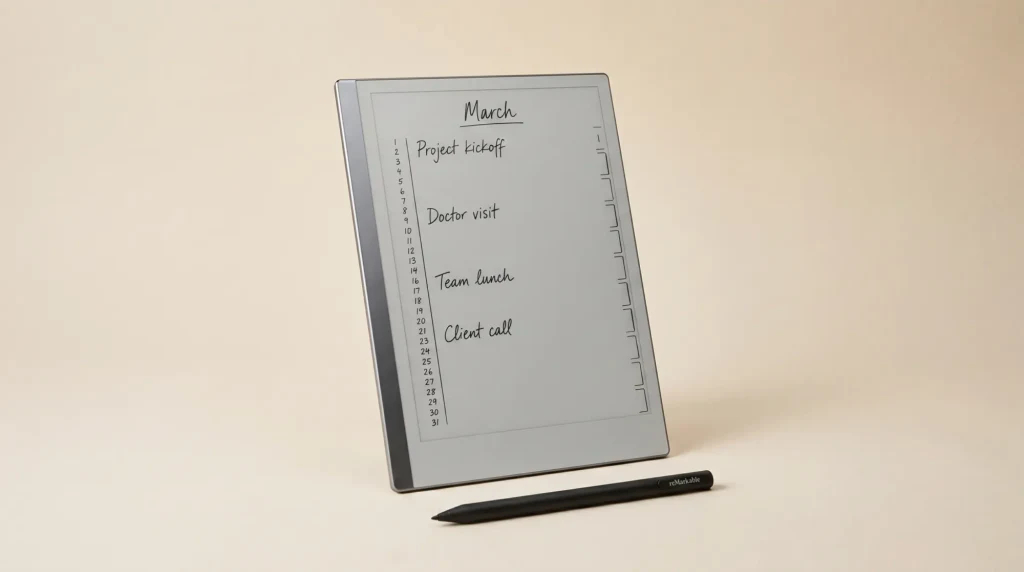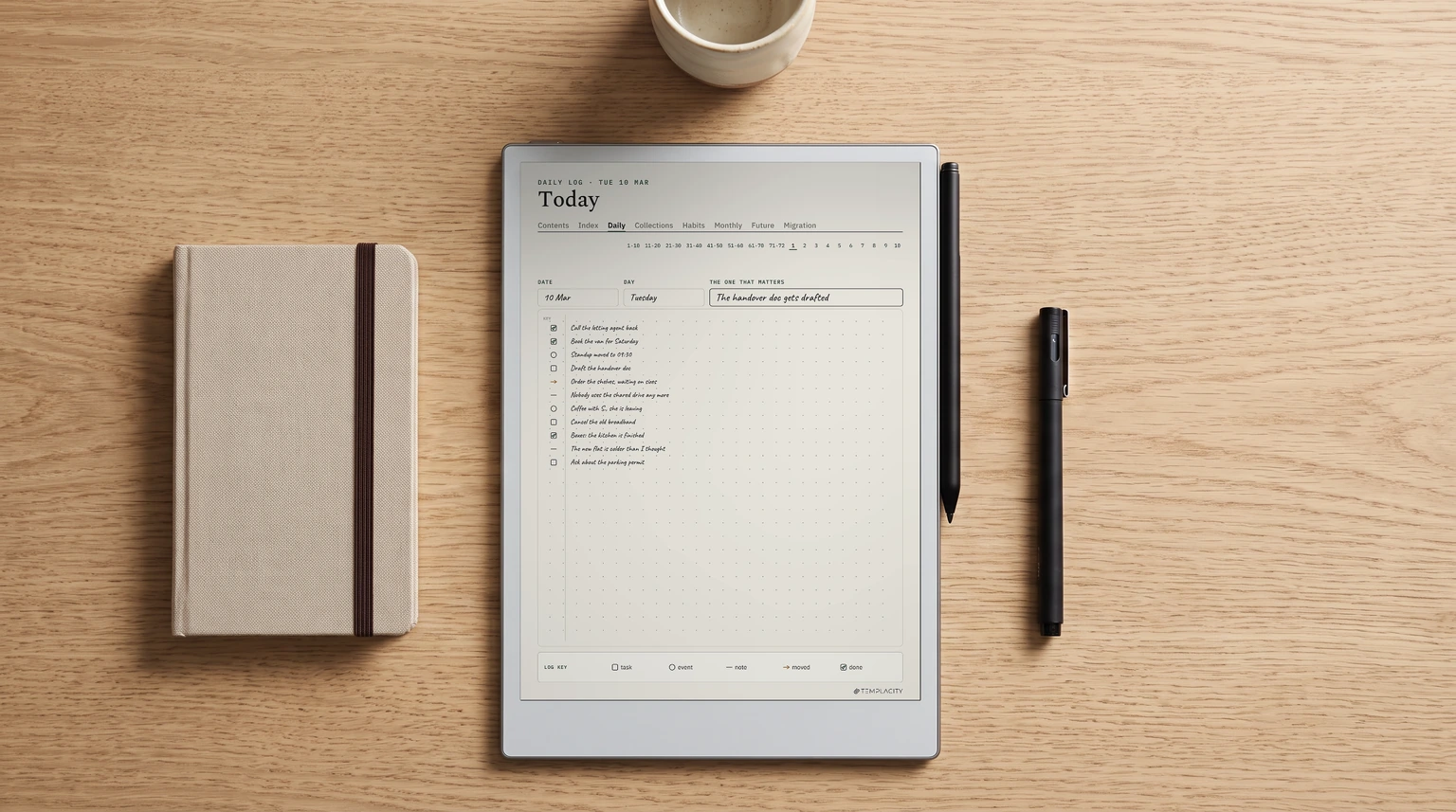
The bullet journal method is a way of keeping a notebook where short, marked entries replace long diary writing, and a regular rewrite of your unfinished tasks decides what stays on your plate. It was created by Ryder Carroll, and its own site describes it as a “mindfulness practice that works like a productivity system.” You need a notebook and a pen, or a writing tablet, and nothing else.
This guide follows the method as its creator’s site lays it out, not the decorated spreads that fill image search. It covers the key, the four core logs, migration with a worked example, how to set one up in an evening, and what changes when you keep it on an e-ink tablet. Bullet Journal is a registered trademark of its creator; Templacity is an independent guide and not affiliated.
The method
What the bullet journal method actually is
The official explanation splits the method in two. The System is the what: the symbols and pages that capture and organise what you have to do. The Practice is the why: the habit of regularly asking whether each thing is worth doing at all. Most write-ups teach only the first half, which is why so many bullet journals turn into beautiful to-do lists that stop being opened by March.
Carroll developed the method for himself, as a tool to help with his ADHD, before sharing it. That origin explains its design. Every entry is short enough to write in seconds, every page has one job, and nothing depends on remembering where you put something, because an index at the front tells you.
It also explains what the method is not. It is not a diary, and it is not an art project. The method’s own example of rapid logging takes a full sentence about buying cake at a bakery and cuts it to a few words. Brevity is the point: short entries are what make a daily habit survivable.
The key
Rapid logging and the bullet journal key
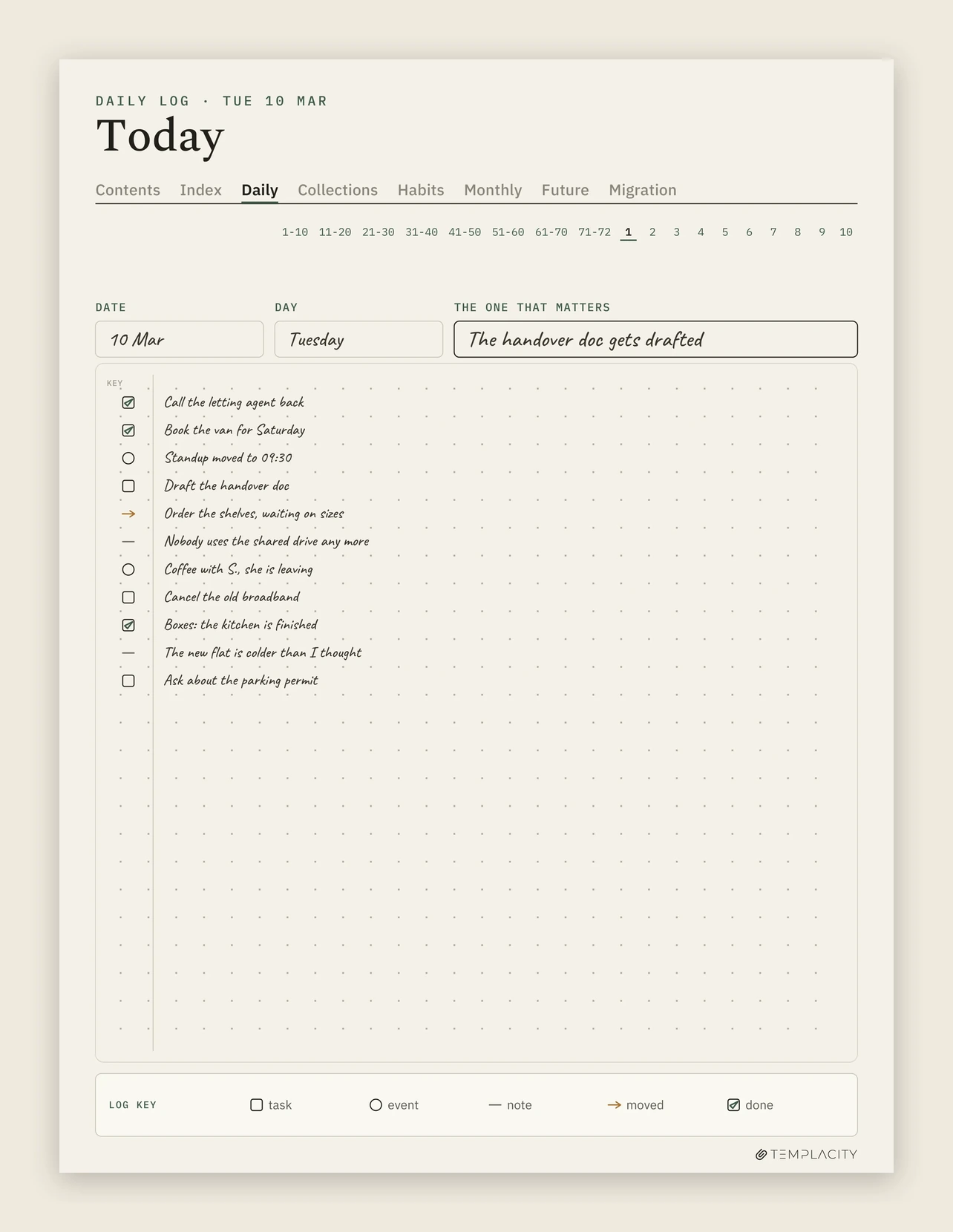
Rapid logging is the language of the whole method: each entry is one short line with a bullet in front that says what kind of entry it is. A bullet journal key is simply the legend for those bullets, usually written on the inside cover or the first page so you never have to remember it. Here is everything the method’s own pages list.
| Mark | Means | Example |
|---|---|---|
| • dot | Task, something to do | Pick up dry cleaning |
| X over the dot | Task done | Done, left in place |
| > over the dot | Task migrated forward | Into next month or a collection |
| < over the dot | Task scheduled back into the future log | Belongs to a later month |
| O circle | Event, dated, planned or logged after | Signed the lease |
| – dash | Note: facts, ideas, observations | Van hire cheaper on Sundays |
| * star (signifier) | Priority, placed left of a task | The one that matters today |
| ! (signifier) | Inspiration, usually on a note | An idea worth keeping |
| Eye (signifier) | Explore, needs more research | Look into it before deciding |
That is the whole key. Three bullets, three task states, three optional signifiers. The method invites you to add your own, and many people do, but the keys with twenty colour-coded symbols you see on Pinterest are personal extensions, not requirements. A key you have to look up is slowing down the very thing rapid logging exists to make fast. Start with the six core marks and add a signifier only when you notice you keep wishing you had one.
The logs
The four core collections: index, future log, monthly log, daily log
A collection is any set of pages about one thing. The method starts you with four, each looking at time from a different distance, and every other page you ever add is a custom collection that the index keeps findable.
The index: the first couple of pages, left blank.
As you use the notebook, add each topic and its page numbers. This is what lets a bullet journal hold a whole year without becoming a pile. Number your pages from day one, or the index has nothing to point at.
The future log: the year at a glance.
Divide a spread into months, for example two horizontal lines across facing pages for six months. Dated things that are not this month go here: a birthday in August, a renewal in November.
The monthly log: one spread per month.
The left page is a calendar, the dates of the month down the side with events beside them. The right page is the task page: what you intend to get done this month, including anything migrated from last month.
The daily log: today’s date, then rapid logging.
Write the date as the heading and log tasks, events and notes as they happen during the day. No pre-drawn layout, no fixed space per day. A busy day takes a page; a quiet one takes three lines.
On a reMarkable that calendar page has to come from a PDF, since the built-in planners stop at daily and weekly; our calendar template for the reMarkable lists the free dated options.
The sizes are deliberate. The future log is coarse, the monthly log is medium, the daily log is fine-grained, and entries flow downward through them as their date gets closer. A task scheduled for October lives in the future log until October’s monthly log is set up, then moves onto that month’s task page, then onto a daily log on the day you do it.
Migration
Migration: the part of the bullet journal method that does the work
At the start of each month, go back through the previous month’s pages. Cross out with an X what got done. For every task still open, decide one of three things: it still matters, so turn its dot into a > and rewrite it on the new month’s task page or into a collection; it belongs to a later month, so mark it < and put it in the future log; or it no longer matters, so strike the whole line through.
The rewriting by hand is the mechanism, not a chore to automate. The method’s guidance is blunt: if an entry is not worth the effort to rewrite, it probably is not important, so let it go. Every month, the friction of copying a task out again filters your list for you. Tasks that survive three migrations are either important or avoided, and either way they deserve a harder look.
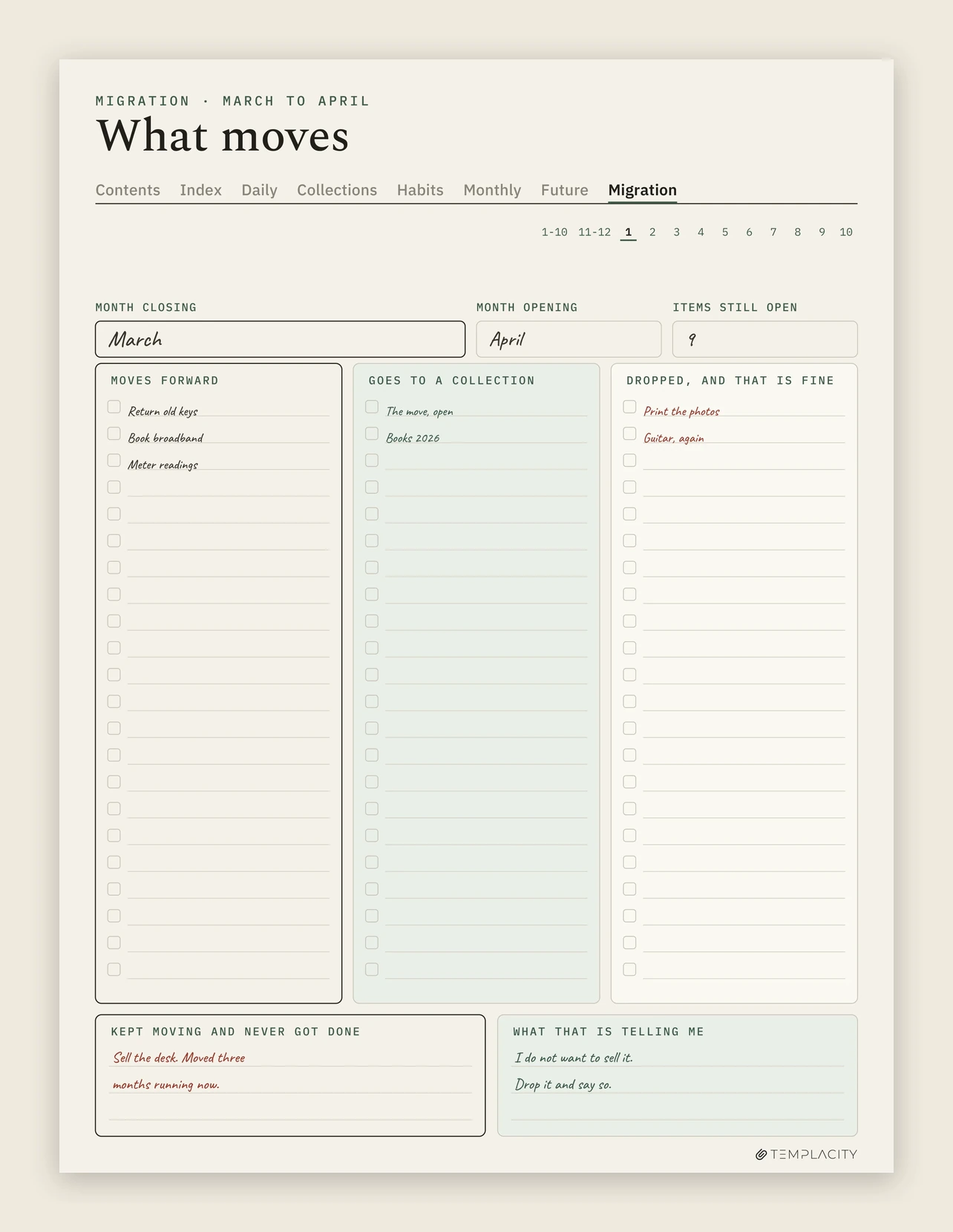
A worked example. March closes with nine open tasks from a house move. Three still need doing next month (return the old keys, book the broadband install, take meter readings), so they migrate forward. Two belong together as a project, so they go into a collection called The Move rather than cluttering April’s task page. Two turn out not to matter any more (printing the photos, the guitar lessons that keep getting pushed) and are struck out. The last two get a < and a line in the future log for June.
Nine became three. That is the method working. The two struck out are worth one more line of thought: a task you have migrated month after month without doing it is information about you, not about the task. Writing down what that pattern is telling you is where the Practice half of the method starts.
A task you have migrated month after month without doing it is information about you, not about the task.Migration
Setup
How to start a bullet journal in one evening
Bullet journal setup takes about an hour if you resist decorating. In order: write your key on the inside cover. Title the first two pages Index. Draw the future log across the next spread. Set up this month’s monthly log on the spread after that. Then turn the page, write today’s date, and log three things before you close the notebook.
Then use it plainly for one full month before changing anything. The first month shows you what you actually track, and only then is it worth adding custom collections: a reading list, a project, a habit tracker, meal plans. Each new collection gets a line in the index the day you start it.
If you journal on paper, a habit tracker is the collection most people add first, and it can be a printed page tucked in after the monthly log. Our habit tracker printable guide shows the layouts that fit a notebook.
Collections are also where a bullet journal meets the other note systems. A collection of quotations is a commonplace book living inside your journal. Collections of ideas in your own words start to look like a Zettelkasten. And a collection of study topics is a natural place to run the Feynman technique, one concept per page. The index is what keeps all of them findable in one book.
On a tablet
Keeping a bullet journal on an e-ink tablet
The method was designed for paper, and most of it transfers to a writing tablet unchanged: you still write by hand, and short entries suit a stylus well. Three things change. The index can become real links, so tapping a topic opens its page instead of flipping to a number. The future log and the monthly spreads can be drawn once in a template instead of every month. And the notebook never runs out of pages, so a collection never has to jump to a new book.
One thing should not change: migration stays handwritten. A tablet makes it tempting to copy and paste open tasks into next month, and that removes the one friction the method depends on (our digital bullet journal guide covers how to keep it honest on a screen). Rewrite them with the stylus. The effort is the filter.
That is the thinking behind our own file. Its daily page carries a log key strip along the bottom (task, event, note, moved, done), each collection page records which page it continued from, which page it continues on and where it sits in the index, and the migration page splits last month’s open items into three columns: moves forward, goes to a collection, and dropped, and that is fine. Two boxes underneath ask what kept moving and never got done, and what that is telling you.
If you use Goodnotes on an iPad rather than an e-ink tablet, our Goodnotes journal template guide covers the same ground for that app.
Mistakes
Four ways a bullet journal stops working
Decorating before logging. An hour spent lettering a monthly spread is an hour not spent deciding what the month is for. If the setup is the fun part and the daily log is empty by the tenth, the notebook has become the project.
Too many symbols. Every extra signifier is a decision per entry. If you hesitate over which mark to use, the key is too big. Go back to the six core marks.
Never migrating. Without the month-end pass, open tasks pile up across dozens of pages and the journal quietly becomes a record of everything you meant to do. Put the migration in your future log as a recurring first-of-the-month task.
Writing a diary instead. Long entries feel meaningful and make the daily log a burden. Keep each line short and put anything longer in a dedicated collection, where it does not slow down the day.
More planning and note-taking methods set up for e-ink tablets live on our reMarkable hub.
FAQ
Common questions, answered briefly
What is the bullet journal method in simple terms?
What goes in a bullet journal key?
What should the first pages of a bullet journal be?
What is migration in a bullet journal?
Can you do the bullet journal method digitally?
If yours isn’t above, drop the question in the comments and we’ll add it.
People also ask
Other questions, briefly answered
Tell us in the comments which signifier you added to your own key, and why. The ones readers actually keep using are the ones worth adding to this page.