For the broader buyer’s guide on running a Kindle planner on the Scribe (device check, file-format anatomy, setup paths, free vs paid tradeoffs, and the reMarkable comparison), see the pillar.
Landscape
The Kindle Scribe planner free PDF landscape in 2026
Searching for a Kindle Scribe planner free PDF in 2026 lands you in a market that splits into three honest categories. Free PDFs from individual designers (often best-thought-through, usually one or two formats per source). Free PDFs from template stores running them as lead magnets (consistent design, often the studio’s mid-tier work). Community-shared PDFs on Reddit and similar forums (variable quality, niche workflows). All three have value; the trick is knowing when each one fits.
What is genuinely missing from the free Kindle Scribe planner PDF world: anything truly long-form. Most free planner PDFs ship as a single page (or a single-week spread on two pages); a year-long planner with 52 unique weekly spreads as a free PDF is essentially nonexistent because the design work does not happen for free at that scale. If you want a 12-month planner, paid bundles fill that gap. We cover the broader template question across all categories in our free Kindle Scribe templates roundup.
Weekly
Weekly Kindle Scribe planner free PDF formats
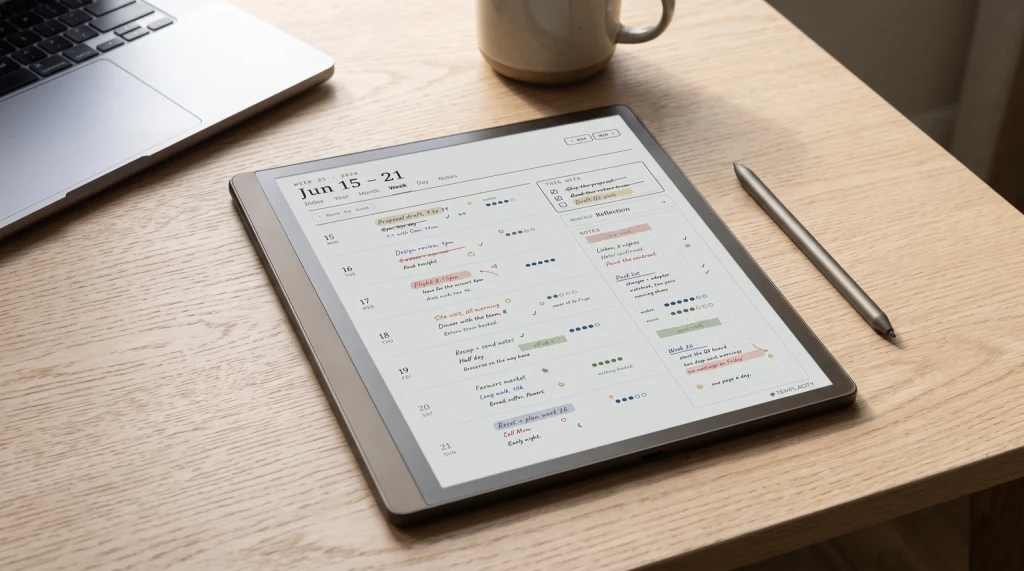
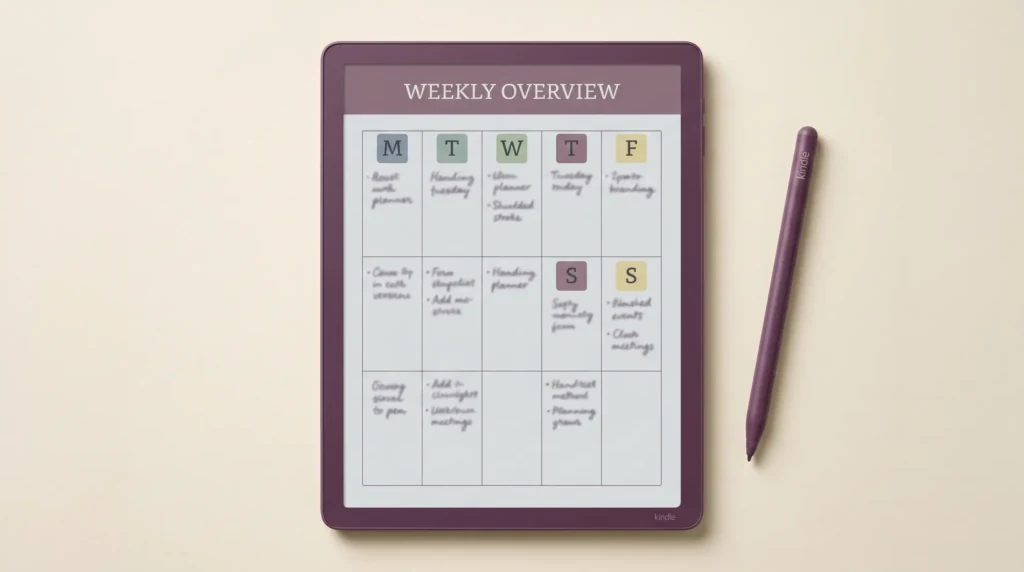
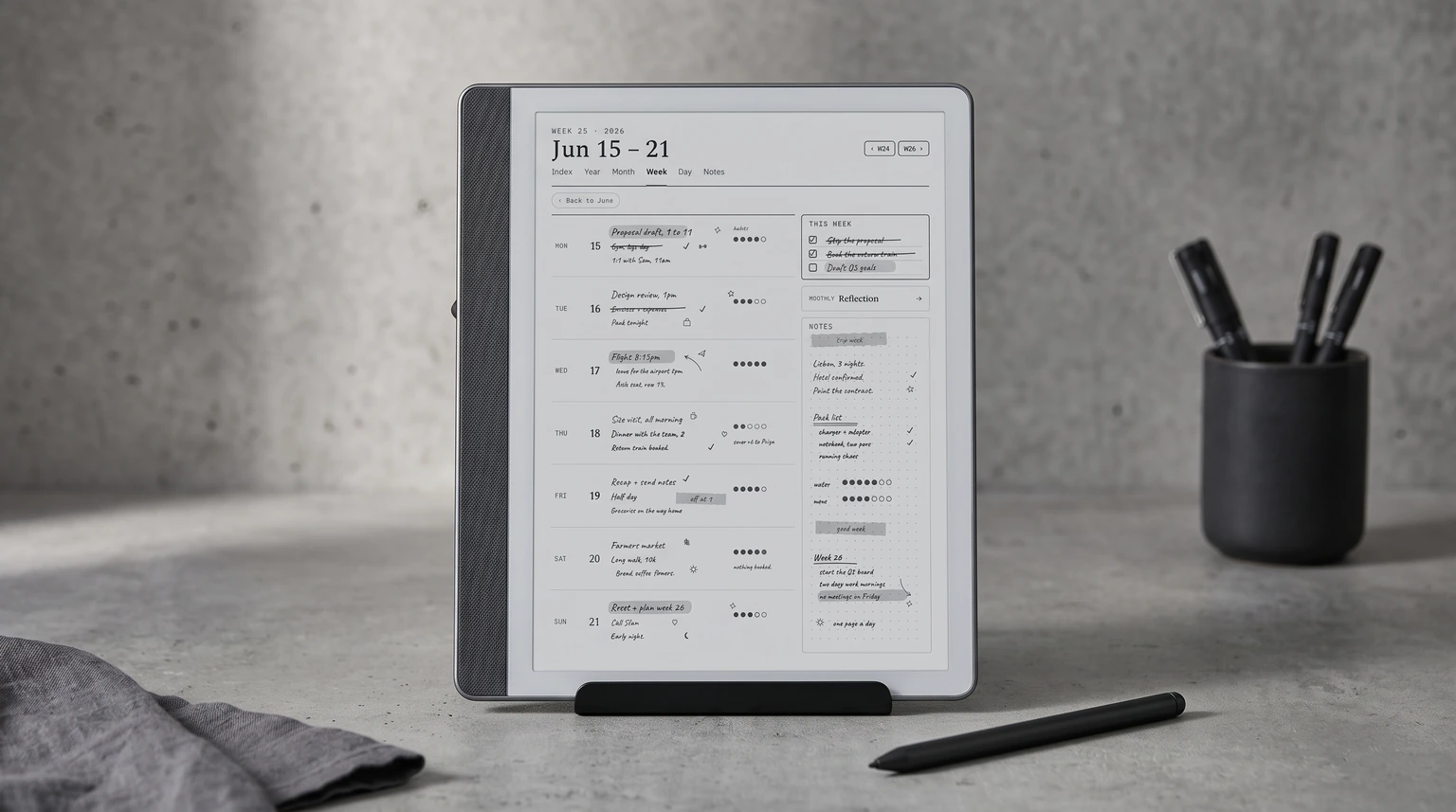
The weekly spread is the most common Kindle Scribe planner free PDF format because it is the shape that most people think in. The standard pattern: one page for the week’s top-level outline (priorities, themes, big tasks) and one page for the daily blocks (Monday through Sunday in seven horizontal lanes). The Kindle Scribe’s 10.2-inch screen handles this layout cleanly when the PDF is sized at native pixel resolution.
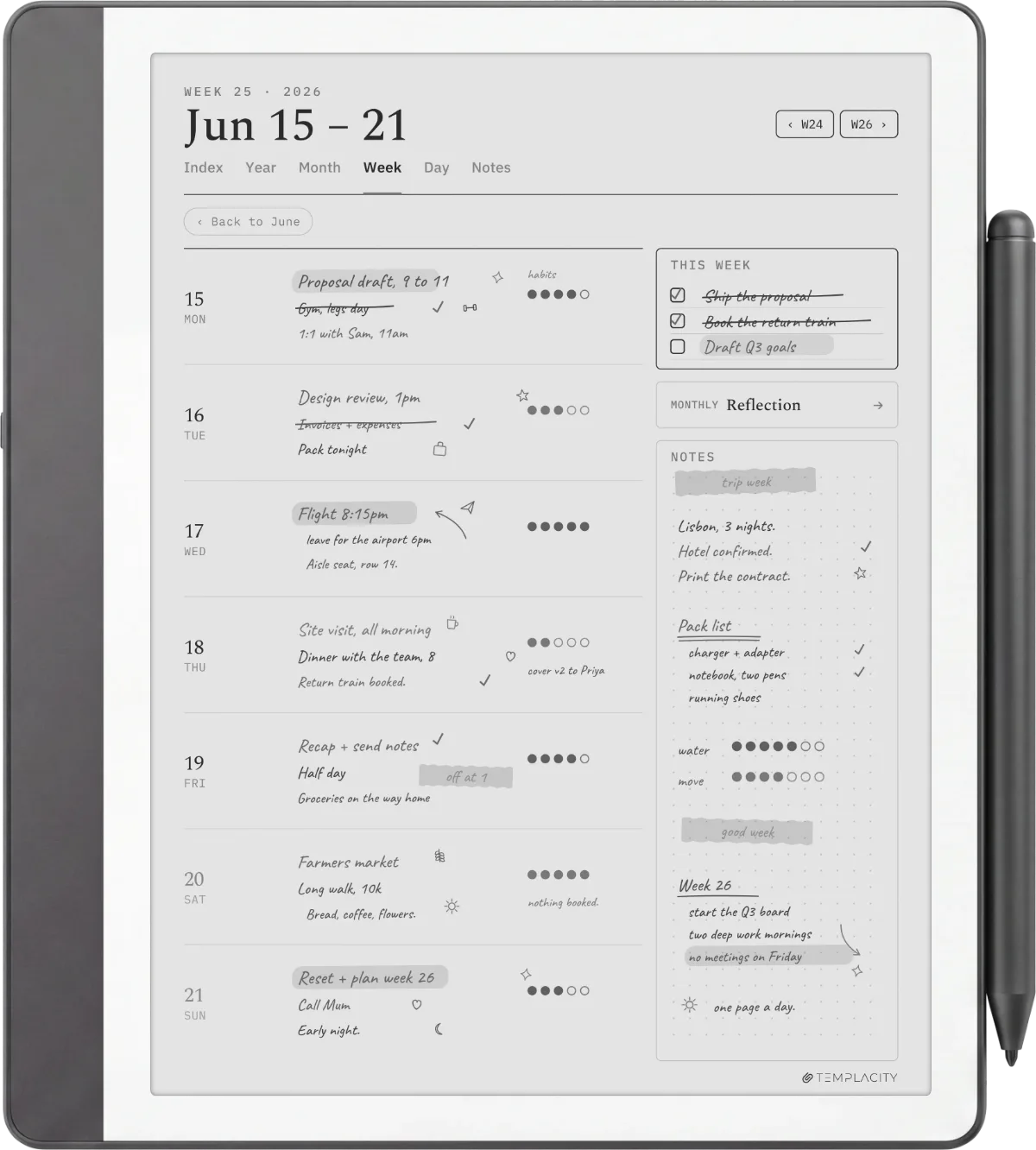
What to look for in a free weekly PDF: explicit seven-day labelling (so you do not have to write the day name every week), a small notes zone outside the daily lanes (catch-all for week-spanning items), and form lines at light grey rather than pure black (so handwriting reads as the foreground). What to avoid: weekly PDFs that try to fit hourly time blocks at 30-minute granularity. The visual density crushes the writing space and the format gets abandoned by week three.
| Format | Pages | Best for | Watch out for |
|---|---|---|---|
| Weekly spread | 2 (per week) | Most planners | Hourly time blocks crush space. |
| Daily log | 1 (per day) | Heavy daily writers | Becomes 365 separate files for a year. |
| Monthly calendar | 1 (per month) | Date reference, light planning | Boxes too small for actual notes. |
| Year-at-a-glance | 1 (per year) | Long-range visibility | Mostly shown empty; thin utility. |
The weekly spread is the format most free planner PDFs ship, and the one most people should start with. The daily log earns its place for people who write a lot each day. The monthly calendar works as reference rather than as a primary planning tool. The year-at-a-glance is the thinnest of the four: one page for twelve months leaves almost no room to plan a day.
Daily
Daily Kindle Scribe planner free PDF, the heavy-write option
The daily log format is the second-most-common free Kindle Scribe planner PDF. The standard pattern: a date header at the top, a priorities or top-three section near the top, a wide notes area filling the middle, and a small reflection or wrap-up zone at the bottom. The whole page is one day. Format works for people who write more than two short bullet points per day and want the space without the structure of a weekly spread.
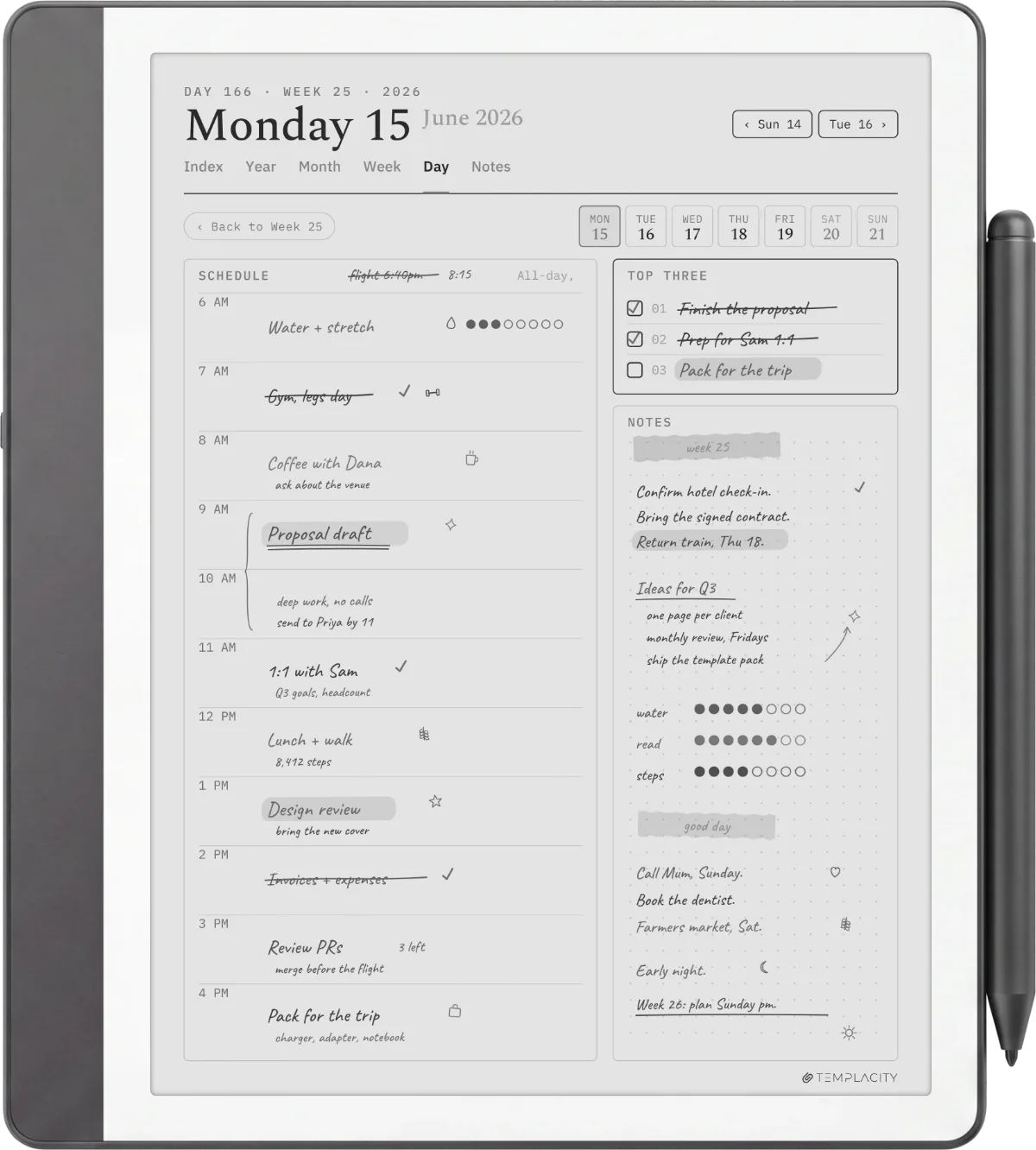
The honest trade-off: a daily Kindle Scribe planner free PDF only ships as a single template file, which means you generate 365 pages a year by sending the same file to your Library, then writing on each new page. The Scribe handles this elegantly because the device treats every PDF page as its own writable surface. But the file management gets unwieldy if you keep separate days as separate files; a single 365-page PDF works better, and most free options ship as single-day templates rather than year-long packs.
The weekly spread is the format most free planner PDFs ship, and the one most people should start with.Weekly section
Monthly
Monthly calendar PDFs and what they are good for
The monthly calendar is the third format with reliable free options. The standard layout: a 5 by 7 grid (week rows, day columns), the month name at the top, and small note zones at the edges. The Kindle Scribe planner free PDF version of this format usually stays close to the standard wall-calendar shape, which is the right call; the layout is universally readable and the writing space is small enough to be glanced at, large enough to be written in.
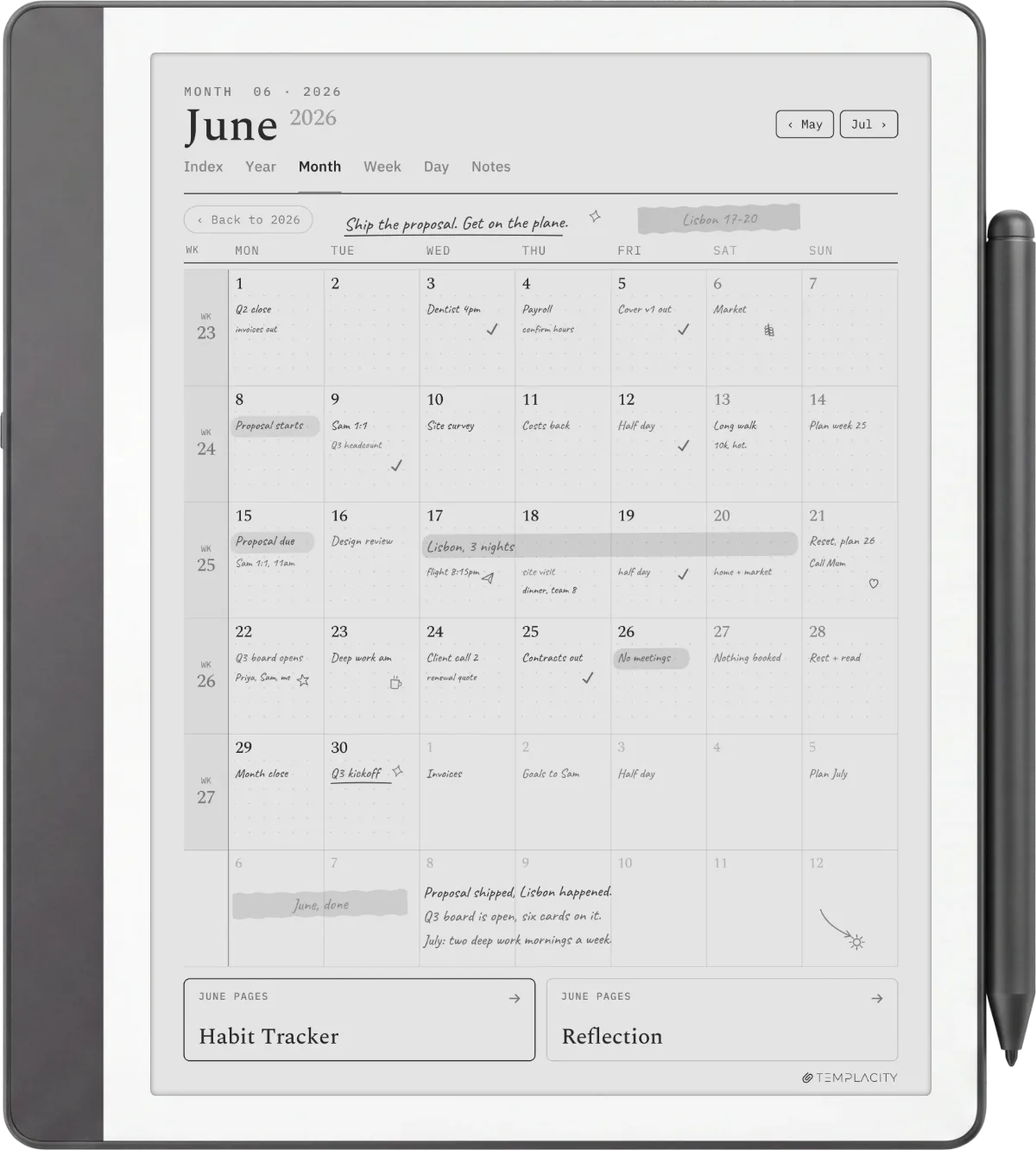
The honest use case: monthly calendars on the Scribe work as date reference more than primary planning. The boxes are small (about 1.5 by 1.5 inches each), which fits short event labels and not much else. For actual planning, the weekly spread is the right tool; for “what date is the third Tuesday of November,” the monthly calendar wins. Keep both installed if you plan in mixed timeframes.
Annotating
Writing and annotating a PDF planner on the Scribe
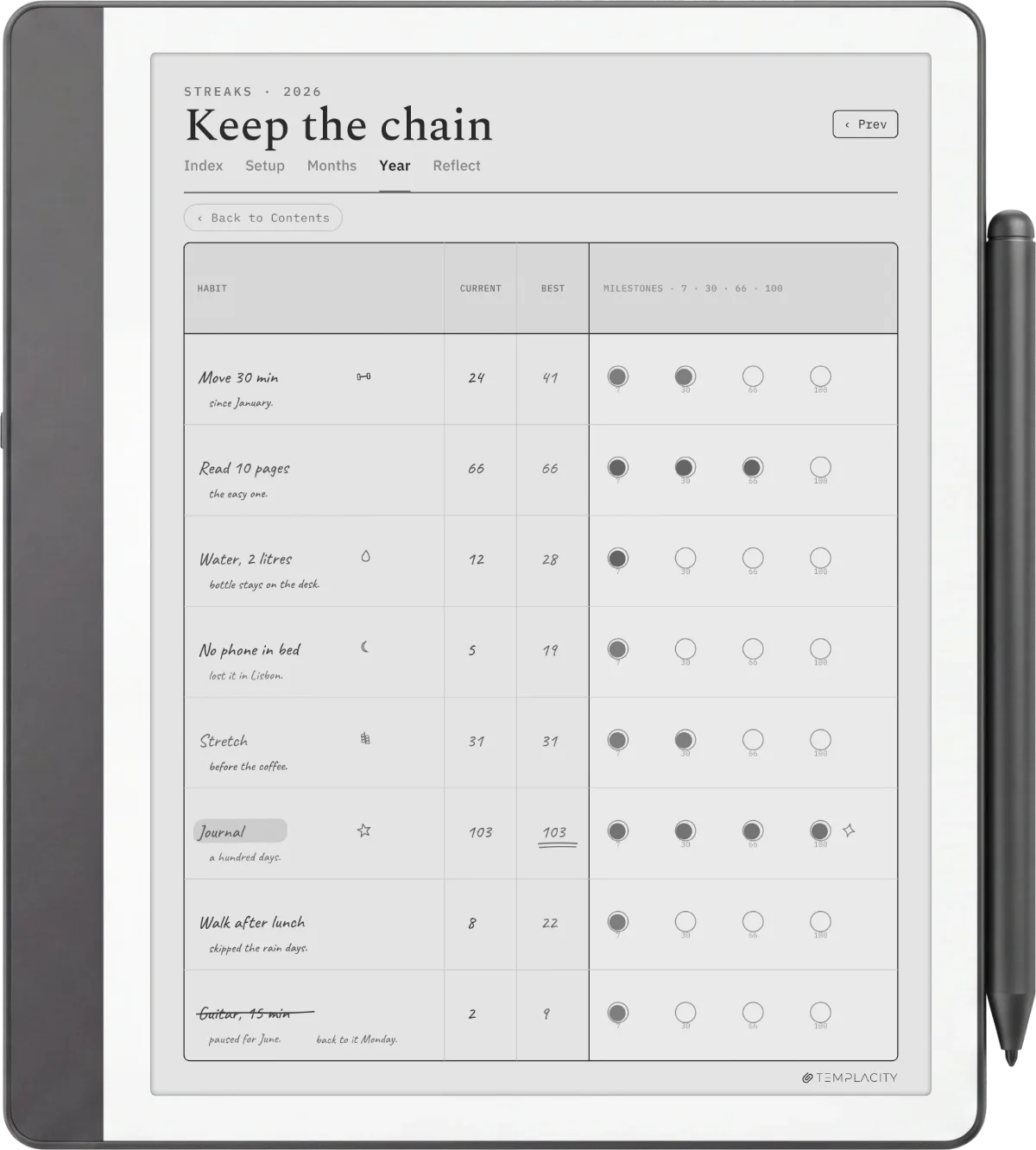
One naming note first: the “Amazon Scribe” people search for and the Kindle Scribe are the same device. Amazon brands it the Kindle Scribe, so an Amazon Scribe PDF planner is just a Kindle Scribe planner free PDF by another name. Once a planner PDF is on the device, every page is its own writable surface. The pen writes directly on the page, the highlighter marks over it, and the eraser lifts your ink without touching the underlying PDF, so a template never gets used up: you write, archive the annotated copy, and the blank original stays clean.
Two annotation habits make a free PDF planner work like a paid one. First, duplicate the file before a new week or month so the template stays blank for next time. Second, use the Scribe’s handwriting-to-text export when you need a typed copy of a planned week to share, which turns the planner from a private surface into something you can send. Neither feature costs anything, and both close most of the gap between a free single-page PDF and a dated paid planner.
Install
How to install any Kindle Scribe planner free PDF
The install path for any Kindle Scribe planner free PDF is identical: drag the file to amazon.com/sendtokindle, confirm your Scribe as the destination, wait about a minute. The PDF lands in your Library on the device with full pen-tool support: write directly, erase, save as a new annotated version, sync back to your Amazon library. The file behaves the same as any other PDF on the Scribe.
What you cannot do is add a free planner PDF to the Notebook Templates menu inside the device. That list is locked by Amazon at the firmware level. The PDF route is the only user-facing option, and for planners specifically, it is the better path because a multi-page PDF behaves more like a refillable planner than the single-template Notebook menu does. We unpack the wider design and install side in our how to make Kindle Scribe templates piece if you want to design your own.
If you have found a Kindle Scribe planner free PDF that solves a workflow we did not cover above, drop it in the comments. The free-planner landscape changes every few months as designers refresh their lead magnets, and reader-suggested sources are how this roundup stays current.
FAQ
Common questions, answered briefly
Where can you find a Kindle Scribe planner free PDF in 2026?
What format works best for a free Kindle Scribe planner PDF?
Can a free Kindle Scribe planner PDF go into the built-in Templates menu?
What pixel size should a Kindle Scribe planner free PDF be?
Is there a 12-month Kindle Scribe planner free PDF?
Is the Amazon Scribe PDF planner the same as a Kindle Scribe planner?
If yours isn’t above, drop the question in the comments and we’ll fold it in next refresh.
People also ask