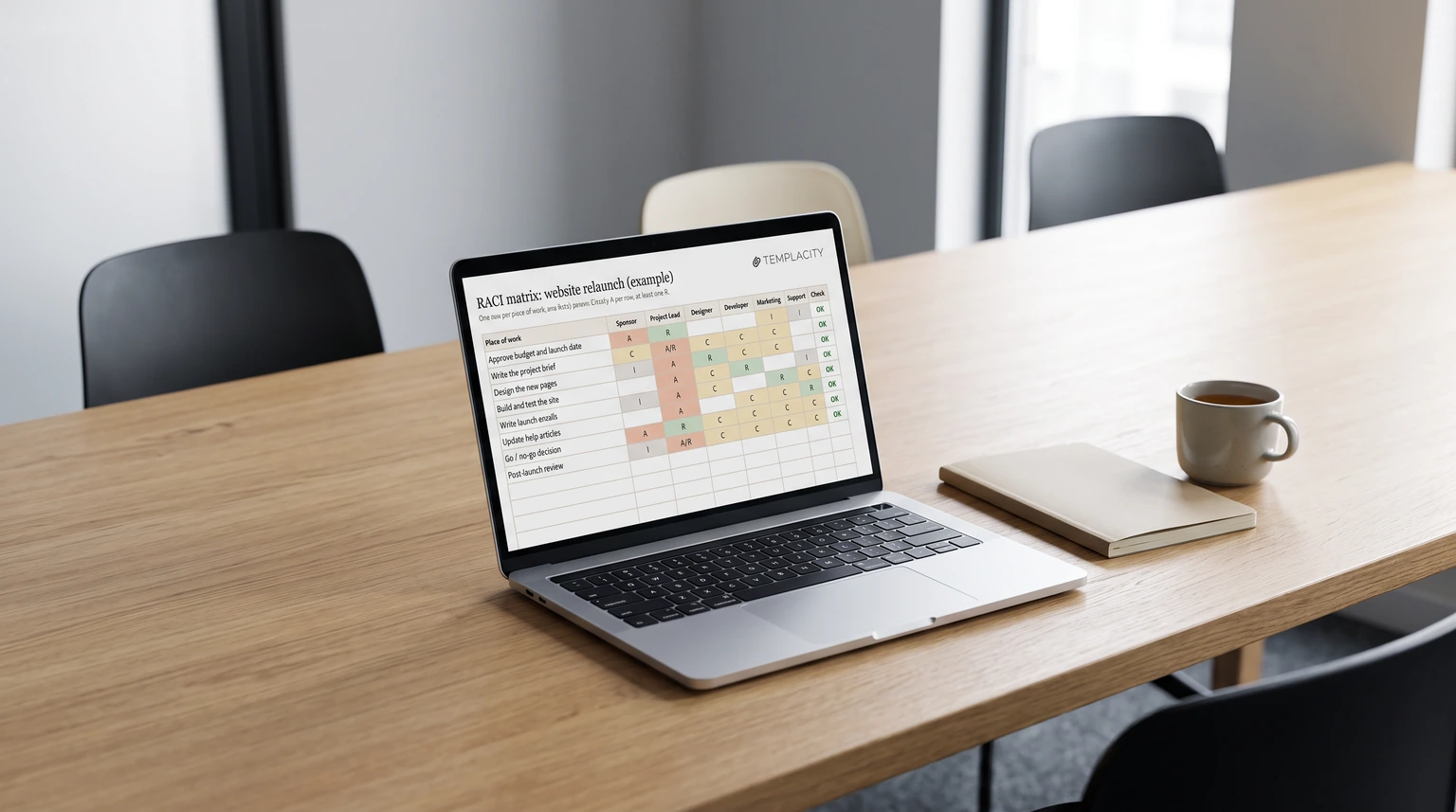
The grid
What a RACI matrix template is for
Most project arguments in month three are about something nobody wrote down in week one: who was supposed to decide. A RACI matrix template fixes that on one page. Each row is a piece of work, each column is a person or role, and each cell holds one letter saying how that person is involved. The value is not the grid itself; it is the conversation you have while filling it in, which is much cheaper at the start than halfway through.
The method is also called a responsibility assignment matrix or a linear responsibility chart. The four letters mean the same thing everywhere:
| Letter | Means | How many per row |
|---|---|---|
| R, Responsible | Does the work | One or more |
| A, Accountable | Decides, and carries it if it goes wrong | Exactly one |
| C, Consulted | Asked before the decision; can change it | As few as you can |
| I, Informed | Told after; cannot reopen it | As many as you like |
On a small team one person often both decides and does the work. Our template takes that as A/R, so the grid stays honest without forcing a second name into the row.
Free download
Download the free RACI matrix template for Excel
The workbook has three tabs. RACI matrix is the blank grid: twenty rows of work and six people, with a dropdown in every cell (R, A, C, I or A/R) so a typo cannot slip in. Example is the same grid filled in for a website relaunch, so you can see what a finished one looks like before you start yours. How to read it holds the legend and the warning signs below.
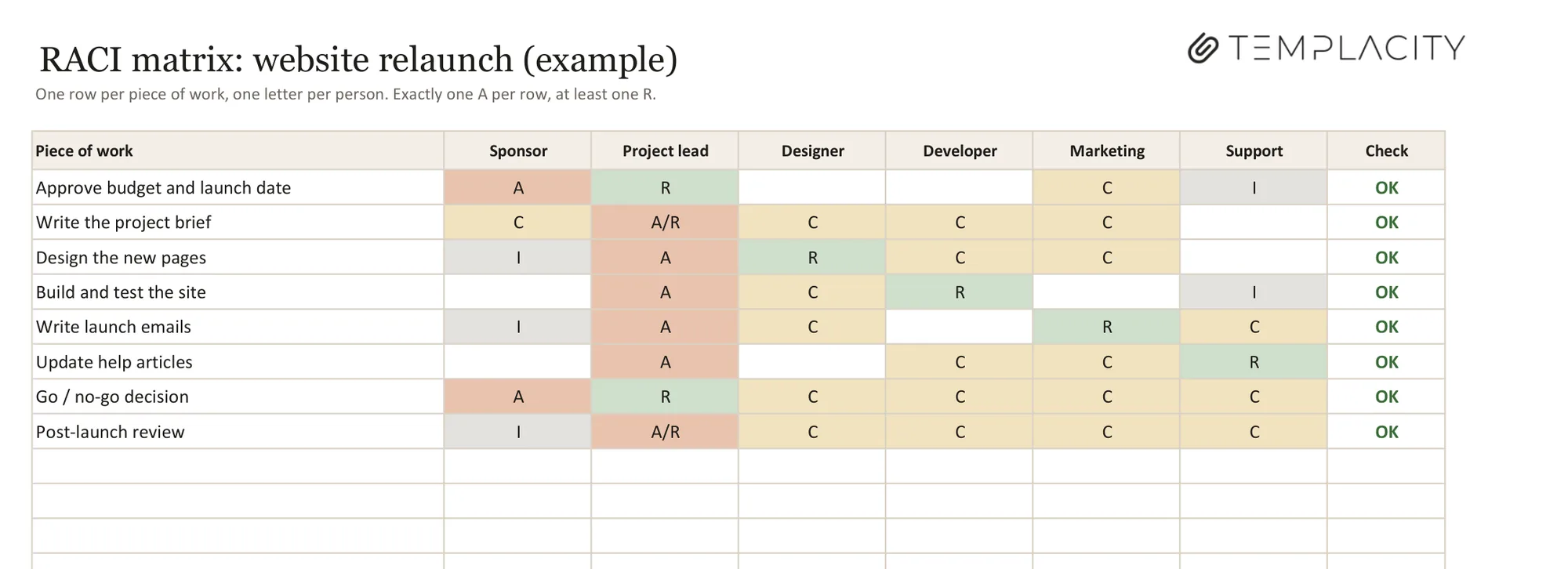
The column that makes this template different is Check. Paper and most RACI chart templates will happily let you put two A’s in a row or forget the R, and you only find out when the work stalls. Here, every row reads OK, No A, Two A or No R as you type, so the grid checks itself. We built and tested it in Microsoft Excel; there is no macro and nothing to enable.
Filling it in
How to fill in a RACI matrix in five steps
- List the work, not the tasks. Rows are deliverables or decisions (“Approve budget and launch date”, “Write launch emails”), ten to twenty of them. A row per small task turns the grid into a to-do list nobody reads.
- List the people or roles across the top. Six columns is the width that stays readable. Needing a seventh is a sign the project wants splitting.
- Place the A first, one per row. This is the argument worth having out loud: who decides, and who carries it if it goes wrong.
- Then the R. At least one per row. If the A also does the work, use A/R.
- Add C and I last, and sparingly. Every C is a meeting or a message before anything moves. Ask whether that person can really change the decision; if not, they are an I.
Reading it
Four warning signs in a finished RACI chart
A filled grid is worth reading back as a whole, row by row and then column by column. These are the patterns that mean trouble:
- Two A’s in a row: nobody is really accountable. Pick one person, and say so in the room.
- No A in a row: the same problem, and worse, because the row looks finished at a glance.
- A column that is all C: someone is in every conversation and owns nothing. Give them work or stop inviting them.
- A row that is all I: nobody is doing it. That is a backlog item, not a project line.
Two A’s in a row means nobody is really accountable.Reading the grid
The Check column catches the first two for you. The column patterns need a person; read down each name once after the grid is filled and before you share it.
Once the grid settles who decides, the meeting record only has to capture what was decided. Our free meeting minutes template uses the same project as its filled example.
Variants
RACI, RASCI and DACI: which chart to use
Several variants add or rename letters. RASCI (also written RACIS or RASIC) adds S for Support, people who help the R without owning the work. DACI swaps the vocabulary for Driver, Approver, Contributors and Informed, and is common for one-off decisions rather than ongoing work. For most project teams, plain RACI with an A/R option covers it; an extra letter is only worth it if you keep arguing about the same gap.
Where it lives
Keeping the RACI matrix beside the rest of the project
A RACI matrix works best next to the plan it describes. If your project runs in a spreadsheet, keep the RACI tab in the same file as the schedule; our project plan template guide and the Google Sheets project management template post cover that side, and more workbooks are collected in our Excel templates roundup.
If your team runs projects in OneNote, our OneNote Project Management Template ($29) has a RACI page built in, with the same letter legend and the same reading table, sitting beside the kanban board, the risk register, the stakeholder map and a comms plan. Our guide to OneNote project management templates walks through how that notebook is laid out.
What is the row your team argues about most when you fill in a RACI chart? Tell us in the comments; the best ones end up in the example tab of the next version.
FAQ
Common questions, answered briefly
What is a RACI matrix template?
Is there a free RACI matrix template for Excel?
Can a task have two accountable people in a RACI matrix?
What is the difference between responsible and accountable?
What is RASCI?
If yours isn’t above, drop it in the comments and we’ll add it.
People also ask