What changed
The Kindle app for PC is now Kindle for Windows
If your old Kindle app on a PC stopped working this summer, it was not your computer. Amazon’s install page now carries a notice that the legacy Kindle app, previously called Kindle for PC, isn’t supported as of June 30, 2026. Its replacement, the Kindle app for PC you download today, is called Kindle for Windows in Amazon’s help centre, and every Windows help article now opens with the same warning.
Most guides ranking for this search still describe the old app and its old download. The steps below are taken from Amazon’s current help pages, read in November 2026.
Installing
How to download the Kindle app for PC and Mac
| Computer | App | Needs |
|---|---|---|
| Windows PC | Kindle for Windows | Windows 11 |
| Mac | Kindle for Mac | OS X 10.14 or later, App Store |
| Anything else | Kindle for Web | A current browser |
- On Windows: go to Amazon’s Download Kindle Apps page, pick the Windows download, and follow the installer. Sign in with the Amazon account your books are on.
- On a Mac: open the App Store, search Kindle, and select Get (or Update if an older version is installed).
- Sync: in Kindle for Windows, select Library in the left bar and then the sync icon; F5 syncs from anywhere in the app.
- Open a book: double-click a cover in your library. A progress bar shows the download, then the book opens.
If your PC still runs Windows 10, Amazon’s own answer is not the desktop app. Its install page says to use Kindle for Web, the browser reader that used to be called Kindle Cloud Reader, when your operating system isn’t supported.
Your own files
Reading PDFs and your own documents in the Kindle app
Kindle for Windows is not only for books you bought. Amazon’s import page lists PDF, DOC, DOCX, TXT, RTF, HTM, HTML, PNG, GIF, JPG, JPEG, BMP and EPUB as files you can bring in. Select Library, then Import, and pick the file; or drag it onto the library. Sync afterwards and the document appears in your library as a personal document; Amazon’s personal documents page says those can be read in Kindle for Windows or on your other Kindle apps and devices.
If the document is really meant for a Kindle Scribe, and especially if it is a planner or a template you want to write on, our guide to sending a PDF to Kindle Scribe covers which route keeps it writable on the device.
What it is not
What the Kindle app for PC cannot do
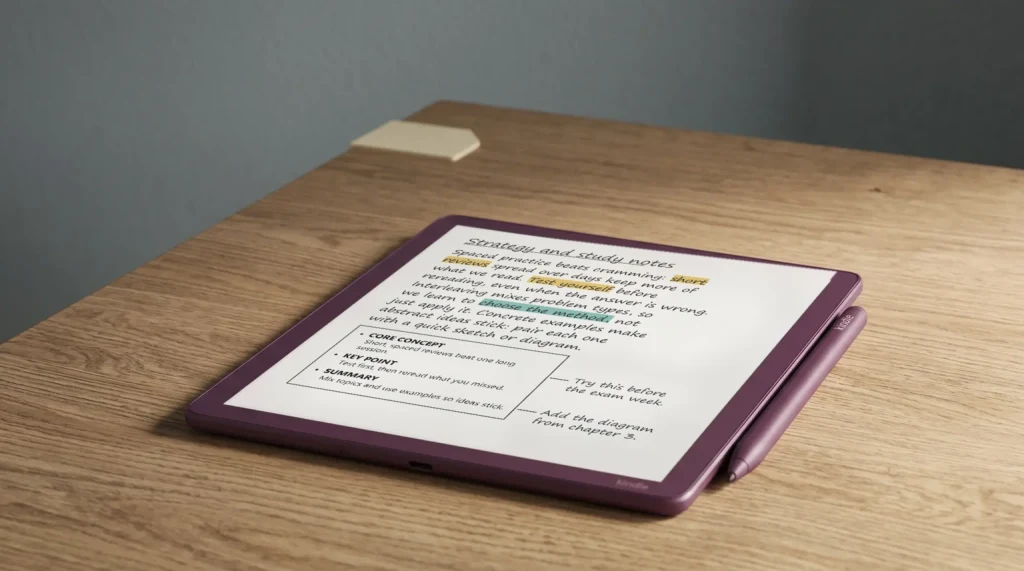
It does not open Kindle Scribe notebooks. Handwritten notebooks stay on the Scribe; to get them onto a computer, Amazon’s sharing page says a Kindle Scribe released in 2025 or later can upload notebooks to Google Drive or OneDrive as PDFs, or to OneNote as text or PNG images. Our Kindle Scribe and OneNote guide walks through that setup.
It does not open Kindle Scribe notebooks. Handwritten notebooks stay on the Scribe.What it is not
It is also a reading app, not a writing one. A laptop has no pen layer for books, so if handwriting in the margins is the point, a Scribe or a tablet does that job; our Kindle Scribe vs iPad comparison weighs the two.
Did the switch to the new Kindle for Windows app break anything for you, or fix something? Tell us in the comments; we update this guide from what readers run into.
FAQ
Common questions, answered briefly
Is there still a Kindle app for PC?
Does Kindle for Windows work on Windows 10?
Is the Kindle app for PC free?
Can I read PDFs in the Kindle app on my PC?
Can I see my Kindle Scribe notebooks on my PC?
If yours isn’t above, drop it in the comments and we’ll add it.
People also ask