The failure
Why most inventory sheets stop being true
A Google Sheets inventory template almost always starts the same way: a row per product, a column for how many you have, and somebody updating that number as things move. It is the obvious design, it matches what a stock list looks like on paper, and it fails in a specific way about four months in.
The failure is that the number disagrees with the shelf and nothing in the sheet can tell you why. Because each update overwrote the last one, there is no record of what changed, when, or who did it. You are left with two numbers that differ and no way to reconstruct the gap, so the only available action is to type the shelf count over the sheet and start the same problem again.
The interesting thing is that the design is not merely fragile, it is a category error. A quantity on hand is not a fact about a product. It is the outcome of everything that has happened to that product, and storing an outcome while discarding its inputs is what makes it unrecoverable.
The ledger
Record movements, compute the balance
Build it the way a bank statement is built. One tab holds products, one row each, with the things that do not change: the code, the name, the supplier, the reorder point. A second tab is append-only, and every row on it is a movement: a date, a code, a quantity, a direction, and a reason.
Then the quantity on hand is a formula rather than a cell somebody maintains. Sum the movements for that code, in minus out, against whole columns so it keeps counting as the log grows. Nothing is ever overwritten, which means every disagreement between sheet and shelf has a paper trail leading to the row that caused it.
The reason column is the one people leave out and the one that pays for itself. Sold, damaged, returned, miscounted and used internally are five very different events that a bare quantity change cannot distinguish, and knowing which is which is most of what an inventory record is for.
The gotcha
The SKU column that loses its zeros
This one is small, silent and permanent, which is a bad combination. Product codes frequently start with zeros. Typed into a cell the spreadsheet treats as a number, 00417 is stored as 417, because leading zeros carry no numeric meaning. Nothing warns you. The code simply becomes a different code.
Nothing warns you when a product code loses its zeros, and from then on your sheet and your supplier’s file are talking about different things.
The consequences arrive later and look unrelated: a lookup that returns nothing, an import that half matches, a supplier order that references an item they cannot find. By then the codes have been wrong for months and correcting them means touching every row.
The fix costs ten seconds and has to happen before anyone types. Select the code column and set the format to plain text using Format, then Number. Do it on both tabs, since the movement log carries the same codes and only one of them being text is arguably worse than neither.
Reorder
The reorder point is arithmetic, not instinct
Most templates include a reorder point column and leave it for you to fill in from feel, which is where stock-outs come from. It is a calculation, and it has exactly two inputs you already have.
Take how many days it takes a supplier to deliver, multiply by how many units you use per day, and add a buffer for the weeks when both go wrong at once. If a supplier takes twelve days and you sell three a day, you need to reorder at thirty-six plus buffer, not at “when it looks low”. The movement log gives you the usage rate directly, since it is the out-rows for that code over a period divided by the days in it.
Once the reorder point trips, the order itself needs a record. Our purchase order template for Excel logs each one with its delivery date, so a supplier running late shows up before the shelf runs empty.
This is the argument for the log design in commercial terms rather than in tidiness terms. A quantity column can tell you what you have. Only a movement history can tell you how fast it leaves, and the second number is the one that decides when to buy.
Stocktake
Counting, and the row that closes the gap
Physical counts will still disagree with the sheet, because things get broken, miscounted and taken without a note. The design question is what you do about it, and the answer follows from the same rule as before.
-
1
Count the shelf, write it down separately
On its own tab or column, dated. Never straight into the balance, which is computed and would be destroyed by a typed value.
-
2
Compare against the computed balance
The difference is your discrepancy for that item. Note it before doing anything else, because it is the only measurement of how well the process is working.
-
3
Post an adjustment row, with a reason
An in or out movement labelled as a stocktake adjustment. The balance now matches the shelf and the history explains exactly how it got there.
-
4
Watch the adjustments, not the balances
A code that needs an adjustment every count has a process problem rather than a counting problem, and that pattern is invisible in any design that overwrites.
Entry
Making entry fast enough that it happens
A movement log only works if movements get logged, so the entry row has to be quick. Four columns is the target: date, code, quantity, direction, with reason optional and defaulted. Anything more and people batch it up in their heads and log it on Friday, which is the same as not logging it.
Use dropdowns for the code, the direction and the reason. Google documents these under Data, then Data validation, built from a range or a typed list, with entries that do not match “rejected” by default and a softer “Show a warning” option under Advanced options. Point the code dropdown at your product tab so the two can never drift apart, and keep rejection switched on: a typo here creates a phantom product with its own private balance.
Put the newest row at the top and default the date, which is the same entry discipline that decides whether any log survives. Our Google Sheets expense tracker guide covers those habits in detail, and they transfer directly.
The limit
When to stop using a spreadsheet for this
Three signals, and none of them is the number of products. A spreadsheet handles thousands of rows without complaint. What it handles badly is several people writing at once, stock held in more than one place at the same time, and any requirement that a sale automatically writes a movement.
Below those thresholds the spreadsheet is genuinely the better tool, because it is free, it can be reshaped by whoever needs it, and Google states that anyone with a Google Account can create in Sheets with offline editing available, which matters when the stockroom has no signal.
The same architecture scales down to a kitchen. A cupboard is an inventory whether or not anybody calls it one, and our Google Sheets meal planner template guide uses the same idea in reverse: hold the ingredients once, and let the shopping list be derived rather than maintained.
The same idea runs forward into billing: keep your items and rates in one list and let each invoice read from it. Our Google Sheets invoice template works that way, with a log of every invoice sent.
Stock bought to resell one piece at a time wants a different row: one per item, with what you paid, where it sold and what the platform took. Our reselling spreadsheet guide works one eBay sale through fees and shipping to the profit that was actually made. The finished file is our Reseller Inventory & Profit Tracker Spreadsheet.
Log the movements, compute the balance, and format the code column as text before anybody types. Those three decisions are the difference between a sheet you trust in month nine and one you retype from the shelf every quarter. Tell us in the comments whether your codes ever lost their leading zeros, because almost everyone discovers it the same way, months later, through a lookup that returns nothing.
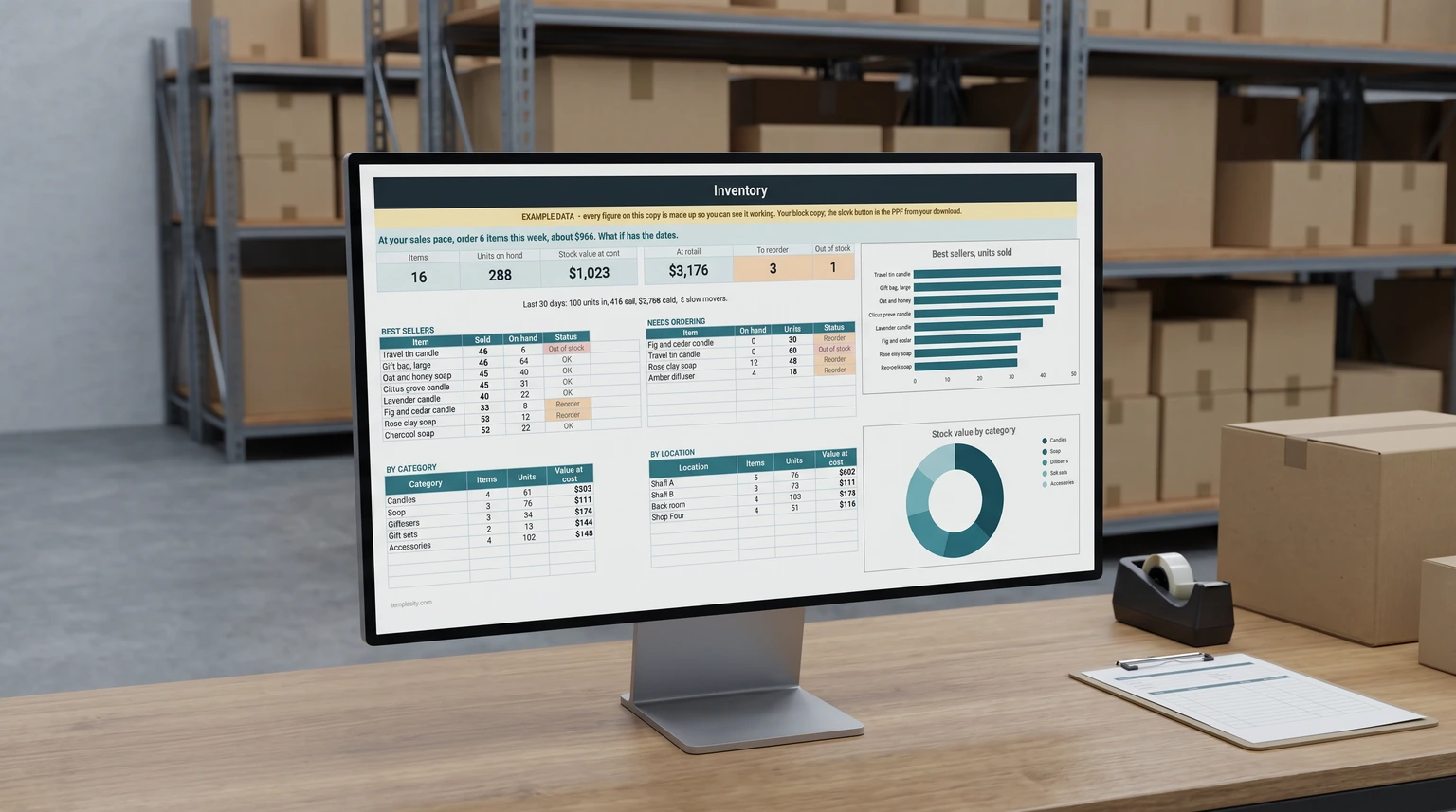
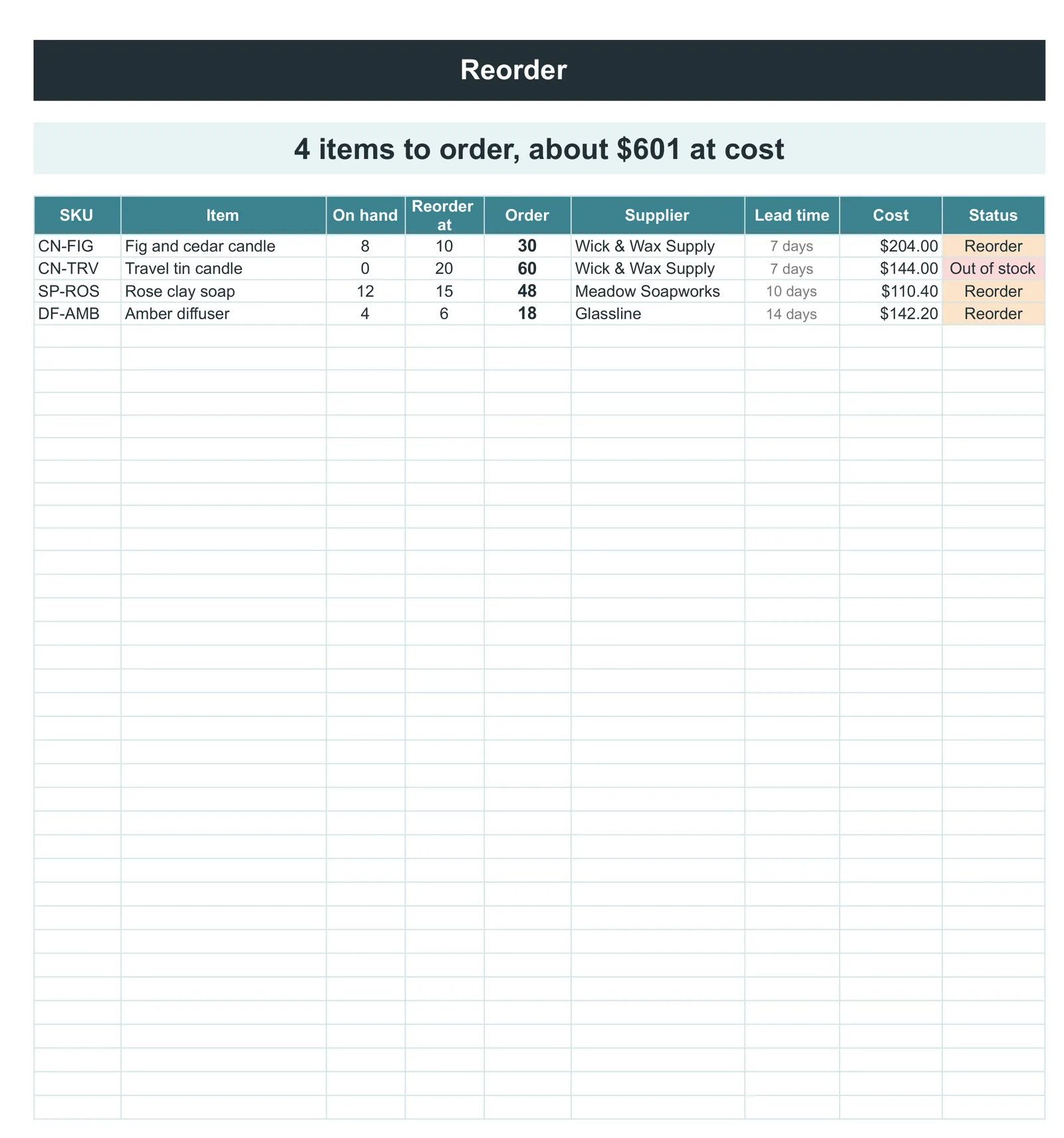
If you would rather start from a finished file, our Inventory & Stock Tracker ($39, Google Sheets and Excel) tells you what to order this week and the day each item runs out against its supplier’s lead time. It works out stock on hand from every movement in and out, builds a reorder list with quantities, suppliers and cost, and keeps a dashboard of stock value, best sellers and slow movers.
FAQ
Common questions, answered briefly
Why does my inventory sheet stop matching the shelf?
Why did my product codes lose their leading zeros?
How do I work out a reorder point?
What do I do when a stock count disagrees with the sheet?
People also ask