Start here
Two devices that answer different questions, and neither is the other’s upgrade
reMarkable’s current lineup looks like a ladder and is not one. The Paper Pure sits at $399, the Paper Pro Move at $449, the Paper Pro at $629, and the natural reading of that list is that each step up gives you more of the same thing. It does not. Step from the Pure to the Move and you pay $50 to lose more than half your writing surface, in exchange for colour, a reading light, and a much smaller device.
That inversion is the whole decision. Most comparisons in this category are about how much performance a budget buys. This one is about shape. The Pure is the mono entry model that replaced the reMarkable 2 in the store, a 10.3 inch page you sit down with. The Move is a 7.3 inch colour device built around being carried, and it costs more precisely because being small and being in colour are both expensive to build.
So the useful question is not which is better. It is which failure you would rather have: a device that gives you room but tends to stay on the desk, or a device that comes everywhere and never quite gives you the page you wanted.
Side by side
reMarkable Paper Pure vs Paper Pro Move, side by side
Both devices run the same 1.7 GHz dual core Cortex-A55 with 2 GB of RAM, so nothing here is about one being quicker than the other. They are the same software on two different pieces of paper. Where they separate is size, light, colour, and what happens to the battery in five years, and those four things pull in different directions rather than lining up behind one winner.
| Paper Pure$399 | Paper Pro Move$449 | |
|---|---|---|
| Screen size | 10.3″ | 7.3″ |
| Panel | Carta 1300, mono | Canvas Color (E Ink Gallery 3) |
| Resolution (portrait) | 1404 x 1872 | 954 x 1696 |
| Pixel density | 226 ppi | 264 ppi |
| Weight | 360 g | 230 g |
| Dimensions | 228.1 x 187.1 x 6.0 mm | 195.6 x 107.8 x 6.5 mm |
| Storage | 32 GB | 64 GB |
| Reading light | No | Adjustable |
| Battery | 3,820 mAh, replaceable | 2,334 mAh |
| Stated battery life | Up to 3 weeks | Up to 2 weeks |
| In the box | Marker, USB-C cable, 6 tips | Marker of your choice, USB-C cable, six tips |
Every figure in that table comes from reMarkable’s own feature pages, read on 8 September 2026 and linked at the foot of this post. Two of them deserve pulling out before anything else, because they are the ones most often reported wrongly elsewhere.
The screen
The screen gap is bigger than the diagonals suggest
10.3 inches against 7.3 inches sounds like a difference of about a third. It is not, because a diagonal describes a line and you write on an area. Take reMarkable’s own resolution and pixel density figures and the arithmetic falls out: 1404 by 1872 pixels at 226 ppi is 6.21 by 8.28 inches, which is 51.4 square inches. On the Move, 954 by 1696 at 264 ppi is 3.61 by 6.42 inches, or 23.2 square inches. The Pure gives you 2.2 times the page, for $50 less.
Writing surface, derived from reMarkable’s own resolution and density figures (square inches)
The shape matters as much as the square inches. The Move’s panel is narrow: 954 by 1696 in portrait, a 9:16 rectangle, roughly the proportions of a phone. reMarkable’s own spec page prints that resolution long side first as 1696 x 954 and labels it 16:9, which reads as a landscape device and is not one. Both tablets are portrait. The Move’s body is 195.6 mm tall and 107.8 mm wide, and a landscape 7.3 inch panel would not physically fit inside it.
What that narrowness costs you is anything with columns. A weekly spread, a habit grid, a project board, a two-column meeting note: all of them are designed across the page, and the Move gives you 3.6 inches of across. Lists, journalling, daily pages and reading annotation survive the shape well. Planning layouts do not, which is why our Move template pages are cut differently from the ones for the larger devices rather than being the same files scaled down.
Carry weight
360 grams in a bag against 230 in a coat pocket
The Pure weighs 360 g and measures 228.1 by 187.1 by 6.0 mm. That is a device you put in a bag without thinking about it and take out to use. The Move weighs 230 g at 195.6 by 107.8 by 6.5 mm, which is a different category of object: it goes in a large coat pocket, and it is light enough to hold in one grip through a long meeting without setting it down.
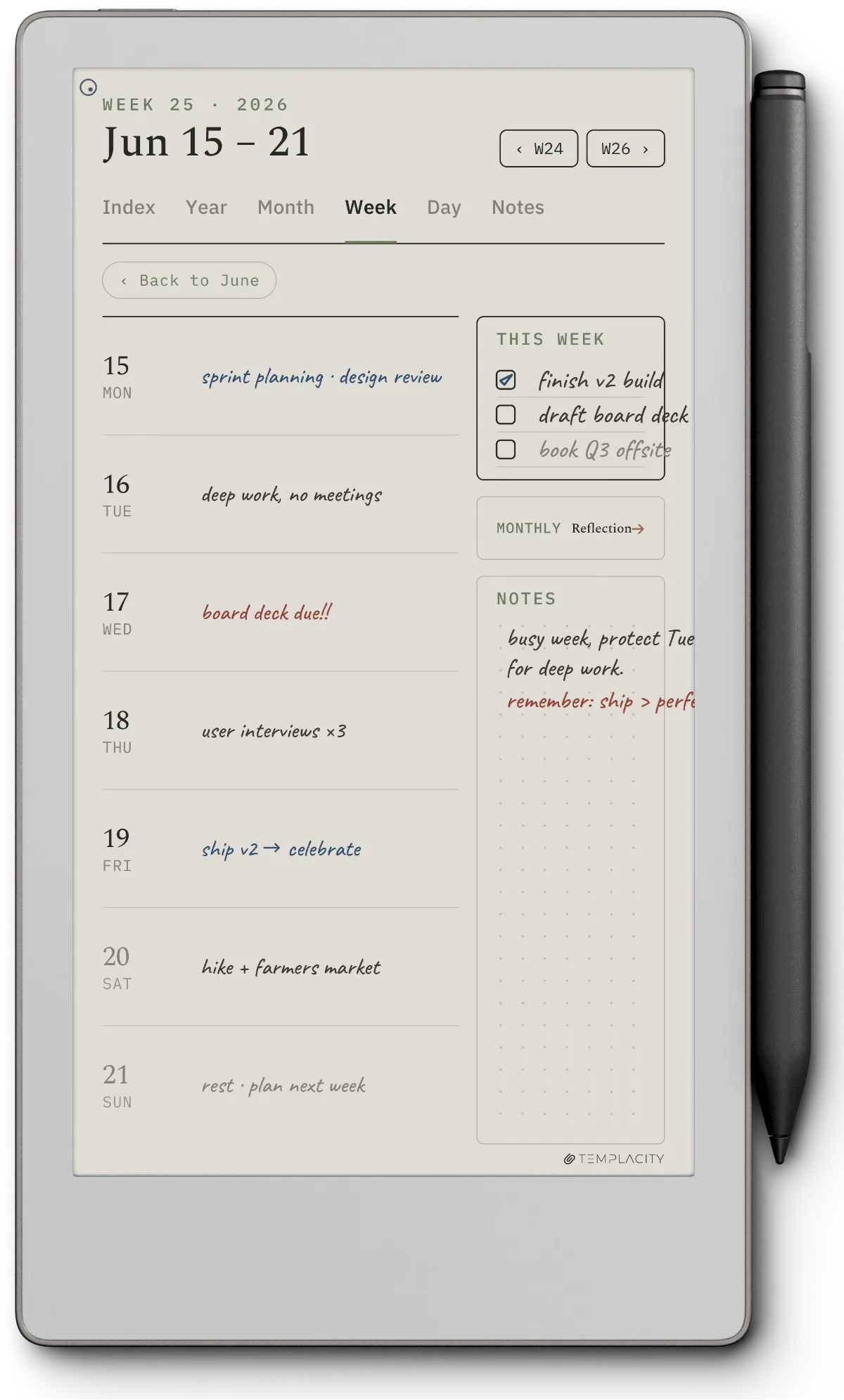
This is the part of the decision that resists a spec sheet, because the honest question is not how much either device weighs. It is how often you will have it. A tablet that gives you twice the page and stays at home on the days you needed it is worth less than a smaller one you never leave behind. If your writing happens in known places, at a desk, at a table, in the same chair every evening, that argument does not apply to you and the Pure wins on room alone.
A tablet that gives you twice the page and stays at home on the days you needed it is worth less than a smaller one you never leave behind.Carry weight
The gaps
The three things only one of them does
The Move has a reading light and the Pure has none. This is the largest functional gap between them and it is easy to miss, because a frontlight has been standard on inexpensive e-readers for a decade and the assumption that any e-ink device has one is close to automatic. The Pure does not. Writing on it after dark means a lamp. If a meaningful share of your reading or writing happens in bed, on a plane, or on a winter commute, that fact settles the comparison on its own.
The Move writes in colour and the Pure does not. The Move’s panel is Canvas Color, which reMarkable builds on E Ink Gallery 3. Gallery 3 carries colour in the ink itself as a four-particle system rather than laying a colour filter over a mono panel the way Kaleido screens do, so colour renders at the panel’s full 264 ppi instead of at roughly half resolution. The trade is refresh speed on full-colour pages. In practice, colour on this class of device is for marking up and separating rather than for illustration; it is closer to a set of highlighters than to a paint box.
The Pure has a replaceable battery and the Move does not. The Pure carries 3,820 mAh in a user-replaceable cell, inside a design reMarkable builds around screws and snaps rather than glue, and quotes up to three weeks on a charge. The Move carries 2,334 mAh, quotes up to two weeks, and ten minutes on the cable gives three days of power. Over a two-year horizon none of this matters. Over five, a device whose battery you can change is a different proposition from one whose battery you cannot, and it is the strongest argument the Pure has that has nothing to do with size.
One thing is the same on both, and it catches people upgrading: neither device accepts a reMarkable 2 Marker. reMarkable says so on both feature pages. If you are coming from an rM2, the pen does not come with you. On both of these the Marker in the box is the current generation, so you are not buying one separately either way.
The one pen choice left on either device is whether to pay $50 for the Marker Plus at checkout, and our Marker vs Marker Plus comparison covers what it buys.
The money
What the extra $50 actually buys
$50 is a small enough gap that it should not decide this, and it usually does anyway, because a $50 difference reads as a small upgrade rather than as a different device. Both prices include a Marker, a one metre USB-C cable and replacement tips, so neither has a hidden pen cost waiting behind it. Folios are extra on both.
Put plainly: the $50 buys a reading light, colour ink, 32 GB more storage and 130 g less to carry, and it costs you 28 square inches of page and a battery you could otherwise have replaced. If you have already decided you want the small one, $50 is nothing. If you have not, the price gap is the least useful number in this comparison and the square inches are the most useful.
The call
Which one to buy
For most people asking about reMarkable Paper Pure vs Paper Pro Move, the Pure is the better buy, and the reason is unglamorous: it is cheaper and it gives you more than twice the room, and room is what people actually run out of. The Move is the right answer for a narrower reader, and that reader usually knows who they are. They already carry a small notebook, they write standing up or on trains, and the thing that stops them using a bigger device is not its price but its size.
Two cases flip it regardless of everything above. If you write in the dark, the Pure has no light and the Move does, and that is the end of the argument. If you need colour to separate work rather than to decorate it, the Pure cannot do it at any price. Everything else on the Move, the weight, the pocket, the storage, is a preference. Those two are requirements.
If the shortlist is really three devices rather than two, the other two pairings are written up separately: Paper Pure against the full Paper Pro covers the mono-versus-colour question at the large size, and Paper Pro against the Move runs the same size argument as this one with colour on both sides. If you are not sure reMarkable is the right brand at all, our Move alternatives roundup puts it against the small colour devices from other makers, and the reMarkable hub sits above all of it.
FAQ
Common questions, answered briefly
Is the reMarkable Paper Pure bigger than the Paper Pro Move?
Does the reMarkable Paper Pure have a reading light?
Can I use a reMarkable 2 Marker with the Paper Pure or the Paper Pro Move?
Is the Paper Pro Move a landscape device?
Which one is better for reading and annotating PDFs?
If yours isn’t above, drop the question in the comments and we’ll add it.
People also ask
Other questions, briefly answered
If you have lived with either of these for a few months, we would rather hear that than another spec sheet: tell us in the comments which one you bought, and whether the screen size or the light turned out to be the thing that mattered.