The drift
Why the plan and the list stop agreeing
A Google Sheets meal planner template usually arrives as two tabs: a week laid out in a grid, and a shopping list beside it. Both are typed by hand, which is fine on Sunday evening and is broken by Tuesday.
The break happens the first time the plan changes, which it always does. Swap Thursday’s dinner and you now have to remember which four ingredients belonged to the meal you removed, take them off the list, and add the ones for its replacement. Nobody does this reliably, so the list keeps items nobody needs and loses items somebody does, and after two weeks it is not trusted enough to shop from.
The fault is not forgetfulness. Two documents holding overlapping facts will always drift, and the fix is to stop having two.
The shape
Recipes hold ingredients, the plan picks recipes
Three tabs, and only one of them is filled in weekly.
-
1
Recipes: one row per ingredient
Recipe name, ingredient, quantity, unit, aisle, and a staple flag. A recipe with eight ingredients is eight rows. This tab is built once and grows slowly.
-
2
Plan: the only tab you touch weekly
Day, meal, recipe, servings. Recipe is a dropdown pointed at the recipe names, so a meal cannot be planned that the ingredients tab has never heard of.
-
3
List: derived, never typed
Every ingredient belonging to a planned recipe, quantity scaled by servings, sorted by aisle, with staples excluded. Change the plan and the list changes with it.
Make the recipe column a dropdown, which Google puts under Data, then Data validation, built from a range so it reads your recipe names directly. Non-matching entries are rejected by default, and here that is exactly what you want: a typed recipe name with no ingredients behind it produces a plan the list cannot see.
The aisle
The column that makes the list usable in a shop
A derived shopping list naturally comes out grouped by recipe, because that is the order it was assembled in. That order is the worst possible one for the person holding it, since it sends you to the vegetables, then the freezer, then back for herbs, once per meal.
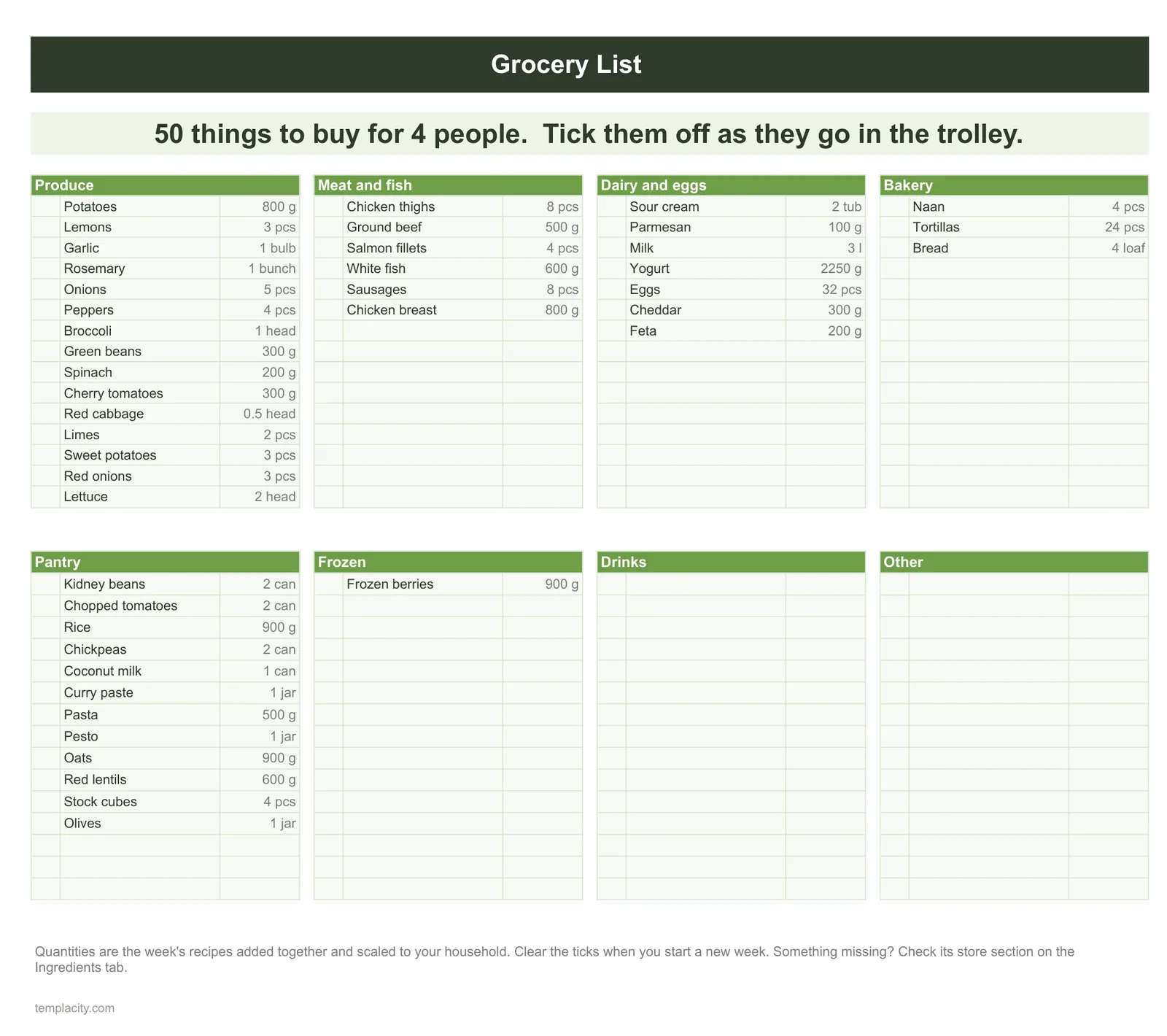
A list grouped by recipe sends you across the shop once per meal, and the same data grouped by aisle is a route.
One extra column on the ingredients tab fixes it permanently. Give every ingredient an aisle, entered once when the recipe is added, then sort the generated list by it. Keep the aisle list short and matched to the shop you actually use rather than to some general scheme: produce, dairy, meat and fish, frozen, tins and dry, household is enough for most people.
Make it a dropdown too. Free text produces “Veg”, “veg” and “Produce” within a month, and the sort quietly puts them in three different places.
Servings
Scaling, which hand-kept lists never get right
Recipes are written for a number of people that is rarely your number. A hand-maintained list handles this by someone halving quantities in their head at the shelf, which works for round numbers and fails for everything else, and the failure is invisible until you are cooking.
Once the data is structured, scaling is one multiplication. Store the recipe’s own serving count on the ingredients tab, put the servings you are cooking on the plan tab, and let the derived quantity be the recipe quantity multiplied by the ratio between them. The list then says 375g rather than “most of a bag”, and it says it correctly for a Tuesday when three people are eating rather than four.
Two practical notes. Keep the unit in its own column rather than inside the quantity, because “200g” as text cannot be multiplied while 200 with a separate unit can. And format the quantity column once through Format, then Number so scaled figures do not arrive with six decimal places.
Staples
The flag that stops the list being ignored
There is one way a derived list fails that has nothing to do with formulas. It is right, and it prints salt, oil, pepper and stock every single week, because those genuinely are ingredients in the recipes you chose. After the third week nobody reads it carefully, and a list that is skimmed is a list that misses things.
A staple flag on the ingredients tab fixes it. Mark the things you nearly always have, exclude them from the generated list, and add one line at the bottom reminding you to glance at the cupboard for staples. The list shrinks to what is genuinely being bought, which is what makes it readable.
This is the same instinct as keeping a running balance separate from a physical count: the sheet holds what it can know, and a human checks the part it cannot. Our Google Sheets inventory template guide works that division through in more detail, and a kitchen cupboard is an inventory whether or not you treat it as one.
In practice
What makes one last past February
Meal planners are abandoned for a reason that has nothing to do with spreadsheets: the setup cost lands in one evening and the benefit arrives weekly, so the first week is all cost. Two things reduce it.
Start with six recipes rather than thirty. Six covers most of a fortnight, the structure is proven before you invest in it, and adding a seventh later takes four minutes. And enter recipes as you cook them rather than in a single sitting, which converts a chore into a habit and means the ones you add are the ones you actually make.
It also matters that the file is reachable in a shop. Google states that anyone with a Google Account can create in Sheets, and offline editing is available, which is worth switching on before you go: a shopping list that needs a signal is a shopping list that fails in the basement of a supermarket.
If the plan lives on the fridge rather than on a screen, our printable weekly meal planner guide covers three paper layouts, each with the grocery list on the same page, and how to fill a week in ten minutes. To record what you actually ate against the plan, see our food journal for weight loss guide.
If the harder problem is the week itself rather than the food, our Google Sheets weekly schedule template guide covers the scheduling side, and the Google Sheets hub holds the rest of the spreadsheet set.
Build the recipes once, let the plan pick from them, and never type the shopping list again. Tell us in the comments how many recipes you got to before the rotation felt sufficient, because the number people need is usually far smaller than the number they plan to enter.
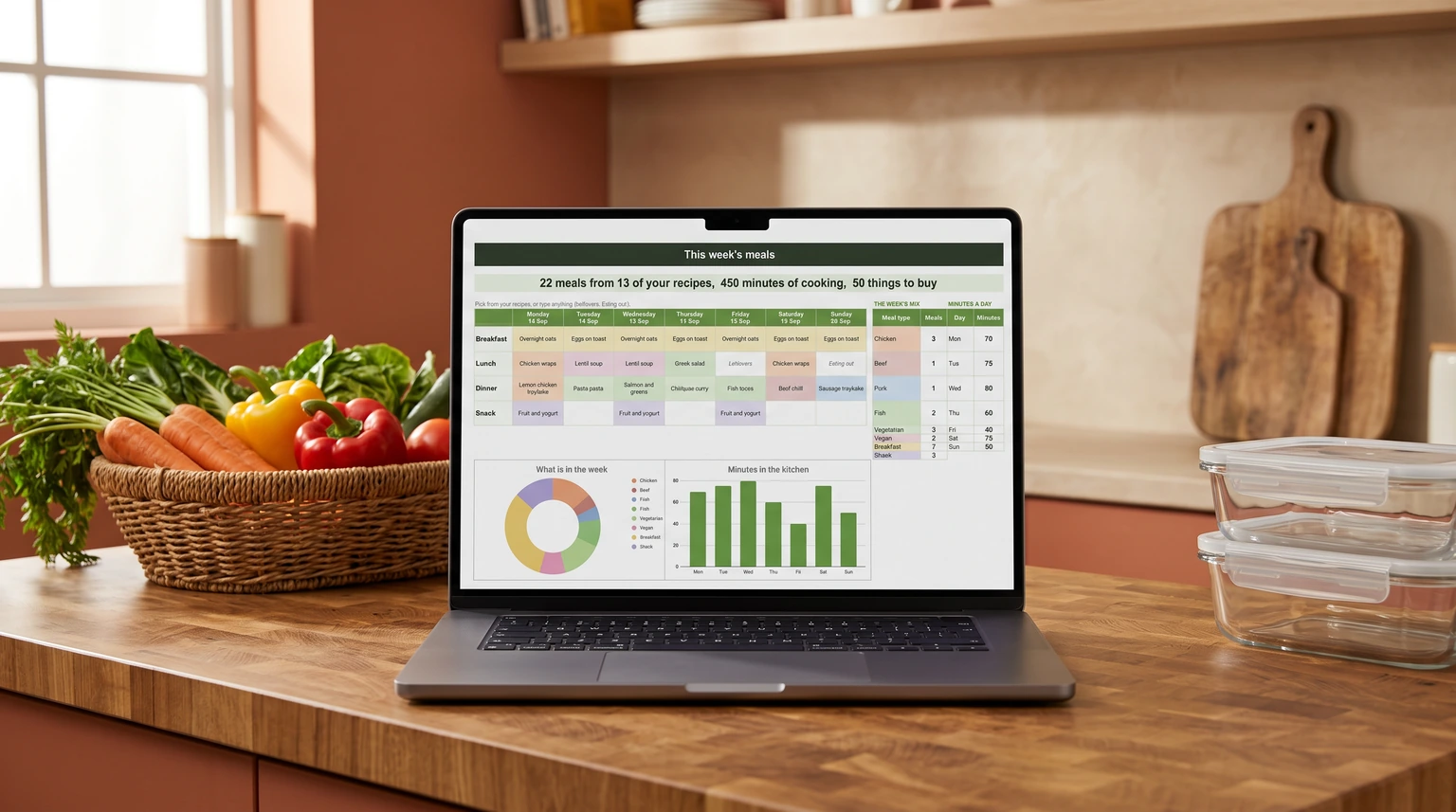
If you would rather not wire the lookups yourself, our Meal Planner & Grocery List Spreadsheet ($29, Google Sheets and Excel) does it from your own recipes: pick the week’s meals and the grocery list writes itself, quantities added up and scaled to your household, sorted by store section.
FAQ
Common questions, answered briefly
Why does my shopping list stop matching the meal plan?
How do I make a shopping list usable in the shop?
How do I scale a recipe for a different number of people?
How do I stop the list reprinting salt every week?
People also ask