The basics
What a productivity planner is, and what it is not
A productivity planner is a planner that tells you how to plan. A calendar shows you where your time is already spoken for; a productivity planner asks you to decide, each morning and each week, which few things matter most, and then gives you a page that makes that choice hard to dodge. The pages carry a method: a capped task list, a slot for the one task you would be satisfied finishing, a short schedule, and a review at the end of the week.
That is also why the term is a little confusing in search. “The Productivity Planner” is the name of one product, sold by Intelligent Change, while “productivity planner” is also the generic name for a whole shelf of guided planners, paper and digital. This post covers both: what the method inside them is, how the best-known ones compare on the page and on price, and how to choose one that will still be open on your desk in March.
What a productivity planner is not: a to-do app with more paper. If every task you have goes on the daily page, the page stops doing its job. The whole value is in the cap.
Method
The method every good productivity planner shares
Read the product pages of the planners people actually recommend and the same three moves come up, in slightly different sizes.
- A short daily list. Intelligent Change caps the day at five tasks. The Full Focus Planner asks for three daily tasks that serve three weekly goals. Panda Planner’s daily page asks for your top three to five priorities.
- The hardest thing first. Intelligent Change has you write the Most Important Task before anything else, framed as the one task that would make the day a success if it were the only thing you finished. Its page notes this is usually the task you are most likely to put off.
- A weekly look back and forward. All three build in a weekly planning or review spread, so the daily list is chosen against something bigger than today’s inbox.
Some add a timer method on top. Intelligent Change’s Focus Time has you work on one task in 30-minute blocks with a five-minute break, and lets you pause the timer when an interruption lands rather than abandon the block. Tracking blocks per task is the useful part of any timer method: after two weeks you can see that the report you budget an hour for takes three blocks every time, and plan the next one honestly.
Compared
The best productivity planners, side by side
Five planners cover most of what people mean by the best productivity planner. Four are paper and well known; the fifth is ours, and it is a different shape, which the next sections explain. Prices are each maker’s own US list price, read from their store in October 2026.
| Planner | Daily method | Lasts | Price |
|---|---|---|---|
| Intelligent Change | Five tasks, most important first | 3 months, undated | $38 |
| Full Focus | Three daily tasks for three weekly goals | One quarter | $44.99 |
| Panda Classic | Top 3 to 5 priorities, morning review | 3 months, undated | $24.99 |
| Passion Planner | Weekly spread, goal roadmaps | Jan to Dec 2027 | $40 to $45 |
| Digital Work Planner | Projects, actions, meetings | 2026 and 2027 | $29 |
Intelligent Change Productivity Planner. The one the term is named after. An A5, undated, 256-page book with a two-page daily layout: the Most Important Task, secondary tasks, a schedule from 6am to 9.30pm, Focus Time tracking and short morning and evening reflection prompts. Each book lasts three months and costs $38; Intelligent Change also sells a one-year bundle of four for $144. Best for someone who wants a coach on every page and works mostly alone.
Full Focus Planner. Built around goals more than days: you set annual and quarterly goals, choose three weekly goals, then three daily tasks that serve them. It is a quarterly book, $44.99 with standard binding or $45.99 with a coil, and the store offers a subscription of four a year at 15% off. Best for people who already set goals and want the daily page tied to them.
Panda Planner Classic. The cheapest of the three-month books at $24.99, undated, 5.25 by 8.25 inches. Daily, weekly and monthly sections, with a morning review and an end-of-day review on each daily page. Best for someone who wants the method without the price, and does not mind a smaller page.
Passion Planner Weekly. Less a daily coach than a goal-setting weekly planner, dated January to December 2027, with goal roadmaps, monthly reflections and habit trackers. $40 in Elite Black and $45 in the other covers. Passion Planner also gives away a free 2027 weekly printable in A5, B5 and A4, which is the cheapest way to find out whether a weekly layout suits you.
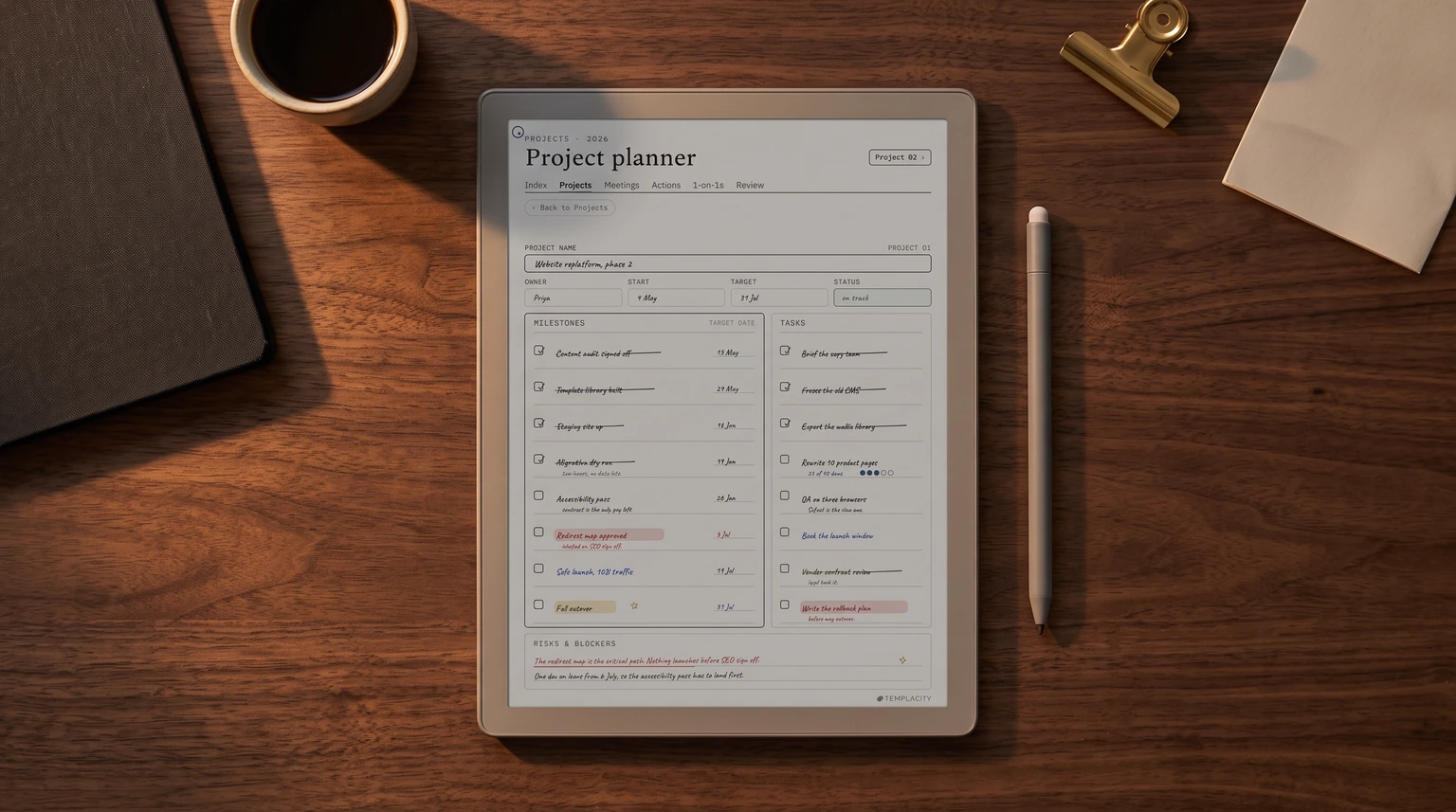
Templacity Digital Work Planner. Ours, $29 paid once, and the odd one out on purpose. It has no guided daily page. It is a 297-page hyperlinked PDF built around the things office work actually runs on: a project dashboard, an action tracker with owner and due date, meeting notes, one-on-one logs, quarterly reviews and goals with OKRs. It is dated 2026 and 2027 and drawn for reMarkable, Kindle Scribe, Boox, Supernote and Goodnotes on iPad.
Cost
What a productivity planner costs over a year
The sticker price hides the real number. Three of the four paper planners above last three months, so using one for a year means buying it four times. Here is the yearly cost at each maker’s list price, before shipping.
One year of use, at list price (US dollars, before shipping)
None of this makes the quarterly books a bad deal. A fresh book every quarter is part of the design: it forces a quarterly reset, and the Full Focus store says as much in its own FAQ. But if you are choosing between them, the yearly number is the one to compare, and the gap is large. A digital planner changes the maths again, because you pay once and the file does not run out, though you need a tablet to write on, and that is a much bigger purchase if you do not already own one.
Format
Paper or digital productivity planner?
The method works the same on either. What changes is what happens around it.
- Paper suits you if you plan at a desk, like a book that sits open beside the keyboard, want no screen in the morning ritual, and do not need to find last month’s notes often. The guided daily page is also better on paper; the books above are designed around it.
- Digital suits you if you already write on an iPad or an e-ink tablet, carry your planner between meetings, need to find a decision from three months ago, or run several projects at once. A hyperlinked PDF jumps from a project to its actions to the meeting where they were agreed in a tap, which a bound book cannot do.
One trap with digital: a planner app with unlimited lists quietly removes the cap, and the cap is the method. If you go digital, choose a fixed page you write on by hand rather than a list that grows forever. Our guide to digital planners covers which apps and tablets handle a hyperlinked planner well.
If you are not ready to buy anything, start on paper for free: our printable daily planner has a top-priorities block and a schedule, which is the core of the method in one sheet.
A productivity planner is a planner that tells you how to plan.The basics
Choosing
Choose by the shape of your week
Most people pick a productivity planner by its cover and its reviews. The better question is what your week is actually made of, because each planner above is built for a different week.
- Your week is a stream of tasks you choose yourself. Freelancers, writers, students, people who work alone. A daily coach fits: Intelligent Change or Panda. The capped list and the Most Important Task do the heavy lifting.
- Your week serves a few big goals. Founders, people changing careers, anyone with a quarterly target. Full Focus or Passion Planner, because the daily page answers to the weekly and quarterly one.
- Your week is projects, meetings and other people’s deadlines. Managers, team leads, anyone whose tasks arrive from meetings. A daily page alone loses the thread here; what you need is a place where every action has an owner and a due date and links back to the project it came from. That is what a work planner is for, and our guide to choosing a digital work planner goes deeper on the pages it needs.
- Your week keeps falling apart by Wednesday. A shorter list, not a bigger planner. If attention is the problem, our ADHD planner guide covers layouts that hold up when focus does not.
When you cannot decide what goes in the top three, sort the list first. The Eisenhower matrix splits it into urgent and important in about two minutes, and the top-right box is usually your Most Important Task.
Routine
How to use a productivity planner past week three
The planner does not fail in week one. It fails in week three, when a busy Monday skips the page and Tuesday feels too late to start again. A routine that survives that:
- Plan the next day at the end of today, not in the morning. Five minutes, before you close the laptop. The morning then starts with a decision already made.
- Write the one task first, then at most two to four more. If a sixth wants in, it goes on a separate running list, not the day.
- Do the one task before email if you can. If you cannot, block the first open hour for it.
- Once a week, at the same time, look back: what moved, what did not, what keeps getting carried over. A task carried over three times needs breaking down or dropping.
- When you miss days, do not back-fill them. Start on today’s page. Undated books exist for exactly this.
If your list comes from meetings, add one step: after each meeting, write its actions into one tracker with an owner and a date before you plan the next day. In our Digital Work Planner ($29) that is the action tracker page, and the meeting note links to it, so tomorrow’s top three come from a list you trust rather than from memory. It has no guided daily page, so if you want a coach for the day itself, one of the paper books above will serve you better.
Which productivity planner has lasted longest on your desk, and which did you abandon by February? Tell us in the comments, along with how many tasks you put on a day. We read every answer, and the patterns readers share go into the next update of this guide.
FAQ
Common questions, answered briefly
What is a productivity planner?
How many tasks should go on a productivity planner page?
How long does a productivity planner last?
Is a digital productivity planner better than paper?
Is there a free productivity planner?
If yours isn’t above, drop the question in the comments and we’ll add it.
People also ask