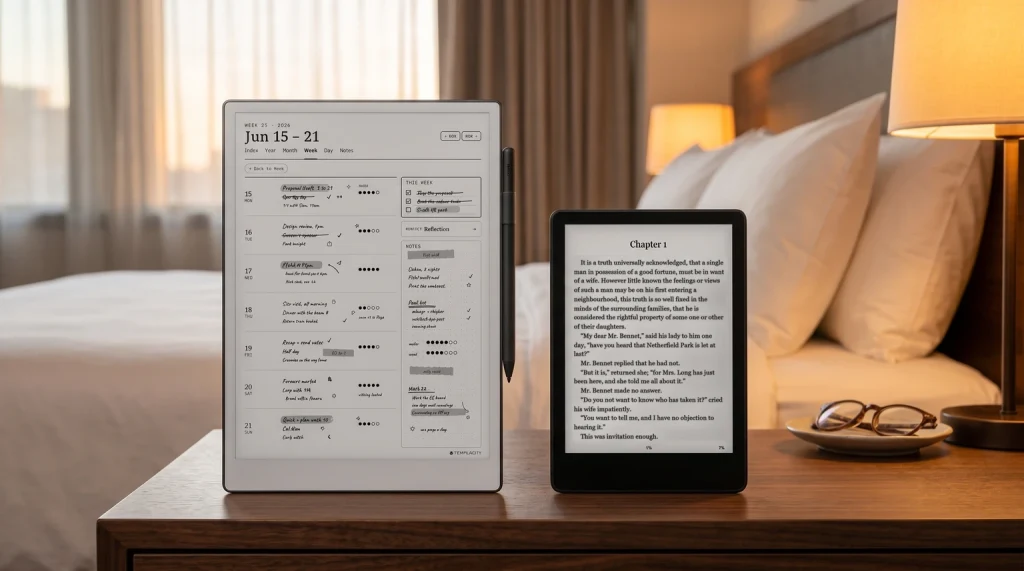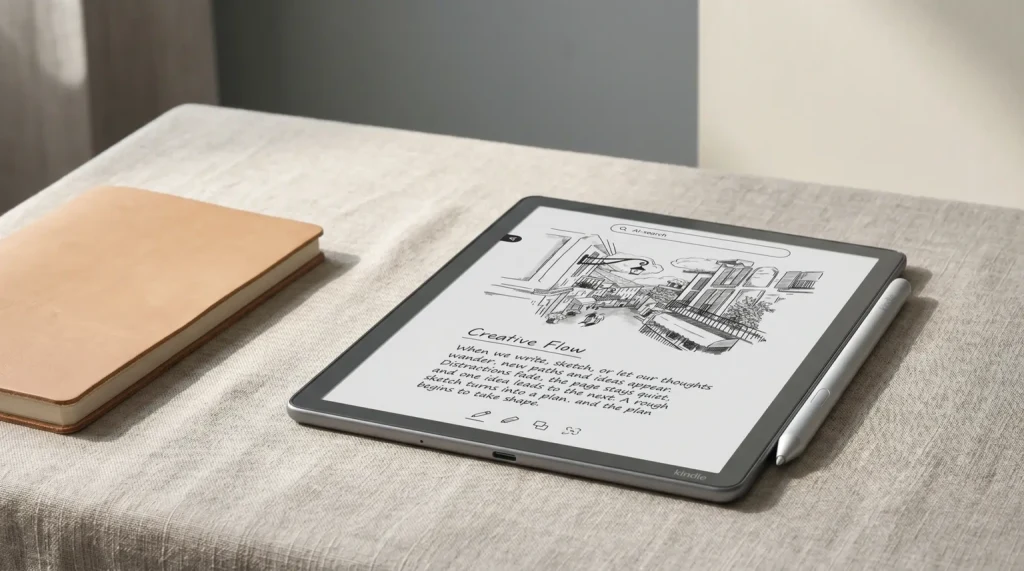
2026 update: The redesigned Kindle Scribe generation (11-inch panel, 5.4 mm body, faster chip) reached buyers on December 10, 2025 from $499.99, and the $429.99 no-front-light model followed on June 10, 2026. This page covers the models most owners have on their desks today; for the new lineup see our Kindle Scribe 2026 guide and the new vs old upgrade call. For what Amazon has not announced yet, we track the next Kindle release and the Kindle Paperwhite 13th generation separately.
Why this matters
Why Kindle Scribe Colorsoft vs reMarkable Paper Pro became the 2026 decision
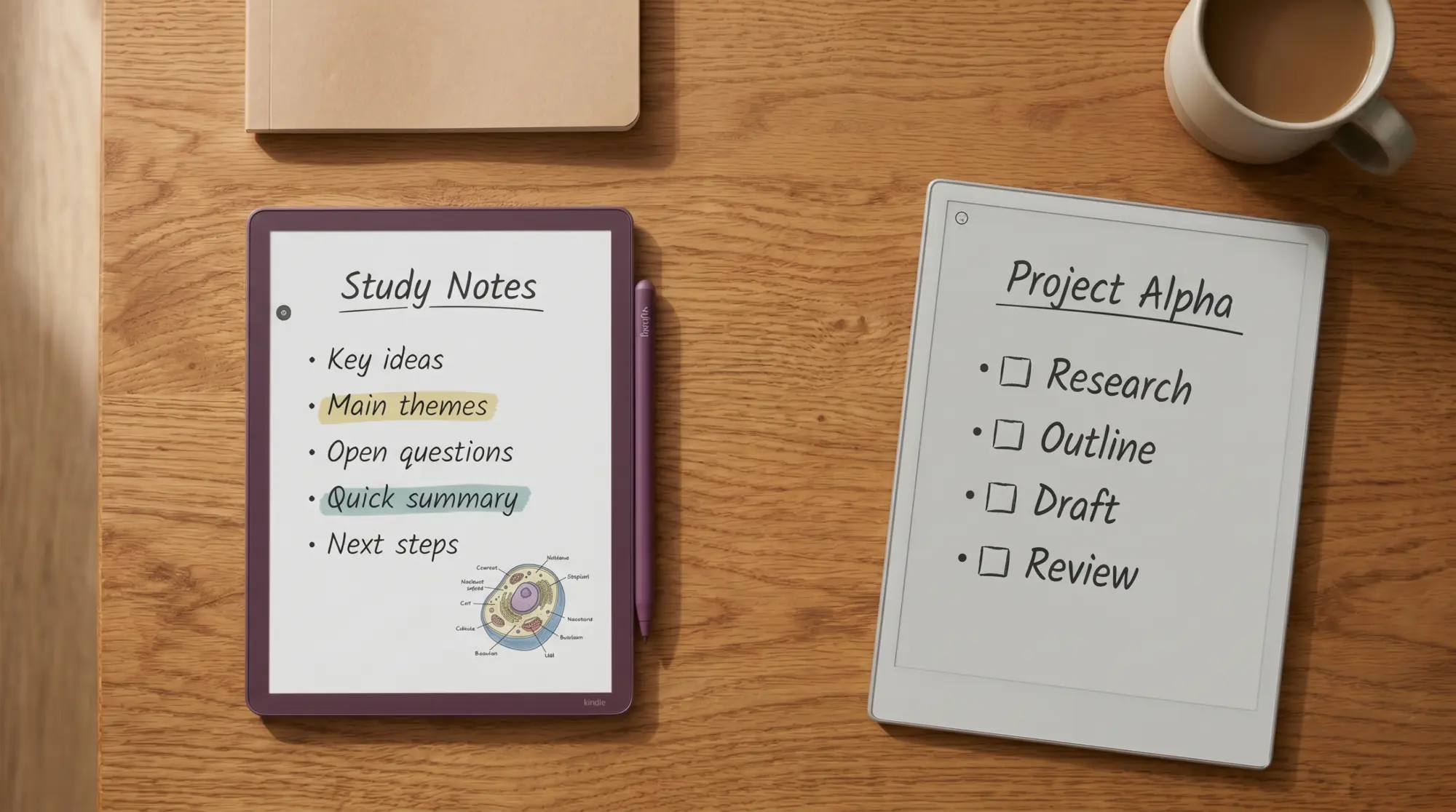
For about a year, the reMarkable Paper Pro (2024) was the only color tablet among the closed, app-free writing slates; Boox sold color writing tablets earlier, but they run Android. Then, on December 10, 2025, Amazon shipped the Kindle Scribe Colorsoft, the color variant of its writing Kindle, at $629.99 (32 GB) or $679.99 (64 GB Fig). Paper Pro lists at $629 with the Marker. The pair are a dollar apart on the base and both ship with a stylus, but they reach color by different routes: Amazon’s own Colorsoft display, a color filter over the panel, on the Colorsoft, and Canvas Color (based on E Ink Gallery 3, no filter) on the Paper Pro. The hardware fight is closer than the price suggests; the software fight is not close at all.
This guide is the head-to-head answer for buyers staring at both product pages and unable to find a single clear reason to pick one. We’ve split the comparison into the four axes that actually move a buying decision (writing feel, reading library, color in practice, price-versus-included-pen) and added a scorecard and verdict at the bottom. If you’d rather see the brand-level framing instead, our Kindle Scribe vs reMarkable 2 piece covers the mono-class decision, and our reMarkable alternatives roundup places Paper Pro against the wider field including Boox.
Side by side
The pair, side by side
Two lines stand out. The screen size gap is real (11″ vs 11.8″, 0.8 inch of diagonal in favor of Paper Pro). Battery is harder to compare than it looks: Amazon says the Colorsoft lasts weeks without naming a figure, and reMarkable says up to 14 days of regular use. And the OS line tells the real story: one device opens whatever you bought from Amazon, the other opens whatever you bring yourself.
| Axis | Scribe Colorsoft | Paper Pro |
|---|---|---|
| Base price | $629.99 | $629 |
| Screen | 11″ Colorsoft display (color filter) | 11.8″ Canvas Color (E Ink Gallery 3) |
| Pen included | Yes (with eraser) | Yes (basic Marker) |
| Pen latency | Not published | 12 ms |
| Battery | Weeks (no figure) | Up to 14 days |
| Reads Kindle library | Yes, native | No |
| Third-party apps | No | No |
| OS | Kindle | reMarkable OS |
The quick-reference above is the Kindle Scribe Colorsoft vs reMarkable Paper Pro decision in eight rows. Read every row twice; if the same column wins more than five times for you, that’s your device.
- Panel
- Colorsoft display, color filter + nitride-LED light guide · Canvas Color (based on E Ink Gallery 3), 20,000 colors
- Color resolution
- ~ 150 ppi color · 229 ppi color (no filter array)
- Mono resolution
- ~ 300 ppi · 229 ppi
- Light
- Front light · Adjustable reading light
- Screen size
- 11″ · 11.8″
- Pen included
- Yes, never needs charging · Yes, Marker
- Pen latency
- Not published · 12 ms
- Eraser on pen
- Yes · Yes (Marker Plus, +$50 upgrade)
- Color palette
- 10 pen + 5 highlighter colors · 9 colors, blendable
- Templates
- Built-in set; PDFs import from Drive or OneDrive for markup · Built-in set; PDFs import as documents
Opened natively
Apps and services
The format row is where most buyers underestimate the gap. Kindle Scribe Colorsoft reads anything Amazon sells to you (the Kindle library, Audible, Send to Kindle, Story So Far). Paper Pro reads what you bring (PDF and EPUB, from its apps or from Google Drive, Dropbox and OneDrive). Neither runs third-party apps. The deciding question is whether your reading material lives inside Amazon or outside it.
Pen feel
Writing feel and pen latency, head to head
reMarkable publishes a writing latency for the Paper Pro, 12 ms, on its compare page. Amazon publishes none for the Scribe Colorsoft; its launch page says the redesigned Scribe line is 40% faster for writing and page turns and that a new rendering engine keeps color writing fast and fluid. So there is no honest latency head-to-head to chart, and we have not timed either pen ourselves.
What both makers do describe is the pen and the surface. Amazon uses texture-molded glass for friction, and its pen never needs charging, with an eraser in the box. reMarkable uses a textured glass cover lens; the base Marker has no eraser end, and the Marker Plus adds one for $50. For color work, the Paper Pro’s nine colors blend into more, and Amazon adds a shader tool for gradients.
Reading
Reading library, ecosystem, and color, head to head
This is the asymmetric axis. Kindle Scribe Colorsoft reads everything in your Kindle library natively, syncs progress and notes across all your Kindle devices and the Kindle app, integrates Audible if you want the audiobook running alongside the text, and adds two AI reading features for thousands of US Kindle books (Story So Far summarises where you are in a book; Ask This Book answers natural-language questions about content you’ve already read). Documents arrive through Send to Kindle or from Google Drive and OneDrive, and annotated PDFs export back out.
Paper Pro reads PDF and EPUB that you sideload yourself, through the reMarkable desktop and mobile apps or from Google Drive, Dropbox and OneDrive. It does not run the Kindle app, the Kobo app, Libby, or any third-party reader. If you live in the Amazon library, Paper Pro forces you to either give up the library, pay for it again outside Amazon, or sideload books through workarounds that Amazon hasn’t authorised. The reMarkable Connect subscription ($3.99 a month or $39.90 a year when we last read reMarkable’s store in October 2026) adds unlimited cloud storage and handwriting search; without it, cloud sync keeps only files used in the last 50 days (the Google Drive, Dropbox and OneDrive integrations are free without it); it does not solve the Kindle problem because Amazon does not export.
This is the largest gap between the two devices. It’s not close. Kindle store books are locked to Amazon’s own devices and apps, so the Paper Pro cannot open them at all. If your reading life is mostly inside Amazon, the comparison effectively ends here.
The two devices reach color by different routes, and it is the one spec difference that actually shows. Colorsoft uses what Amazon calls its custom-built Colorsoft display, a color filter over the panel with a nitride-LED light guide: mono stays sharp at 300 ppi, color sits at roughly 150 ppi, and Amazon tunes the colors to stay soft rather than LCD-bright. Paper Pro uses what reMarkable calls a Canvas Color display, based on E Ink Gallery 3, a four-particle ink system with no filter over the panel, so color renders at the full 229 ppi and reads noticeably richer. reMarkable says the panel renders 20,000 colors and lists 12 ms writing latency. Expect text and line art to look crisp on both and color images to look richer on the Paper Pro, and neither one replaces an LCD.
Color e-ink in 2026 isn’t a screen that does color well. It’s a mono screen that does color enough.From this comparison
Practical effect: highlighting with a colored pen reads cleanly on both. Reading a children’s book or a comic reads acceptably on both but never beautifully. The Kindle store sells color comics and children’s books; reMarkable runs no book store at all. If color rendering will be the deciding factor, neither device is the answer; you want an LCD tablet instead. But if color is a “nice to have on top of e-ink writing,” both pass.
Scorecard
Templacity scorecard, both devices
Scribe Colorsoft, scored out of 10
Paper Pro, scored out of 10
Colorsoft takes reading library; pen feel, battery and value tie. Paper Pro takes templates and OS focus. The axes Paper Pro wins are exactly the ones a writing-first buyer cares about; the axes Colorsoft wins are exactly the ones a reading-first buyer cares about. Neither device is the universally better product; they’re competing for different verbs at almost the same price.
(If you’ve picked Paper Pro instead, the reMarkable hub covers our template work for that side of the lineup.)
Reading-first inside the Amazon library. Colorsoft. Easy call. The Kindle library, Audible, Send to Kindle and (in the US) Story So Far all work without sideloading or workarounds.
Writing-first, journaling, planner work, meeting notes. Paper Pro. The 11.8-inch surface, the writing-first software and the deeper template ecosystem all point one way, at the same base price.
Marking up PDFs you bring yourself (research, contracts, course readers). Paper Pro. The annotation tools are deeper, the screen is larger, and the apps keep marked-up PDFs synced to your computer and phone. Colorsoft marks up PDFs too, imported from Google Drive or OneDrive, and exports the annotated PDF back.
Mixed reading from many sources (library PDFs, Project Gutenberg, scanned articles). Paper Pro. PDF and EPUB are first-class. One exception: US Libby loans deliver to Kindle, which counts for the Colorsoft.
Light writing, mostly reading, want a stylus when you need one. Colorsoft. The pen with eraser ships in the box, the writing surface is competent, and the device’s reading life is where most of your hours will sit. For the writing you do keep, our Colorsoft daily planner is drawn for that colour panel.
For the upgrade question inside Amazon’s own lineup, see our Kindle Scribe vs reMarkable 2 piece and the broader Kindle Scribe alternatives roundup. For the Paper Pro deep dive, our Paper Pro review is the long-form take.
If your shortlist swaps the Colorsoft for an AI-first tablet, our iFLYTEK AINOTE 2 vs reMarkable Paper Pro comparison sets the Paper Pro against it.
Still weighing more than these two? Our free e-ink tablet buying guide runs the same questions across reMarkable, Kindle Scribe, BOOX, Supernote, iFLYTEK and Kobo in 28 pages.
Verdict
The call on Kindle Scribe Colorsoft vs reMarkable Paper Pro
FAQ
Common questions, answered briefly
Is Kindle Scribe Colorsoft better than reMarkable Paper Pro?
How much does the Kindle Scribe Colorsoft cost compared to reMarkable Paper Pro?
Can the Kindle Scribe Colorsoft read PDFs as well as reMarkable Paper Pro?
Does Paper Pro have AI features like Story So Far and Ask This Book?
Is the color on Kindle Scribe Colorsoft better than on reMarkable Paper Pro?
If yours isn’t above, drop the question in the comments and we’ll add it.
People also ask
Other questions, briefly answered
If you’ve owned either device, the comments are open. We rebuild this post on every meaningful spec or pricing change, so we’d rather know about a real-world surprise from your week than guess.