For the broader buyer’s guide on running a Kindle planner on the Scribe (device check, file-format anatomy, setup paths, free vs paid tradeoffs, and the reMarkable comparison), see the pillar.
Filter
How to pick the best Kindle Scribe planner for your use
Searches for the best Kindle Scribe planner land on dozens of roundups that read identically: a screenshot grid, one sentence per pick, a download button. The filter that matters more is whether a planner template still works once the novelty wears off: room to write, quick navigation between days, and a layout you can keep up with on a busy week. The picks below are judged on that, not on visual polish.
Three filters narrow the field fast. Native pixel resolution (1980 x 2640 at 300 PPI on the 11-inch 2025 Scribe, 1860 x 2480 on the 10.2-inch original) over scaled letter-size designs that soften line work. Light grey form lines (30 to 40 percent black) over pure black grids that compete with handwriting. A clear single-format focus over generic “planner library” packs that try to be universal. Planner PDFs that pass all three almost always end up in the daily rotation; planners that fail any of the three usually get abandoned by week three.
Picks
Best Kindle Scribe planner picks by format
| Format | Best paid | Best free | Best for |
|---|---|---|---|
| Weekly two-page spread | The Planner for Kindle Scribe | Community weekly PDFs | Most planners; the default pick. |
| Daily log | Studio bundles ($20-40) | Single-author community PDFs | Heavy daily writers (200+ words/day). |
| Monthly calendar | Bundled in studio sets | Free abundant | Date reference, not primary planning. |
| Habit tracker | Studio bundles | Limited free options | Habit-stack workflow users. |
| Year-at-a-glance | Often bundled | Limited | Long-range visibility (used least). |
Read the table by which format fits how you already plan. The weekly two-page spread is the format most planners should start with, because a week is the unit most people think in. The daily log earns its place for people who write a lot each day. The monthly calendar works as date reference. Year-at-a-glance is the easiest to skip, because a single page of twelve months leaves almost no room to plan a day.
Weekly
The best Kindle Scribe planner for weekly thinking
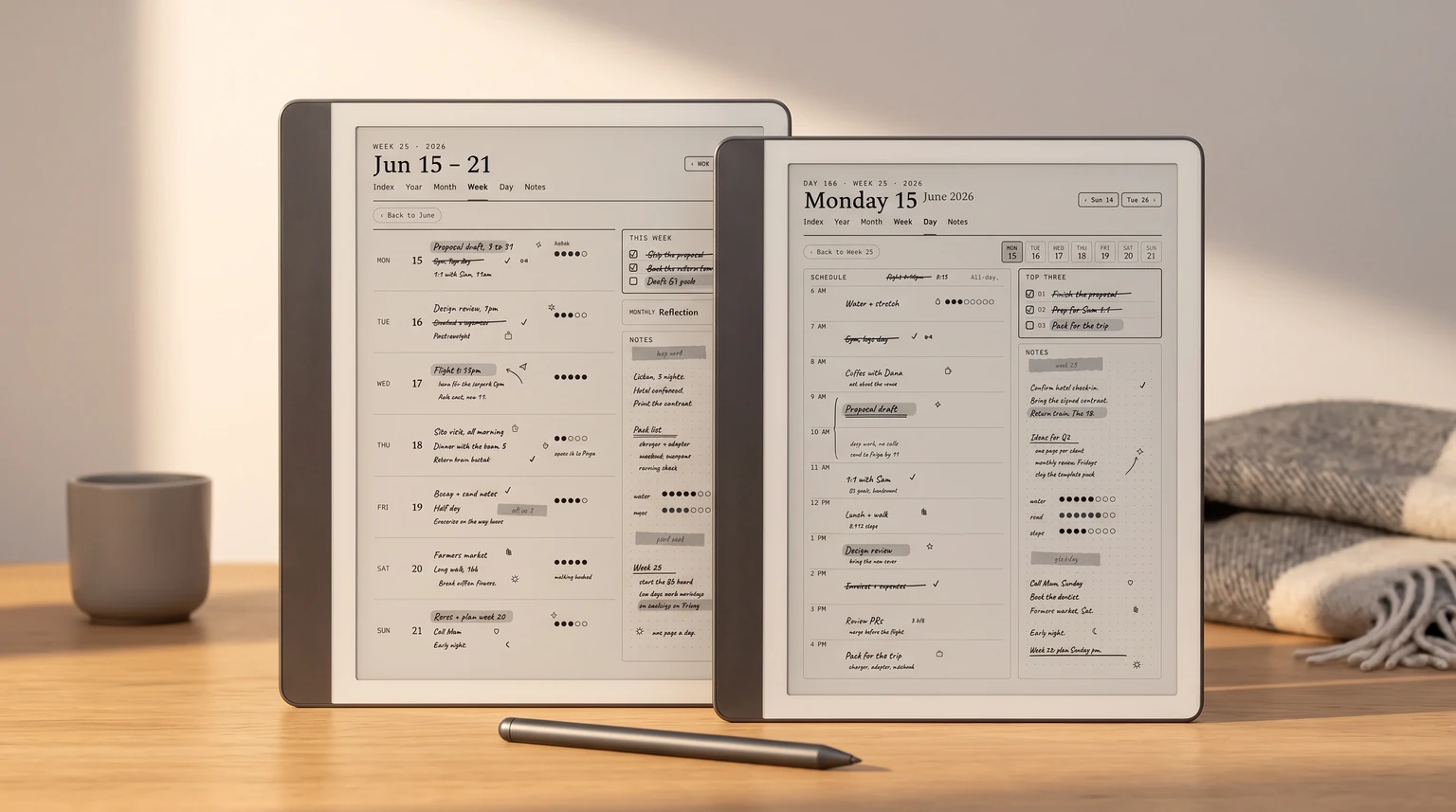
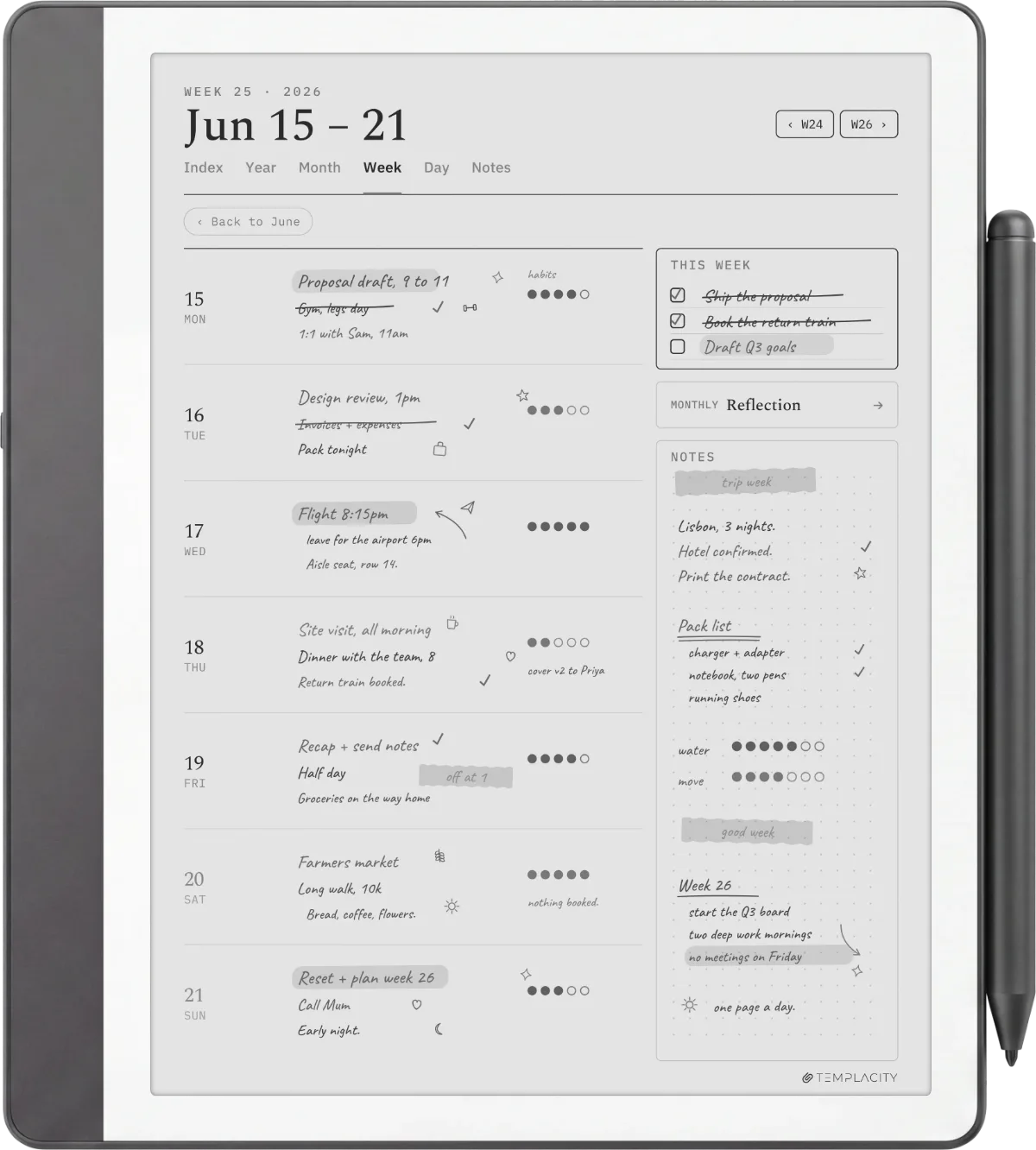
The weekly two-page spread is the most common format among the best Kindle Scribe planner picks because it is the shape most planners think in. The standard pattern: one page for the week’s outline (priorities, themes, big tasks) and one page for daily blocks (Monday through Sunday in seven horizontal lanes). The Scribe handles this layout cleanly at either native size, 1980 x 2640 on the 11-inch generation or 1860 x 2480 on the 10.2-inch.
What separates the best weekly planners from the merely pretty ones: explicit day labelling, light grey form lines, a small notes zone outside the main daily blocks, and a layout that survives being half-filled. Designs that look balanced empty often look cramped when actually used; weekly planners that survive daily use are the ones that work at any fill level. Avoid weekly planners that try to fit hourly time blocks at 30-minute granularity; the visual density crushes the writing space.
Daily
Daily log Kindle Scribe planner picks
Daily logs are the second-most-common best Kindle Scribe planner format. The standard pattern: a date header at the top, a priorities or top-three section near the top, a wide notes area filling the middle, and a small reflection zone at the bottom. The whole page is one day. Format suits people who write more than two short bullet points per day and want the space without the structure of a weekly spread.
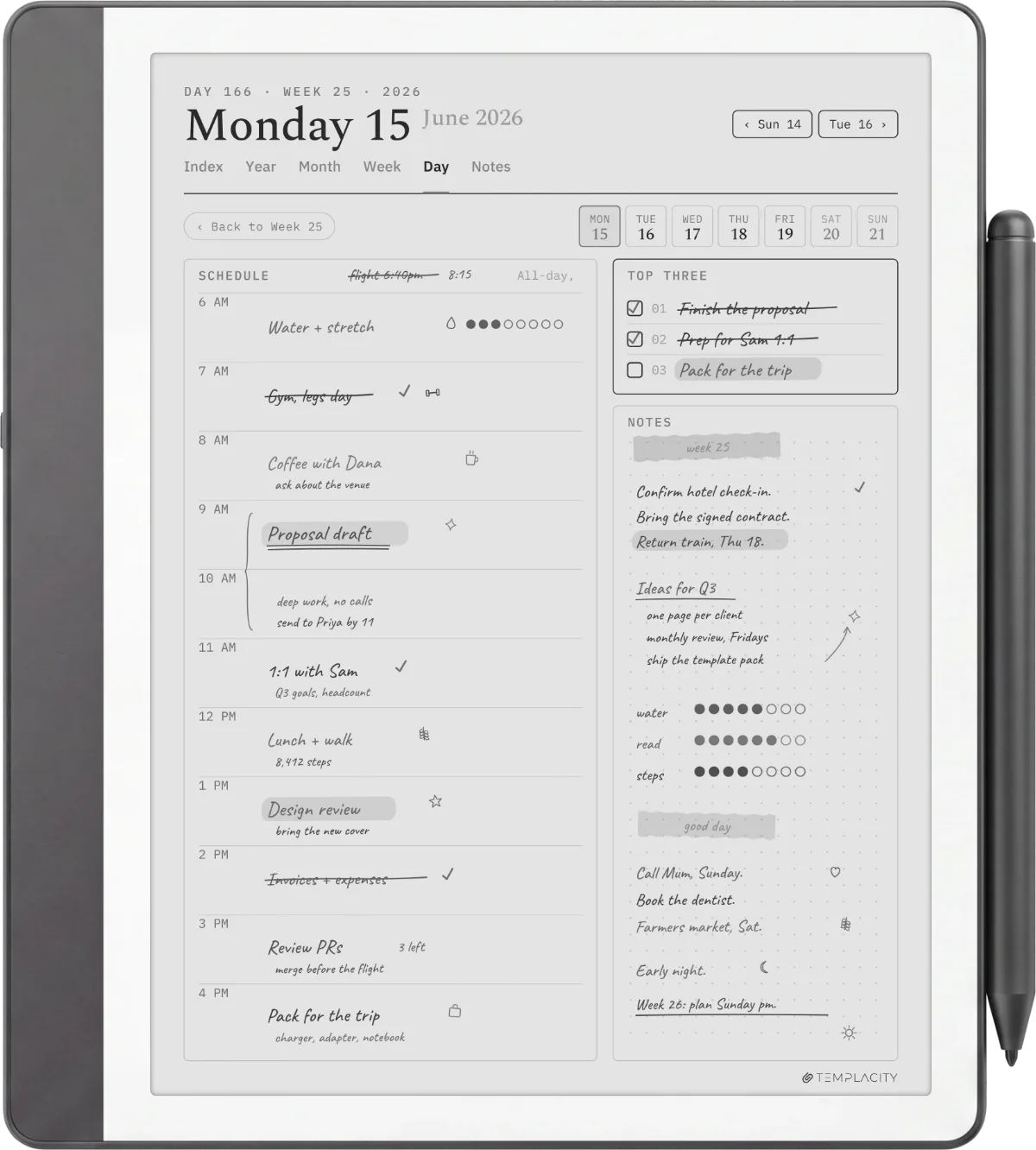
The honest trade-off: a daily planner ships as a single template file. You either reuse the same file every day (writing on a fresh page each time) or generate 365 pages a year by sending the file to your Library repeatedly. The Scribe handles both elegantly because the device treats every PDF page as its own writable surface. Single-author daily PDFs are usually the best fit because they were designed by someone solving their own daily-log problem.
The best Kindle Scribe planner is rarely the prettiest one. The ones built for daily use have explicit day labels, light grey lines, and a layout that works at any fill level.Filter section
Monthly
Monthly calendar picks for the Kindle Scribe
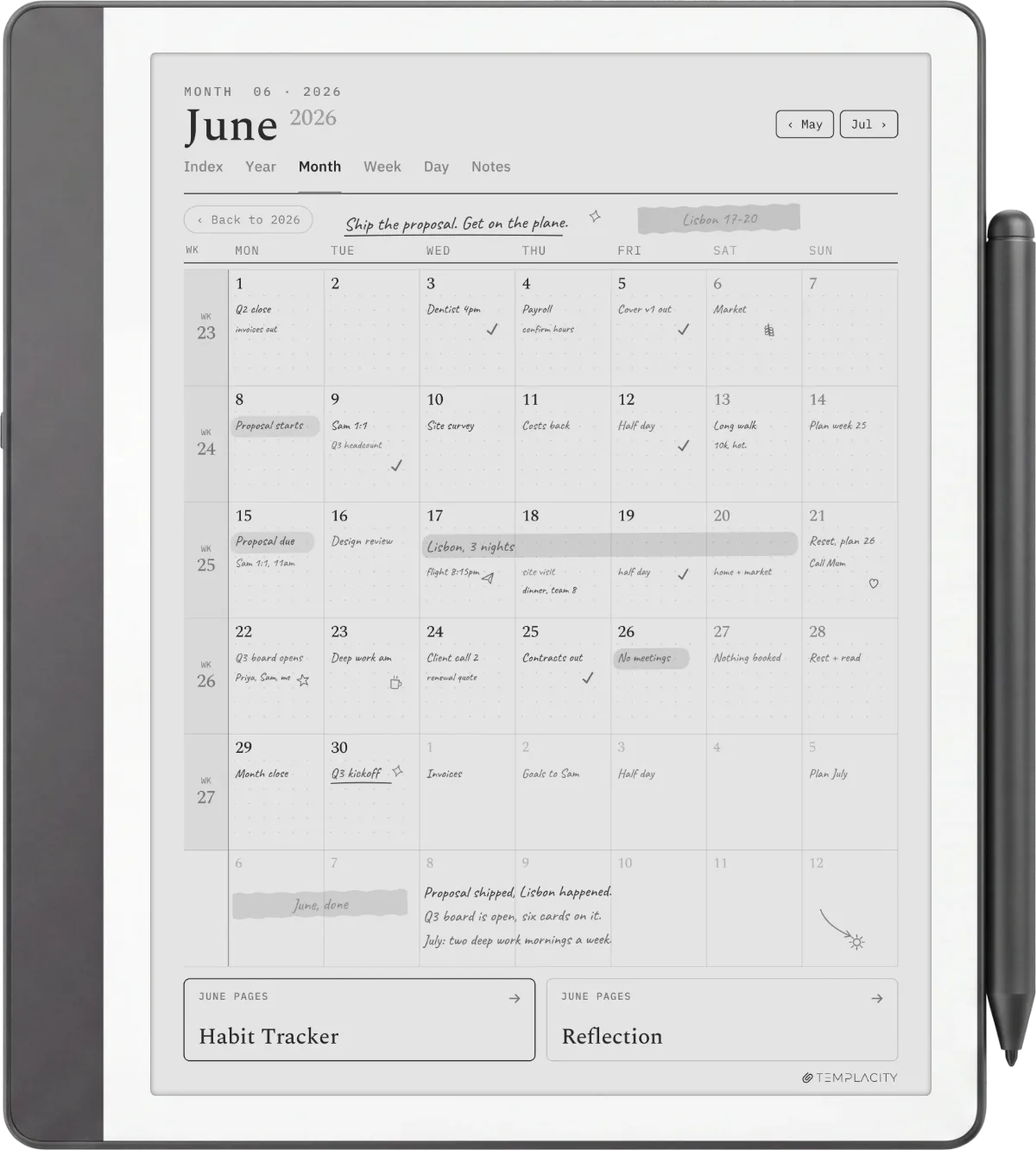
The monthly calendar is the third best Kindle Scribe planner format with reliable free options. The standard layout: a 5 by 7 grid (week rows, day columns), the month name at the top, small note zones at the edges. The format usually stays close to standard wall-calendar shape because that layout is universally readable and the writing space is small enough to glance at, large enough to write a short event in.
The honest use case: monthly calendars on the Scribe work as date reference more than primary planning. The boxes are small (about 1.5 by 1.5 inches each), which fits short event labels and not much else. For actual planning, the weekly spread is the right tool; for “what date is the third Tuesday of November,” the monthly calendar wins. Keep both installed if you plan in mixed timeframes. For the broader template question across all categories, our best Kindle Scribe templates piece covers more than just planning.
Secondary
Habit tracker and year-at-a-glance: the secondary formats
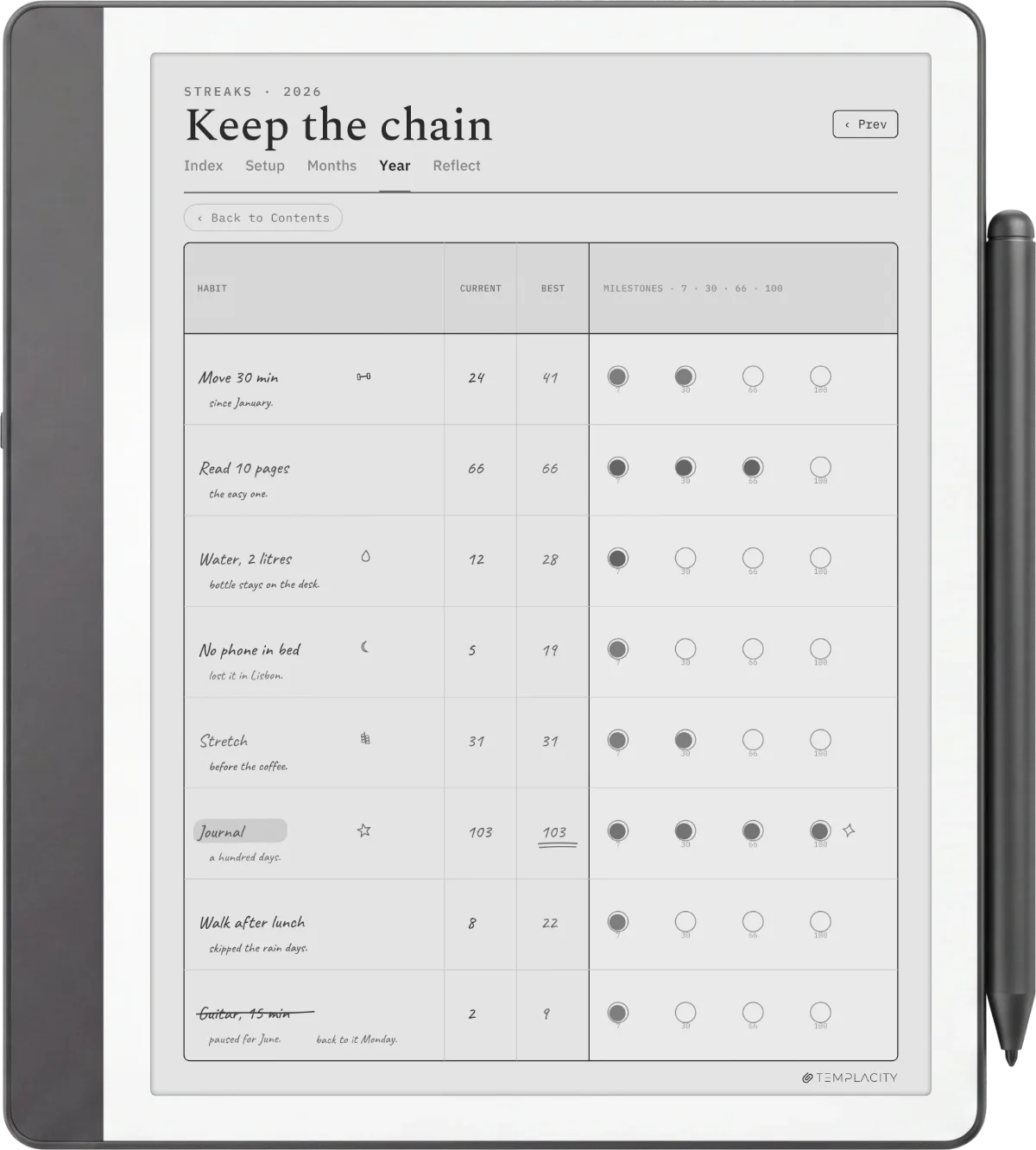
The habit tracker is the fourth best Kindle Scribe planner format, and it earns its place for a narrower group: people who run a habit-stack workflow and want a grid that makes a missed day visible. The standard layout is a month of dated columns crossed with a short list of habit rows, so a glance shows the streak and the gaps. Free options are thinner here than for weekly or monthly because the format needs more design care to stay readable at small box sizes; paid studio bundles usually include a better-built tracker than the free single-sheet versions. The honest test is the same as every other format: a habit grid only works if the rows are labelled explicitly and the lines are light enough that your marks stand out against the form.
Year-at-a-glance is the fifth format, and it is the one we recommend with a caveat: it is downloaded most and opened least. A single page showing all twelve months works for long-range visibility (booking a trip nine months out, mapping a project timeline) but rarely survives as a daily-use tool because the per-day space is too small to plan in. If you want it, take the free version; this is not a format worth paying for, because the design problem is trivial and every bundled set includes one. Keep it as a reference page at the front of a mixed planner rather than as your main spread, and it earns the small space it takes.
Install
How to install the best Kindle Scribe planner you pick
Install path is the same regardless of which best Kindle Scribe planner you land on: drag the PDF to amazon.com/sendtokindle, confirm your Scribe as the destination, wait about a minute. The PDF lands in your Library on the device with full pen-tool support: write directly, erase, save annotated versions, sync back to your Amazon library.
What you cannot do is add a custom planner to the Notebook Templates menu inside the device. That list is locked by Amazon at the firmware level. The PDF route is the only user-facing option, and for planners specifically it is the better path because multi-page PDFs work as refillable planners while the Notebook menu only handles single-template entries. For free PDF-specific picks, our Kindle Scribe planner free PDF piece drills in further.
If you have a best Kindle Scribe planner pick that survived your own monthly use test, drop it in the comments. The roundup gets refreshed as new planner releases land; reader-suggested sources are how the post stays current.
FAQ
Common questions, answered briefly
What is the best Kindle Scribe planner in 2026?
Are there good free Kindle Scribe planner options?
Can a Kindle Scribe planner go into the built-in Templates menu?
What pixel size should the best Kindle Scribe planner PDFs be?
Does the best Kindle Scribe planner work on the Colorsoft?
If yours isn’t above, drop the question in the comments and we’ll fold it in next refresh.
People also ask