The trigger
Why people go looking for OneNote alternatives
Almost nobody searches for OneNote alternatives because they dislike OneNote. They search because one specific thing broke, and the app took the blame for it. Reading the complaints in order is more useful than reading another roundup, because three of the four have a fix that costs nothing and does not involve moving a single note.
The first is sync. A notebook stops updating on one device, an edit made on the phone never lands on the laptop, and the page shows up twice with a conflict marker. This is the most common trigger and the least deserving one, because the usual causes are a section that has lost its path or a notebook still sitting in an old account. We wrote the fix sequence in our guide to OneNote synchronisation issues, and it resolves most cases without a migration.
The second is structure. Notebooks, sections and pages are a filing metaphor from 2003, and they hold up badly once you want the same note to appear in two places, or want a table that can be sorted, filtered and rolled up. That is not a bug. It is a design decision that stopped matching how a lot of people work, and it is the one complaint that genuinely points at a different category of app.
The third is handwriting. People who bought a stylus and expected the writing to behave like a document find that OneNote treats ink as an object floating on an infinite canvas. Nothing is wrong with that model, but it is not the paper-like model that pen-first apps sell, and no amount of configuration converts one into the other.
The fourth is ownership, and this is the serious one. Your notebook is a package that lives in OneDrive. You can export it, but you cannot open it in anything else without conversion, and you cannot put it in a folder you control and expect the app to follow. That complaint has no workaround inside OneNote, and it is the reason the two most technical picks on this list exist at all.
The baseline
What OneNote actually costs before you compare anything
You cannot judge an alternative without knowing the price of the thing you are replacing, and the answer surprises people who assume OneNote is a Microsoft 365 feature. Microsoft’s own support documentation states that all supported versions of OneNote are free to download and use, with some extra capability unlocked by an optional Microsoft 365 subscription (checked July 2026). The app is not the paywall.
Storage is the paywall. Notebooks sync through OneDrive, and Microsoft’s free web tier carries 5 GB of OneDrive storage, shared with everything else you keep there. Microsoft 365 Personal starts at $9.99 a month and raises that to 1 TB (checked July 2026). For text notes, 5 GB is years of writing. For a notebook full of scanned PDFs and screen clippings, it is a wall you will meet.
The detail that matters most for this decision is quieter. On that same support page Microsoft notes that the desktop app is the only version that stores a notebook locally on your hard drive; everything else is a cloud notebook you happen to be editing. That is the ownership complaint stated in the vendor’s own words, and it explains why “just export it” is not the reassurance it sounds like. It is also worth knowing that the OneNote for Windows 10 app reached end of support in October 2025, so anyone still avoiding the desktop app is running out of road.
That is not a dig at Evernote, which is a good product with a real use case we come back to below. It is a warning about how these lists get written. A decade ago Evernote’s free tier was the generous one, that fact got copied from roundup to roundup, and the copying outlived the fact. Every number in this post came from the vendor’s own pricing page in July 2026, which is why a few of them will not match the article you read before this one.
How to weigh it
What to settle before you move a single note
Migration cost is the thing every comparison table leaves out. Moving five years of notebooks is a weekend, and the second migration is always worse than the first because you now have notes in two places. Answer these five before you install anything.
-
i.
Where the file lives
Weigh firstDecide whether you need notes in a folder you control, readable without the app. This single answer eliminates half the list before you compare a single feature.
-
ii.
Notebook or database
A notebook stores pages you write. A database stores records you query. Wanting to sort, filter and roll up your notes means you want the second thing, and no note app will grow into it.
-
iii.
Typing or handwriting
Pen-first apps and text-first apps make opposite trade-offs about search, structure and export. Pick the one that matches how you take notes on your worst day, not your best one.
-
iv.
Who else has to open it
If a colleague needs to read your notes, you are choosing for two. Shared workspaces are where the free tiers on this list get thin the fastest.
-
v.
What the switch costs in a year
Add the subscription to the hours of rebuilding. A $35 a year app that takes a weekend to move into is not competing with free, it is competing with the afternoon you would spend fixing what actually annoyed you.
The field
The six OneNote alternatives, side by side
Six apps earn a place here. Each one answers a different complaint from the first section, and none of them answers all four, which is the honest summary of this entire category. Most lists of OneNote alternatives hide that by scoring every app on every axis; the useful comparison is narrower. Prices below were read from each vendor’s own pricing page in July 2026.
| NotionFree / $10 mo | ObsidianFree | JoplinOpen source | EvernoteNo public price | GoodnotesFree / $11.99 yr | |
|---|---|---|---|---|---|
| Answers which complaint | Structure | Ownership | Ownership | Capture | Handwriting |
| Notes stored locally | No | Plain files | Open format | No | No |
| Free tier ceiling | 5 MB uploads, 7-day history | No stated limit | Self-hosted sync | 50 notes, 1 notebook | 3 notebooks, 100 MB |
| Handwriting first | No | No | No | No | Yes |
| Runs on Windows | Yes | Yes | Yes | Yes | Yes |
Apple Notes is the seventh option and sits outside the table because it does not compete on price at all. It arrives with the operating system, and the only relevant number is iCloud storage, which starts at 5 GB at no cost with paid tiers from $0.99 a month (checked July 2026). If every device you own has an Apple logo, start there before you read the rest of this.
Structure
Notion, if you wanted a database and not a notebook
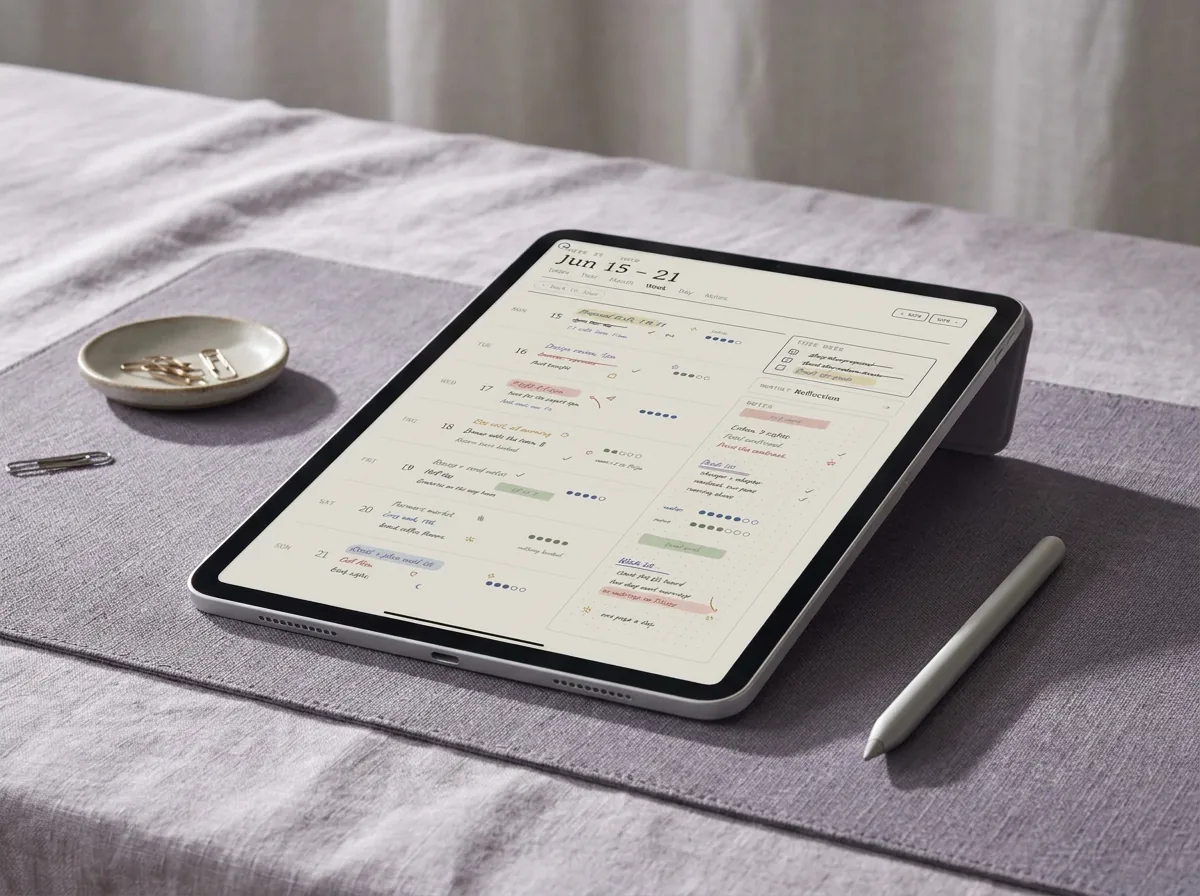
Notion is the answer to the second complaint, and it is a genuinely different category of software. A page can be a row in a table, that table can be filtered into six views, and a meeting note can carry properties like owner, status and date that let you query it later. Anyone who has tried to fake a project tracker out of OneNote sections knows exactly what is missing, and this is it.
The published pricing is straightforward. Free is $0 per member per month, Plus is $10 and Business is $20, with annual billing saving up to twenty percent (checked July 2026). The free plan’s stated limits are 5 MB file uploads, seven days of page history and ten external guests. Notion also applies a block allowance to workspaces with two or more members, which is the tier most people actually hit, and it is worth knowing before you invite a colleague rather than after.
The cost is speed and offline reliability. Notion is a web application in a desktop wrapper, and it feels like one when the connection is poor. Quick capture, the thing OneNote does well with a keyboard shortcut and no ceremony, is the thing Notion does least well. If your notes are mostly typed fragments caught in a hurry, you are trading your strongest habit for a filing system you will admire and underuse. If your notes are structured records you need to query, the trade runs the other way.
Ownership
Obsidian and Joplin, if you want the files to be yours
These two answer the fourth complaint, the one with no workaround inside OneNote. Both keep your notes as files you can see in a folder, open in another program and back up like anything else you own.
Obsidian describes its personal use as free without limits, with no sign-up required (checked July 2026). Notes are plain text files in a folder on your machine, which means the app can disappear tomorrow and your notes still open. The optional services are the business model: Sync is $4 a month billed annually, Publish is $8 a month per site billed annually, and a commercial licence for using it at work is $50 per user per year. Because there is no account to create, it is also the least expensive way to test whether you actually want to leave. Download it, write in it for a week, and you will know.
Joplin is the open source option, and its own site describes it as an open source note-taking app that saves notes in an open format with end-to-end encryption, running on Windows, macOS, Linux, Android, iOS and the terminal (checked July 2026). It is the pick when the requirement is not just local files but an auditable app and encrypted sync you can host yourself. Joplin Cloud is the hosted convenience layer and is priced in euros, with Basic at EUR 2.99 a month and Pro at EUR 5.99 a month (checked July 2026), though you can sync through your own storage instead and pay nothing.
The honest cost of both is polish. Neither has OneNote’s clipping, neither has a comparable mobile capture flow, and both expect you to assemble a workflow rather than receive one. That is the trade: you spend setup time once and stop renting your own notes. For people who reached this page because of the ownership complaint, that is a good trade. For everyone else it is a hobby.
Capture
Evernote and Apple Notes, the capture-first answers
Evernote still does the thing it invented better than most: clip a page, photograph a receipt, forward an email, and find all of it later with search that reads text inside images. If your relationship with notes is mostly capture and retrieval rather than writing and structuring, it remains a serious answer, and we compared the two apps in detail in Evernote vs OneNote.
What has changed is the entry point. Evernote’s compare-plans page lists Free, Starter, Advanced and Enterprise, and the free plan is published as 50 notes, one notebook, five spaces, twenty tags, one synced device, 1 GB of storage and 200 attachments (checked July 2026). We are not quoting a subscription price here for a simple reason: Evernote does not publish one on that page, and we do not print numbers we cannot source to the company charging them.
A decade ago Evernote’s free tier was the generous one, that fact got copied from roundup to roundup, and the copying outlived the fact.On why these lists go stale
Apple Notes is the quiet winner for a specific person: someone whose devices are all Apple and whose real complaint was that OneNote felt heavy. It syncs without being configured, it handles scanning and pencil markup natively, and it costs nothing beyond the iCloud storage you already have, which begins at 5 GB with paid tiers from $0.99 a month (checked July 2026). Its limits are equally clear: there is no Windows client, and its organisation stops at folders and tags. For anyone on a work laptop, that ends the conversation. If you are weighing this against staying put on a Mac, our notes on running OneNote on a Mac cover what does and does not carry across.
The option people ask about most is the one we left out. There is no Google equivalent to OneNote, and that is not an oversight on our part; we went looking and wrote up what Google actually ships in the Google alternative to OneNote. Keep is a sticky-note app and Docs is a word processor. Neither is a notebook.
Handwriting
Goodnotes, if the real complaint was writing by hand
The third complaint deserves its own answer because it is a category error to solve it with a typing app. OneNote treats ink as objects on an unbounded canvas. Goodnotes treats a page as a page, which is why imported PDFs behave like paper you can write on and why planner templates work there at all.
Goodnotes publishes a free plan alongside Essential at $11.99 a year and Pro at $35.99 a year, and states that it runs on Apple, Android, Windows and the web (checked July 2026). The free plan is a trial in practice rather than a home: it is capped at three notebooks, text documents and whiteboards combined, with 100 MB of storage and watermarked exports. That is enough to learn whether pen-first suits you and not enough to live in.
Worth saying plainly: this is the one switch where the app is only half the job. A handwriting app with no page structure is a stack of blank paper, which is why we build Goodnotes templates as a separate line. If you are moving for handwriting, budget for the layouts as well as the app, or you will recreate the blank-canvas problem you just left.
The other answer
When staying on OneNote is the right call
Return to the four complaints. Sync failures usually have a cause you can fix. Handwriting is a real reason to move, but only to a pen-first app, not to Notion. Ownership is a real reason to move, and it points at exactly two names on this list. Structure is a real reason to move, and it points at one. Everything else on the internet’s list of OneNote alternatives is a lateral step dressed as an upgrade.
There is also a failure mode worth naming, because we see it constantly: people leave a free app with no structure for a paid app with no structure, spend a weekend migrating, and arrive at the same blank page with a subscription attached. The complaint was never the app. It was that nobody had ever set the notebook up, and a blank Notion workspace is even better at absorbing good intentions than a blank OneNote section. If you are not sure which camp you are in, our guide to what OneNote is actually used for is a faster read than a migration, and the OneNote tutorial covers the setup most people skipped.
The wider question of which app deserves your next five years is one we took apart separately in our comparison of the best note-taking app, and the answer there is the same as the answer here: the winner is the one whose weakness you can live with. For most people already inside Microsoft 365, that is still OneNote with a structure applied to it, which is the shape of every OneNote template we make. For the rest, the list above is honest about who each app is actually for.
FAQ
Common questions, answered briefly
Is there a free alternative to OneNote?
Is OneNote free, or do I need Microsoft 365?
What is the best OneNote alternative for Windows?
Can I move my OneNote notebooks to another app?
Why does everyone recommend Evernote as the free option?
If your question is not above, leave it in the comments and we will add it. Corrections are welcome too, especially on pricing, which is exactly the kind of thing that goes stale between the day we check it and the day you read it.
People also ask