The short answer
Is there a Google alternative for OneNote?
Not really, and it is worth saying that plainly before working through the options, because most answers to this question point at Google Keep and stop. A Google alternative for OneNote would need notebooks, sections and pages, or something that does the same job. Google’s own description of Keep says it organises with colour codes, labels, pins and filters. That is a sticky-note wall with good search attached. It is not a binder, and no amount of labelling turns it into one.
That does not make Keep bad. It makes it a different category of thing, and the mismatch is the single most useful fact for anyone considering the move. If your OneNote use is a flat pile of quick notes, Keep will suit you fine and you will barely notice the change. If you keep a structured work notebook with a section per project and pages inside it, there is no Google product that holds that shape, and the honest planning question is what you are willing to lose rather than which app to install.
Keep
What Google Keep actually is
Any serious look at a Google alternative for OneNote starts with Keep, and by the standard it was built for, capture, it is very good. Google describes creating and sharing notes, lists, photos, drawings and audio, adding reminders so you do not miss deadlines, keeping notes up to date even offline, and syncing in real time across all your devices. You can create and edit notes with other people simultaneously, and you can export a note to Docs and turn it into a properly formatted document. For thoughts that arrive while you are walking, that set of features is close to ideal.
The reminders deserve a specific mention, because they are something OneNote does not do natively in the same way. A note that surfaces itself at a time you chose is a genuinely different tool from a note that waits to be found. If your notes are mostly things you need to be told about later, Keep is arguably the better product regardless of the structure argument, and that is a real point in its favour rather than a consolation prize.
The gap
Where Keep falls short of a notebook
| Capability | Google Keep | OneNote |
|---|---|---|
| Organisation model | Colours, labels, pins, filters | Notebooks, sections, pages |
| Nesting or hierarchy | No | Yes, three levels |
| Reminders on a note | Yes | Not natively |
| Real-time collaboration | Yes | Shared notebooks |
| Notebooks stored off the cloud | No | Windows desktop only |
| Free account storage | 15GB across Google | 5GB OneDrive |
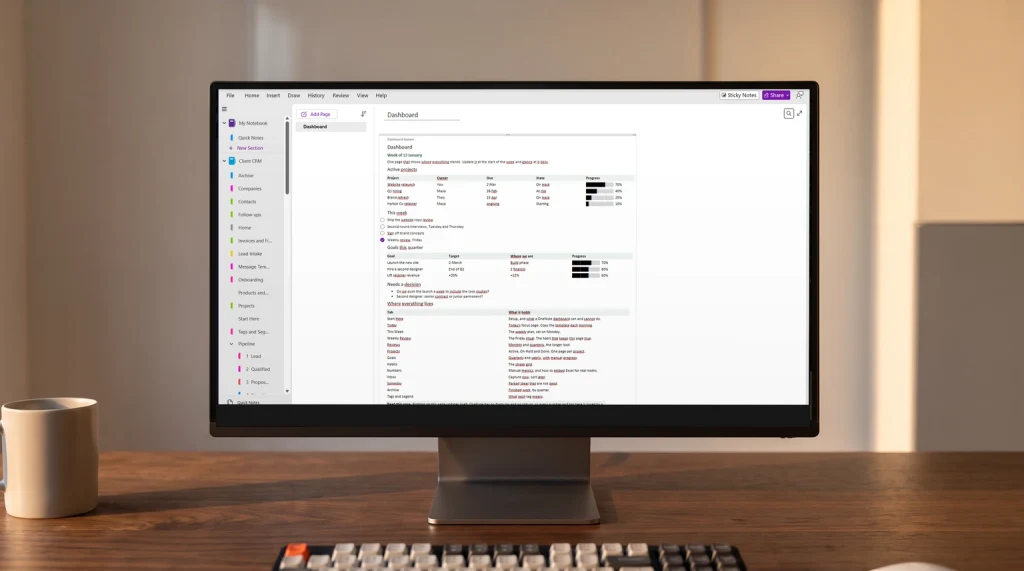
The first two rows are the whole story. A flat set of notes with labels works beautifully up to a point and then stops scaling, because labels are a filtering mechanism rather than a place. When you have four hundred notes, “show me everything tagged client-work” is a list, not a workspace, and you cannot browse down through it the way you can flip through a section. OneNote’s three levels exist precisely so that a year of accumulated notes stays walkable rather than only searchable.
The other row worth flagging is local storage. Microsoft states that the Windows desktop app is the only version of OneNote that supports local notebook storage on your own hard drive. Nothing in Google’s lineup offers an equivalent, so anyone considering a Google alternative for OneNote because of a workplace policy about cloud storage is moving in the wrong direction. We cover that constraint in detail in what OneNote is used for.
The other half
Google Docs and Drive as the other half
Nobody who adopts a Google alternative for OneNote actually uses Keep alone. The working pattern is Keep for short capture and Docs for anything with length, with Drive folders providing the hierarchy that Keep does not have. That combination genuinely covers most of what a notebook does, and Google’s own export-to-Docs feature exists precisely to bridge the two. If you are already in Gmail and Docs all day, the friction of that split is lower than it sounds.
The cost is that your notes now live in two places with different rules, and the thing that used to be one searchable notebook becomes a set of documents in folders plus a wall of stickies. Some people find that clearer. Others discover a year later that they can no longer answer “what did we decide in March” without remembering which of the two systems it went into.
The upside
What you gain by moving to Google
Three things, and they are real. Storage is the measurable one: Google states that all Google accounts come with up to 15 GB of storage, shared across Photos, Drive and Gmail, against the 5GB a free Microsoft account includes for OneDrive. If you paste heavily into notes, that difference will show up eventually, though the Google allowance is shared with your email and photos while the Microsoft one is not.
The second is collaboration. Google built real-time multi-user editing first and it shows; editing a note with someone simultaneously is unremarkable in Keep and Docs in a way it still is not everywhere else. The third is simply where you already are. If your mail, calendar, documents and files are all Google, then a Google alternative for OneNote keeps everything behind one sign-in, and a single account boundary is worth more in daily use than most feature comparisons admit.
The cost
What you give up
Structure, mainly, and it is the hidden cost in every Google alternative for OneNote. It is harder to get back than people expect. Once a notebook has been flattened into labelled notes, rebuilding the hierarchy means re-reading everything, and nobody does that. The practical consequence is that a migration to Google tends to be one-way in effect even though the files move fine in principle, because what is lost is not data but arrangement.
You also give up searchable handwriting, which matters if you write by hand on a tablet, and the option of keeping a notebook off the cloud entirely. Neither will affect a typist working across Google’s web apps. Both are decisive for the people they affect.
What is lost in the move is not data but arrangement, and arrangement is the part nobody rebuilds.On flattening a notebook
Verdict
Google alternative for OneNote: the verdict
The useful way to decide is to look at what you actually wrote last month rather than what you intend to write. If almost every note was under a paragraph and half of them were reminders, you have been using OneNote as a sticky-note wall and Keep will fit better. If you have sections you browse and pages you return to, that is the thing Google has no answer for. Our comparison of the best note-taking app widens the field beyond these two, and Evernote vs OneNote covers the other contender people weigh at the same time.
If you decide to stay, the fix for most OneNote frustration is structural rather than a change of app, and our tutorial for OneNote walks through building a notebook that holds up. Our OneNote templates handle the part where pages start blank, and the OneNote hub collects the rest.
If you have made this switch in either direction, tell us in the comments how you handled the structure and whether you missed it. That is the part the feature comparisons cannot answer, and it is the part everyone asks about.
If the short answer here, that Google ships no true equivalent, sends you looking further afield, the wider field is covered in our guide to OneNote alternatives, including which of them keep your notes as files you control.
FAQ
Common questions, answered briefly
Does Google have an equivalent to OneNote?
Is Google Keep as good as OneNote?
How much storage do you get with Google versus OneNote?
Can you keep notes offline in Google Keep?
Should I move from OneNote to Google?
If yours isn’t above, drop the question in the comments and we’ll add it.
People also ask