This is a free weekly lesson plan template, and the files come first. Below them: what each column is for, the order to fill a row in so the columns agree, a week filled in as an example, the second page for teachers who see several classes a day, and how to bend the same sheet for preschool, elementary, high school or a block schedule.
| Format | Paper | Pages | Get it |
|---|---|---|---|
| PDF, print-ready | Letter, 8.5 × 11 in | 2, weekly plan and week at a glance | Download the Letter PDF |
| PDF, print-ready | A4, 210 × 297 mm | 2, weekly plan and week at a glance | Download the A4 PDF |
| Word .docx, editable | Letter, 8.5 × 11 in | 1, the weekly plan | Download the Letter .docx |
| Word .docx, editable | A4, 210 × 297 mm | 1, the weekly plan | Download the A4 .docx |
| Google Doc, editable | Your own copy | 1, the weekly plan | Make a copy in Google Docs |
Nothing on it carries a date, so one file covers every week of the year. Print as many as you like. The Google Doc link asks you to sign in to a Google account first, because it makes a copy in your own Drive rather than letting you edit ours.
The format
The weekly lesson plan format, column by column
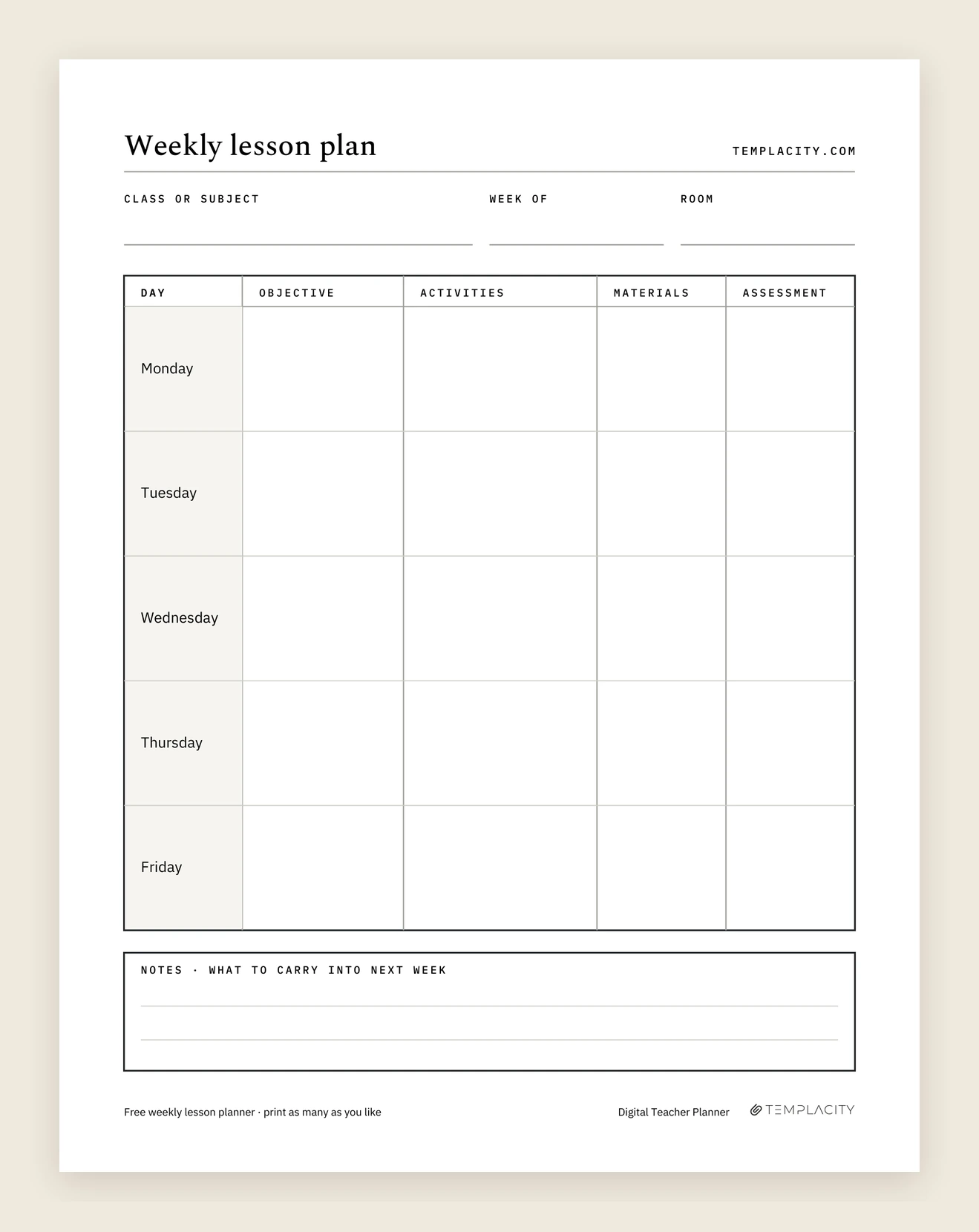
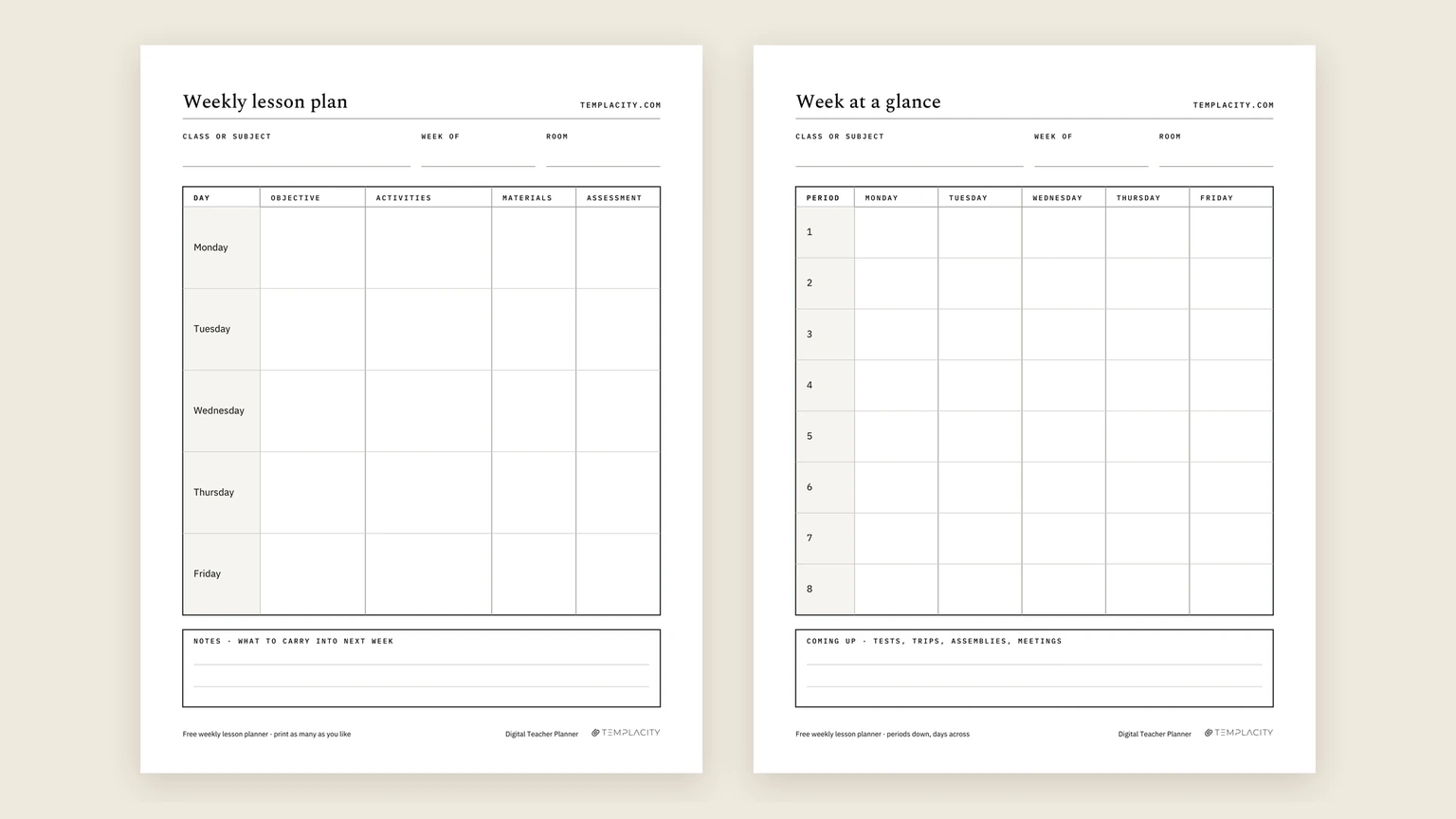
Page one has three lines along the top (class or subject, week of, room) and then a row for each day, Monday to Friday. Every row crosses the same four columns. They are not arbitrary. The teaching center at UC Santa Barbara lists what a lesson plan should hold: a learning objective specific to that day, the activities in the order you will run them with a rough time for each, the materials you need, and some way to gauge understanding before the lesson ends. The columns are that list, one row per day.
- Objective: what students will be able to do by the end of the day, in one sentence. Start with a verb you could watch happen: explain, compare, solve, label.
- Activities: the lesson in order, with minutes beside each step. The minutes are the honest part. If they add up to seventy in a forty-five minute period, you find out on Sunday instead of at the bell.
- Materials: anything that has to be printed, borrowed or set out. This is the column you read on the morning itself.
- Assessment: how you will know the objective landed. An exit ticket, three questions on a whiteboard, or a note on who to check in with. Small is fine; missing is not.
At the bottom sits a notes box labelled what to carry into next week. That box is where a plan becomes a sequence: the objective that needs another day, the group that needs a reteach, the activity that ran long.
Teaching at home rather than in a classroom? Our homeschool planner printable guide adapts the same weekly grid for a family, with one row per child and a free attendance tracker.
Why they line up
Read each row across before you trust it
The four columns earn their keep only when they agree with each other. Carnegie Mellon’s Eberly Center calls this alignment: objectives, assessments and instructional strategies should line up so they reinforce one another. Their example is a course that sets out to build analysis and then tests recall, which leaves students frustrated that the exam does not measure what they learned.
A weekly lesson plan template makes that check fast, because each day is one row. Read it left to right. If Tuesday’s objective says compare but the assessment only asks students to define, one of them is wrong. If the activities never practise the thing the assessment asks for, the plan has a gap you can fix in a minute on paper and not at all in the room.
It also keeps the plan short. A plan that fits on one page gets used on Wednesday; one that needs a binder gets used on Monday. The row is deliberately too small for a script, so what goes in it is the decision, not the lecture.
Fill order
Objective, then assessment, then activities: backward design on one row
Most of what a training course says about lesson planning fits on this row, because the row is the plan. Three ideas in particular decide what goes in each column and the order to fill them in, and a weekly lesson plan template that respects them works in a school that asks for any of them.
Start with the verb. Cornell University’s Center for Teaching Innovation publishes Bloom’s taxonomy as a verb table, six columns from knowledge to evaluation: define, describe and list at one end, apply and calculate in the middle, compare, categorize, appraise and argue at the other. Pick the objective’s verb from that table and the day’s level of thinking is settled before anything else is written. Carnegie Mellon’s Eberly Center adds the test that catches the usual failure: “understand X” is not an objective, because nothing you could watch follows from it. Their fix is a question, what would students do differently if they really understood it, and the answer is the verb.
Then skip a column. Backward design, the process Wiggins and McTighe set out in Understanding by Design, runs in three stages: identify desired results, determine acceptable evidence, plan learning experiences and instruction. Yale’s Poorvu Center puts the difference plainly: it begins with what the learner will learn rather than what the teacher will teach. On the sheet that means objective first, assessment second, activities third and materials last, which is the four columns in the order one, four, two, three. Fill a row left to right and the activities tend to decide the assessment; fill it backward and the assessment decides the activities, which is the alignment the section above asked for.
| Column | Fill | What goes in | Where the idea comes from |
|---|---|---|---|
| Objective | First | One verb you could watch happen, and what it is applied to | Bloom’s verb table; measurable objectives |
| Assessment | Second | The evidence that the verb happened: an exit ticket, whiteboards, three questions | Backward design, stage two |
| Activities | Third | The steps that practise exactly what the assessment asks, with minutes beside each | Backward design, stage three |
| Materials | Last | Whatever the activities need printed, borrowed or set out | The activities column |
Two habits follow. The first is to write the assessment before the activities even on a Sunday night with no time to spare: three questions for a whiteboard take thirty seconds to plan and tell you on Monday whether the lesson worked. The second is to let the notes box hold the gap. When Wednesday’s assessment says the verb did not happen, Thursday’s objective is the same verb again, and that is a plan working rather than failing.
An example
A week filled in: fourth grade equivalent fractions
Here is page one filled in for a single forty-five minute math block, as an illustration of the level of detail that works. It is an example we wrote for this page, not a plan from a particular school.
| Objective | Activities | Materials | Assessment | |
|---|---|---|---|---|
| Monday | Show that 1/2 and 2/4 name the same amount | Warm-up 5, strips demo 15, pairs match 20, exit ticket 5 | Fraction strips, match cards | Exit ticket: two fractions equal to 1/3 |
| Tuesday | Make equivalent fractions by multiplying top and bottom | Review tickets 5, number line 15, practice 20, share 5 | Number line sheet | Practice questions 6 to 10, checked in class |
| Wednesday | Compare two fractions by rewriting one | Card sort 15, mini lesson 10, dice game 20 | Comparison cards, dice | Listen during the game; note who to reteach |
| Thursday | Close the gaps from Wednesday | Small group 25, challenge task 20 | Strips, challenge sheet | Whiteboards in the small group |
| Friday | Show the week’s learning | Quiz 20, go over it 15, preview next week 10 | Quiz | Quiz scores go in the notes box |
Two things to notice. Every row’s minutes add to forty-five, so the day fits. And Thursday exists because of Wednesday’s assessment column: the plan leaves room for what the week reveals instead of pretending Monday can predict Friday. That is also what the notes box is for when a week does not go to plan.
A plan that fits on one page gets used on Wednesday; one that needs a binder gets used on Monday.Why they line up
Page two
The week at a glance page, for more than one class a day
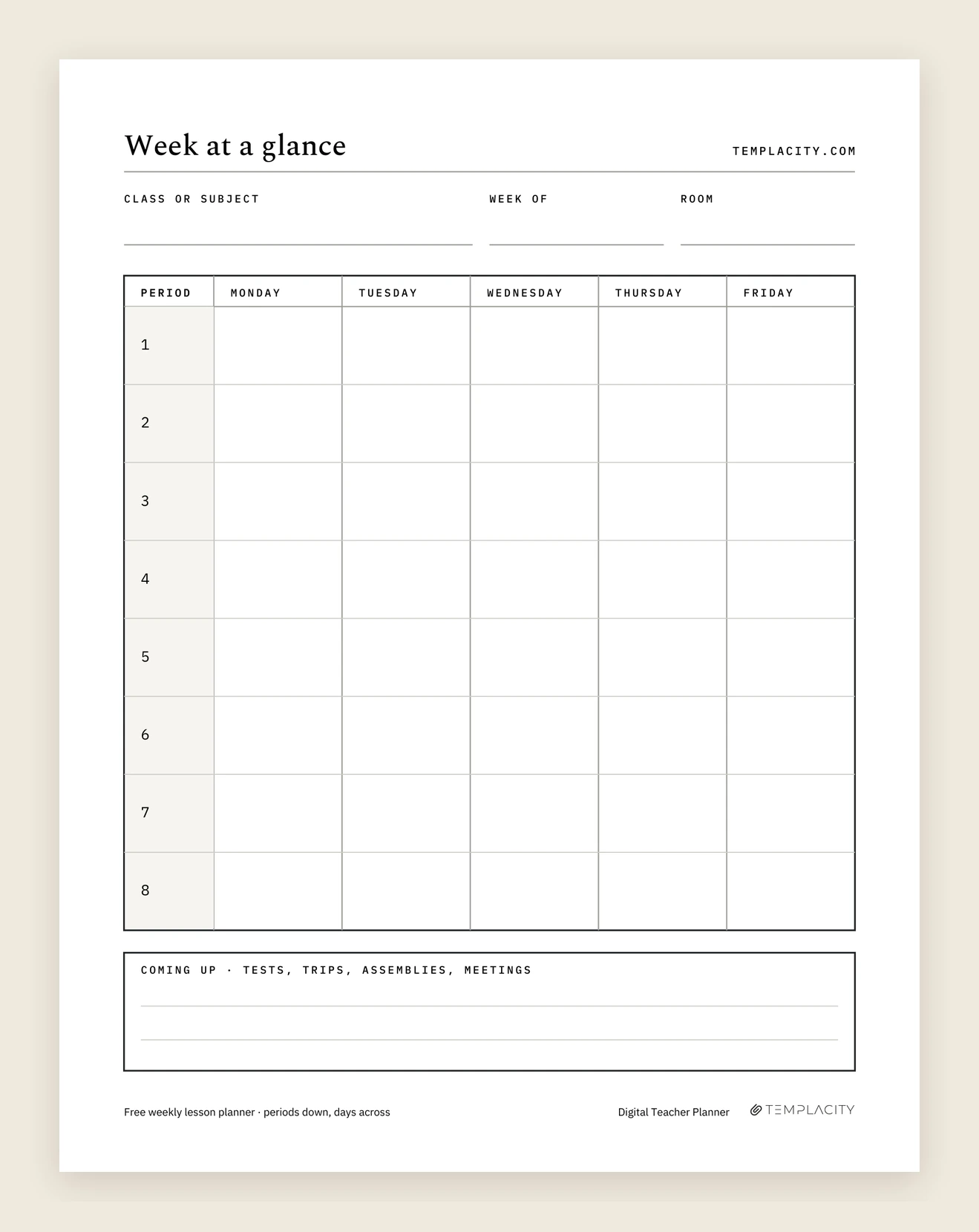
Page one assumes one class. A middle or high school teacher with five sections, or an elementary teacher moving from reading to math to science, needs the whole day on one sheet first. Page two of the PDF is that sheet: periods one to eight down the side, Monday to Friday across, forty cells.
Use each cell for a line, not a lesson: the class and the topic, or just the objective’s verb and noun. Then keep one page-one sheet per class or subject behind it for the detail. Along the bottom, a coming up strip holds tests, trips, assemblies and meetings, the things that quietly eat a period if you only discover them on the day.
If your timetable has fewer than eight periods, leave the extra rows blank or use them for before-school duties and meetings. If it has more, two sheets side by side cover a long day.
Adapting it
Using it for preschool, block schedules and cover days
The same four columns bend to most settings with a change of habit rather than a different form.
- Preschool weekly lesson plan: write the week’s theme on the class or subject line and let each day’s objective be one skill inside it. Activities become centers and circle time, and the assessment column becomes a short observation note about who you watched and what they did.
- Elementary, one teacher and five subjects: page two is your day, with each row a subject rather than a period, so the week’s reading, math, science and specials sit on one sheet. Keep a page-one sheet per subject behind it; the reading plan and the math plan rarely want the same minutes.
- High school weekly lesson plan, several sections of one prep: plan the prep once on page one and let page two carry which section meets when. If third period runs a day behind, that is a line in the notes box, not a second sheet. A do now or bell-ringer is the first activities line with its five minutes written in, so it is counted rather than squeezed.
- Block or A/B schedules: on page two, treat each long block as two rows, or use rows one to four for A days and five to eight for B days. On page one, a ninety-minute block simply gets longer minute counts.
- Cover days: a filled row with the materials column completed is most of what someone covering your class needs. Add where things are and who to ask in the notes box.
For how a full year of weekly pages, lesson pages and contact logs fits together, our teacher planner examples show each page filled in and explain what goes where.
Homeschool families can use the same page with a row per child instead of a row per day; for choosing a whole-year system, see our homeschool planner guide. If you would rather start from a finished system, there is our Homeschool Planner System.
A family week runs on different rules from a classroom one: subjects can loop instead of sitting on fixed days, and one adult teaches several ages at once. Our homeschool schedule guide covers both, with sample weeks.
Printing
Which file to take: PDF, Word or Google Docs
Take the PDF if you plan by hand; it is the only version with both pages. Paper size follows your printer: Letter in the United States and Canada, A4 nearly everywhere else. Print at actual size (100 percent) rather than fit to page, or the day rows shrink and the activities column is the first to get cramped.
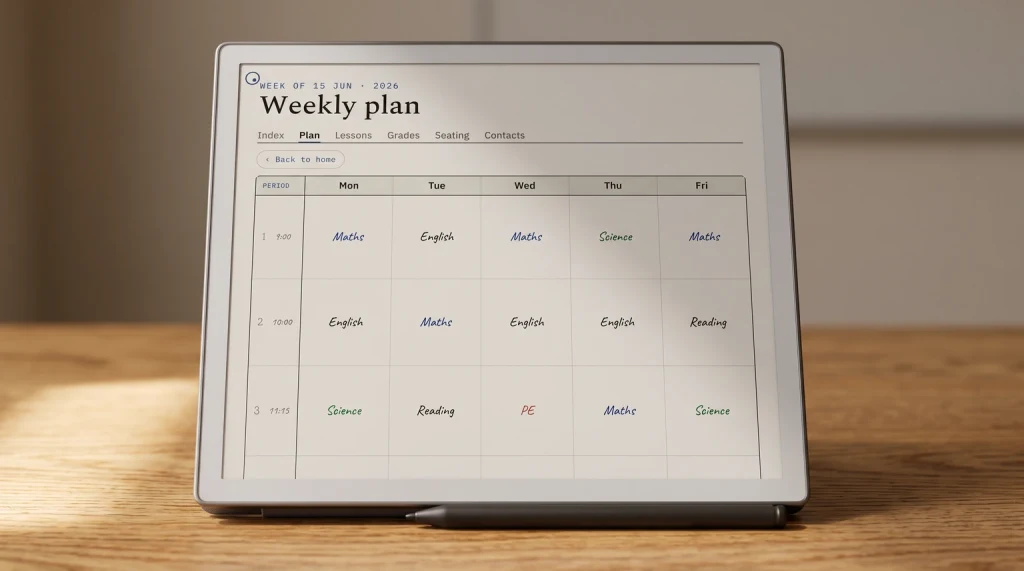
Take the .docx or the Google Doc if you type your plans or share them with a team or a coach. Both hold page one only, so print the week at a glance from the PDF. A typed weekly lesson plan template also makes next year easier: save each week as its own file, and September’s plans are waiting to be adjusted rather than rewritten. The PDF also opens in most tablet annotation apps if you would rather write with a stylus.
If you would rather keep the whole year of plans in one file on a tablet, our Teacher Lesson Planner is the paid, hyperlinked version of this idea. It is undated, so it starts the week you do: 40 numbered weeks, a lesson page for every day one tap from its week, 12 unit plans and a sub binder, in a Days layout for one class and a Periods layout for up to eight, both included.
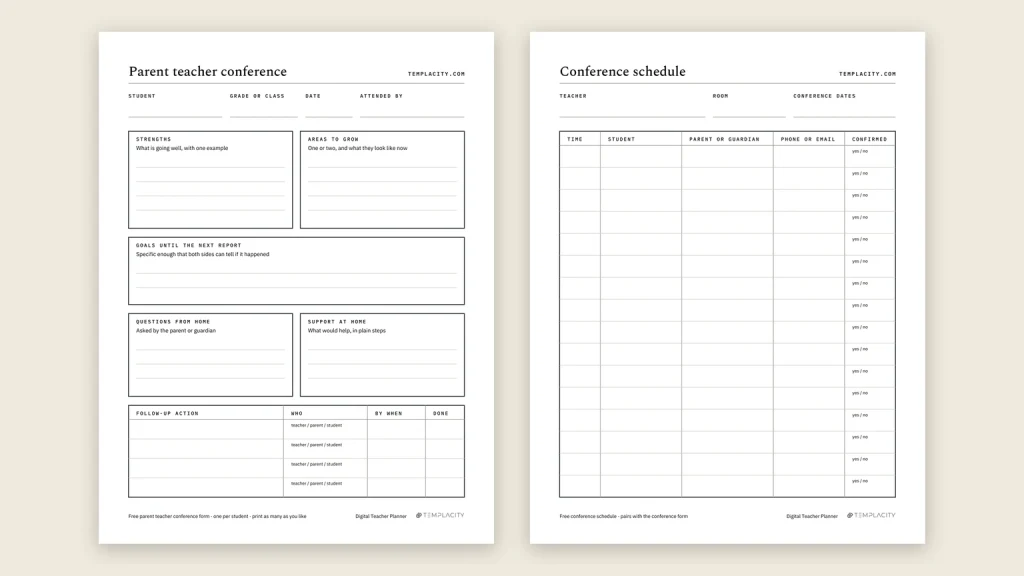
Conference season runs alongside planning season. If you need that paperwork too, our free parent teacher conference form comes in the same formats. And if you are deciding how to plan the rest of the year, the best teacher planner comparison weighs paper, software and tablets on what keeps a planner in use until June.
FAQ
Common questions, answered briefly
Is this weekly lesson plan template free?
What should a weekly lesson plan include?
Is there a weekly lesson plan template for Google Docs?
Can I use it for preschool?
Is there a Word version of the weekly lesson plan template?
Daily or weekly lesson plan template: which one?
Does it work for a high school timetable?
If yours isn’t above, drop the question in the comments and we’ll add it.
People also ask
Other questions, briefly answered
If your school asks for a lesson plan format this sheet does not fit, a district template, a coaching cycle, or a co-taught room, tell us in the comments what you had to add. A missing box is exactly the kind of thing we can add to the file.