You ask, we build it. Missing the template you need? Send a request and a real person replies.
№ · The Planner · Teachers

Plan the week, then the lesson, one tap apart.

Your device works on every tablet listed

Instant download. Permanent link in your account.

Undated, so it starts the week you do. Plan each week, open any day's lesson page in one tap, keep your units and your sub plans in the same file. Two layouts in one purchase: Days for one class, Periods for up to eight.

The Planner · Teachers
  • i. Hyperlinked PDF: every week opens each day's lesson
  • ii. Undated: 40 numbered weeks, starts the week you do
  • iii. Days and Periods layouts, both in the download
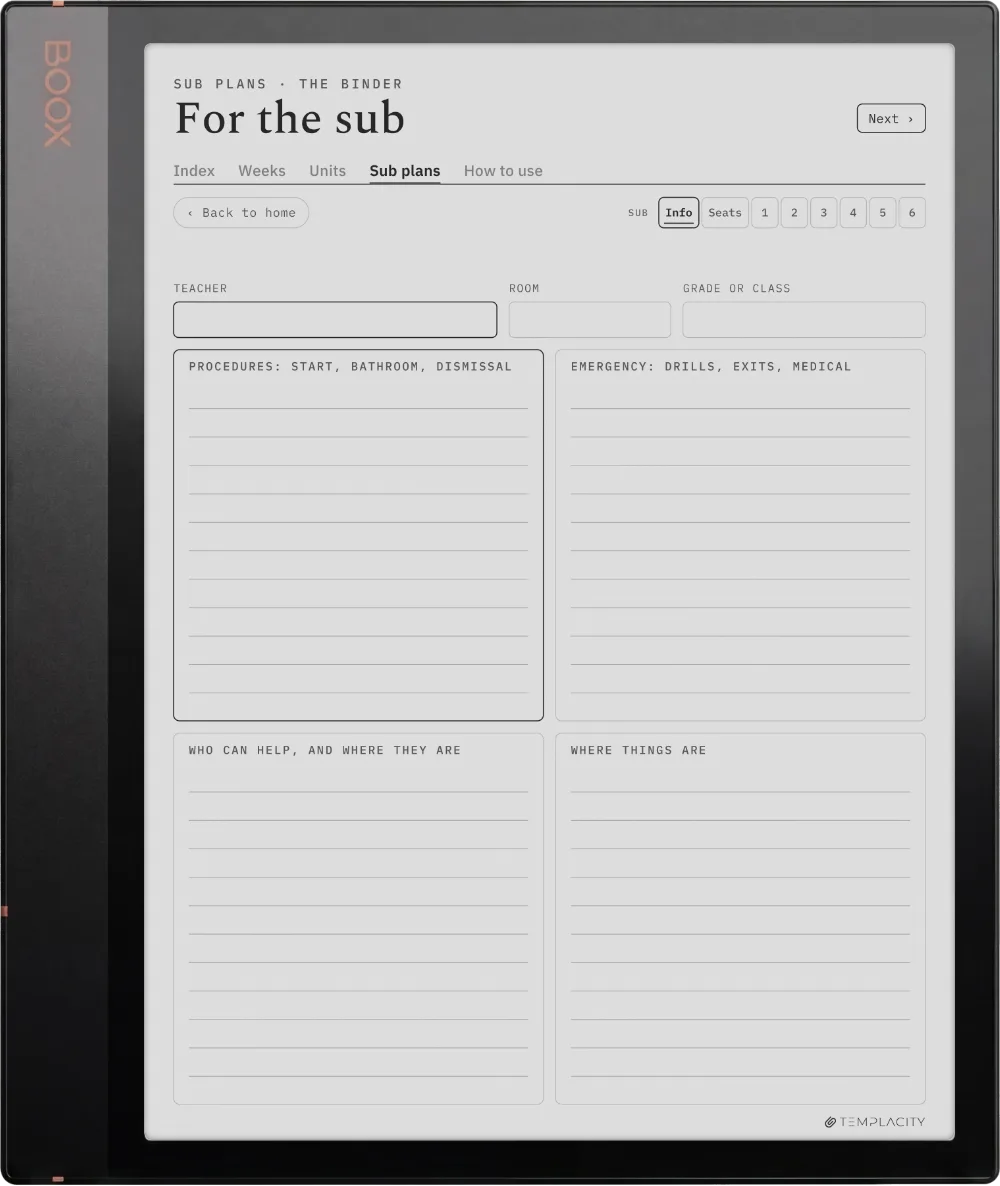
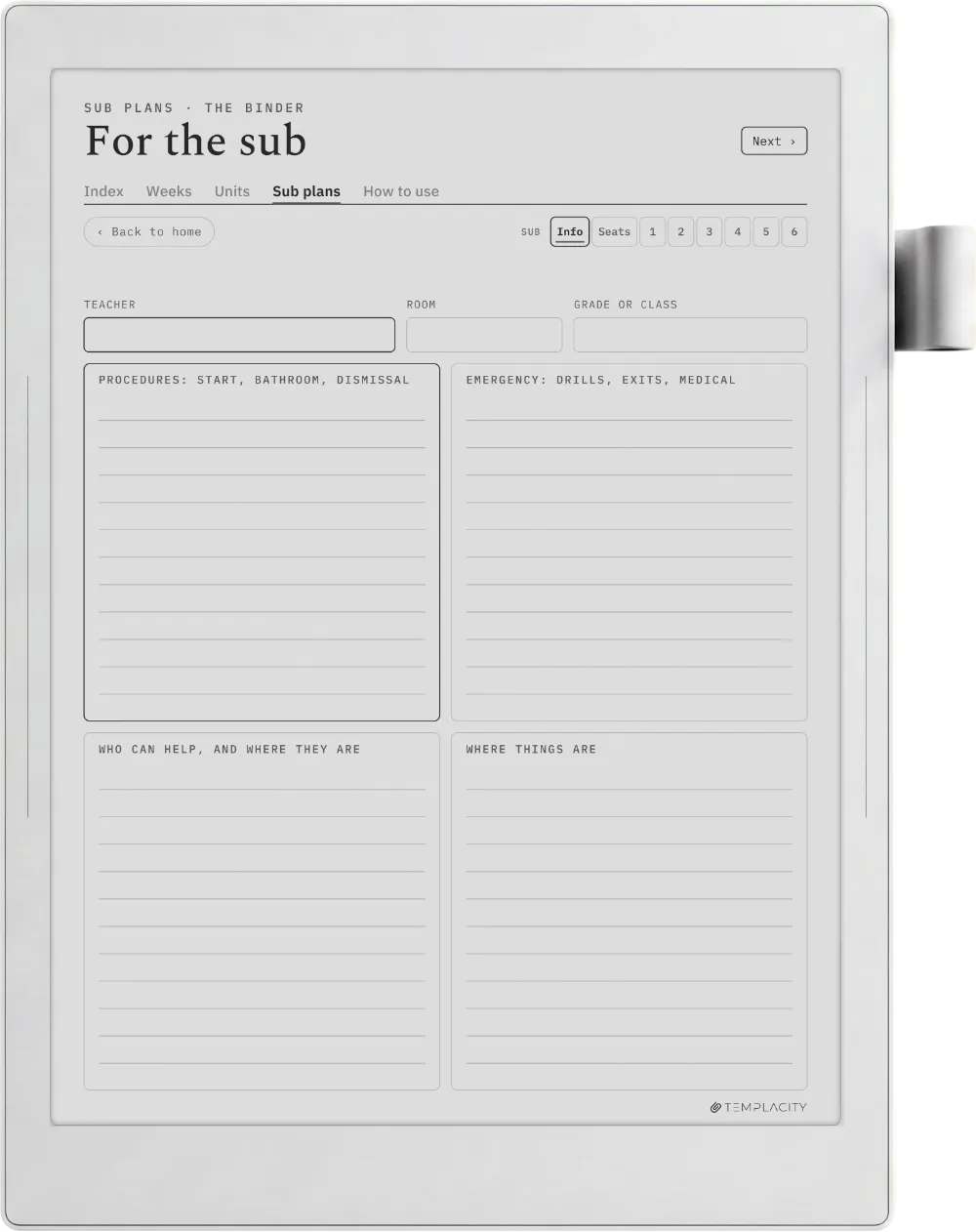
  • iv. A sub binder linked from every week
№ 01 · Why this exists

For teachers who plan lessons, not a calendar.

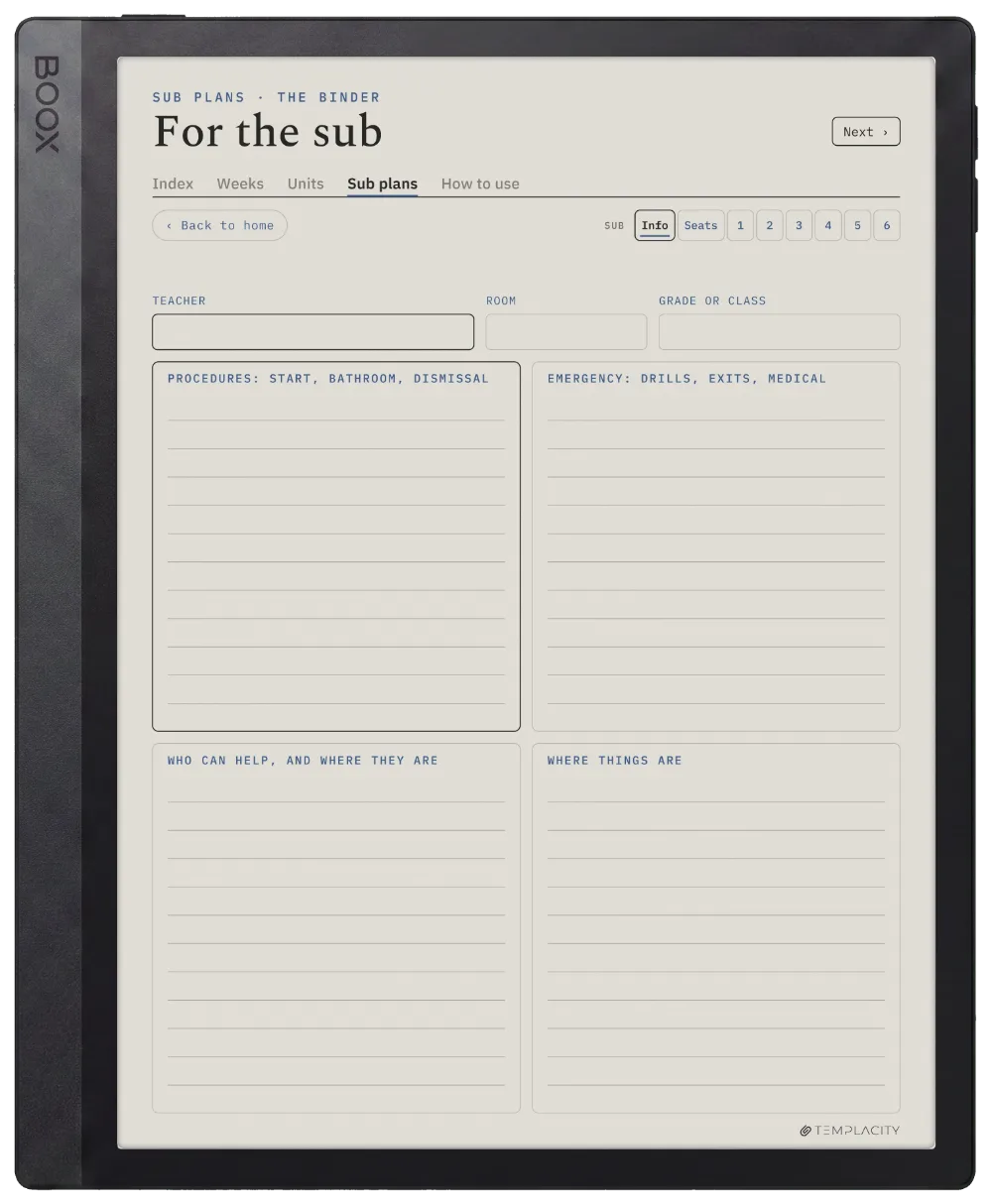
An elementary teacher with one class all day takes Days, a secondary or specialist teacher with several classes takes Periods.

It is not a dated year planner; if you want the school year printed in, that is our Digital Teacher Planner.

№ 02 · Inside the planner

A school year of lessons, one tap apart.

The Planner · Teachers reMarkable Paper Pro page 1
The Planner · Teachers reMarkable Paper Pro page 2
The Planner · Teachers reMarkable Paper Pro page 3
The Planner · Teachers reMarkable Paper Pro page 4
The Planner · Teachers reMarkable Paper Pro page 5
The Planner · Teachers reMarkable 2 page 1
The Planner · Teachers reMarkable 2 page 2
The Planner · Teachers reMarkable 2 page 3
The Planner · Teachers reMarkable 2 page 4
The Planner · Teachers reMarkable 2 page 5
The Planner · Teachers reMarkable Paper Pure page 1
The Planner · Teachers reMarkable Paper Pure page 2
The Planner · Teachers reMarkable Paper Pure page 3
The Planner · Teachers reMarkable Paper Pure page 4
The Planner · Teachers reMarkable Paper Pure page 5
The Planner · Teachers reMarkable Paper Pro Move page 1
The Planner · Teachers reMarkable Paper Pro Move page 2
The Planner · Teachers reMarkable Paper Pro Move page 3
The Planner · Teachers reMarkable Paper Pro Move page 4
The Planner · Teachers reMarkable Paper Pro Move page 5
The Planner · Teachers Kindle Scribe page 1
The Planner · Teachers Kindle Scribe page 2
The Planner · Teachers Kindle Scribe page 3
The Planner · Teachers Kindle Scribe page 4
The Planner · Teachers Kindle Scribe page 5
The Planner · Teachers Kindle Scribe Colorsoft page 1
The Planner · Teachers Kindle Scribe Colorsoft page 2
The Planner · Teachers Kindle Scribe Colorsoft page 3
The Planner · Teachers Kindle Scribe Colorsoft page 4
The Planner · Teachers Kindle Scribe Colorsoft page 5
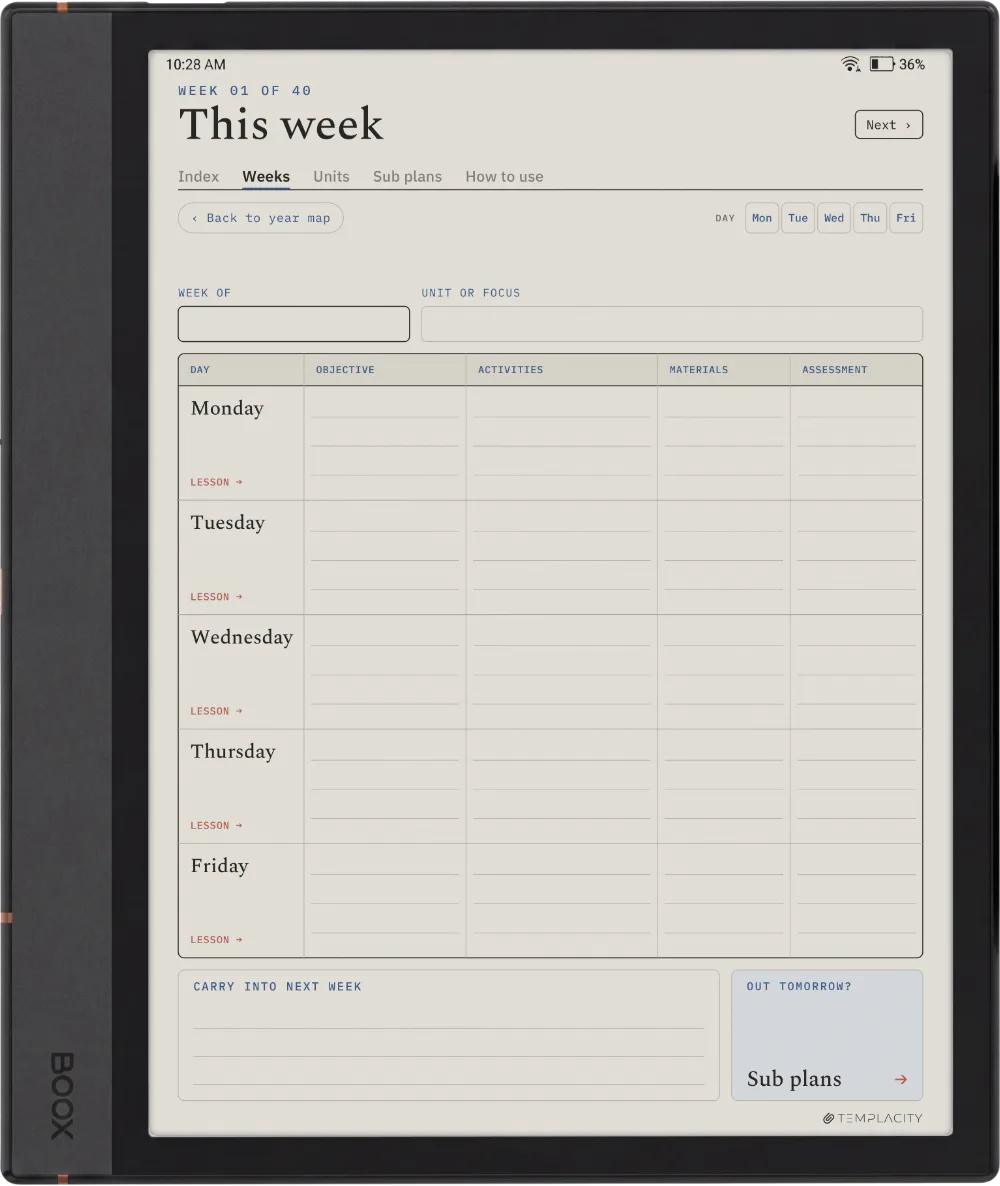
The Planner · Teachers Boox Note Air4 C page 1
The Planner · Teachers Boox Note Air4 C page 2
The Planner · Teachers Boox Note Air4 C page 3
The Planner · Teachers Boox Note Air4 C page 4
The Planner · Teachers Boox Note Air4 C page 5
The Planner · Teachers Boox Note Air5 C page 1
The Planner · Teachers Boox Note Air5 C page 2
The Planner · Teachers Boox Note Air5 C page 3
The Planner · Teachers Boox Note Air5 C page 4
The Planner · Teachers Boox Note Air5 C page 5
The Planner · Teachers Boox Note Air3 C page 1
The Planner · Teachers Boox Note Air3 C page 2
The Planner · Teachers Boox Note Air3 C page 3
The Planner · Teachers Boox Note Air3 C page 4
The Planner · Teachers Boox Note Air3 C page 5
The Planner · Teachers Boox Note Air 3 page 1
The Planner · Teachers Boox Note Air 3 page 2
The Planner · Teachers Boox Note Air 3 page 3
The Planner · Teachers Boox Note Air 3 page 4
The Planner · Teachers Boox Note Air 3 page 5
The Planner · Teachers Boox Note Air2 page 1
The Planner · Teachers Boox Note Air2 page 2
The Planner · Teachers Boox Note Air2 page 3
The Planner · Teachers Boox Note Air2 page 4
The Planner · Teachers Boox Note Air2 page 5
The Planner · Teachers Boox Go 10.3 page 1
The Planner · Teachers Boox Go 10.3 page 2
The Planner · Teachers Boox Go 10.3 page 3
The Planner · Teachers Boox Go 10.3 page 4
The Planner · Teachers Boox Go 10.3 page 5
The Planner · Teachers Boox Go Color 7 (Gen II) page 1
The Planner · Teachers Boox Go Color 7 (Gen II) page 2
The Planner · Teachers Boox Go Color 7 (Gen II) page 3
The Planner · Teachers Boox Go Color 7 (Gen II) page 4
The Planner · Teachers Boox Go Color 7 (Gen II) page 5
The Planner · Teachers Boox Note5 page 1
The Planner · Teachers Boox Note5 page 2
The Planner · Teachers Boox Note5 page 3
The Planner · Teachers Boox Note5 page 4
The Planner · Teachers Boox Note5 page 5
The Planner · Teachers Boox Note Max page 1
The Planner · Teachers Boox Note Max page 2
The Planner · Teachers Boox Note Max page 3
The Planner · Teachers Boox Note Max page 4
The Planner · Teachers Boox Note Max page 5
The Planner · Teachers Boox Tab Ultra C Pro page 1
The Planner · Teachers Boox Tab Ultra C Pro page 2
The Planner · Teachers Boox Tab Ultra C Pro page 3
The Planner · Teachers Boox Tab Ultra C Pro page 4
The Planner · Teachers Boox Tab Ultra C Pro page 5
The Planner · Teachers Supernote Manta page 1
The Planner · Teachers Supernote Manta page 2
The Planner · Teachers Supernote Manta page 3
The Planner · Teachers Supernote Manta page 4
The Planner · Teachers Supernote Manta page 5
The Planner · Teachers Supernote Nomad page 1
The Planner · Teachers Supernote Nomad page 2
The Planner · Teachers Supernote Nomad page 3
The Planner · Teachers Supernote Nomad page 4
The Planner · Teachers Supernote Nomad page 5
The Planner · Teachers iPad page 1
The Planner · Teachers iPad page 2
The Planner · Teachers iPad page 3
The Planner · Teachers iPad page 4
The Planner · Teachers iPad page 5
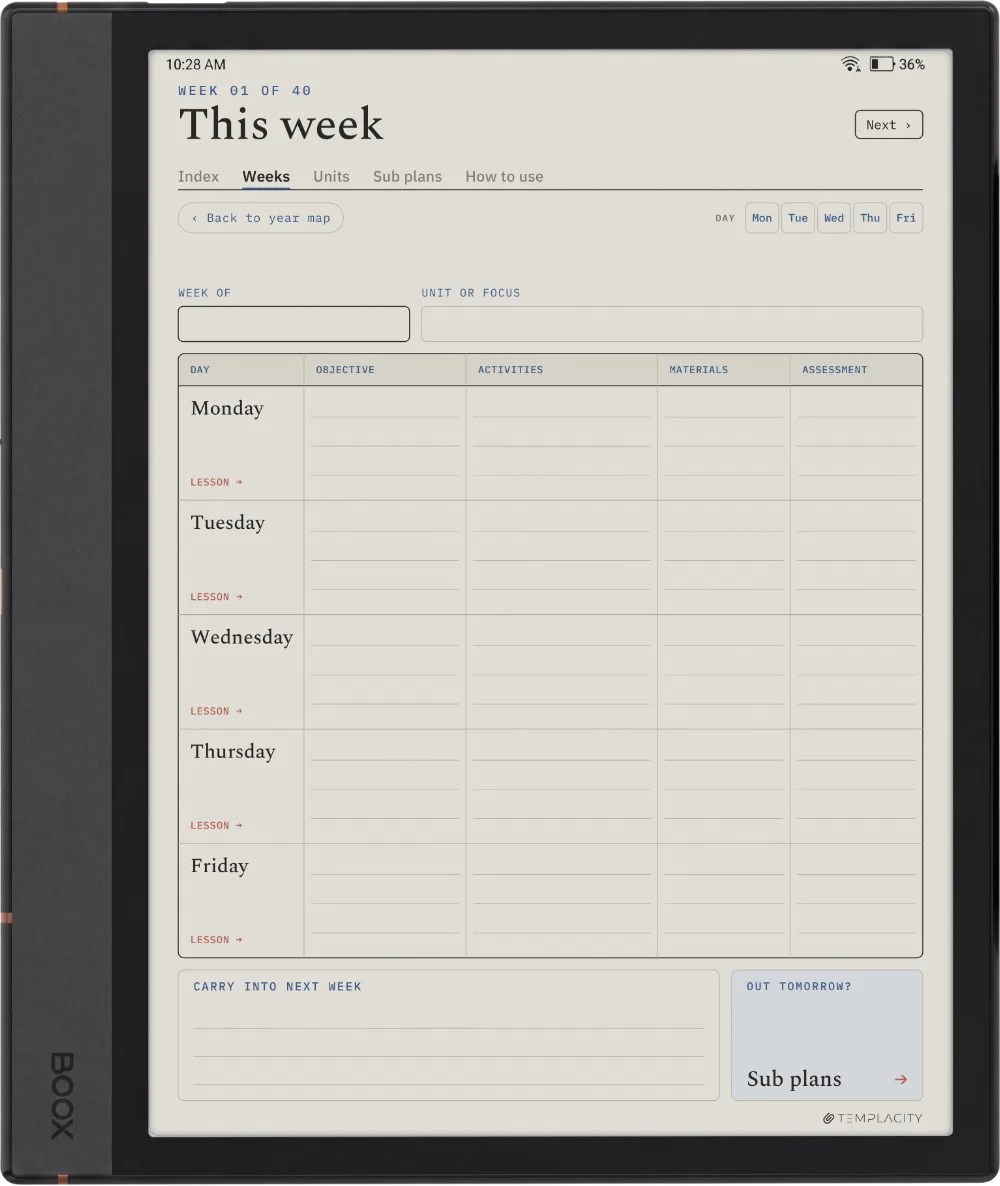
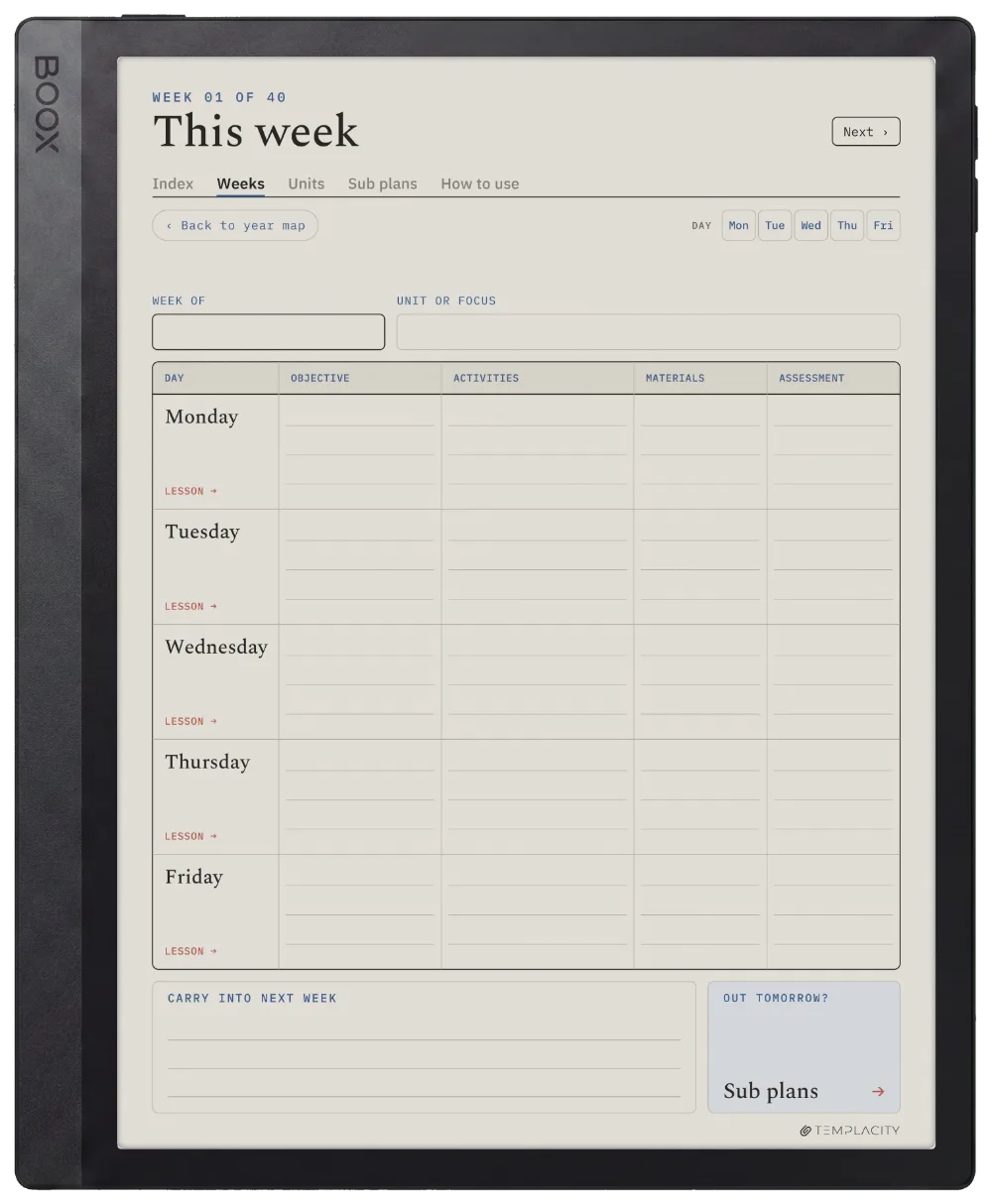
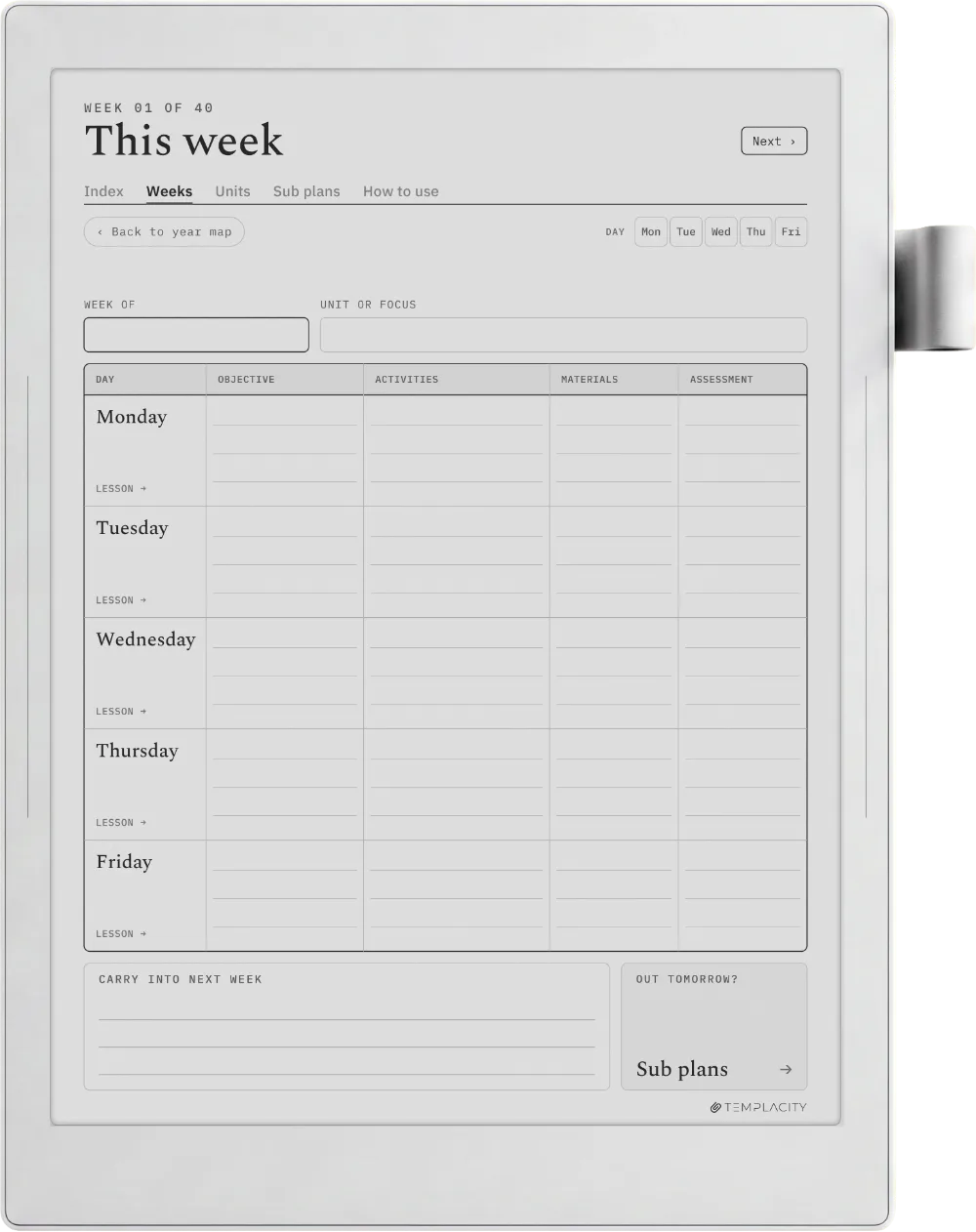
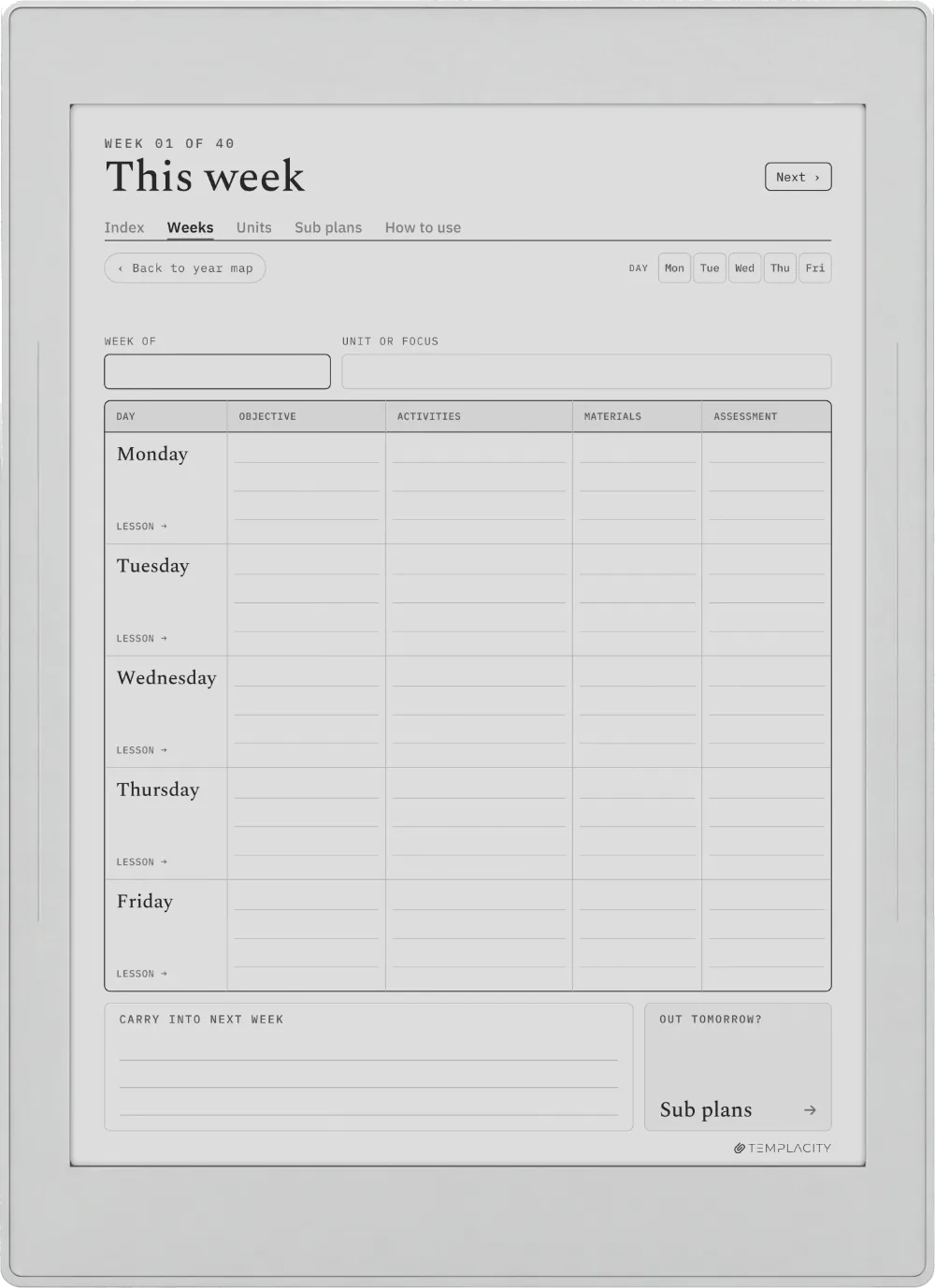
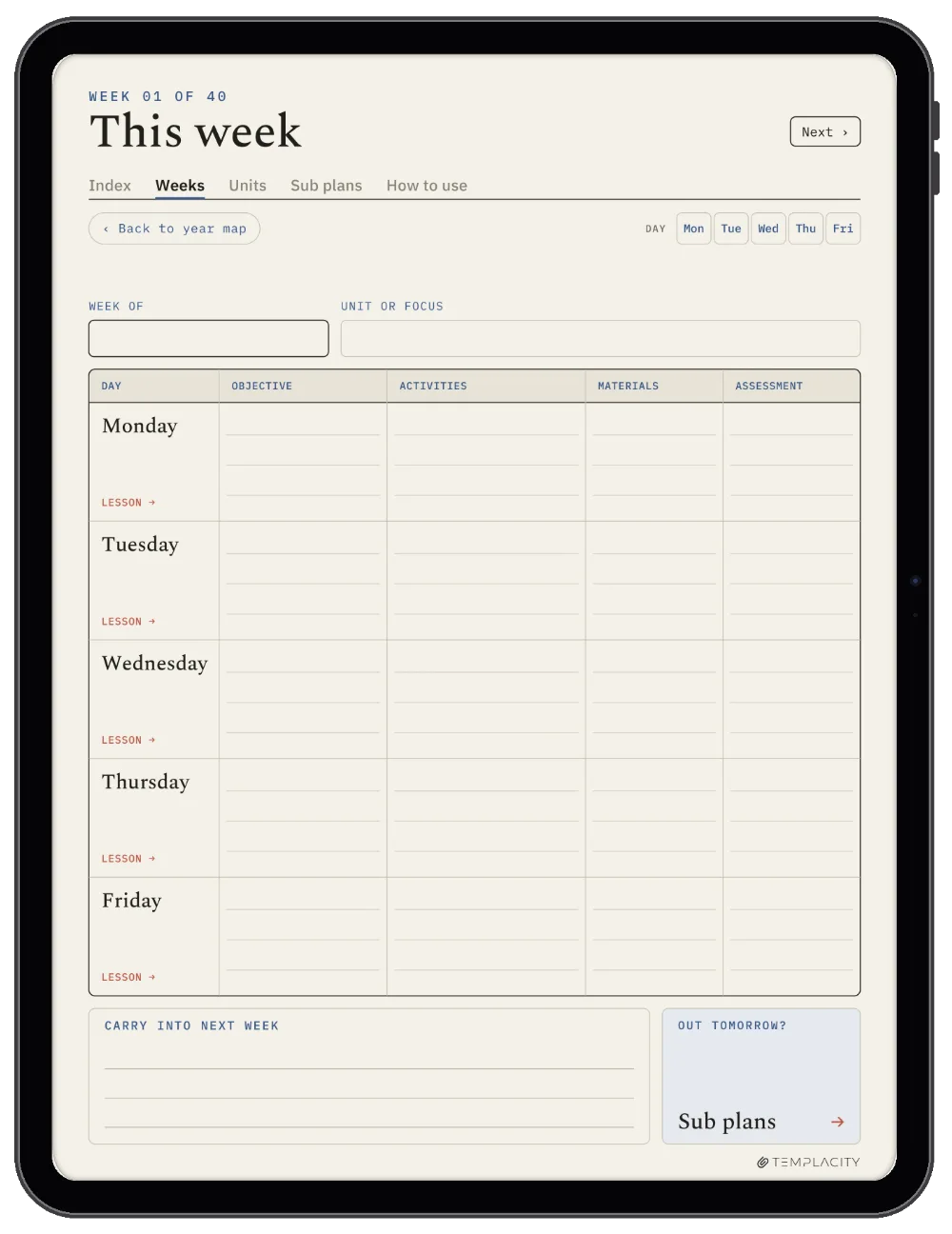
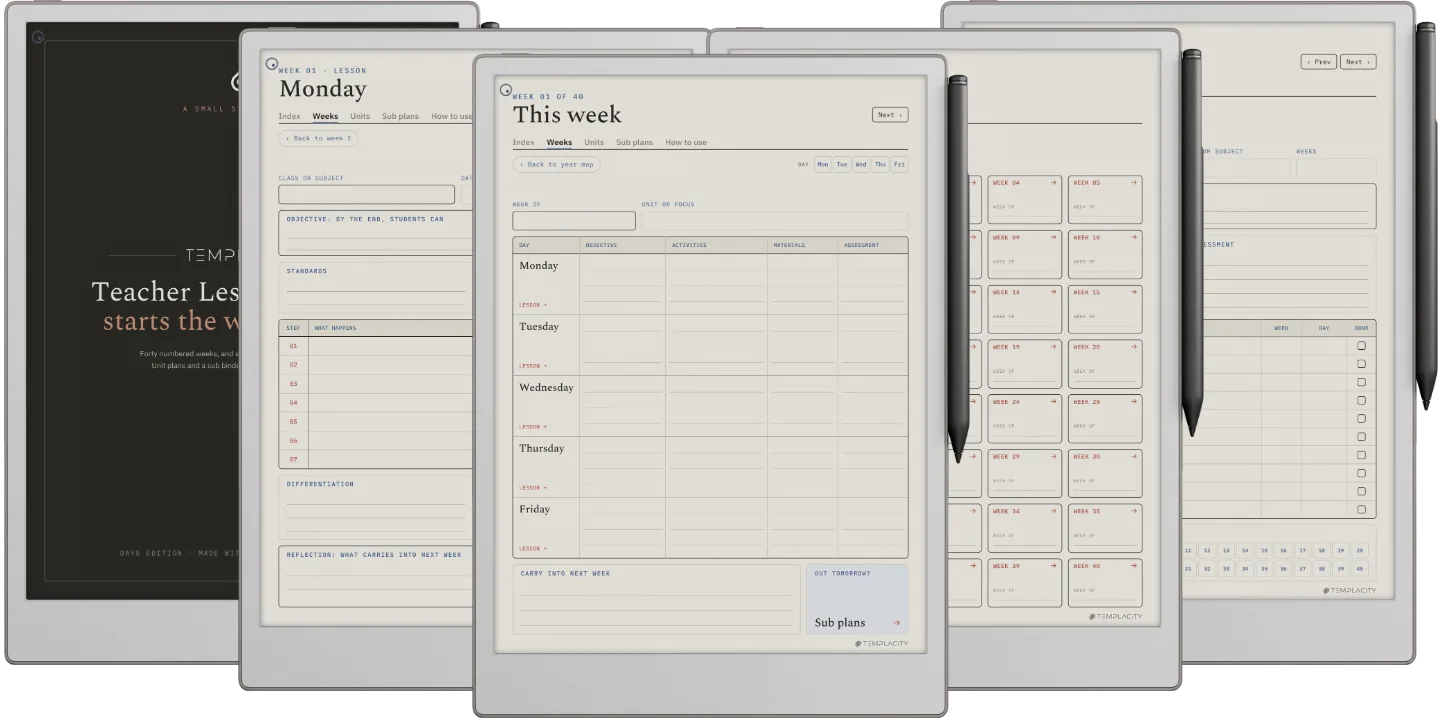
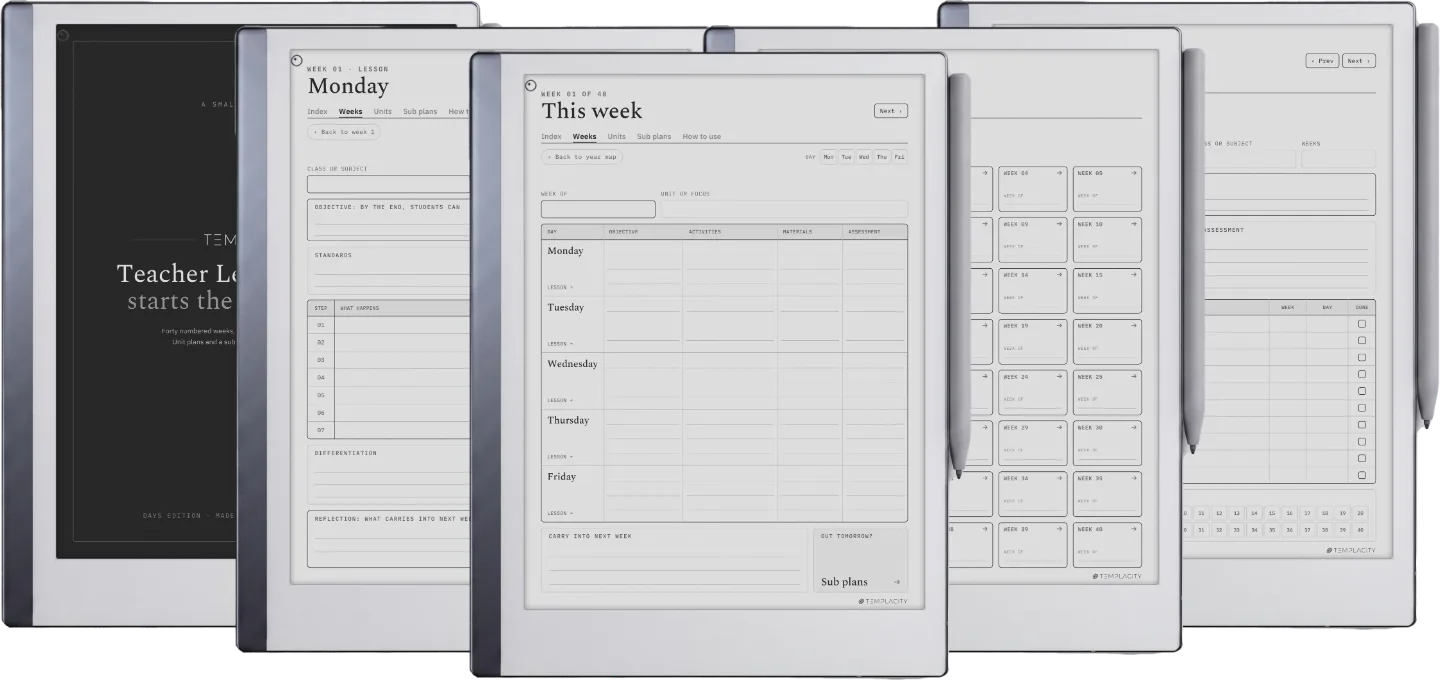
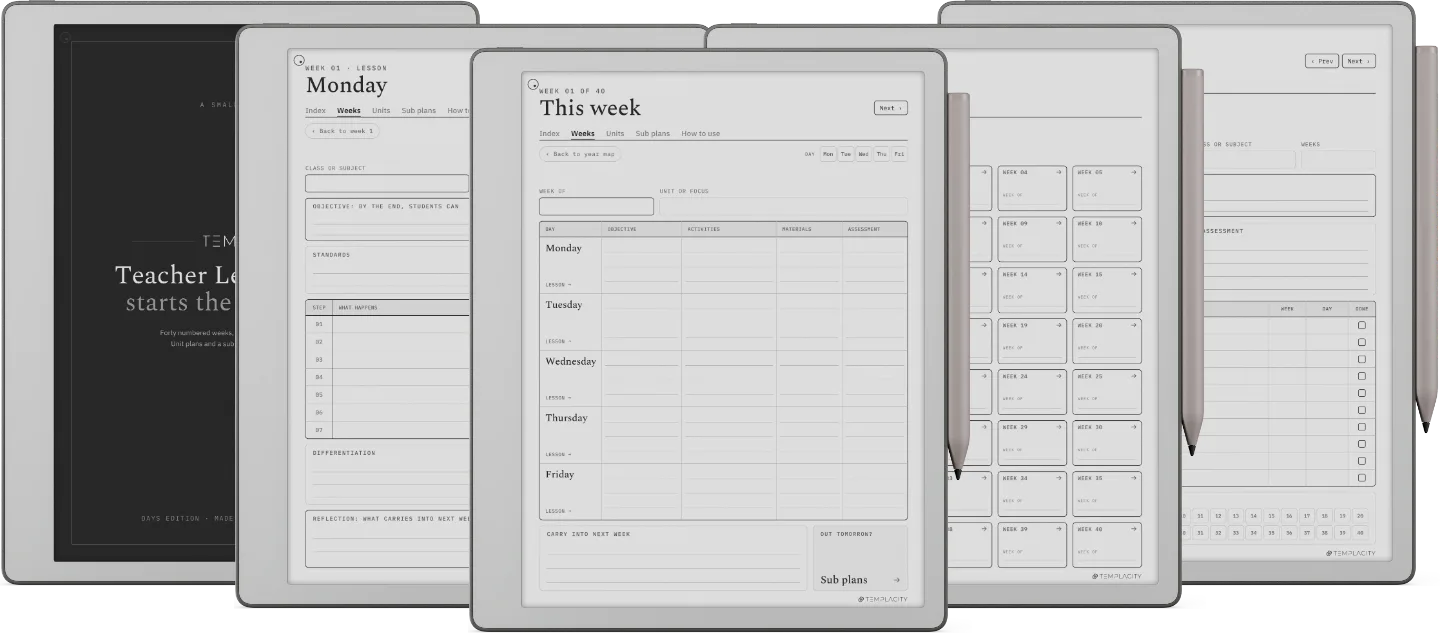
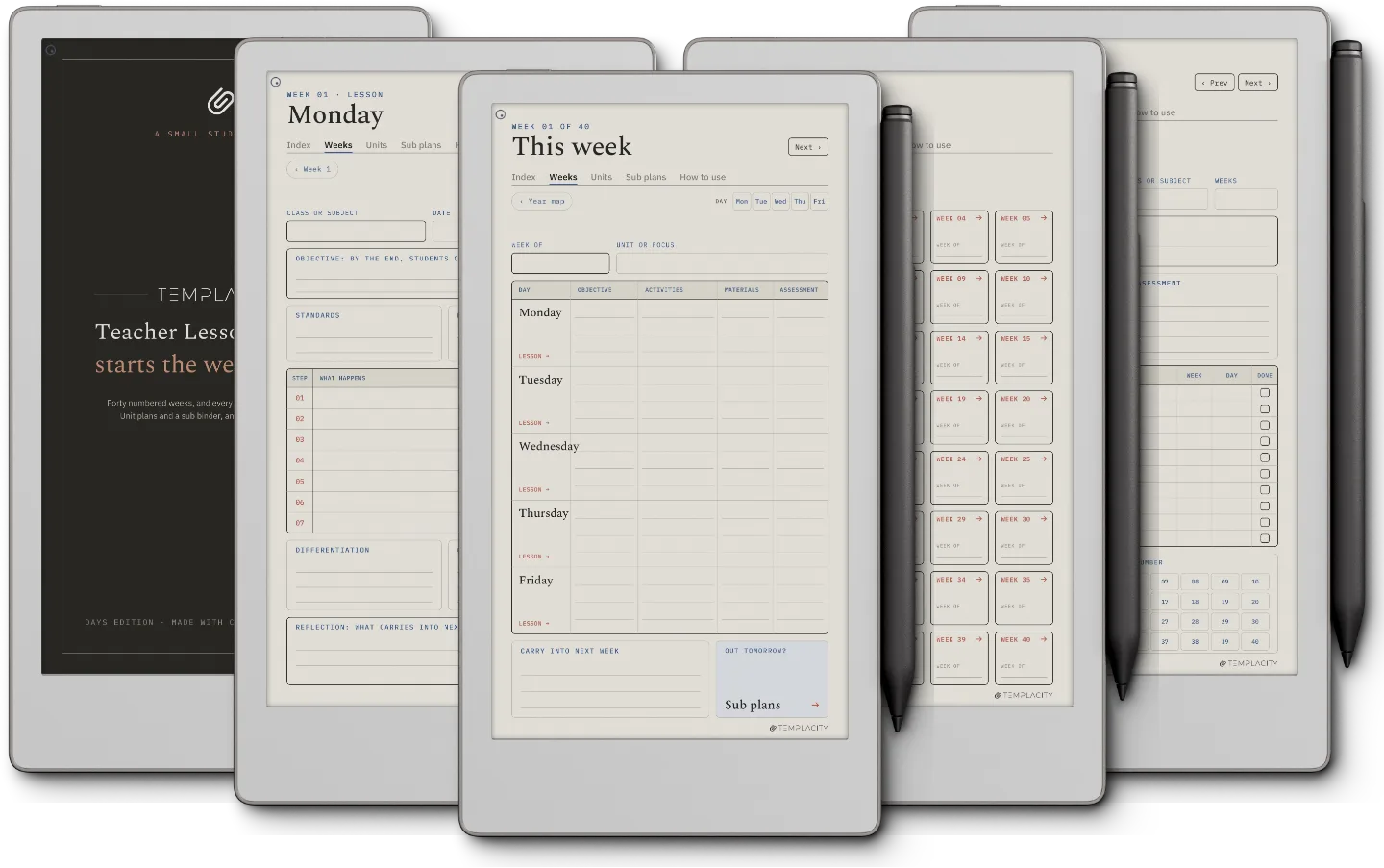
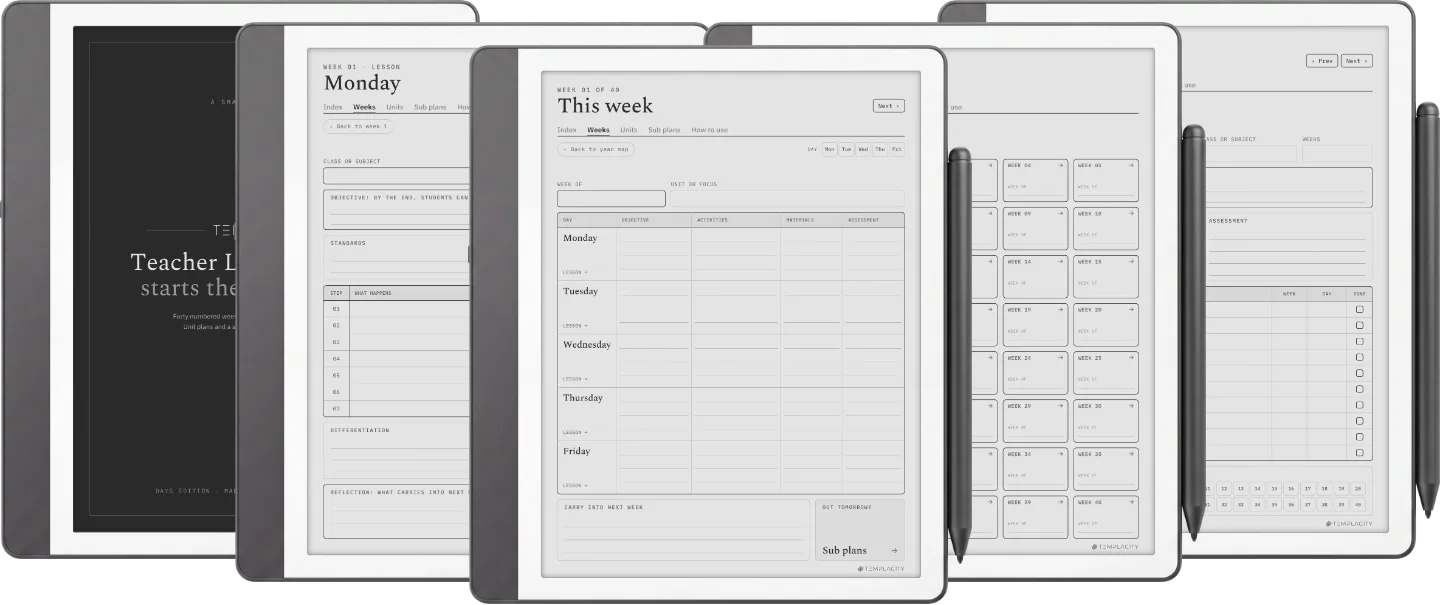
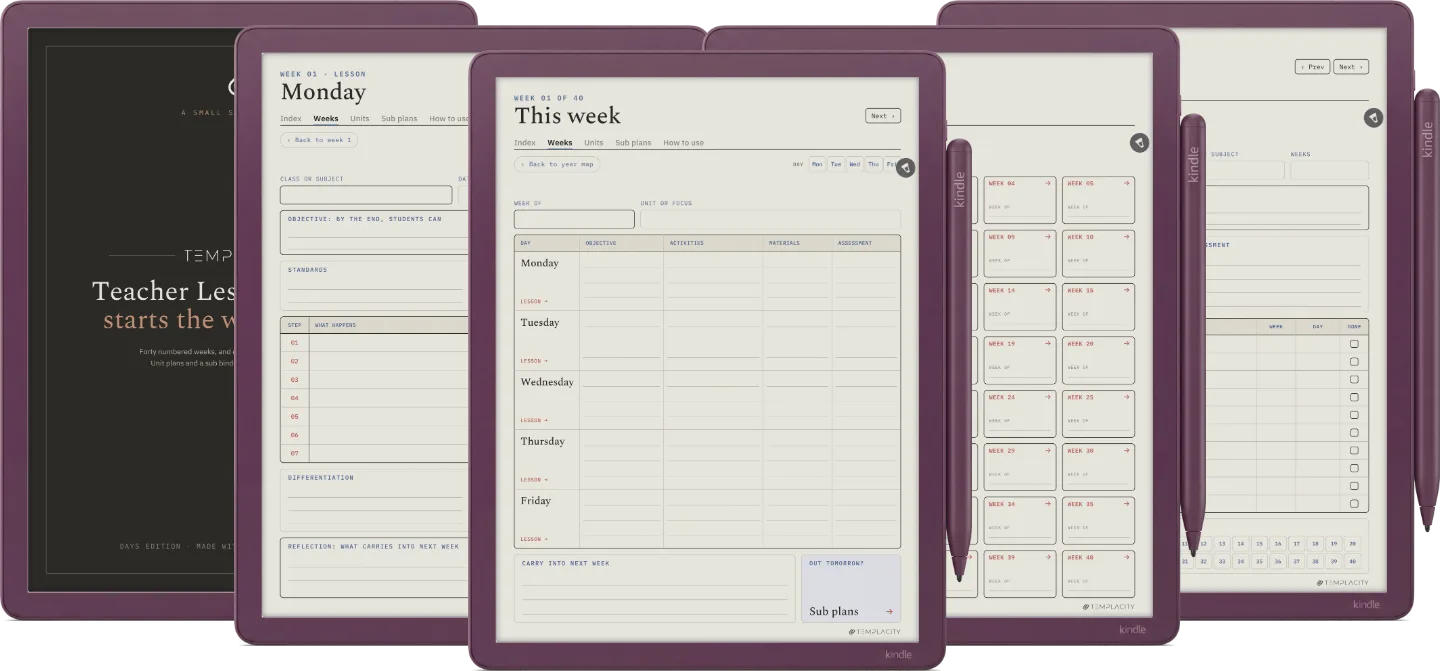
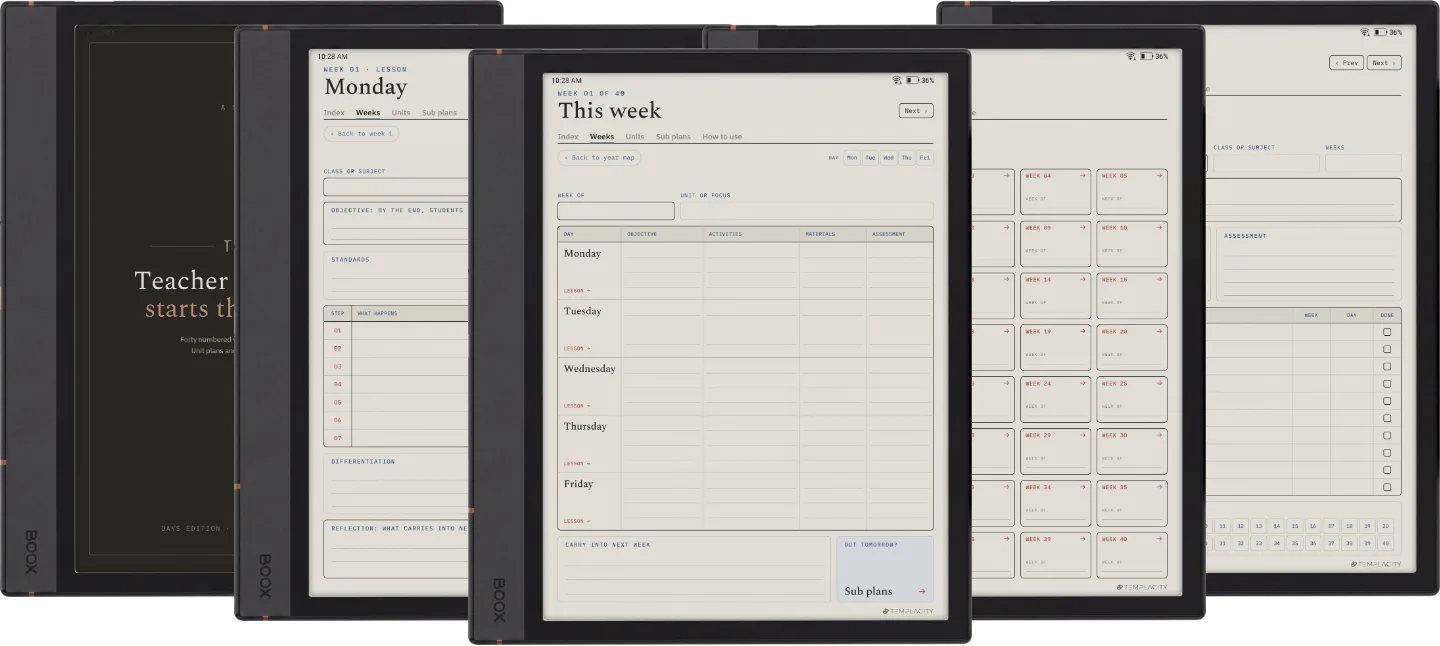
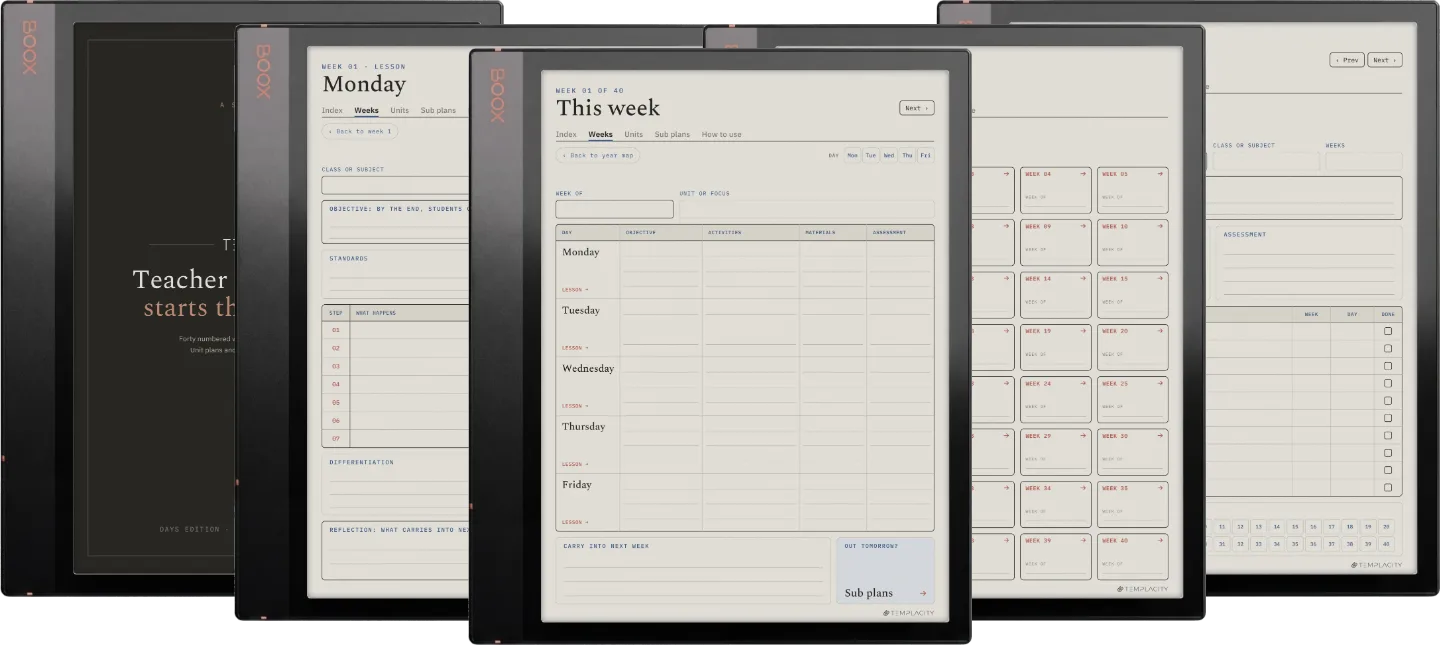
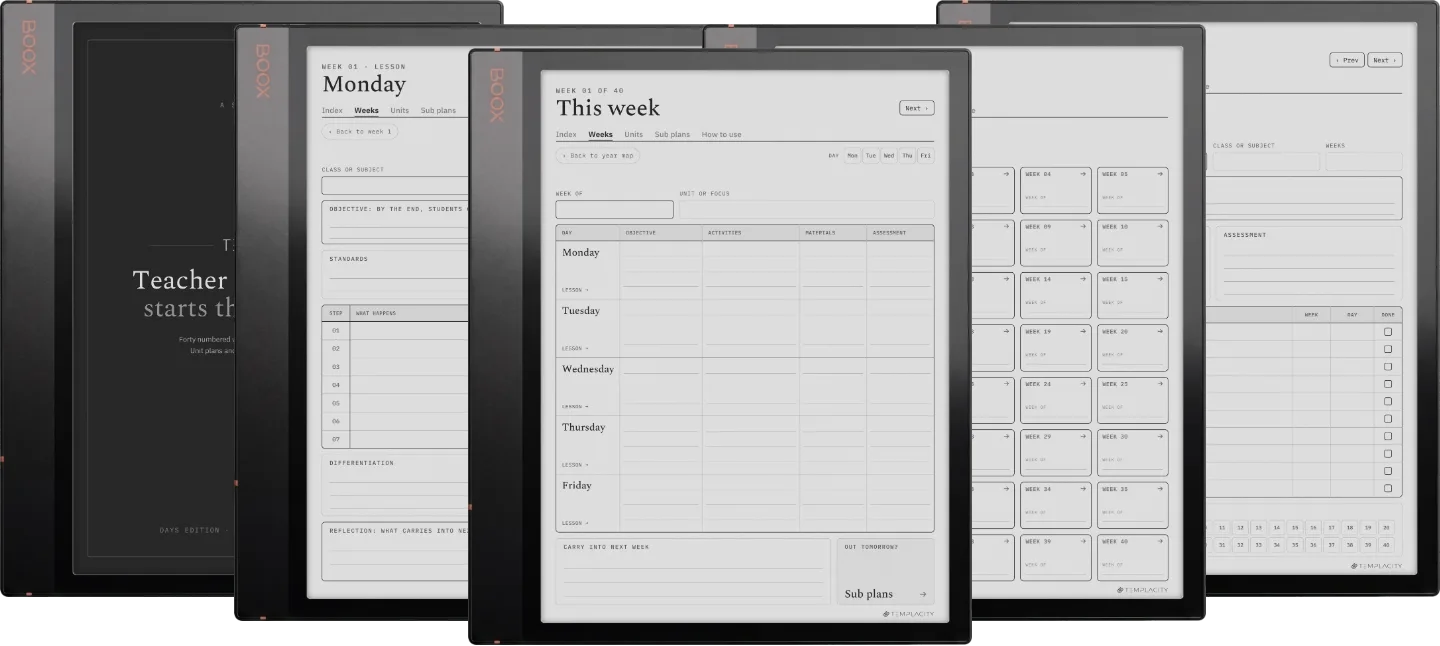
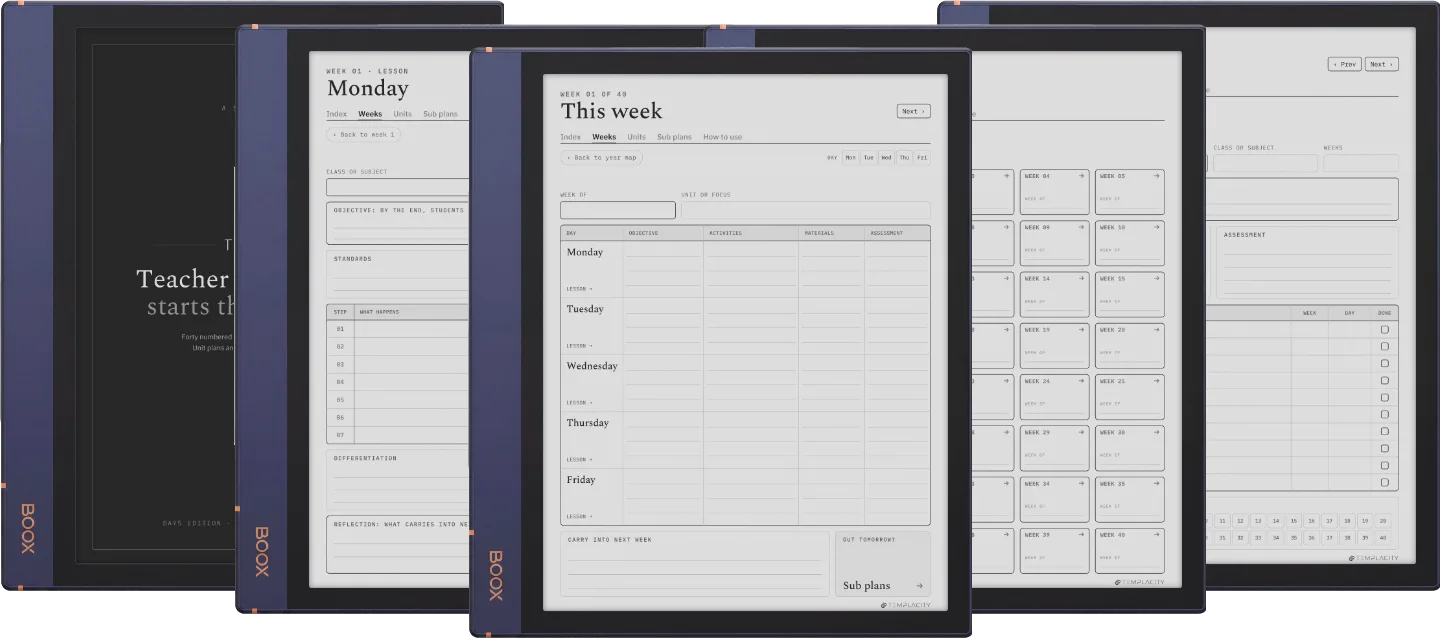
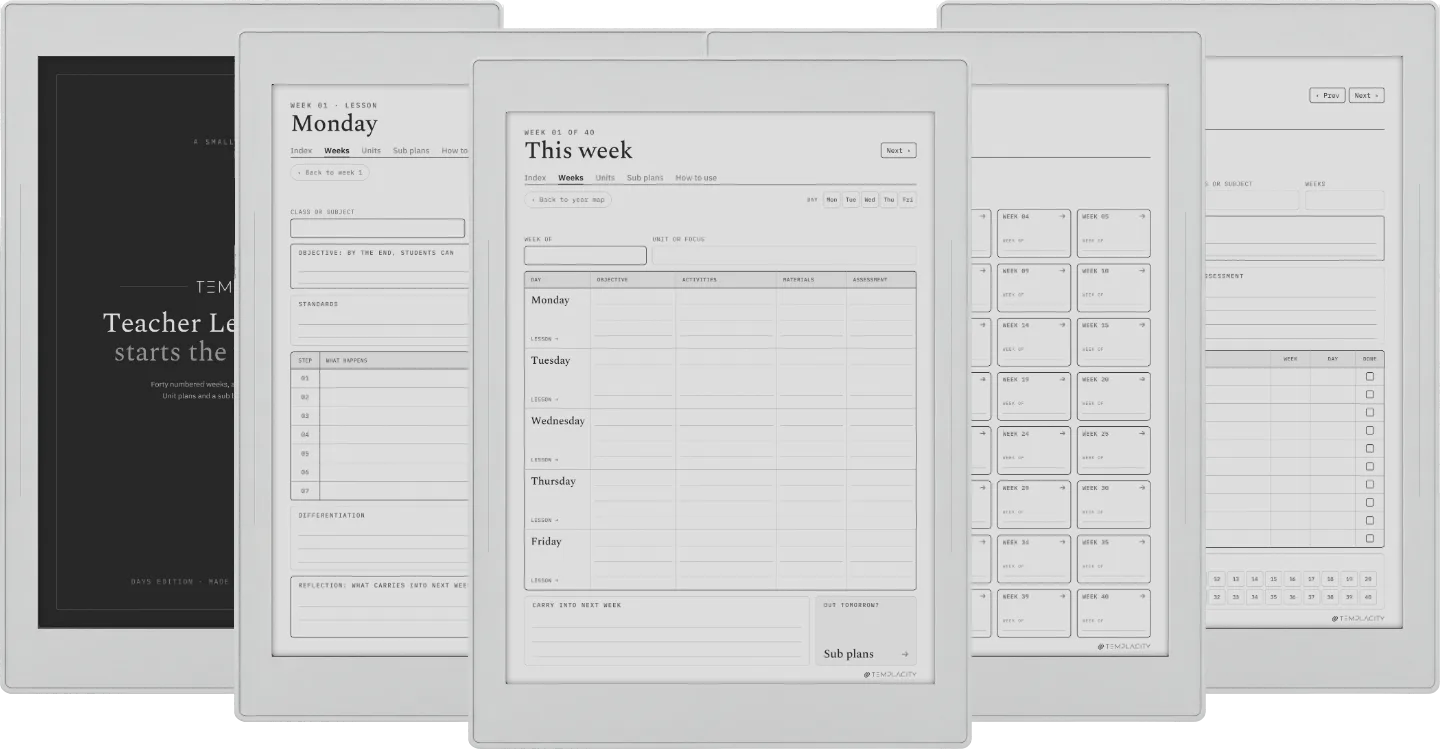
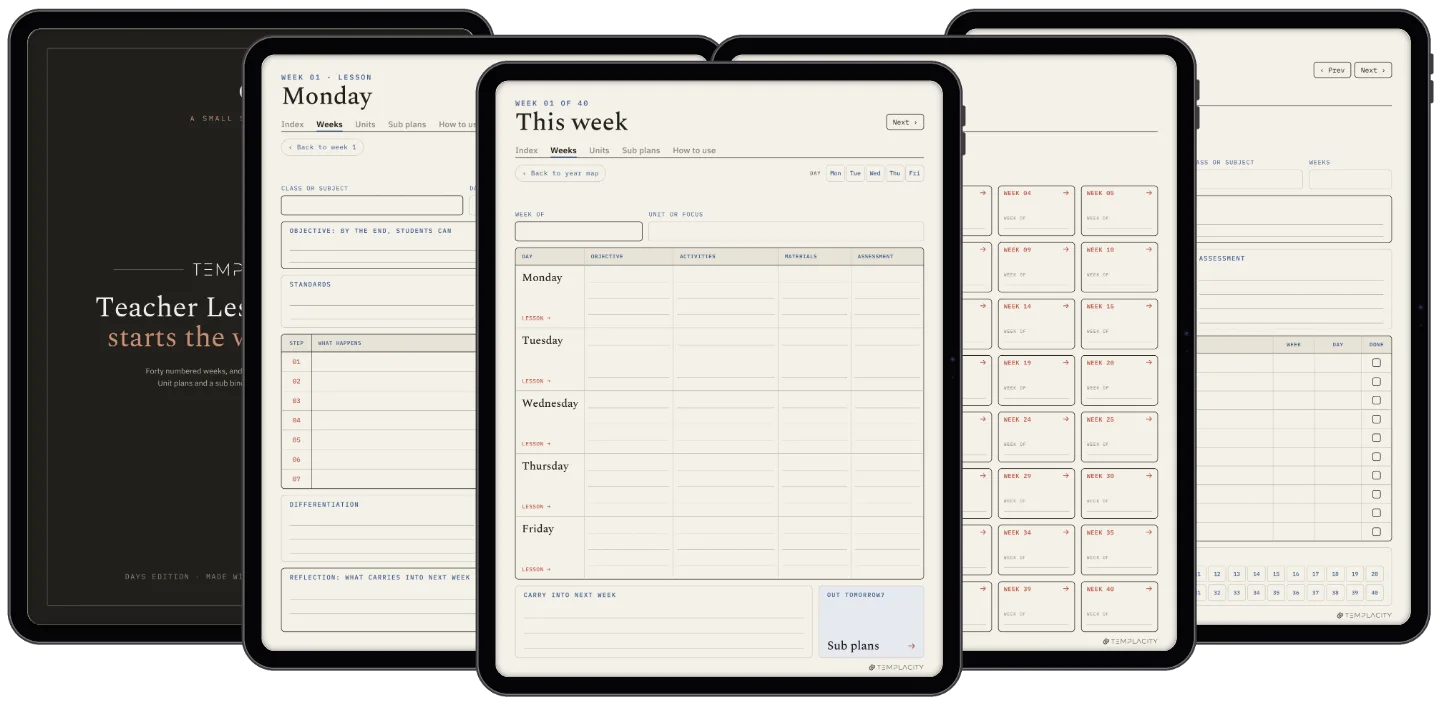
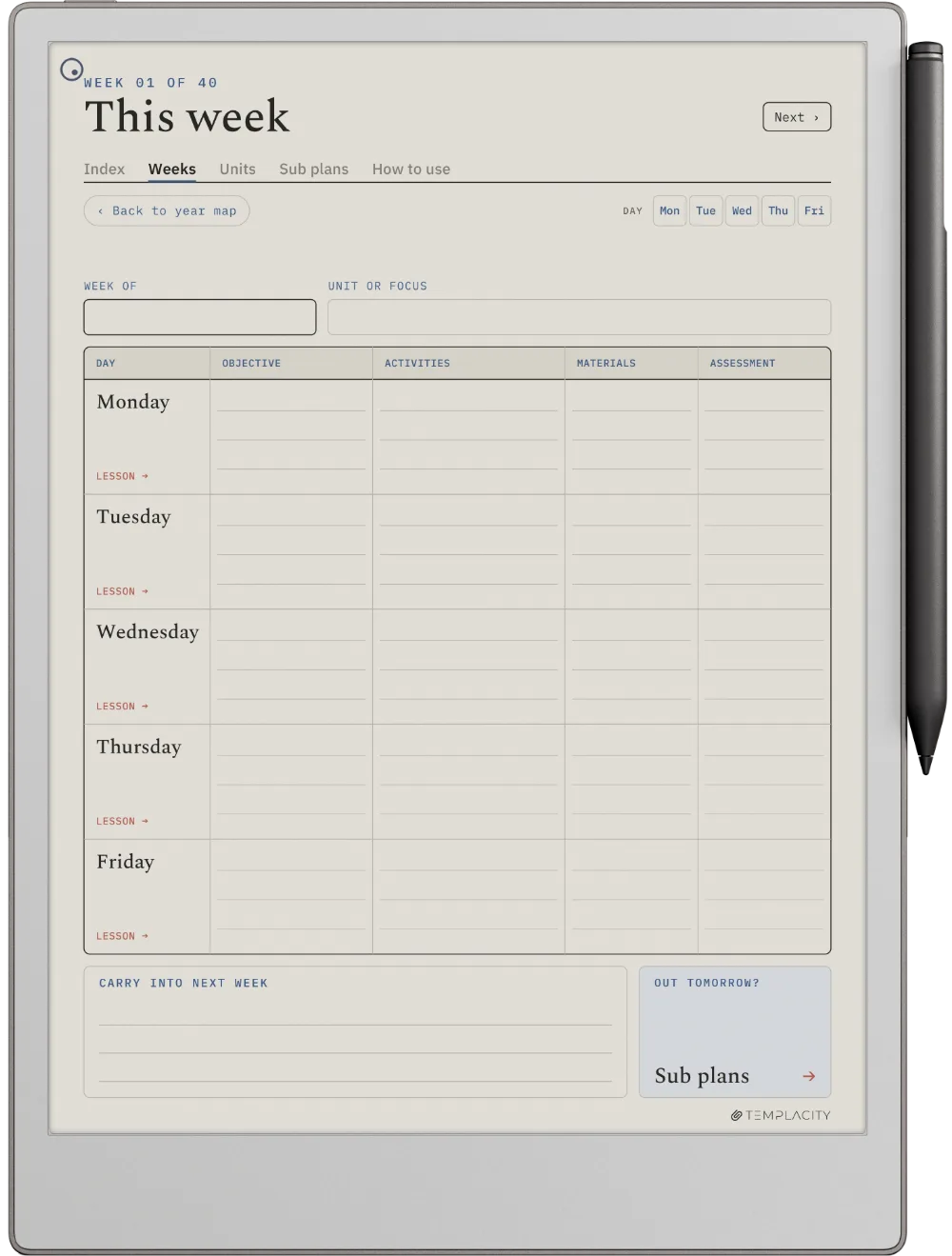
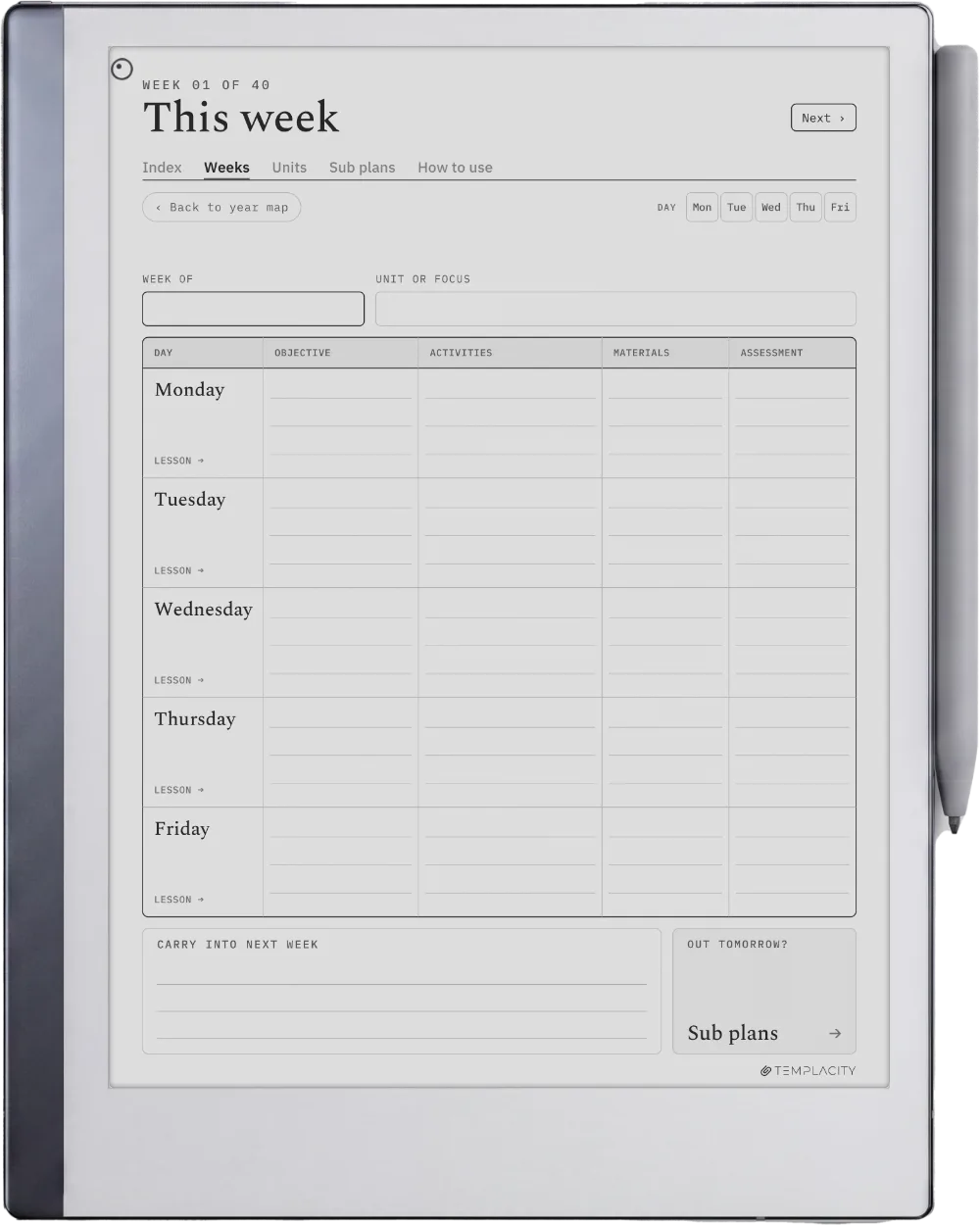
The Week

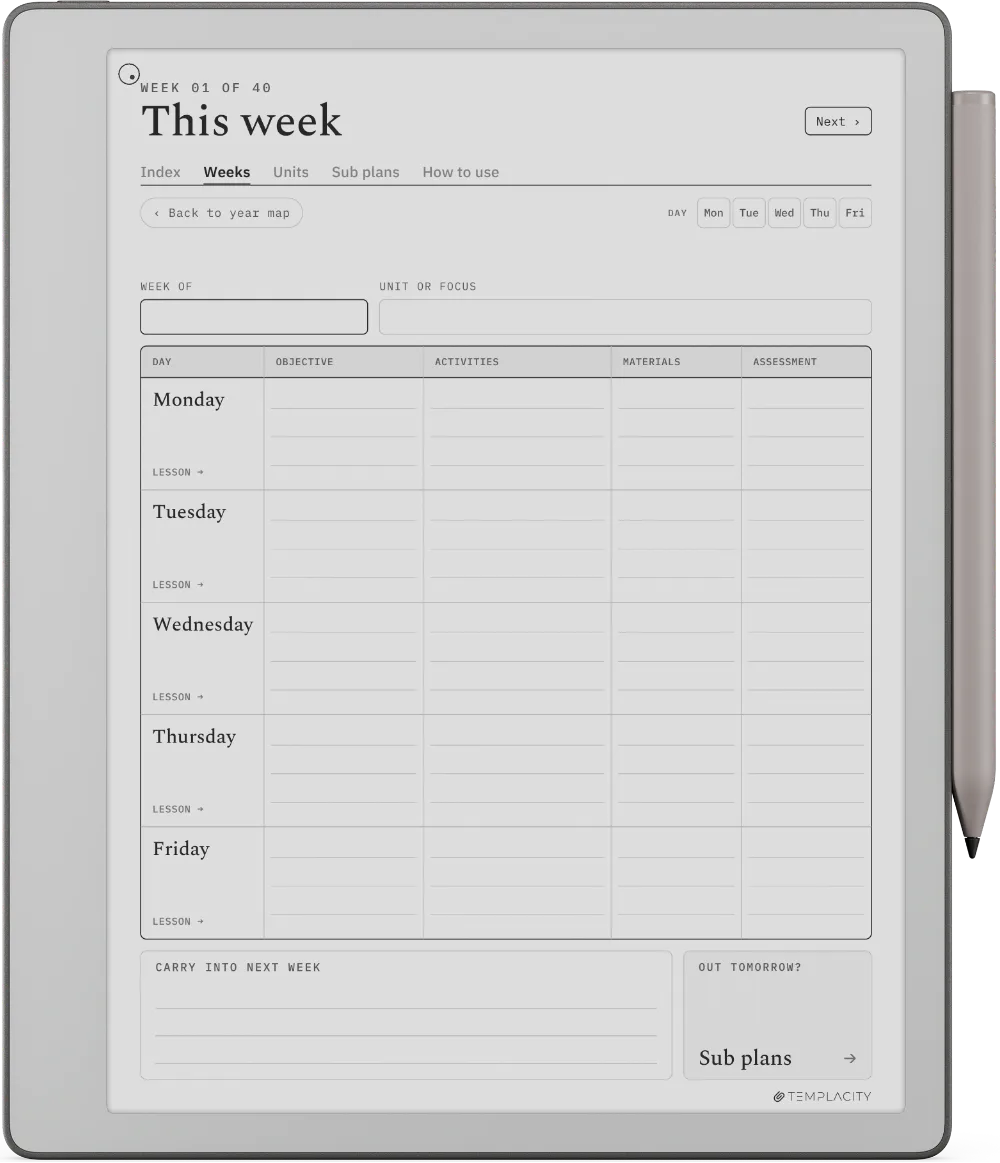
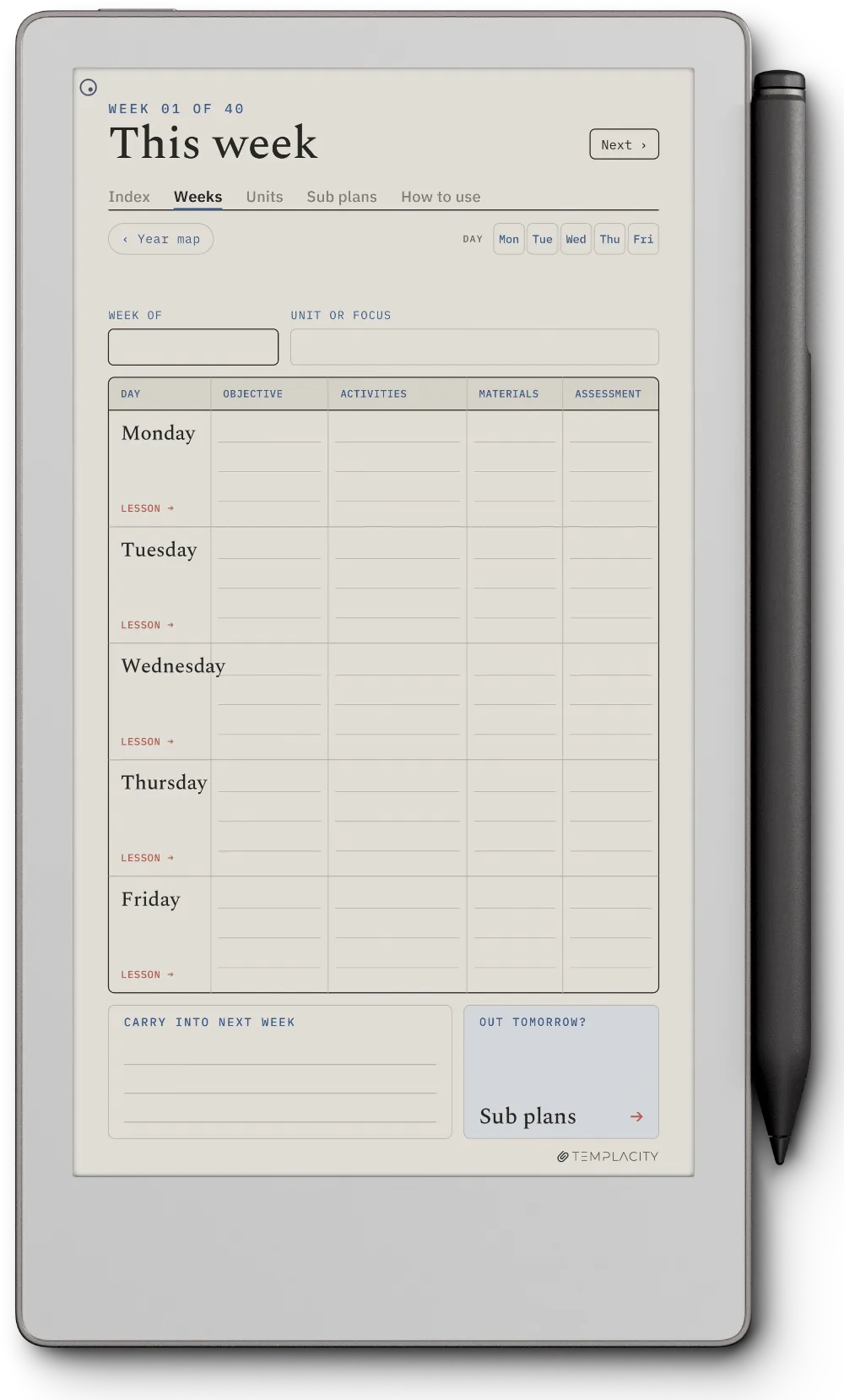
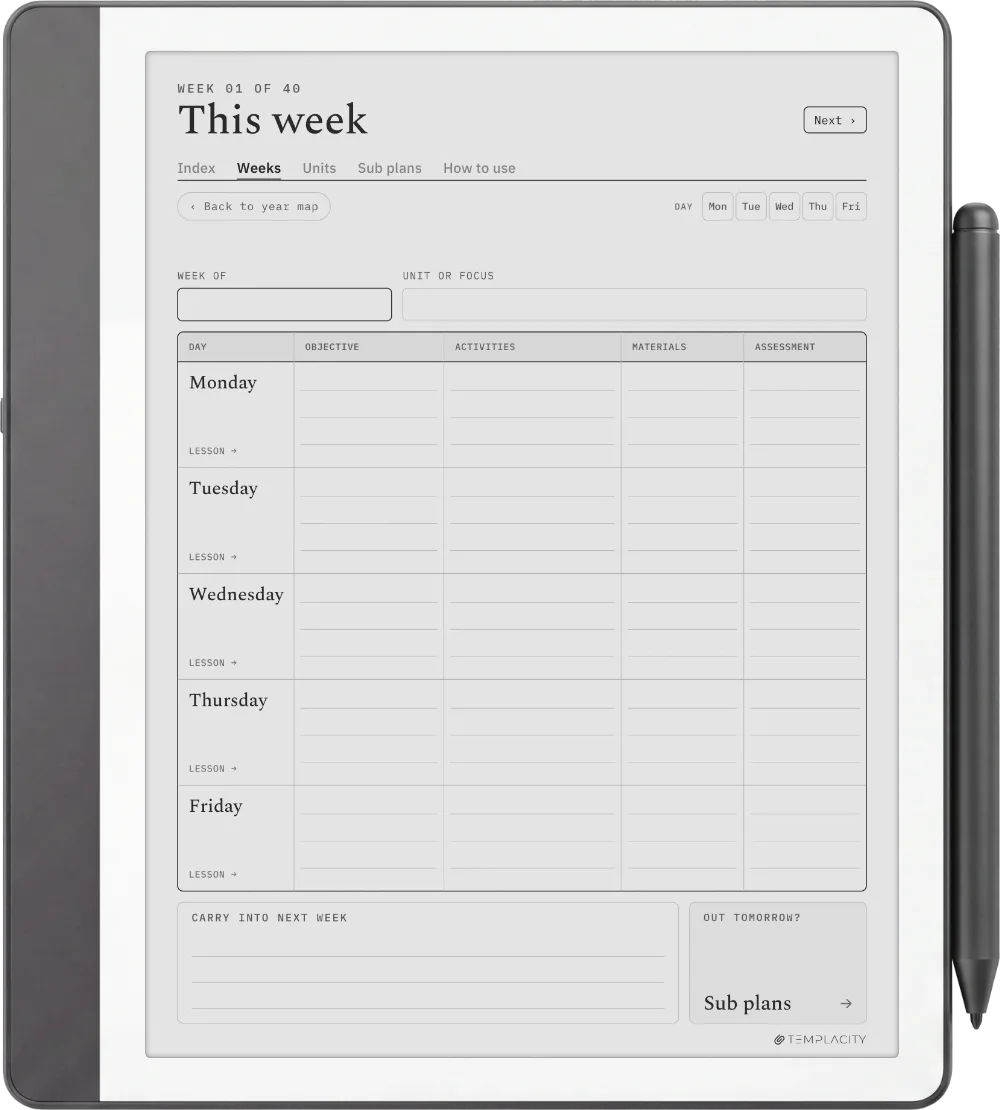
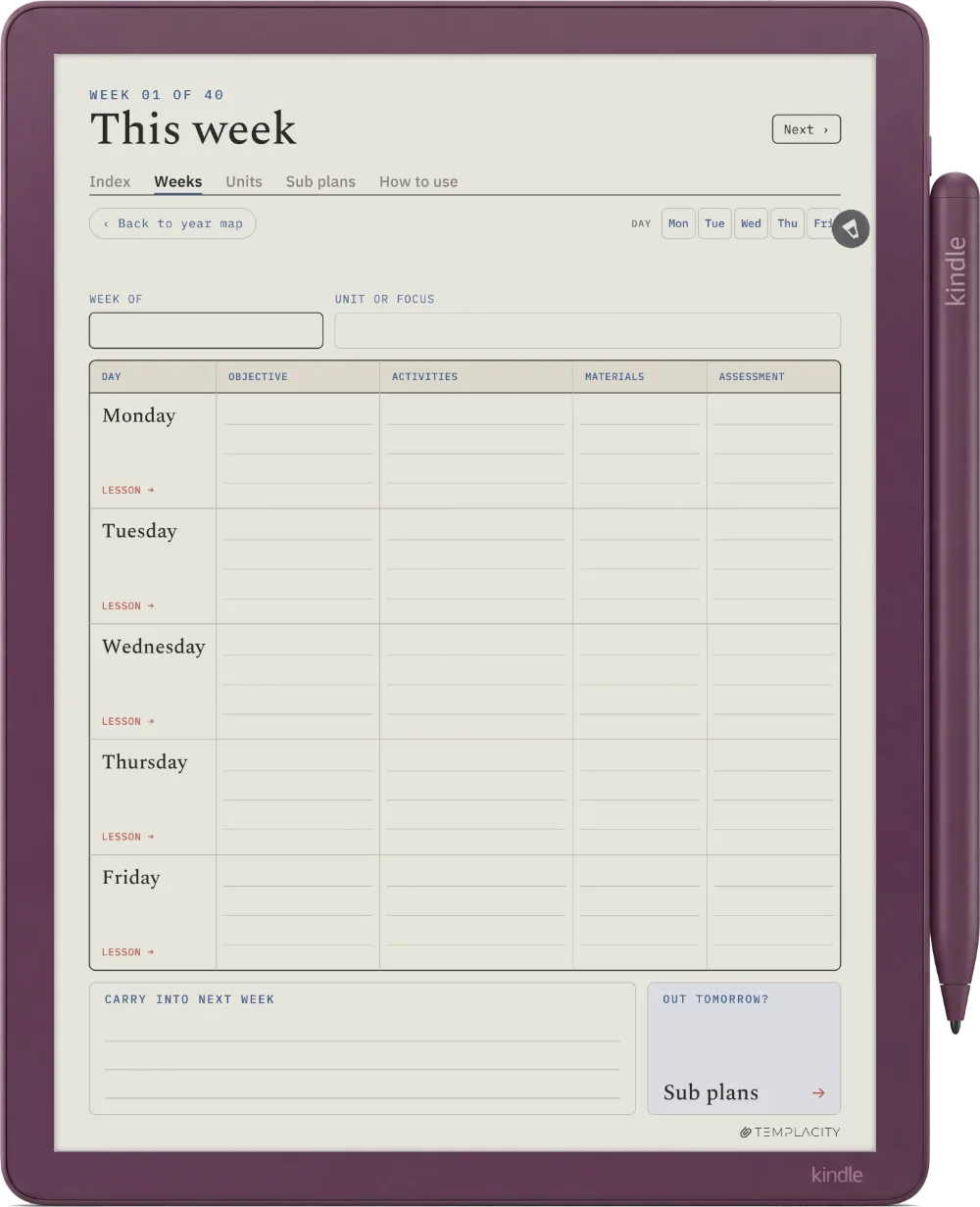
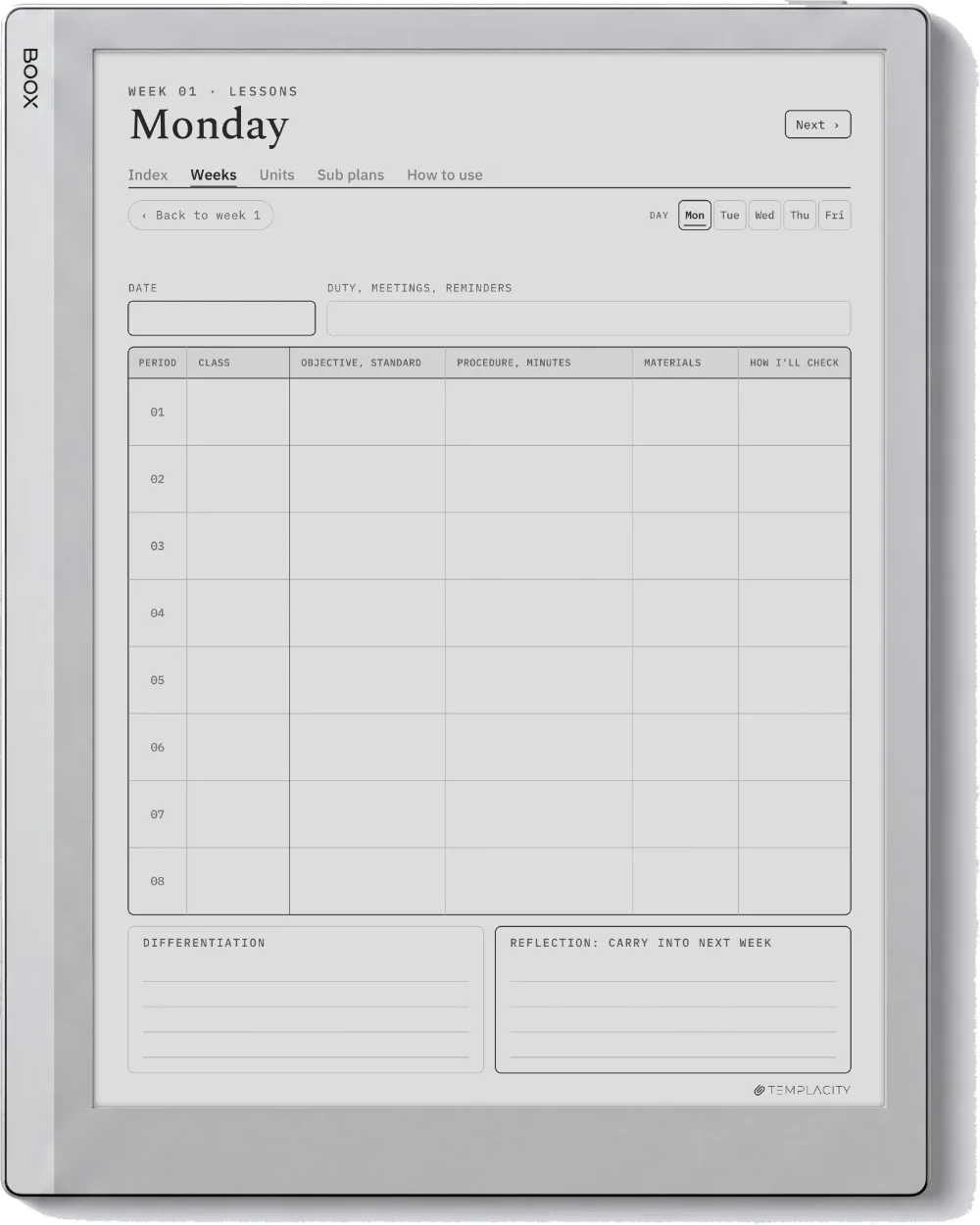
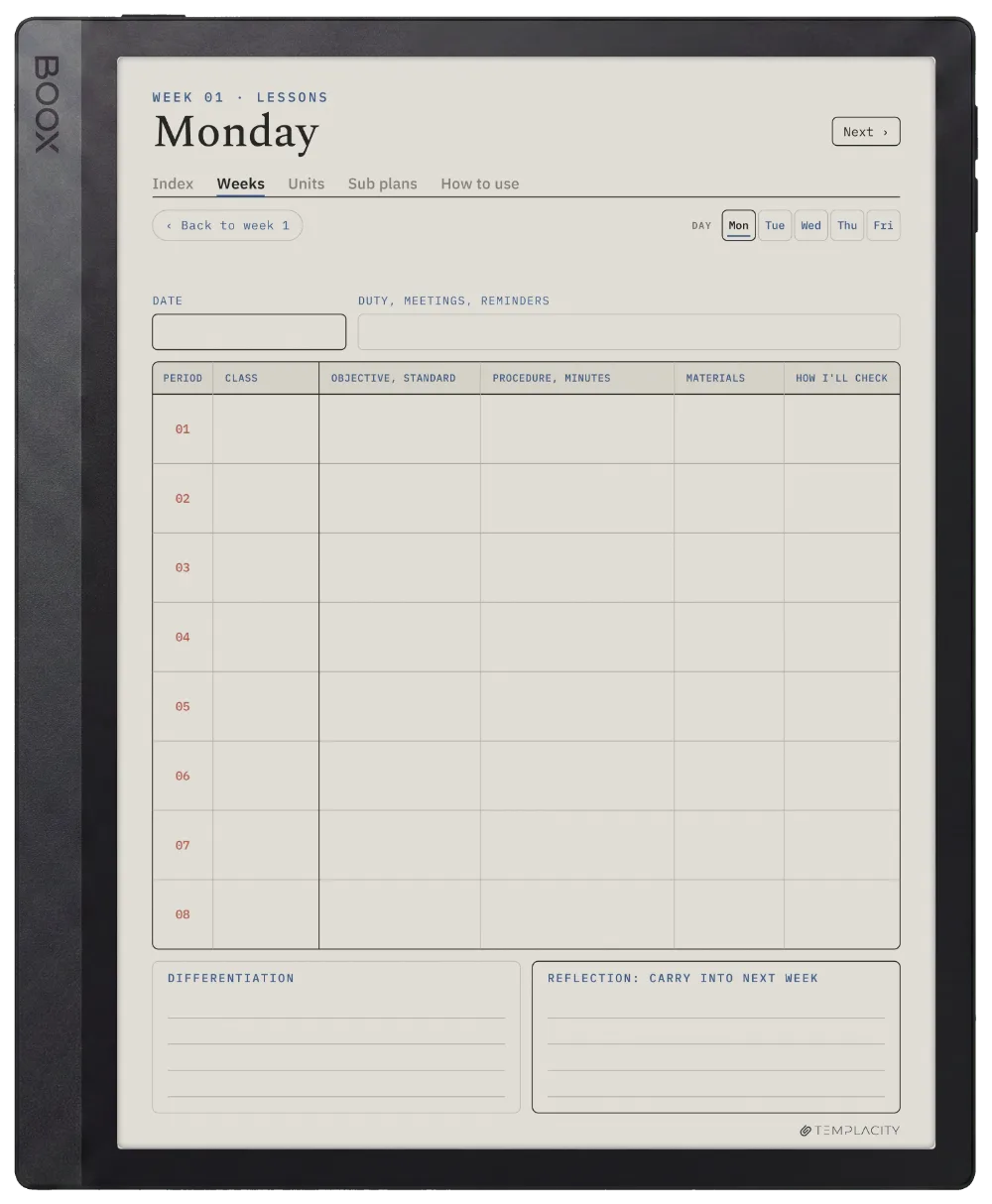
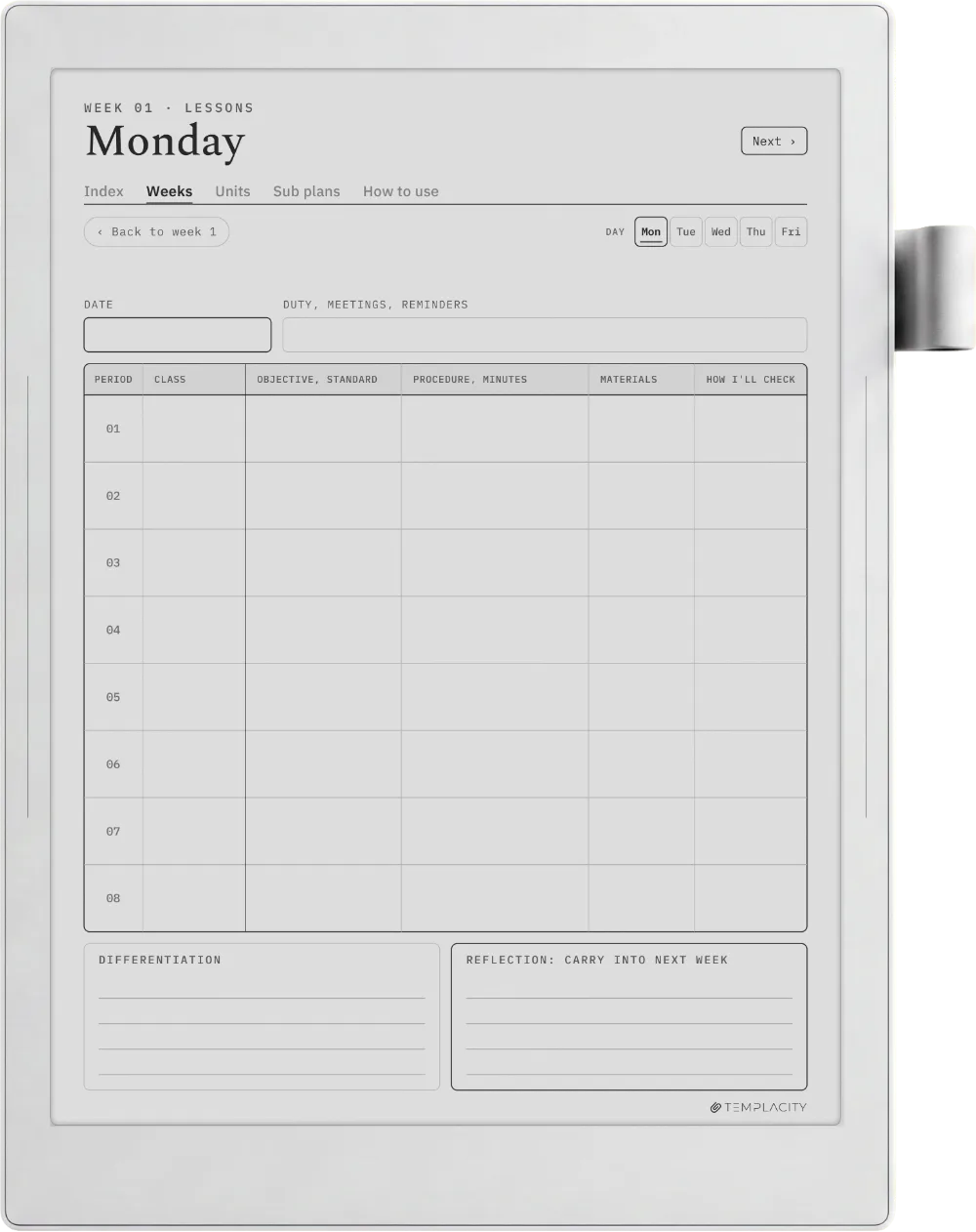
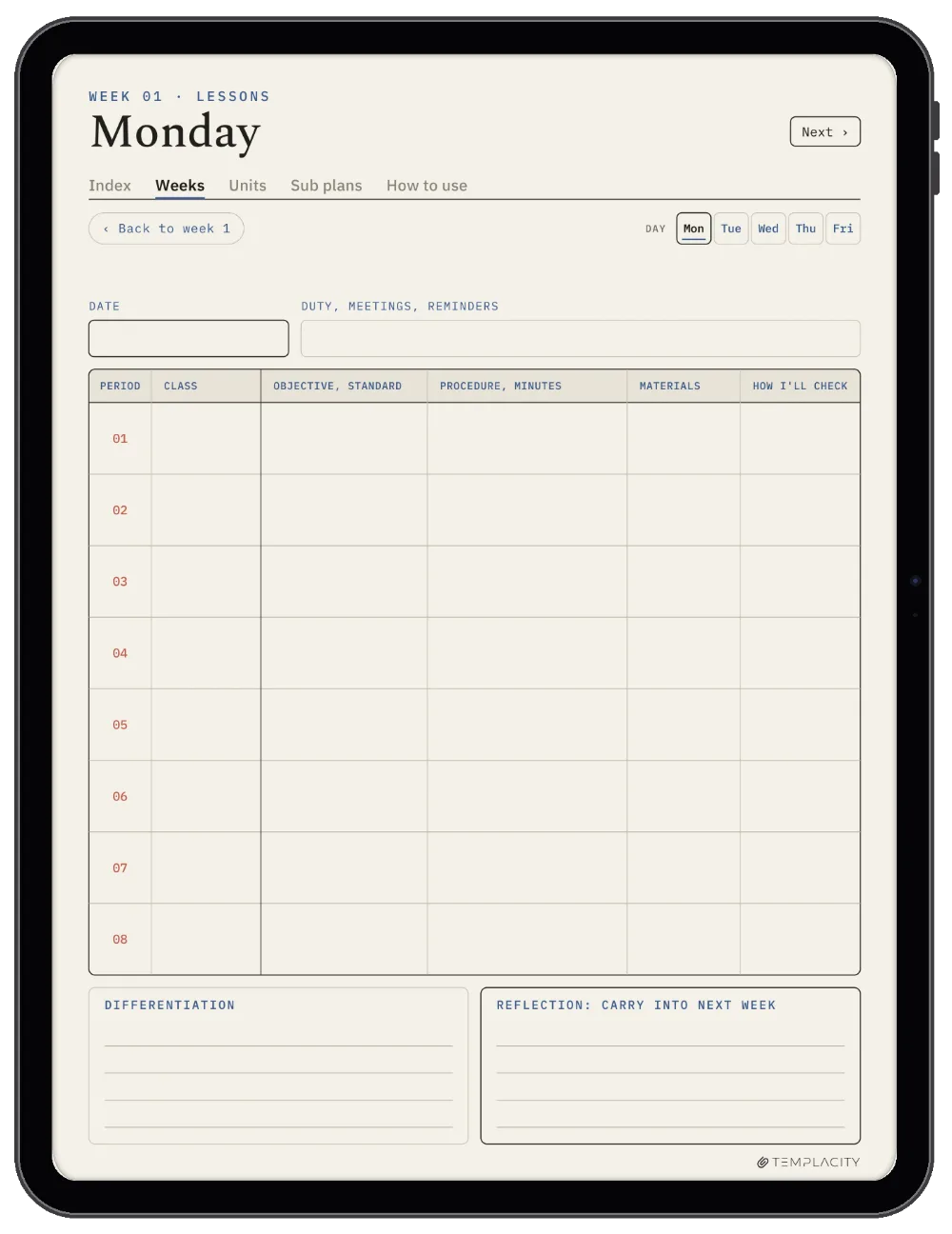
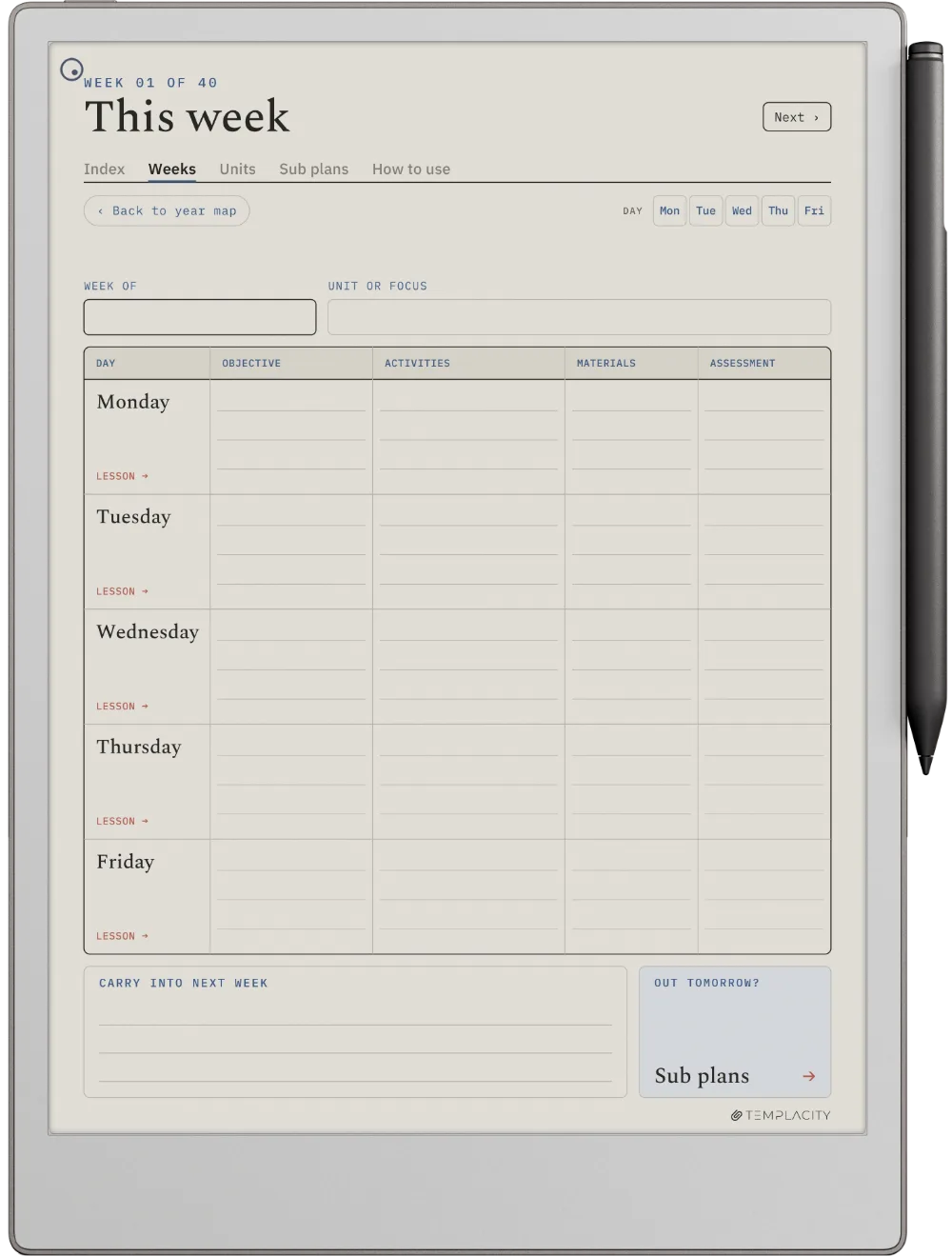
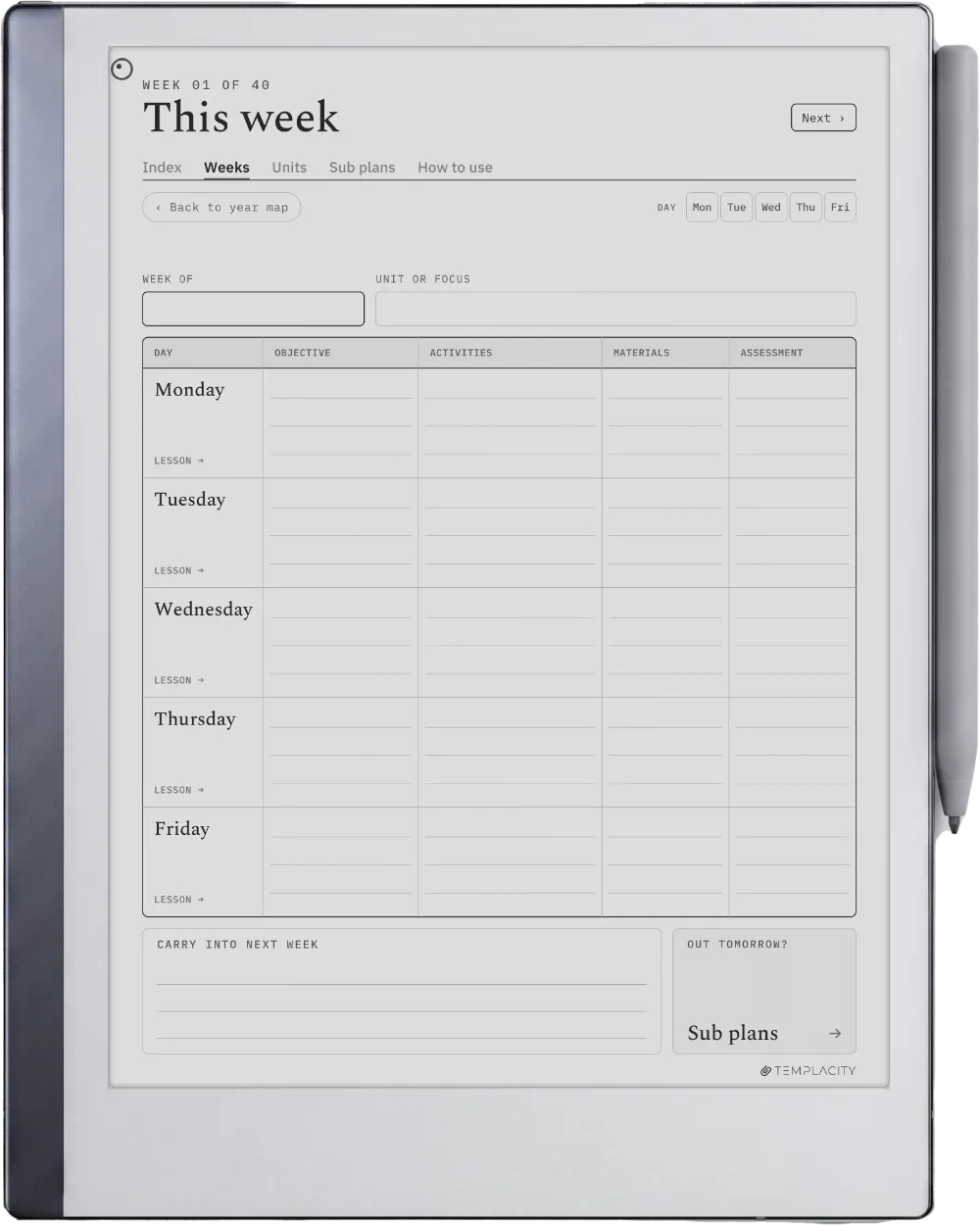
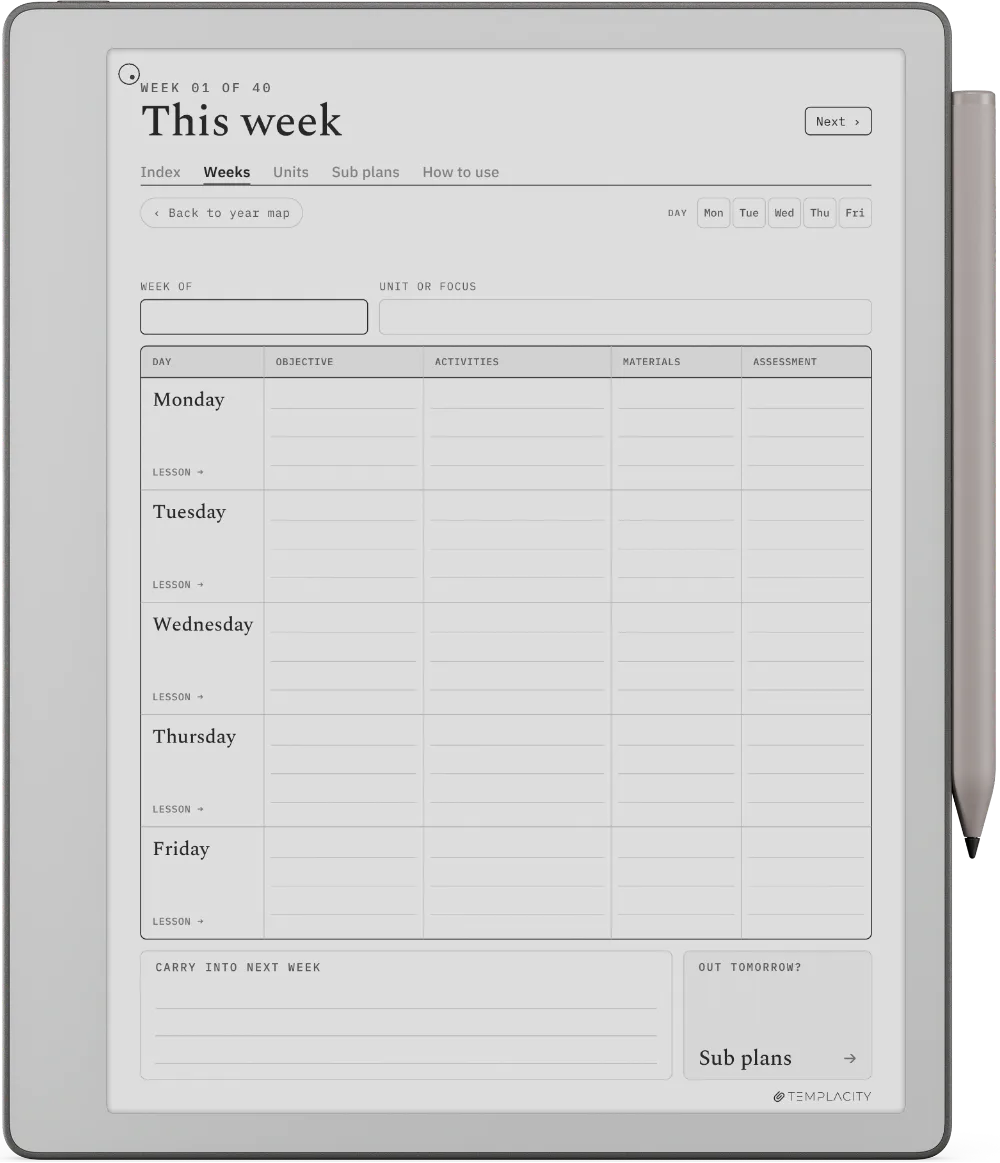
The whole week on one page.

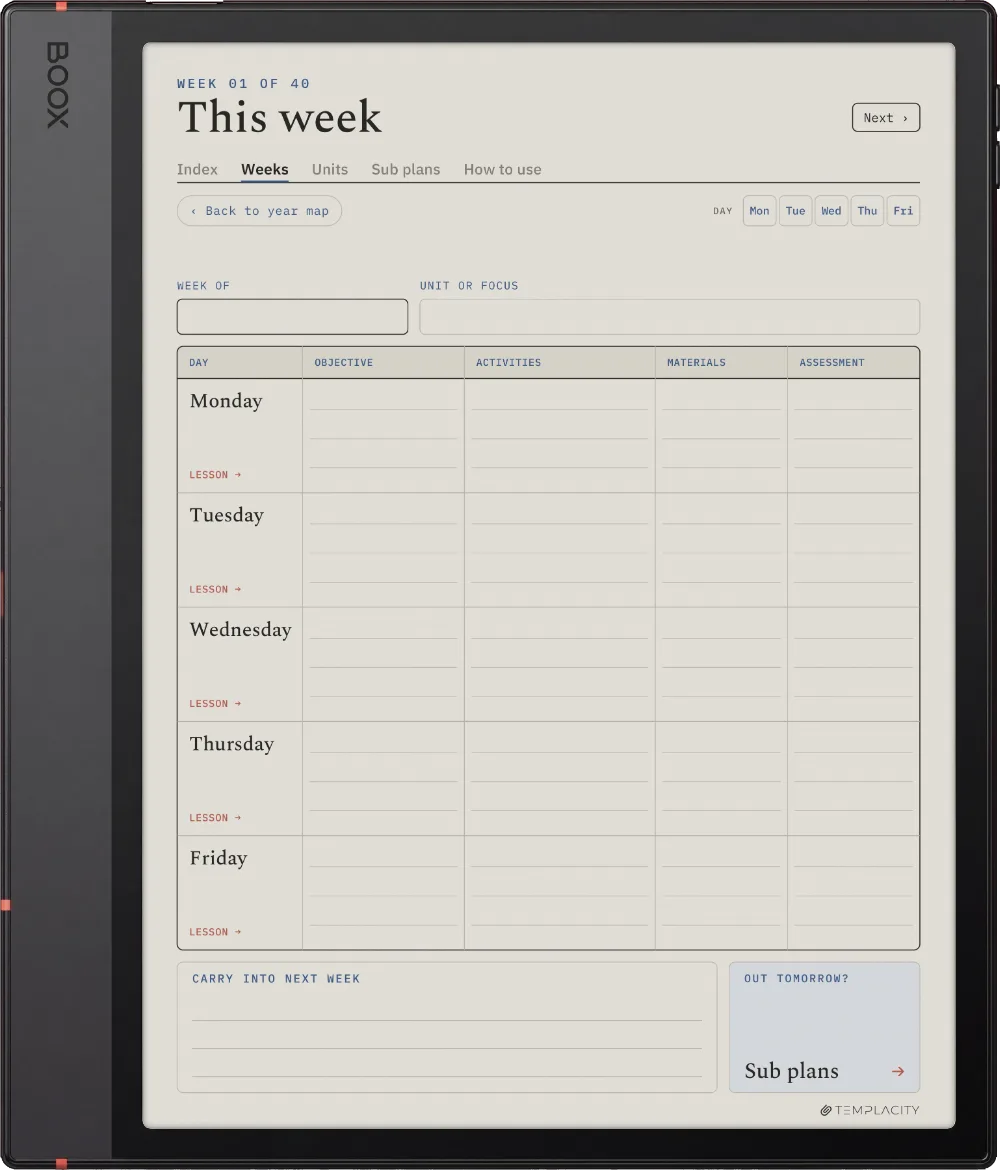
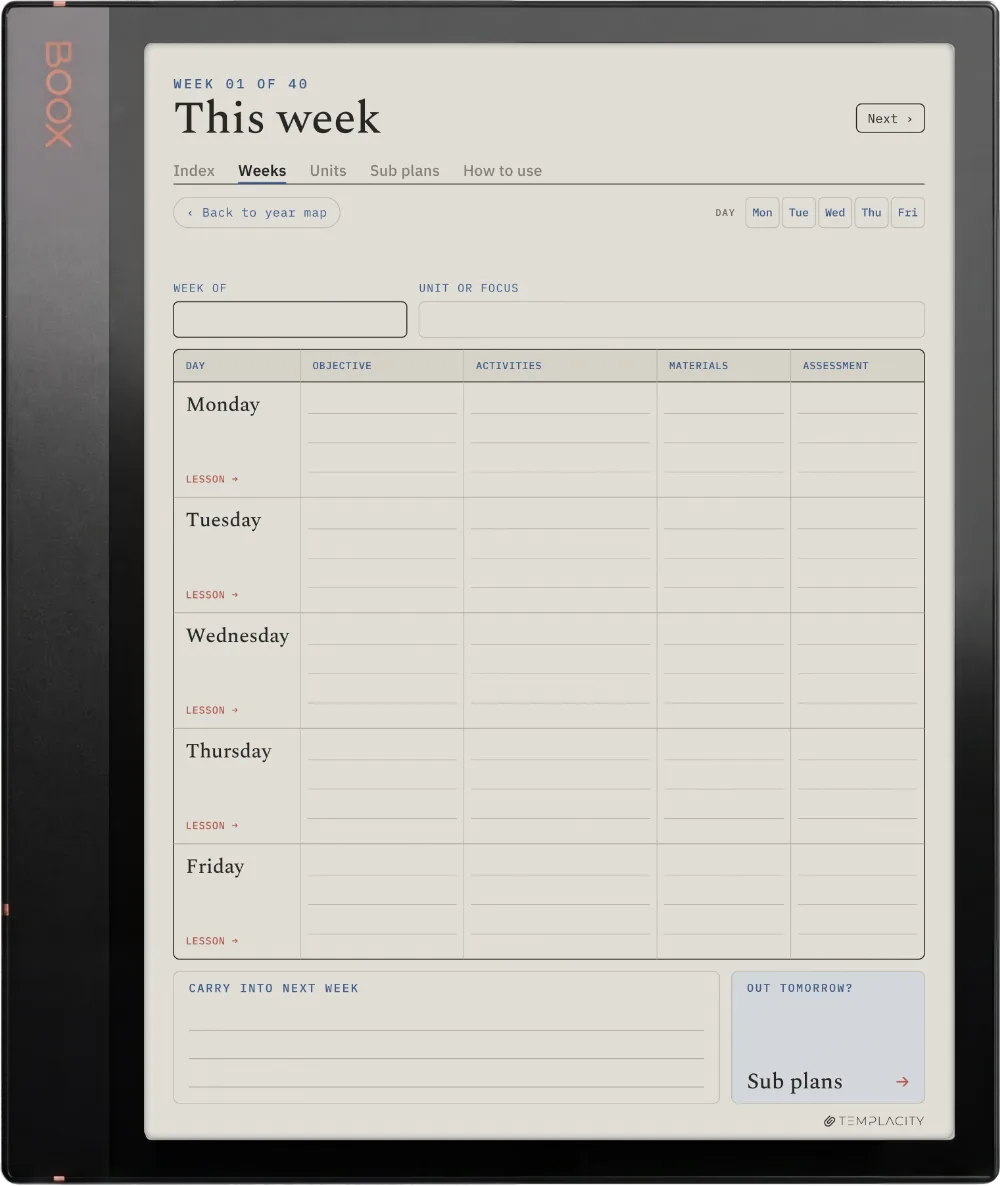
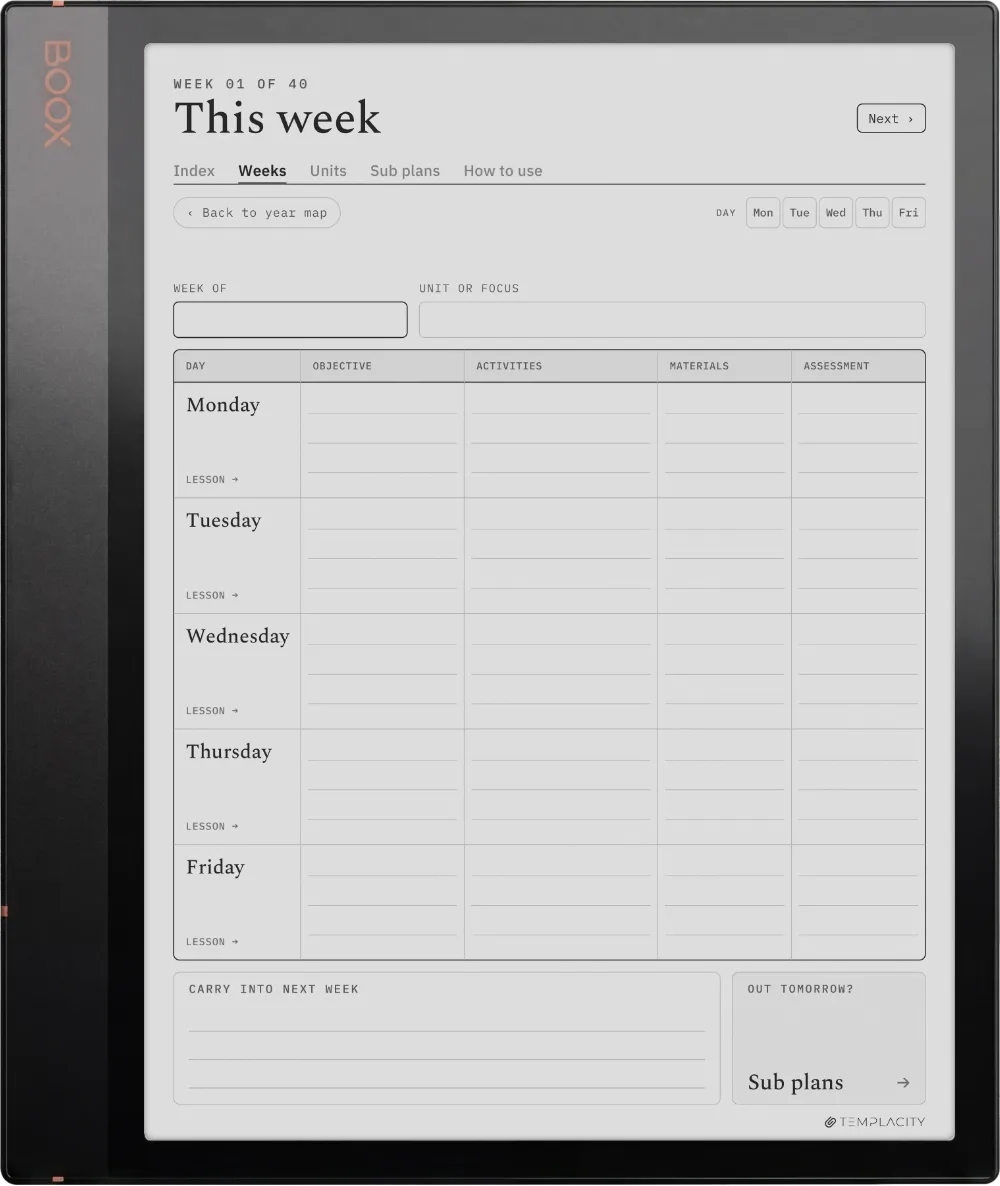
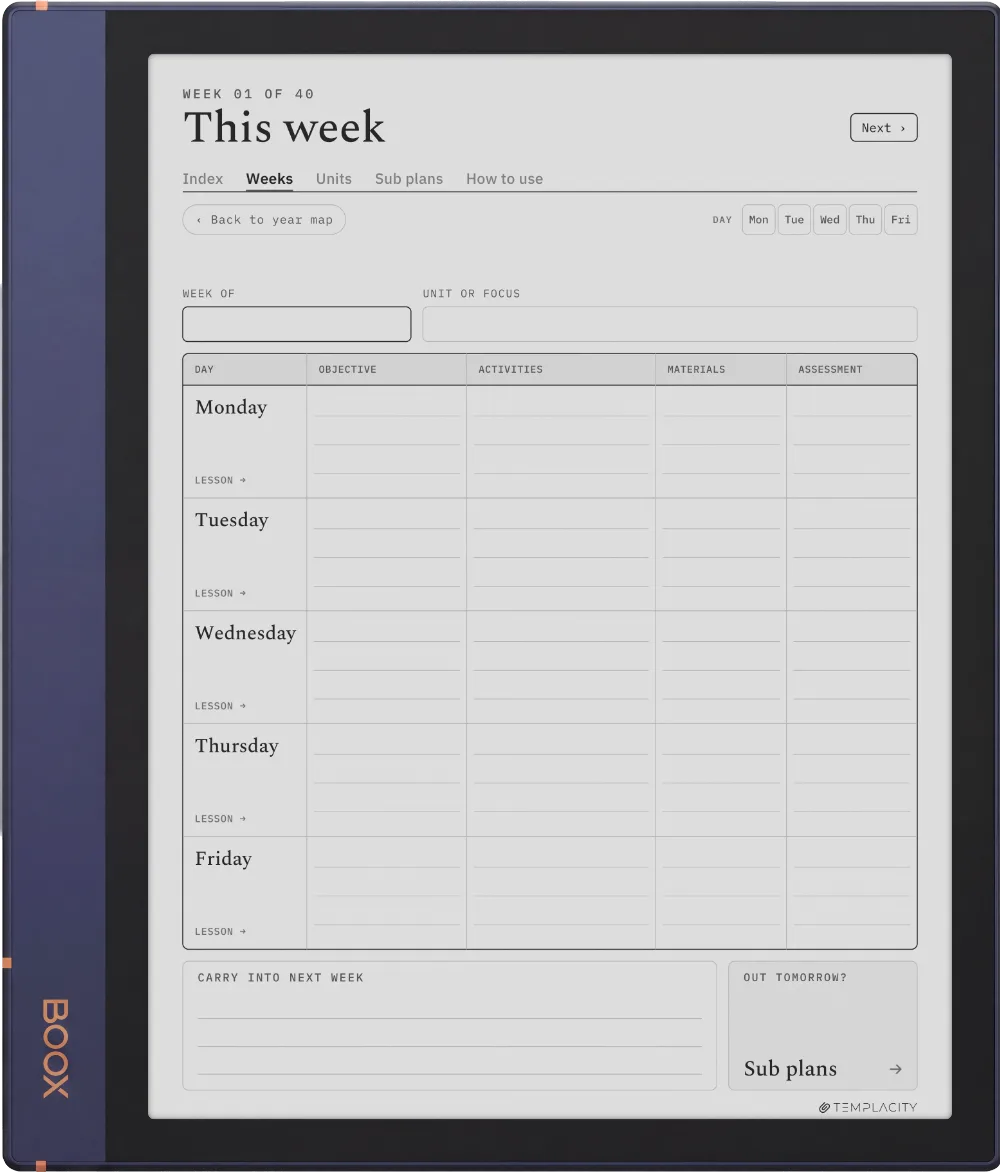
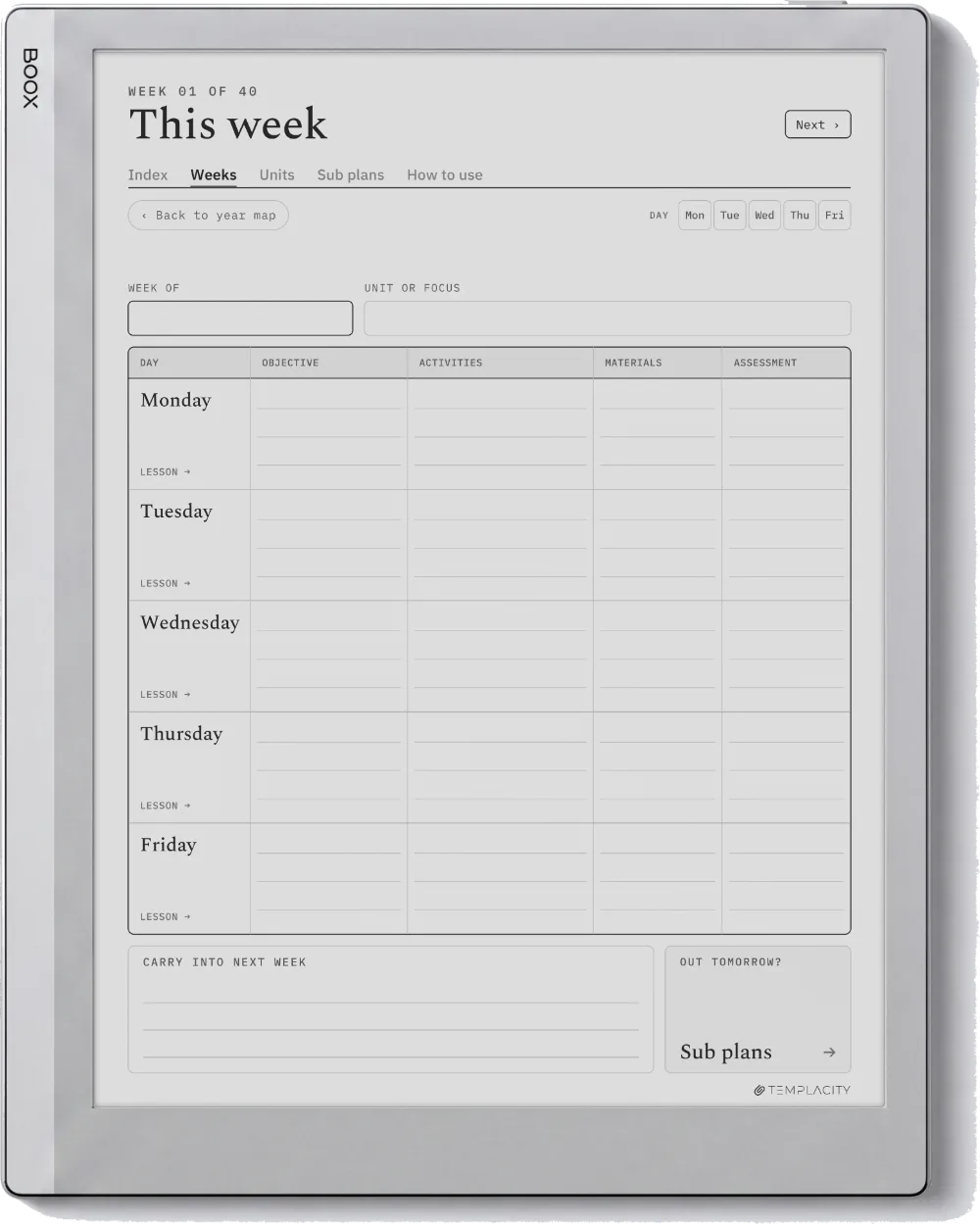
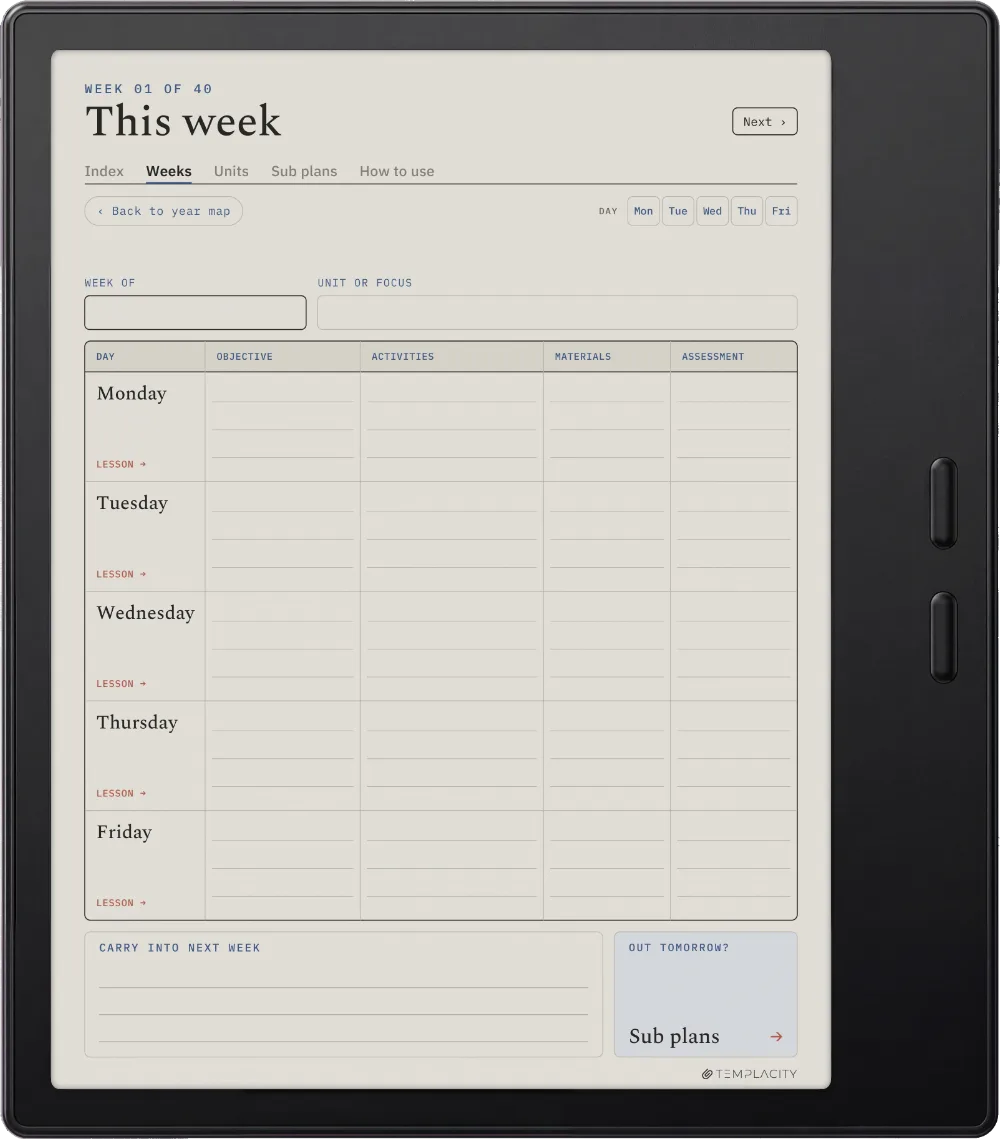
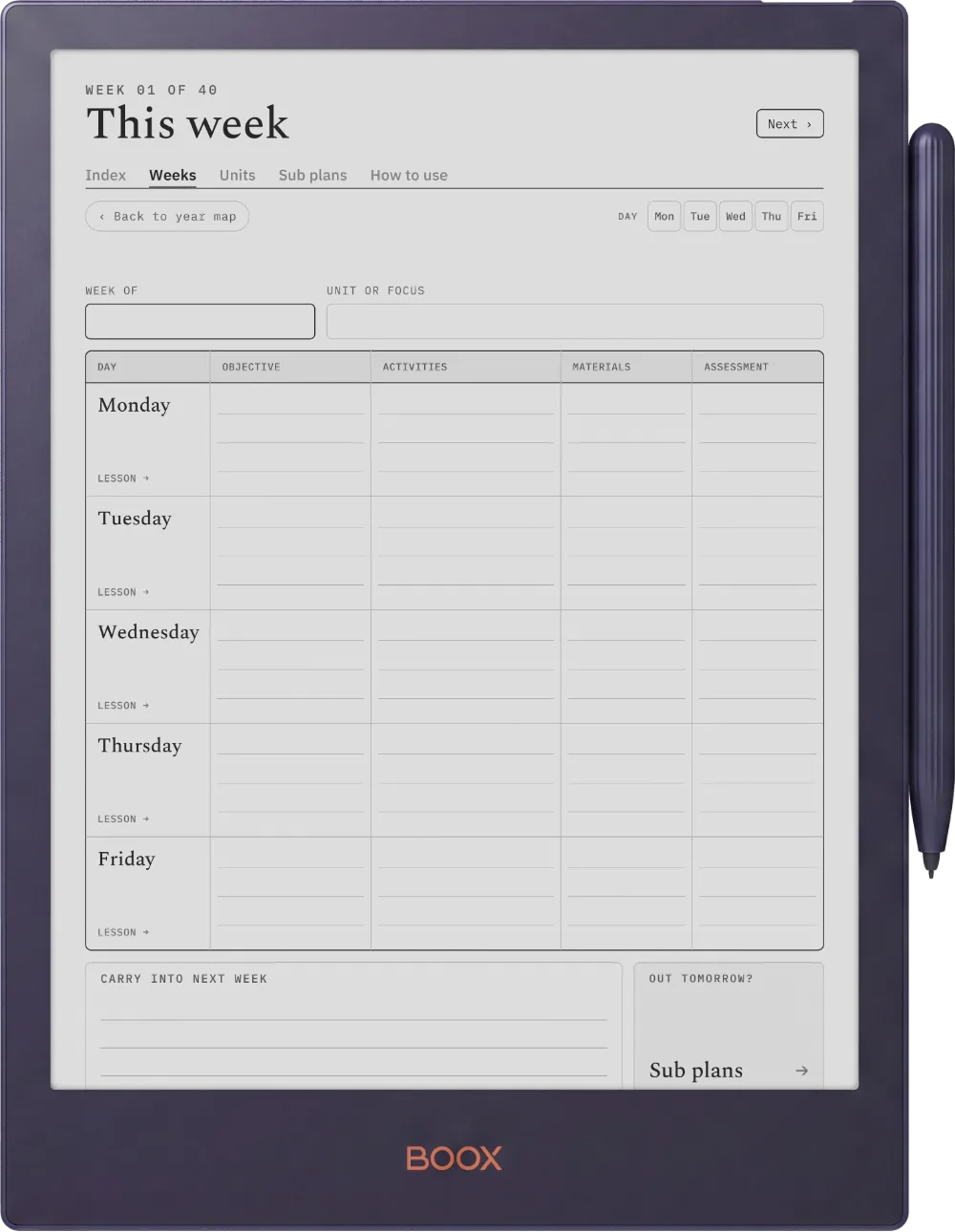
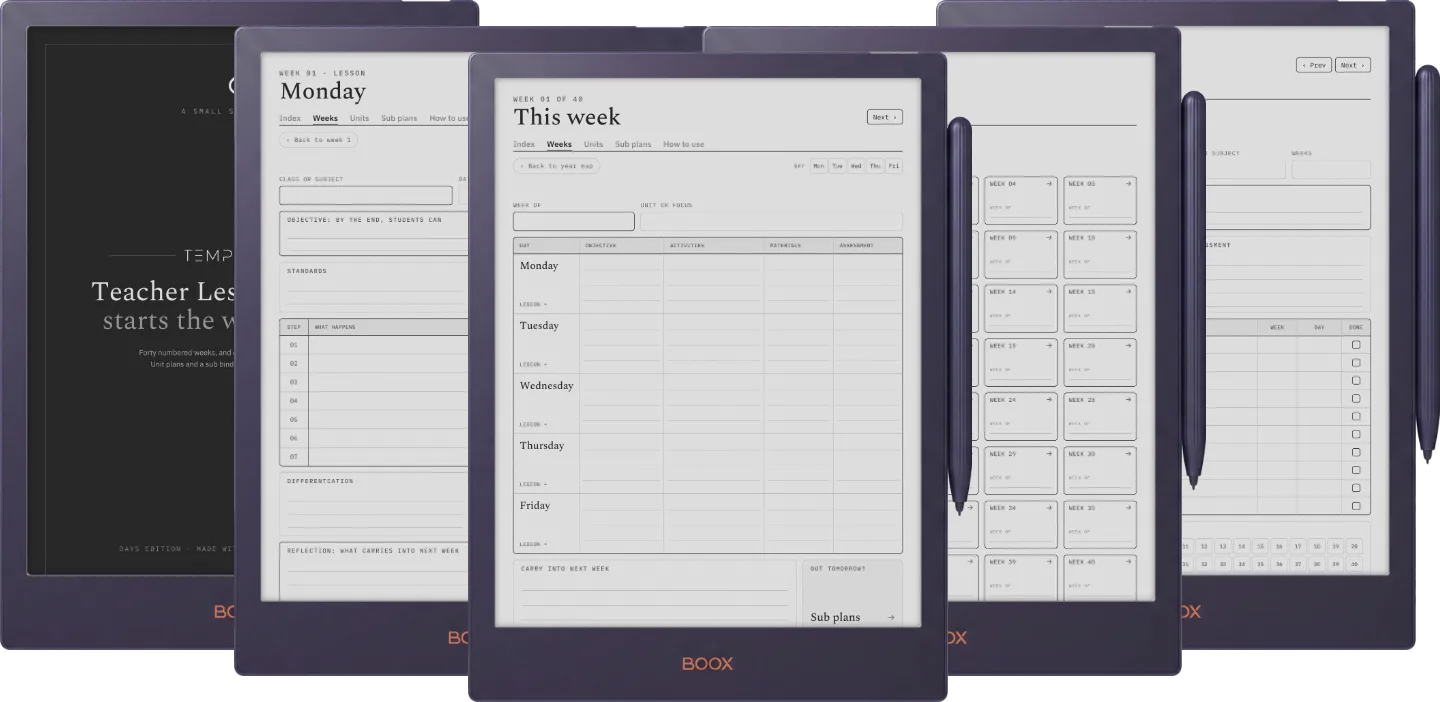
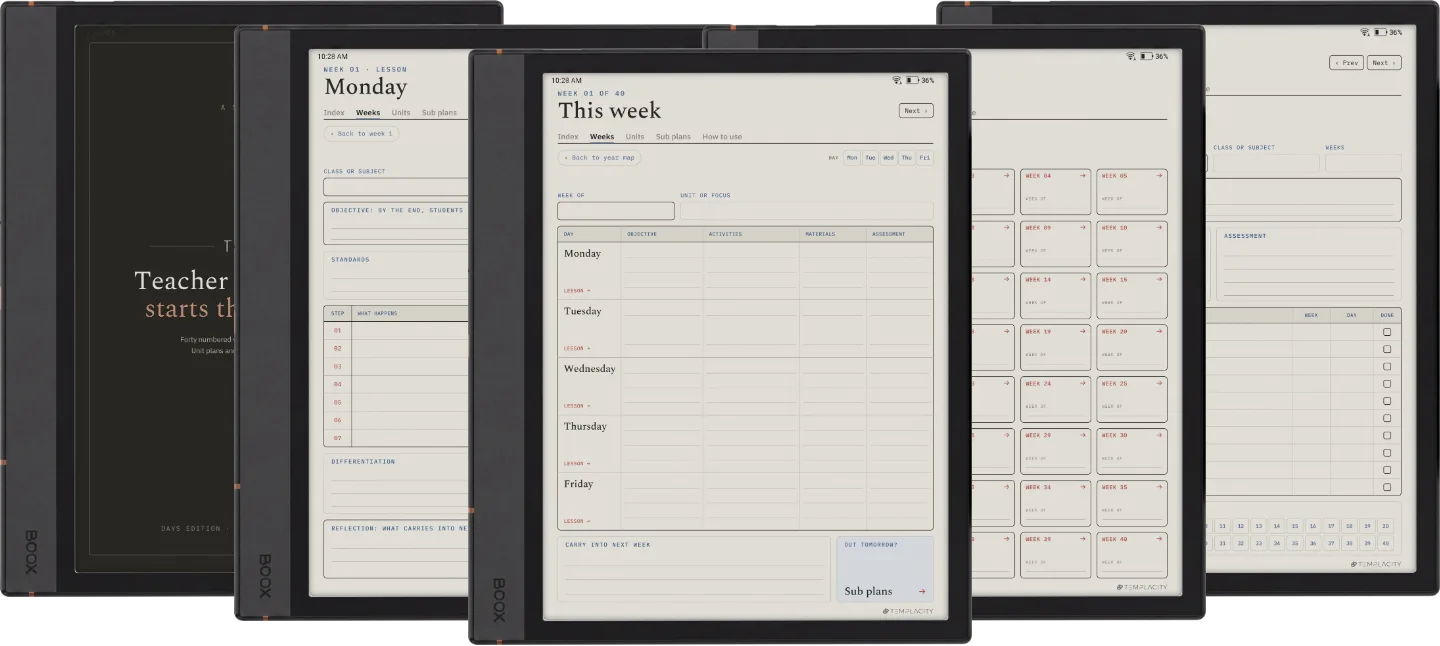
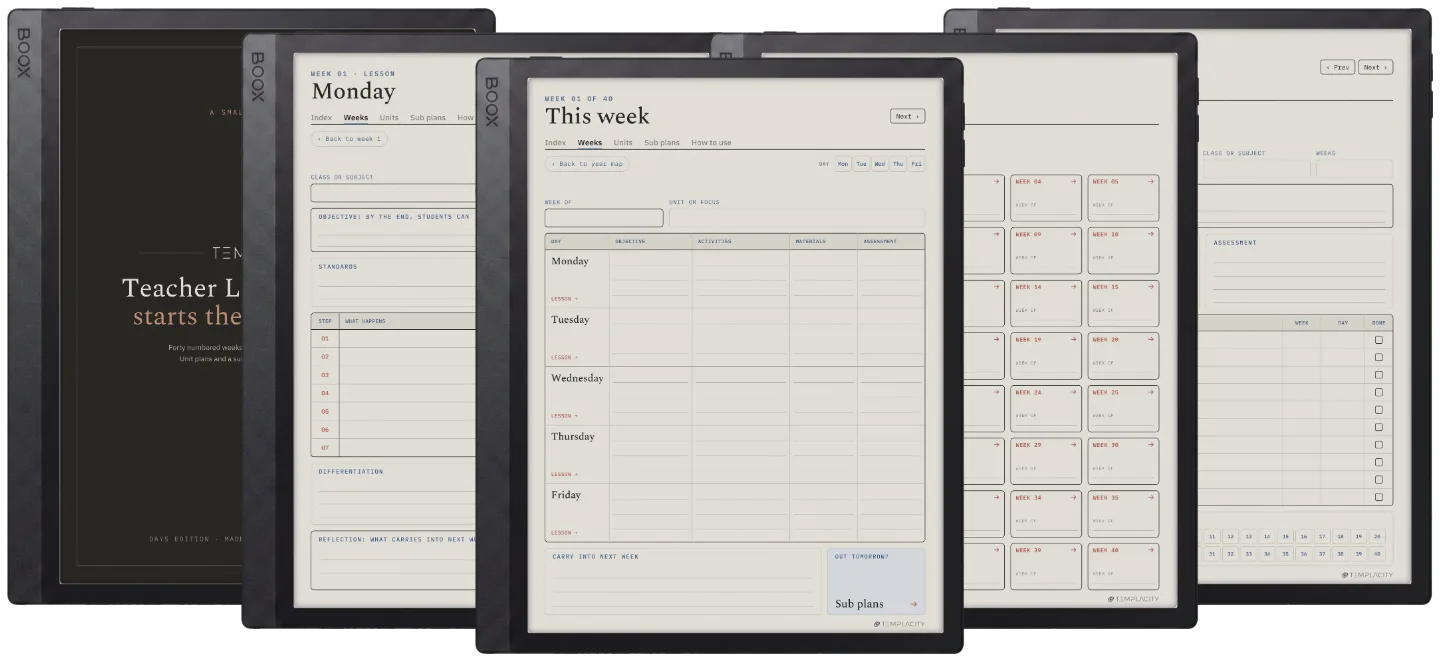
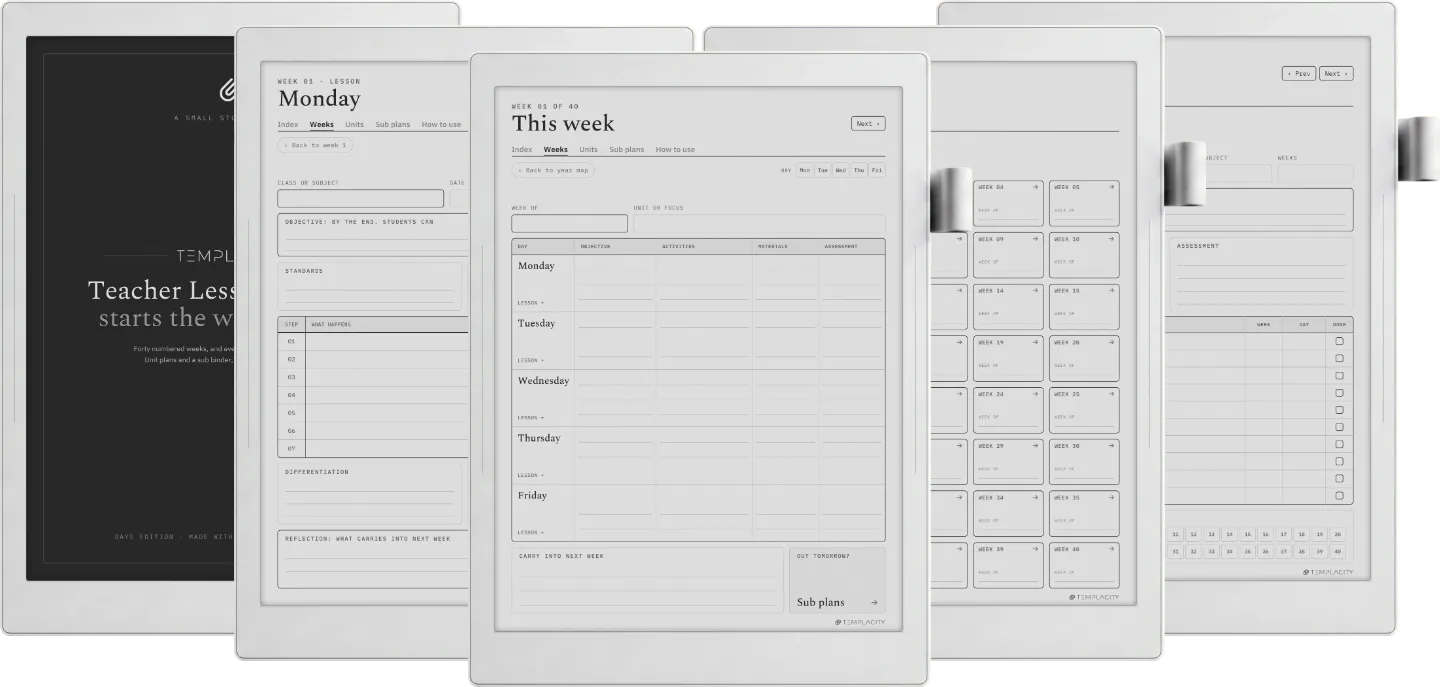
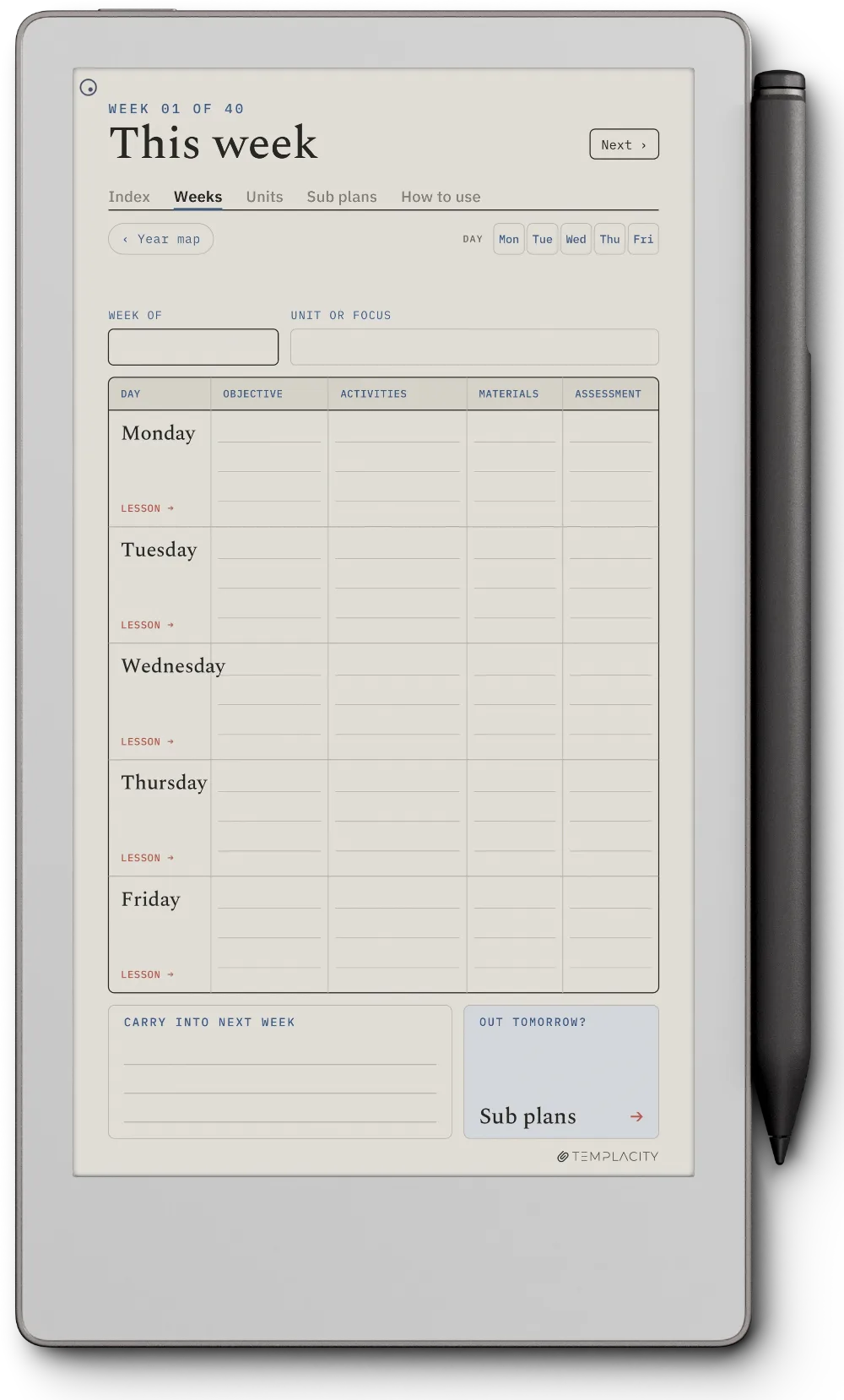
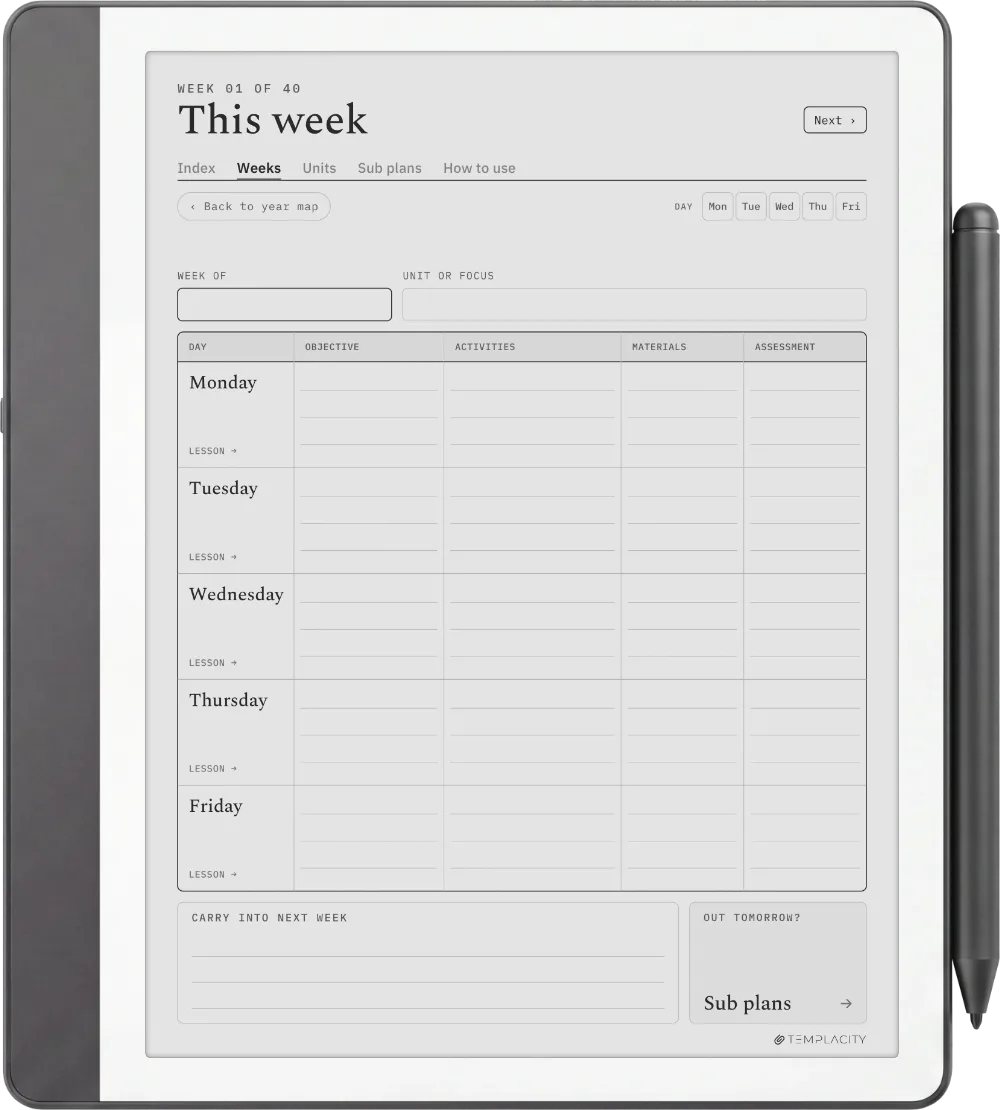
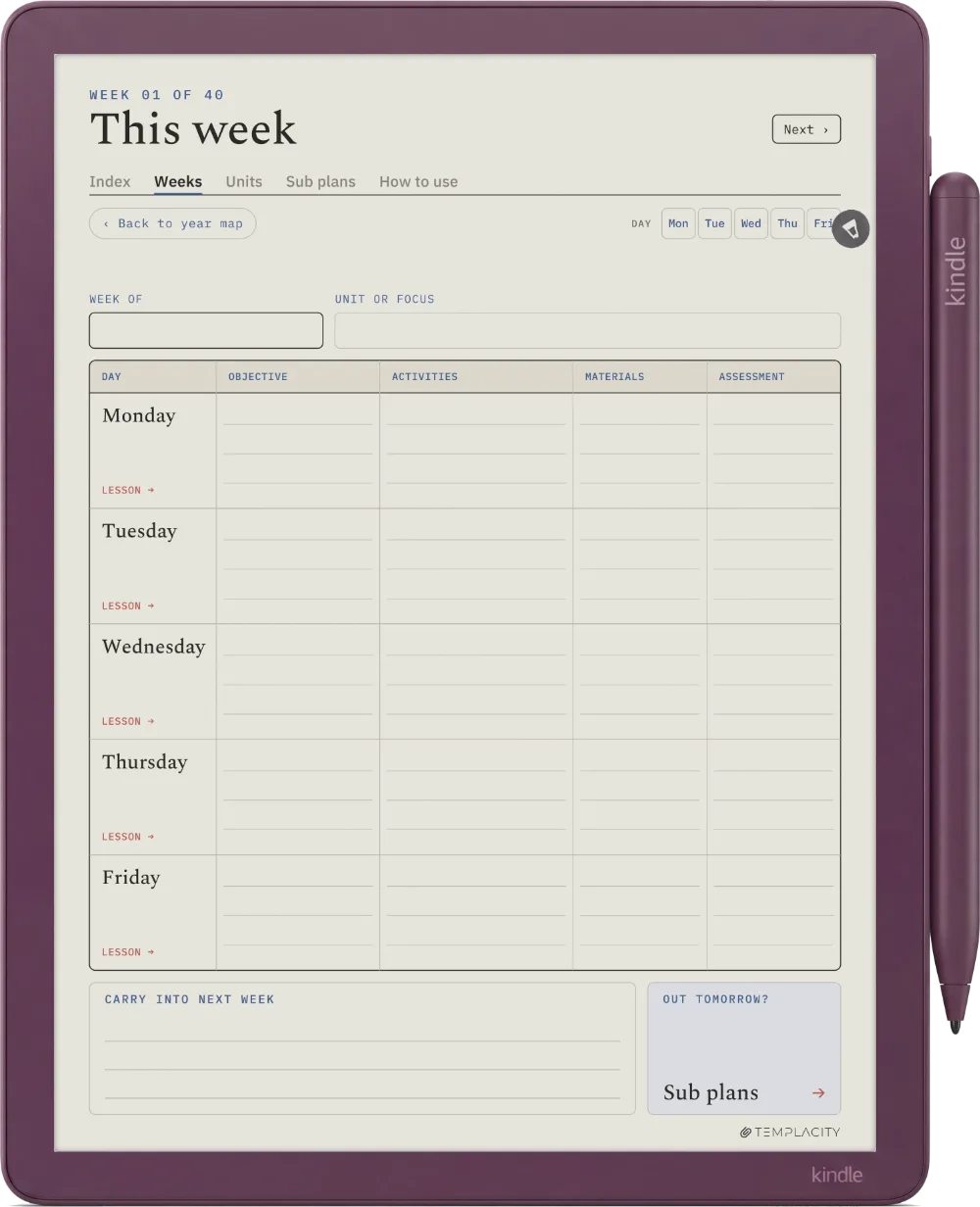
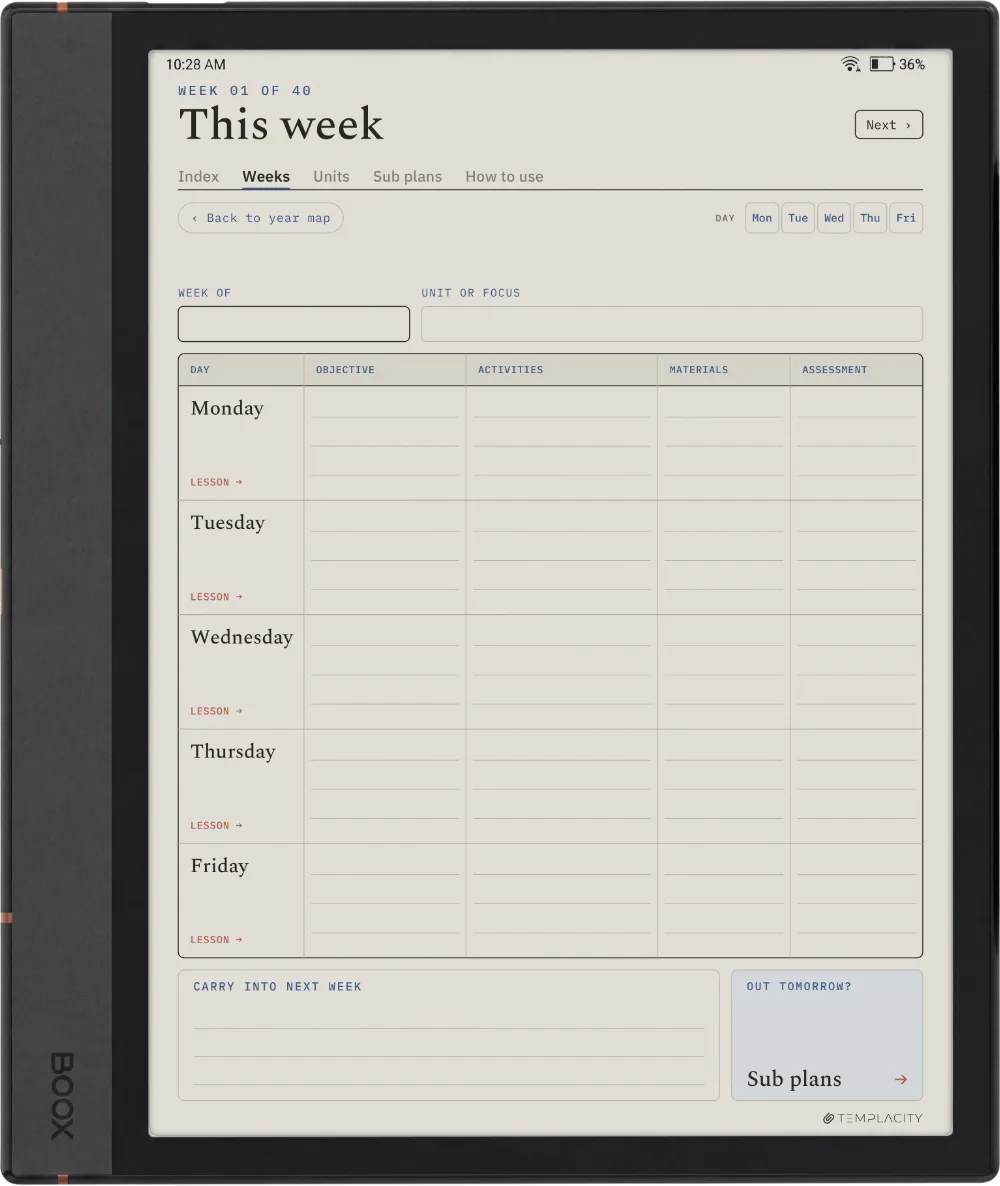
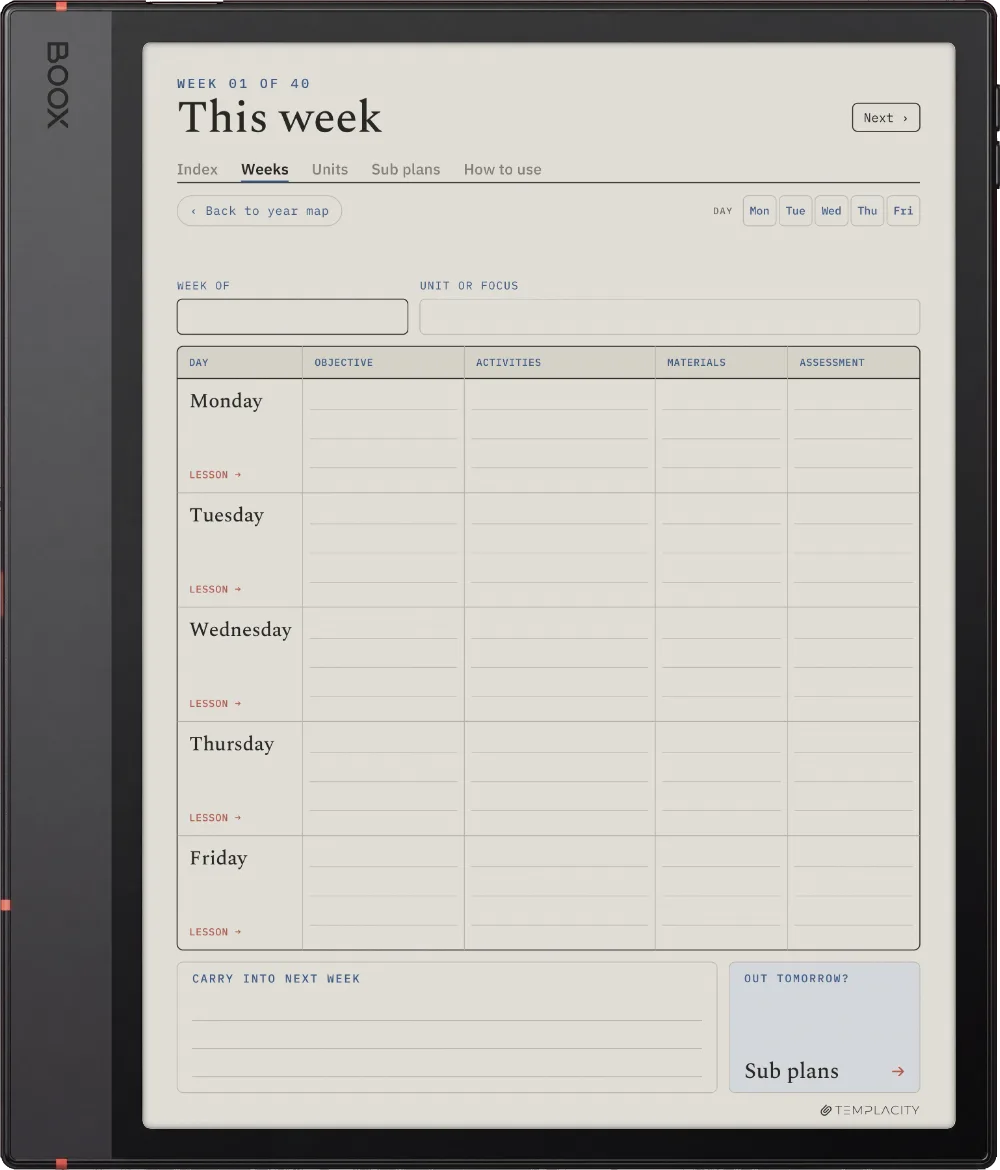
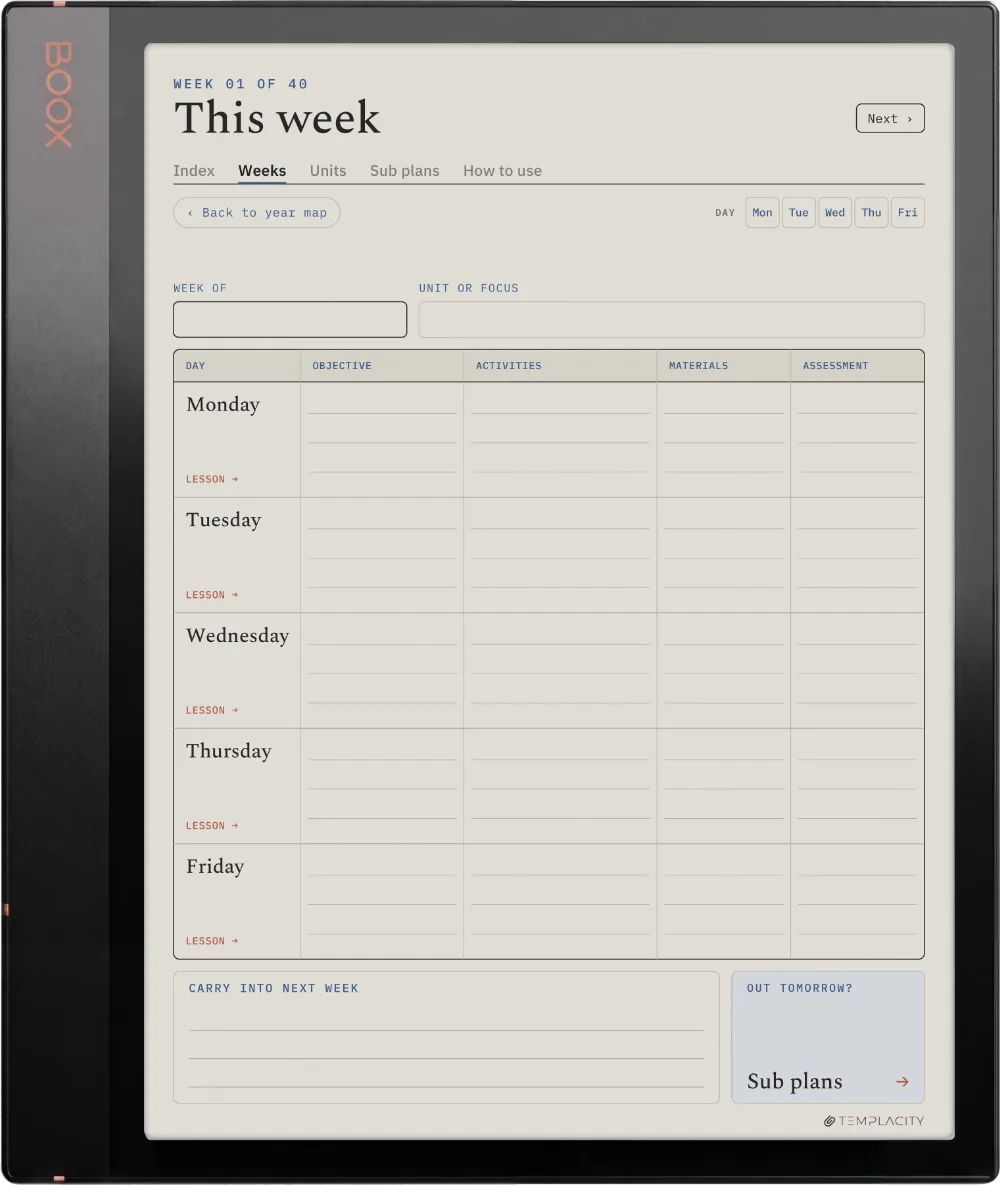
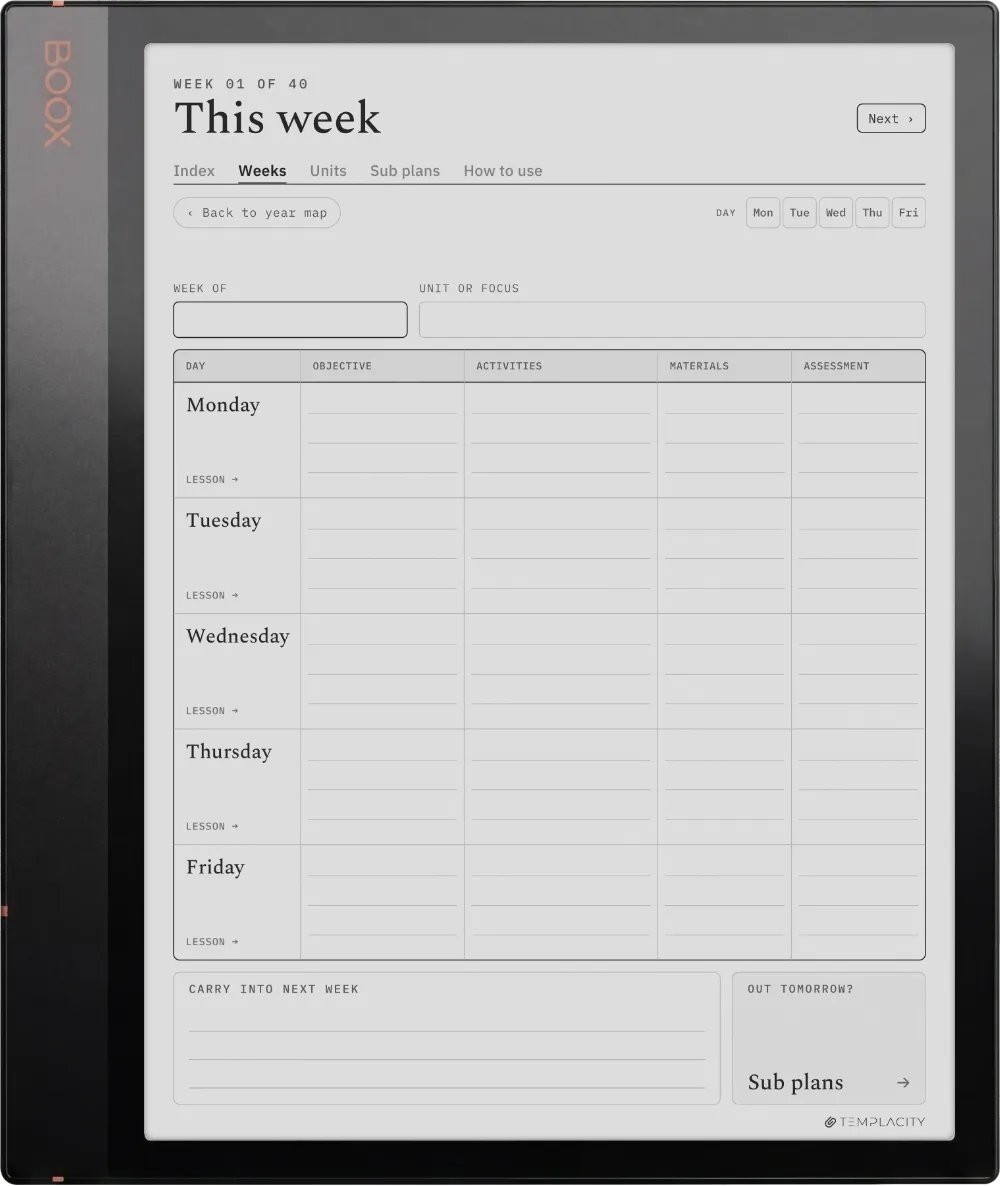
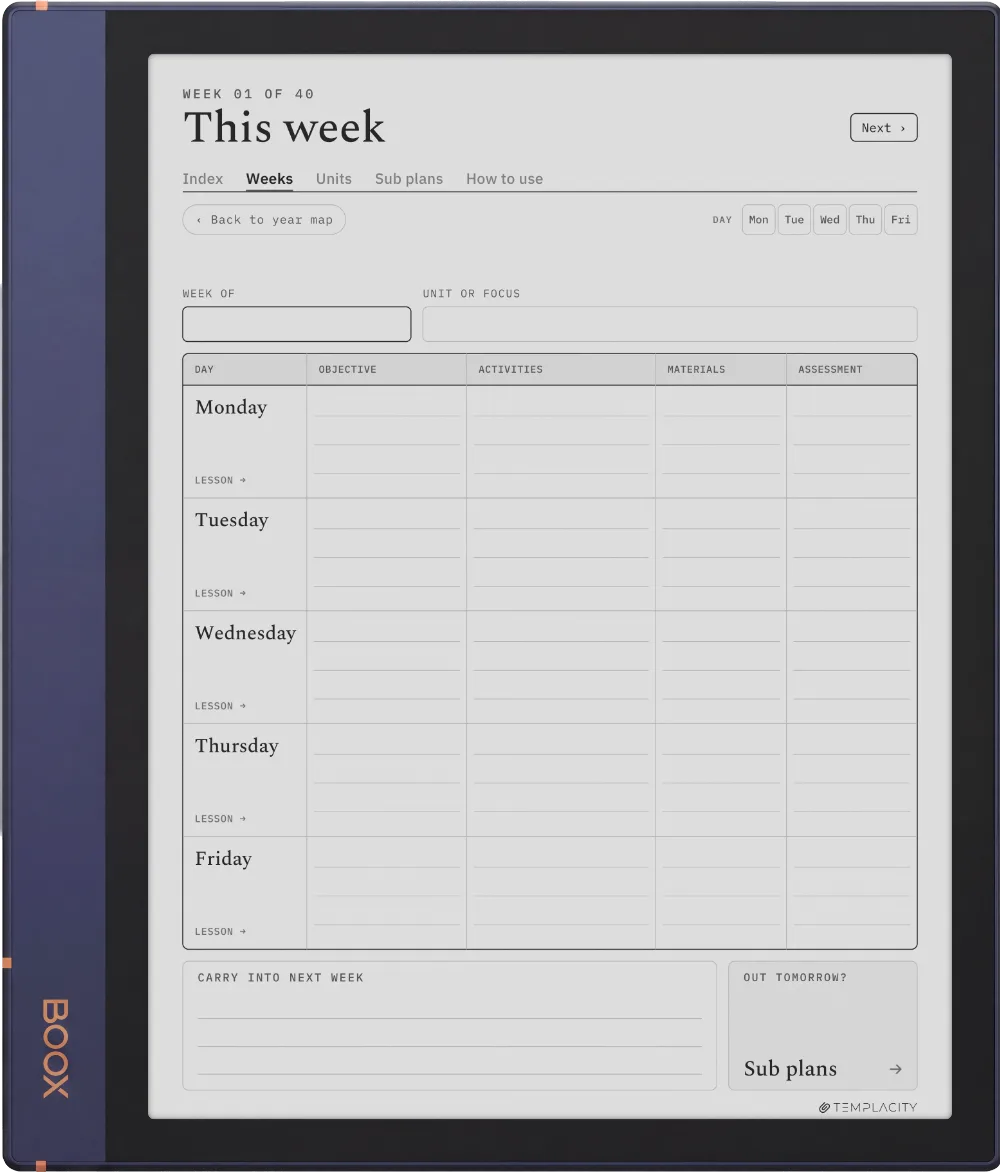
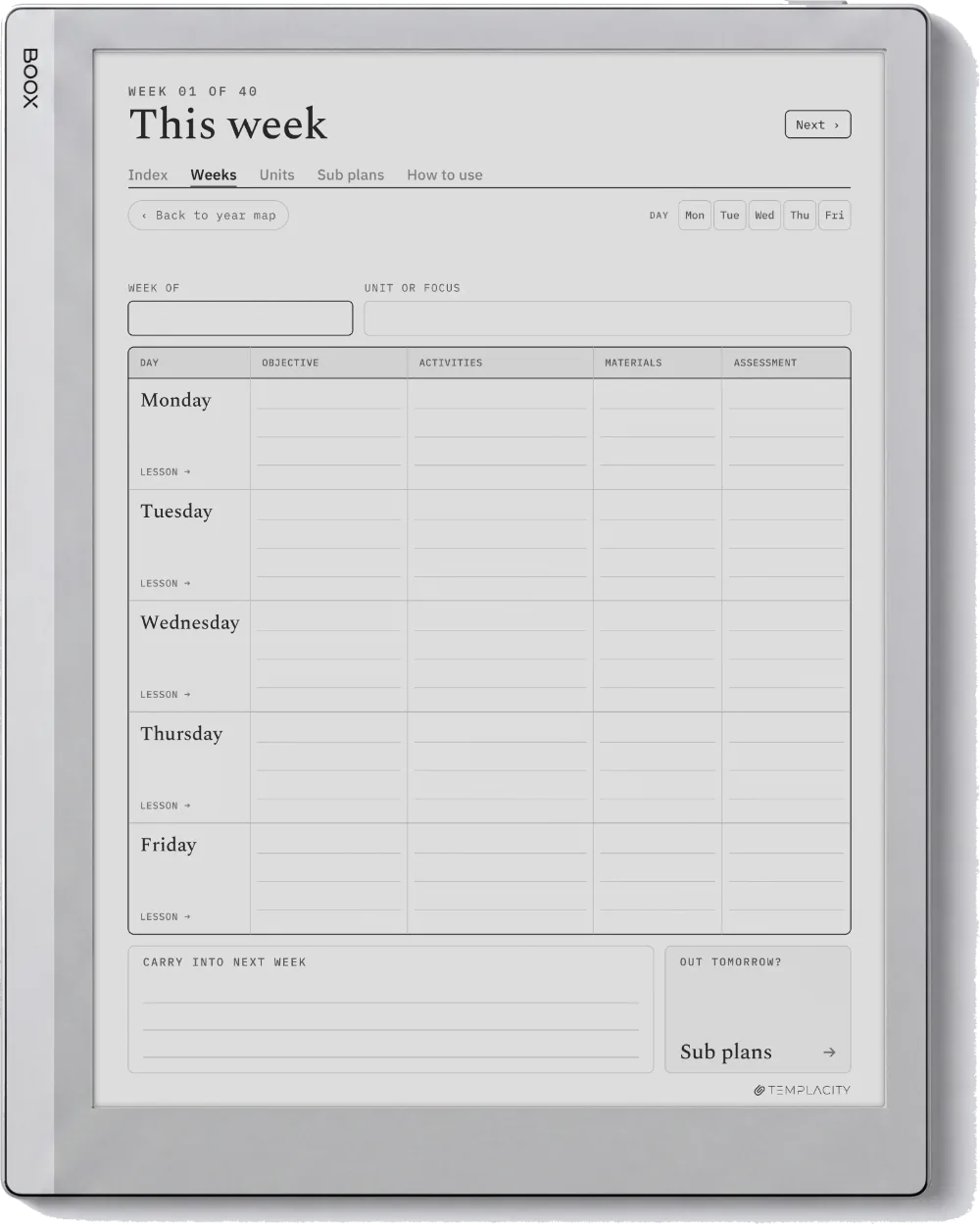
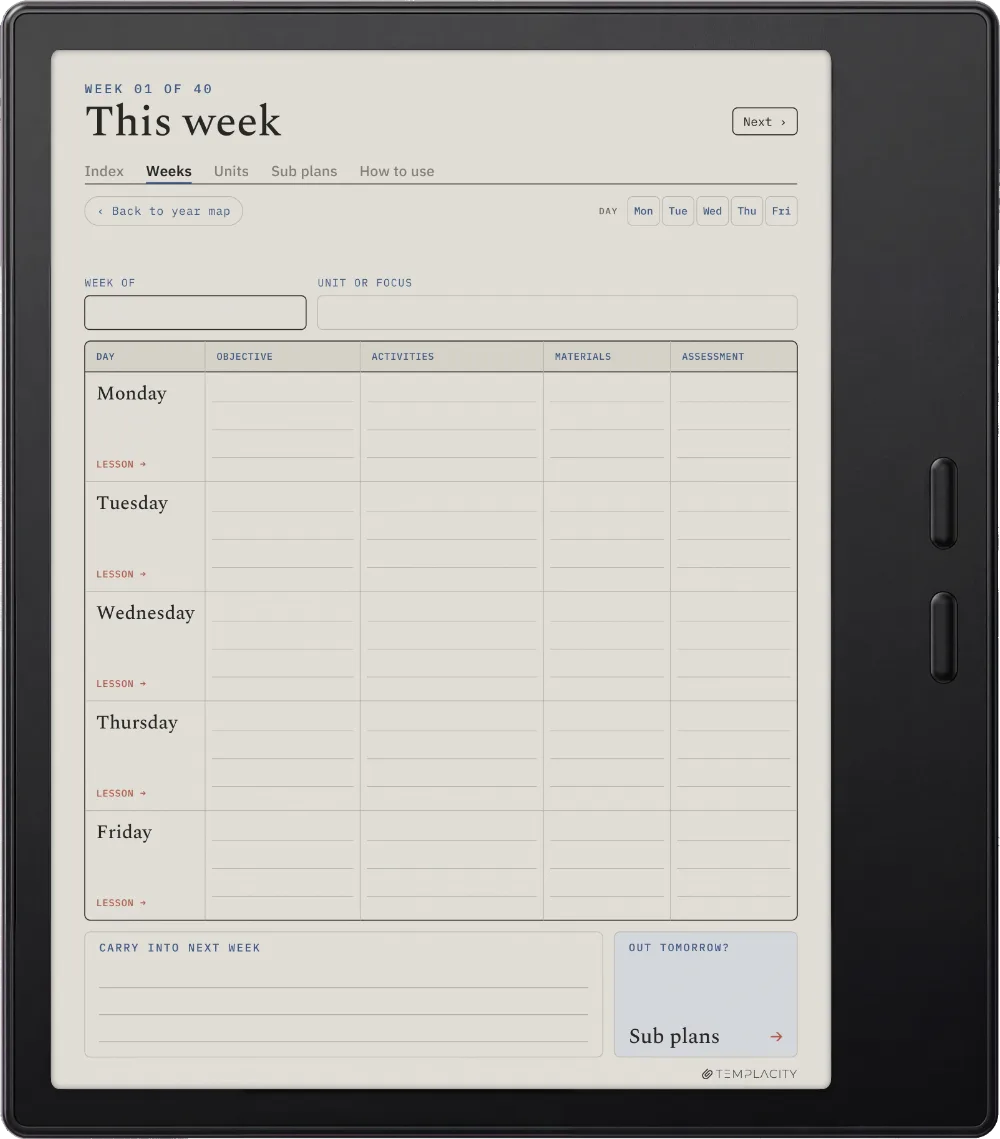
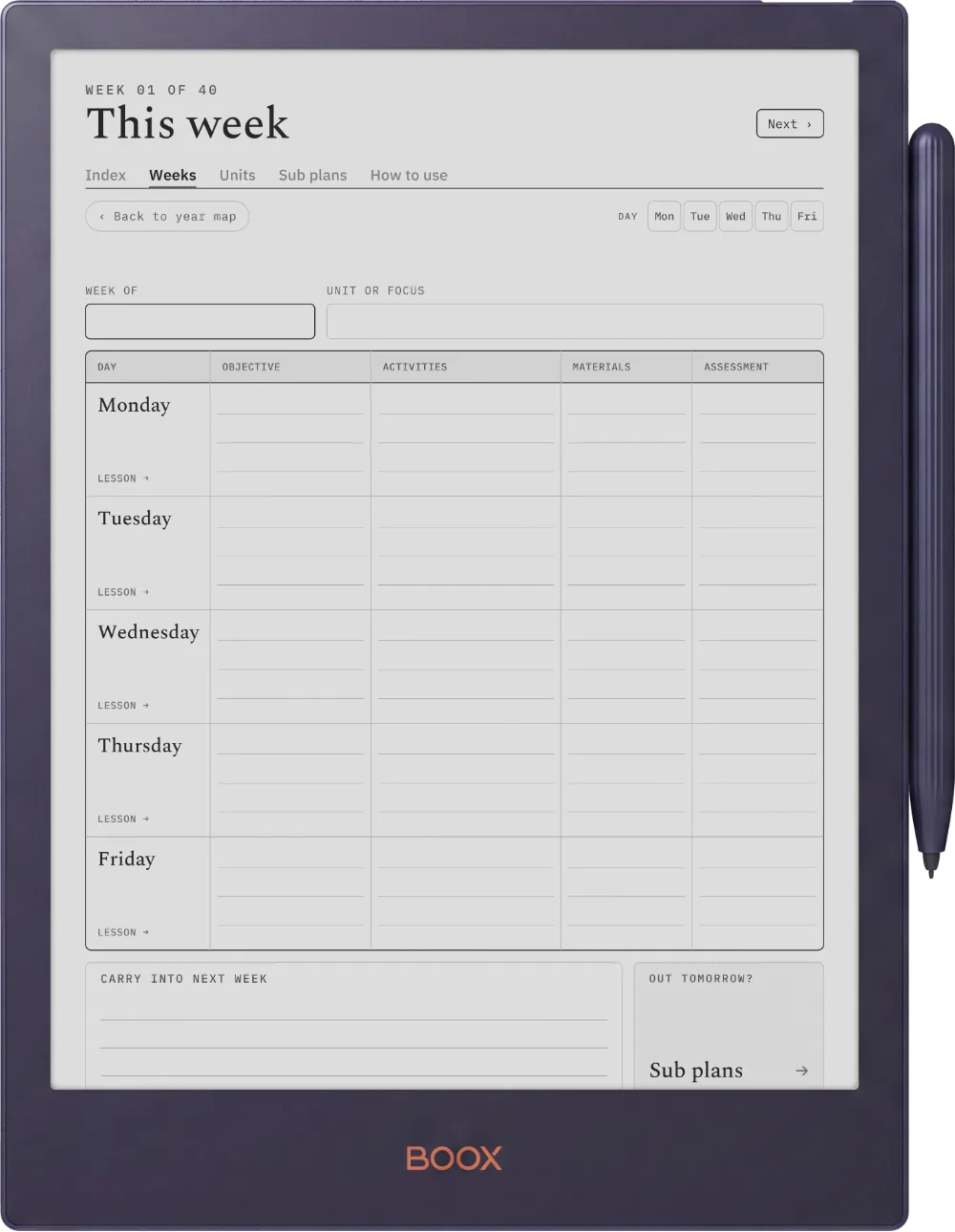
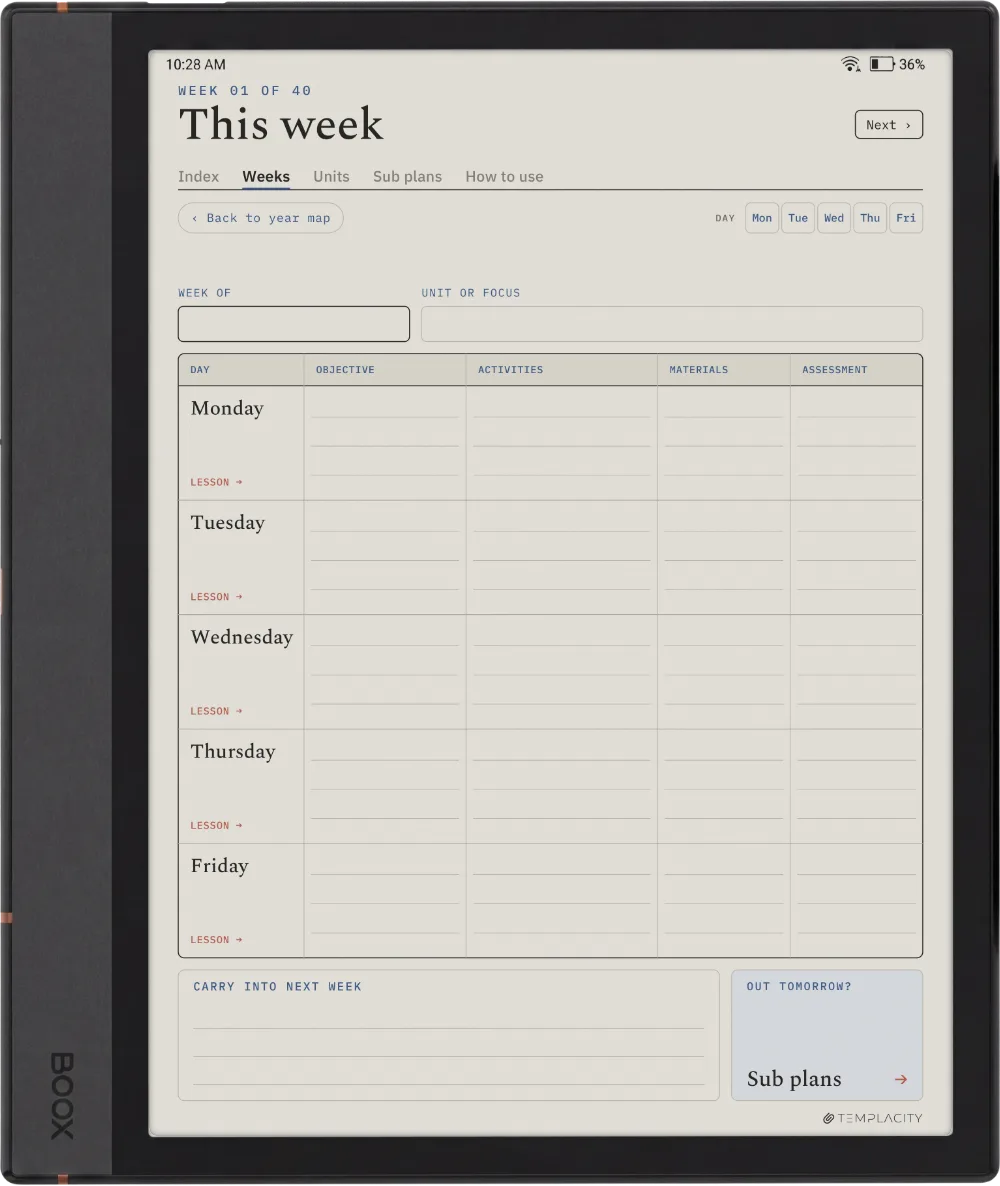
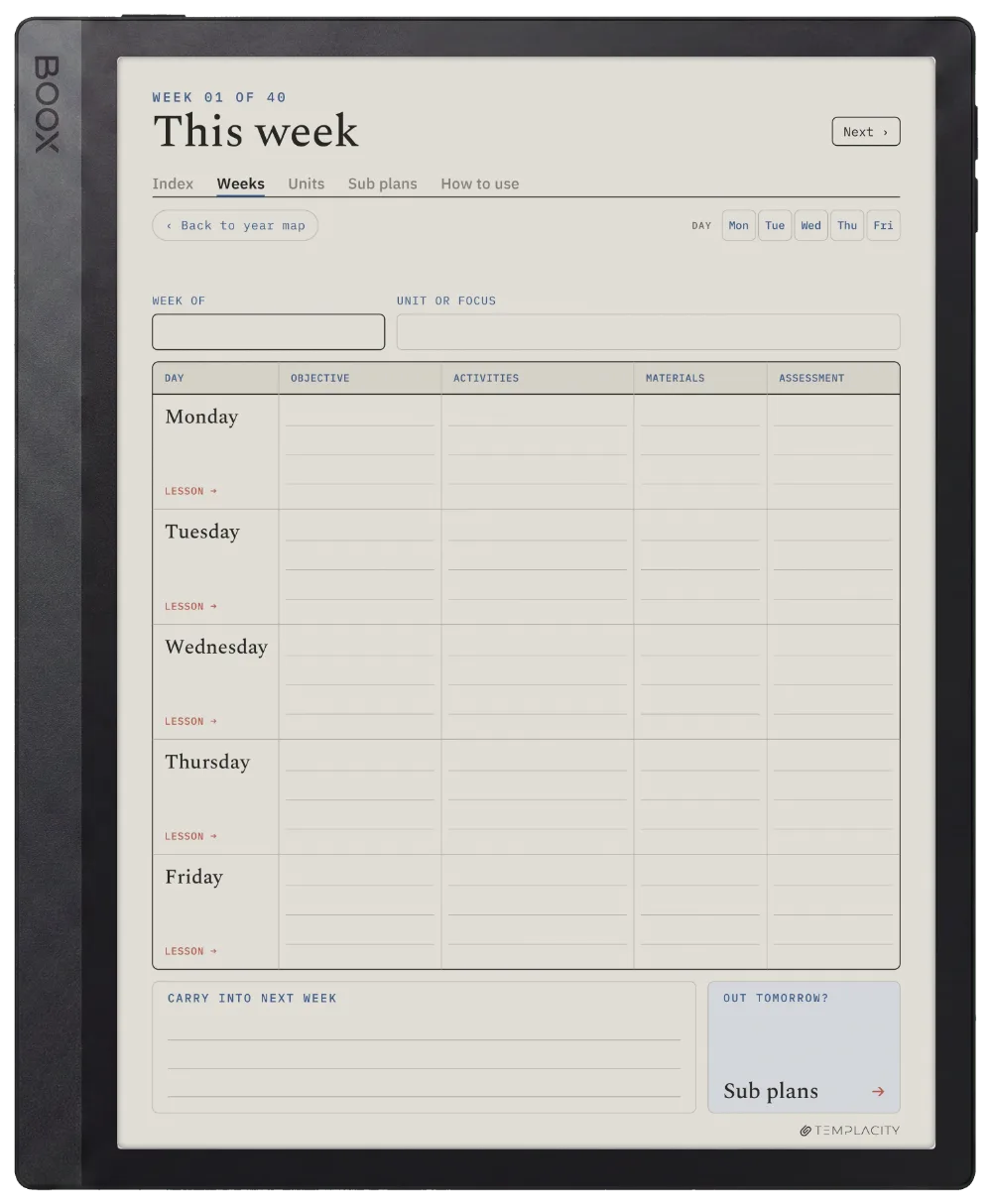
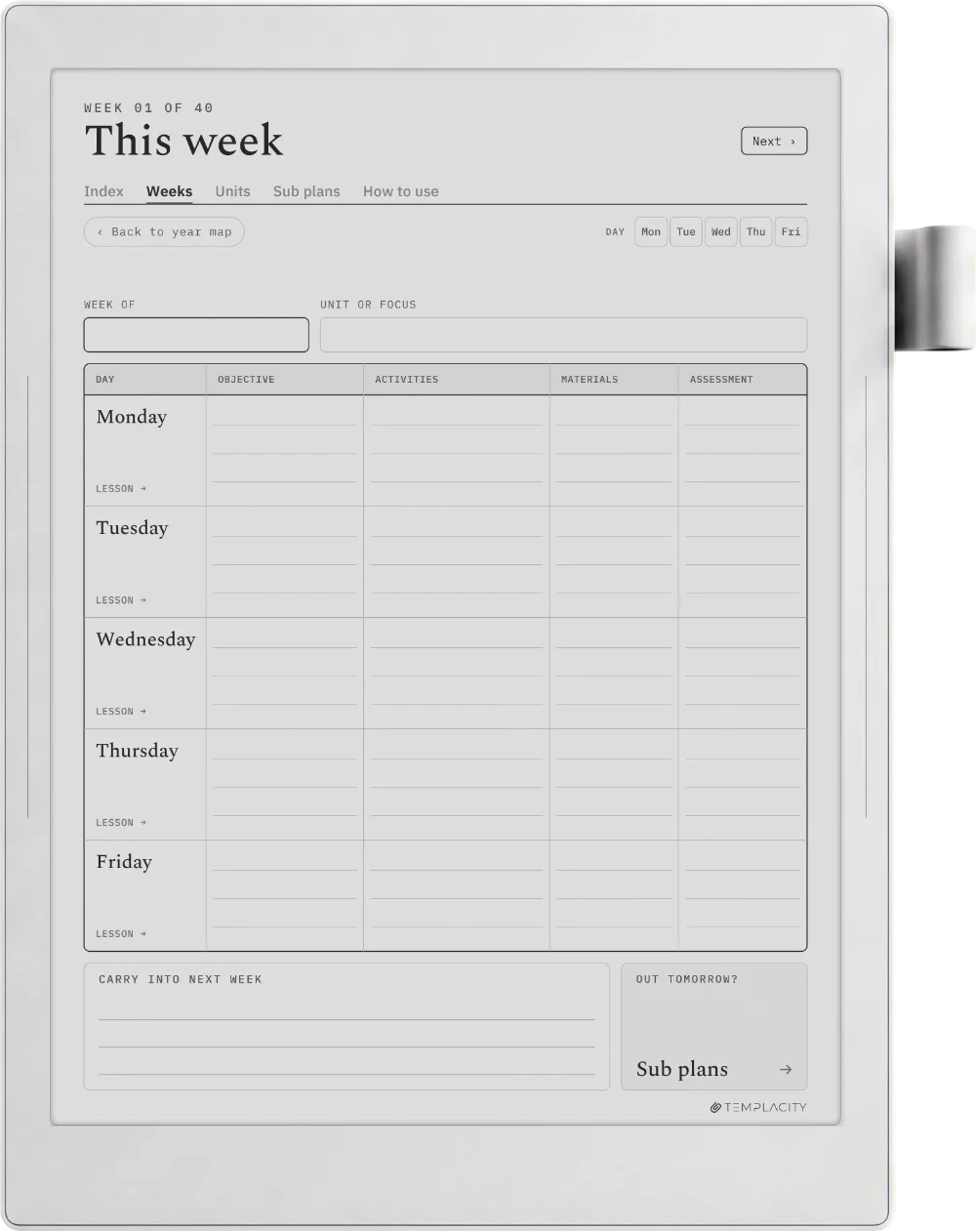
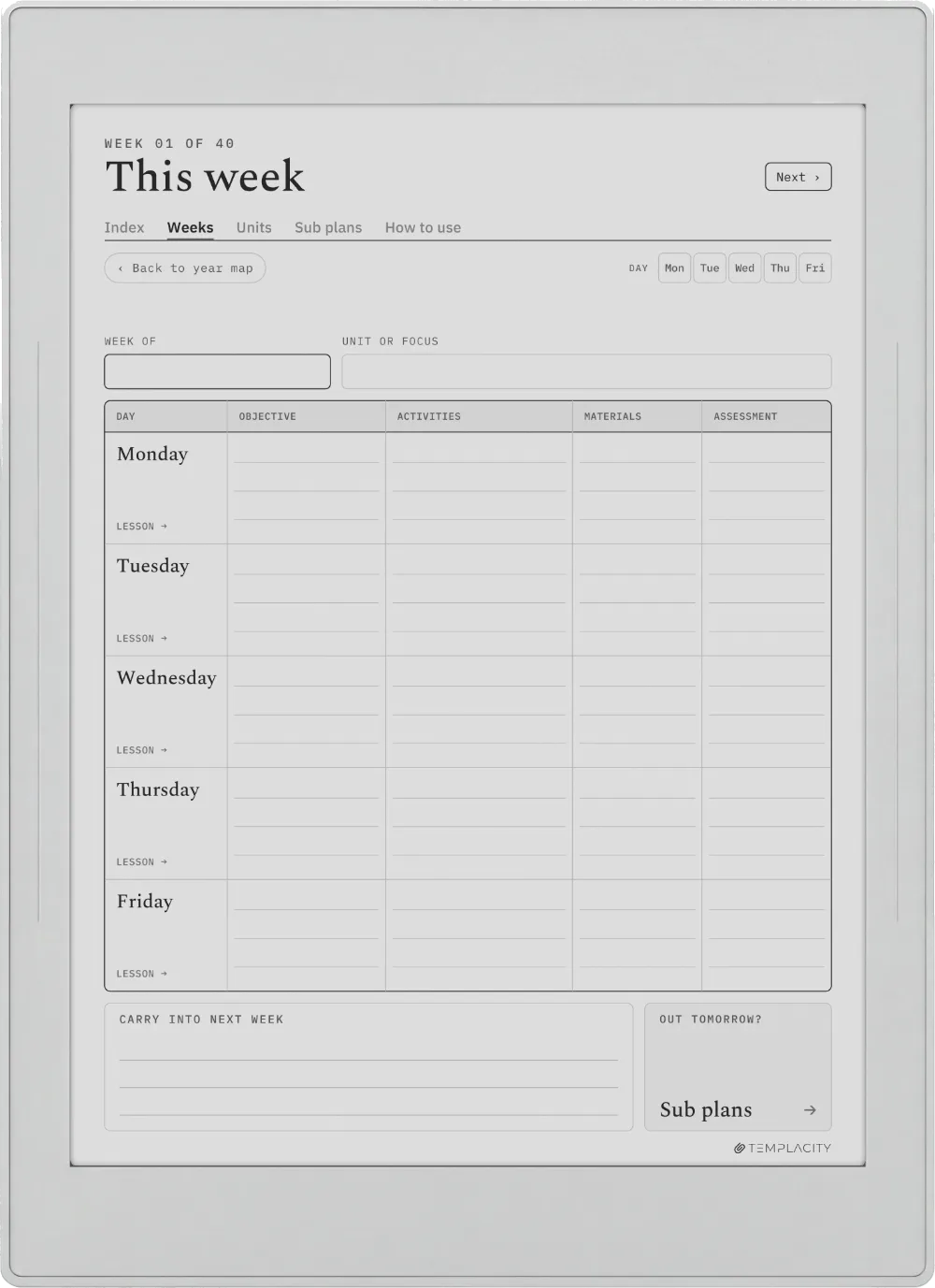
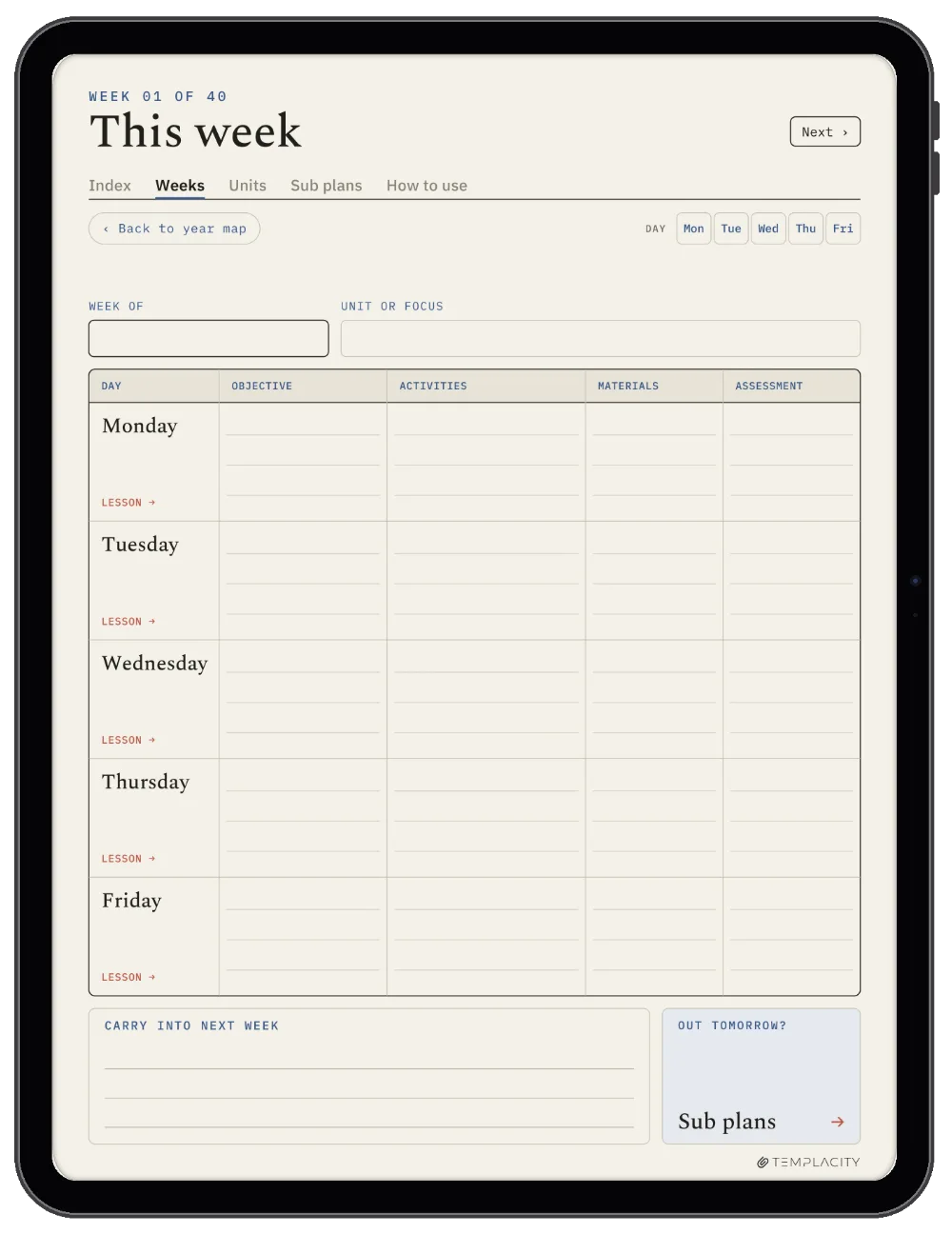
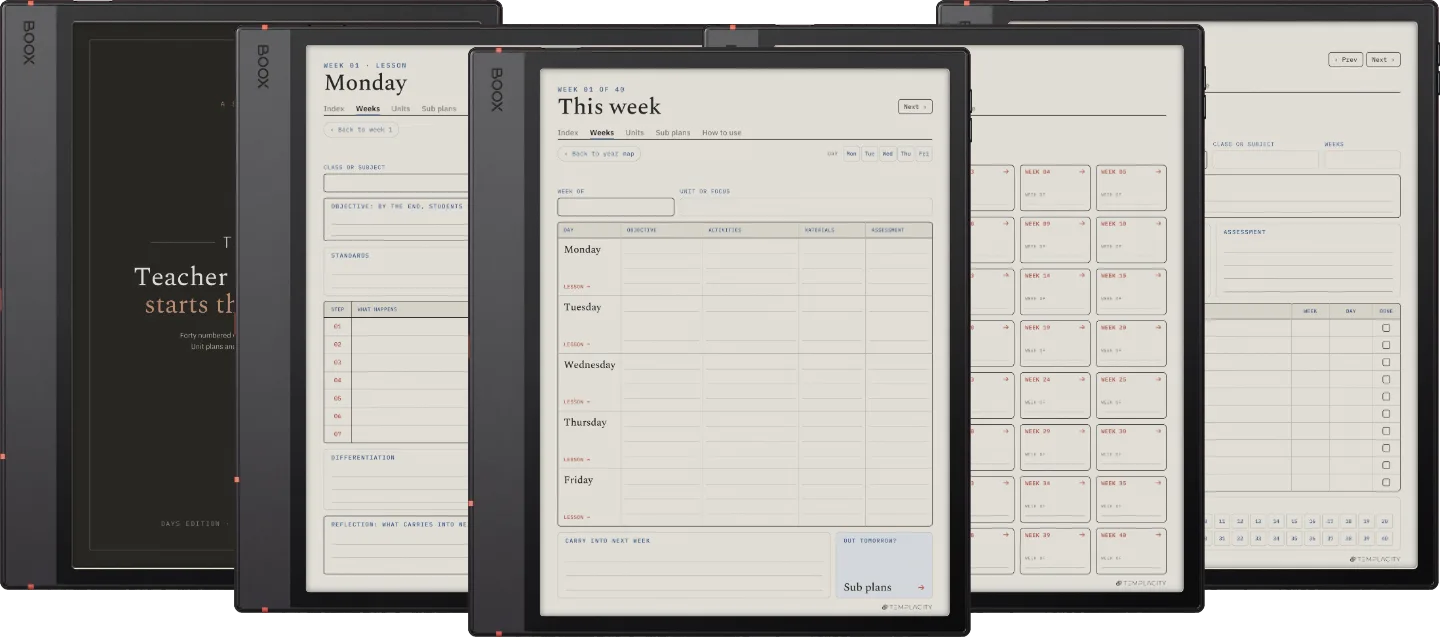
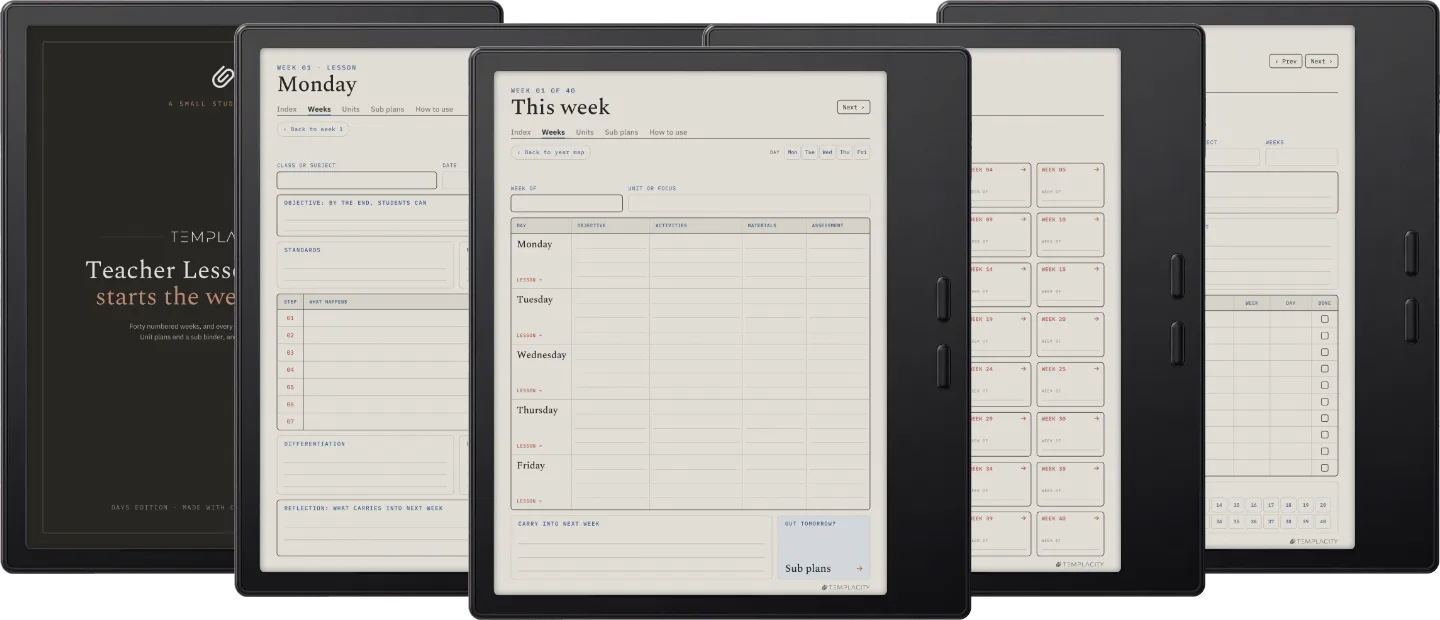
An objective, activities, materials and assessment for each day, with a button to that day's lesson and a line for what carries into next week.
The Planner The Week
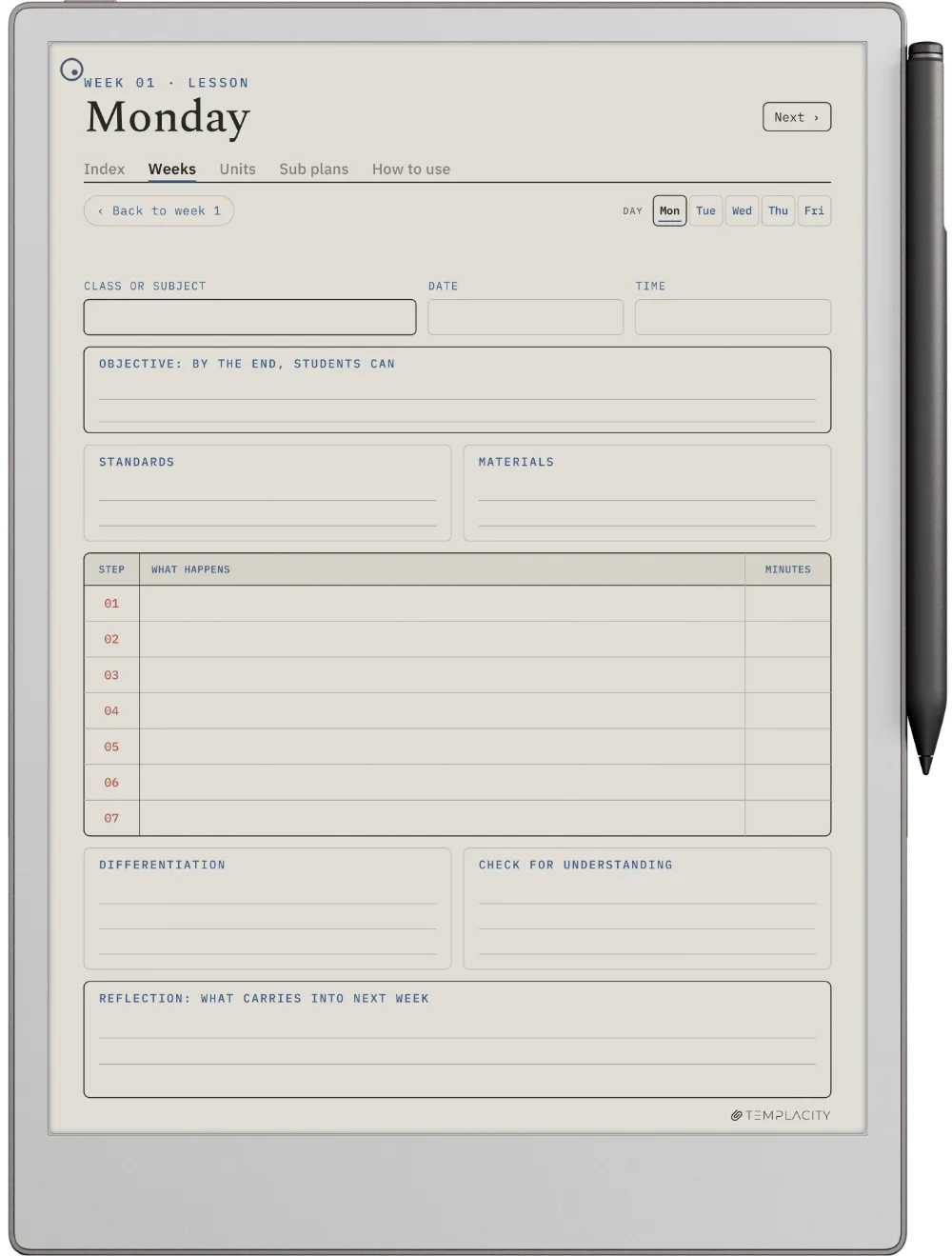
The Lesson

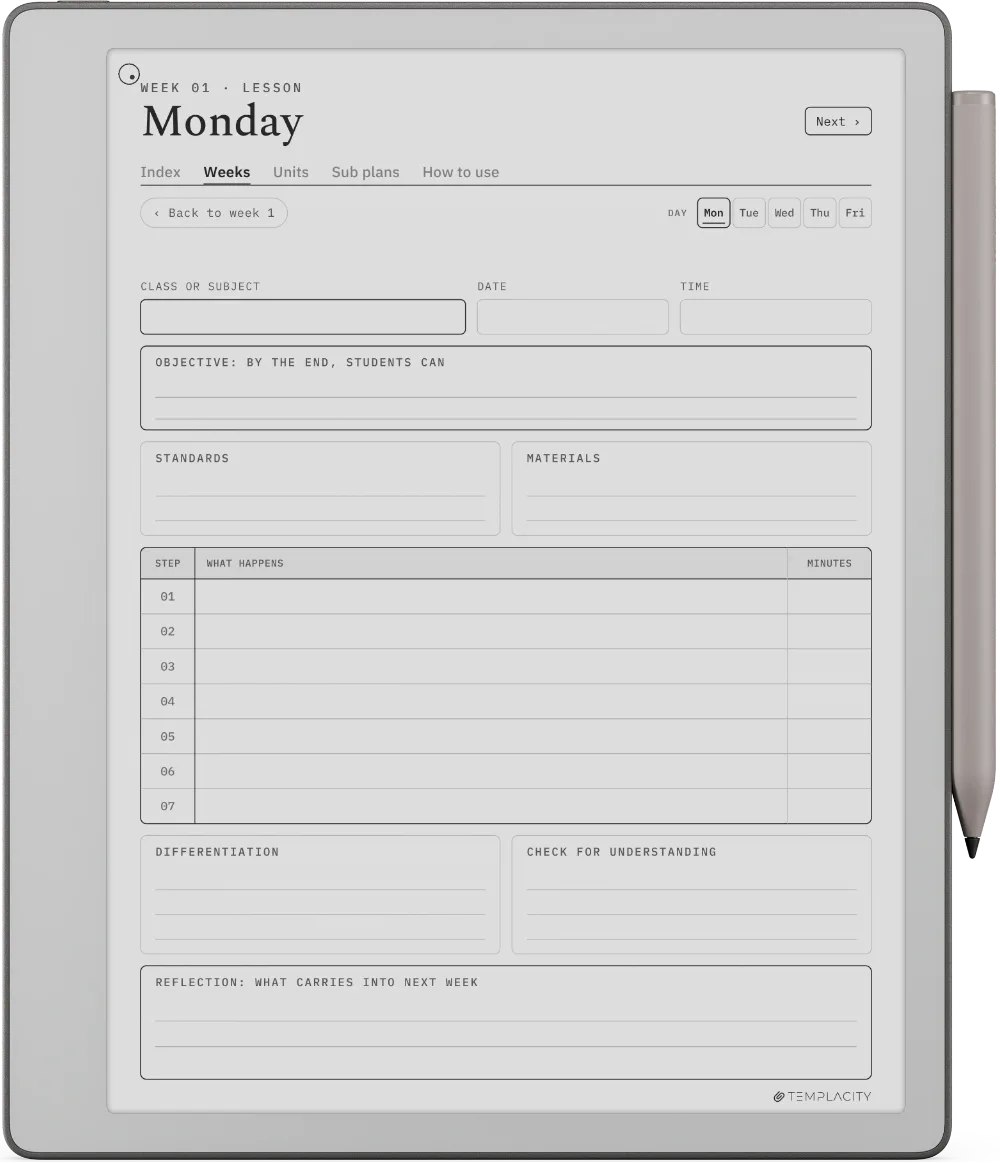
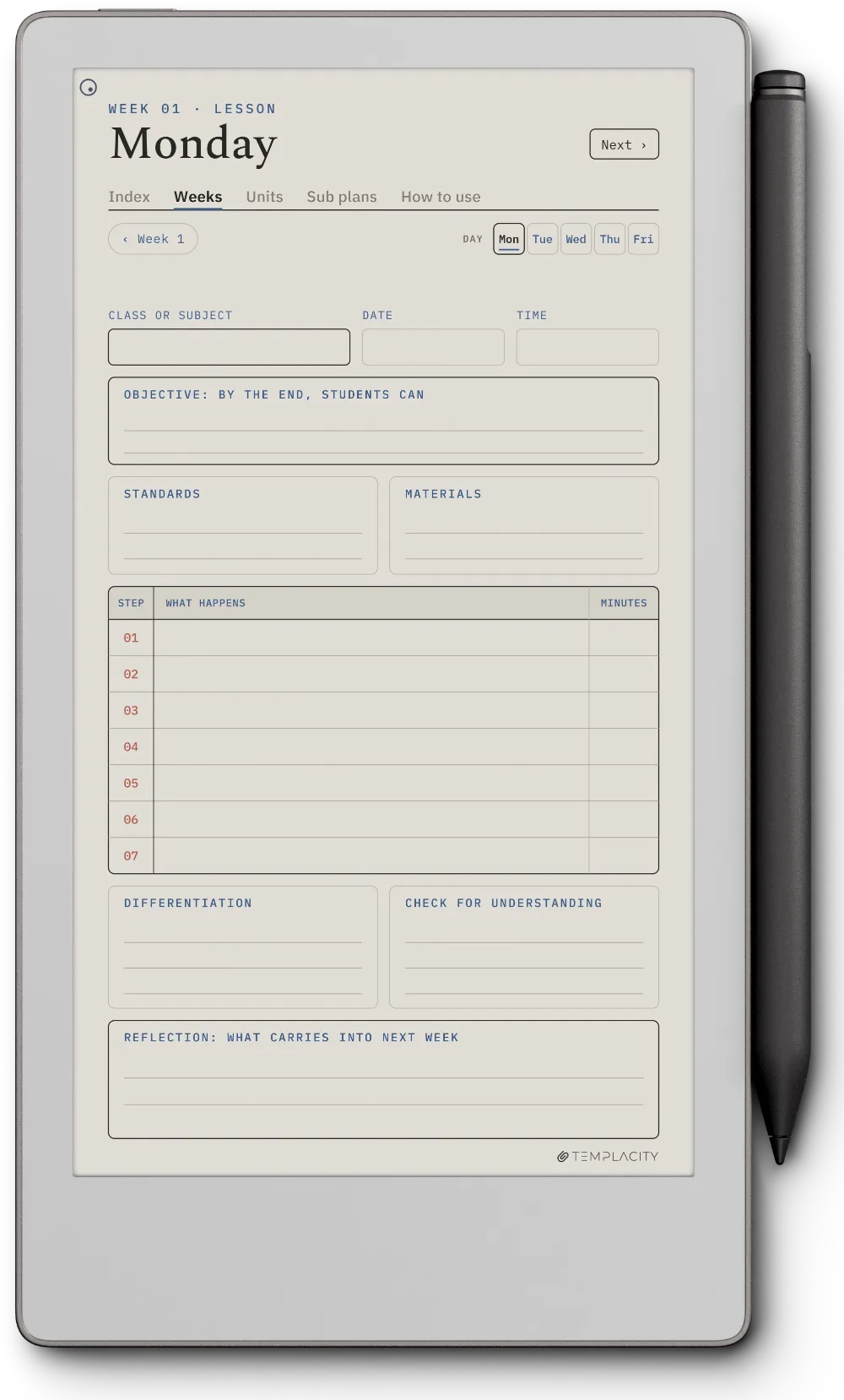
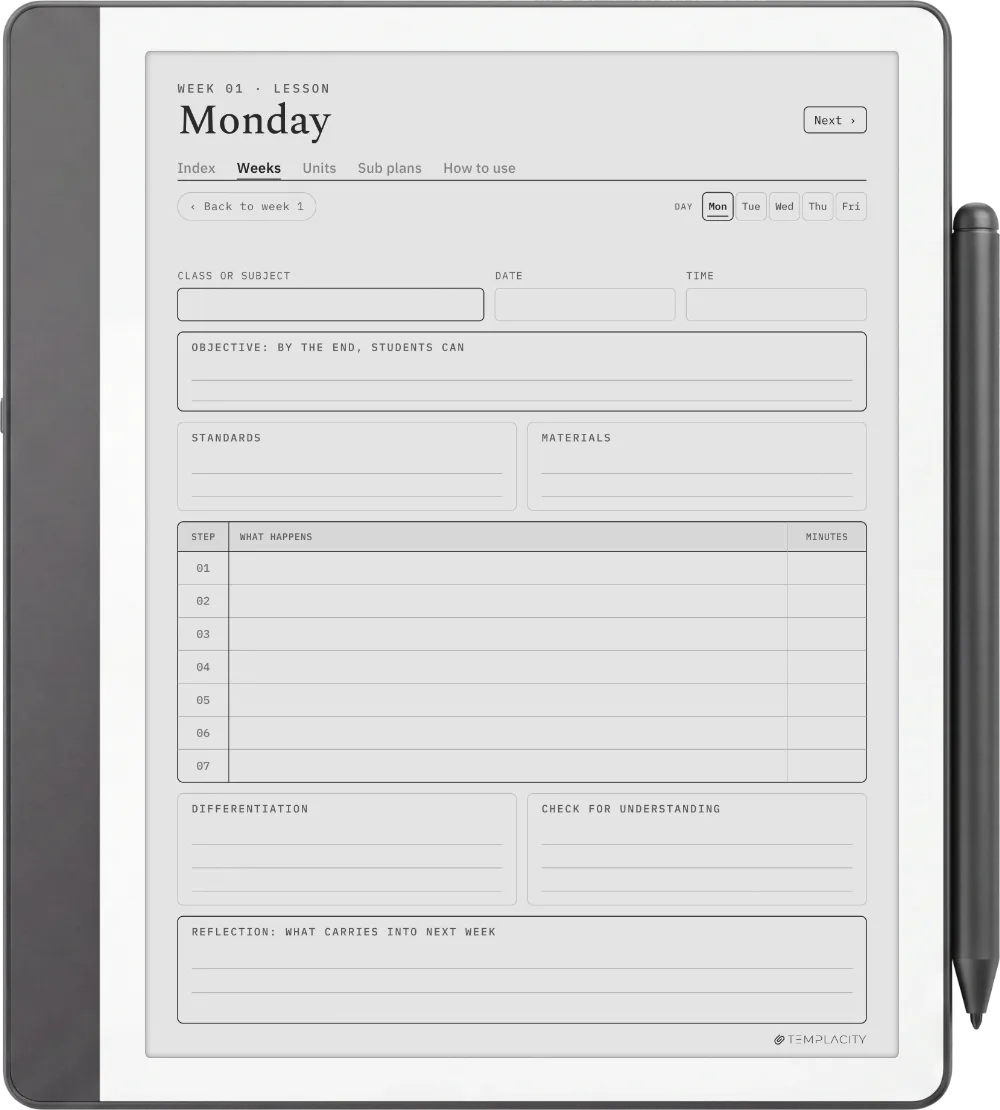
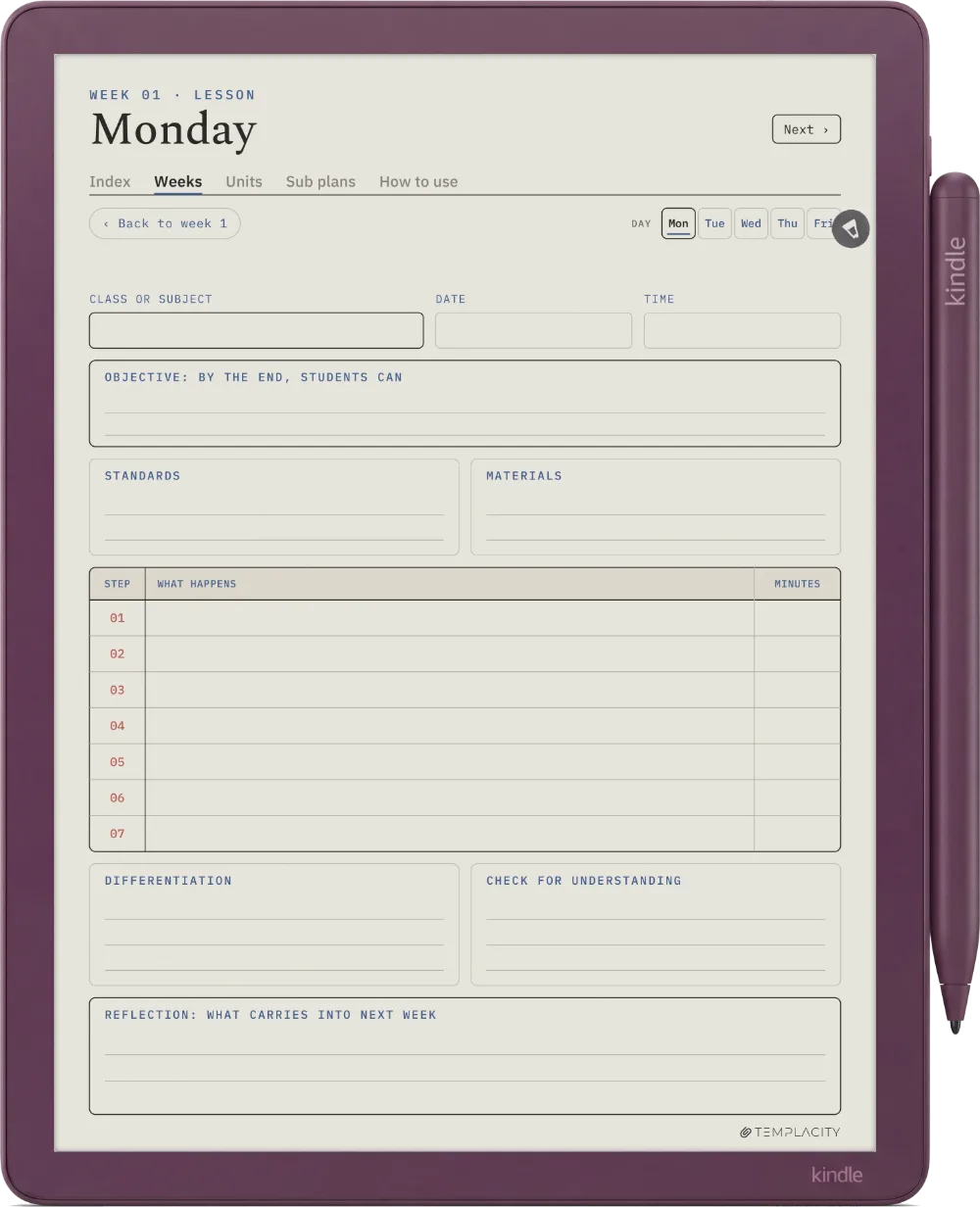
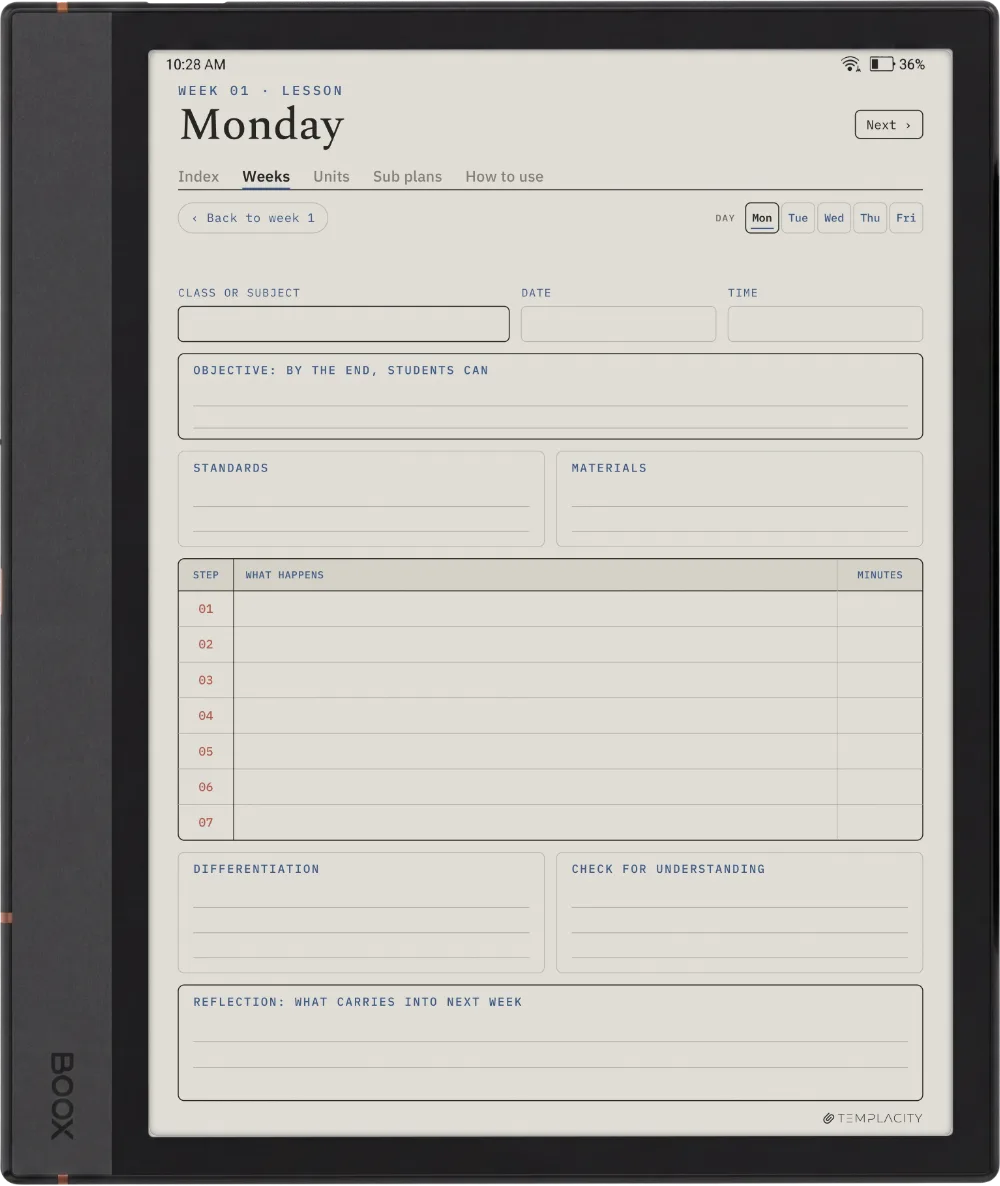
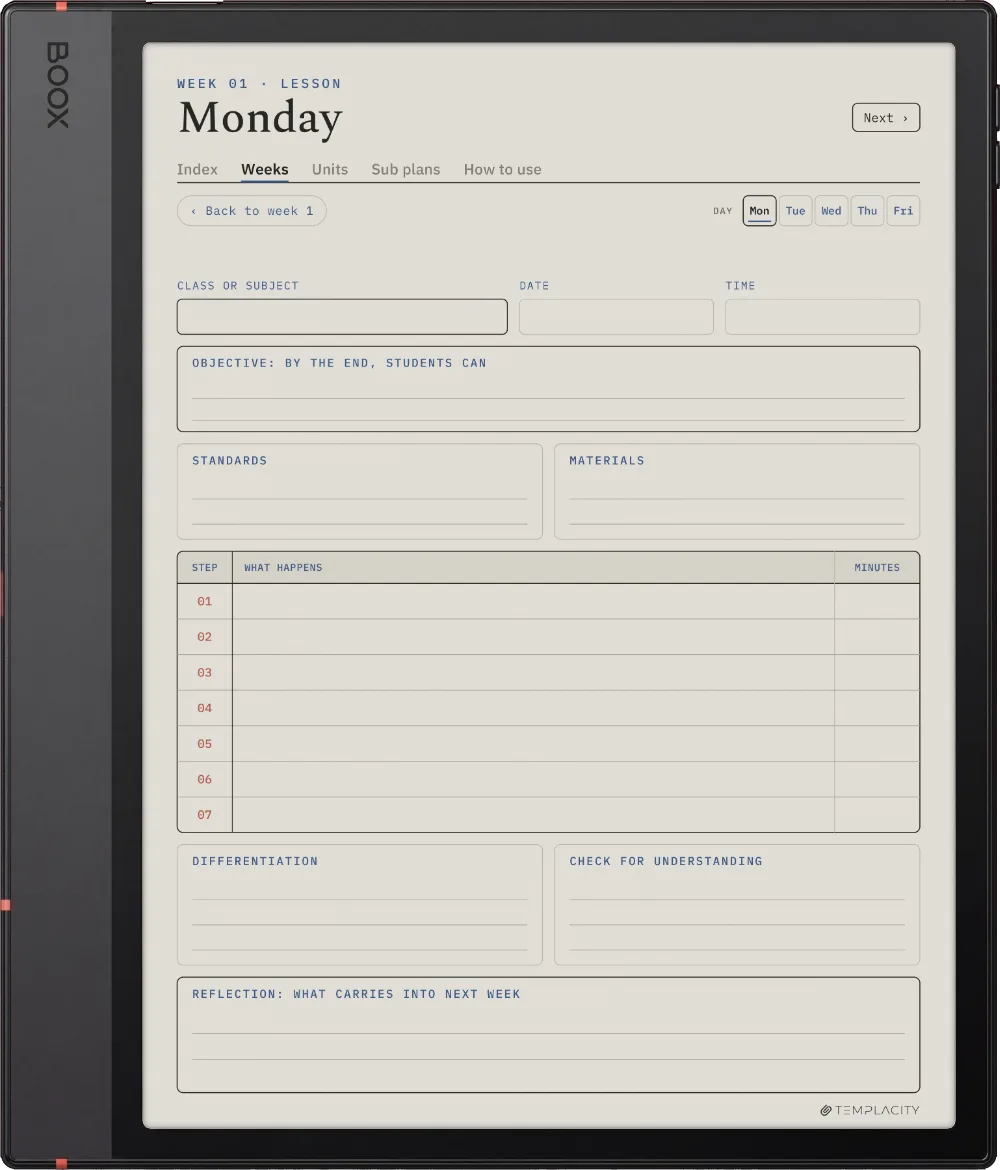
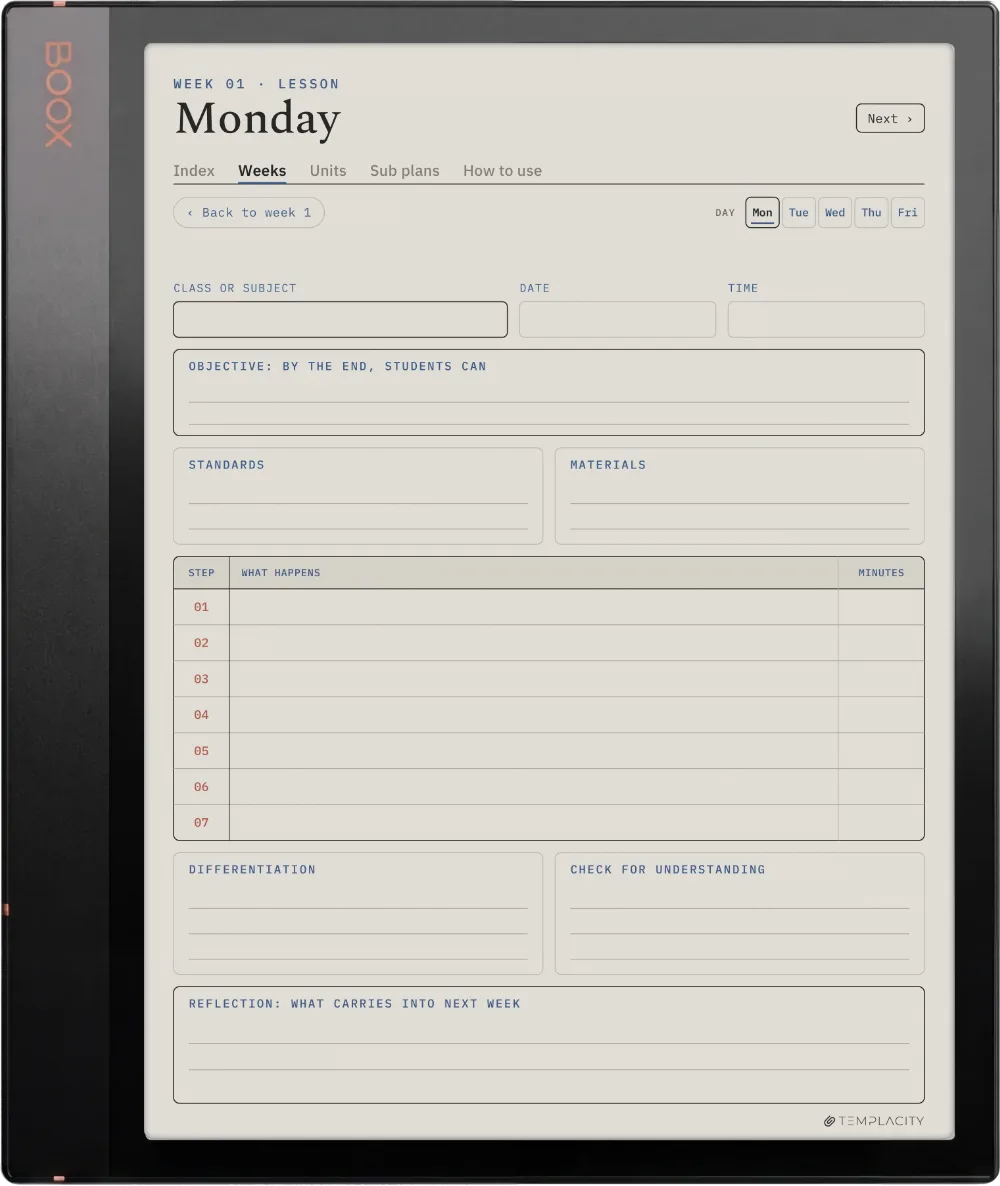
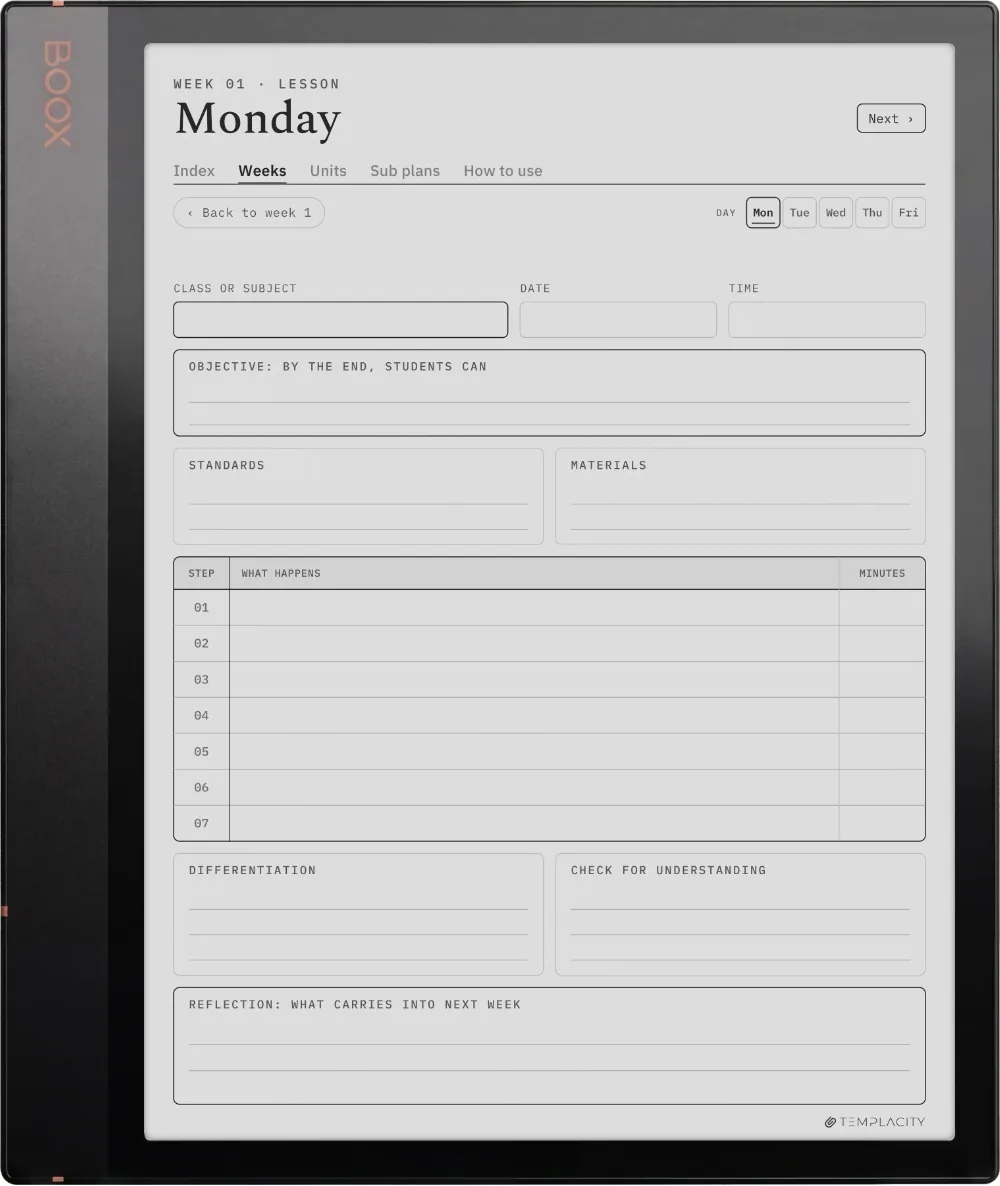
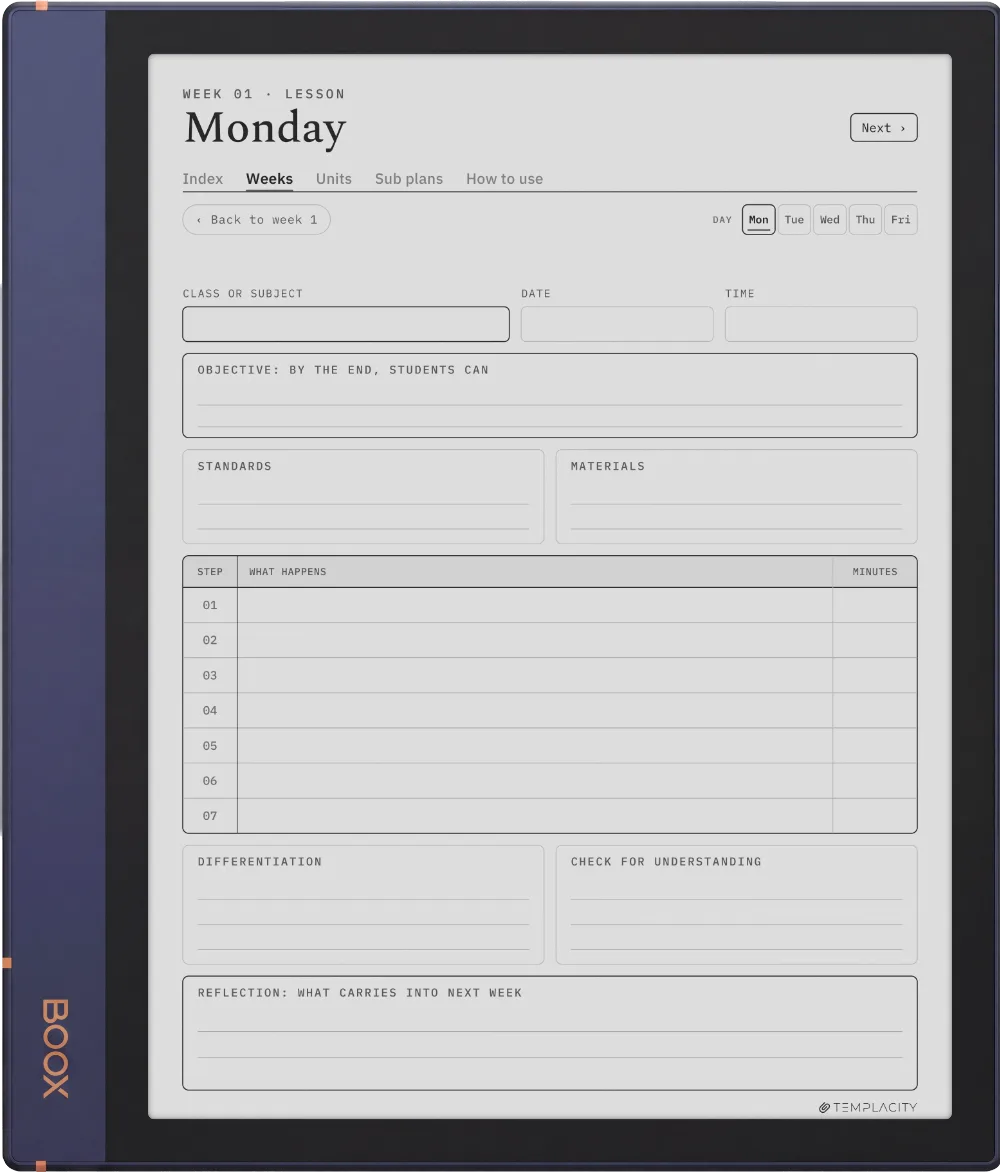
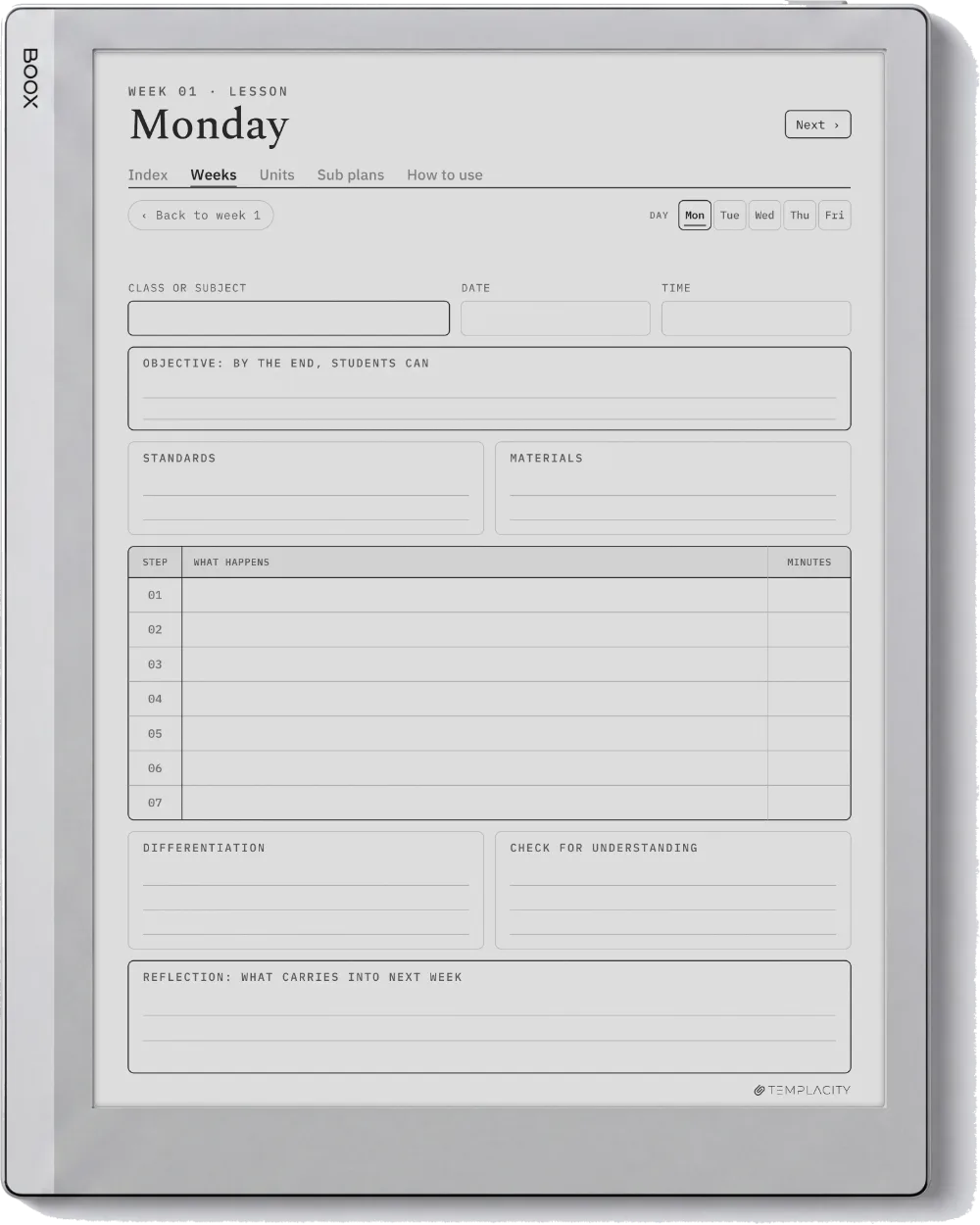
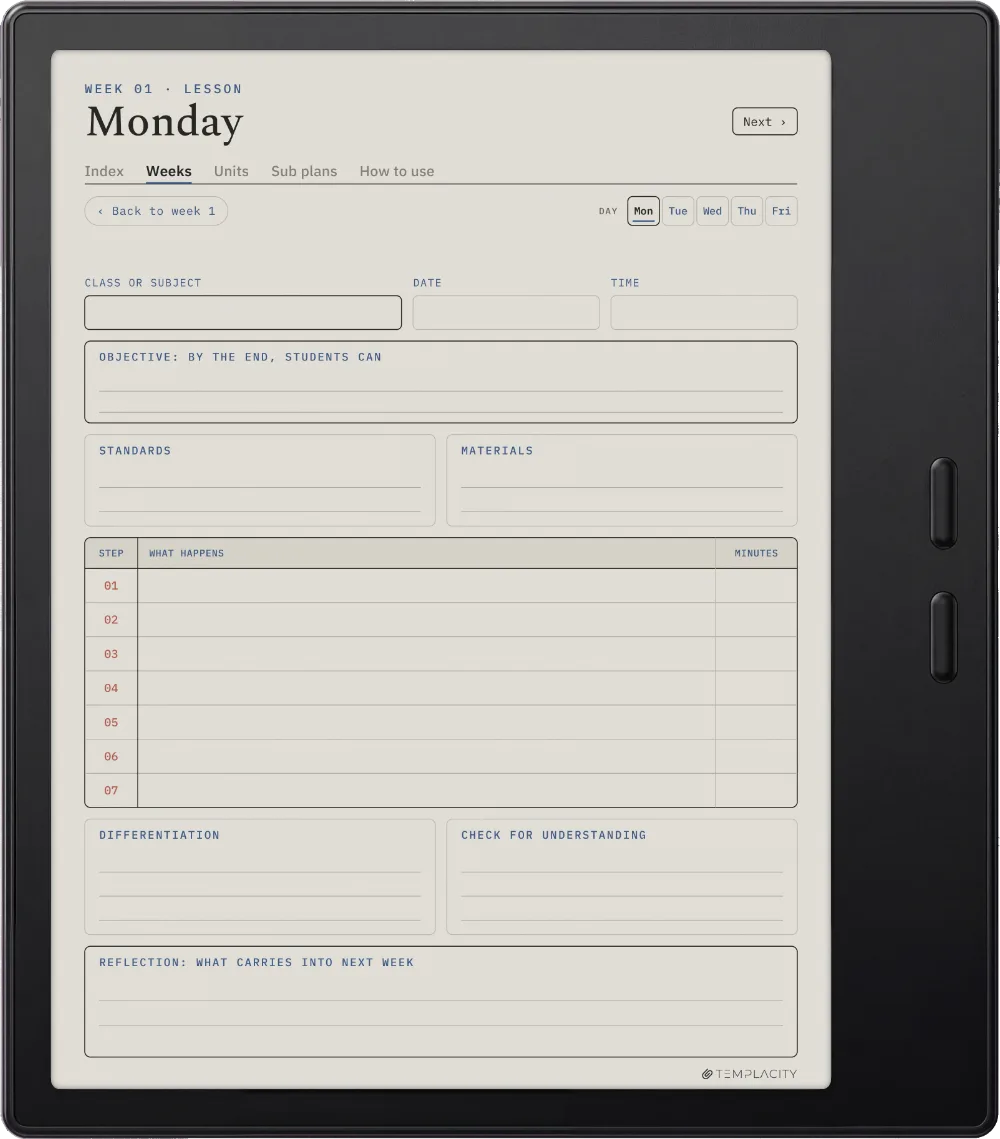
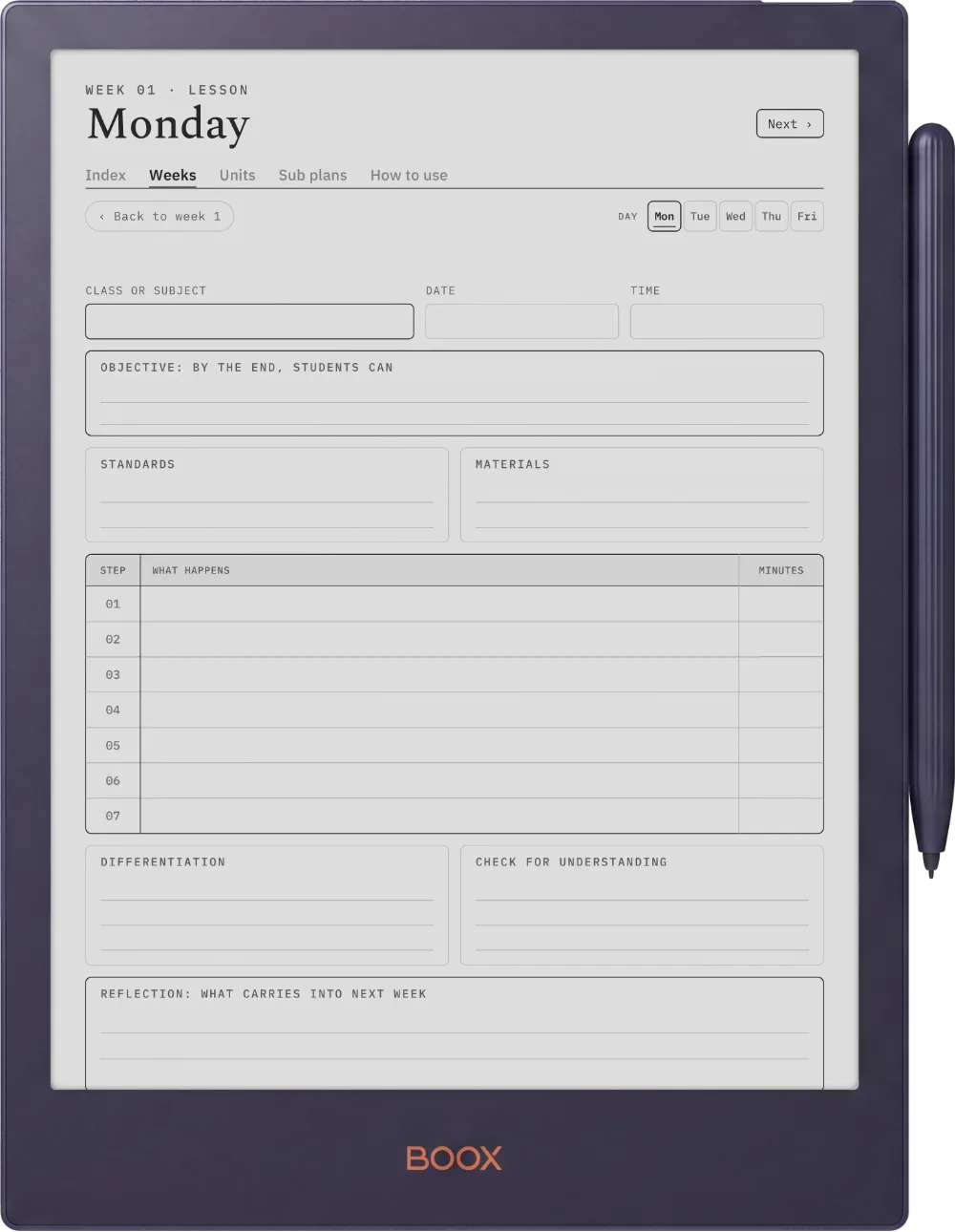
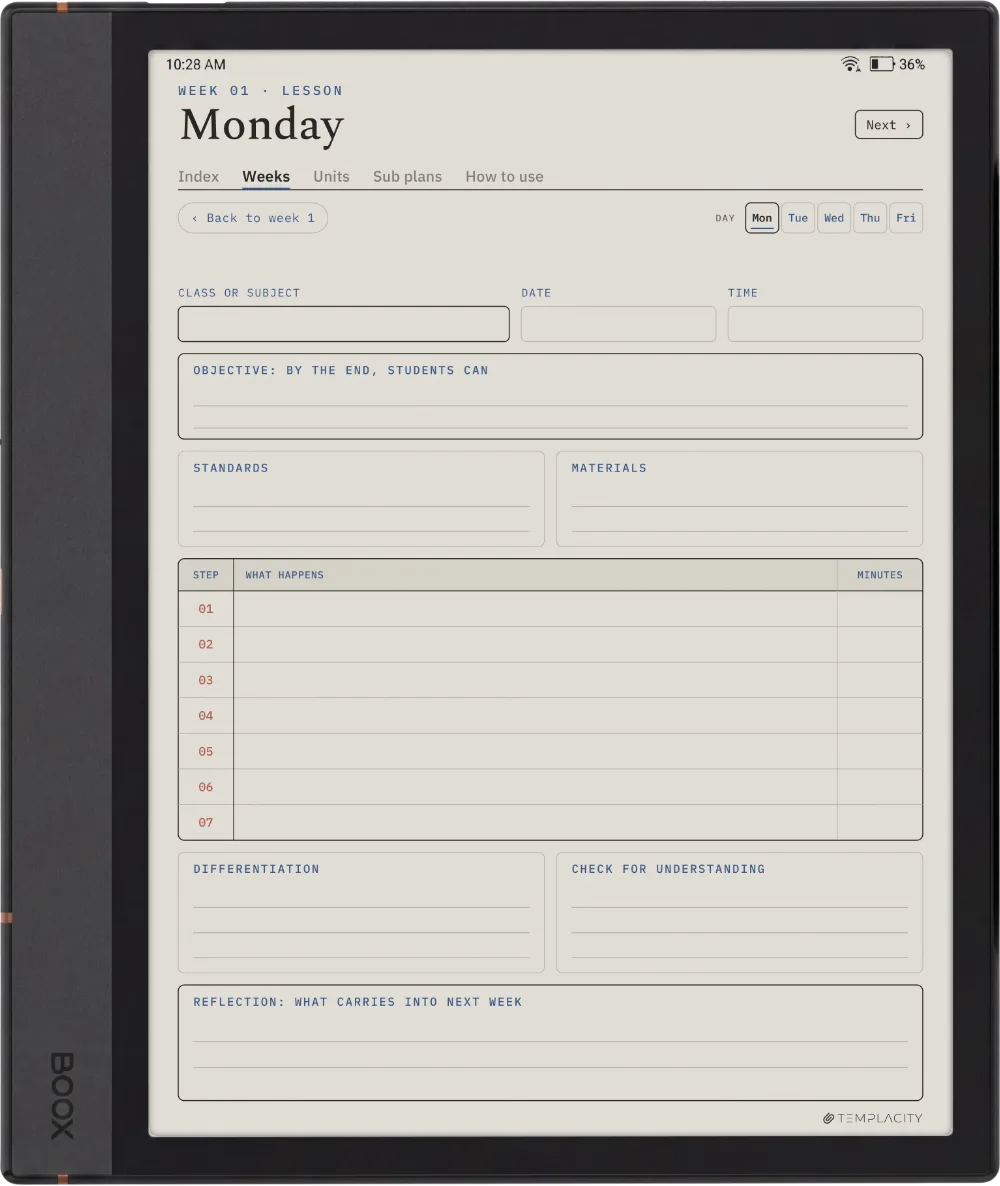
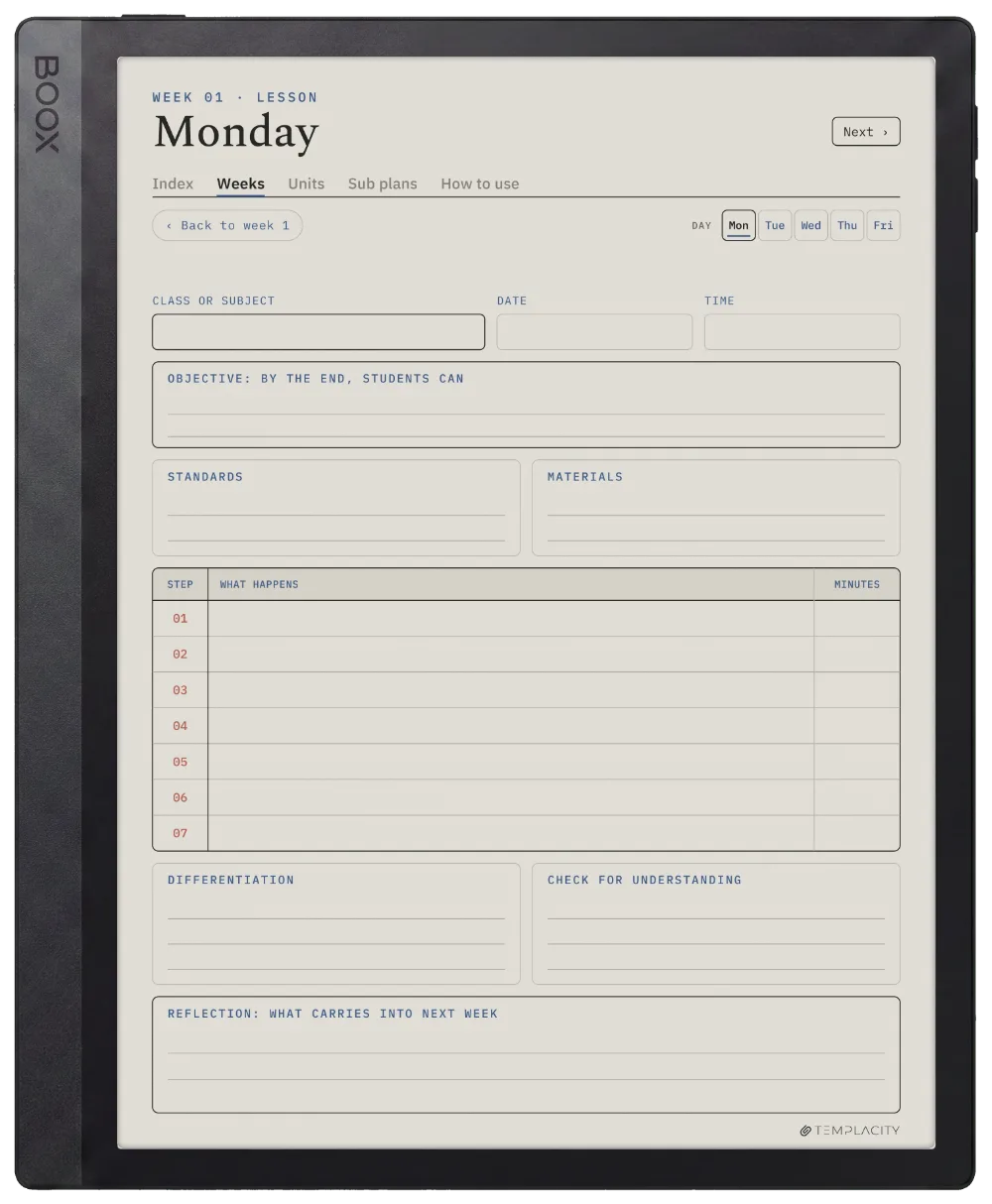
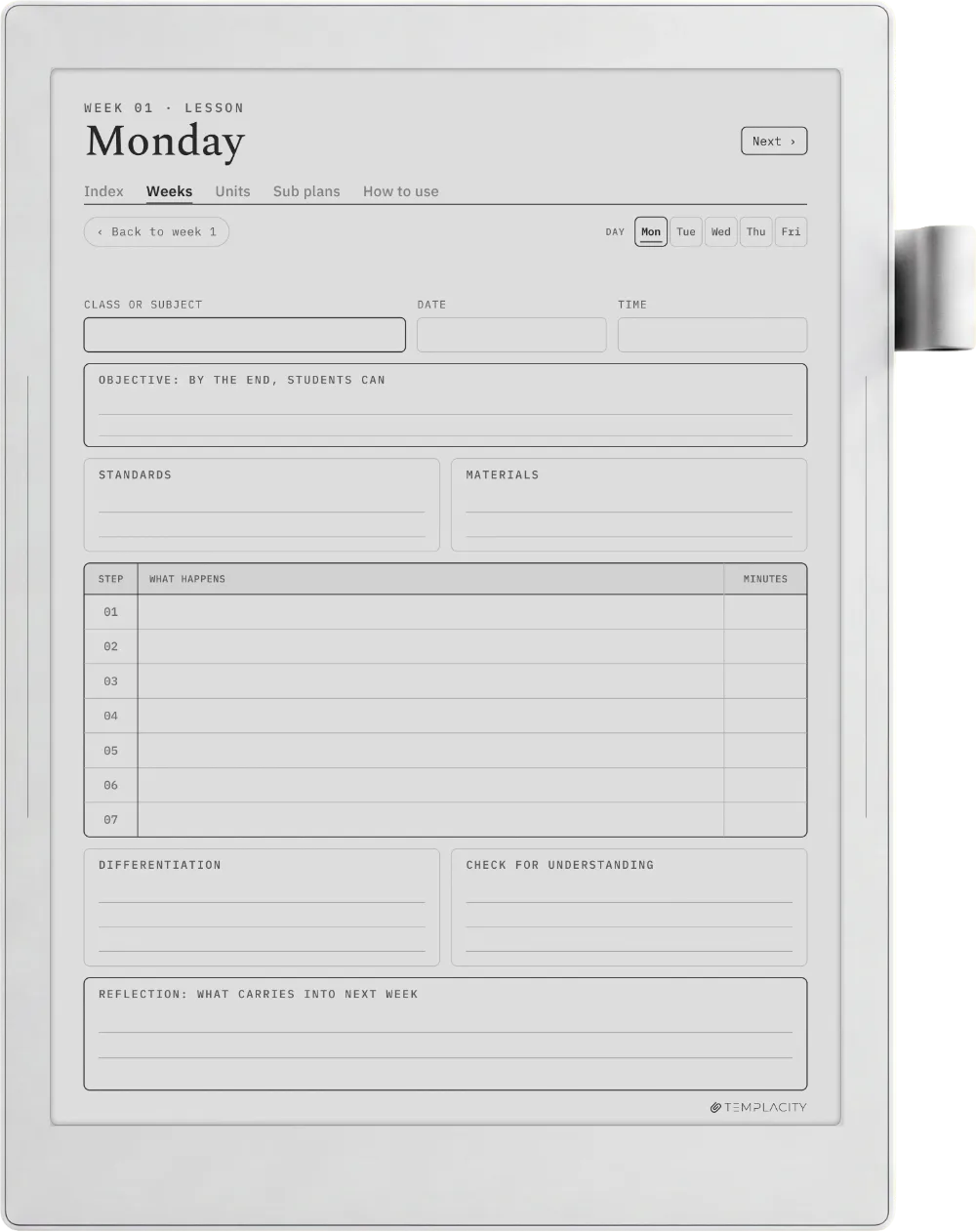
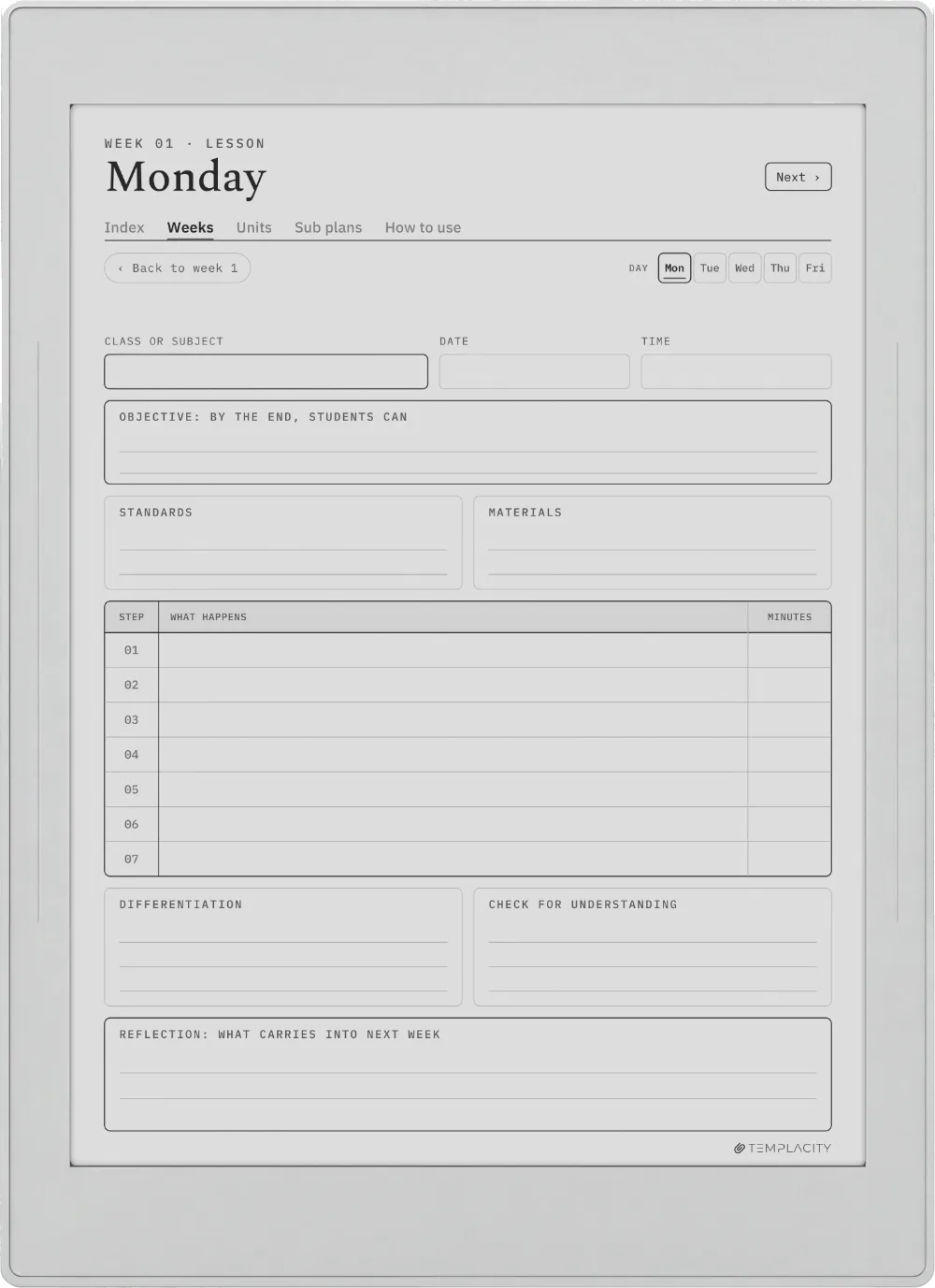
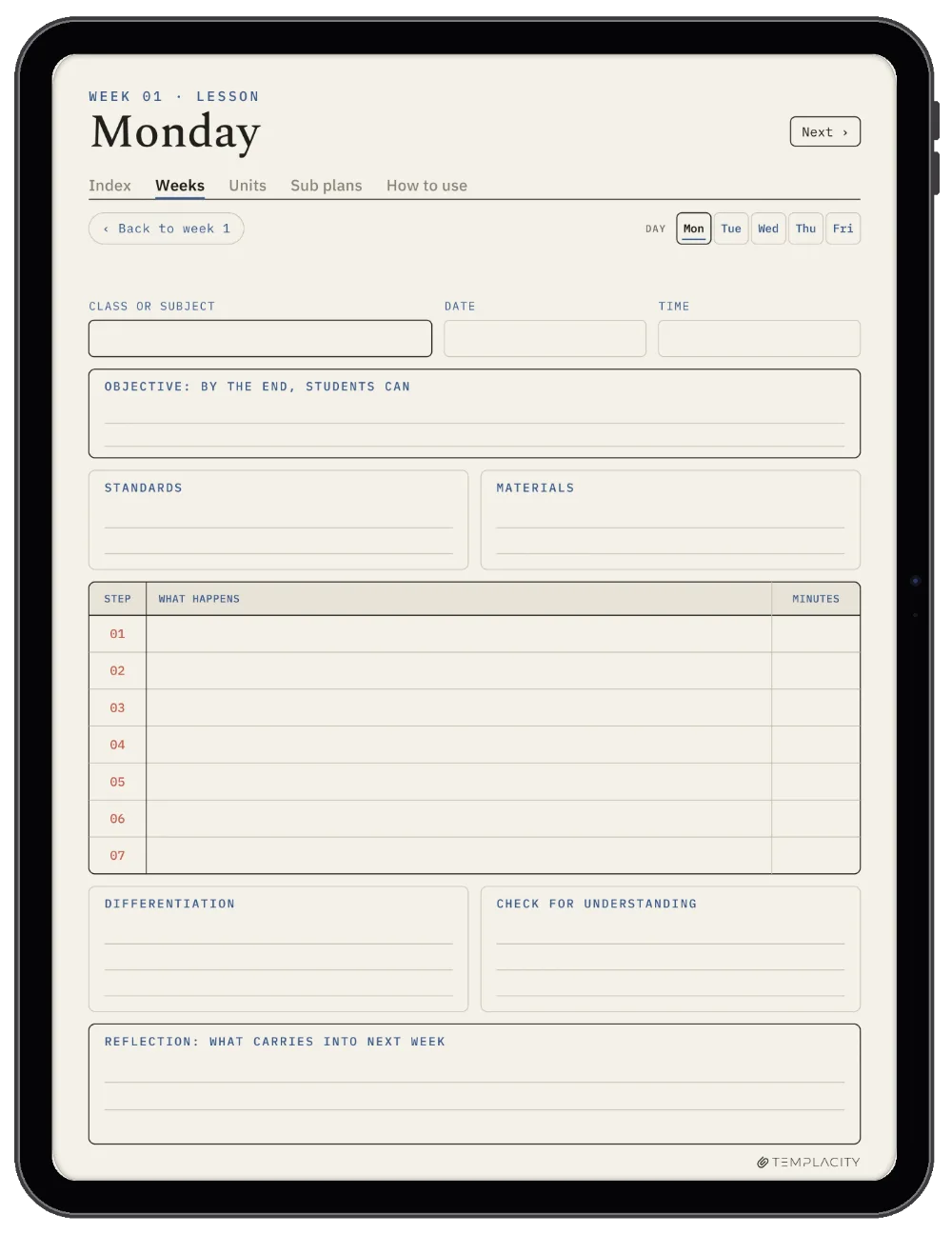
A full page for every lesson.

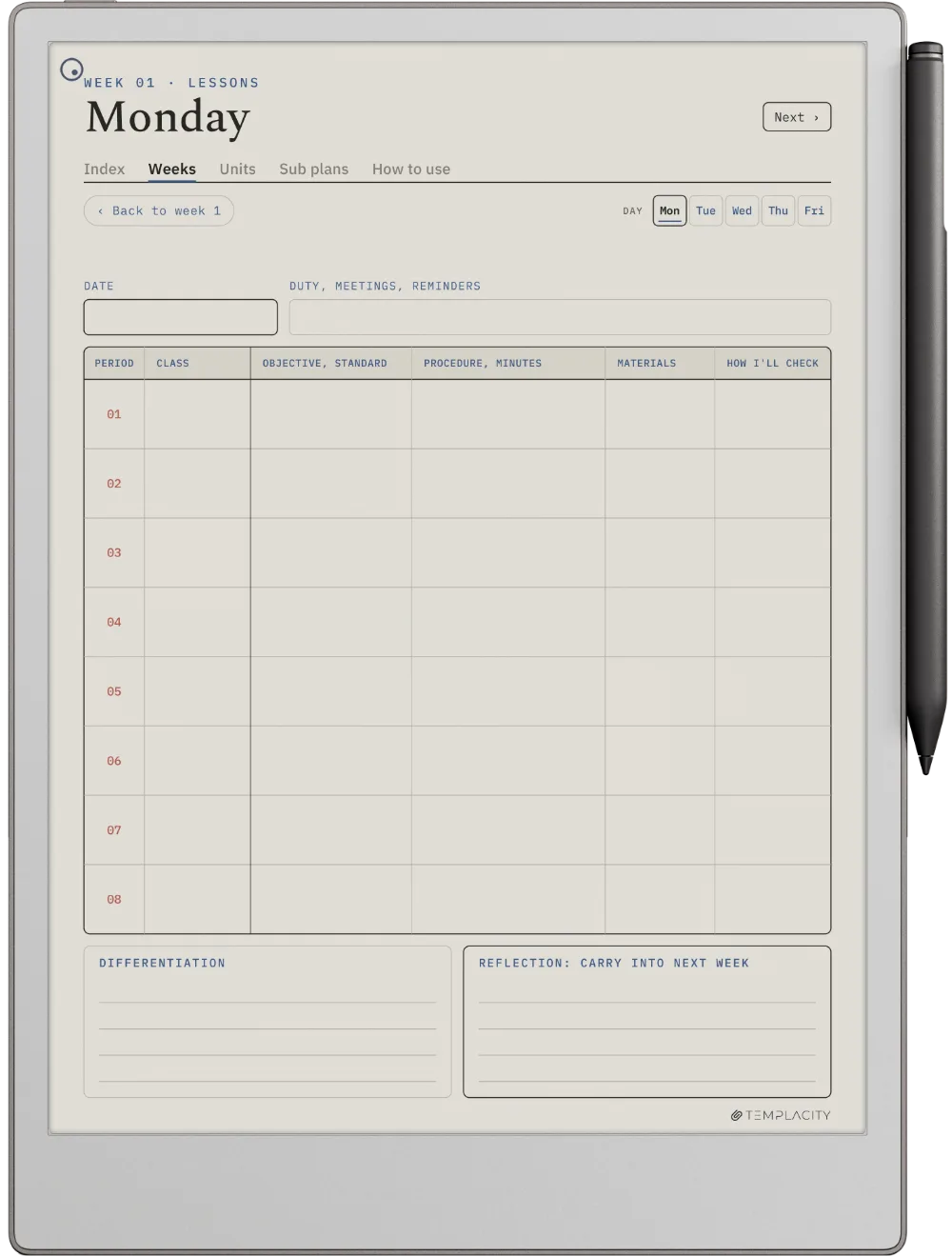
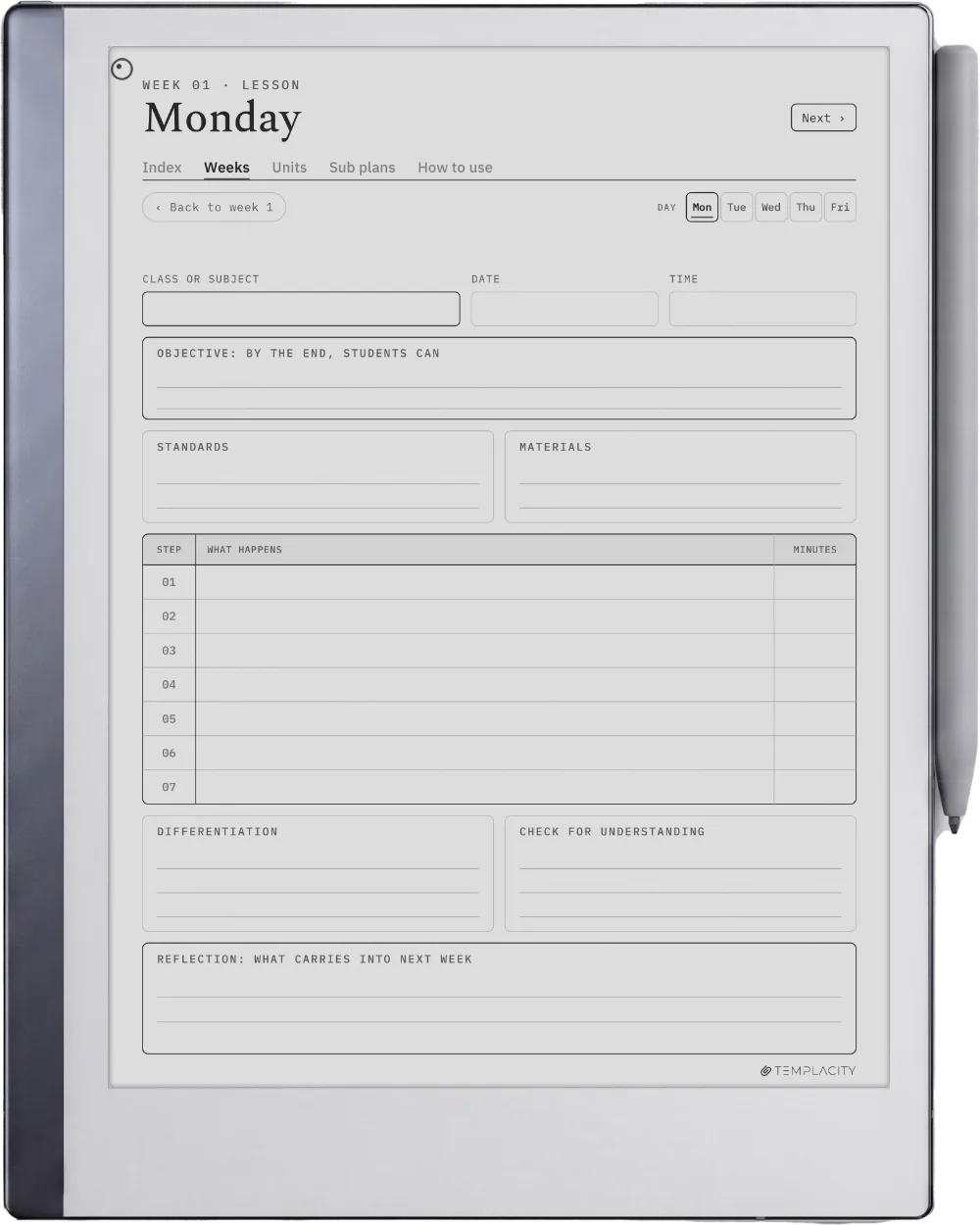
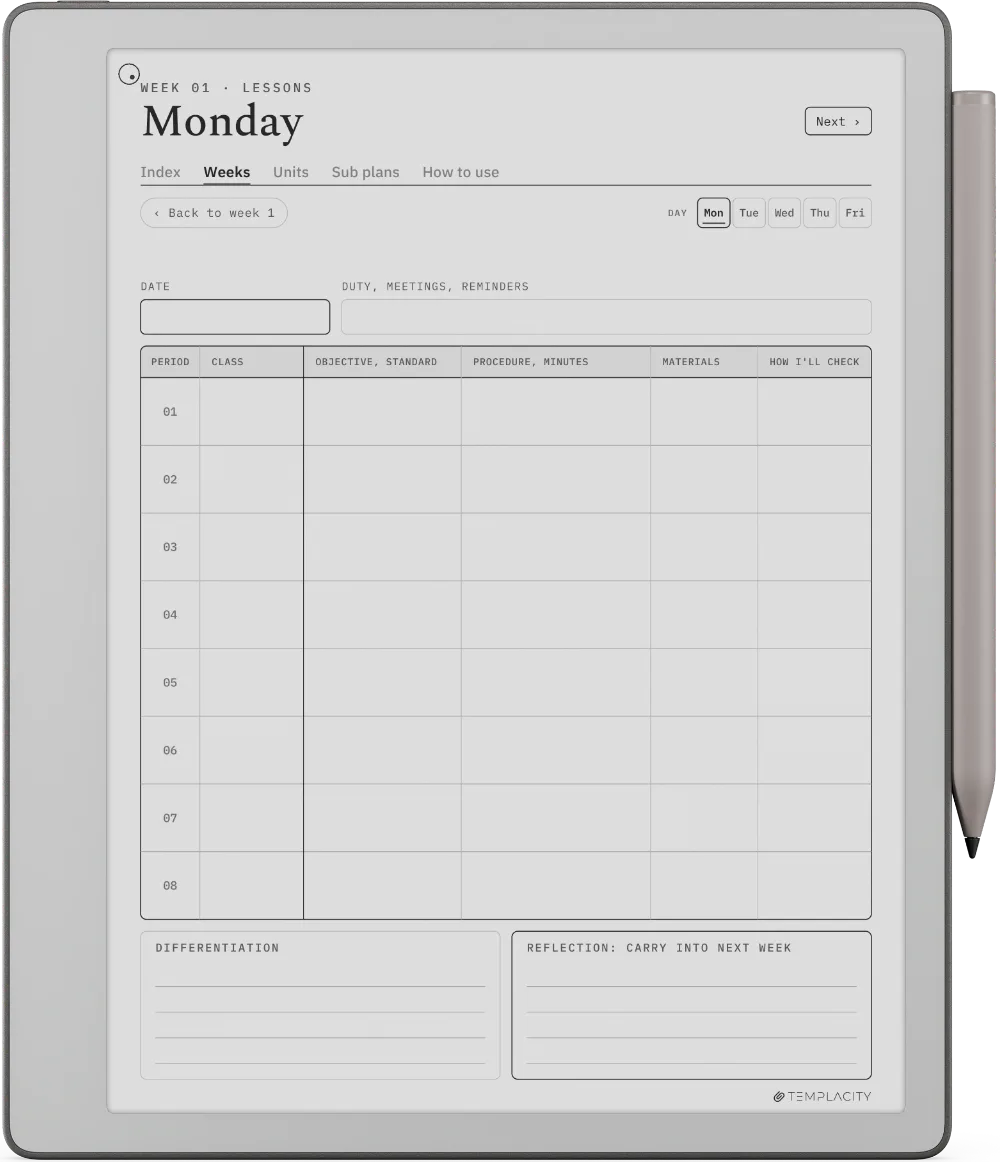
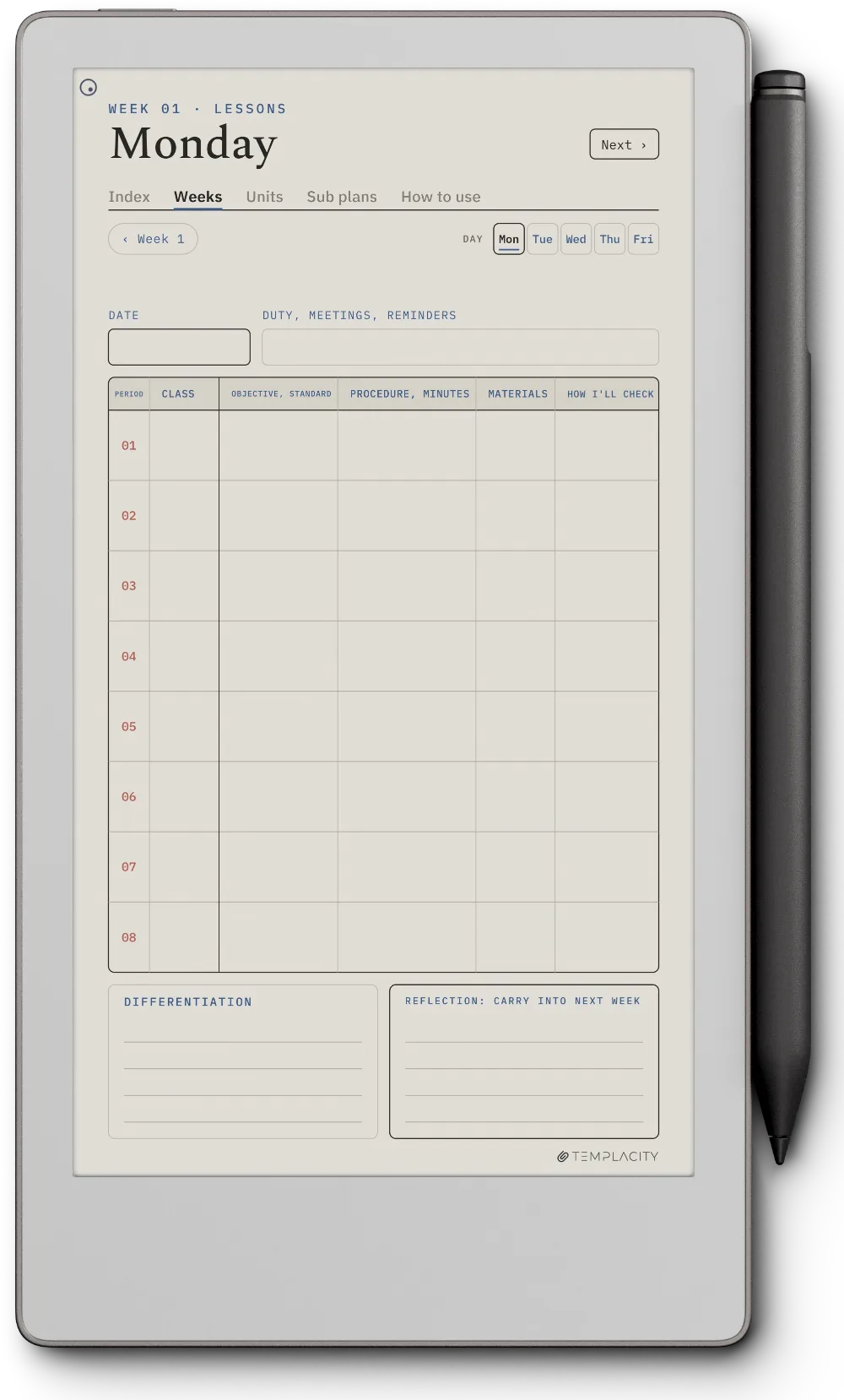
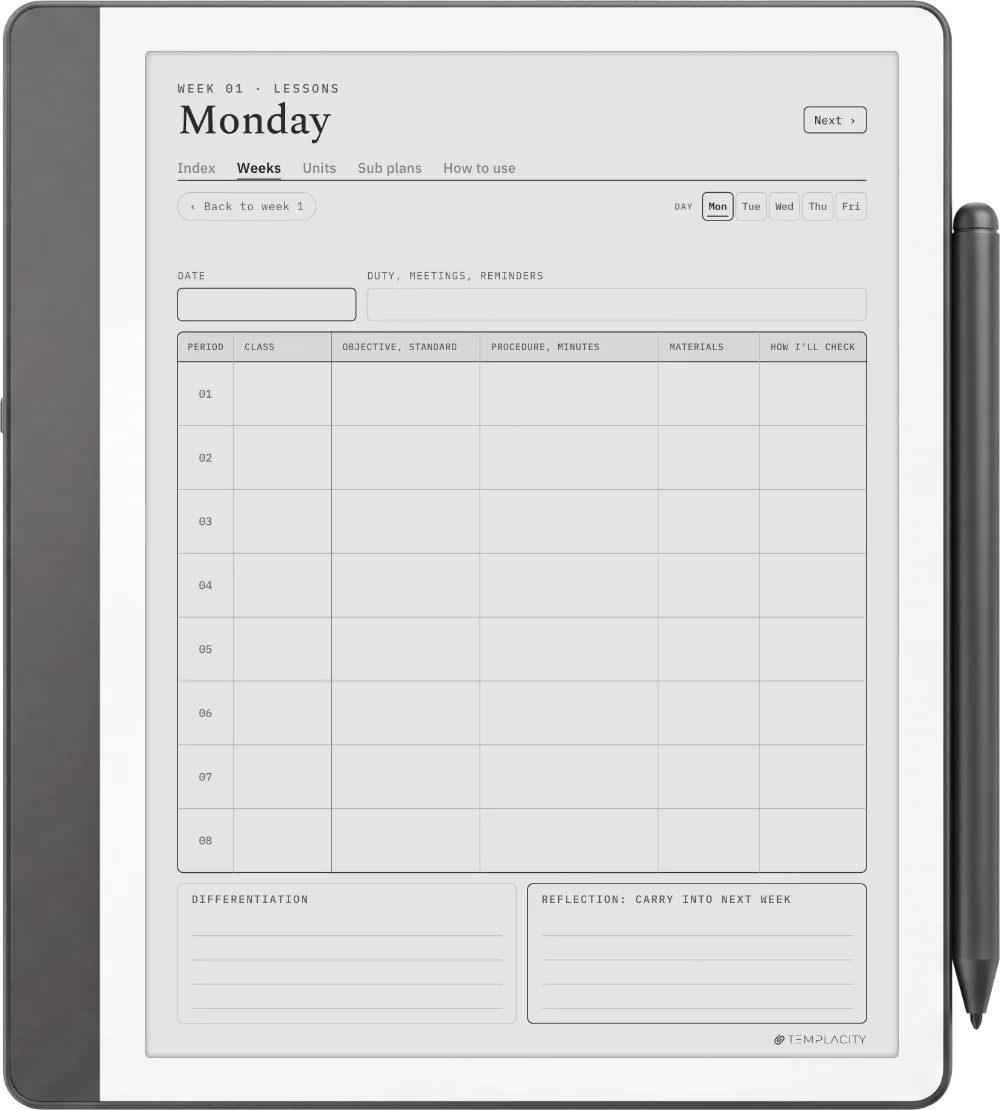
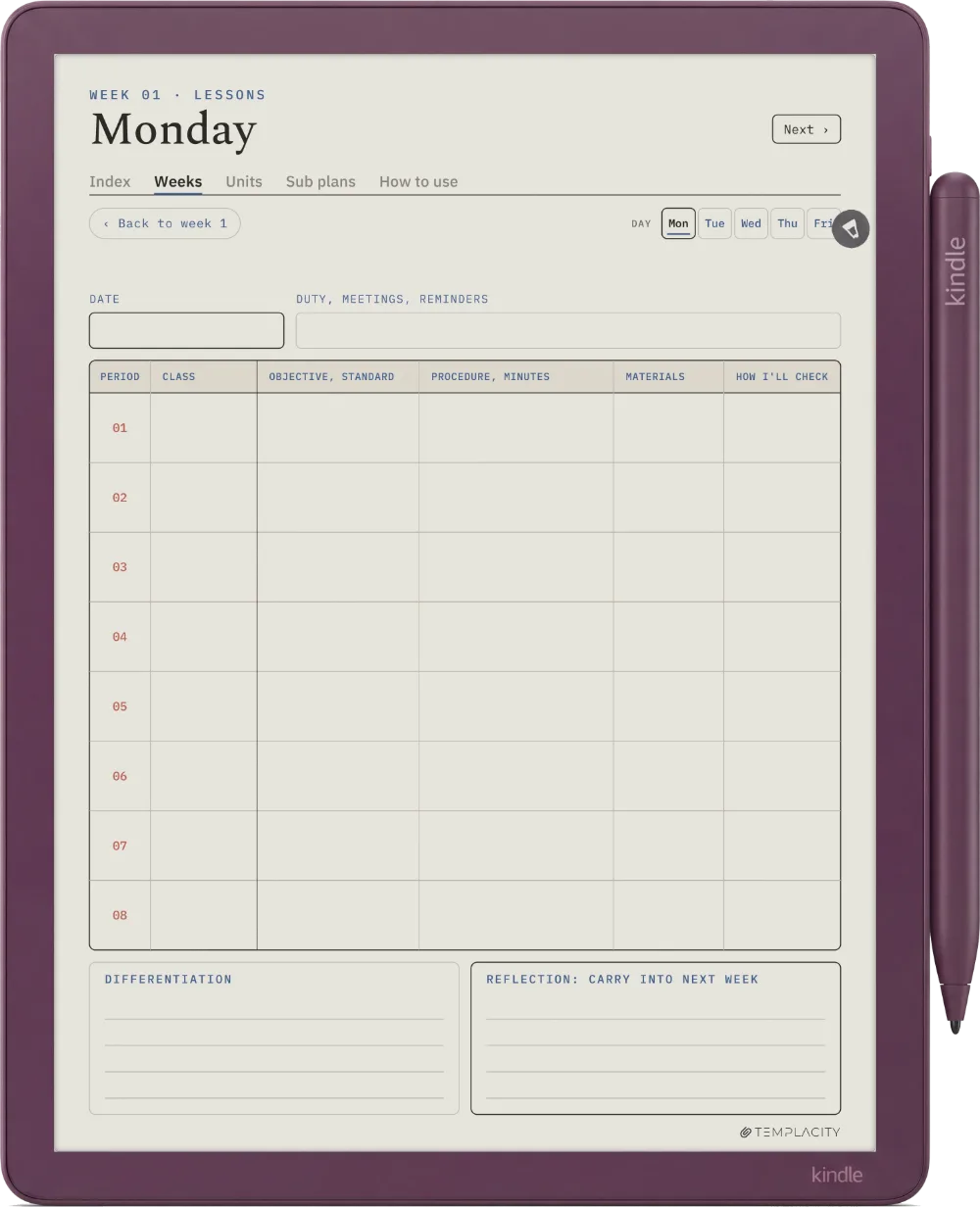
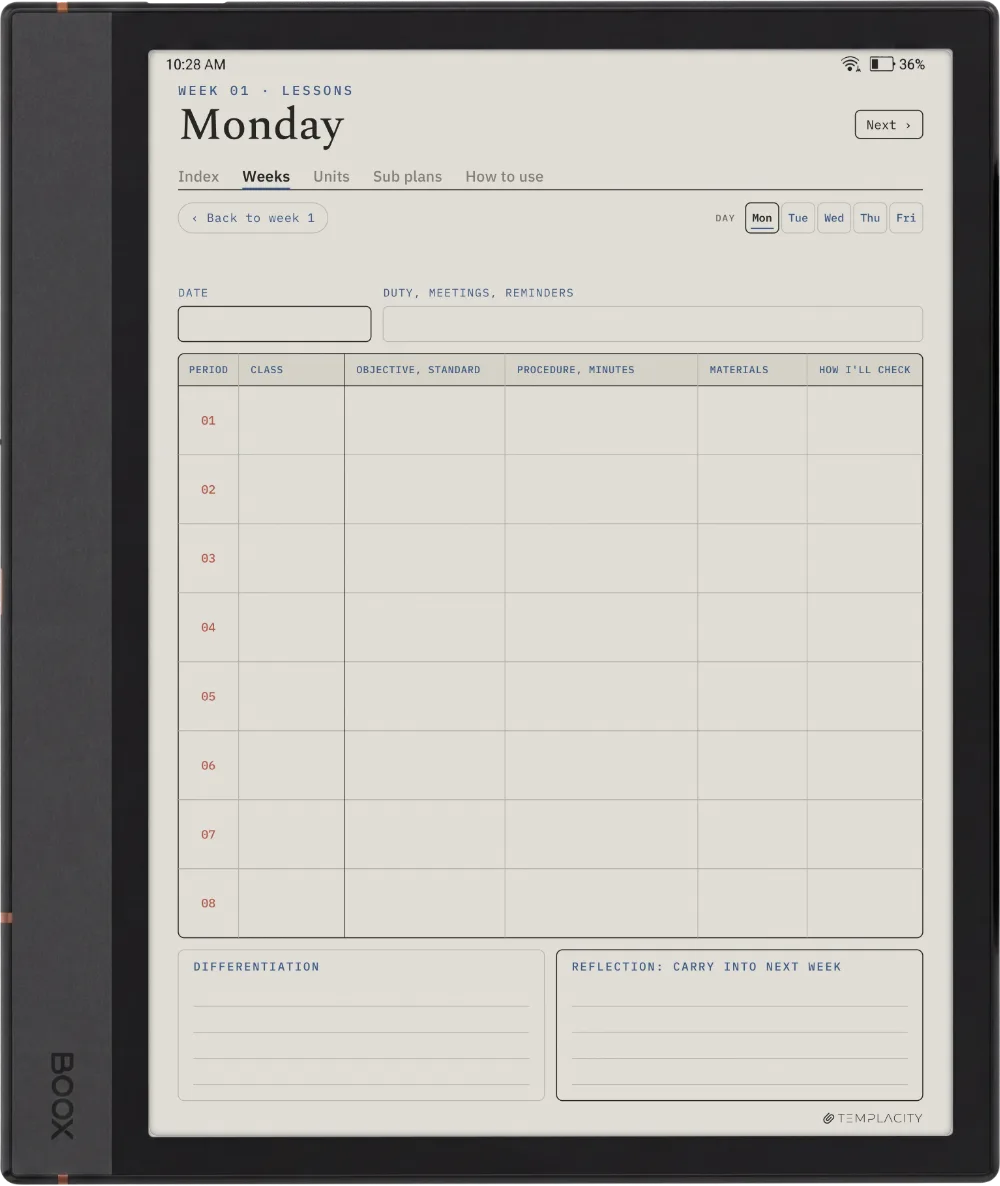
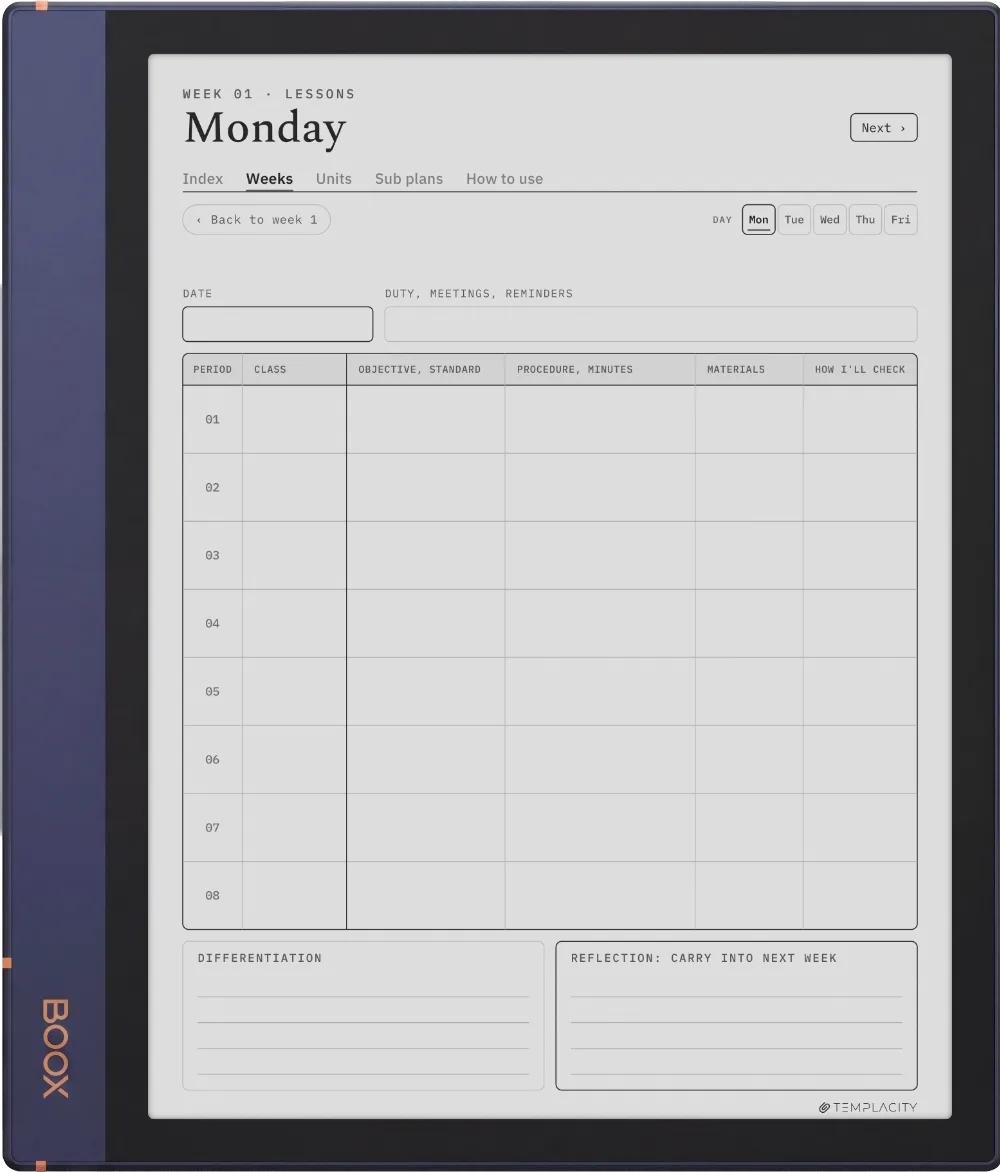
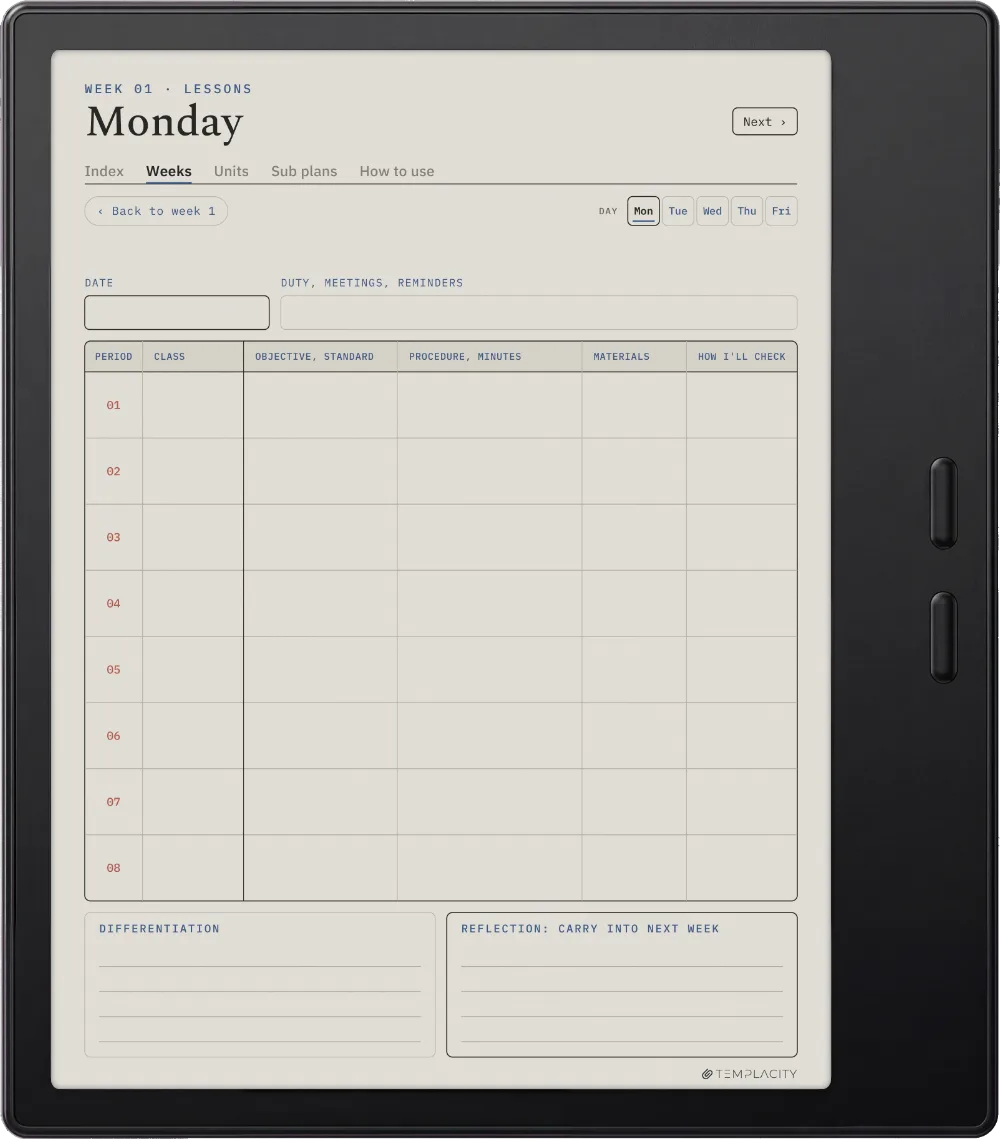
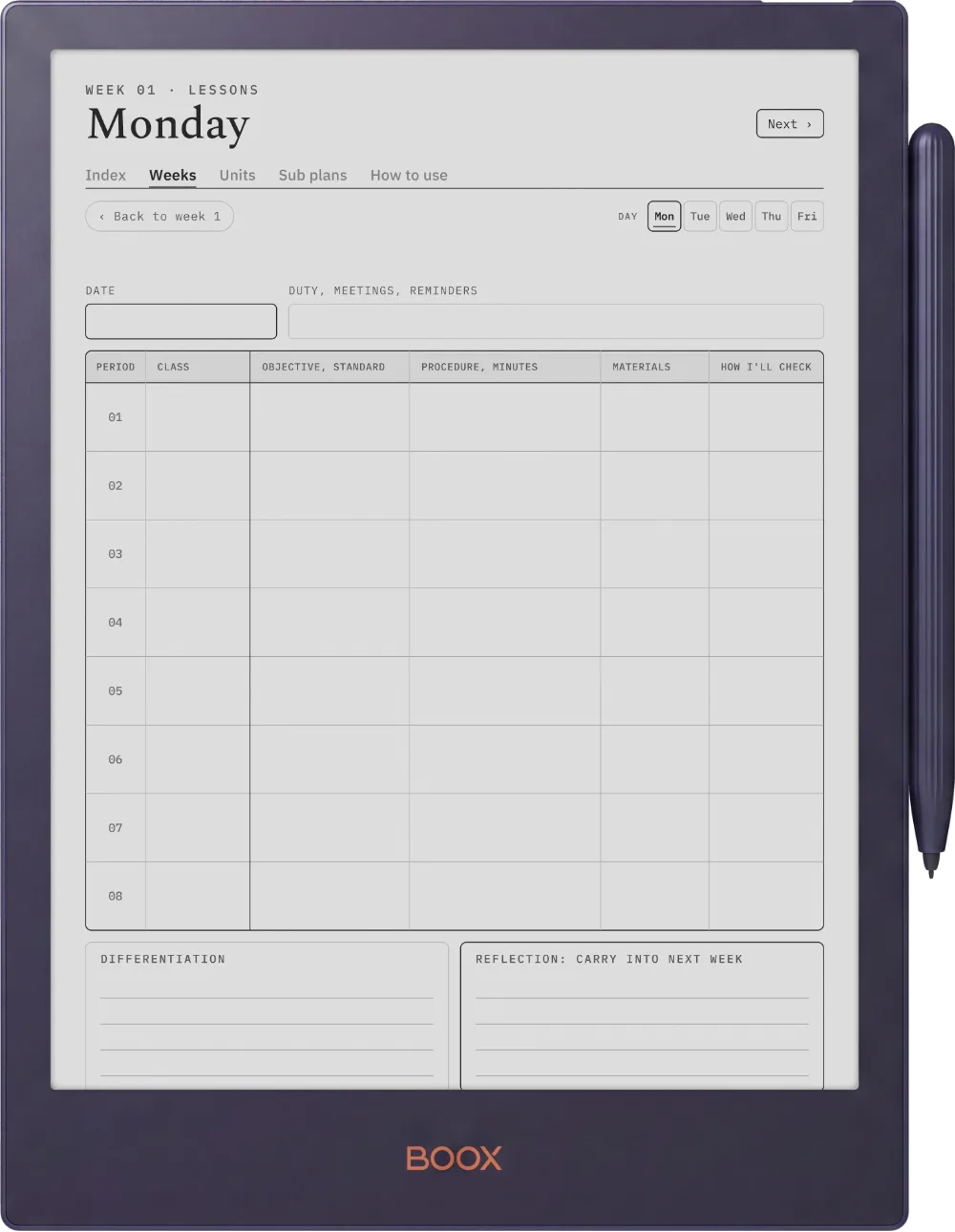
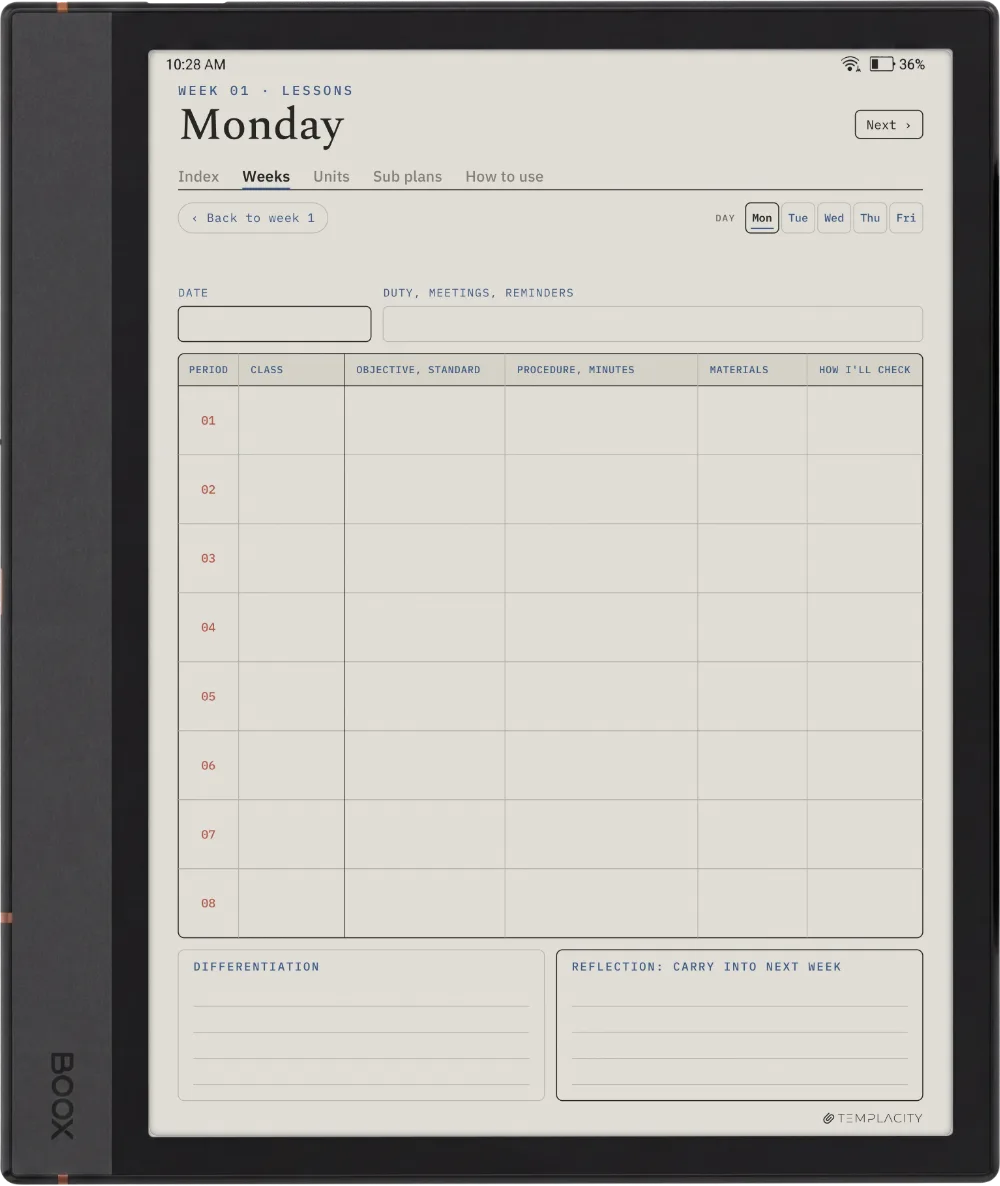
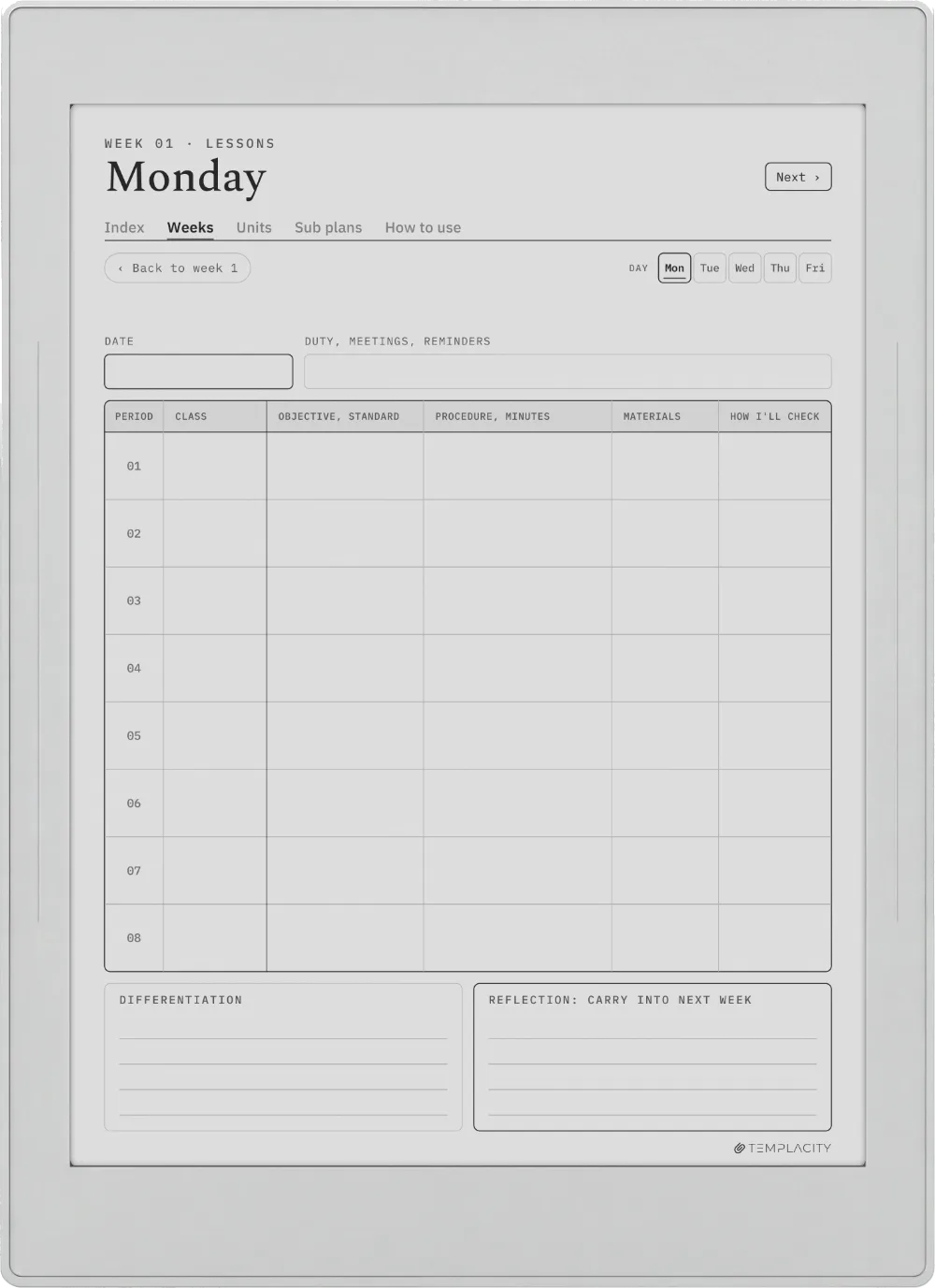
Objective, standards, the steps of the lesson, differentiation and a reflection on what carries over. In Periods, a row for each period instead.

The Planner The Lesson
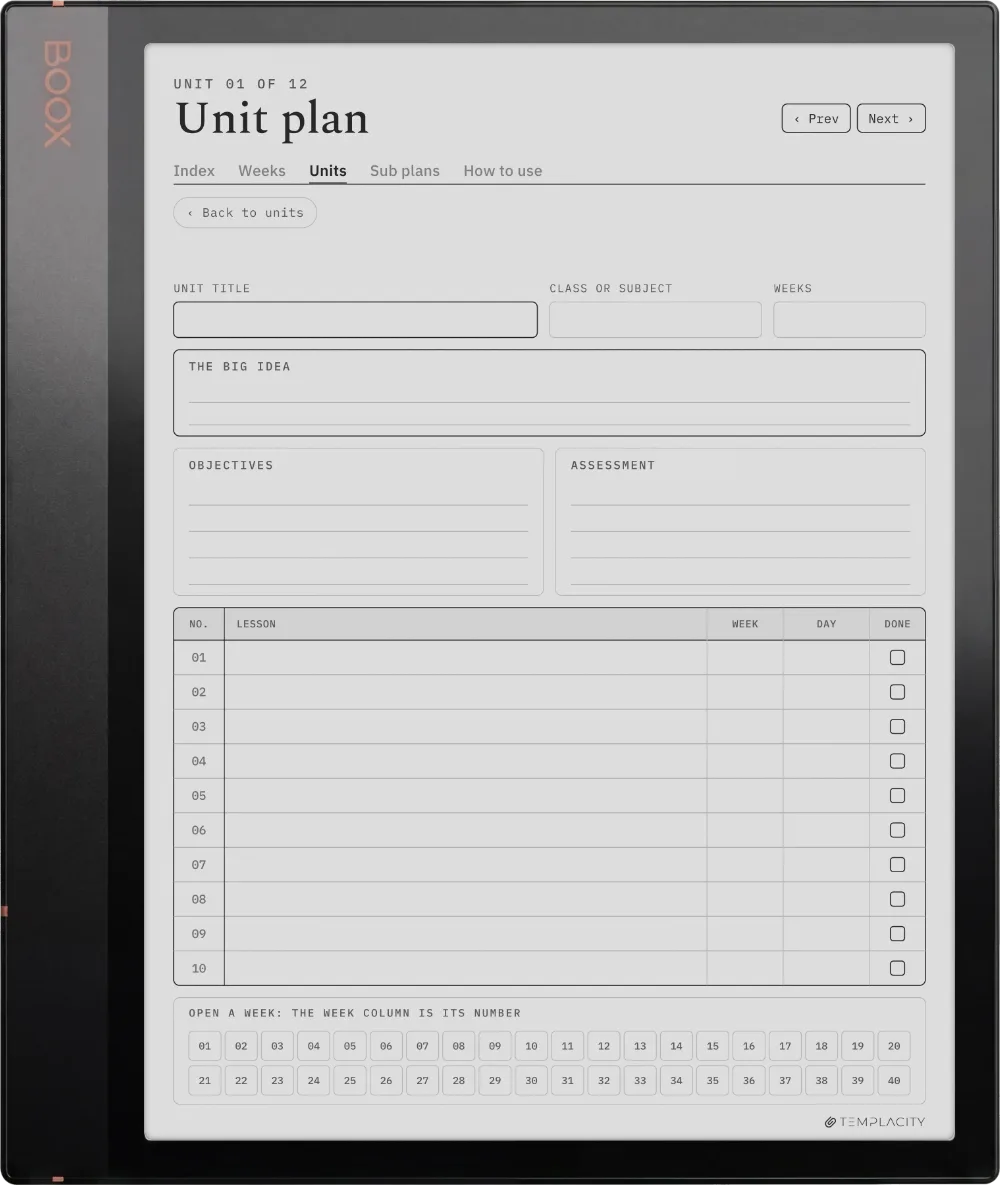
The Units

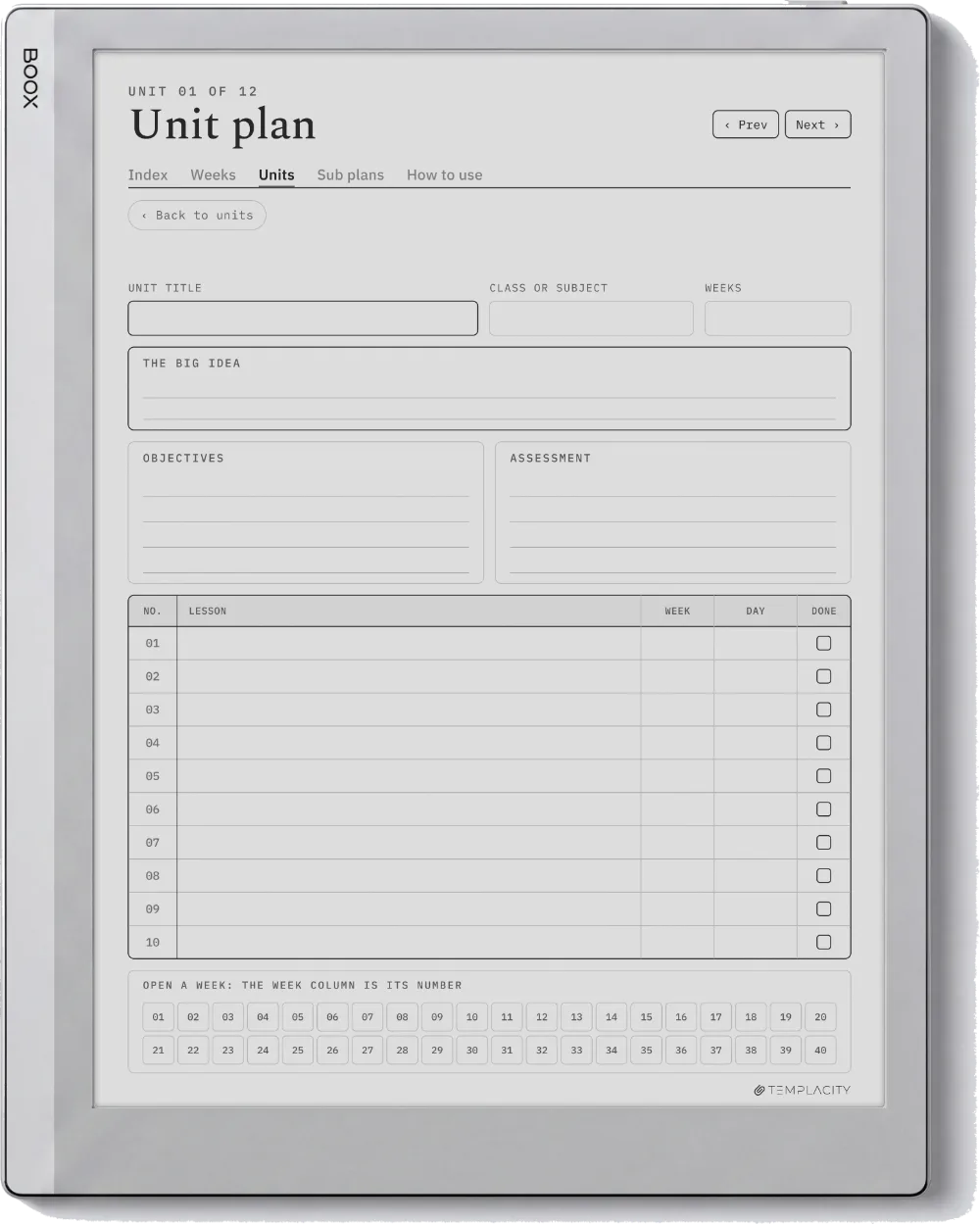
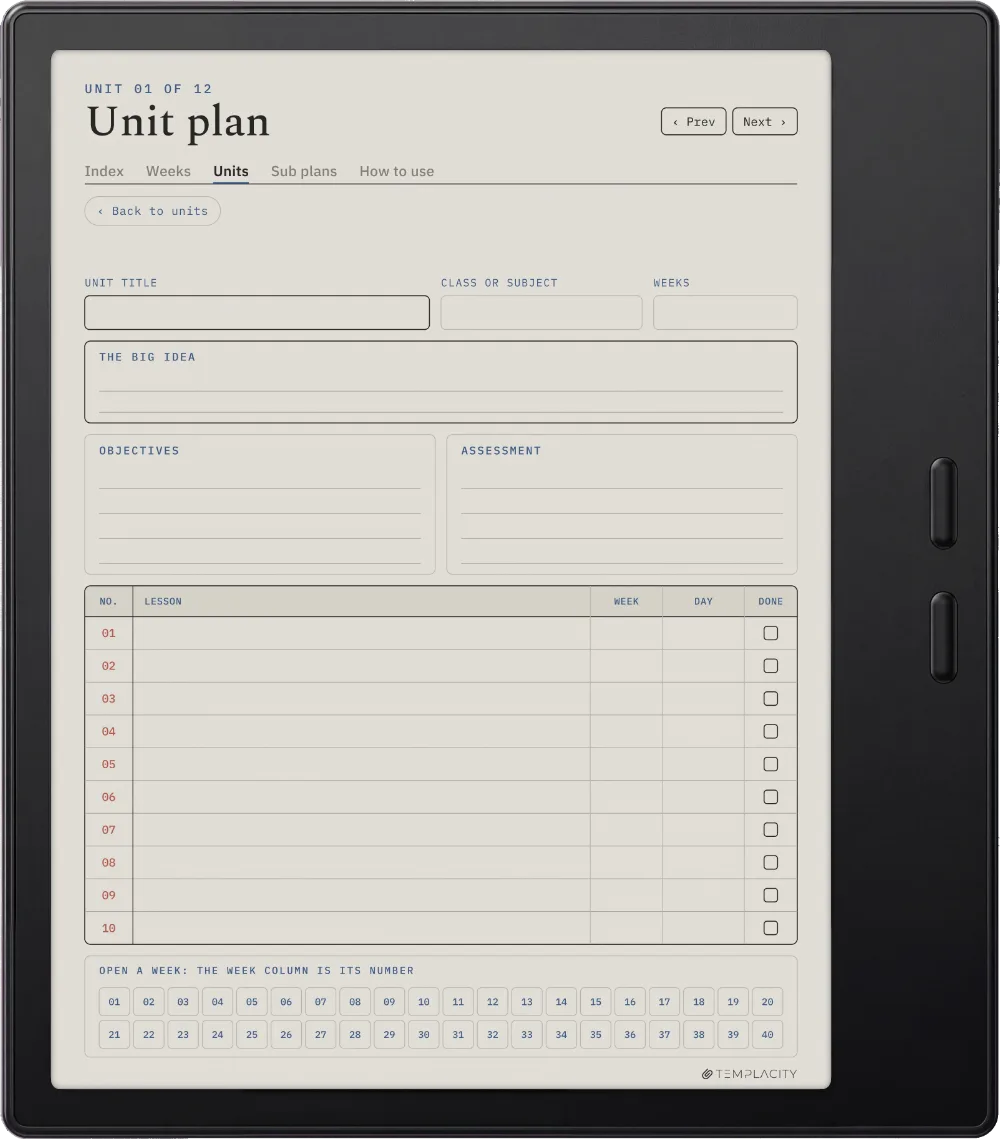
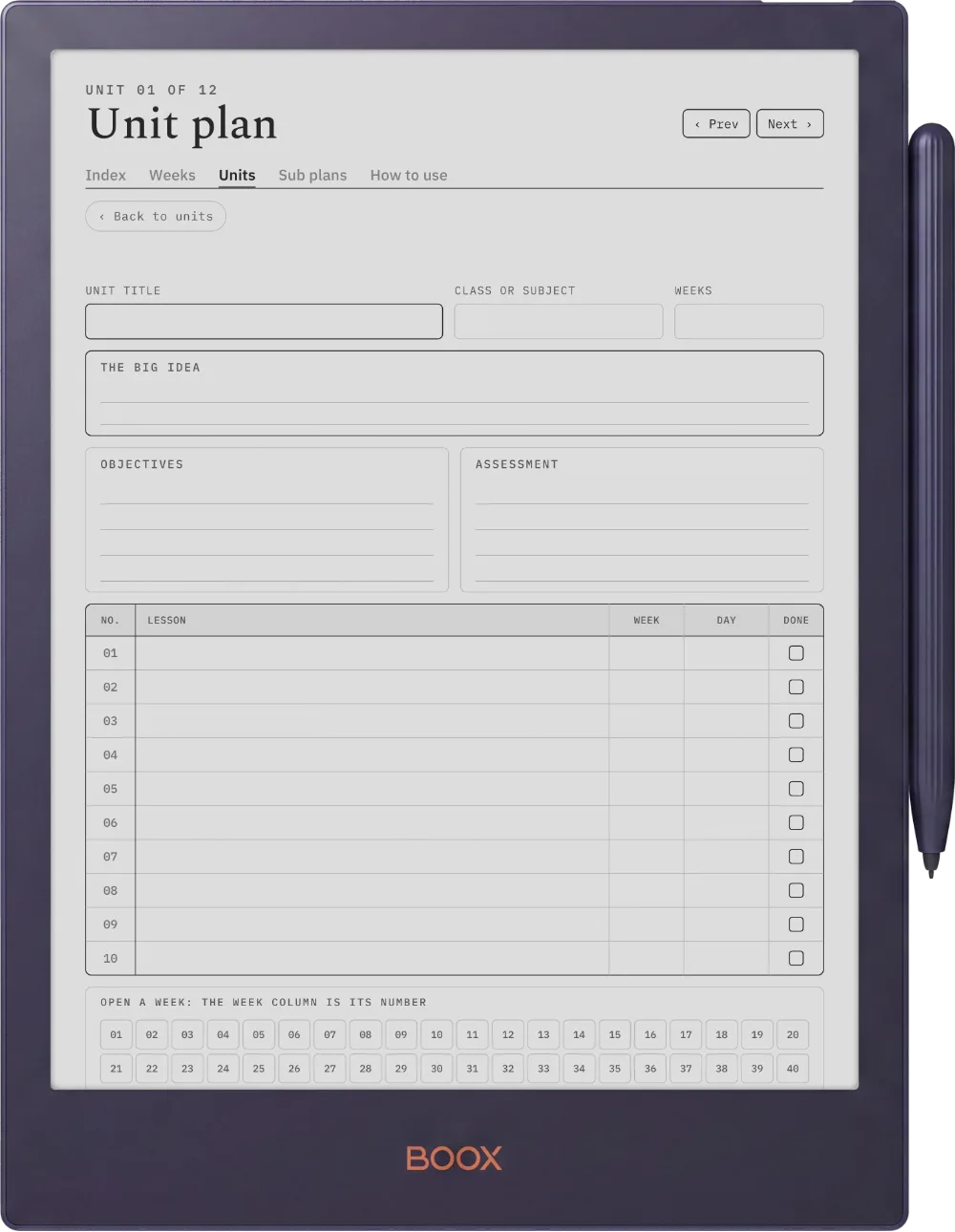
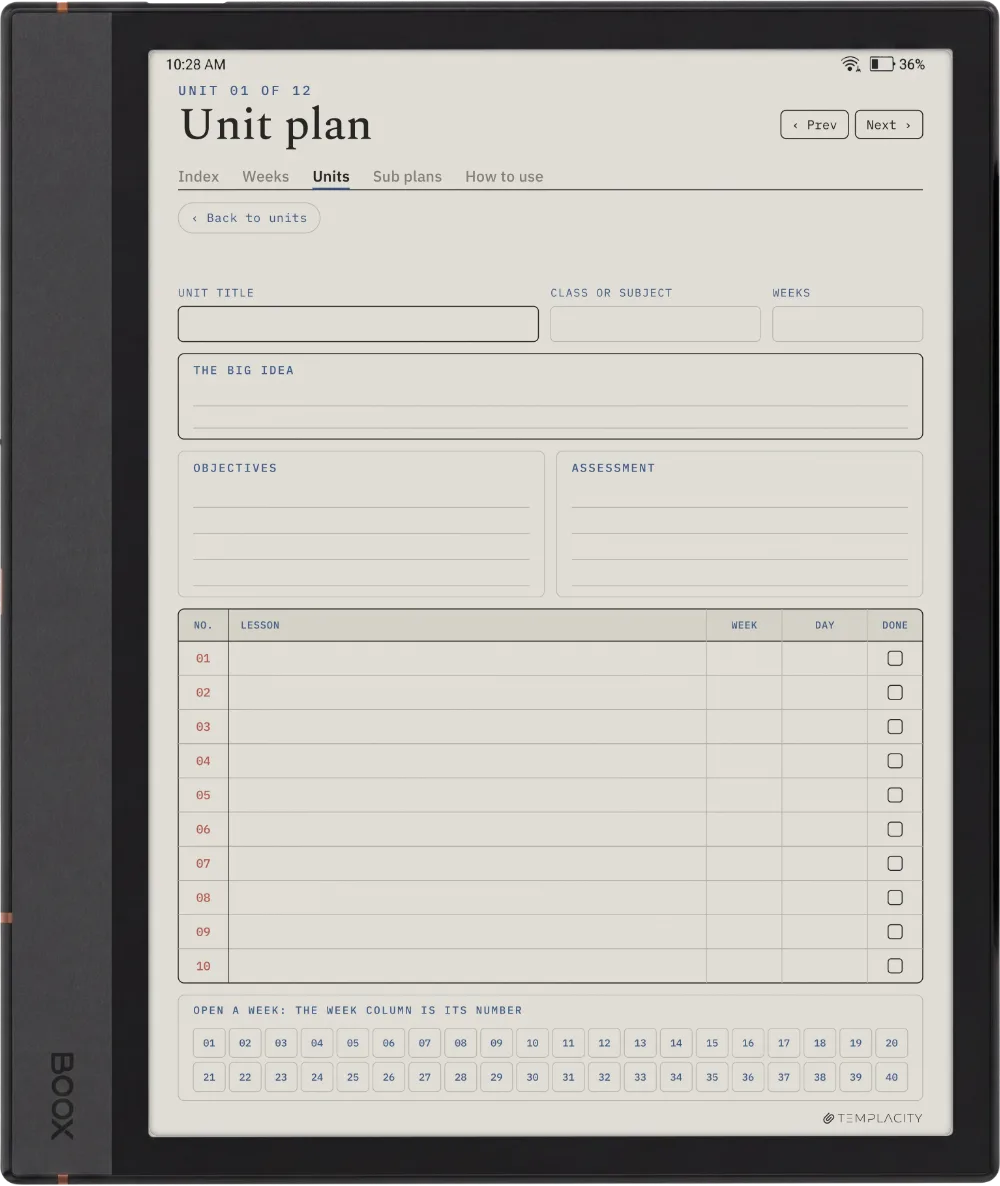
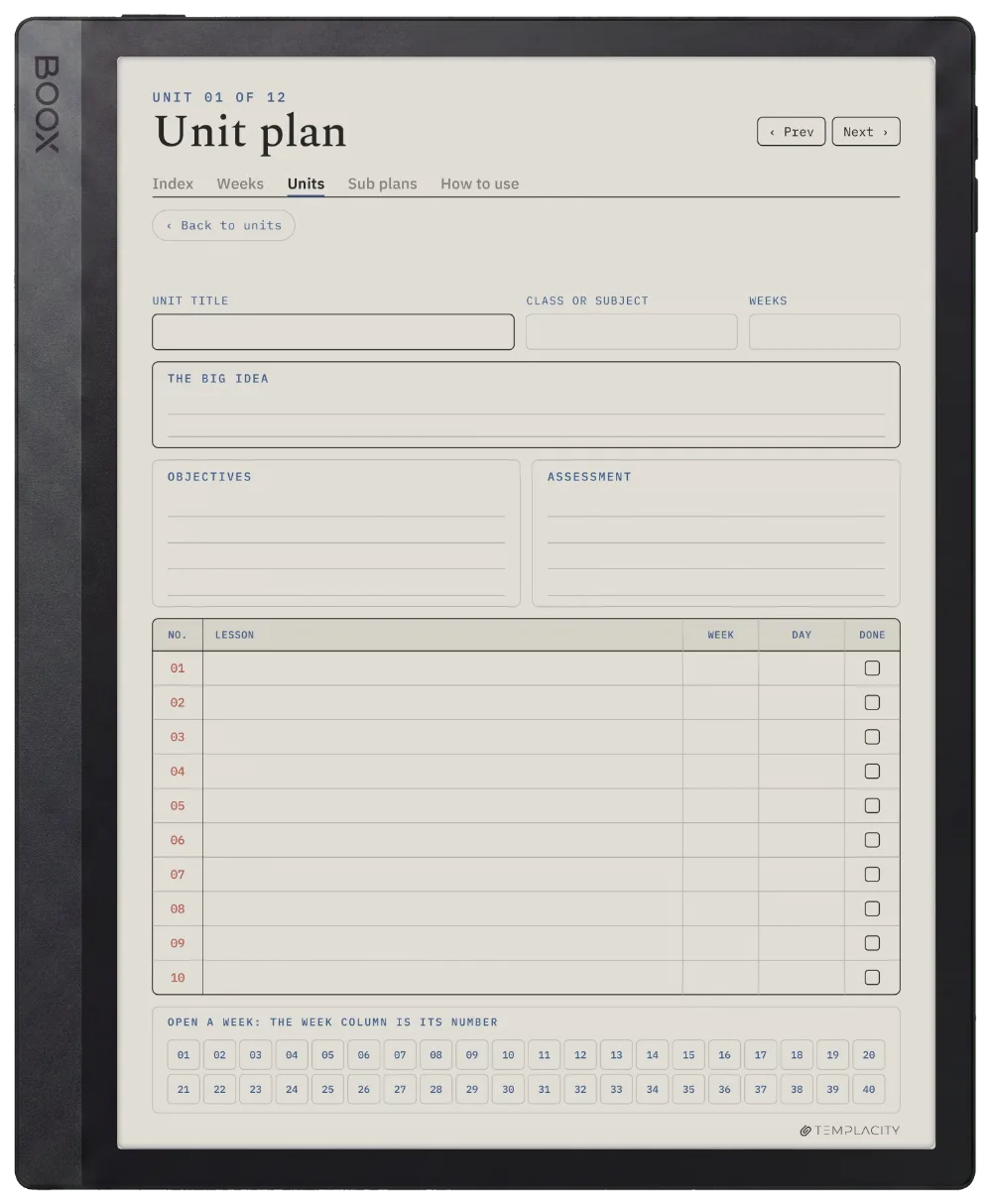
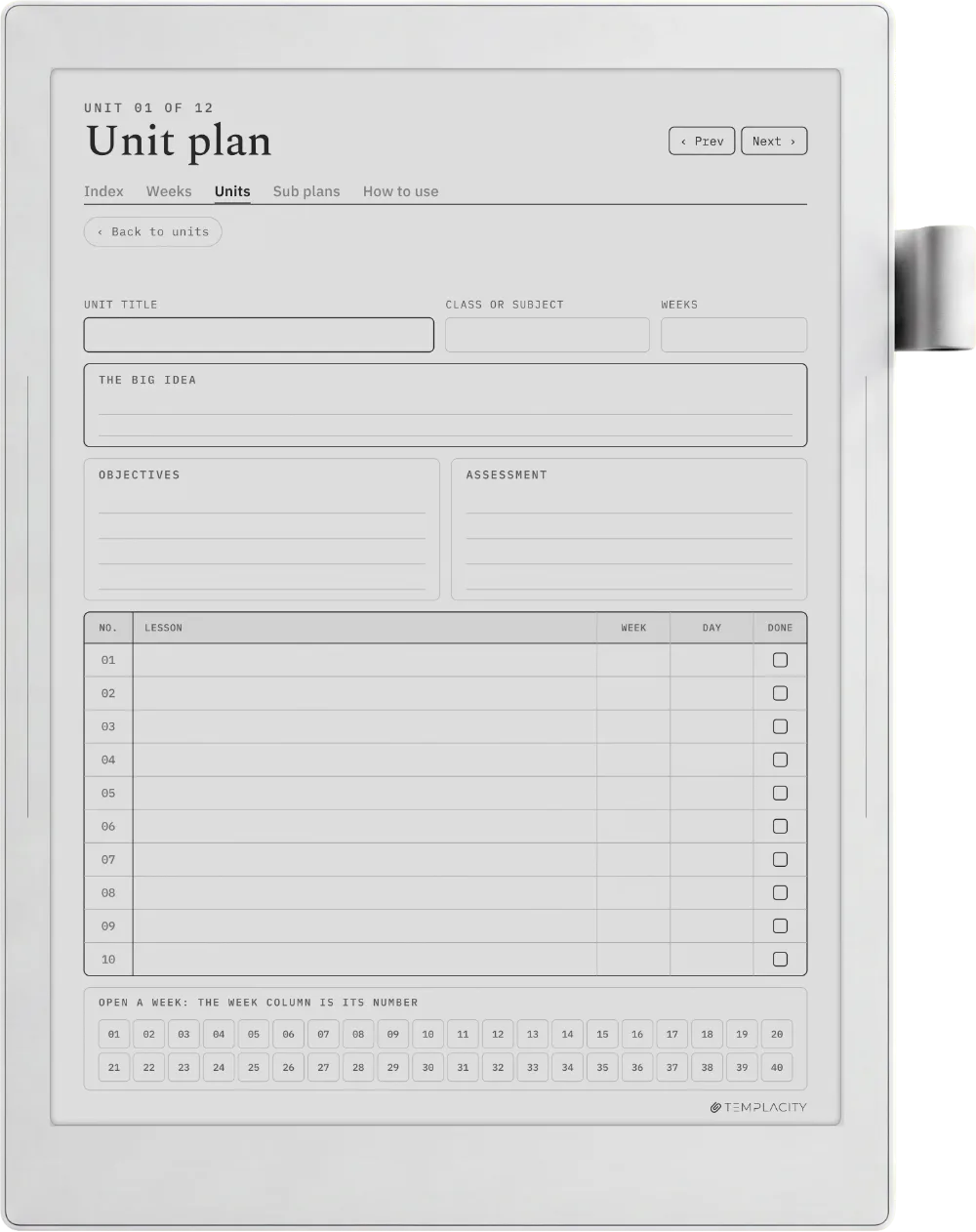
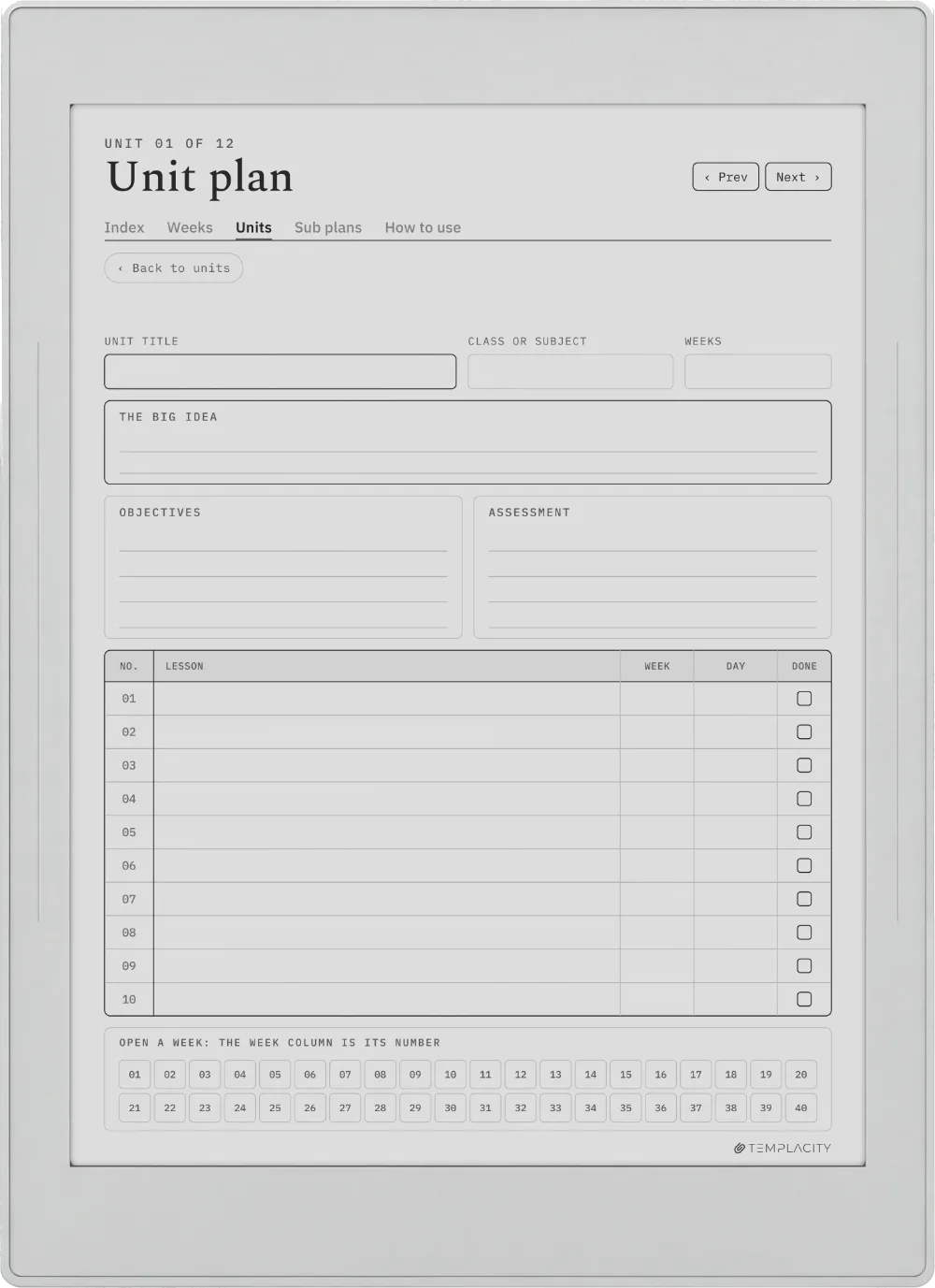
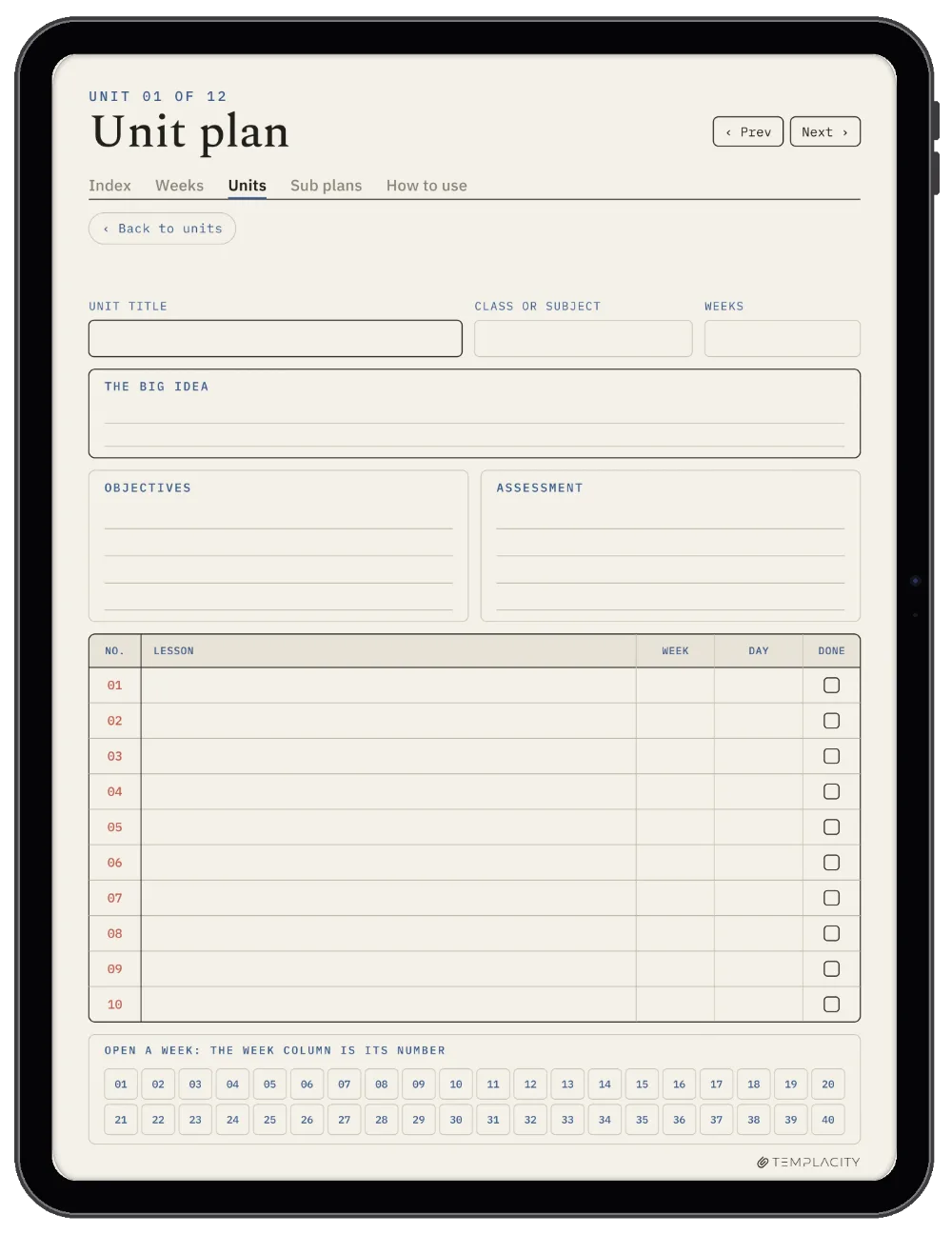
Plan the unit, then the weeks.

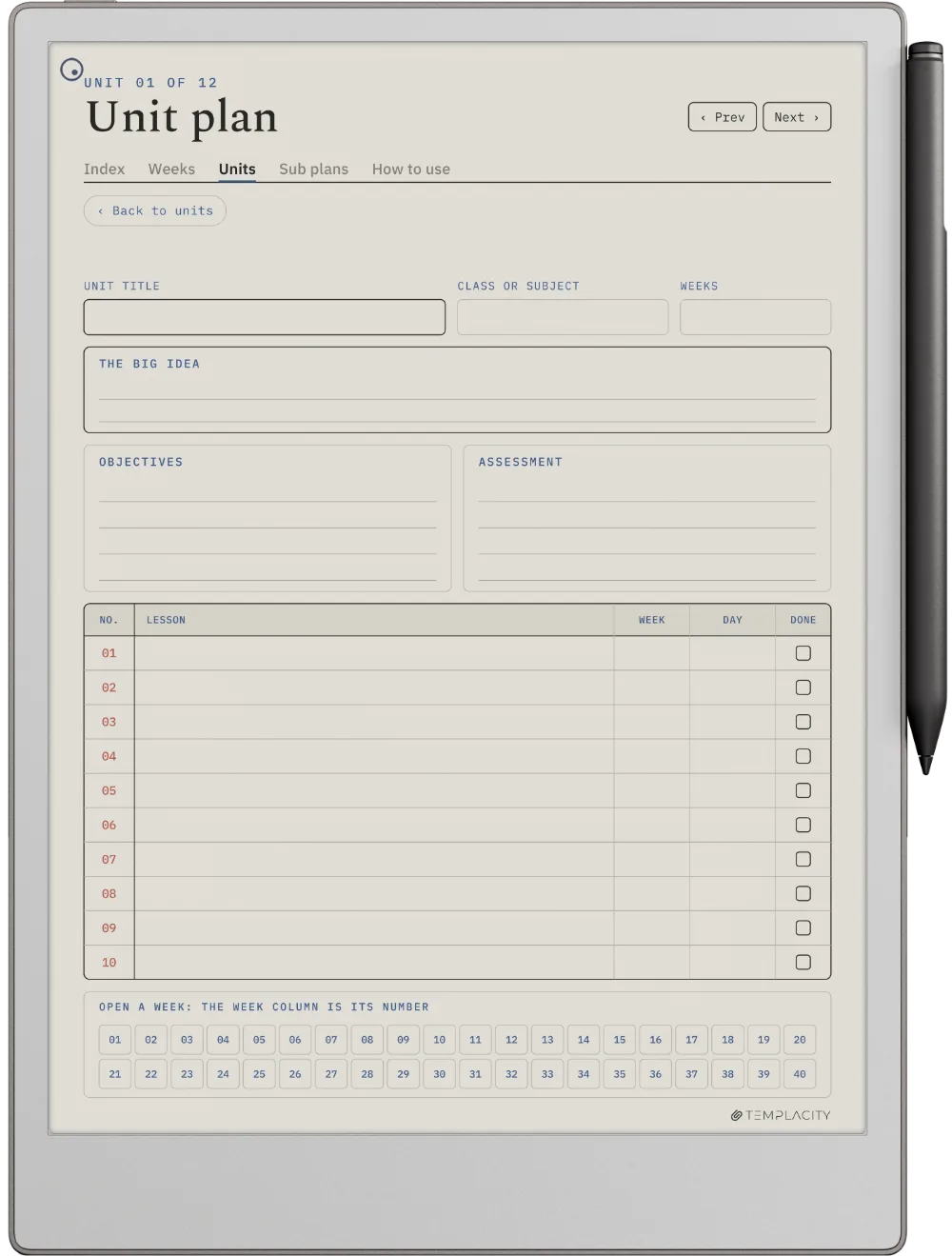
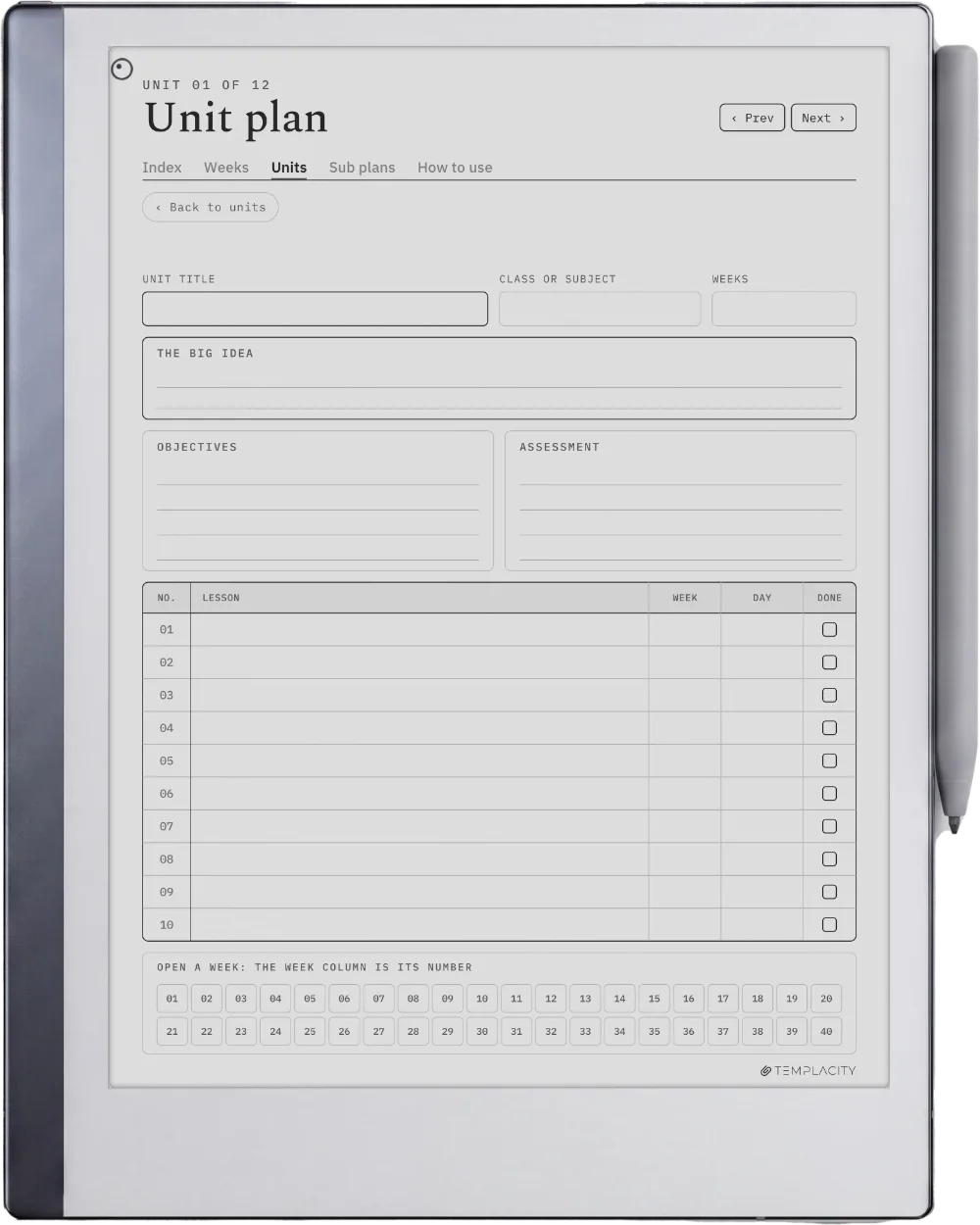
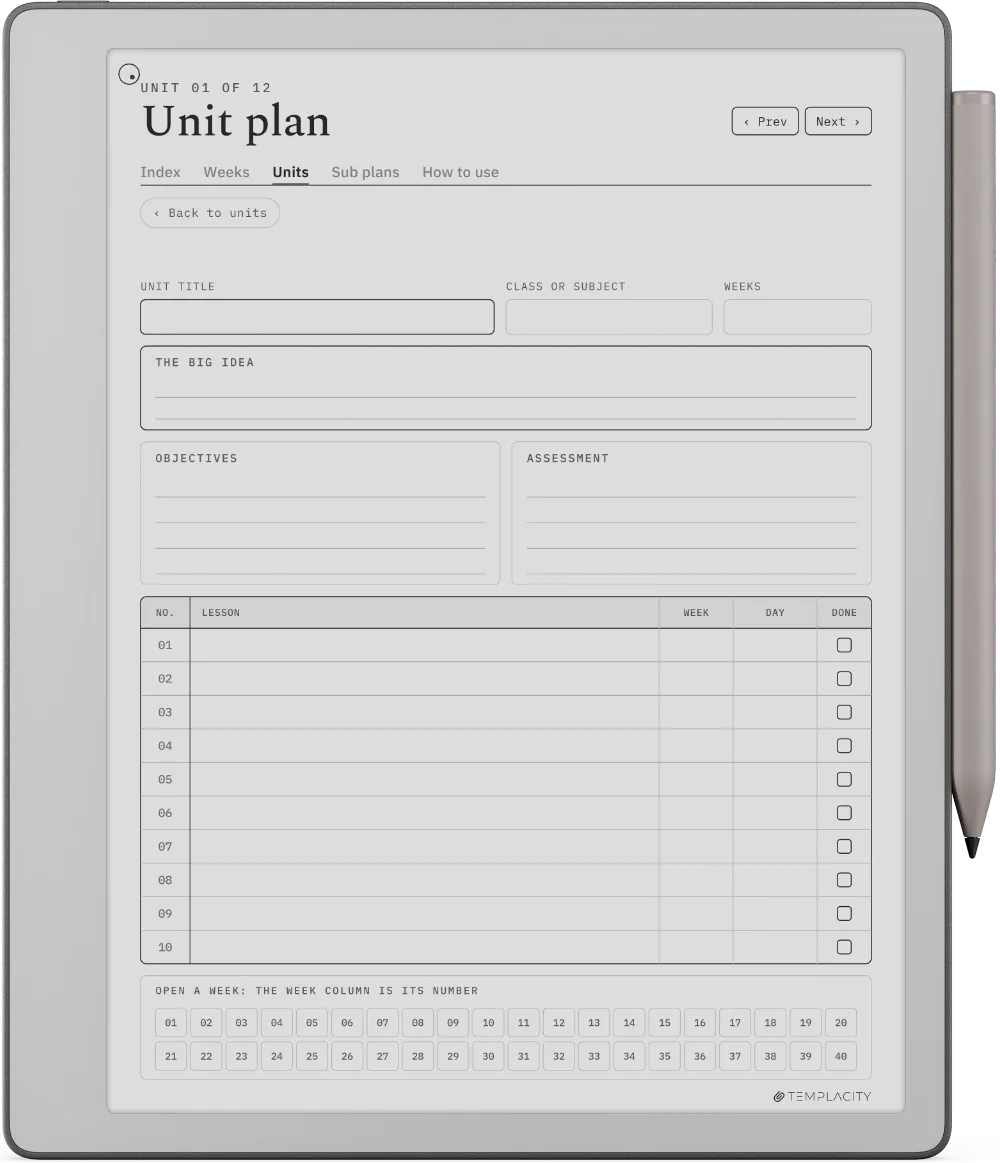
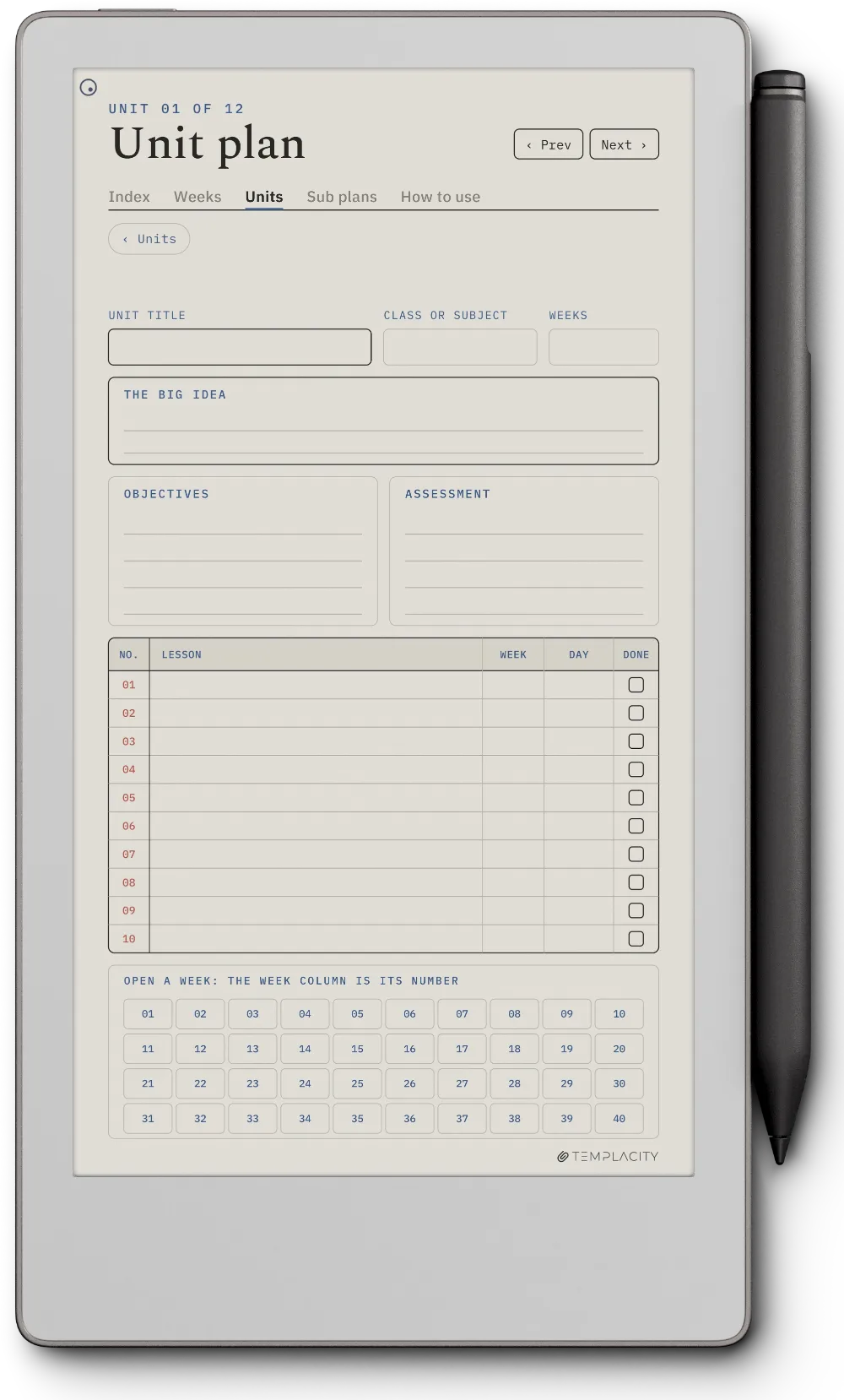
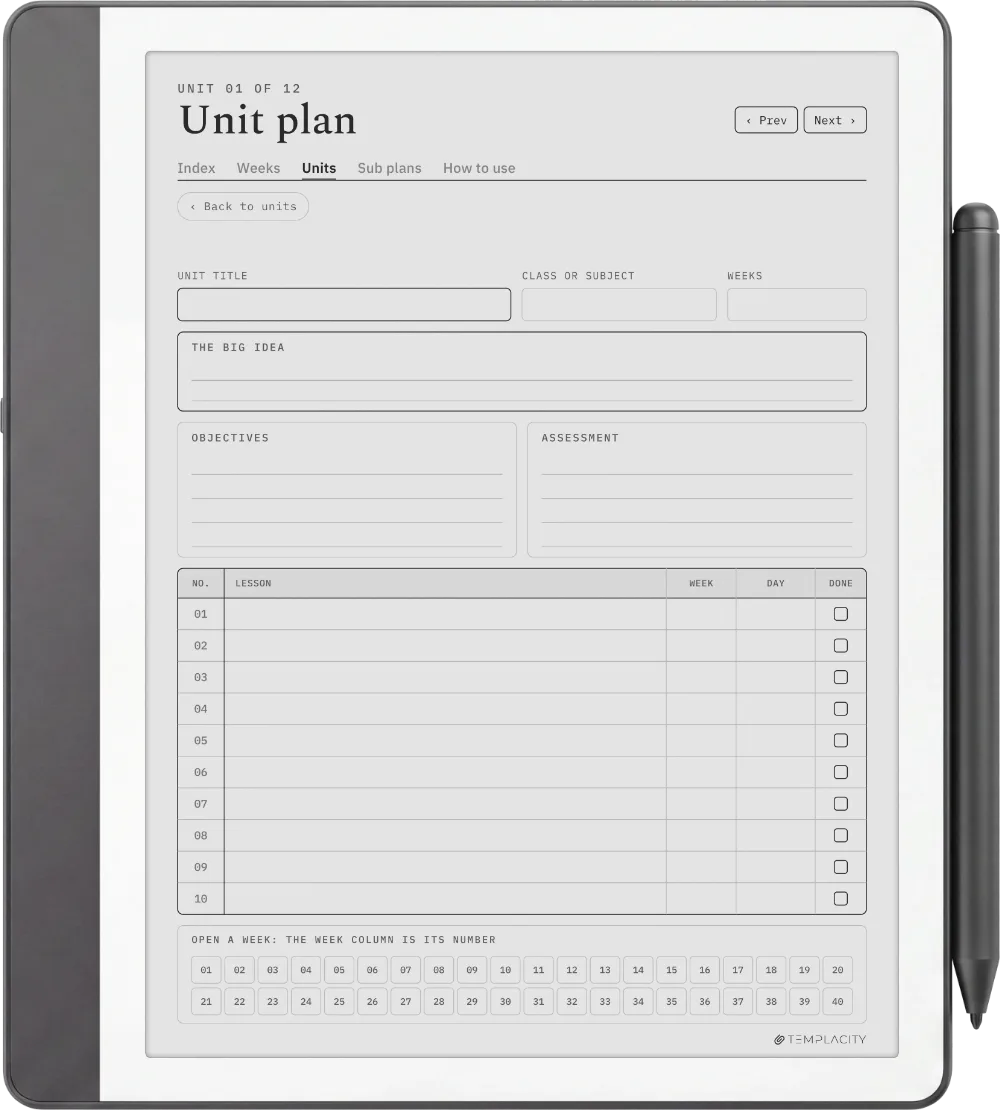
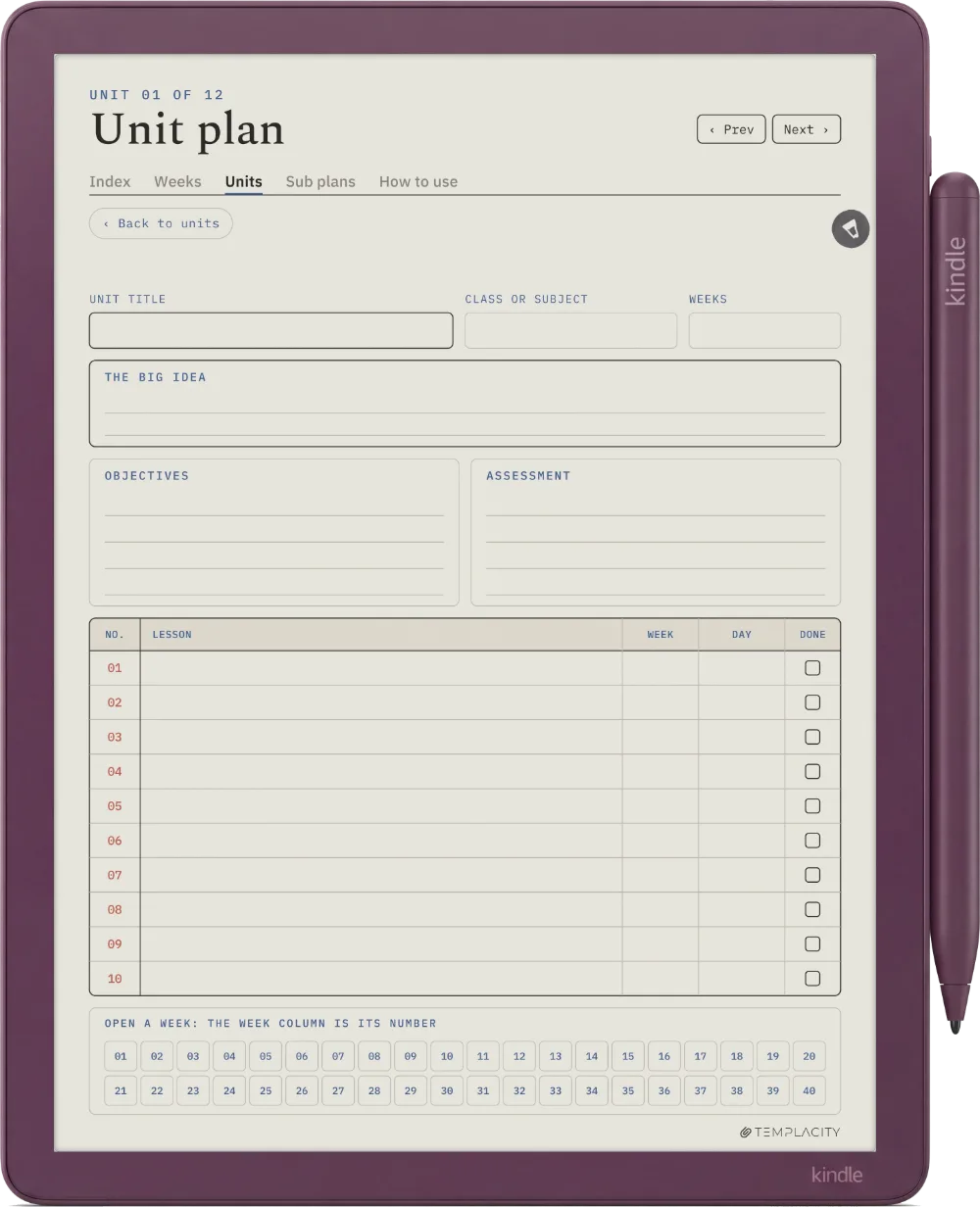
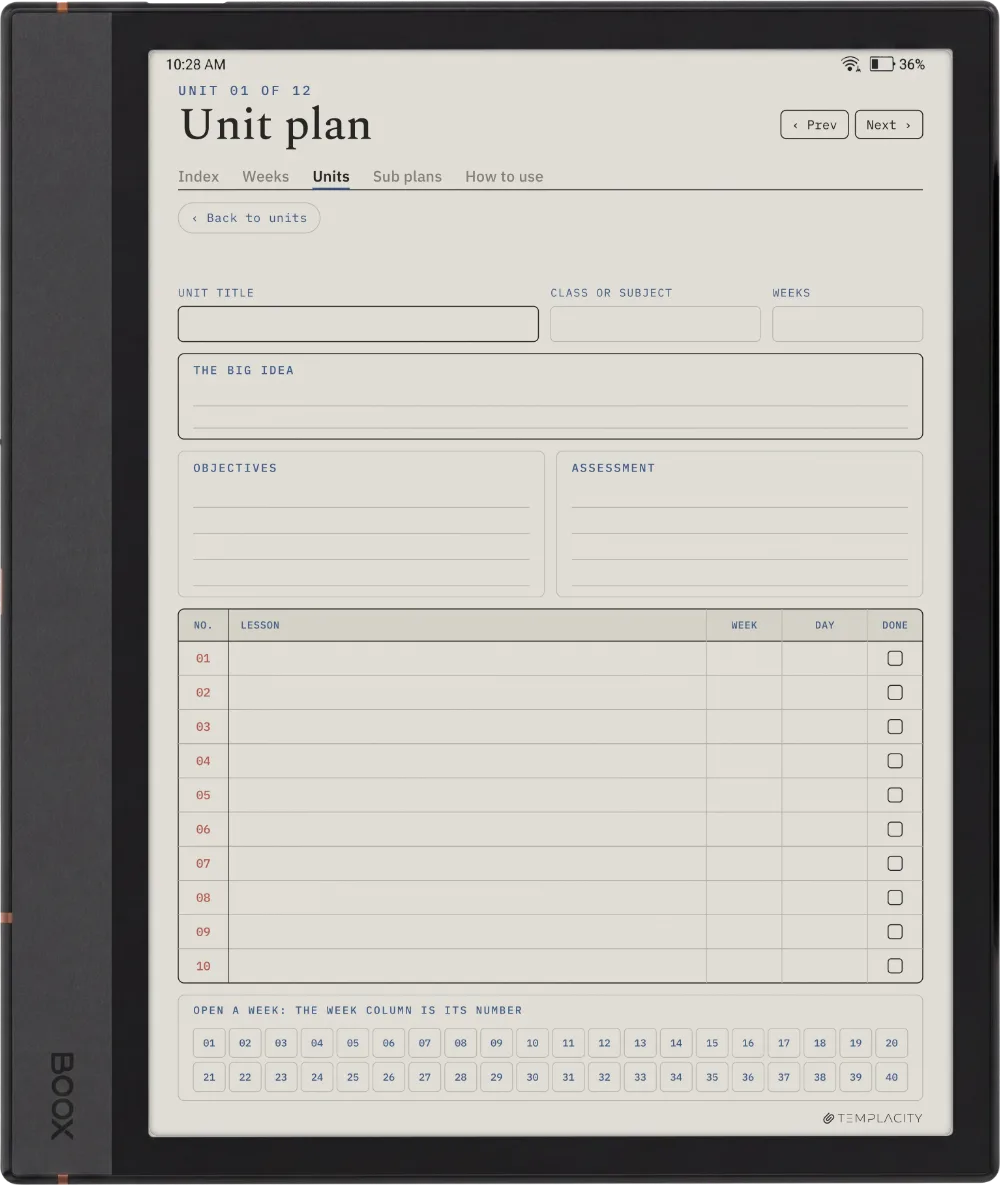
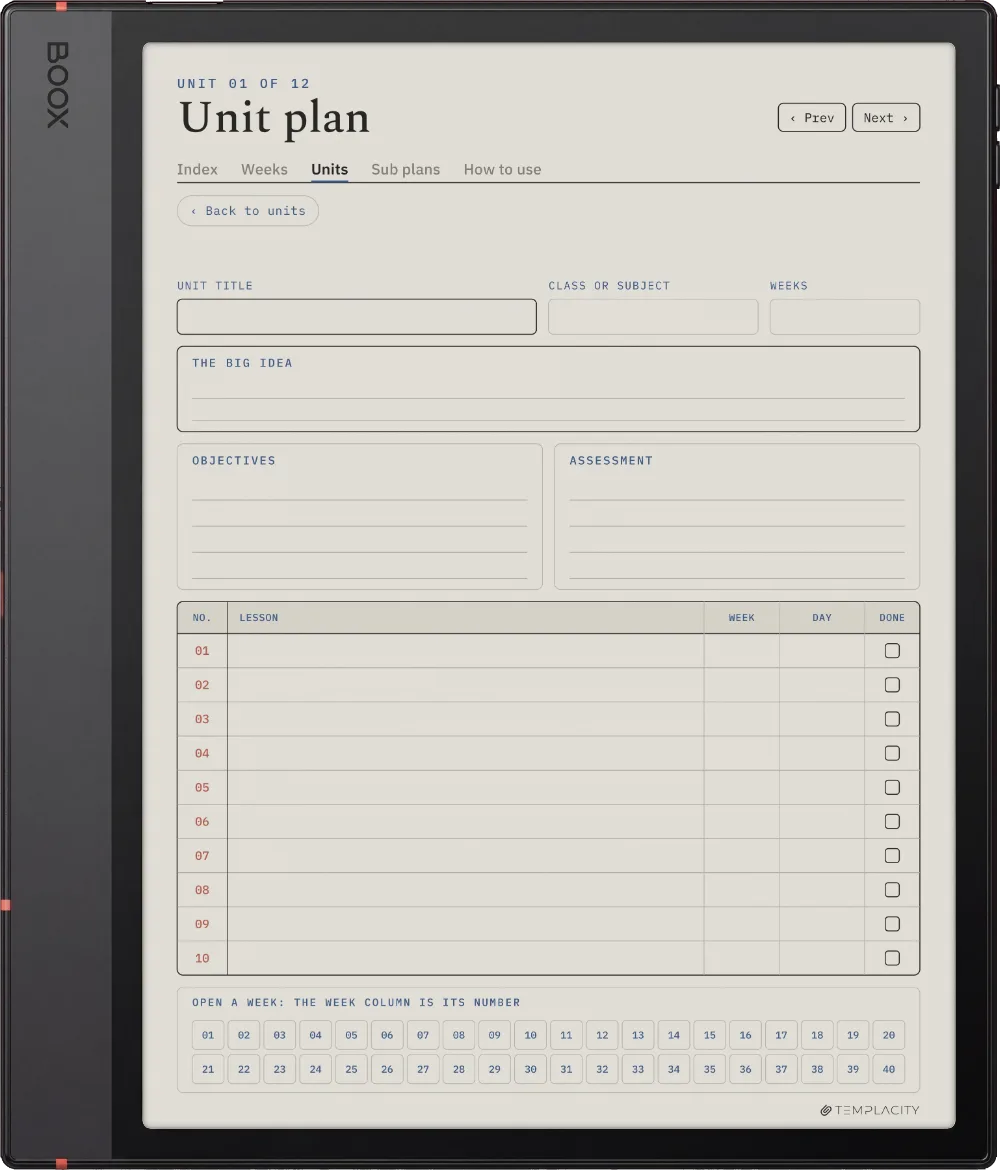
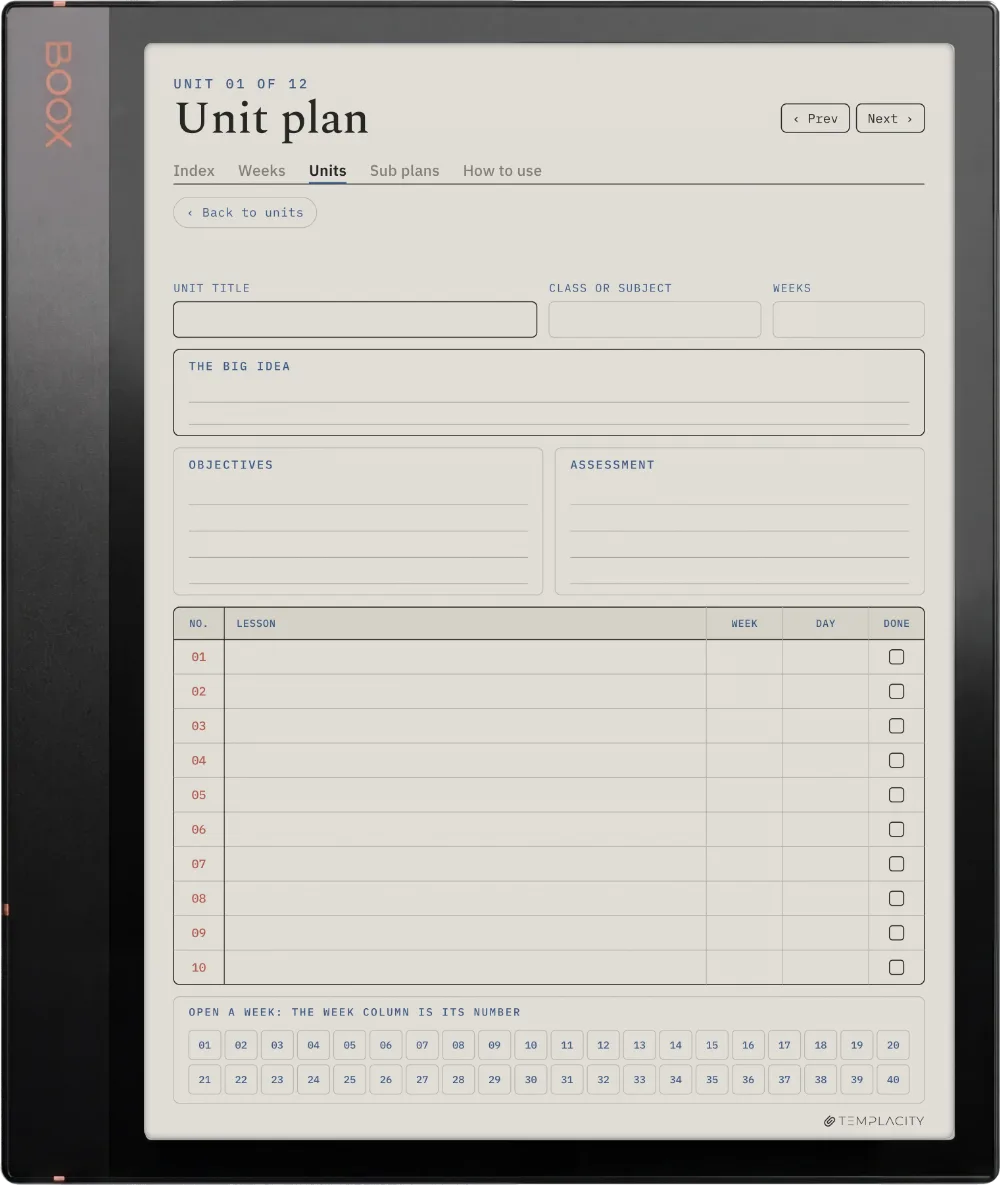
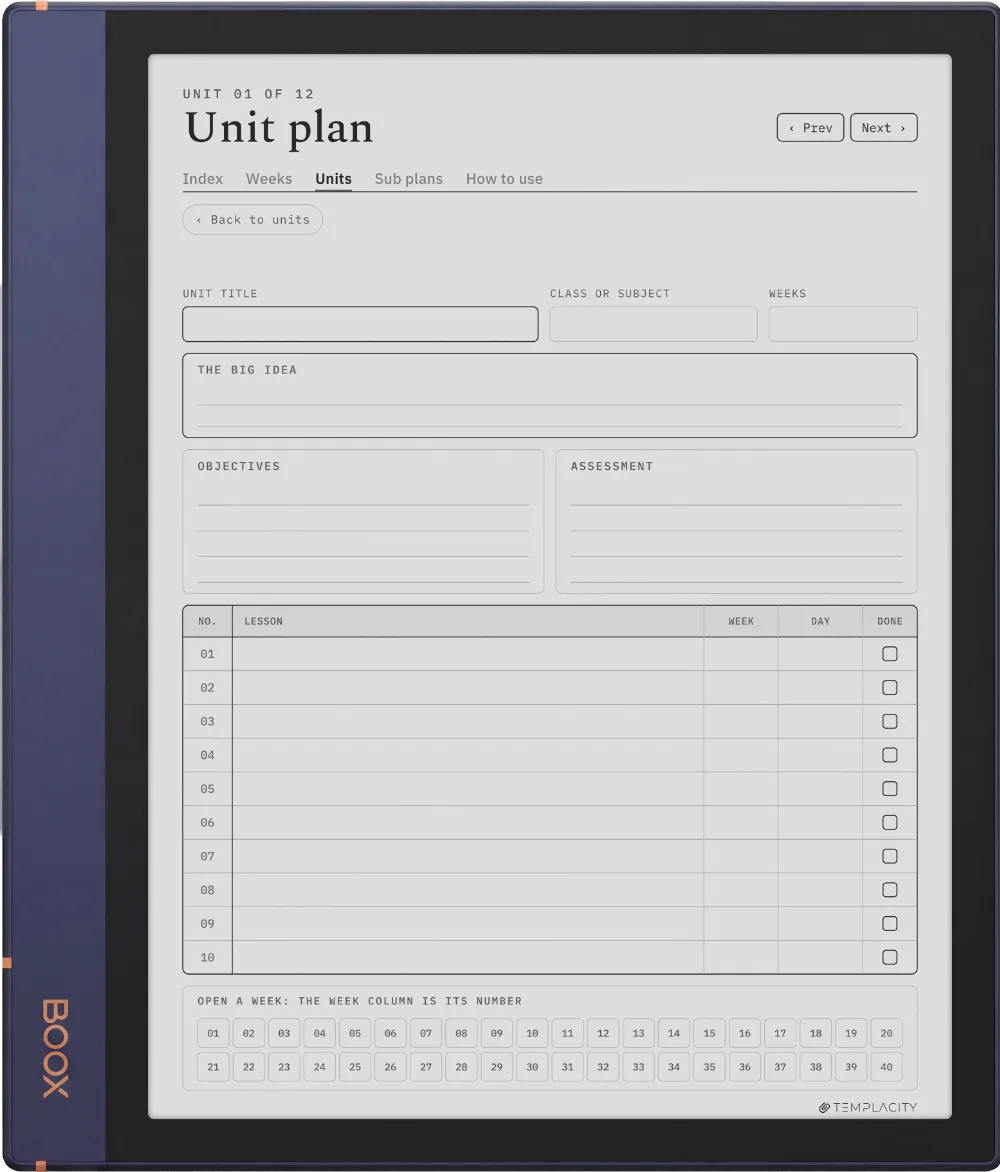
Twelve unit plans with the weeks they cover, each a tap away from the week you are teaching.

The Planner The Units
The Planner on the reMarkable Paper Pro
№ 04 · Tuned for the Paper Pro

Drawn for the reMarkable Paper Pro.

11.8″ colour e-ink · pressure-sensitive Marker

Sized to the reMarkable Paper Pro writing surface and exported for e-ink: warm paper tone, hairline grids and pen-weighted rule lines, with real room for your pen.

The Planner on the reMarkable 2
№ 04 · Tuned for the reMarkable 2

Drawn for the reMarkable 2.

10.3″ monochrome e-ink · paperfeel Pen

Sized to the reMarkable 2 writing surface and exported for e-ink: warm paper tone, hairline grids and pen-weighted rule lines, with real room for your pen.

The Planner on the reMarkable Paper Pure
№ 04 · Tuned for the Paper Pure

Drawn for the reMarkable Paper Pure.

10.3″ monochrome e-ink · paperfeel Pen

Sized to the reMarkable Paper Pure writing surface and exported for e-ink: warm paper tone, hairline grids and pen-weighted rule lines, with real room for your pen.

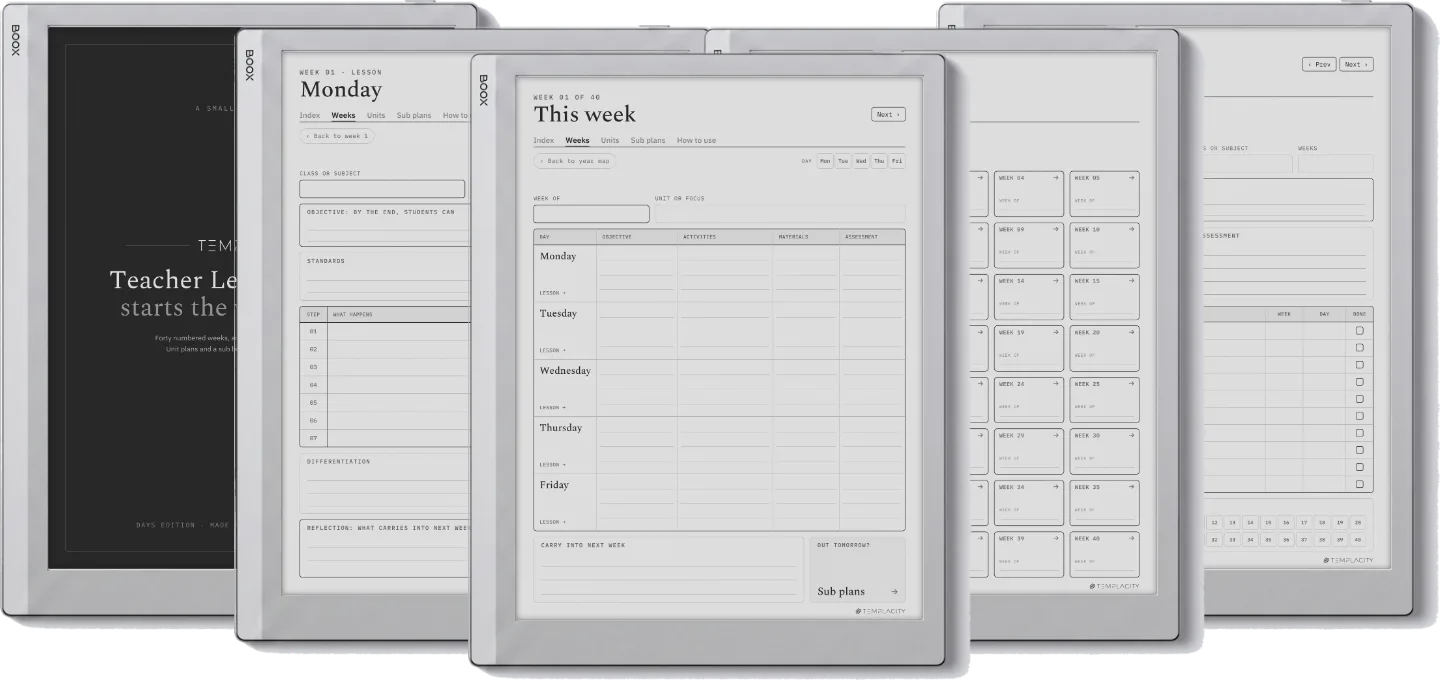
The Planner on the reMarkable Paper Pro Move
№ 04 · Tuned for the Paper Pro Move

Drawn for the reMarkable Paper Pro Move.

7.3″ colour e-ink · pressure-sensitive Marker

Shown here as the standard page on the Paper Pro Move, fitted to the screen width. Every link works on the Move.

The Planner on the Kindle Scribe
№ 04 · Tuned for the Scribe

Drawn for the Kindle Scribe.

10.2″ monochrome e-ink · Premium Pen

Sized to the Kindle Scribe writing surface and exported for e-ink: warm paper tone, hairline grids and pen-weighted rule lines, with real room for your pen.

The Planner on the Kindle Scribe Colorsoft
№ 04 · Tuned for the Colorsoft

Drawn for the Kindle Scribe Colorsoft.

11″ colour e-ink · Premium Pen

Sized to the Kindle Scribe Colorsoft writing surface and exported for e-ink: warm paper tone, hairline grids and pen-weighted rule lines, with real room for your pen.

The Planner on the Boox Note Air4 C
№ 04 · Tuned for the Note Air4 C

Drawn for the Boox Note Air4 C.

10.3″ colour e-ink · Android · BOOX Pen

Sized to the Boox Note Air4 C writing surface and exported for e-ink: warm paper tone, hairline grids and pen-weighted rule lines, with real room for your pen.

The Planner on the Boox Note Air5 C
№ 04 · Tuned for the Note Air5 C

Drawn for the Boox Note Air5 C.

10.3″ colour e-ink · Android · BOOX Pen

Sized to the Boox Note Air5 C writing surface and exported for e-ink: warm paper tone, hairline grids and pen-weighted rule lines, with real room for your pen.

The Planner on the Boox Note Air3 C
№ 04 · Tuned for the Note Air3 C

Drawn for the Boox Note Air3 C.

10.3″ colour e-ink · Android · BOOX Pen

Sized to the Boox Note Air3 C writing surface and exported for e-ink: warm paper tone, hairline grids and pen-weighted rule lines, with real room for your pen.

The Planner on the Boox Note Air 3
№ 04 · Tuned for the Note Air 3

Drawn for the Boox Note Air 3.

10.3″ monochrome e-ink · Android

Sized to the Boox Note Air 3 writing surface and exported for e-ink: warm paper tone, hairline grids and pen-weighted rule lines, with real room for your pen.

The Planner on the Boox Note Air2
№ 04 · Tuned for the Note Air2

Drawn for the Boox Note Air2.

10.3″ monochrome e-ink · Android

Sized to the Boox Note Air2 writing surface and exported for e-ink: warm paper tone, hairline grids and pen-weighted rule lines, with real room for your pen.

The Planner on the Boox Go 10.3
№ 04 · Tuned for the Go 10.3

Drawn for the Boox Go 10.3.

10.3″ monochrome e-ink · Android

Sized to the Boox Go 10.3 writing surface and exported for e-ink: warm paper tone, hairline grids and pen-weighted rule lines, with real room for your pen.

The Planner on the Boox Go Color 7 (Gen II)
№ 04 · Tuned for the Go Color 7

Drawn for the Boox Go Color 7 (Gen II).

7″ colour e-ink · Android

Sized to the Boox Go Color 7 (Gen II) writing surface and exported for e-ink: warm paper tone, hairline grids and pen-weighted rule lines, with real room for your pen.

The Planner on the Boox Note5
№ 04 · Tuned for the Note5

Drawn for the Boox Note5.

10.3″ monochrome e-ink · Android

Sized to the Boox Note5 writing surface and exported for e-ink: warm paper tone, hairline grids and pen-weighted rule lines, with real room for your pen.

The Planner on the Boox Note Max
№ 04 · Tuned for the Note Max

Drawn for the Boox Note Max.

13.3″ colour e-ink · Android

Sized to the Boox Note Max writing surface and exported for e-ink: warm paper tone, hairline grids and pen-weighted rule lines, with real room for your pen.

The Planner on the Boox Tab Ultra C Pro
№ 04 · Tuned for the Tab Ultra C Pro

Drawn for the Boox Tab Ultra C Pro.

10.3″ colour e-ink · Android · BOOX Pen

Sized to the Boox Tab Ultra C Pro writing surface and exported for e-ink: warm paper tone, hairline grids and pen-weighted rule lines, with real room for your pen.

The Planner on the Supernote Manta
№ 04 · Tuned for the Manta

Drawn for the Supernote Manta.

10.7″ monochrome e-ink · Ratta ceramic nib

Sized to the Supernote Manta writing surface and exported for e-ink: warm paper tone, hairline grids and pen-weighted rule lines, with real room for your pen.

The Planner on the Supernote Nomad
№ 04 · Tuned for the Nomad

Drawn for the Supernote Nomad.

7.8″ monochrome e-ink · Ratta ceramic nib

Sized to the Supernote Nomad writing surface and exported for e-ink: warm paper tone, hairline grids and pen-weighted rule lines, with real room for your pen.

The Planner on the iPad
№ 04 · Tuned for the iPad

Drawn for the iPad.

Goodnotes on iPad · Apple Pencil · full colour

Imports straight into Goodnotes on the iPad and keeps its 3:4 page shape, so it opens full-bleed: links turn pages in read mode, the Apple Pencil writes in edit mode.

№ 05 · How it lands on your device

Three steps, less than a minute.

i.

Download.

Instant download after purchase. Also in your account, forever.

ii.

Send to device.

Email it, drop it in the desktop app, or sync via the cloud.

iii.

Open and write.

Opens at the Index. Tap to the day, week or month you need.

№ 06 · What you actually get

One file, drawn for your device.

Format
Hyperlinked PDF
Dating
40 numbered weeks and a year map. No dates printed, so week one is whichever week you start, and a late start or a mid-year change of class costs nothing.
Layouts
Days and Periods, both included
Every day
A lesson page for every day, one tap from its week and one tap back
Units
12 unit plans, each with a jump to any week, so a unit and the lessons that teach it stay linked
Sub binder
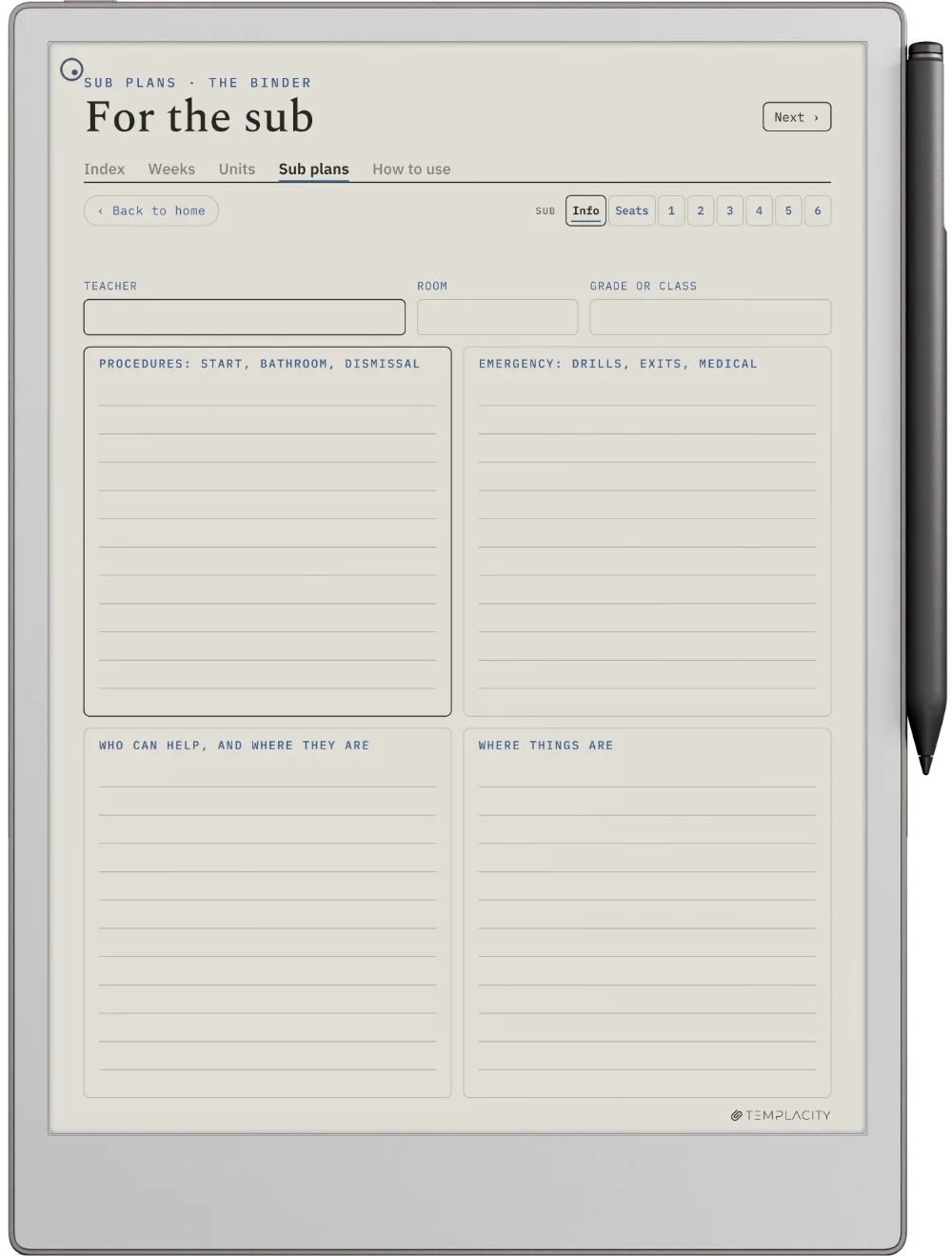
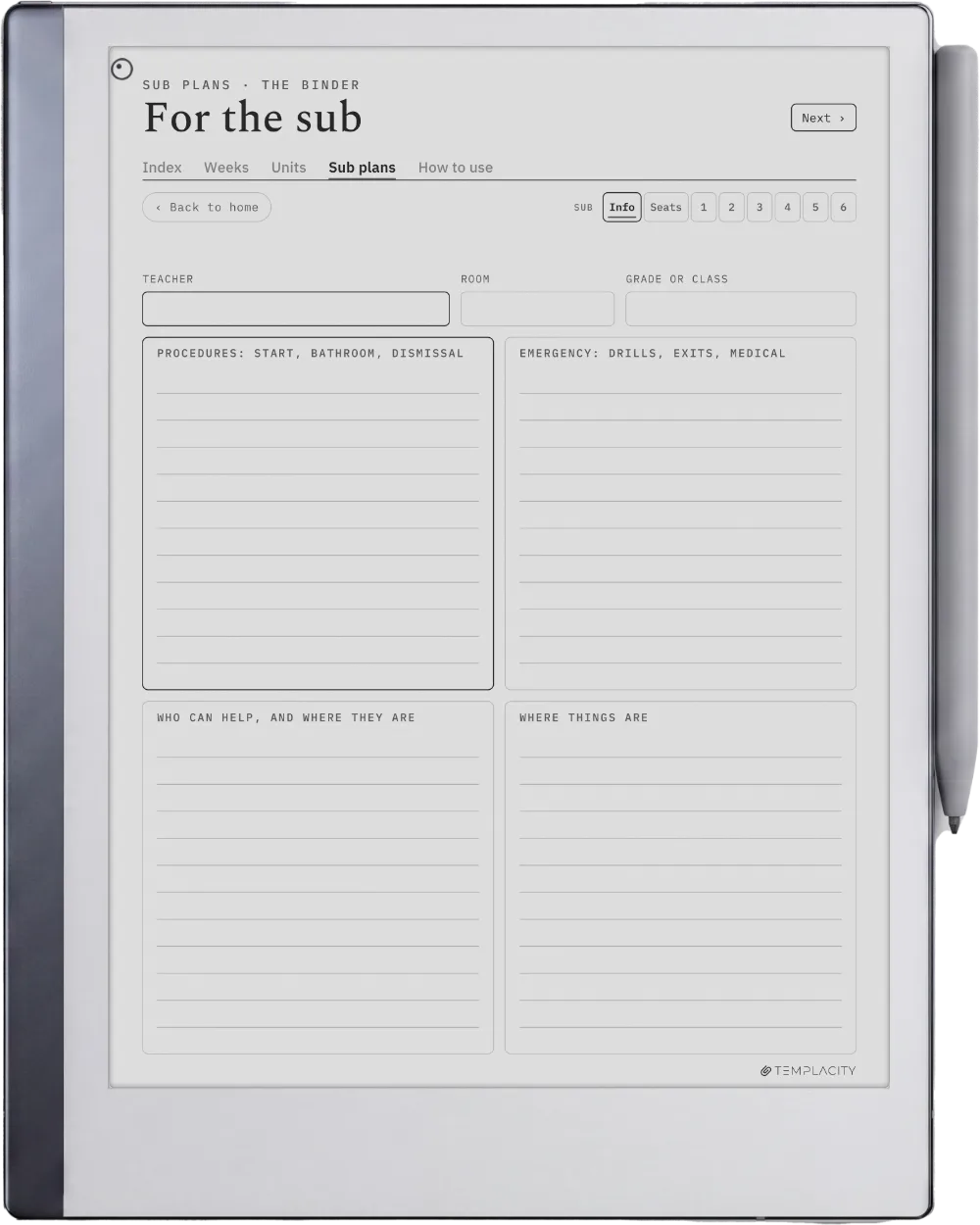
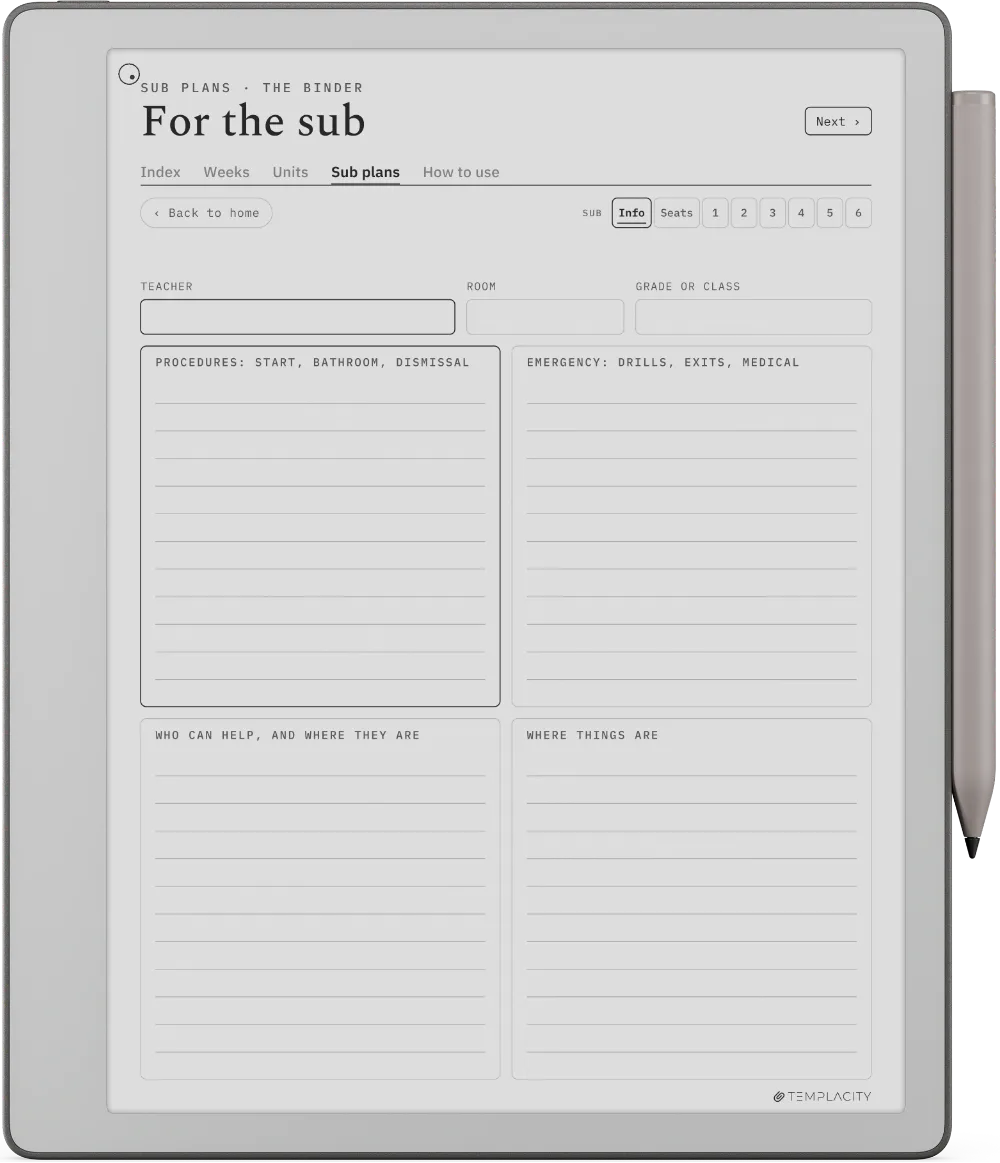
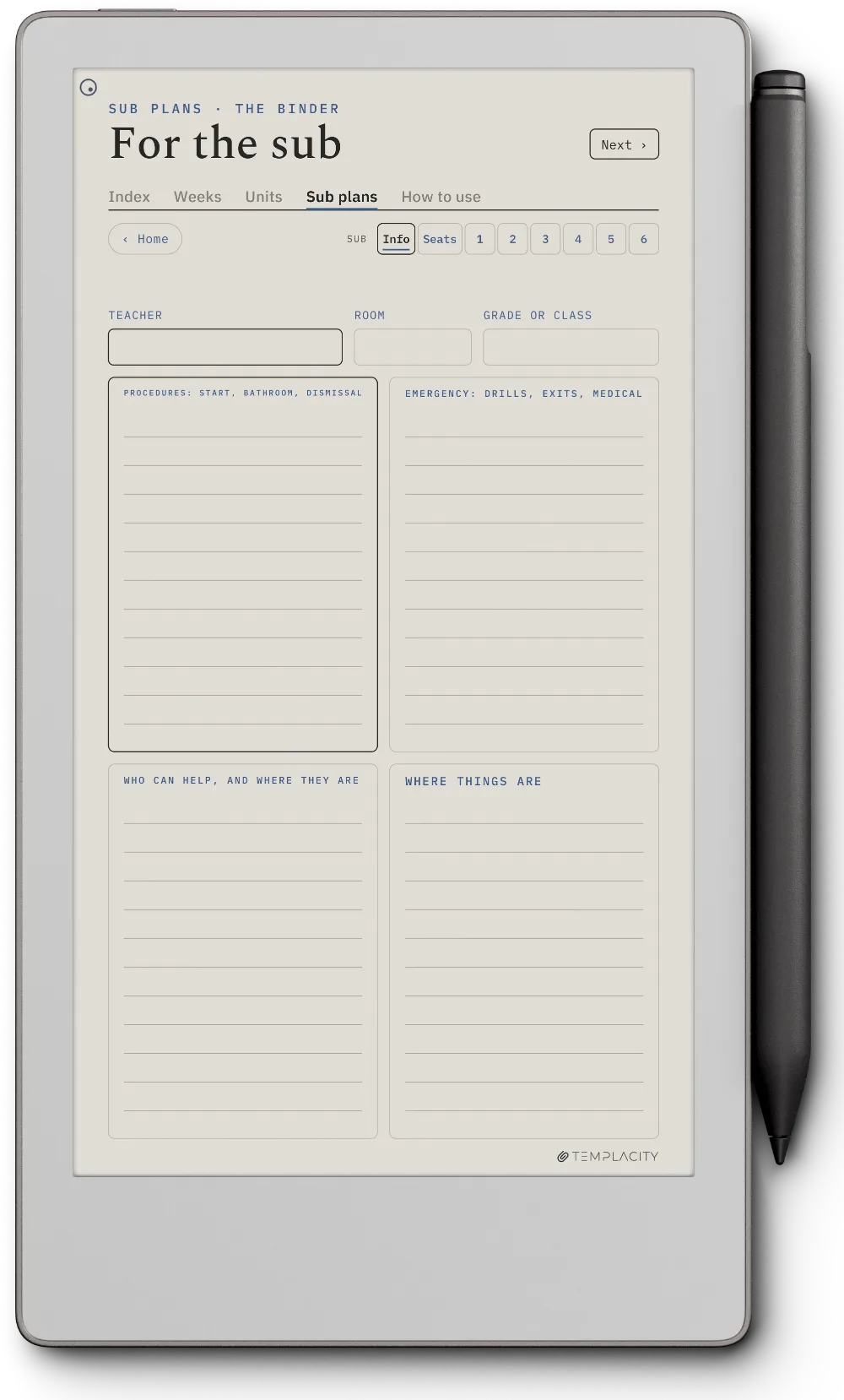
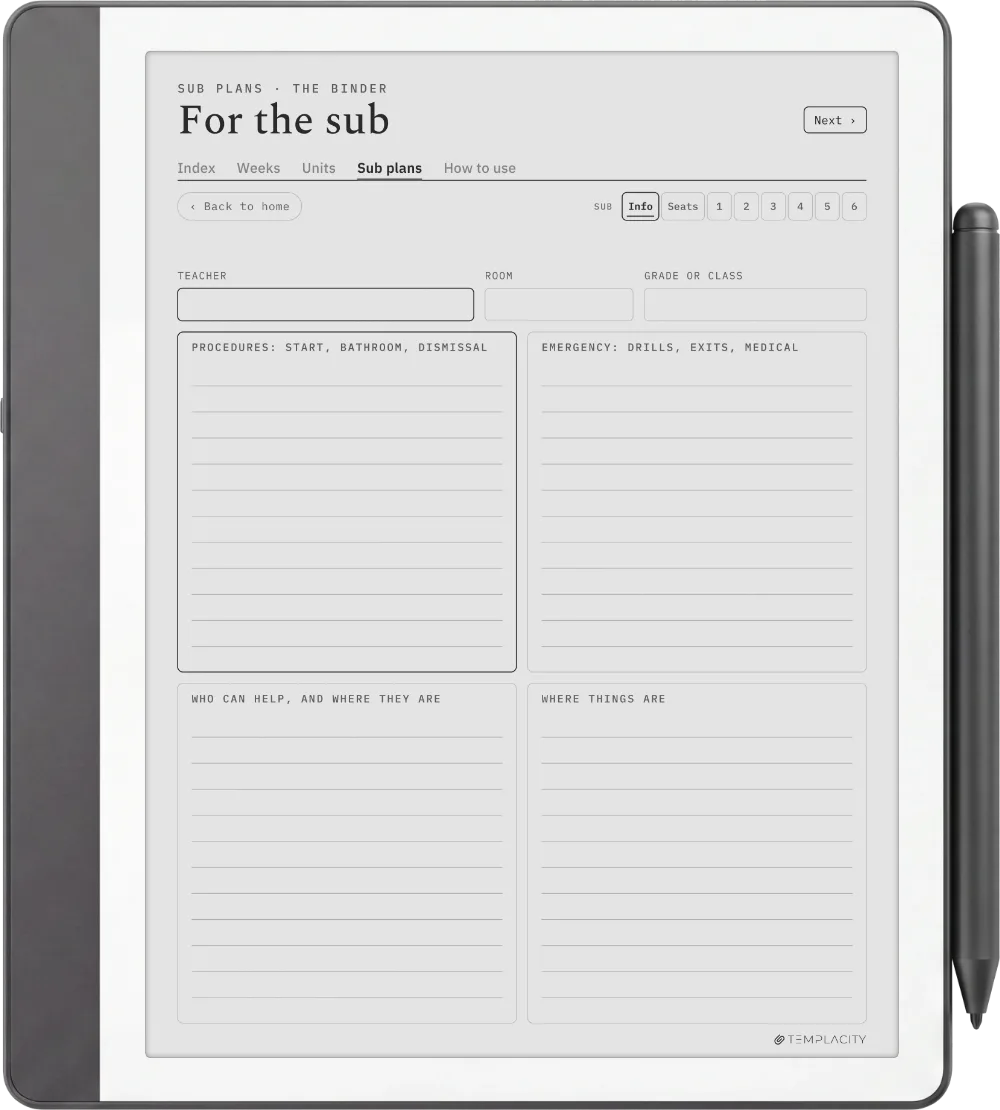
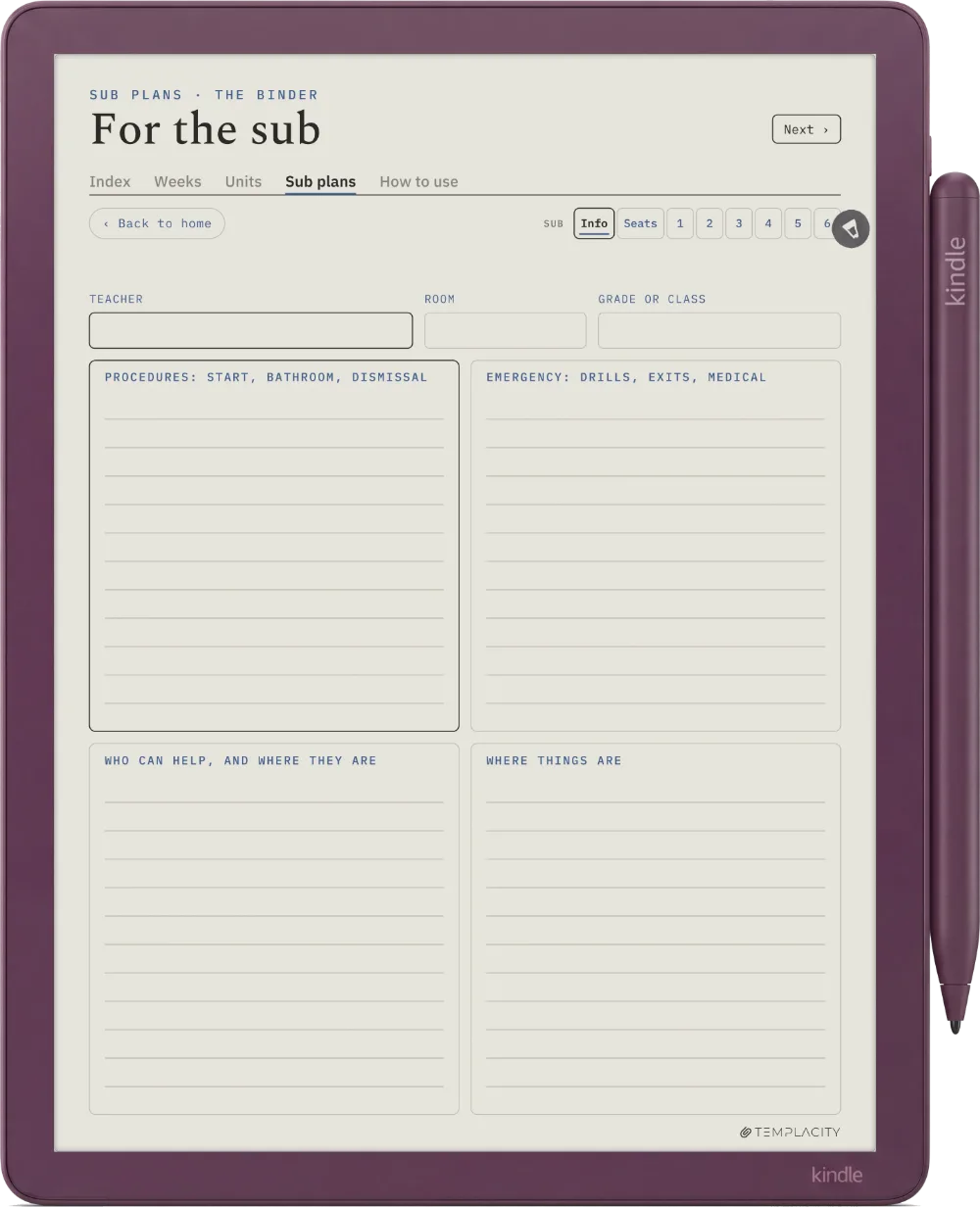
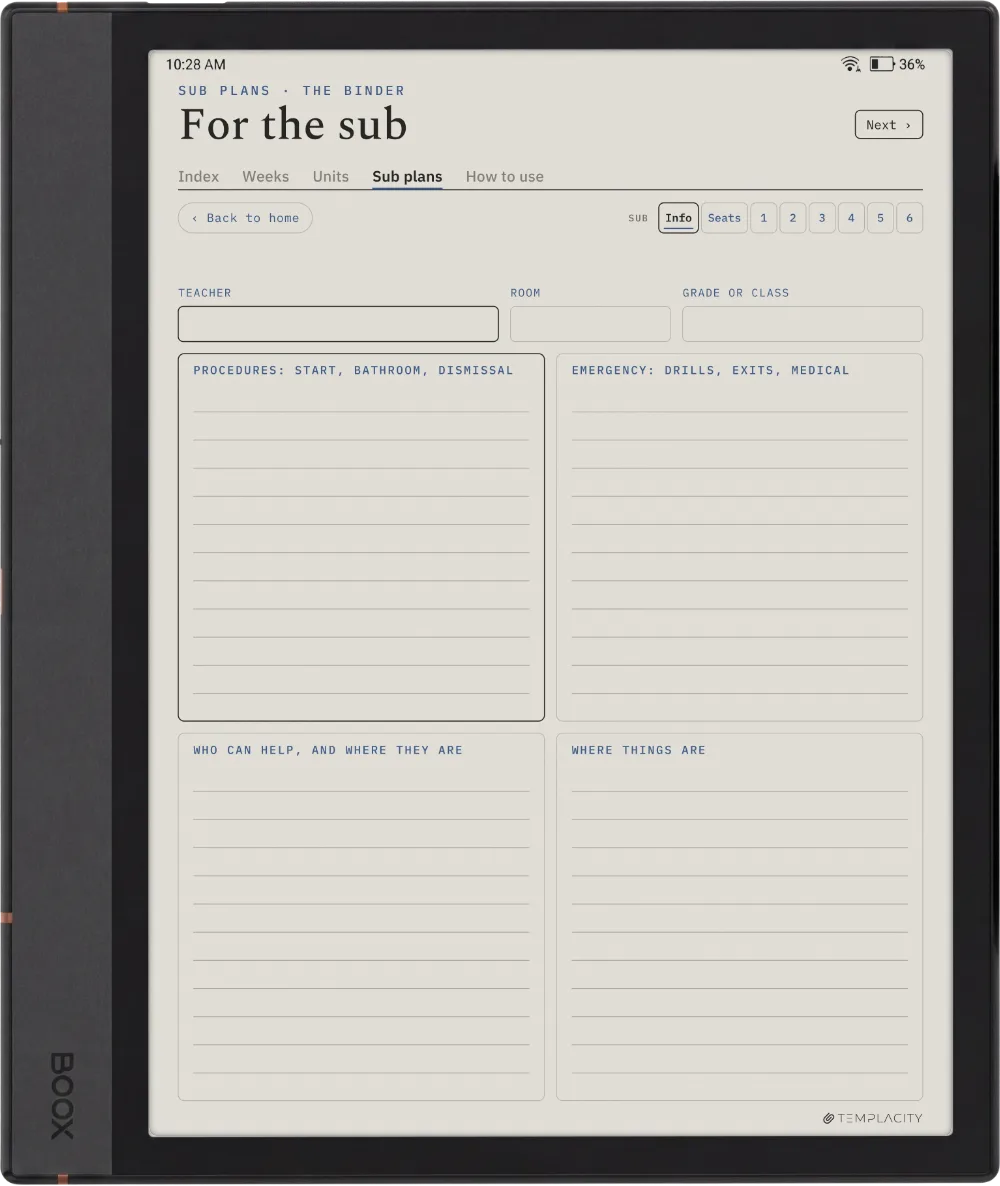
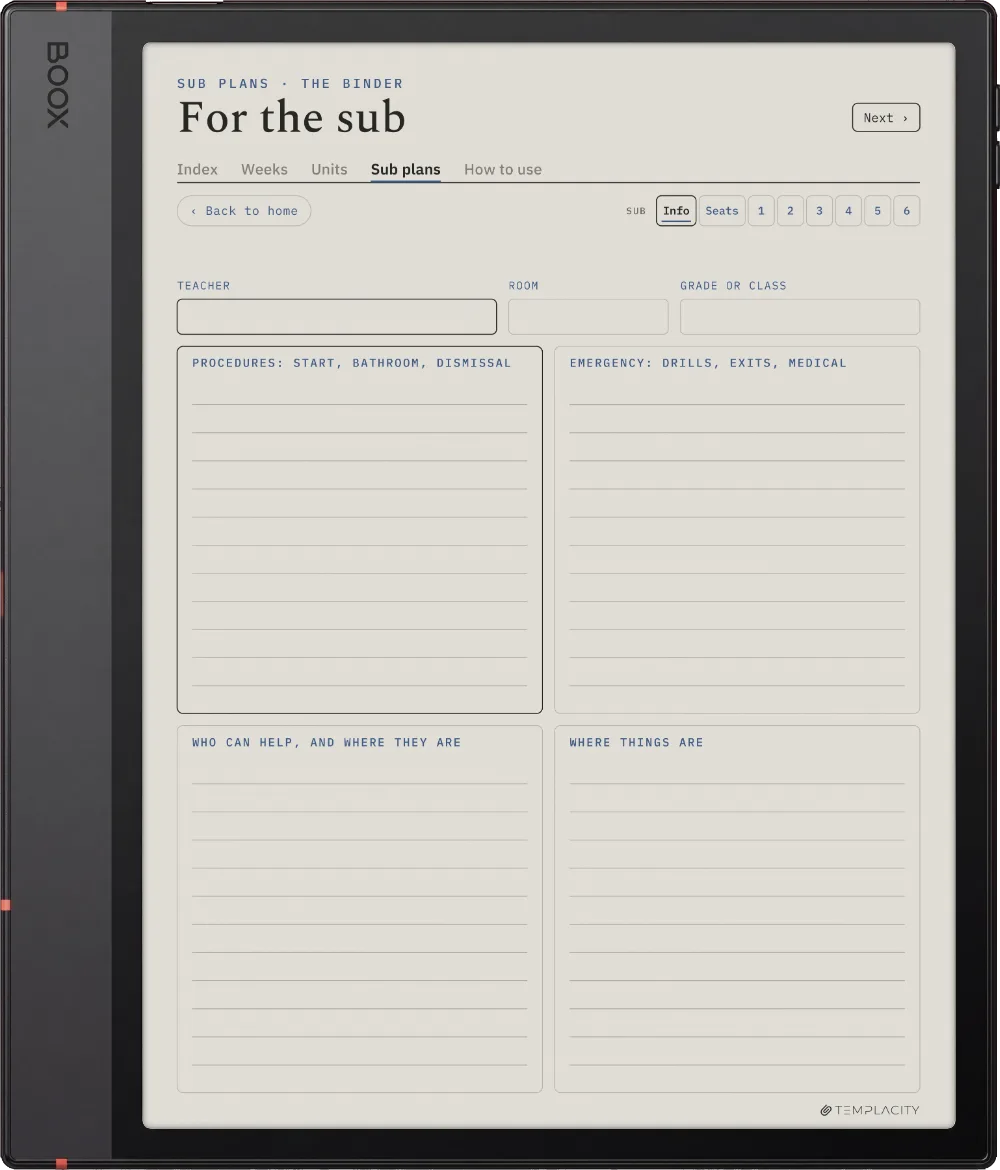
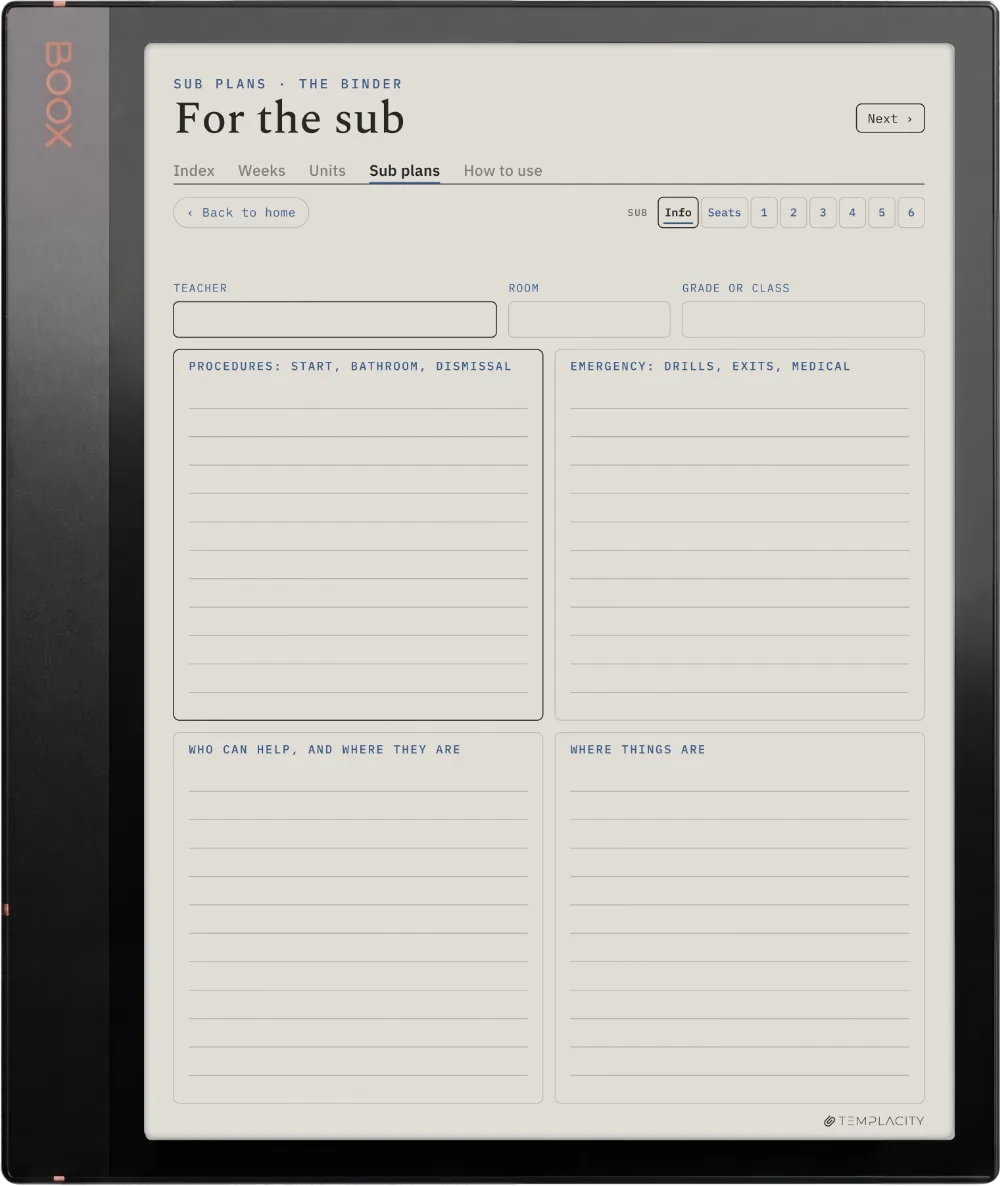
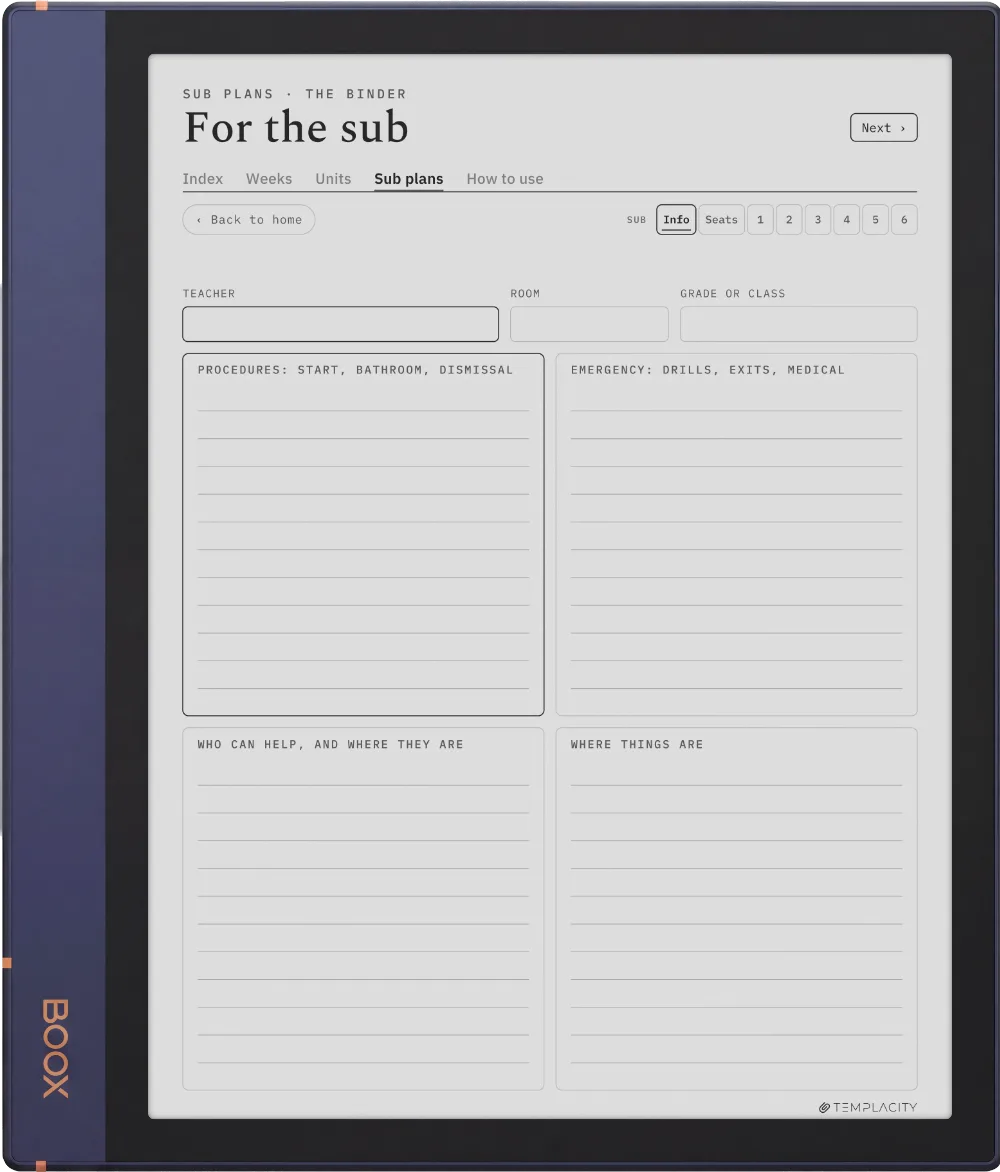
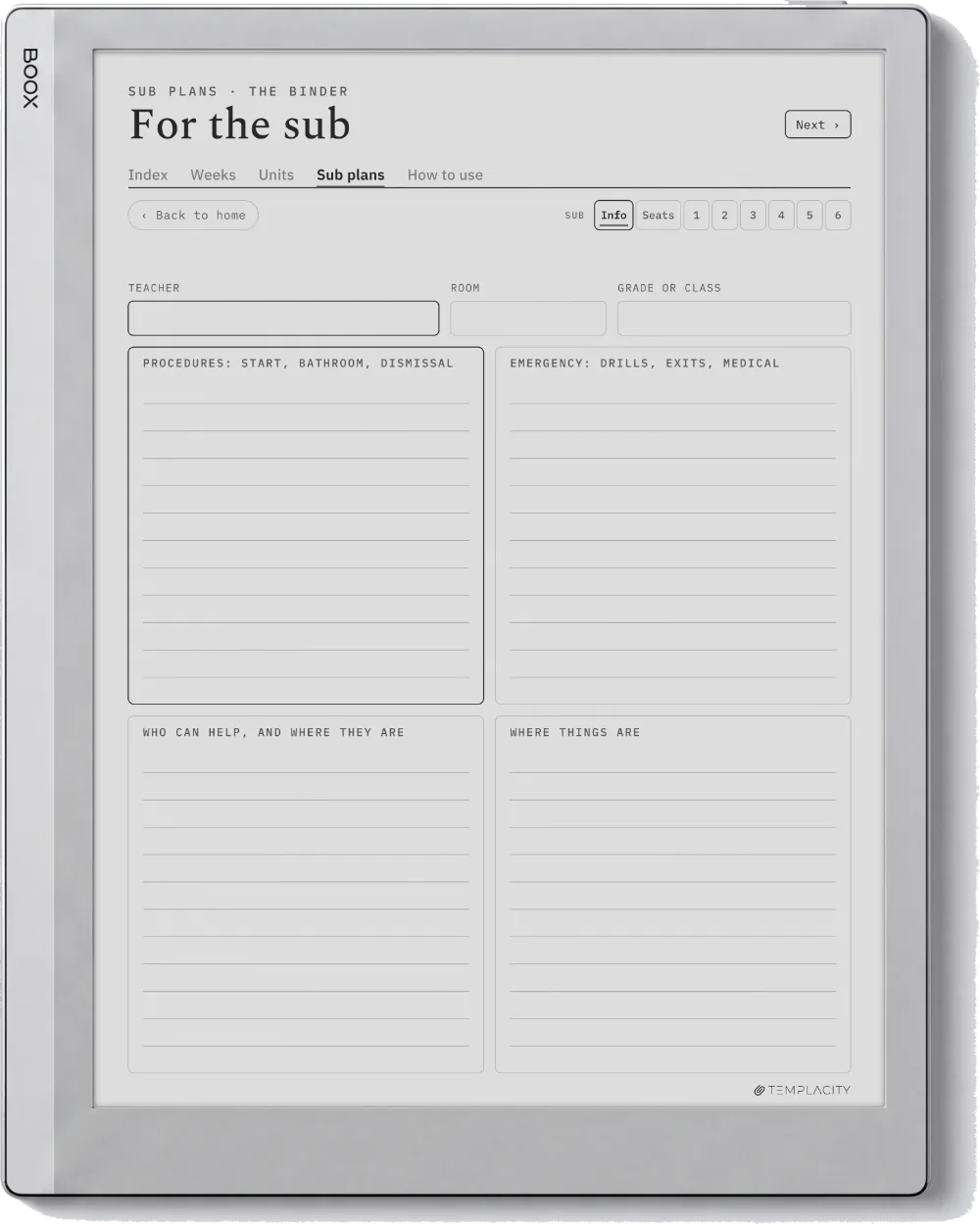
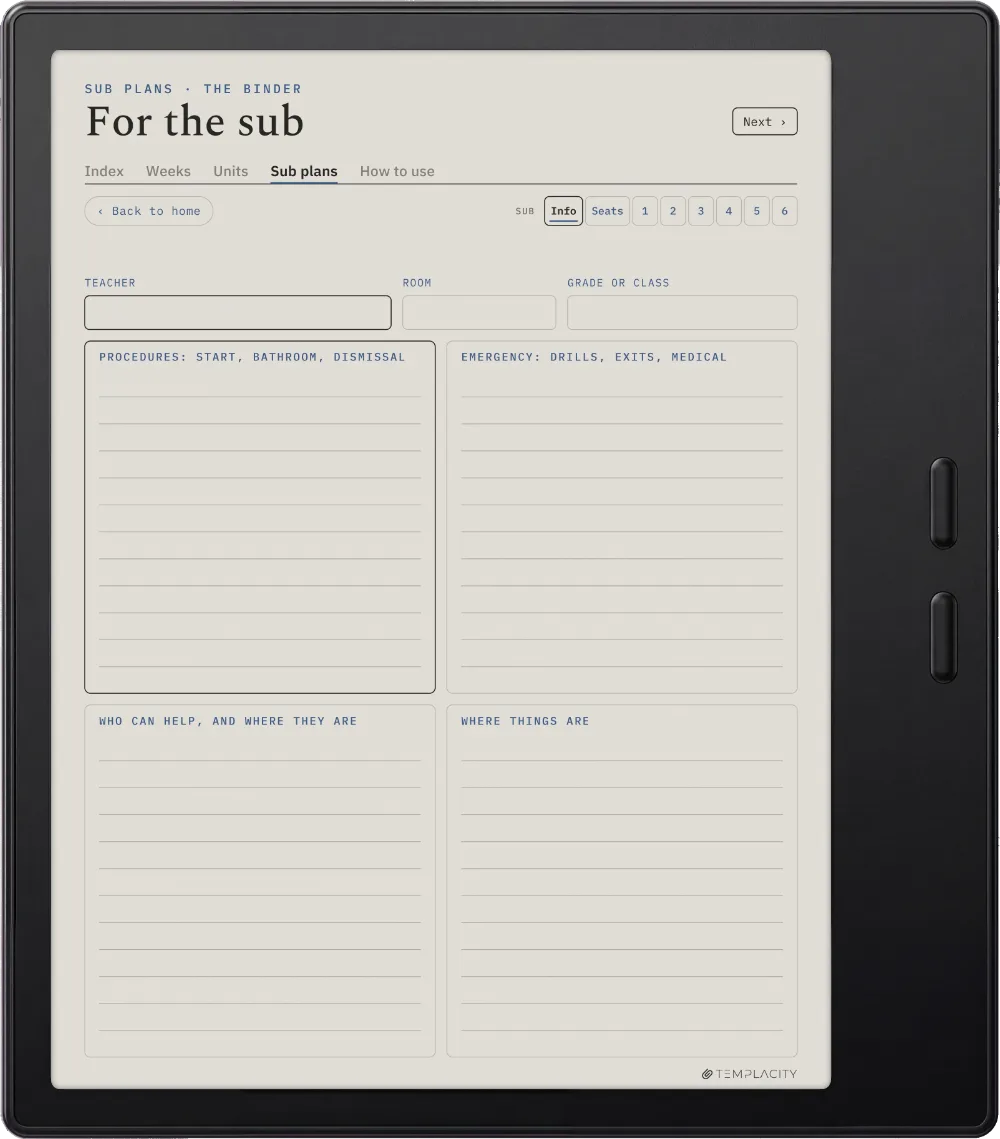
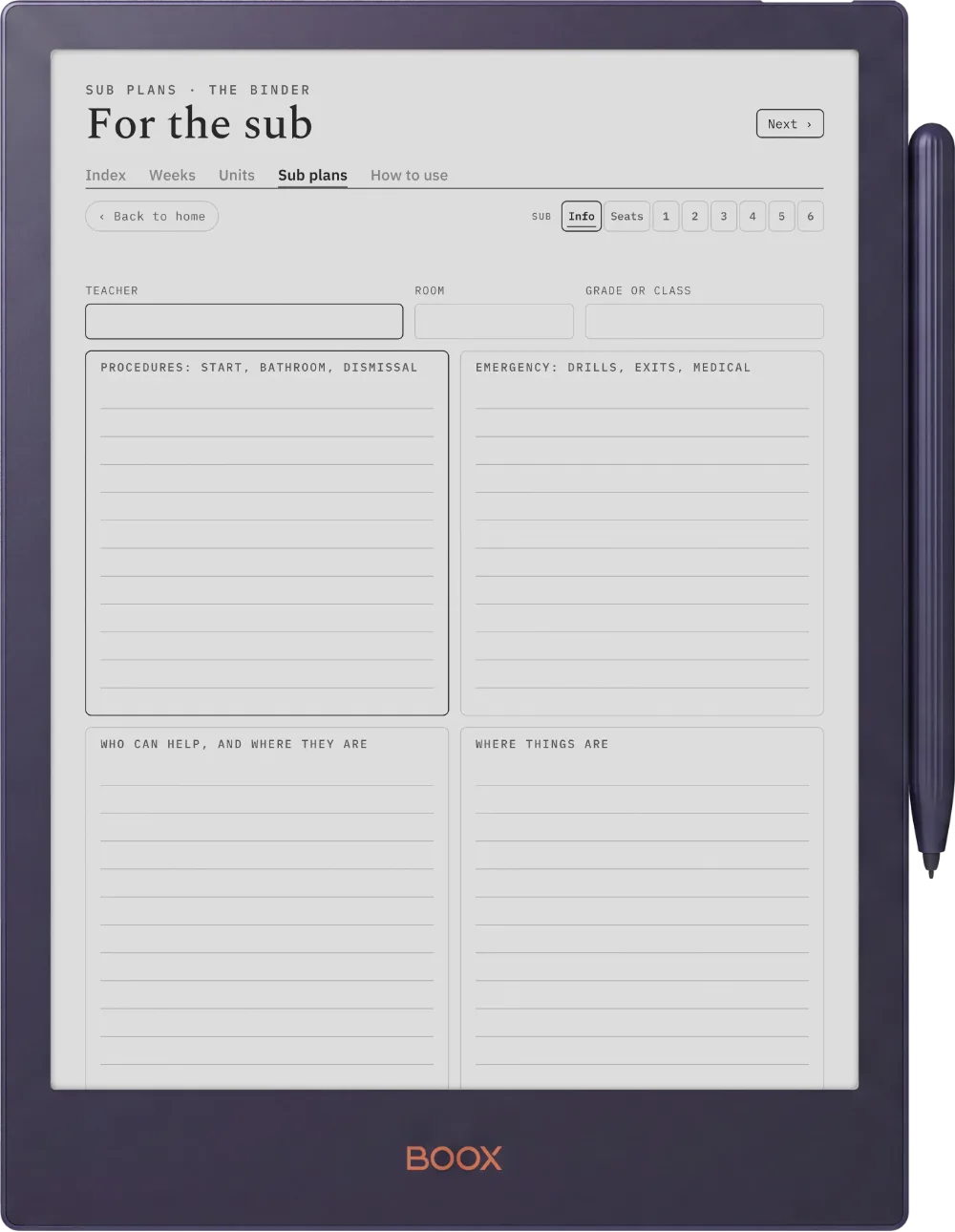
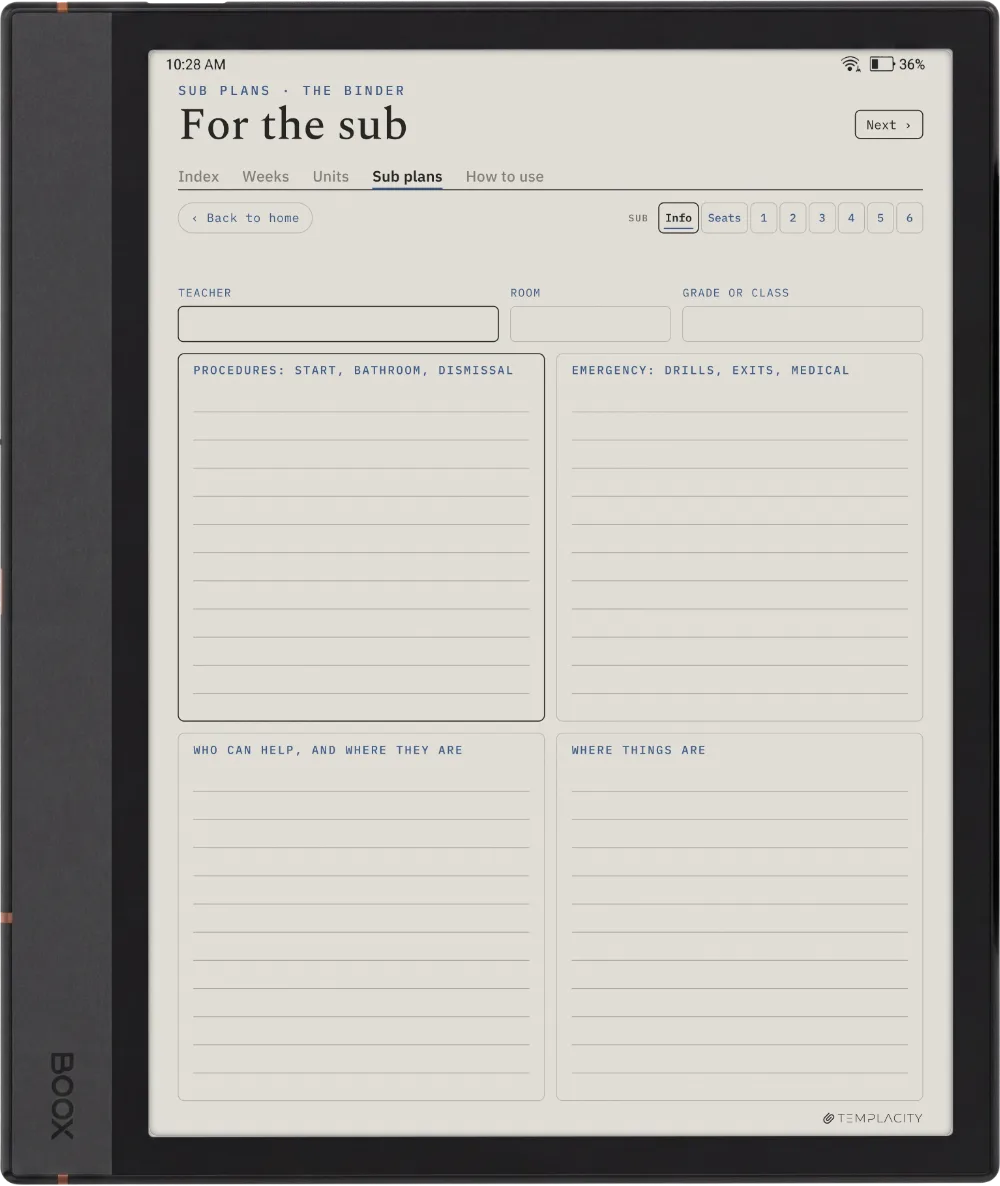
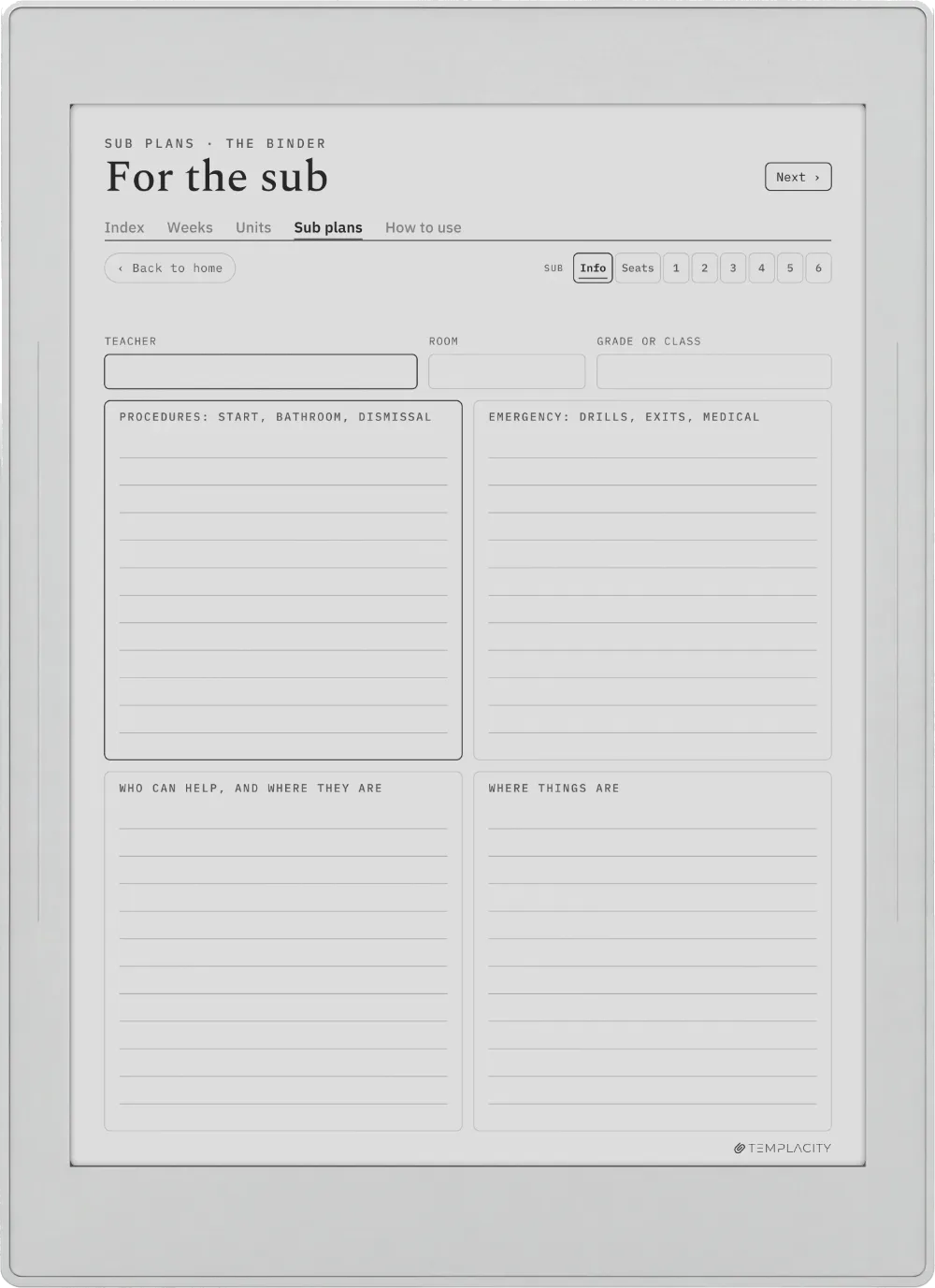
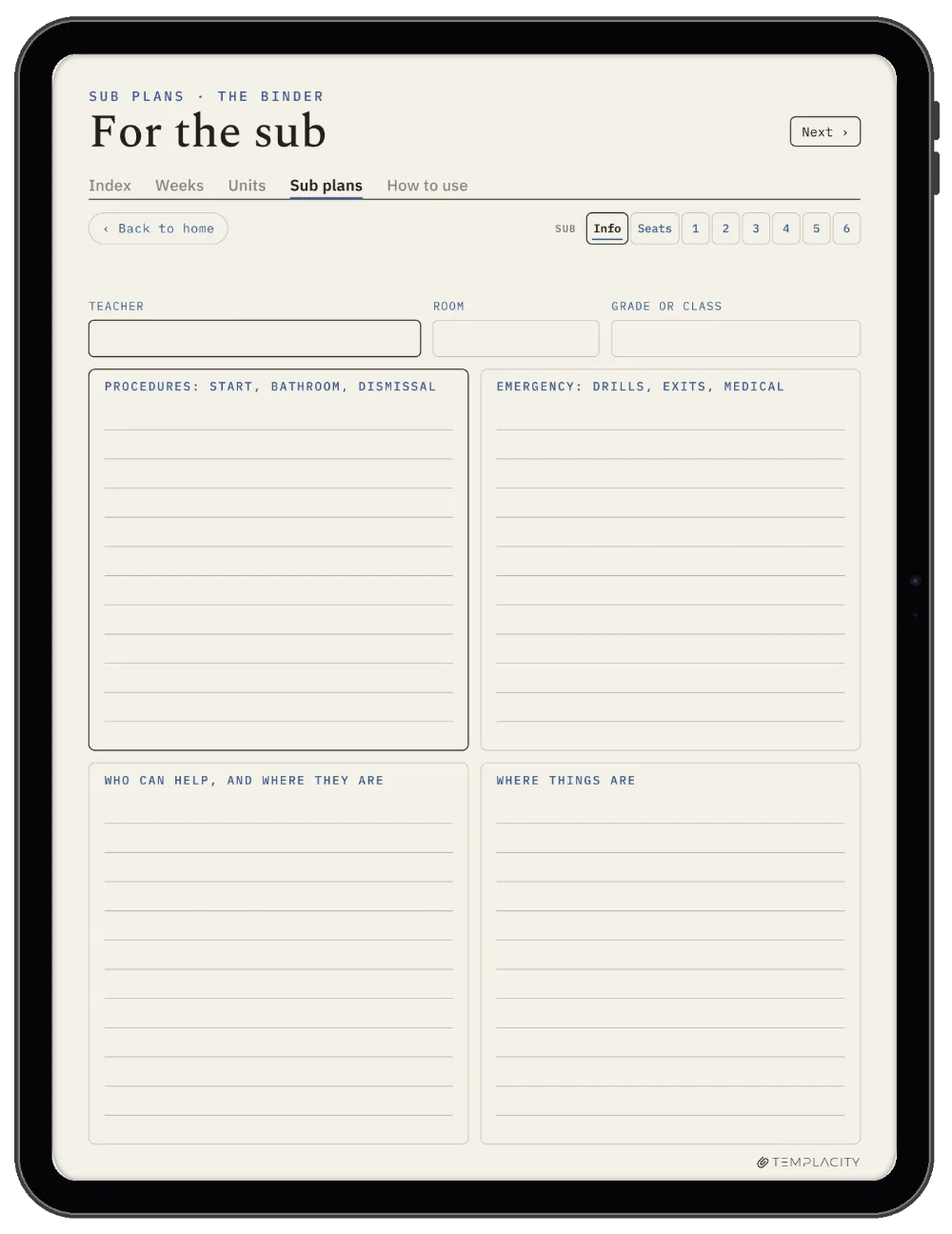
A standing page, a seating chart and six sub days, linked from every week, ready for the morning you cannot be there
Guide
A filled how-to-use guide, so you see each page working before you write in it
Pages
271 in each layout
Language
English
Delivery
Instant download · permanent link in your account
№ 07 · Last word

Two layouts, one download.

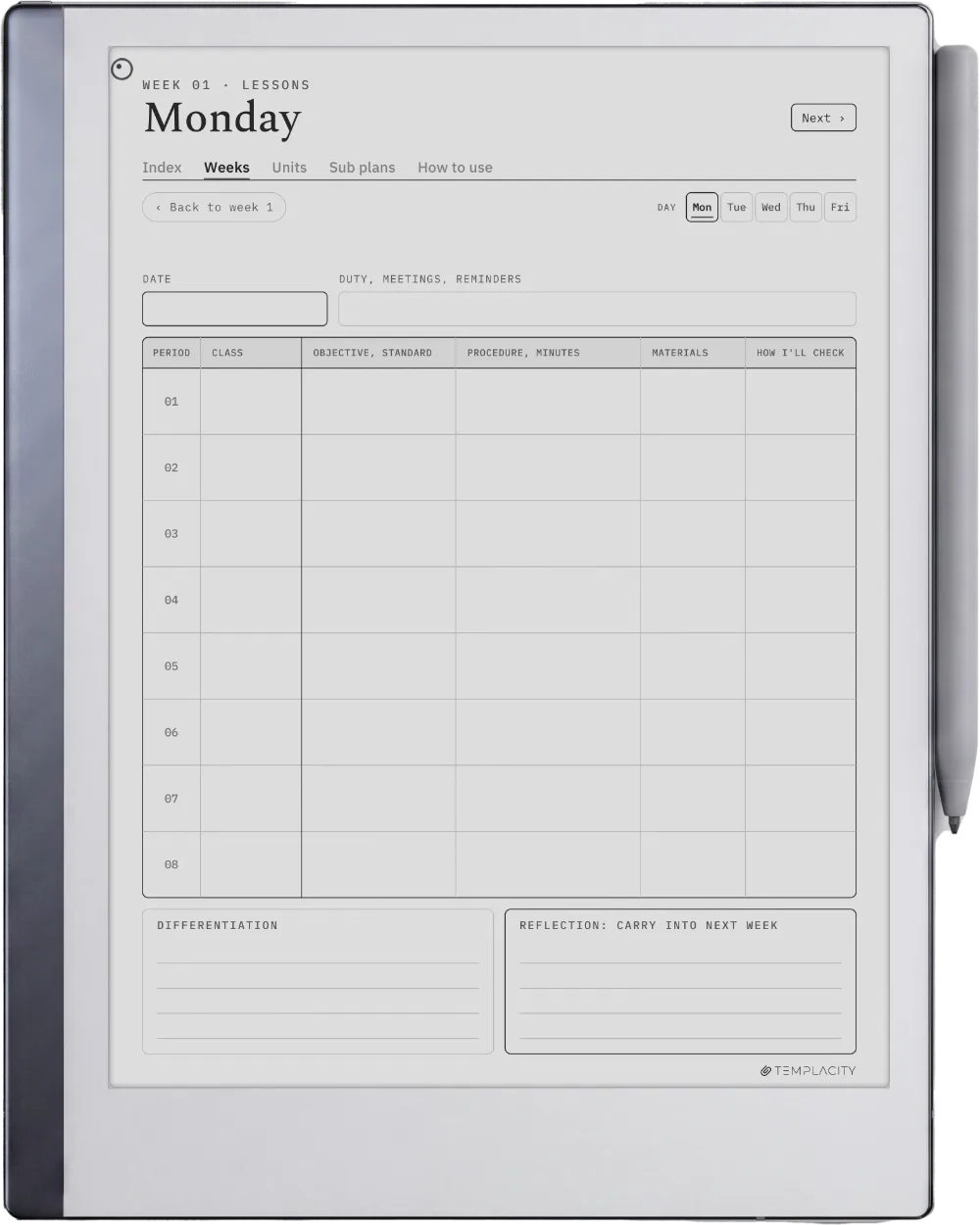
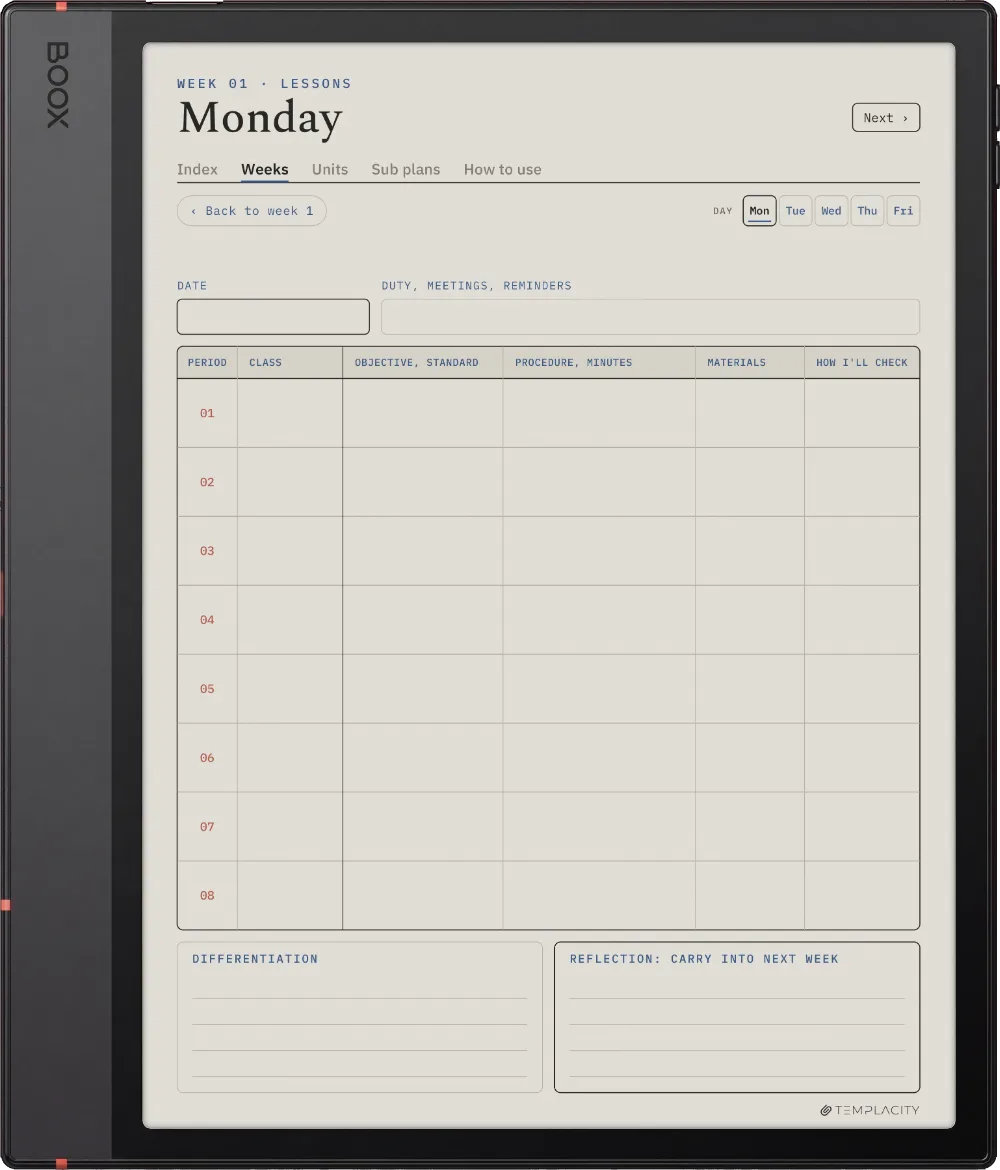
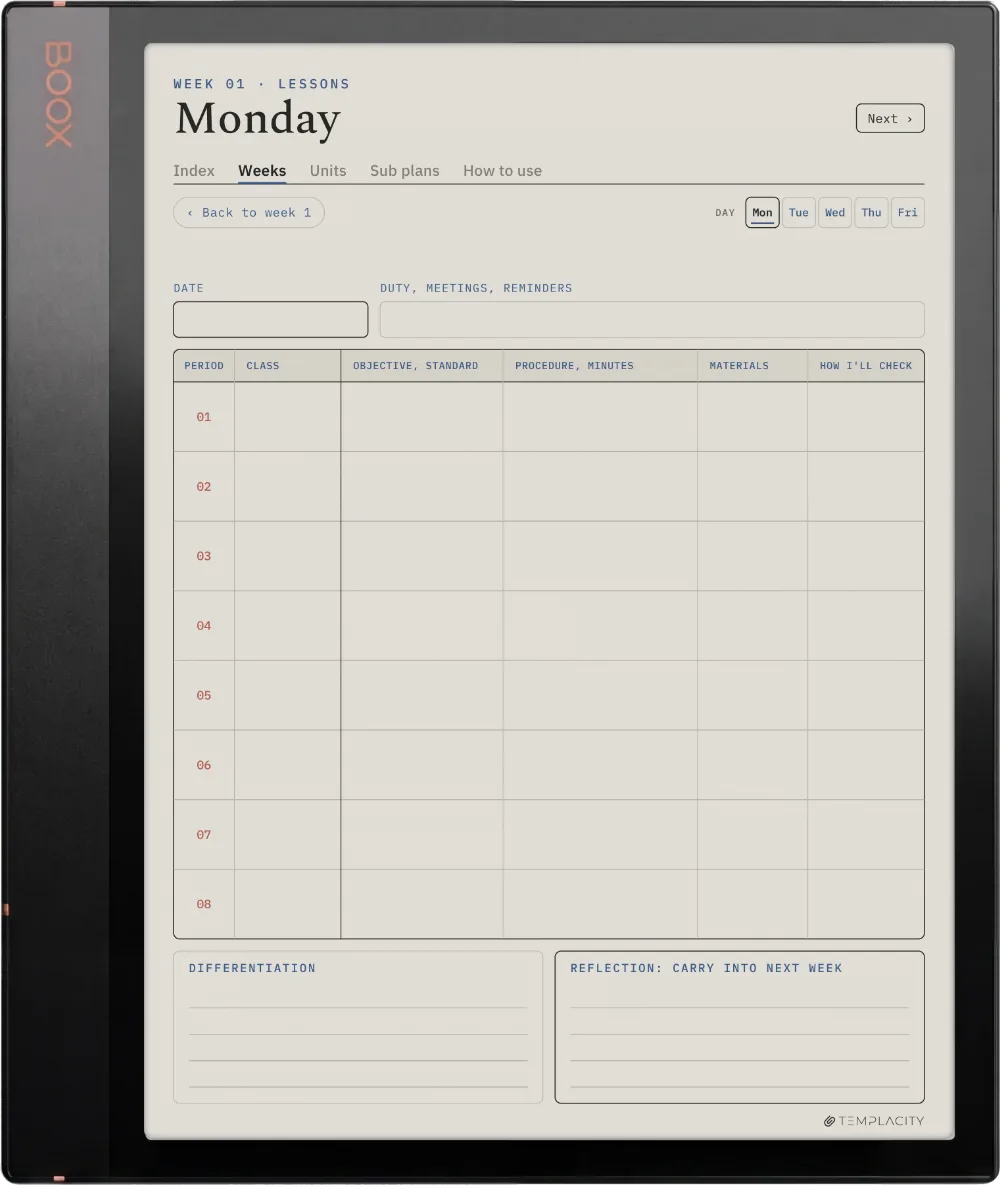
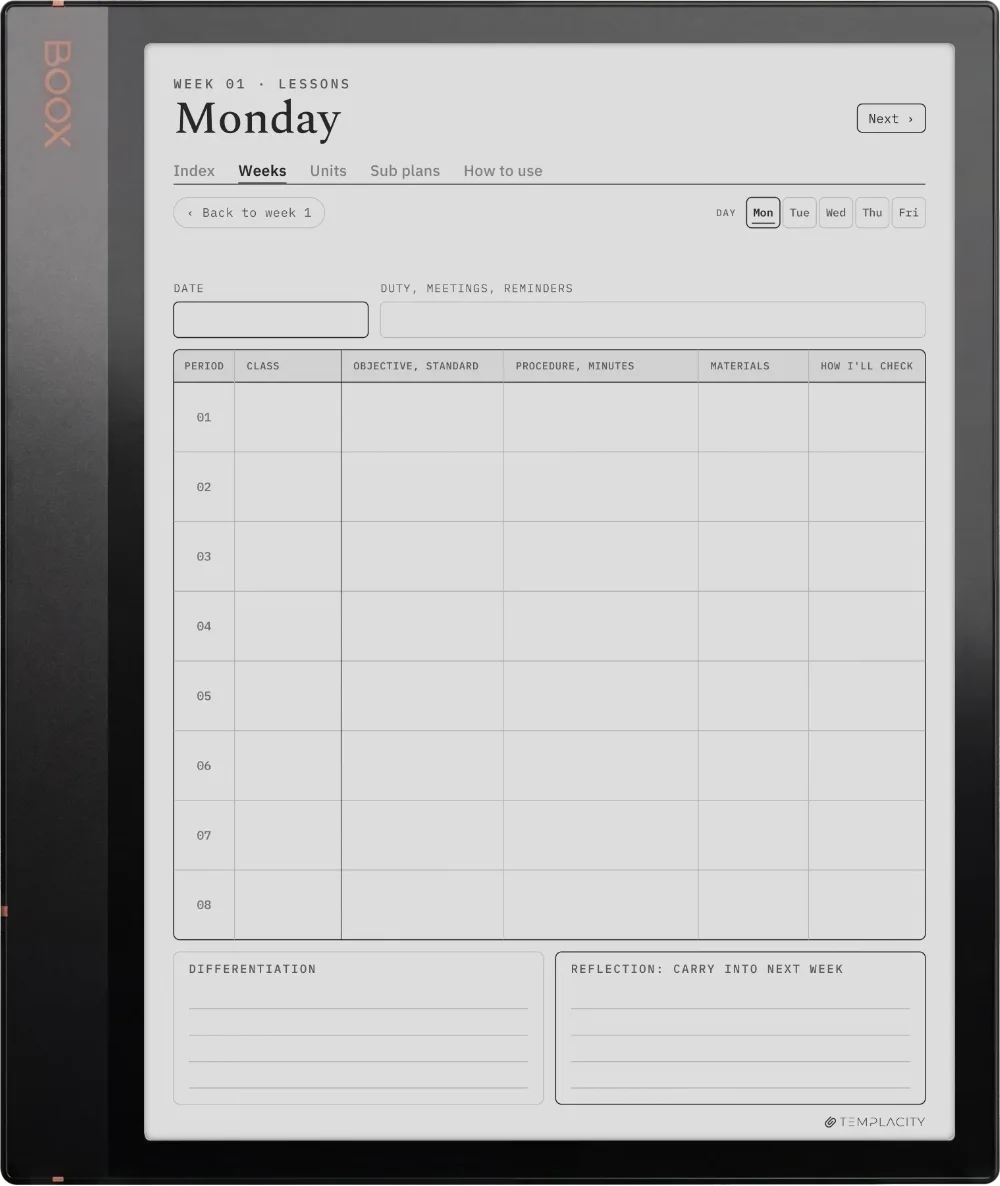
Days gives one class a full lesson page each day. Periods lays periods one to eight across the week, with a day page carrying a row per period. Keep whichever fits your timetable. 271 pages in each.

We built the planner we wanted on our own devices. Quiet, dated, and connected, so the year stops living in a stack of loose pages.

From the studio, on why we made it
№ 99 · Questions

Things you’ll want to know.

Will this work on my device?
Yes. It is a hyperlinked PDF sized to the writing surface, and it works across reMarkable, Kindle Scribe, Boox, Supernote and Goodnotes on iPad, 19 models in all. Pick your device above to see it on yours.
Is it dated?
No. The weeks are numbered 1 to 40 rather than dated, so it starts the week you do and never goes out of date. If you want a dated teacher planner with a gradebook, that is the Digital Teacher Planner.
Which layout should I use?
Days if you teach one class or plan one lesson a day in depth. Periods if you teach several classes a day: periods one to eight run across the week. Both come in the download, so you can try each.
Is there a page for substitute teachers?
Yes. The sub binder has a standing information page, a seating chart and six sub-day plans, and every week links to it.
Is this a one-time purchase?
One-time. You keep the files. No subscription, no renewals.
Do I tap the links with the pen or a finger?
A fingertip. Tabs, index rows and page links are followed by tapping them, and on a reMarkable the Marker draws rather than navigates, so a tab tapped with the pen leaves a mark on the page instead of turning it. Tap with a finger and it works every time.
Will it show up under Templates on my Scribe?
No, and no bought planner can: the Templates list on a Kindle Scribe is closed to files you add yourself, on every model. Yours arrives as a hyperlinked PDF and lives in your Library beside your books and documents, which is where you open it and write on it. Send it across with Send to Kindle so the links and the colour survive, and keep your download as the master: the Scribe cannot duplicate PDF pages on the device, so when you want a clean one you send a renamed copy over again.
№ · Reviews

Be the first to say something.

Nobody has written about this one yet. If it is on your device, yours is the first thing the next person reads.

Read by a person before it goes up, usually within a day. Your email stays with us and never appears on the page.

Instant download.

Your file is in your account the moment you check out, yours to re-download any time. A receipt lands in your inbox, too.

One-time purchase.

No subscription, no annual renewal, no upgrade nags. Pay once and the file is yours.

Quiet, secure checkout.

Stripe. Apple Pay. No spam, no “partners,” no reselling your details. Receipt, file, done.