The real problem
Most teachers are running three planning systems at once
Ask a teacher where next Tuesday lives and the answer is usually three places. The school’s timetabling and gradebook software holds the official record. A paper plan book holds what will actually happen in the room. A binder, a drawer or a phone holds the rest: seating charts, the parent conversation from March, the resource that worked last year and needs finding again.
None of those is redundant, which is why nobody has managed to delete one. The school system is compulsory. The plan book is where thinking happens. The binder is everything the first two have no field for.
A digital teacher planner is a serious attempt at the second and third of those, on one surface, and it is worth being precise about that scope before buying one. It is not an attempt at the first, and the products that imply otherwise are the ones that get abandoned.
Scope
What it replaces, and what it will not
The clean line runs between the record and the thinking. Anything the school needs to see, audit, or report on belongs in the school’s system, because that is where it is backed up, permissioned and legally held. Anything that is yours belongs wherever you will actually keep it.
So a planner file handles the week you are designing, the sequence of a unit, the seating chart you redraw in week three, the running log of who you called and when, and the running list of what to do differently next year. It does not handle official attendance, statutory reporting, or the grades that go on a report card.
The honest version of the pitch is therefore narrower than most listings make it: one fewer physical object to carry, and one place to look for the things that currently live in four.
Three approaches
Paper plan book, PDF on a tablet, or planning software
These are the three real options and they fail in different places. Choosing well is mostly about knowing which failure you can live with. Our best teacher planner comparison puts named paper, software and tablet options side by side.
| Paper plan bookbound, dated | PDF on a tablethyperlinked file | Planning softwareweb or app | |
|---|---|---|---|
| Writing speed mid-lesson | Immediate | Immediate with a pen | Typing, or not at all |
| Reusing last year’s unit | Copy it out again | Duplicate the page | Built for this |
| Seating charts and sketches | Draw it | Draw it | Rarely supported |
| Finding week 23 in March | Flick to it | Tap the index | Search |
| Weight in the bag | A book plus a binder | One device | Nothing extra |
| Survives a dead battery | Always | No | No |
| Works when you leave the school | It is yours | It is yours | Often tied to the licence |
The last row decides more than people expect. Planning built inside a school-provided platform can become unreachable when you change schools, and a career’s worth of unit sequences is not a small thing to leave behind. That is an argument for keeping your own planning in a file you hold, whichever format you pick.
Read the table by column and each option has one row it loses badly. Paper loses on reuse: every September that starts with copying out last year’s sequence by hand is a September spent retyping rather than improving. Software loses on the pen, which sounds like a preference until you try to run a seating chart or annotate a lesson mid-delivery in a web form. The tablet loses on the battery, which is a genuine argument and a smaller one than it feels, because the failure mode is predictable and a two-minute charge between lessons resolves it.
Most teachers who move to a tablet do not actually leave the other two behind. They keep the school system because they must, and they keep a thin paper fallback for the week they are teaching. That combination is more stable than any pure version of the three, and it is worth planning for rather than treating as a failure to commit.
Navigation
Hyperlinking is the whole difference, not a feature
A teaching year is roughly 40 weeks, and a planner covering it properly runs to several hundred pages once daily pages, unit pages and logs are included. That page count is what makes the format useful and it is also what kills it if navigation is an afterthought.
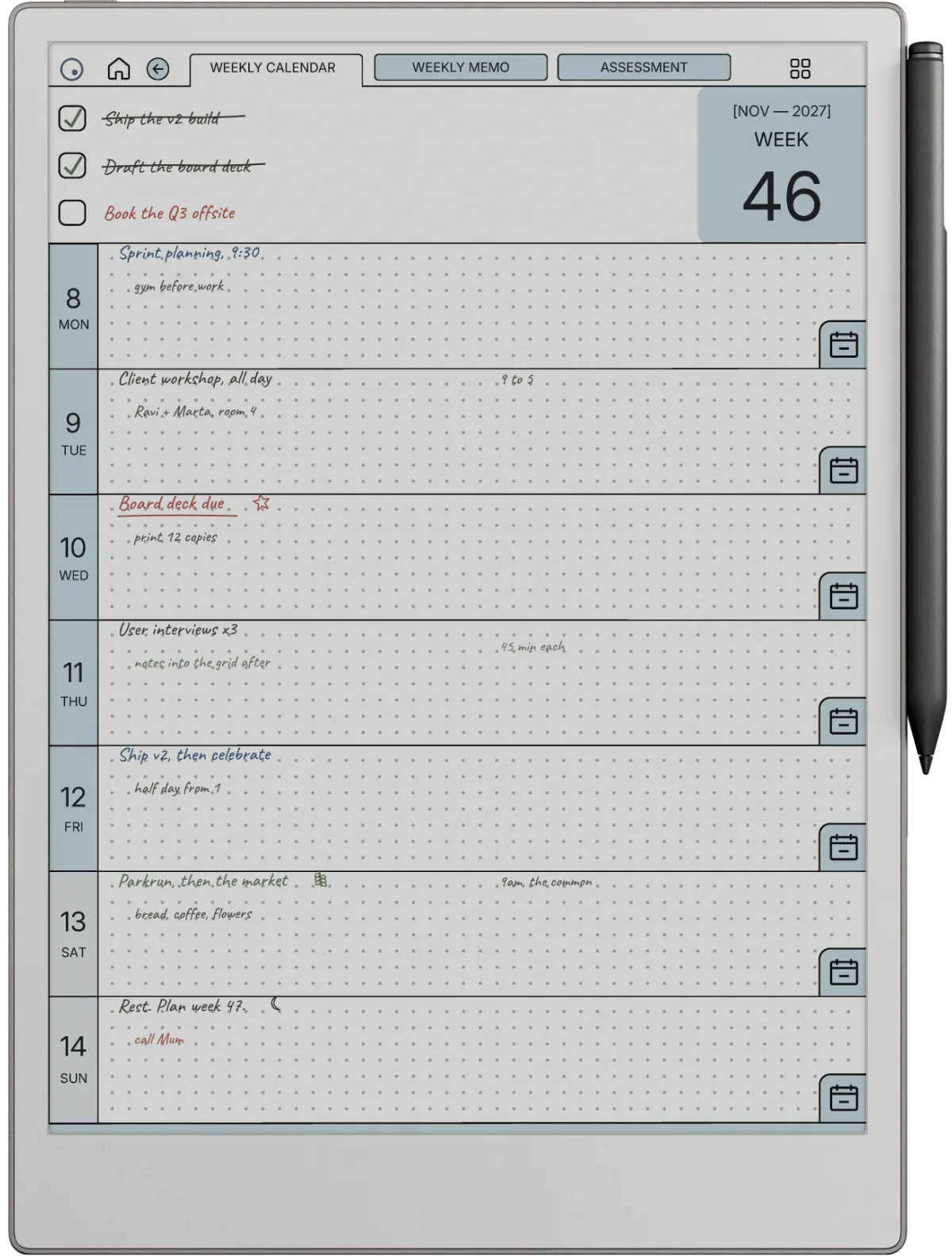
Think about the actual gesture. It is Tuesday in March, you are between lessons, and you need the week page. In a hyperlinked file that is a tap on a month tab and a tap on a week. In a flat PDF it is a scroll through two hundred near-identical pages, or a page-number guess, repeated several times a day.
A flat PDF asks you to scroll through two hundred near-identical pages, several times a day, in the two minutes between lessons.Navigation
On an e-ink device this matters more than on a fast tablet, because every page turn has a refresh cost. Ten seconds to reach Thursday is enough friction to stop opening the file, and once you stop for a week you have effectively gone back to paper without deciding to.
So the single check worth running before buying any digital teacher planner: open the free sample and try to get from the index to a specific week and back. If the preview does not let you test that, the seller has decided you should not test it.
The pages
The pages a teaching year actually needs
Listings compete on page count, which is the wrong axis. A planner with sixty page types has sixty chances to be almost right. The set that earns daily use is short.
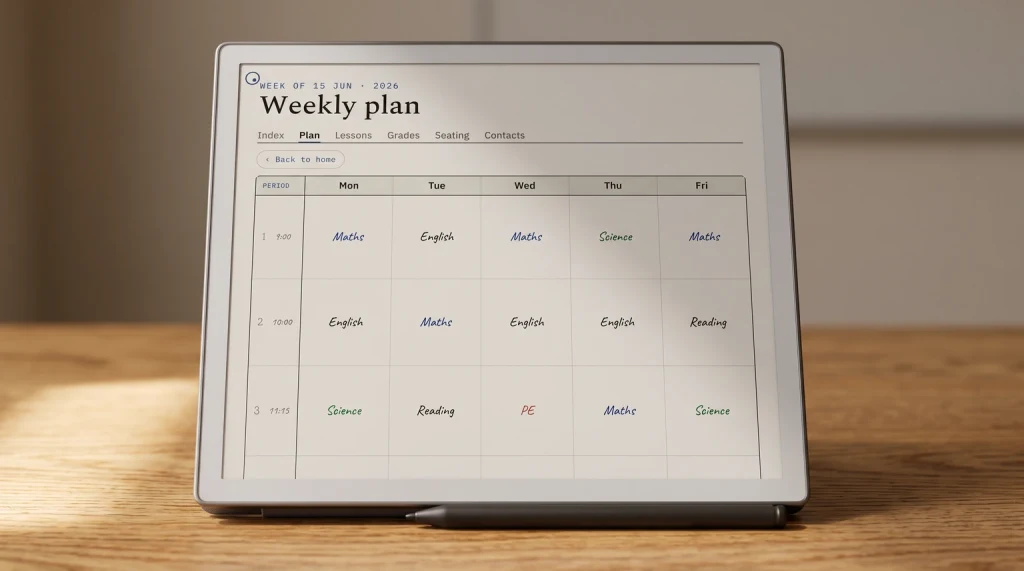
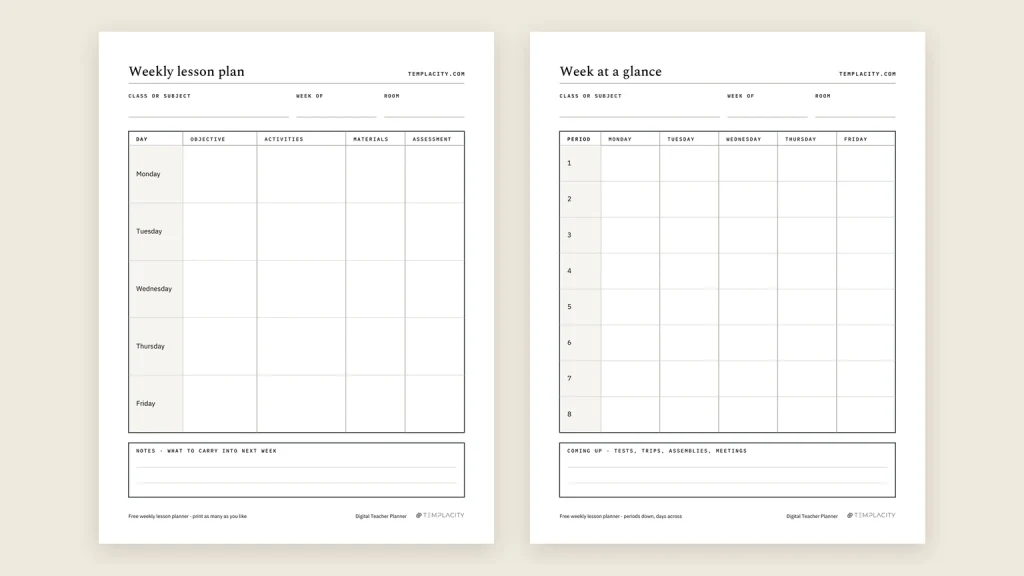
A week view that matches your timetable, not a generic one.
Period columns rather than hourly rows, because a teaching day is divided by the bell and not by the clock. This is the page you will open more than all the others combined.
A unit or sequence page, one per topic.
Where the arc of six weeks lives, so the week view can stay about delivery. Keeping these separate is what makes next year’s planning a copy rather than a rebuild.
A class list you can annotate.
Not a gradebook. The running informal record: who was away, who needs the handout again, who you promised to call. The things that never make it into the official system and matter anyway.
A seating chart you can redraw.
It changes three times a term and always by hand. A drawable page beats any form-based version of this, which is one of the few clear wins for a pen-based surface.
A parent contact log.
Date, name, what was said. Small, boring, and the page you will be most glad to have when a conversation needs recalling six months later.
Anything beyond those five is a supplement. Useful, sometimes, but it should not be the reason you choose one planner over another, and it should never be the reason a week view is compromised to make room.
If you also plan work outside the classroom, the work planner breakdown covers the same logic for project weeks, and the wider e-ink planner guide covers what the hardware does and does not solve.
The binder
Replacing the teacher binder is the harder half
Moving the plan book to a tablet is straightforward. Moving the binder is where people stall, because a binder is not one thing. It is a decade of accumulated paper with no schema, and its real function is that anything can be put in it in under a second.
A digital planner cannot match that speed for physical paper, and pretending otherwise is how the binder ends up back on the desk by half term. What it can do is absorb the parts of the binder that were only ever paper because there was nowhere else: the charts, the logs, the lists, the year-on-year notes.
The practical approach is to split it rather than replace it. Anything you write goes in the planner. Anything handed to you stays in a much thinner physical folder, or gets photographed into the file at the end of the day rather than in the moment. That division survives contact with a real week, where a full migration usually does not.
There is one binder function nothing digital reproduces and it is worth naming rather than pretending away: the binder is visible. It sits on the desk, open, and its physical presence is a reminder that a closed file on a charging device is not. Teachers who move successfully usually replace that cue with something else, a device left open on the desk during free periods, or a fixed two minutes at the end of the day, rather than assuming the habit transfers on its own.
The other thing to decide early is what happens to the previous year. A binder gets emptied in July and the useful third goes into the next one. A file does not force that decision, so the planner quietly accumulates until finding anything takes longer than rewriting it. Setting aside an hour at the end of the year to archive the old file and carry across only what earned it is the digital equivalent of emptying the rings, and it is the step that keeps year three as usable as year one.
If you would rather keep everything typed and searchable instead, that is a legitimate different answer, and our note-taking app comparison covers the software route properly.
Timing
The only sensible time to switch is between terms
Changing planning systems mid-term means running two for a while, and running two means trusting neither. The switch that works starts at a boundary, with the timetable already known and the first fortnight already drafted before the term begins.
That front-loading is the actual cost of moving, and it is a couple of evenings rather than a couple of hours. It is also the reason people who switch in September rarely go back and people who switch in February usually do.
If you are reading this mid-term, the low-risk move is to run one part of the system digitally now, the seating chart or the parent log, and leave the week view on paper until the boundary. Those two are self-contained, they prove whether the device survives your day, and neither one strands you if the answer is no.
The setup itself is worth doing in a specific order, because doing it in the wrong one produces a beautiful file you never open. Start with the timetable, because every other page depends on how your week is actually divided, and a week view built on the wrong period structure has to be rebuilt rather than adjusted. Get one real week in before you customise anything.
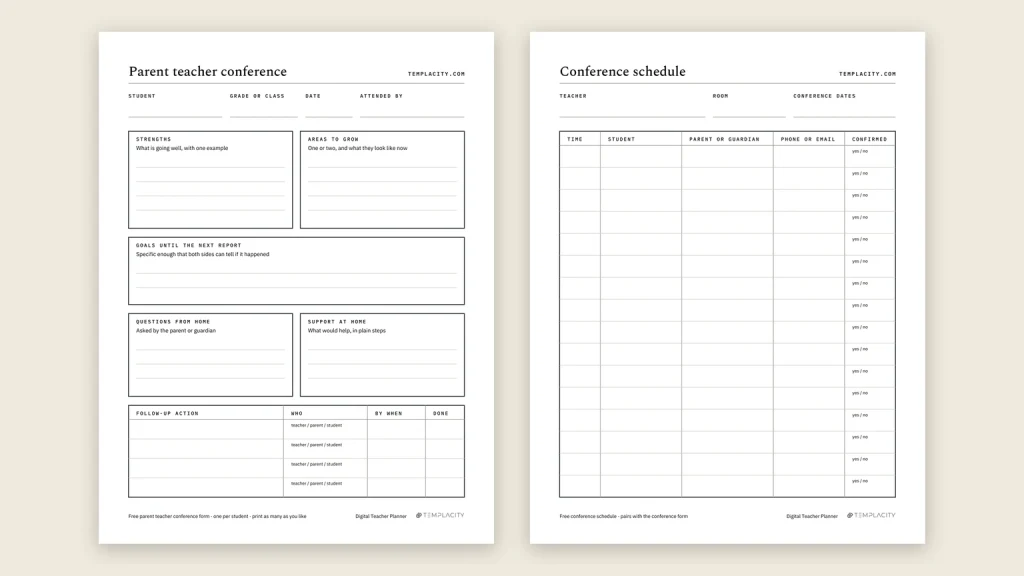
Next, put in the fixed points for the whole term at once: the assessment dates, the reports deadline, the parents’ evening, the two weeks where nothing else will get done. Twenty minutes of that in August is what makes November survivable, and it is the part that never happens if you set the planner up one week at a time. When the parents’ evening arrives, our free parent teacher conference form gives you one sheet per student and a schedule page for the bookings.
Only then move the binder content across, and only the parts you have looked at in the last year. The temptation is to migrate everything, on the theory that it is all there anyway. What actually happens is that you spend an evening transcribing material you have not used since 2023 and arrive at term one already tired of the system. Move what is live, leave the rest in the folder, and let the second term decide whether any of it was missed.
For a look at the pages themselves, our teacher planner examples show a filled week, a lesson page, a seating chart and the parent log.
FAQ
Common questions, answered briefly
What is a digital teacher planner?
Can a digital teacher planner replace my school’s gradebook?
Do I need an iPad, or does an e-ink tablet work?
What should I check before buying one?
When should I switch from a paper plan book?
If yours isn’t above, drop the question in the comments and we’ll add it.
People also ask
Other questions, briefly answered
If you have already made this move, we would like to know which part of the binder never made it across, because that is the piece every guide underestimates. Tell us in the comments.