The planner
An instructional coach planner built around the coaching cycle
Most instructional coach planners are organised by the calendar, and the calendar is the problem. An instructional coach’s week fills with PLC meetings, testing, cover duty and email, and the one-on-one coaching cycle, the part of the job that changes what happens in classrooms, is what quietly drops off the page. A planner that starts with dates makes that easy to miss. One that starts with cycles makes it obvious.
So ours does. Download the instructional coach planner in US Letter or A4. Every writing line is a fillable field and the coaching moves are tick boxes, so you can type into it in a PDF reader or print it and use a pen. Print page one once per teacher per cycle, and pages two and three as often as you need them.
Page one
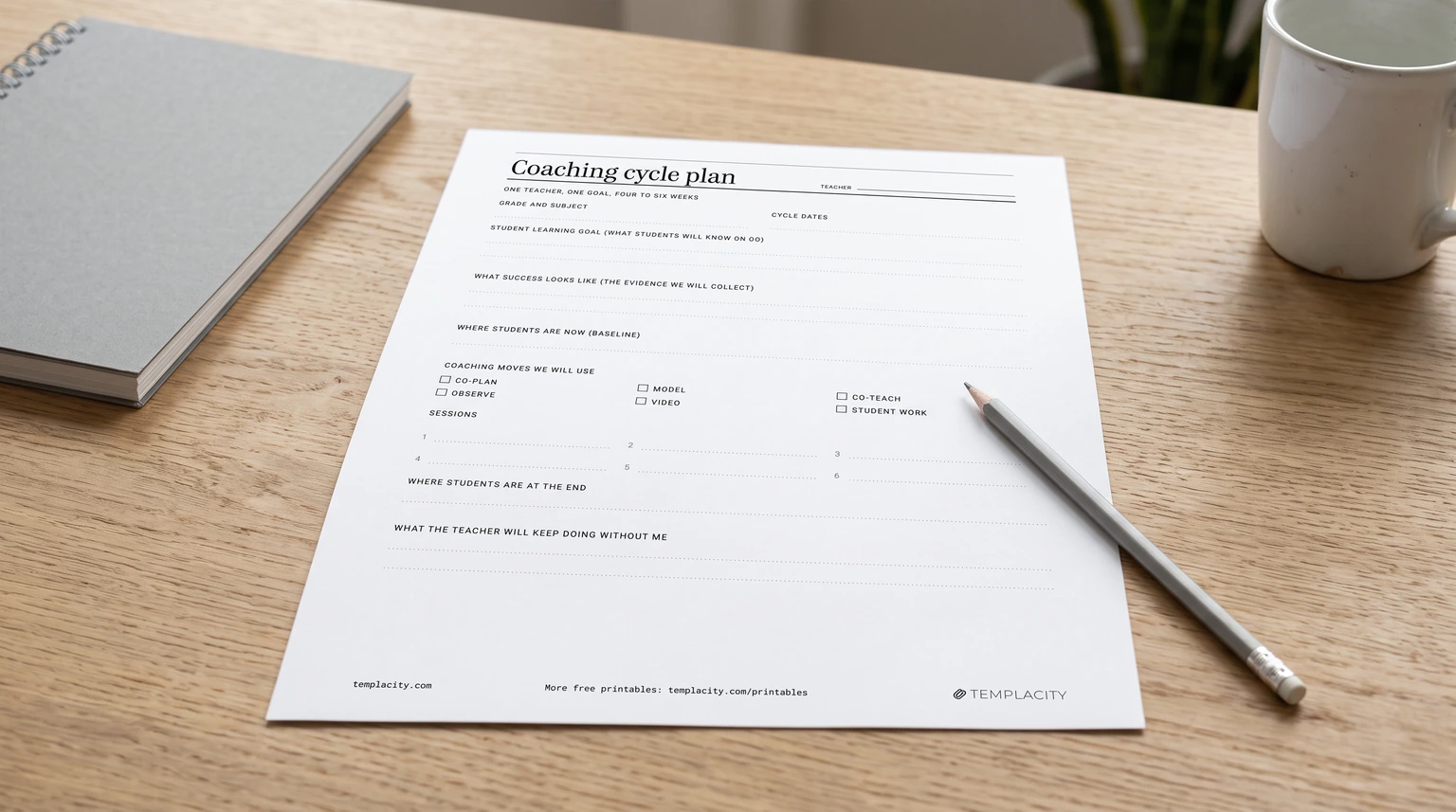
Page one: the coaching cycle plan
A coaching cycle, in NWEA’s plain definition, is a teacher and coach setting an instructional or student learning goal together, making a plan to support it, monitoring progress, and reflecting on how well the plan worked. It usually runs in three phases: a goal-setting pre-conference, coaching actions in the middle, and a reflection post-conference rooted in evidence. Jim Knight’s Impact Cycle, as the Instructional Coaching Group teaches it, names the stages identify, learn and improve. Whichever model your district uses, the cycle plan page holds the same few things:
- Teacher, grade and subject, cycle dates. Four to six weeks is a workable length; the dates make it a cycle rather than an open-ended visit.
- Student learning goal. What students will know or be able to do, not what the teacher will try. “Students explain why two fractions are equivalent” can be checked; “use more manipulatives” cannot.
- What success looks like. The evidence you will both look at: an exit ticket, a writing sample, a short assessment.
- Where students are now. The baseline on that same evidence, as a number if you can.
- Coaching moves. Tick boxes for co-plan, model, co-teach, observe, video and student work, so the plan says how you will help, not only that you will.
- Sessions. Six dated slots, filled in at the pre-conference so they are on both calendars before the week fills.
- Where students are at the end, and what the teacher keeps doing without you. The second line is the one that makes the cycle outlast your visits.
Page two
Page two: a coaching log template you will keep up
The cycle plan is one teacher. The coaching log is everyone, in date order, one line per session: date, teacher, the move you used, what you did, and the next step with a name on it. That last column is the useful one. When a principal asks what coaching looked like this semester, or you sit down to plan Monday, the next-step column is the answer.
Keep each line short enough to write in the minute after a session ends; a log you mean to fill in on Friday is a log that stays empty. If your district wants the data in a spreadsheet instead, the National Center for Pyramid Model Innovations offers a free classroom coaching log in Excel built for one coach working with several teachers, with summaries across all teachers and for each one. Diane Sweeney’s group shares coaching cycle logs and a Results-Based Coaching Tool as Google templates (you need a Google account to copy them), aligned to Student-Centered Coaching. Our paper log works alongside either.
A log you mean to fill in on Friday is a log that stays empty.Instructional coach planner
Page three
Page three: a week at a glance that shows where the time went
The top half of page three is an ordinary week: five day columns for who you are seeing and when. The bottom half is the part most coach planners skip. It asks you to put hours against six buckets every day and sum them, then work out what share of the week went to coaching cycles.
The idea comes straight from the NWEA post above, whose author, a coach, suggests recording all your activities for a week, charting where the time goes, and aiming for at least half of it on coaching cycle work, with your supervisor’s help if the week will not allow it. A filled page three is the chart you take to that conversation.
| Bucket | What counts |
|---|---|
| Coaching cycles | Pre- and post-conferences, co-planning, modelling, co-teaching and observing inside a cycle |
| PLC and meetings | Grade-level teams, data meetings, leadership team |
| PD and training | Sessions you lead or attend, and the time to prepare them |
| Data and testing | Running or proctoring assessments, pulling and cleaning data |
| Duties and cover | Lunch or bus duty, covering a class |
| Admin and email | Scheduling, ordering, messages, the log itself |
An example
A filled coaching cycle template, start to finish
Page four of the PDF is a made-up cycle, filled in to show how short each answer can be:
- Teacher: Ms. R., grade 4 math, six weeks from 6 October to 14 November.
- Goal: students explain why two fractions are equivalent, using a model or a number line.
- Success looks like: on an exit ticket, a student names the fractions, draws a model and writes one sentence of why.
- Baseline: 6 of 24 meet it on the first exit ticket. Most draw the model but cannot say why.
- Moves: co-plan every Tuesday, model one number line lesson in week 2, co-teach in weeks 3 and 4, sort exit tickets together every Friday.
- End: 19 of 24 meet it on the final exit ticket.
- What she keeps doing: the Friday exit ticket sort, with her grade team instead of the coach.
The numbers are invented for the example; the shape is the point. The goal and the evidence are the same thing seen from two sides, and the last line hands the routine to the teacher.
What we left out
What a fuller instructional coaching planner adds, and when you need it
Paid instructional coaching planners go much wider. Ms. Houser’s Simplified Coaching Planning Kit, which ranks for this search, sells for $20 to $40 depending on format, and its printable version lists more than twenty page types, from a kickoff meeting and debrief tool to a password keeper and resource checkout. Jim Knight’s free Instructional Coaches’ Toolkit on Corwin’s site adds a coaching planning form and data-gathering tools such as instructional versus non-instructional time and teacher versus student talk.
Those are worth having when you use them. Our advice is to start with the four pages here and add a page only when you notice yourself writing the same thing in two places: an observation tool once you observe weekly, meeting notes once you run a team, a PD planner in the weeks you lead sessions. A planner with every section filled from day one tends to become the thing you maintain instead of the thing that helps.
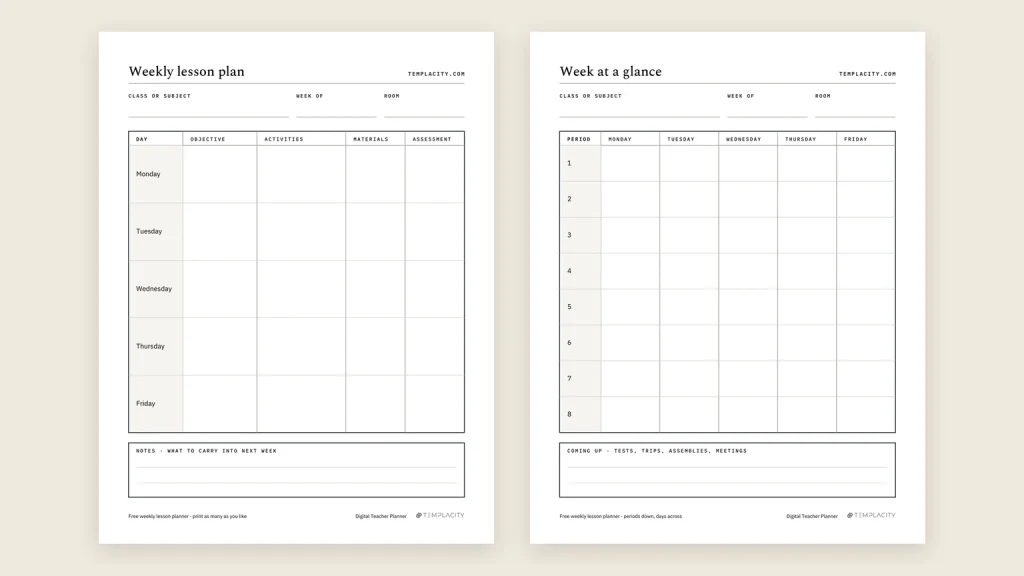
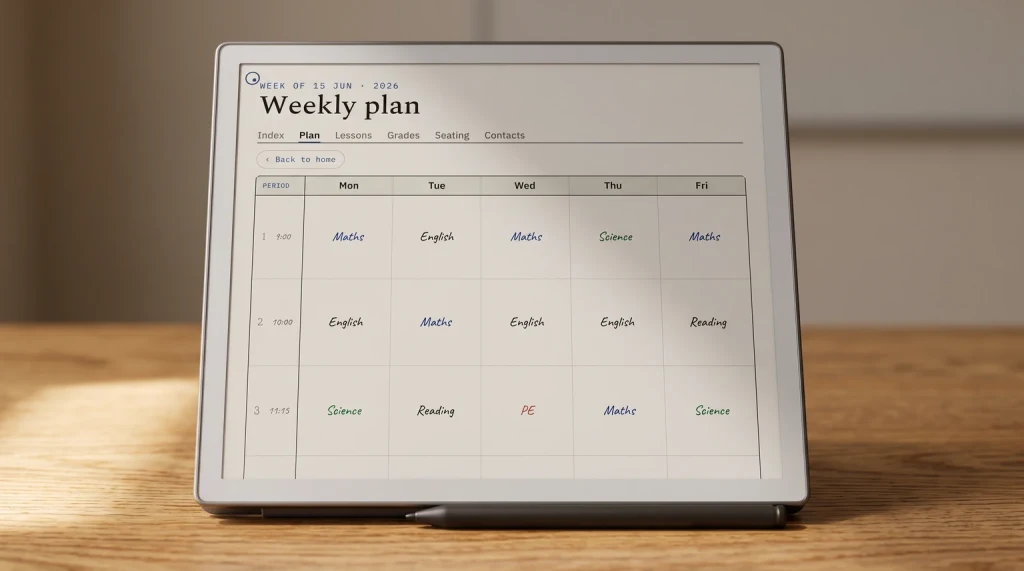
If you still teach a section yourself, the coaching pages sit happily next to a lesson planner. Our Digital Teacher Planner ($29) is built for the classroom side: lesson plans, a week by period, seating charts and parent contact logs. Our guide to the best teacher planner compares it with paper options, and the free weekly lesson plan template is a good page to bring to a co-planning session. More on the teachers hub.
FAQ
Common questions, answered briefly
What should an instructional coach planner include?
Is this instructional coach planner free?
What goes in a coaching log?
How long should a coaching cycle be?
Coaching this year? Tell us in the comments which page you would add first; we read every one, and the most asked-for page goes into the next version of the file.
People also ask