The short answer
What the reMarkable Paper Pro keyboard is
The reMarkable Paper Pro keyboard is not a separate Bluetooth slab you carry around; it is the Type Folio, a thin keyboard folded into a protective cover. Snap it onto the Paper Pro and the tablet becomes a light, single-purpose writing machine you can type on, then fold it away and it goes back to being a notebook you write on by hand. It is reMarkable’s answer to the obvious question once you own a large e-ink tablet: can I draft long text on this without thumbing at an on-screen keyboard.
The short version is that the reMarkable Paper Pro keyboard does one job and does it calmly. You get real keys, a cover that protects the screen, and a writing surface with no notifications pulling at you. What you do not get is a laptop. There is no browser, no email app, and no trackpad, because the Paper Pro runs a closed system on purpose. Whether that trade lands as freedom or frustration is the whole decision, and the rest of this review walks it.
How it works
How the Type Folio connects and works
Setup is the easiest part. The Type Folio connects through a magnetic accessory port along the edge of the Paper Pro, so there is no charging, no pairing, and no cable. You hold the keyboard near the tablet, it clicks into place, and it is ready. It draws what little power it needs from the tablet, which means one less thing to keep topped up and no Bluetooth dropouts mid-sentence. Lift the cover and the Paper Pro wakes; close it and it sleeps.
Once attached, you type straight into reMarkable documents. Typed text and handwriting live on the same page, so you can draft a paragraph with the keys, then pick up the Marker to sketch a diagram or scrawl a margin note beside it. A built-in Marker strap holds the pen so it travels with the folio. The keyboard is the input; the closed reMarkable software is still the place everything lands, which is why this feels less like a laptop and more like a typewriter that happens to share a screen with your notebook.
Typing
The typing experience
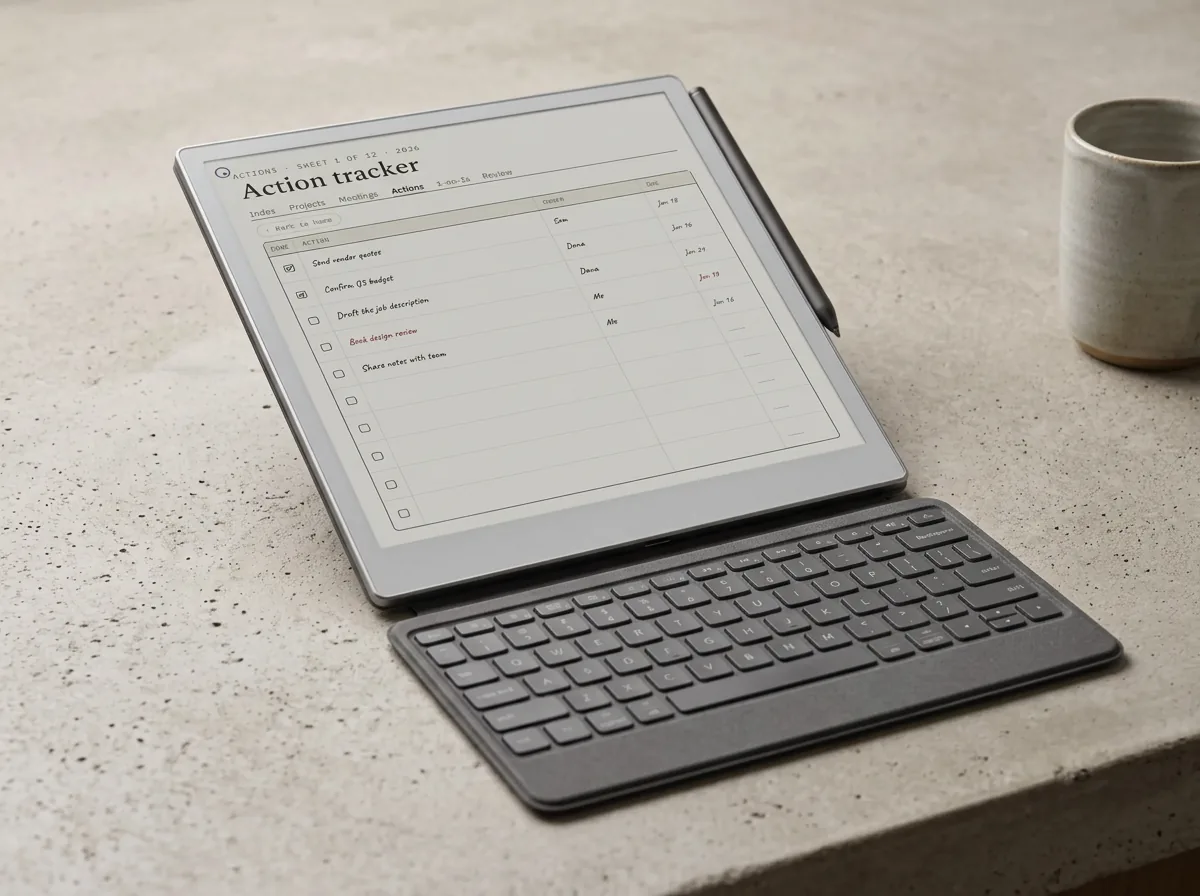
For a folio keyboard, the typing is better than you might expect. The keys are full-size with about 1.3 mm of travel, enough to feel a real press rather than a flat tap, and they are backlit so a dim room is not a problem. reMarkable also built in a subtle reading light that lifts the page, which pairs with the Paper Pro’s own frontlight to keep the screen legible at night. At roughly 485 g the folio adds real weight, so the pair is heavier than the bare tablet, though still lighter than most laptops.
The experience that sells it is the quiet. Because the Paper Pro cannot open a browser or ping you with messages, typing on the reMarkable Paper Pro keyboard is about as close to a blank page as a screen gets. Writers who draft on it tend to describe the same thing: words go down faster because nothing else is one tab away. The e-ink screen refreshes fast enough for steady prose, even if it is not built for someone who types in fast bursts and edits constantly. For first drafts, journaling, and long notes, it holds up.
Limits
What the reMarkable Paper Pro keyboard does not do
The honest limits decide this purchase. There is no trackpad, so moving a cursor or selecting text means reaching up to the screen or using the Marker, which breaks the typing flow. There is no browser, no email client, and no document app beyond reMarkable’s own, so you cannot research in one window and write in another. And the keyboard only types into reMarkable; you are not running a word processor with track changes or live word counts.
None of that is a flaw so much as the design holding its line. The Paper Pro is built to be a single-purpose writing tool, and the Type Folio extends that philosophy rather than breaking it. If you want a real laptop replacement, this is the wrong product and a lightweight laptop or tablet keyboard is the better spend. If you specifically want a place to write without the internet leaning over your shoulder, the missing features are the feature.
Fit
Compatibility: the full-size Paper Pro only
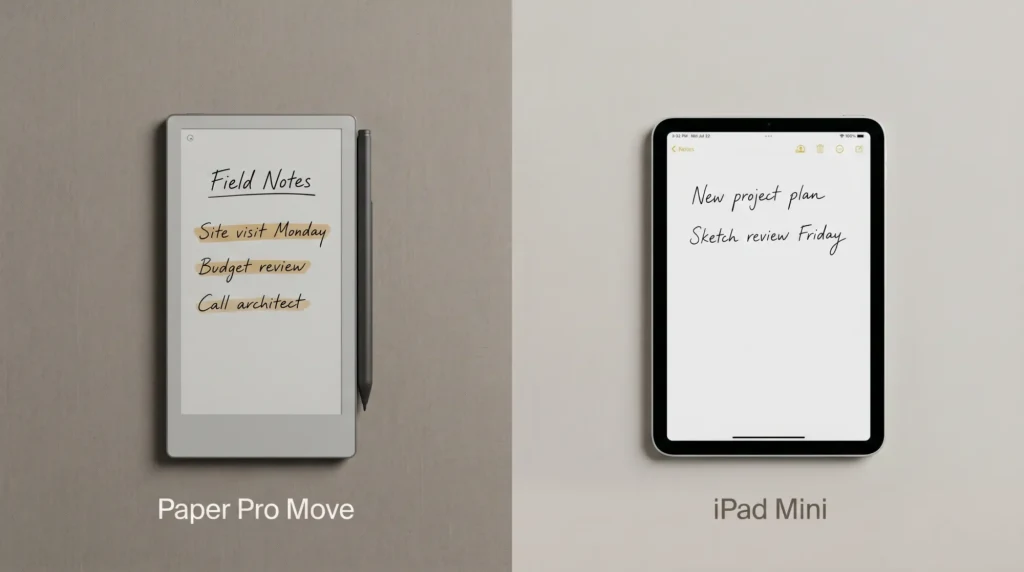
Check the model before you buy, because the fit is strict. This Type Folio is made for the full-size 11.8-inch reMarkable Paper Pro and nothing else. It does not fit the smaller Paper Pro Move, which is a different size with its own accessories, and it does not fit the older reMarkable 2, which has a separate Type Folio of its own. The magnetic port and the dimensions are matched to one device, so a folio bought for the wrong model simply will not attach.
If you are still piecing together your kit, our guide to reMarkable Paper Pro accessories maps how the keyboard sits alongside cases, the Marker, and replacement tips, and the Paper Pro cases guide covers the cover options if a keyboard is more than you need.
Verdict
Who should buy the reMarkable Paper Pro keyboard
| Buy the Type Folio if you | Skip it if you |
|---|---|
| Draft long text and want a distraction-free place to write | Need a real laptop with a browser and apps |
| Already own the full-size Paper Pro and write on it daily | Mostly handwrite and rarely type long passages |
| Want a keyboard that never needs charging or pairing | Rely on a trackpad and heavy editing tools |
| Value the quiet of a device that cannot go online | Want one device to research and write at once |
The pattern is clear once you see your row. The reMarkable Paper Pro keyboard rewards the person who has decided that writing and browsing should happen in different places, and it frustrates anyone hoping the Paper Pro can quietly become a laptop. It is also a real spend; the Type Folio sits at the top of reMarkable’s folio range, so check the current price at the reMarkable store and weigh it against how much you actually type.
If you specifically want a place to write without the internet leaning over your shoulder, the missing features are the feature.On the trade-off
So, is the reMarkable Paper Pro keyboard worth adding? If you write for a living or keep long journals and you already love the Paper Pro, the Type Folio turns it into the calmest drafting tool on your desk. If you mostly handwrite, or you secretly want a laptop, save the money and put it toward a case instead. Match it to how much you actually type, and it is an easy call either way.
FAQ
Common questions, answered briefly
Does the reMarkable Paper Pro have a keyboard?
Does the Type Folio need charging or pairing?
Can you run apps or a browser with the keyboard?
Does the Type Folio fit the Paper Pro Move or the reMarkable 2?
Is the reMarkable Paper Pro keyboard worth it?
If your question is not above, drop it in the comments and we will answer it.
People also ask
Other questions, briefly answered
Sources: reMarkable Type Folio store page, reMarkable support.