Start here
Two pens that write the same line and differ at the other end
The reMarkable Marker vs Marker Plus question looks like a choice between a basic pen and a better one. It is closer to a choice between a pencil without an eraser and a pencil with one. reMarkable’s own Paper Pro user guide gives both current Markers the same specification at the tip: active pen technology, the same high-friction tip, 4,096 levels of pressure sensitivity and 60 degrees of tilt, an 80 mAh battery in each. The line that comes out of them is the same line.
What changes is everything you hold. The Marker Plus has a second pressure sensor in its top end, so you flip it over and rub to erase, the way you would with a pencil. It has a subtly textured surface where the plain Marker is smooth. And it is heavier on purpose: reMarkable describes it as balanced and weighted like a real pen. The plain Marker comes in gray and the Plus in black, which is the quickest way to tell them apart on a desk.
So the useful question is not whether the Plus is better. It is how often you correct by hand, and whether a heavier, grippier barrel suits the way you hold a pen. Both are cheap questions to answer at checkout and an expensive one to answer later, which is the part most comparisons leave out.
Side by side
reMarkable Marker vs Marker Plus, side by side
The figures above are for the current generation, the Markers that fit the Paper Pro, Paper Pro Move and Paper Pure. reMarkable publishes them in two places that do not quite agree. Its Markers page, read on 14 October 2026, lists the Marker at 14 g and the Marker Plus at 18.4 g. Its Paper Pro user guide says 15 g and 19 g. We print both rather than pick one, and the difference between the two pens is about 4 g either way.
| Marker$79 | Marker Plus$129 | |
|---|---|---|
| Tip, pressure, tilt | Same tip, 4,096, 60° | Same tip, 4,096, 60° |
| Built-in eraser | No | Top end |
| Grip | Smooth | Textured |
| Weight | 14 g | 18.4 g |
| Battery | 80 mAh | 80 mAh |
| Charging | 5 min attached, 1 hour of use | 5 min attached, 1 hour of use |
| Added at checkout | Included | +$50 |
| Refurbished, alone | $49 | $79 |
Read down the table and only three rows disagree: the eraser, the grip and the weight. Battery, charging, pressure and tilt are identical. Both attach magnetically to the side of the tablet and charge there; reMarkable says five minutes attached gives you an hour of writing, so neither pen is something you plug in.
The eraser
What a flip-to-erase end is worth in practice
With the plain Marker you erase by choosing the eraser from the toolbar, erasing, then choosing your pen again. That is two taps around every correction. Undo takes back a slip you catch straight away, so that costs nothing on either pen. The eraser matters for the correction you make a minute later: the crossed-out word in a paragraph, the number you rewrite in a budget line, the arrow you move on a diagram.
On the Marker Plus the correction is one motion. You turn the pen over, rub, turn it back, and you never leave the page. reMarkable’s guide explains how: the top end carries its own pressure sensor, so the tablet reads it as an eraser rather than as a second tip. It does not change what erasing does. It changes how often you are willing to do it, because a correction that costs nothing gets made and one that costs two taps gets left as a scribble.
A correction that costs nothing gets made, and one that costs two taps gets left as a scribble.The eraser
That is why the eraser divides readers by what they do on the tablet rather than by budget. Someone drafting, sketching or keeping meeting notes they will reorganise later is correcting all day, and the flip saves dozens of small interruptions. Someone who mostly reads, highlights PDFs and writes short margin notes barely erases at all, and for them the Plus is a heavier pen with a feature they will touch once a week.
In the hand
Four grams and a texture: the half people underrate
The weight is the difference you notice before the eraser. About 4 g sounds like nothing, but on a pen that weighs 14 g it is close to a third more. reMarkable treats it as the point rather than a side effect: it calls the Plus balanced and weighted like a real pen, built so your hand does not tire over a long session. If you write with a heavy fountain pen or a metal ballpoint, the Plus will feel closer to what you are used to. If you like a light plastic pen, the plain Marker is the one that will disappear in your hand.
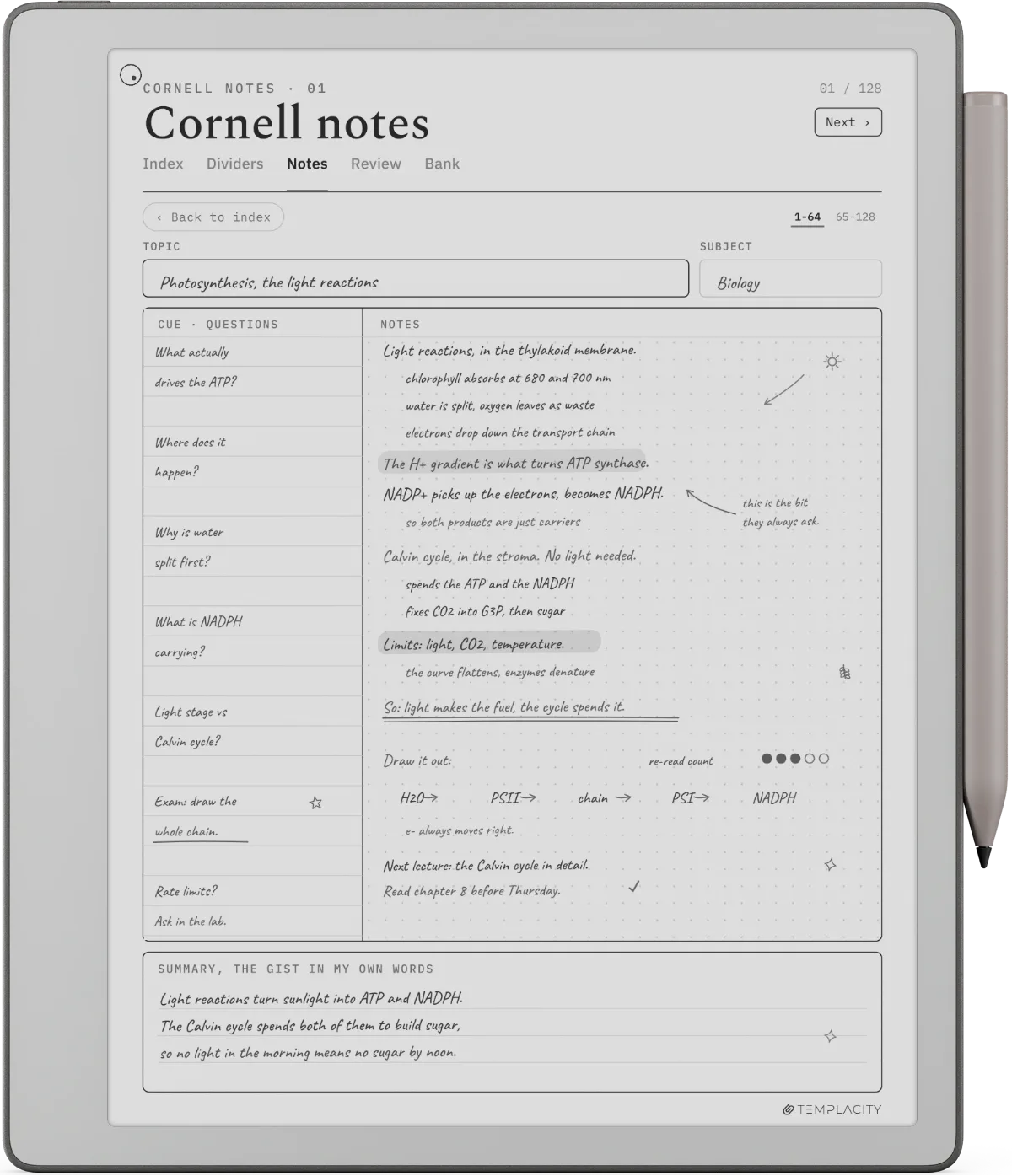
The texture works the same way. The plain Marker is smooth; the Plus has a subtly textured surface that reMarkable describes as easy to hold. On a long note-taking page like the Cornell layout above, where you write for an hour and correct as you go, grip and weight are what your hand reports at the end, more than any spec. We cannot tell you which you will prefer, and nobody who has not held both can. What we can say is that this half of the upgrade is personal and the eraser half is practical, so decide them separately.
Compatibility
Which Marker works with which reMarkable
The split that actually decides whether a pen works is the generation, not the Plus. reMarkable sells two families of Markers, and its own pages say plainly that they do not cross: the Markers built for the Paper Pro, Paper Pro Move and Paper Pure will not work on a reMarkable 2, and reMarkable 2 Markers will not work on the newer tablets. Third-party pens are not compatible with the newer tablets either.
| Works withTablets | PowerCharging | PriceNew | |
|---|---|---|---|
| Marker, Paper generation | Paper Pro, Paper Pro Move, Paper Pure | Wireless, when attached | $79 |
| Marker Plus, Paper generation | Paper Pro, Paper Pro Move, Paper Pure | Wireless, when attached | $129 |
| Marker, reMarkable 2 | reMarkable 2, reMarkable 1 | None needed | $79 |
| Marker Plus, reMarkable 2 | reMarkable 2 only | None needed | $129 |
Two details in that table catch people. First, the reMarkable 2 Marker Plus does not work on the original reMarkable 1, while the plain rM2 Marker does, so an rM1 owner shopping for an eraser pen has no official option. Second, the reMarkable 2 pens are passive: no battery, nothing to charge. The newer ones carry a small battery and top up on the tablet’s edge. If you are moving from an rM2 to a Paper Pure, your old Marker Plus stays behind, and the Pure’s box already holds a new plain Marker, so the only pen decision left is whether to pay the $50 for the Plus. Our reMarkable pen guide covers the rest of the pen question: nibs, how long tips last, and why third-party styluses are out.
The money
$50 at checkout, $129 the week after
Every current reMarkable ships with a plain Marker, and every one offers the Plus as a $50 step at checkout. On reMarkable’s US store on 14 October 2026: the Paper Pure is $399 with the Marker or $449 with the Marker Plus, the Paper Pro Move $449 or $499, and the Paper Pro $629 or $679. The folio bundles on the Pro and Move pages include the Marker Plus as standard.
What getting a Marker Plus costs you, by route (US dollars, reMarkable store, October 2026)
The trap is the word upgrade. At checkout you are swapping one pen for another, so the Plus costs the $50 gap between them. Once the tablet has arrived with its plain Marker, there is nothing to swap: the Plus sold on its own is $129, or $79 refurbished, and you keep a Marker you no longer need. A refurbished plain Marker is $49 if all you want is a spare.
So if you are on the fence while buying a tablet, the arithmetic leans toward the Plus: the worst case is $50 spent on an eraser you rarely use, against $129 if you change your mind in a month. Note also that reMarkable’s 50-day satisfaction guarantee covers Markers bought with a tablet, so a Plus chosen at checkout can go back with the device if the device goes back.
The call
Which one to buy
For most people settling reMarkable Marker vs Marker Plus while buying a tablet, the Plus is worth the $50, and the reason is less about the eraser than about timing: it is the cheapest the Plus will ever be, and the tablet is a writing device first. If you will take notes, draft or sketch on it, you will correct, and the flip-to-erase end pays for itself in small interruptions you never notice you have stopped making.
Keep the plain Marker if the tablet is mainly a reader: PDFs, papers, books, with highlights and short notes in the margin. Keep it too if you like a light pen, because the Plus is heavier on purpose and that weight will not go away. And if you already own a tablet with its plain Marker, think twice before spending $129 on an eraser end; the toolbar eraser does the same job one tap slower.
If the pen is sorted and the tablet is still the open question, our Paper Pure vs Paper Pro comparison is the next decision for most people, and the reMarkable accessories guide covers the folios and cables around it. Setting up a new Paper Pro, including the left-handed option, is in how to use the reMarkable Paper Pro, and the reMarkable hub sits above all of it.
FAQ
Common questions, answered briefly
What is the difference between the reMarkable Marker and Marker Plus?
Is the reMarkable Marker Plus worth it?
Does the Marker Plus write better than the Marker?
Can I use a reMarkable 2 Marker Plus on the Paper Pro or Paper Pure?
Do the Marker and Marker Plus need charging?
If yours isn’t above, drop the question in the comments and we’ll add it.
People also ask
Other questions, briefly answered
If you have used both pens, we would rather hear that than another spec sheet: tell us in the comments which one you kept, and whether it was the eraser or the weight that decided it.