What it is
What the reMarkable pen actually is
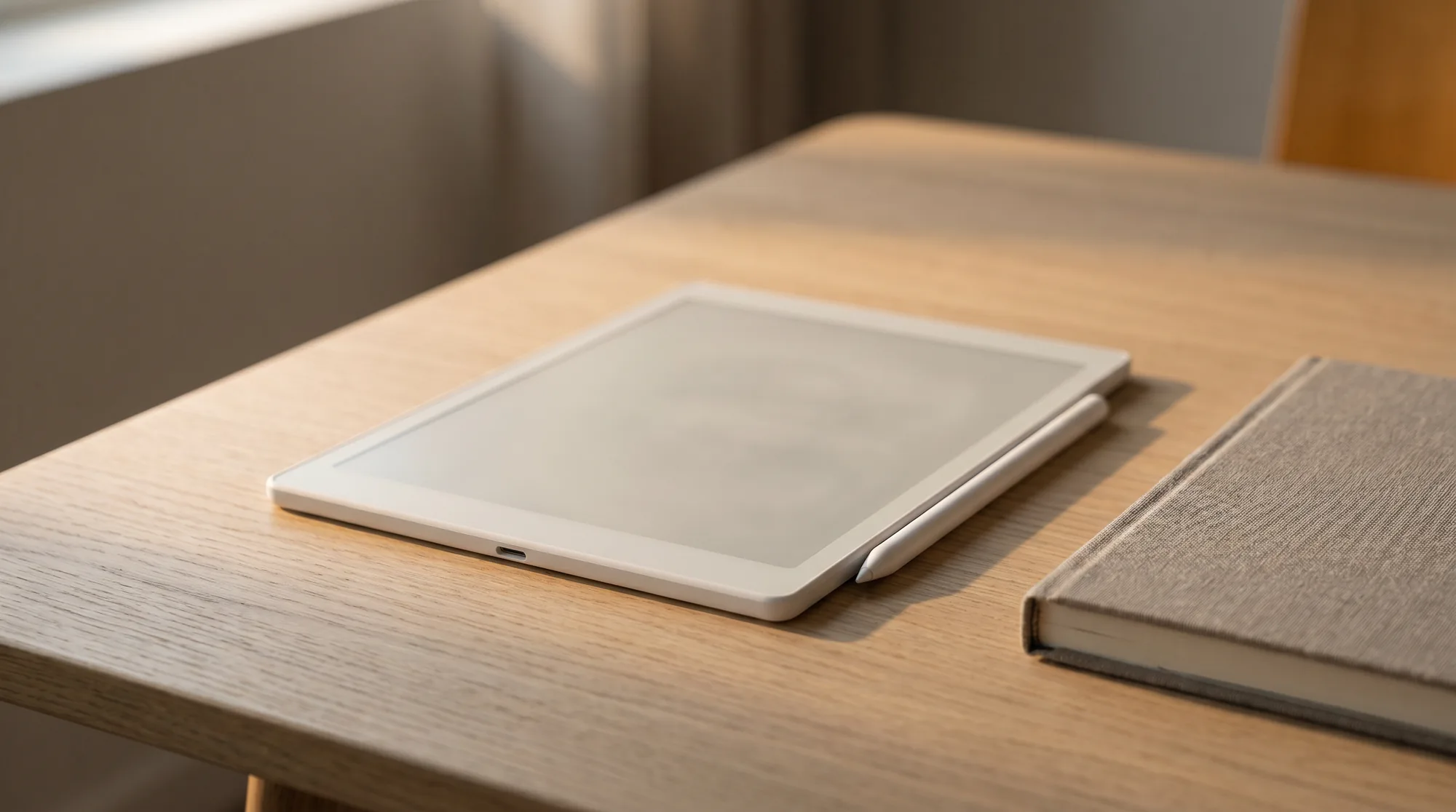
The reMarkable pen is officially the Marker, the stylus you write with on any reMarkable tablet, and it comes in two generations that work differently under the shell. The reMarkable 2 Marker is passive: no battery, nothing to charge, ever. The Marker fitted to the Paper Pro, Paper Pro Move and Paper Pure is an active pen with an 80 mAh battery that charges wirelessly by NFC whenever you dock it magnetically to the side of the tablet, so in practice you still never plug it in. Both give you tilt support for shading, up to 60 degrees on the Paper Pro generation, and the display’s palm rejection lets your hand rest on the screen while you write. There are two models, the Marker and the Marker Plus, and which one you can use depends entirely on which reMarkable you own, which is the part that trips people up. This guide covers the difference between the two Markers, the compatibility split that decides what you can actually buy, how the replaceable tips work, and whether a third-party pen is ever the smarter call. If you are still choosing a tablet, our reMarkable Paper Pro guide is the place to start.
Marker vs Marker Plus
Marker versus Marker Plus: do you need the eraser?
Within a given tablet, the only choice is between the plain Marker and the Marker Plus. They write with the same tip and the same 4,096 pressure levels; the Plus adds three things. The first is an eraser on the top end, which you flip and rub like a pencil to undo strokes, instead of reaching for the on-screen eraser tool. It works because there is a second pressure sensor in the top end of the Marker Plus, not a switch, which is why erasing responds to how hard you press the way writing does. The second is a finely textured finish that most people find grippier over a long writing session. The third is weight: reMarkable’s own guide puts the Marker at 15 g and the Marker Plus at 19 g, and describes the Plus as weighted for balance, so the extra 4 g is a design decision rather than a side effect of the eraser.
| Feature | Marker | Marker Plus |
|---|---|---|
| Writing feel | Same paper-feel | Same paper-feel |
| Eraser | On-screen tool only | Flip-to-erase top end |
| Finish | Smooth | Textured, grippier |
| Weight | 15 g | 19 g, weighted for balance |
| Battery | rM2: none. Paper Pro generation: 80 mAh, NFC charged on the dock | Same as the Marker |
| Best for | Lighter budgets | People who erase often |
If you sketch, mark up documents, or edit as you go, the flip-to-erase of the Marker Plus genuinely speeds you up and is worth the extra cost. If you mostly write linear notes and rarely erase, the plain Marker does the same job for less. Neither writes better than the other, so this is a comfort-and-workflow call, not a quality one.
Compatibility
Which Marker works with which reMarkable
This is the part worth reading twice, because it is where money gets wasted. reMarkable changed its pen technology with the newer tablets, so the Markers split into two families that do not mix. The reMarkable 2 uses a Wacom EMR pen, the same technology many other e-ink tablets use. The reMarkable Paper Pro, Paper Pro Move, and Paper Pure use a newer Marker built specifically for their displays. A reMarkable 2 Marker will not write on a Paper Pro, and a Paper Pro Marker will not write on a reMarkable 2. They are not interchangeable, no matter how alike they look.
So the rule is simple: buy the Marker made for your tablet. If you own a reMarkable 2, you want a reMarkable 2 Marker or Marker Plus. If you own any of the newer Paper Pro line, you need the new Marker or Marker Plus. The plain Marker is $79 on reMarkable’s own store (checked August 2026) and the Marker Plus is a $50 upgrade when you buy it alongside a tablet; every Paper Pro model ships with a Marker in the box already. Check your model before you order, and ignore a listing that does not name your exact tablet, because a mismatched Marker is a return waiting to happen.
Tips and nibs
Nibs and tips: how often you replace them
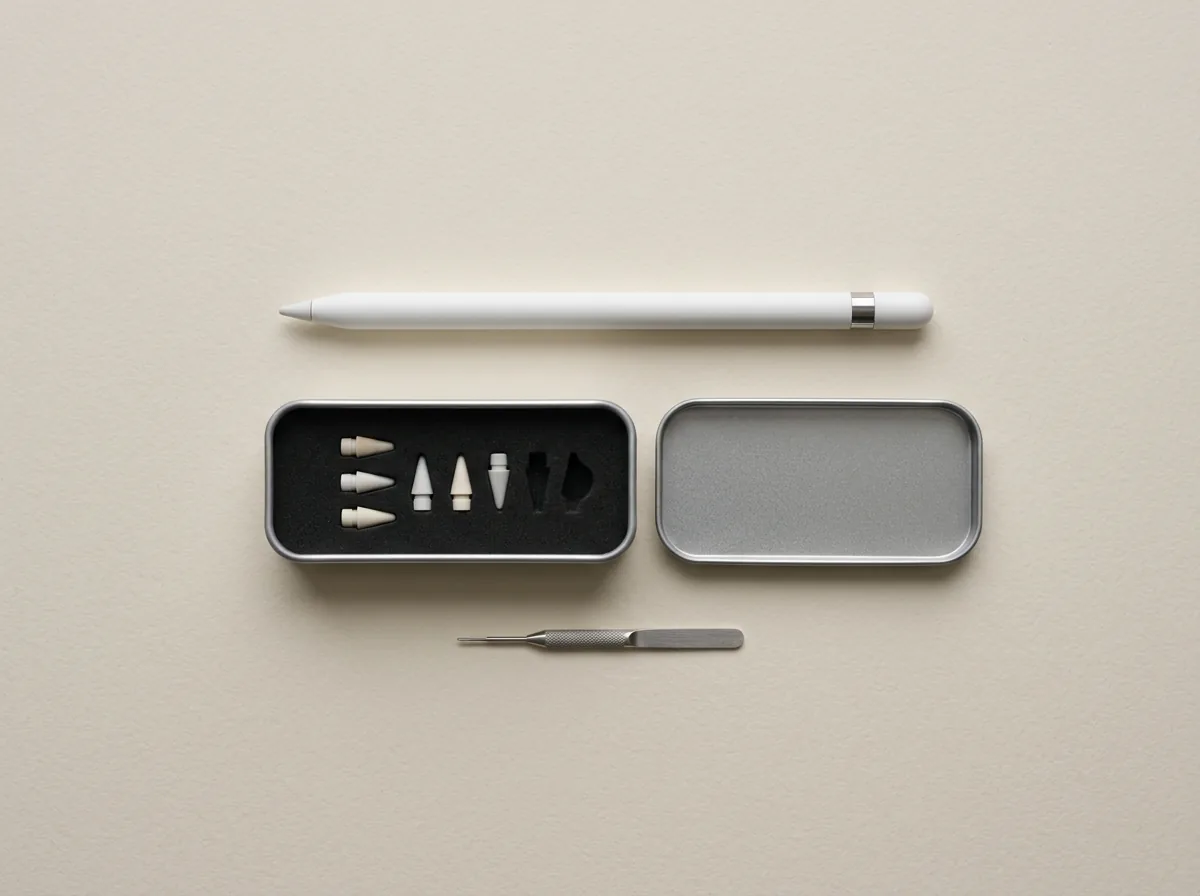
The Marker writes through a soft tip, or nib, that wears down as it drags across the textured screen, which is what gives reMarkable its paper feel. Every Marker and Marker Plus ships with nine spare tips on a tip card in the box, and reMarkable puts the life of one tip at three to seven weeks for someone writing every day, so the card covers somewhere between six months and a year before you buy anything. Swapping takes seconds, no tools beyond a gentle pull. Official replacement tips are $19 a pack on reMarkable’s store.
A mismatched Marker is a return waiting to happen, so check your model before you order.On buying the right pen
Third-party tips are widely sold and much cheaper, and many work fine, though quality varies and some wear faster or feel scratchier than the originals. If you write heavily and go through tips quickly, a third-party multipack is a reasonable saving; if you want the exact feel reMarkable designed, stick with the official tips. Either way, keeping a spare or two in your bag means a worn nib never stops you mid-note. For the rest of the kit around the tablet, our reMarkable accessories guide covers folios, stands, and cases.
Third-party pens
Third-party and alternative pens
Here the two families part ways again. Because the reMarkable 2 uses standard Wacom EMR, third-party EMR styluses, including pens from Lamy and Staedtler and cheaper generic Markers, will write on it, though reMarkable does not officially support them. For a reMarkable 2 owner on a budget, a well-reviewed EMR pen can save real money over an official Marker, with the trade that you lose guaranteed support and sometimes a little precision. Many owners are happy with a good third-party pen for years.
The newer Paper Pro line is different. Its custom Marker technology means third-party pens and old reMarkable 2 Markers do not work, so there is no cheaper alternative: if you own a Paper Pro, Paper Pro Move, or Paper Pure, the official Marker is the only pen that writes on it. That is worth factoring into the cost of the newer tablets, since the pen is not an optional saving the way it can be on a reMarkable 2.
Which to buy
Which reMarkable pen to buy
Start with your tablet, then your habits. Own a reMarkable 2 and want to save money? A third-party EMR pen is a fair gamble, or step up to the official Marker Plus if you erase a lot. Own a Paper Pro, Move, or Pure? Buy the matching official Marker, and choose the Plus if the flip-eraser and grippier finish suit how you work. In every case, the Marker Plus is the upgrade to consider only if you erase often or write for long stretches; if you do not, the plain Marker writes exactly as well for less.
Which Marker did you settle on, and if you own a reMarkable 2, did a third-party pen win you over or send you back to the original? Tell us in the comments. The pen is the part you touch every time you write, and real use sorts it better than any spec sheet.
FAQ
Common questions, answered briefly
What is the reMarkable pen called?
Does a reMarkable 2 Marker work on the Paper Pro?
Is the Marker Plus worth it over the Marker?
How often do you replace reMarkable pen tips?
Can you use a third-party pen on a reMarkable?
If yours isn’t above, drop the question in the comments and we’ll add it.
People also ask
Other questions, briefly answered
What accessories does a reMarkable need?
How do you get started with a reMarkable 2?
What is the reMarkable Paper Pro Marker?
Reference
reMarkable, official Marker and tip specifications
remarkable.com
Reference
Good e-Reader, reMarkable Marker Plus review
goodereader.com