What it actually is
What a Goodnotes digital planner actually is
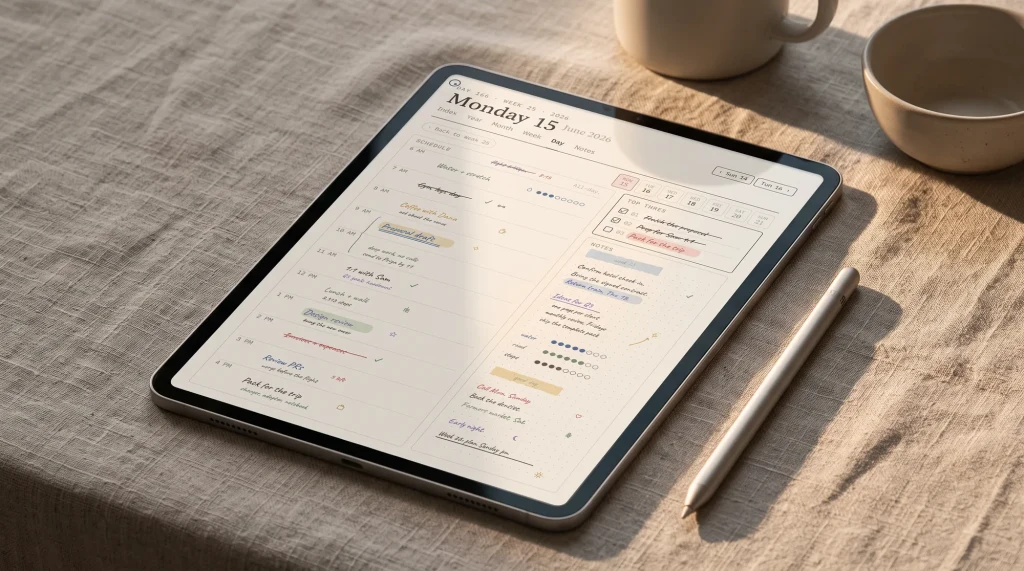
A Goodnotes digital planner is a PDF file, built with internal hyperlinks, that you import into the Goodnotes app and write on with a stylus. That is the whole idea, and it is worth stating plainly because the marketing around digital planning makes it sound like an app of its own. It is not. The planner is a document; Goodnotes is the notebook app that opens it. When you tap a month on the index, an internal link jumps you to that month. When you tap a day, it jumps to that day’s page. Strip away the stickers and the cover art and a digital planner is really just a well linked PDF, which is why the linking, not the look, is the part that decides whether you keep using it.
Because it is a PDF, a Goodnotes digital planner is yours once you have it. There is no monthly fee to open your own planner, no account that can lock you out, and no sync that breaks when an app updates. You can write on it with the Apple Pencil, erase, move pages, drop in photos, and add your own template pages behind the ones it ships with. The trade is that the planner does only what its pages and links were built to do; it will not remind you, sync a calendar, or nag you the way a dedicated planning app might. For a lot of people that quiet, do-nothing-extra quality is the appeal.
One practical note before the options, because it trips people up: Goodnotes runs best on an iPad with the Apple Pencil, and that is the device most digital planners are designed for. There are Goodnotes apps for other platforms, and the PDF will open on them, but the writing experience the planners are designed around is the iPad one. If you are still deciding whether to plan on a tablet at all, our honest look at the tablet route versus a distraction-free device is linked later on. For now, assume an iPad and the app, and the only real question left is which planner to put inside it.
Free or paid
Free vs paid: who each one is actually for
A free Goodnotes planner is a real option, not a booby prize. Plenty of makers give away a clean weekly or monthly PDF to introduce their paid range, and a basic free planner covers the needs of someone who mostly wants a dated page to write the week on. If your planning is light, start free. You will learn how you actually use the thing, which months you skip, whether you want daily pages or only weekly ones, and that knowledge is worth more than any feature list when you do decide to pay. The honest weakness of free planners is breadth and linking: they tend to cover one layout, and the hyperlinks are sometimes partial, so the year index links but the daily pages do not.
Paid planners earn their price in three ways, and it is worth knowing which you are buying. Etsy and marketplace templates mostly sell structure: more layouts, more links, a tidy cover, for a one-off fee. Boutique creators sell an aesthetic: heavy sticker sets, themed spreads, seasonal art, and a community around it, which is genuinely worth it if decorating the planner is part of why you plan. Ours sits in the structure lane: a fully linked planner with the layouts most people use, no subscription, no sticker maximalism. None of these is the right answer for everyone. The right answer is the one whose strength matches why you plan, which is the split the rest of this guide is built around. If stickers are what you are after, our Goodnotes Sticker Pack is a small add-on to any planner.
The options
The Goodnotes planners compared
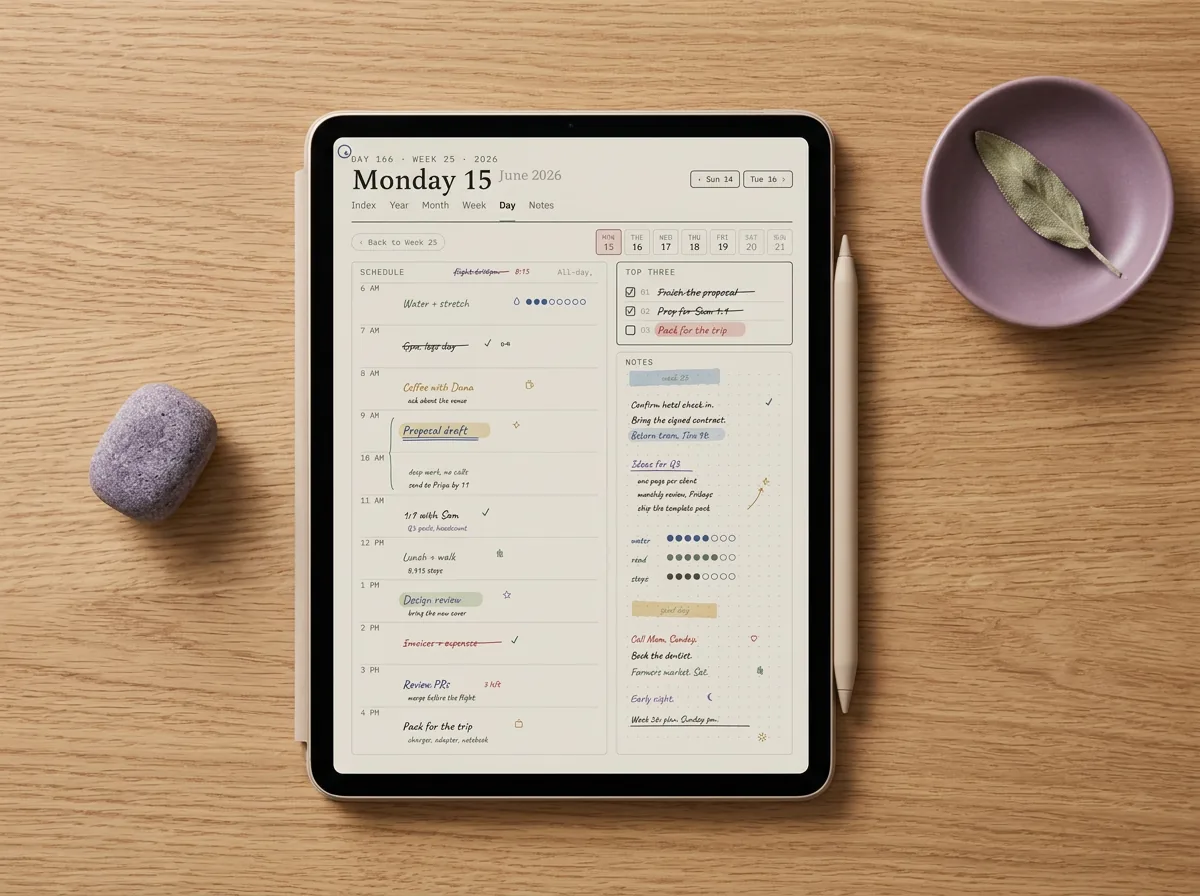
There are four honest paths and they suit different planners. A free PDF is the lightest and cheapest way in. An Etsy or marketplace template gives you the structure without building it. A boutique creator’s planner gives you the art and the stickers. Our Goodnotes digital planner gives you the linked layouts most people use, as a one-off file. The table compares them on the axes that actually decide the choice, and the options named are real categories on the market, not placeholders.
| Option | Cost | Hyperlinked | Layouts | Best for |
|---|---|---|---|---|
| Free PDF planner | Free | Partial (often year and month only) | Usually one | Light planners testing the water |
| Etsy or marketplace template | One-off | Usually full | Several | Want structure, not building |
| Boutique creator planner | One-off, higher | Full | Many, plus sticker sets | Decorating is part of planning |
| Templacity Goodnotes planner | One-off, no subscription | Full, every page | Weekly, daily, monthly, notes | Clean navigation, no clutter |
Read the table by how you plan, not by the row with the most ticks. The boutique row looks richest because it does the most, but a wall of stickers is only an advantage if you will use them; for a lot of people they become visual noise they scroll past. If you do want them, how they import matters more than how many there are, and our guide to Goodnotes stickers covers why transparent PNGs beat a PDF sticker sheet. The free row looks thin because it ships one layout, but one well linked weekly page is all a light planner needs. Our row leads on linking because that is the thing most quietly breaks the experience: a planner where every page jumps where you expect feels like a tool, and one where half the taps do nothing feels like homework. Match the row to your reason for planning and the choice gets simple.
Where they break
Where each option breaks
Every option here fails a particular kind of planner, so the useful question is which failure you can live with. The ledger pairs each one with the situation where it lets you down and what to reach for instead. Read it as “if you plan like this, avoid this one”, not as a verdict on the maker.
| Option | Where it breaks | For which planner | What to do instead |
|---|---|---|---|
| Free PDF | One layout, often partial links; outgrown fast | Anyone who plans daily or wants choices | A fully linked paid planner with more layouts |
| Etsy template | Quality varies wildly; some links are decorative only | Buyers who cannot test before paying | A planner with a free sample or a clear link demo |
| Boutique creator | Sticker-heavy and pricey; busy for minimalists | Planners who want a quiet page | A structured planner that leaves the decorating to you |
| Templacity planner | Deliberately light on stickers and themed art | Planners who plan by decorating | A boutique creator built around sticker sets |
The pattern across the four is the usual one: richness and calm pull against each other. The cheap and the maximalist sit at the two ends, and the structured middle is where most everyday planners are happiest. There is no option that is both free and fully featured, and no planner that is both sticker-rich and visually quiet. Decide which end you lean toward first. If you plan to decorate, pay a boutique creator and enjoy it. If you plan to navigate, a clean linked planner is the better spend, and that is the gap ours is built for.
Good, not just pretty
What separates a good planner from a pretty PDF
Four things separate a digital planner you keep using from one you abandon by February, and none of them is the cover. The first is linking that goes all the way down: the year links to months, months link to weeks, weeks link to days, and a home tab returns you from anywhere. A planner that links the index but not the daily pages forces you to scroll, and scrolling is exactly the friction the format was supposed to remove. Before you buy, look for a free sample or a demo of the links, and tap around it; this one test predicts your experience better than any preview image.
The second is sizing built for the tablet, so the page fills the screen without pinching and the tap targets are big enough for a stylus. The third is the right set of layouts for how you actually plan, which usually means a weekly spread you trust, a monthly overview, and somewhere to dump notes, rather than fifty templates you will never open. The fourth is whether it is dated or undated. A dated planner is tidy and seasonal but expires; an undated one starts whenever you like and repeats, at the cost of writing or tapping in the dates yourself. Knowing which of those four a planner gets right, and which you care about most, is the difference between a tool and a download.
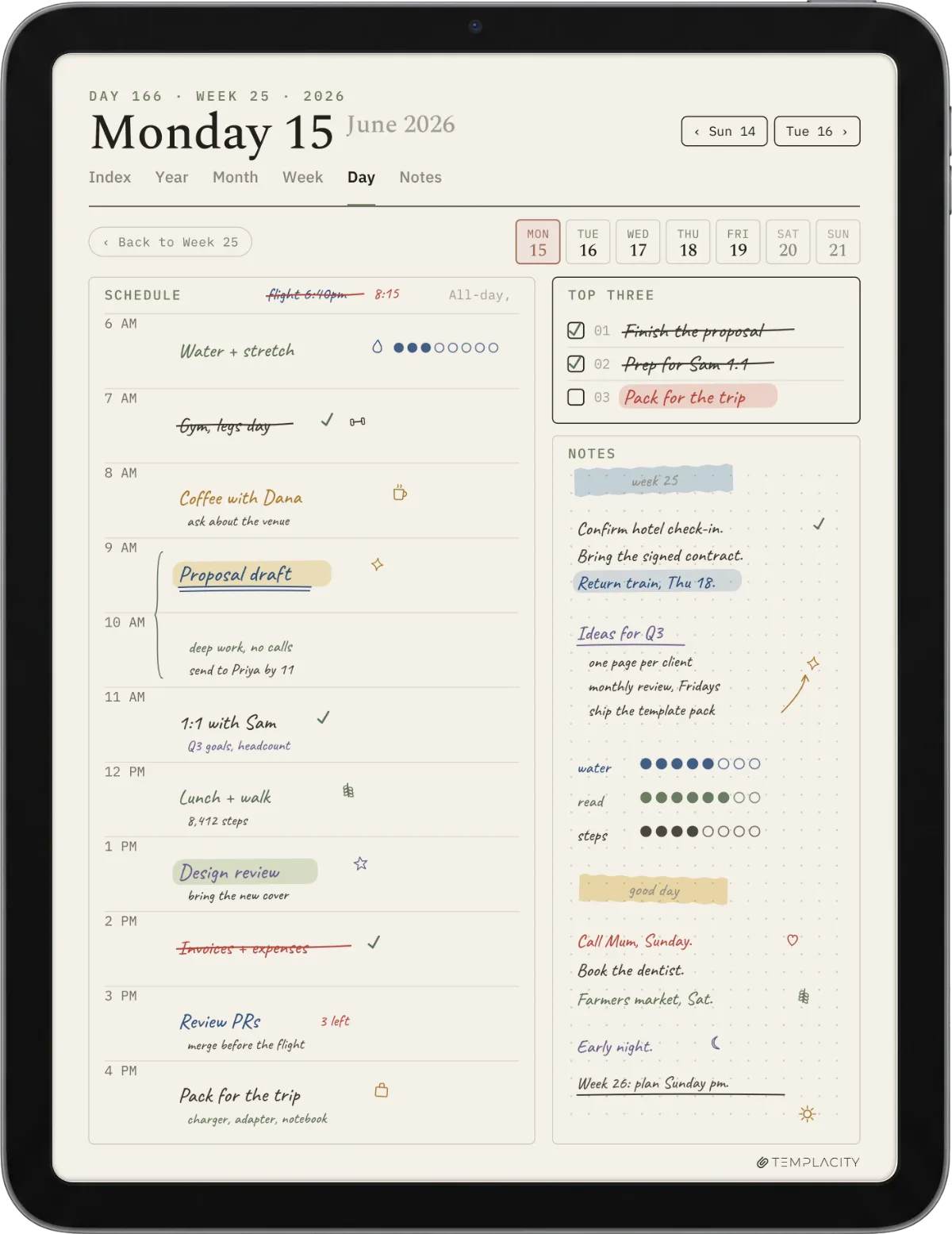
A pretty planner with dead links is a chore; a plain one that jumps where you tap is a tool.Tl;dr
Layouts and templates
Layouts, dates, and the templates around the planner
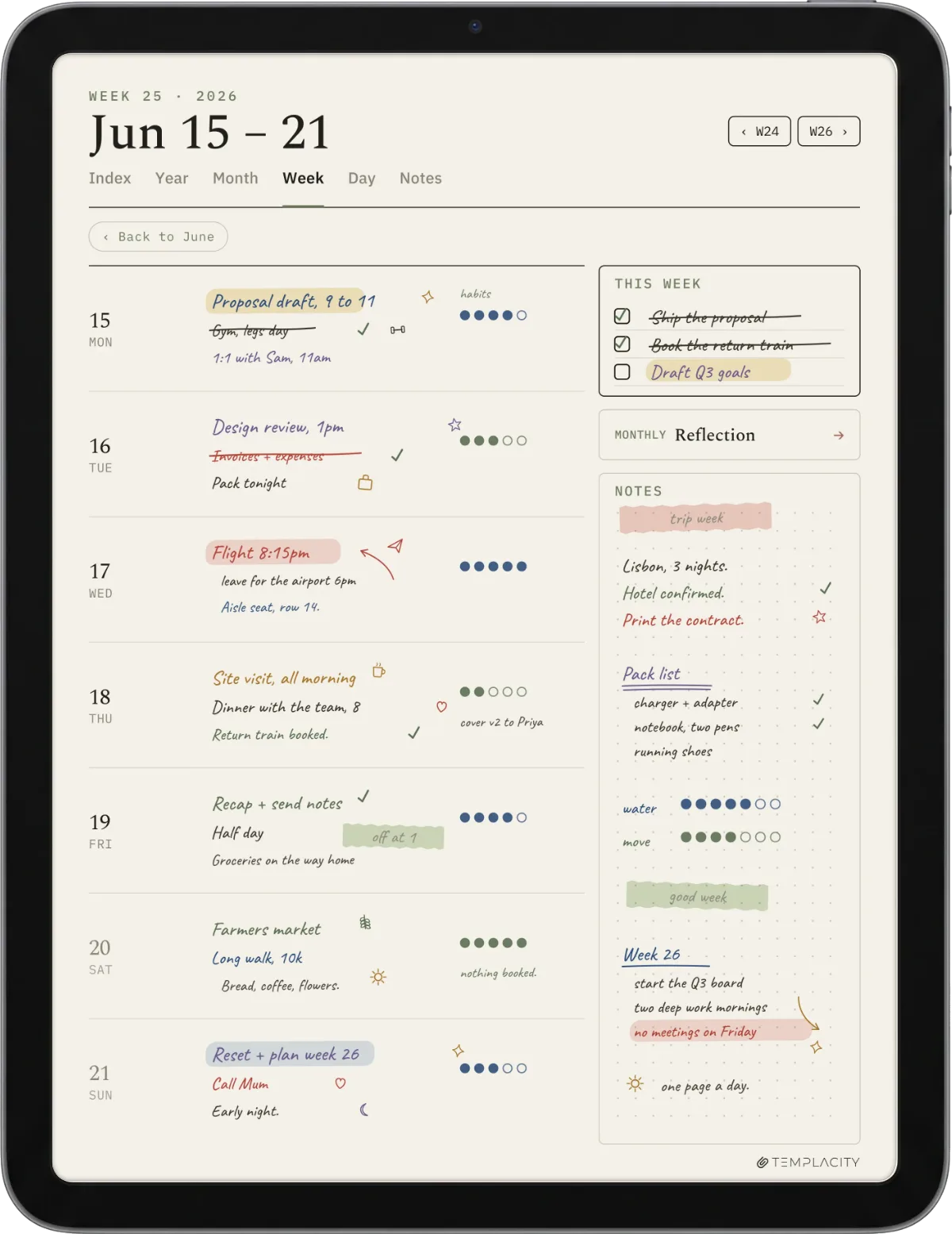
A Goodnotes digital planner is really a small family of pages, and each has its own deeper guide if you want to choose or build it. The core is the planner layout itself. Our Goodnotes planner template guide walks through the weekly, daily, and monthly spreads, who each one suits, and how to avoid buying more layouts than you will use. If you only get one layout right, make it the weekly; it is the page most people live in.
Wrapped around that planner are two decisions and a wider library. The dated-or-undated decision is really a calendar decision, and our Goodnotes calendar template guide covers dated 2026 spreads versus repeating undated ones, so you do not buy a planner that expires when you meant to reuse it. Beyond the planner, Goodnotes runs on templates of every kind, and our Goodnotes templates hub collects the lot: note paper, trackers, study pages, and more. The one most planner buyers also want is a reading or memory page, which is where our Goodnotes journal template guide comes in. Everything ties back to the Goodnotes hub if you want the map rather than a single page.
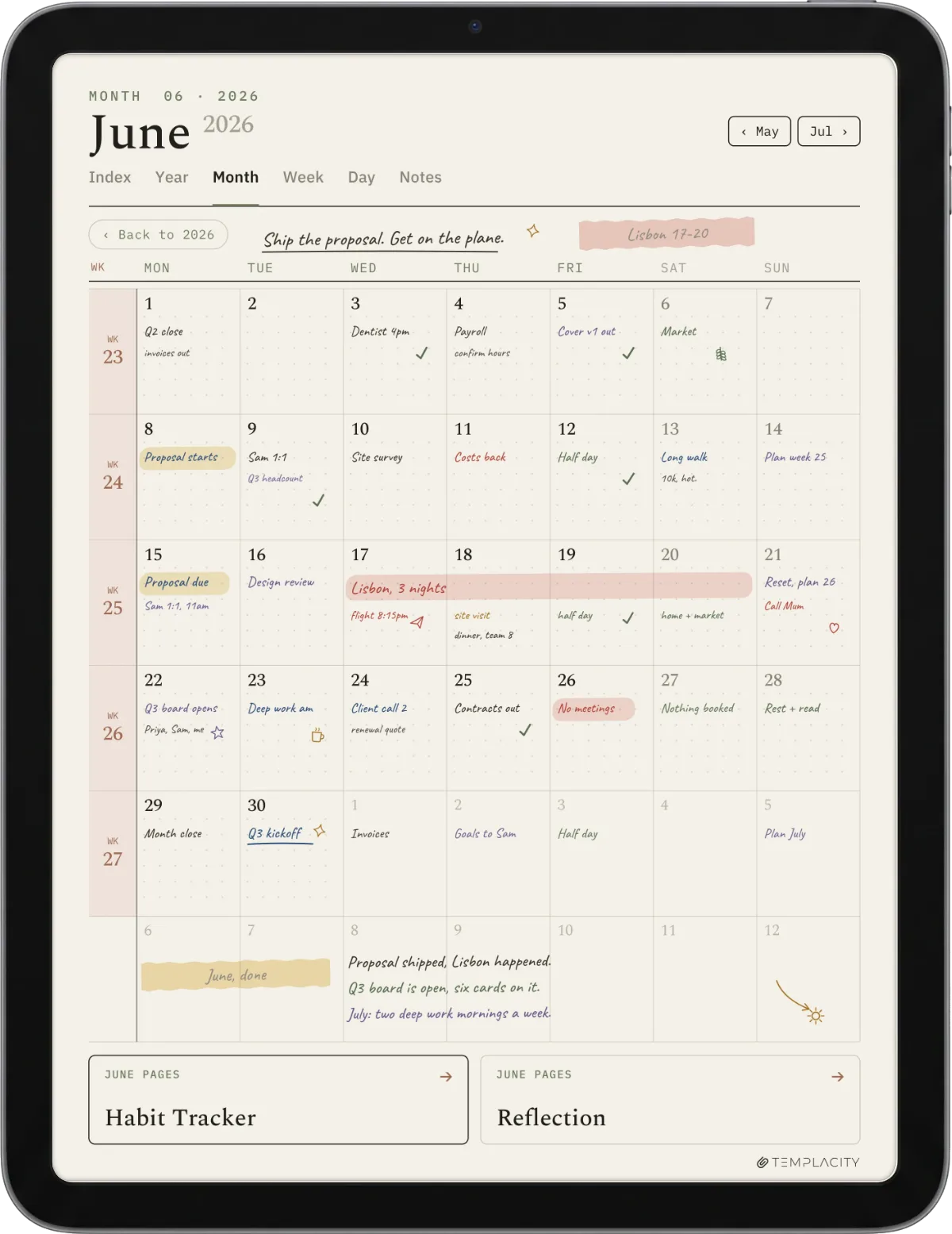
It is also fair to ask whether a tablet is the right home for your planning at all. Goodnotes is an iPad app, and an iPad is a brightly lit, notification-prone device that happens to also run a planner. If part of why you want a planner is to get away from exactly that, it is worth reading our honest comparison of the reMarkable versus iPad route before you commit, because the quietest planner in the world still sits next to your email on an iPad. We sell planners for both worlds and will not pretend the tablet is the only answer.
Our planner
Our Goodnotes digital planner, and an honest bias note
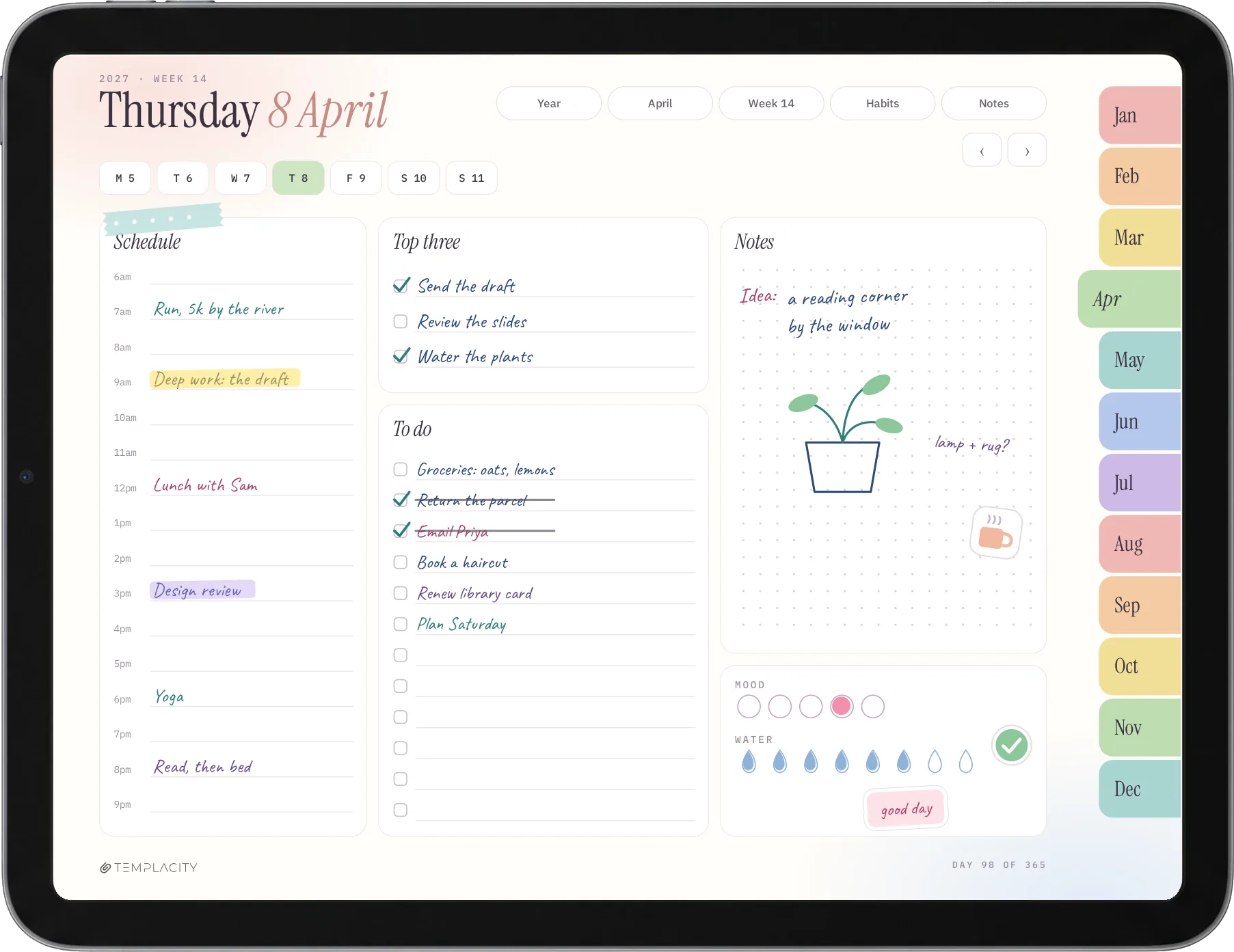
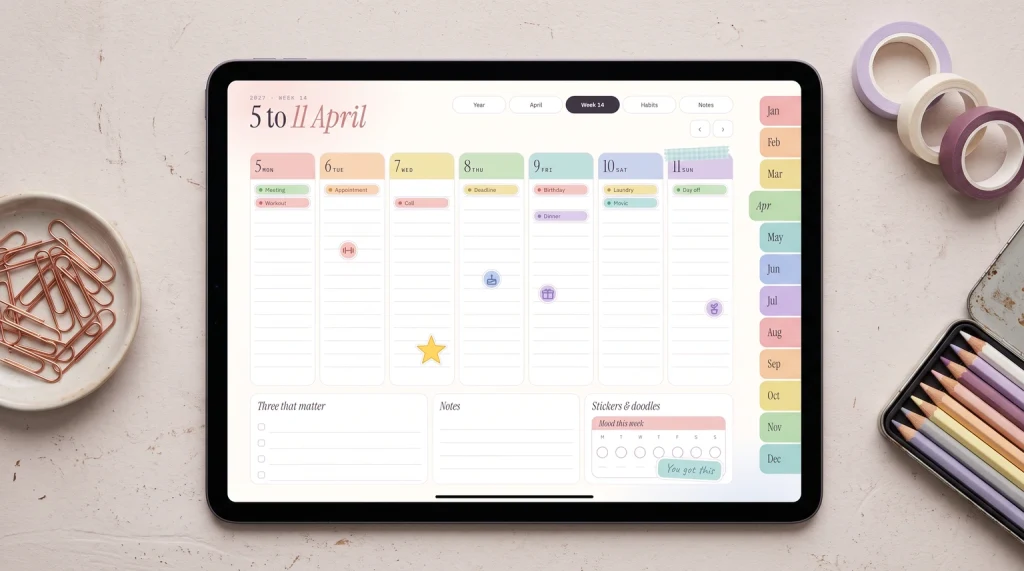
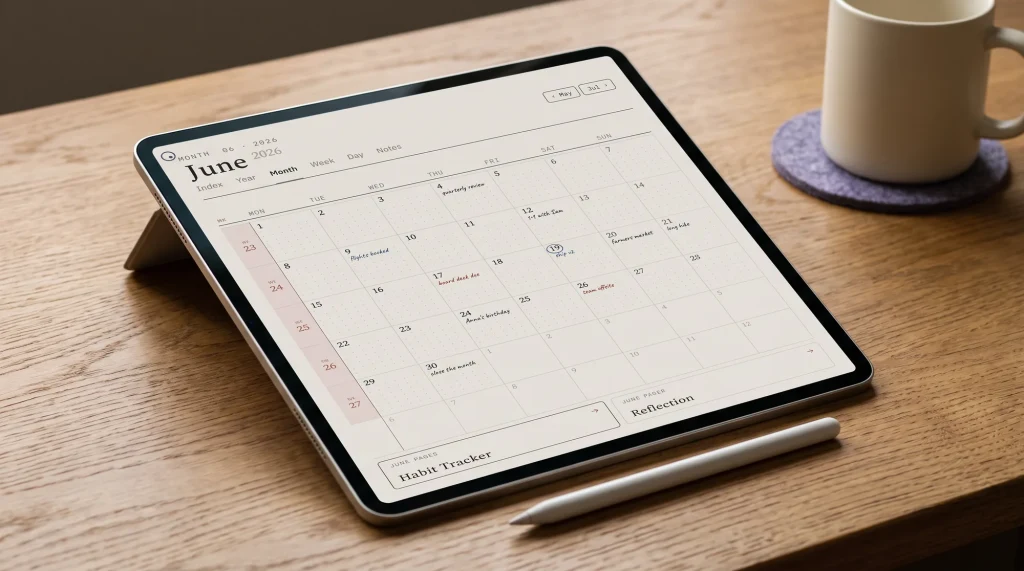
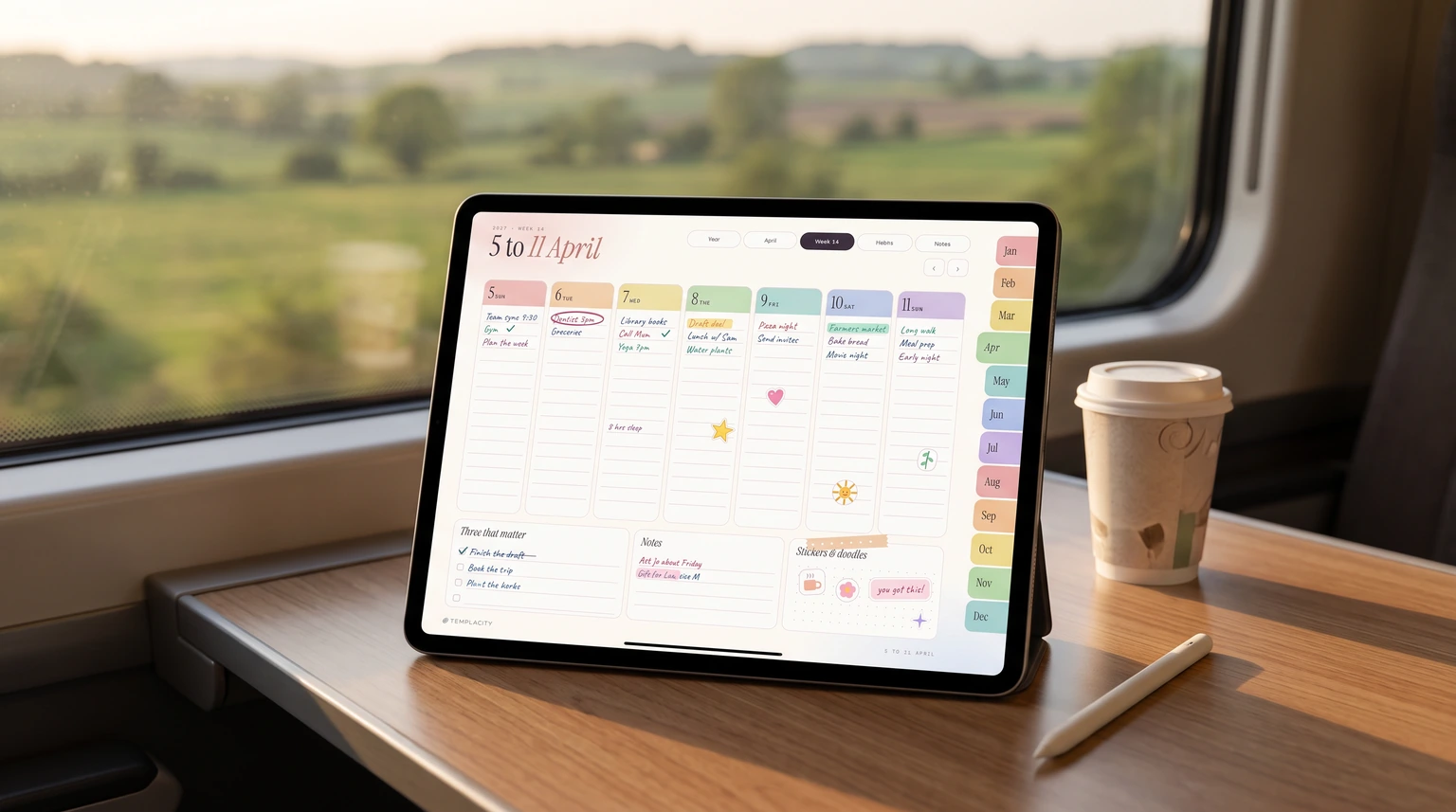
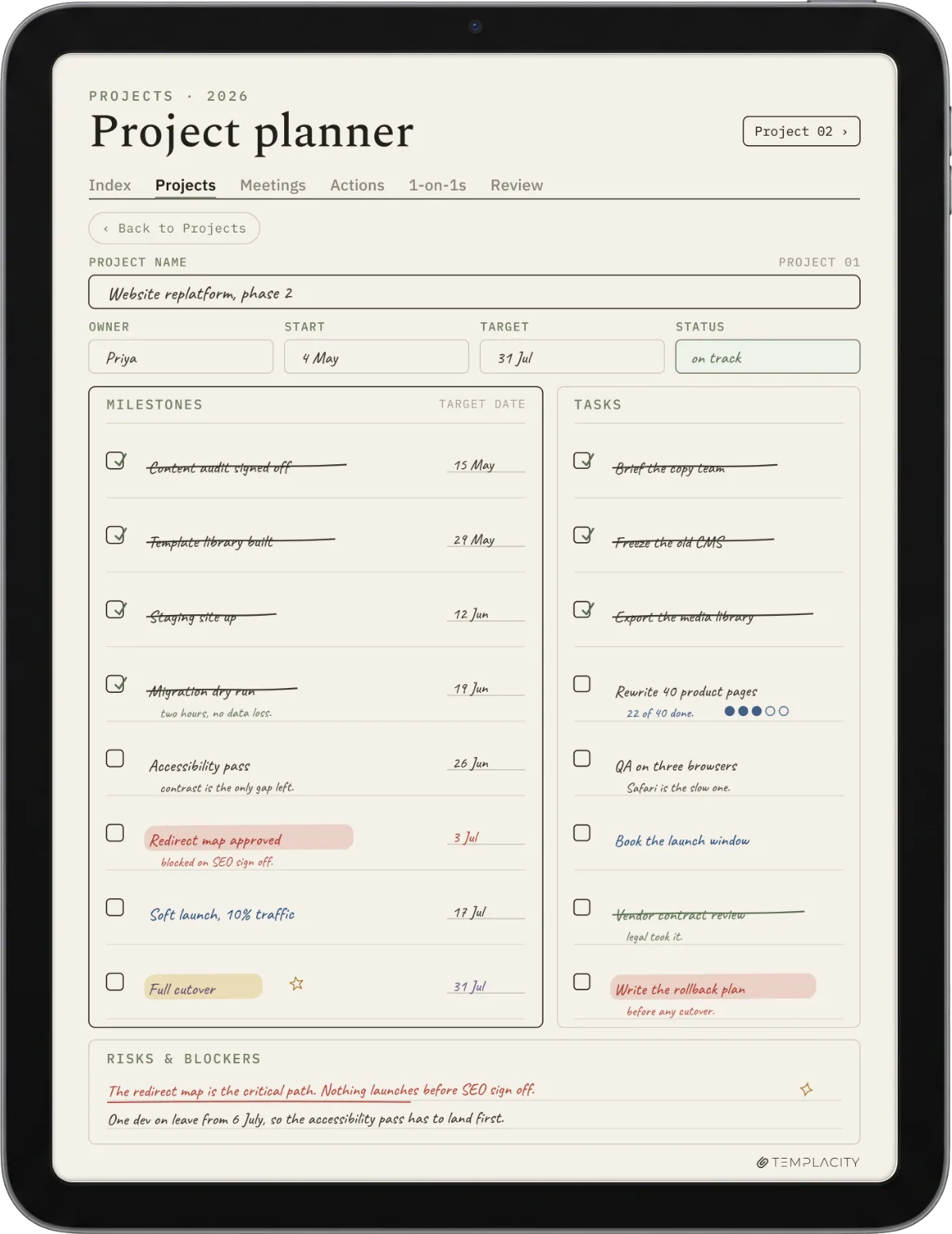
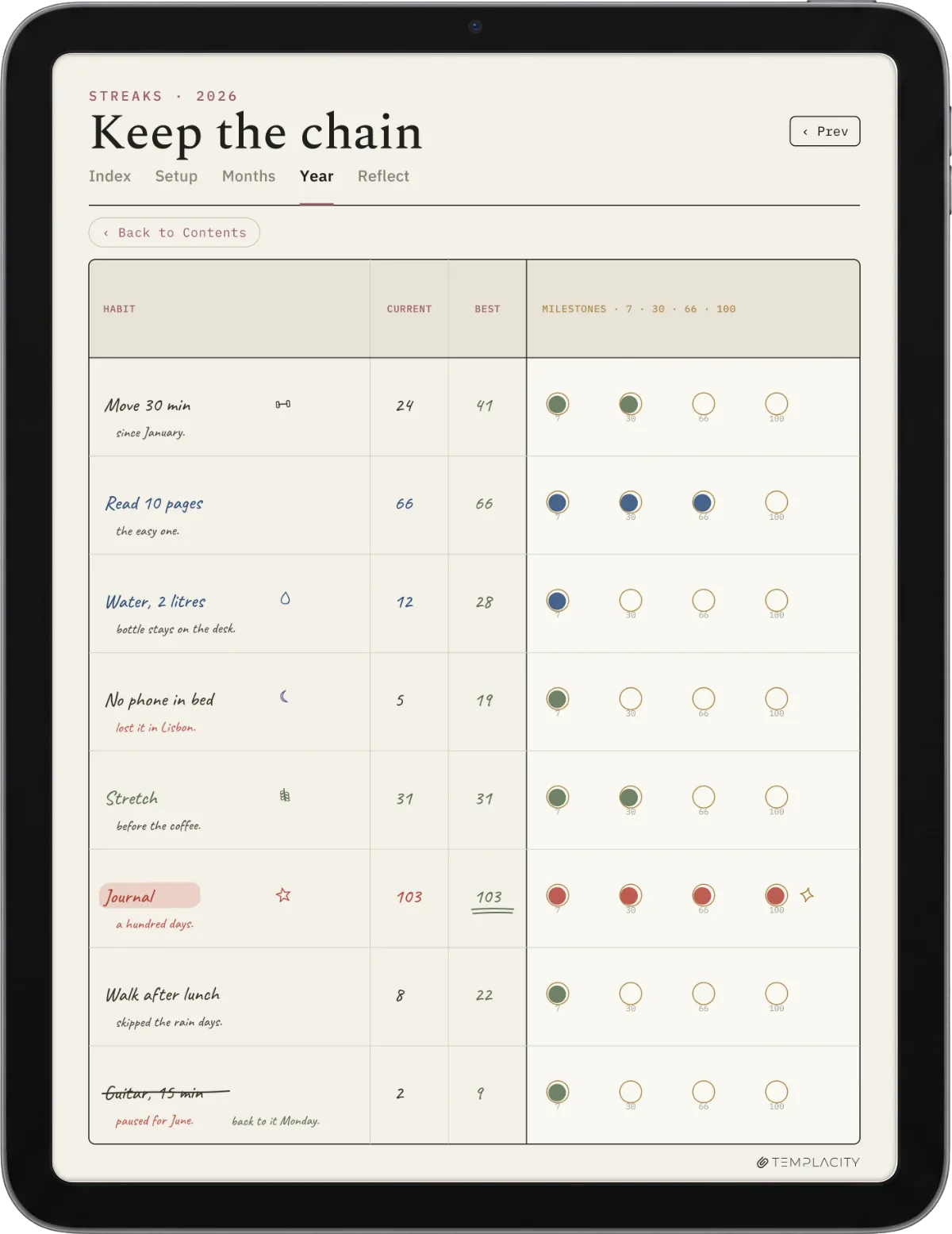
Full disclosure before we describe it: we make and sell this one, so treat the next lines as a maker describing their own product, not a neutral review. The Planner for Goodnotes ($49) now comes as two editions in one English purchase. The new one is the iPad Planner 2027, drawn in colour for the iPad in landscape: 487 pages with a month tab on every page, the year, goals, twelve months, 53 weeks in seven columns with a sticker corner, 365 day pages with a schedule, a top three, a to do list, notes, mood and water, a monthly habit tracker and reflection, and 20 notes pages, in Monday-start and Sunday-start versions. Beside it sits the original planner, the quieter monochrome layout, dated 2026 and 2027 and available in six languages. It is a one-off file with no subscription, and it stays yours.
Installing it on an iPad takes a minute. Open the PDF in Goodnotes as one notebook, then move around it by tapping the tabs rather than scrolling. Import the whole file at once and add any extra pages only at the very end, so every link keeps its place. Each iPad file is about 4.2 MB, which matters because Goodnotes’ free plan limits imports to 5 MB and allows up to three notebooks, so the planner fits on the free plan and you can try it before paying for Goodnotes itself.
What it deliberately is not: a sticker kit. The colour edition has soft pastel tabs and a corner on every week for your own stickers, but the pages stay lined and open, so a busy week still reads at a glance. If decorating is the part of planning you love most, a boutique creator will make you happier than we will, and we would rather say that than oversell. If you want the calm version, the monochrome edition is in the same download.
The verdict
Decision shortcut
Three quick branches. If your planning is light or you are new to the format, start with a free Goodnotes planner and learn how you use it before you pay. If decorating is part of why you plan, buy from a boutique creator and enjoy the stickers. If you want clean navigation and the everyday layouts without a subscription, a structured Goodnotes digital planner is the best-value pick, and ours is built for exactly that. All three are valid; the one that fits is the one whose strength matches your reason for planning, not the one with the most pages.
Planning is personal, and the planner is the smallest part of it; the habit is the hard bit. If a particular planner, layout, or trick has made you actually stick with planning on Goodnotes, tell us in the comments. The real-world notes from people who plan every day help the next reader more than any comparison table can.
FAQ
Common questions, answered briefly
Is there a free Goodnotes planner?
What makes a digital planner work in Goodnotes?
Should I pick a dated or undated planner?
Does a Goodnotes digital planner work on iPhone or only iPad?
Can I add my own stickers to a Goodnotes planner?
Will a 2026 Goodnotes planner roll over to next year?
If yours isn’t above, drop the question in the comments and we’ll add it.
People also ask