The job
What an Airbnb Google Sheets template has to do
Search for an Airbnb Google Sheets template and every result promises the same tab list: income, expenses, occupancy, maybe a dashboard. The tab list is the commodity part. What separates a sheet that runs a rental from a sheet that decorates a Drive folder is the math inside the tabs: whether the fee column matches what the platform actually withholds, whether expenses land in categories your tax filing can use, and whether the whole thing is light enough that you still update it in November.
Google Sheets is the right home for this job for most hosts. It is free on any Google account, lives in the browser where your booking dashboard already is, and shares cleanly with a co-host or cleaner as read-only. The Excel question comes down to workflow rather than capability; our Airbnb Excel spreadsheet guide covers that fork if your receipts live on a desktop.
Three roads
Free template, build your own, or buy
There are exactly three ways to end up with a working sheet, and the honest comparison is about time and failure modes, not features.
| Free template | Build your own | Paid template | |
|---|---|---|---|
| Cost | $0 | $0 + about an hour | Typically $20 to $50 |
| Fee math out of the box | Usually hard-coded or missing | Whatever you build | Both fee structures, ready |
| Tax-ready categories | Rarely | If you set them up | Usually built in |
| Dashboards and charts | Basic at best | Hours more work | Included |
| Biggest risk | Stale assumptions nobody maintains | The half-finished sheet | Paying for tabs you ignore |
The free route is real, not a teaser: the four-tab build below produces a sheet that genuinely runs a single listing. What the free route does not include is anyone having checked the fee math against the platform’s current structures, which is exactly the place errors hide quietly. Whichever road you take, audit that one column first.
The build
Building your own: the four tabs
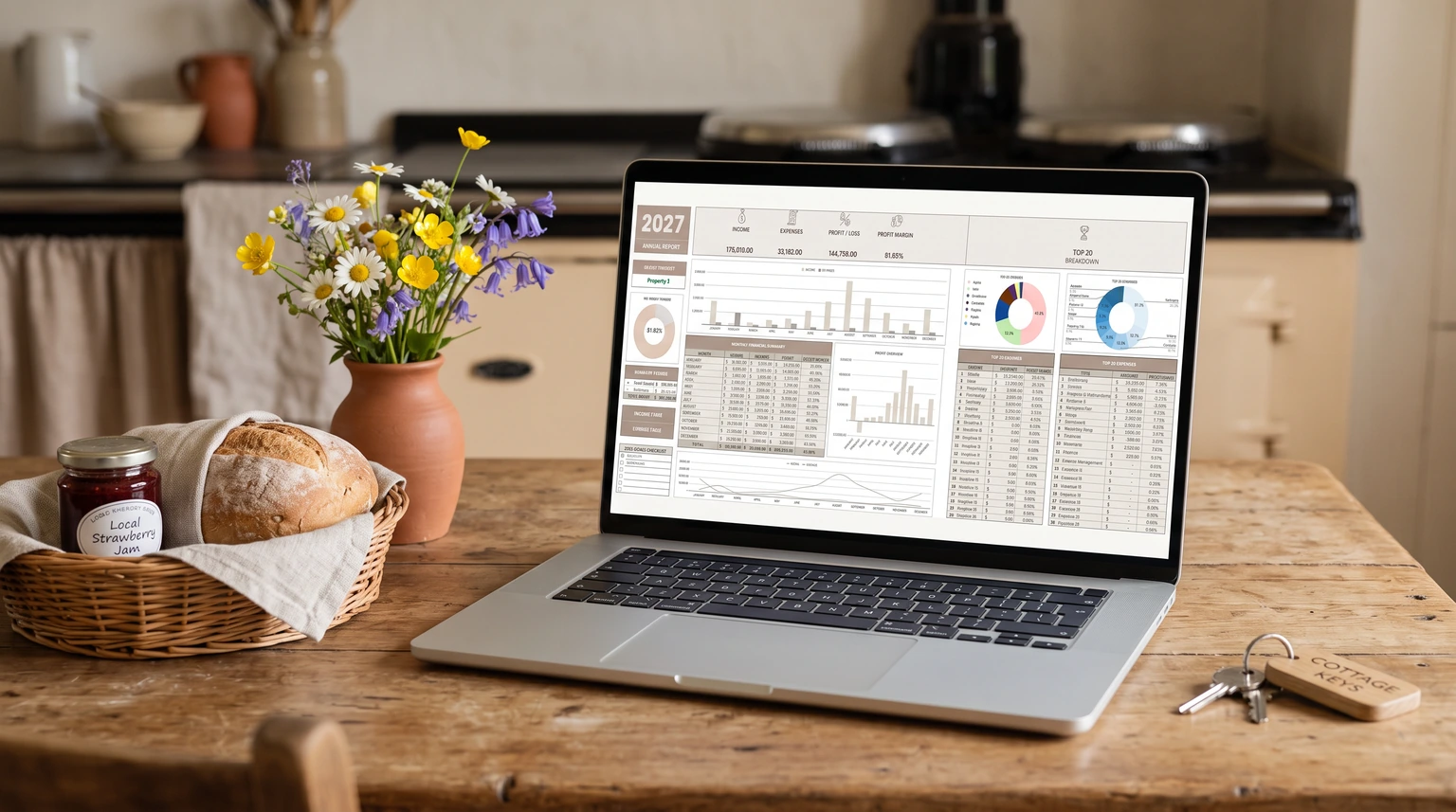
Tab one is the bookings ledger: one row per booking with check-in, nights, nightly rate, cleaning fee charged, gross, host service fee, occupancy tax, and net payout. Copy the fee figures from each payout statement rather than computing them; the statement is the truth and your formula is the estimate. Tab two is the expense log: date, vendor, amount, category, and a link to the receipt photo. Name the categories after the buckets a tax return uses; our Airbnb bookkeeping spreadsheet guide covers that decision in depth.
Tab three is a monthly summary built from the first two with SUMIFS by month: gross, fees, expenses by category, net. Tab four is the dashboard: occupancy rate, average nightly rate, and net margin as three numbers with a sparkline each. Resist the urge to add more; every tab past four lowers the odds the sheet is still alive in six months. The full column-by-column layout, including the operational extras (calendar notes, supply par levels), lives in our Airbnb spreadsheet pillar guide.
Every tab past four lowers the odds the sheet is still alive in six months.The build
The math
The Airbnb calculator inside Google Sheets
The search for an Airbnb calculator in Google Sheets is really a search for three formulas, and they fit in one corner of the bookings tab. Payout per booking: stay subtotal plus cleaning fee, minus the host service fee at your rate (15.5% for most hosts on Airbnb’s single fee, 14% to 16% for some, or about 3% on the split fee Airbnb is phasing out, per the platform’s fee documentation). Break-even occupancy: fixed monthly costs divided by average net per night. And effective platform take: fees withheld divided by gross, which is the number that creeps and the reason the column deserves a monthly glance.
Build those three as named cells at the top of the sheet and the calculator question disappears into the template itself. If you want the interactive version to sanity-check against, our Airbnb host fee calculator runs the same math with sliders, both fee structures included.
Build vs buy
When a template beats building it
Build it yourself if you host one listing, enjoy spreadsheet work, and the hour is genuinely available. Buy one if any of those is false. The math is unsentimental: an evening of formula-writing against $49 once, and the bought version arrives with both fee structures, tax-ready categories, and dashboards already wired. Our Airbnb Google Sheets template is the version of this exact build we sell, income, expenses, and tax estimates in one Sheet that runs on a free Google account; it exists because enough hosts asked for the four tabs pre-assembled.


Everything you hand a guest, matched and priced to move together.
Whichever road you take, the sheet only works if the monthly habit does: copy the payouts, sweep the expenses, glance at the dashboard. Ten minutes a month, and the rental stops being a guess. If you built your own and your tab layout disagrees with ours, tell us in the comments what you added or cut; reader builds have reshaped this guide before and will again.
FAQ
Common questions, answered briefly
Is there a free Airbnb Google Sheets template?
What should an Airbnb Google Sheets template include?
Can Google Sheets work as an Airbnb calculator?
Is Google Sheets or Excel better for Airbnb tracking?
Why does my template show different fees than my payout?
If yours isn’t above, drop the question in the comments and we’ll fold it in.
People also ask