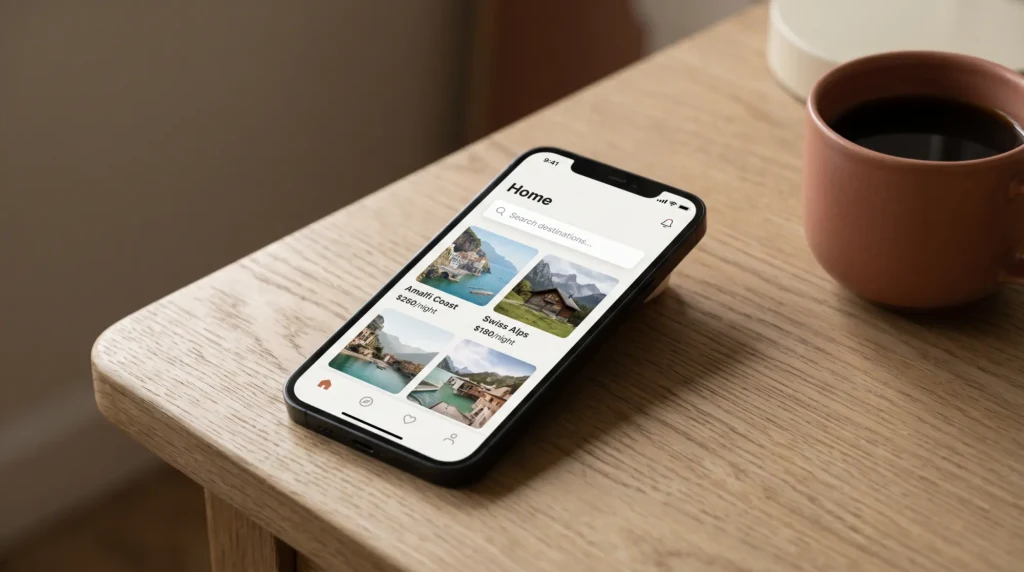
The release
What the Airbnb fall update actually shipped
The Airbnb fall update landed on 30 September 2026, and most of the coverage has read it as a guest release: connections with friends, a travel map, new services from laundry to baby gear. That is fair, because the headline features face the traveller. But the part that changes a host’s week is quieter, and it sits in the middle of Airbnb’s own announcement: AI now sits between your listing and the person searching for it.
Airbnb lists five AI features, starting in the US. Guests can search across homes, experiences and services “using your own words or voice”. They can type keywords inside filters. Search results “now include AI-powered descriptions to highlight key features of a home”. Wishlisted homes can be compared side by side with AI summaries. And support chat runs in more than 50 languages, with voice support on the way.
Read as a host, three of those five describe your listing to a guest in words you did not write. That is the change worth your attention, and it is live now, while the host tools are still a promise for later this season.
| Feature | Who it faces | When | What a host does |
|---|---|---|---|
| AI search and AI filters | Guests | Now, US first | Audit amenities |
| AI listing descriptions | Guests | Now | Read what it says about you |
| AI wishlist comparison | Guests | Now | Fix the weakest fact |
| Multi-listing calendar | Hosts | Later this fall | Wait, then batch edits |
| Dynamic pricing range | Hosts | Later this fall | Set a range you can defend |
| AI earnings insights | Hosts | Later this fall | Treat as a prompt, not a rule |
The filters
AI filters read your amenities, not your prose
Airbnb’s example is the clearest way in. A guest types “baby” into the filters and the new search surfaces “related filters such as cribs, playgrounds or children’s books and toys”. The guest no longer scrolls a long list and ticks boxes; the AI picks the boxes for them.
Notice what those suggestions are: amenity filters. A filter has always matched the amenities a host ticks, and the fall update does not change what a filter is, it changes how fast a guest reaches one. So a host who mentions the travel cot in the description but never ticked “crib” is now further from that guest than before, because the guest is a typed word away from a filter the listing does not pass.
Our Airbnb amenities list walks the full set by room, which is the quickest way to find the ones you offer and forgot to tick. While you are in there, check the opposite direction too.
The check
Check your amenities before a guest does
Five days after the release, a host on AirHostsForum reported finding their amenities changed: some they do not offer had been added, some they do offer had been removed, roughly one in ten wrong, and they fixed them by hand. That is one host’s report, and Airbnb’s announcement does not say it edits amenities. But it costs five minutes to rule out on your own listing, and the cost of not looking is concrete.
An amenity you do not have is worse than one you forgot. It brings in the guest who filtered for it, and that guest arrives expecting the thing. A missing dishwasher you never claimed is a neutral fact; a dishwasher the listing says you have is an accuracy complaint and, often, a review. Accuracy is one of the review categories, and it is the one a wrong amenity hits directly.
An amenity you do not have is worse than one you forgot.
So the audit runs both ways. Tick what you offer, untick what you do not, and do it again in a month, because a list you checked once is only correct on the day you checked it.
The words
Airbnb now writes a line about your home
The second change is the AI listing description in search results, which Airbnb says highlights “key features of a home”. Your title and photos still lead the card, but there is now a sentence about your place that you did not write, sitting where a guest decides whether to tap.
You cannot edit that sentence directly. You can only edit what it is built from, and Airbnb’s page does not say which fields it reads. The practical answer is to make every field say the same true thing: if the selling point is the garden, the title, the first line of the description, the amenities and the first photos should all agree on the garden. A summary built from consistent inputs has little room to pick the wrong highlight.
Then search for your own listing the way a guest would, in your town for your dates, and read the line. The same goes for the new side-by-side comparison of wishlisted homes: the AI summaries there put your listing next to two or three rivals on key features, so whatever your weakest true fact is, it is now printed next to someone else’s strongest one. Our Airbnb listing optimization guide covers the order to fix titles, photos and descriptions in.
Later this fall
The host tools, and what to do before they land
Four host tools are announced for “later this fall”, so none of them is a switch to flip today. The multi-listing calendar lets a host change pricing, availability, cancellation policies or discounts across all listings at once, or a chosen few. 3D floor plans give guests an interactive layout before they book. A new dynamic pricing setting recommends a price range, and with one tap nightly prices adjust “based on daily demand and supply”, with the range changeable at any time and prices adjustable in the calendar. And the earnings dashboard gains AI summaries of performance, what is affecting it, and suggested actions.
Two of these deserve a little preparation. The pricing range is only as good as its bottom number, and the existing Smart Pricing already taught hosts that a minimum is not always a floor once discounts apply; our Airbnb dynamic pricing guide sets out that override chain, and it is worth knowing your true break-even night before you hand a range to any automation. The multi-listing calendar, meanwhile, makes a bulk mistake as easy as a bulk fix: one change to a cancellation policy across six listings is six sets of future bookings under new terms, so write down what each listing runs today before the tool arrives.
Treat the AI dashboard suggestions as prompts to check, not instructions. A suggestion like turning on a setting or adding amenities may be right for the average listing and wrong for yours, and the only way to know is your own numbers from before and after.
The guest side
The guest features a host should still know
Some guest features land in your inbox even if they never touch your settings. Airbnb is adding services a guest books around the stay: baby gear rentals with BabyQuip, delivered and set up at the listing, from November in more than 60 US cities with 10% off for Airbnb guests; laundry pickup and delivery with Rinse in select US cities; meal delivery in select European cities; and grocery delivery expanding to Europe. If you host families in one of those cities, expect a crib to be delivered to your door by someone who is not your guest, and say in your check-in notes where it can go.
Connections and the Travel Map let guests see where people they know have stayed and read their reviews, and neighbourhood pages start in Paris. For a host that mostly means one thing: a review now travels further than the listing page, into the map of everyone connected to the guest who wrote it. Our notes on Airbnb Guest Favorite cover what earns the reviews that travel well, and last year’s Airbnb app update is the background to how the platform got here.


Everything you hand a guest, matched and priced to move together.
The Airbnb fall update is a guest release with a host task inside it: tick what you offer, untick what you do not, read the line Airbnb writes about your home, and note your pricing and policies before the new tools arrive. If you find your amenities changed without you, tell us in the comments which ones, because a pattern across hosts is worth more than any single report.
FAQ
Common questions, answered briefly
When did the Airbnb 2026 fall update come out?
Can I edit the AI description Airbnb shows for my listing?
Do AI filters use my amenities or my description?
Is the new Airbnb dynamic pricing the same as Smart Pricing?
People also ask