The idea
What a research planner template is, and how it differs from a research plan
A research planner is a single working system that holds a long project together: the timeline to submission, the reading you have done and still owe, the writing broken into pieces, and every deadline attached to a date. A thesis or dissertation runs for months or years, across dozens of sources and a handful of hard dates, and the failure mode is never one big mistake. It is drift, the slow loss of track that turns a Tuesday into a scramble. A research planner exists to make that drift visible early, while there is still time to correct it.
It helps to say what the planner is not. It is not a to-do list, which lives in the day and forgets the shape of the year. It is not a wall calendar, which shows the dates but not the work that has to happen between them. And it is not the literature review itself; the reading grid is one module inside the planner, not the whole of it. Guides from writing and graduate centers, like the UNC Learning Center, keep landing on the same point: a long project needs a plan you can see, not a pile of intentions. It is also narrower than a generic academic planner built around class schedules and lecture timetables; a research planner is organized around one long project, not a week of classes.
Search for a research planner template and half the results are a different document: the research plan, the short page a supervisor, a team or a funder reads before the work starts. Asana’s research plan template is typical of the type: topic and audience, background, objectives, method, timeline, expected outcomes, and how the findings get shared. The plan and the planner are two halves of one job. The plan says what the project is and why; the planner is where you run it, week after week, until it is submitted.
| Part | What goes in it | The check it gives you later |
|---|---|---|
| Question | What you are asking, in one sentence, and who it is for | Is this still the question? |
| Background | The gap in the literature the project fills | Why does this matter now? |
| Objectives | Two to four specific aims | What counts as done? |
| Method | How the data is gathered and analyzed | Can I do this with what I have? |
| Timeline | Phases with dates, submission fixed | Is the plan still realistic? |
| Outcomes | What the project will produce and for whom | What will a reader get from it? |
Write the plan once and keep it on the first page of the planner. In a thesis it is your proposal in miniature, and it earns its place the day a tempting new idea tries to widen the scope: you check it against the objectives before it gets a week of your time.
The people who finish on time are rarely the fastest readers or the cleanest writers. They are the ones who always know where they are: which milestone is next, what stands between them and it, and which deadline is real. That awareness is the whole product of a good research planner, and the rest of this guide is about building one that gives it to you.
The parts
The parts a research planner needs
A planner that tries to track everything tracks nothing. The working set is small and each part answers one question you will actually ask under pressure. Build these seven and resist adding an eighth until a real gap forces it.
| Part | What it tracks | The question it answers |
|---|---|---|
| Project timeline | The whole project on one view, submission date fixed | Where am I against the end? |
| Milestones | The few dates that matter: proposal, ethics, data, full draft | What is the next real checkpoint? |
| Reading log | What you have read and what is still queued | Have I covered this area yet? |
| Literature tracker | Sources by theme, notes per source | What does the field say about this? |
| Writing schedule | Chapters and sections with their own dates | What am I drafting this week? |
| Deadline and funding tracker | Grants, conferences, admin and submission dates | What is due that is not the thesis? |
| Supervision log | Meeting notes and the actions that came out of them | What did we agree I would do? |
Two of these do quiet, heavy work. The supervision log is the one most people skip and most regret skipping; a meeting whose actions are not written down is a meeting you will half-remember and re-litigate. And the literature tracker is not a nice-to-have bolted on the side, it is where the argument of the whole project slowly forms, which is why it gets its own section below.
The map
Map the project first: milestones on a backwards timeline
Start at the end and walk back. Put the submission date on the timeline first, because it is the one date you do not control, then place the milestones that have to happen before it: full draft, analysis done, data collected, ethics cleared, proposal approved. Working backwards turns a vague year into a sequence of checkpoints with real dates, and it surfaces the collisions early, the month where data collection and a conference abstract and a teaching load all land together. The Grad Coach dissertation plan walks the same backwards logic for a full dissertation if you want a worked example.
Then plan in rolling detail. Break only the next milestone into weekly tasks; leave the ones further out as single blocks. A research planner that tries to schedule month nine in week one is fiction, and fiction is demoralizing to look at. The near term gets task-level detail, the far term gets a placeholder, and the placeholder becomes detail as it approaches. This is the difference between a plan you update and a plan you abandon.
The same shape scales up and down. A one-term project and a multi-year doctorate use the same research planner, just at different resolutions: an undergraduate dissertation tracks weeks where a PhD tracks months, but both plan backwards and both detail only the next stretch. While you map it, build in slack. A plan with no buffer breaks on the first sick week or the first dataset that arrives late, so leave empty air before every hard milestone. The researchers who hit their dates are usually the ones who scheduled to finish early and let reality eat the margin.
A planner is only worth the ten minutes a week you spend inside it. Set a fixed weekly review and keep it: check the timeline, roll the next milestone into concrete tasks, move whatever slipped, and flag what is now at risk. That short ritual is where planning actually happens; the rest of the week is execution against it. Skip it for a fortnight and even a well-built research planner quietly becomes a snapshot of the optimism you had in month one, which is worse than useless because it lies to you.
The stages
Thesis and dissertation stages, from proposal to defense
A thesis planner or dissertation planner is the same research planner cut into the stages the degree actually runs through. University guides split it much the same way; the University of Kentucky Libraries dissertation planner uses getting started, prepare and propose, plan and research, write and edit, and defense and closure. Each stage leans on a different page of the planner, so it helps to know which one you are in.
| Stage | What happens | The planner page that carries it |
|---|---|---|
| Prepare and propose | Topic, supervisor or committee, the proposal | The one-page research plan and the proposal outline |
| Plan and research | Ethics, data collection, most of the reading | The backwards timeline, reading log and lab notebook |
| Write and edit | Chapters, full draft, feedback rounds | The writing schedule and the supervision log |
| Defense and closure | Submission, the defense or viva, corrections, final deposit | The deadline tracker and a defense checklist |
The last stage is the one most planners leave off, and it is not short. After submission come the formatting check, scheduling a committee or examiners who all have their own calendars, a practice run of the defense, the defense itself, a round of corrections, and the final deposit with the library. Put every one of those on the backwards timeline from the start. A PhD planner that ends at “submit” plans the thesis and forgets the degree.
The reading
The reading side: keep the literature under control
Reading is where a research project quietly overruns. There is always one more paper, and without a system the reading expands to fill every week that writing should have had. The planner’s job here is two-part: a reading log that separates what you have actually read from what you have only downloaded, and a literature tracker that captures what each source said while it is fresh, not months later when you need to cite it.
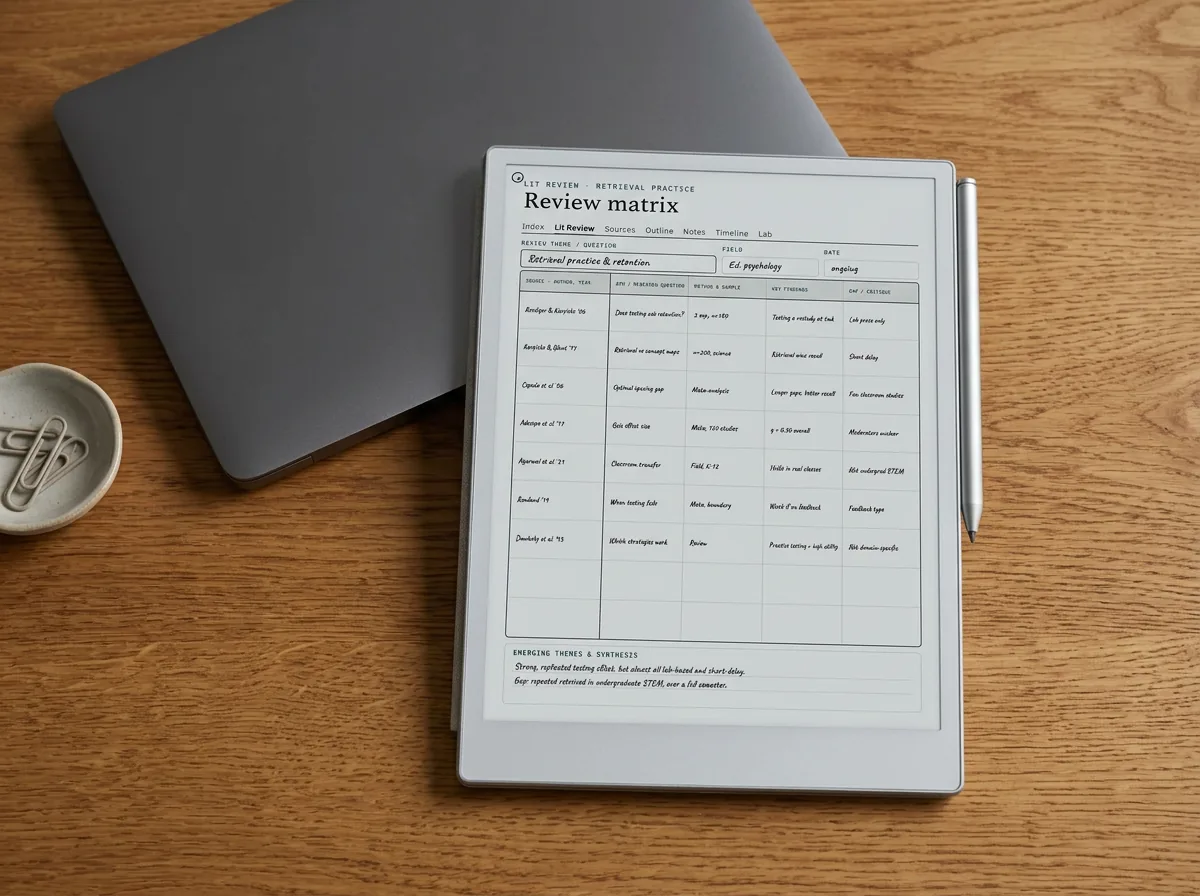
That tracker is worth building properly, because it becomes the literature review chapter one draft early. Our full guide to the literature review template lays out the grid, and the synthesis matrix is the version that turns a pile of sources into an argument by theme. Inside the planner the tracker stays lightweight, one row per source with a few columns; when a chapter is ready to write, you lift the relevant rows out and the section half-writes itself. The reading and the writing stop being separate jobs and become one pipeline.
Without a system the reading expands to fill every week that writing should have had.
The writing
The writing side: proposal, chapters, and real deadlines
Writing goes in the planner as scheduled work, not as a thing you will get to when the reading is done, because the reading is never done. The first real writing milestone is usually the proposal, and it is worth treating as its own small project; our walkthrough on how to write a research proposal breaks it into a sequence the planner can hold. After that, each chapter gets a target date on the writing schedule and a rough word budget, so a slipping chapter shows up as a moved date rather than a vague unease.
Keep the deadline tracker honest by separating the deadlines you set from the ones the institution sets. A self-imposed chapter date can move when the week falls apart; an ethics submission window or a funding report cannot. When the two are visually different in the planner, a bad week becomes a decision you can make on purpose instead of a panic. Reference guides like Purdue OWL on conducting research are useful for the writing standards; the planner is what keeps them on a schedule.
It also helps to track momentum, not just dates. A rough word count or a simple done-for-the-day mark on the writing schedule turns an abstract chapter into a visible streak, and a streak is easier to protect than a deadline is to fear. The point is not to measure yourself; it is to see, on a bad week, that the writing has not actually stopped, only slowed. Momentum you can see is momentum you keep, and it is the quiet difference between a chapter that stalls for a month and one that limps forward and finishes.
Where it lives
Where the planner should live: spreadsheet, app, or e-ink
A spreadsheet is the honest default and carries most of the load: timelines, reading logs, and trackers all sort and filter, and one tab can hold each part. Its weakness is that it lives on a laptop, one context away from the reading and the writing, so it gets updated in bursts and drifts between them. A tool like Notion or a project app adds boards, calendars, and reminders, which suit people who plan in lists and want the deadline nudges; the cost is setup time and one more app to live inside.
The third option is the one this site cares about: an e-ink tablet, where the planner sits one swipe from the PDFs you annotate and the notes you take in supervision. Writing the week’s plan by hand is slower than typing, and slow is the point; it forces the small honest decision about what actually fits. The trade-off is that ink does not send reminders or sort a hundred rows, so many researchers run a hybrid, the live weekly plan and meeting notes by hand on a reMarkable, Kindle Scribe, or Boox, the big trackers in a sheet. The planner is one page of a wider setup, and our roundup of the best note-taking app for research work covers the reference and annotation half that sits beside it.
Whichever home you pick, protect the planner itself. A single spreadsheet is one accidental deletion away from a lost month, and a handwritten planner is one left-behind bag away from a lost week, so keep the master somewhere backed up and treat the device in your hand as a working copy. It sounds paranoid until the semester someone’s laptop dies the week before a submission, and the person who shrugs is the one whose plan was synced.
Free or paid
Free versus paid, and building your own
You can build a research planner for nothing. A spreadsheet with the seven parts above, plus a calendar you already own, covers the whole job, and building it yourself teaches you which parts your particular project leans on. The free route costs setup time and upkeep: you own the formatting, the version you are on, and the afternoon you spend wiring the timeline to the milestones instead of doing the research.
If you already live in Notion, its template gallery lists dozens of thesis templates, and if you plan in databases, one of them is a fair start. What none of them can do is sit next to the PDFs you annotate by hand on an e-ink tablet.
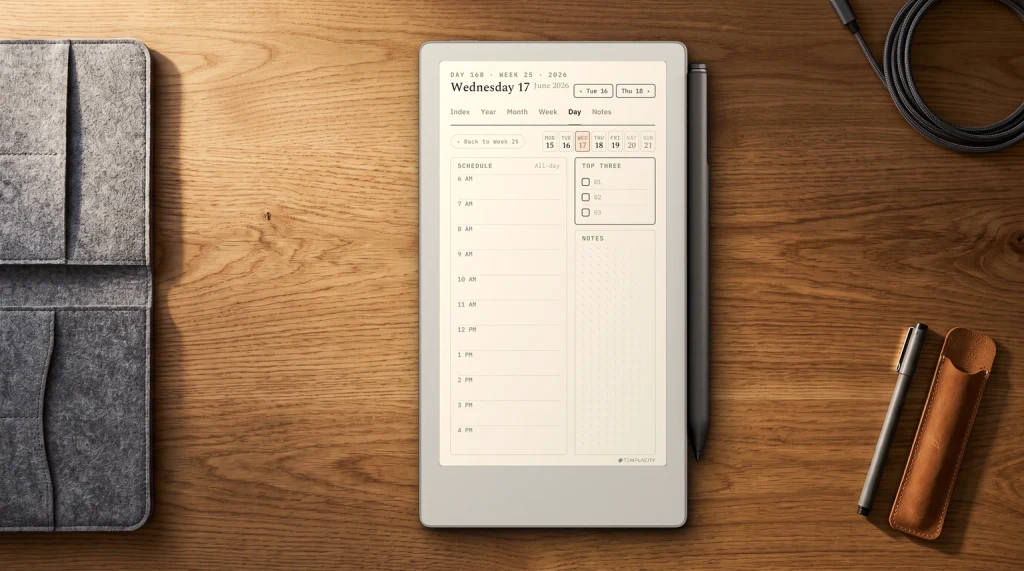
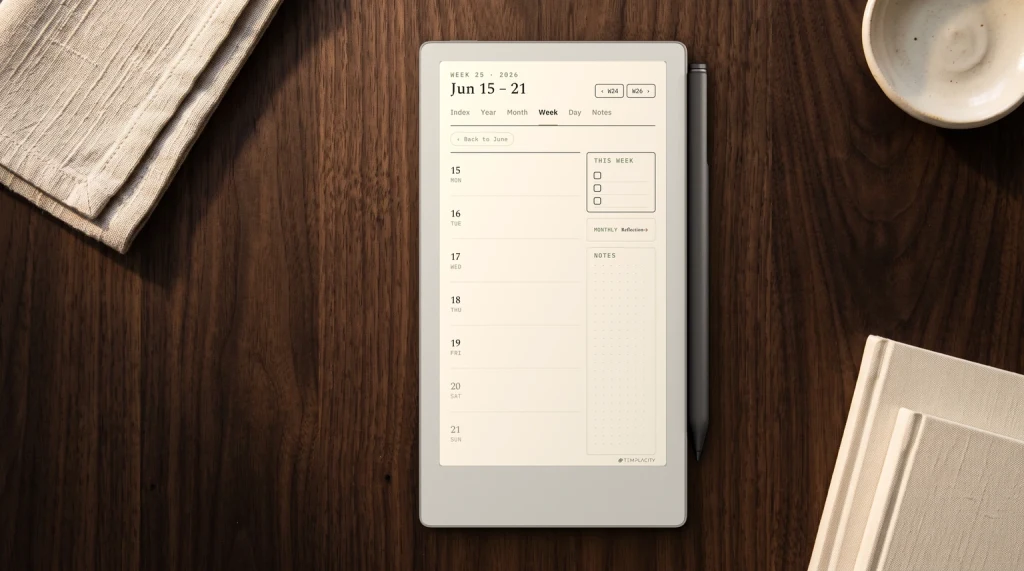
That is the gap our Research System fills. It is a hyperlinked PDF planner for e-ink tablets, 195 pages per edition, with an undated edition and dated 2026 and 2027 editions in the same purchase. Inside are 6 thesis timelines, 12 proposal outlines for the one-page plan above, 8 literature review matrix grids, 60 annotated source cards, 60 linked research notes and 40 lab notebook pages. It is built for 19 models across reMarkable, Kindle Scribe, Boox and Supernote, and opens on an iPad through Goodnotes. It pairs with our reMarkable templates if you want more page styles, and it handles the structure so your effort goes into the work the planner is meant to protect.
However you build it, the test of a research planner is the same: on the morning three deadlines collide, you open one screen and already know which one moves and which one holds. If you have a planner layout that survived a whole thesis, or a part we did not list that earned its place, tell us in the comments; we fold the best of them back into the reMarkable hub guides as they arrive.
FAQ
Common questions, answered briefly
What is a research planner template?
What is the difference between a research plan and a research planner?
What should a dissertation planner include?
What should a research planner include?
How do I plan a PhD or dissertation timeline?
Is a spreadsheet or an app better for a research planner?
If your question is not covered above, ask it in the comments and we will add the answer here.
People also ask