Frame
What makes a free Kindle Scribe Colorsoft planner worth downloading
The Kindle Scribe Colorsoft is Amazon’s first color writing tablet, layering Colorsoft panel technology onto the Scribe form factor. Most “Kindle Scribe planner” PDFs published before late 2024 were designed for the monochrome Scribe and either ignore color entirely or include color elements that look harsh on the Colorsoft panel. A planner specifically designed for Colorsoft uses a subdued palette (sage green, brick red, slate blue, warm grey) that reads cleanly on the panel, rather than LCD-saturated colors that look out of place.
Three checks for any free Kindle Scribe Colorsoft planner before you commit a year of planning to it. First, native sizing: the Colorsoft Scribe panel matches the standard Scribe resolution (1860 x 2480 at 300 DPI), so PDFs designed for letter or A5 will leave wasted margins. Second, color tuning for Colorsoft specifically (not iPad Goodnotes color palettes). Third, real writing room: a planner that crams six time blocks plus a habit grid into one page leaves no space for actual notes.
Pick #1
Community PDFs from Reddit and GitHub creators
The most active source of free Kindle Scribe Colorsoft planner downloads is community sharing on Reddit (r/kindlescribe, r/eink) and GitHub repositories. Creators who own a Colorsoft Scribe and design their own planners often share the source PDFs publicly, and these tend to be the most Colorsoft-aware free options because the designers tested directly on the panel. Quality varies, but the verified-working ones are typically labeled “Colorsoft-tested” or “Colorsoft-verified” in thread titles.
What to look for: posts with multiple confirmed-working comments, recent dates (planners published in 2025-2026 specifically rather than older Scribe-era ones), and a screenshot of the planner running on Colorsoft (not just on a desk). Skip anything labeled “works on all Kindles” without specific Colorsoft testing notes.
Pick #2
Native Kindle Scribe templates (built into the device)
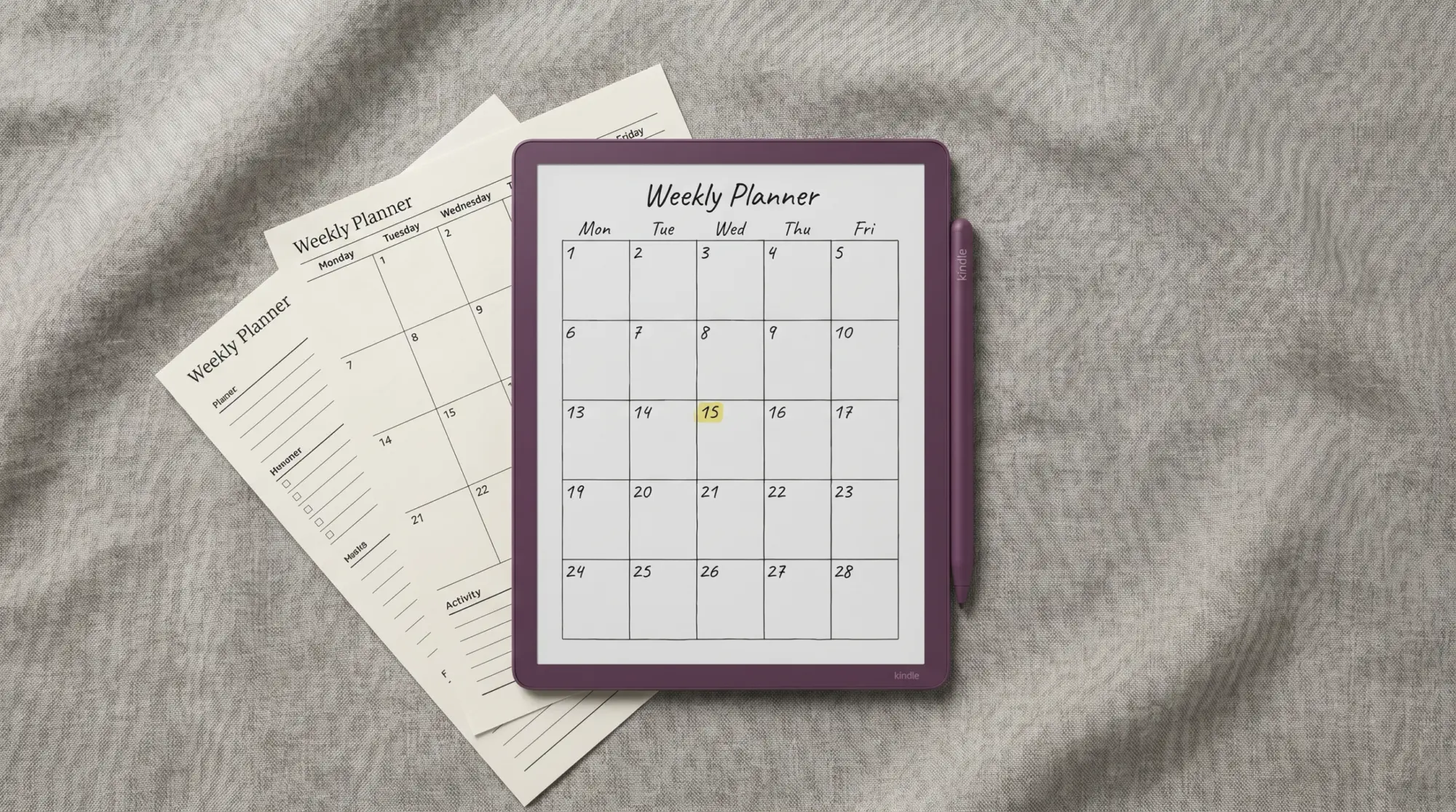
Before downloading anything, the Kindle Scribe ships with a small set of free notebook templates built into the device. They include lined, dotted, agenda, weekly, and project-tracker layouts, accessible from Notebooks, New, and the template picker. On the Colorsoft Scribe, these templates render in monochrome by design (no color elements), which makes them the most reliable starting point because there is nothing to test or verify.
The native templates do not include daily-page hyperlinked planners or color-coded layouts; they are deliberately basic. For users who want richer planning, a downloaded PDF or paid bundle covers the gap. But for week-one experimentation, the native templates cost nothing and confirm the workflow before paying for anything.
Pick #3
Free sample pages from paid creators
Many paid Kindle Scribe planner sellers (Etsy, Gumroad) release free sample pages as marketing, typically a one-week sample of the full planner. These are usually higher quality than free-only releases because the seller is showcasing the design they want you to buy. The catch: most paid sellers historically targeted iPad Goodnotes, so their sample pages may use saturated palettes that look harsh on Colorsoft. Filter by sellers who explicitly mention Colorsoft Scribe in product descriptions.
What to look for: sellers who post screenshots taken on Colorsoft specifically (not on iPad), free samples labeled “Colorsoft sample” rather than “Goodnotes sample,” and sample sizes that are useful (a full week or month, not just a single page). Our broader free Kindle Scribe templates page covers verified free samples across categories.
Pick #4
Templacity bundle preview pages (Colorsoft-aware)
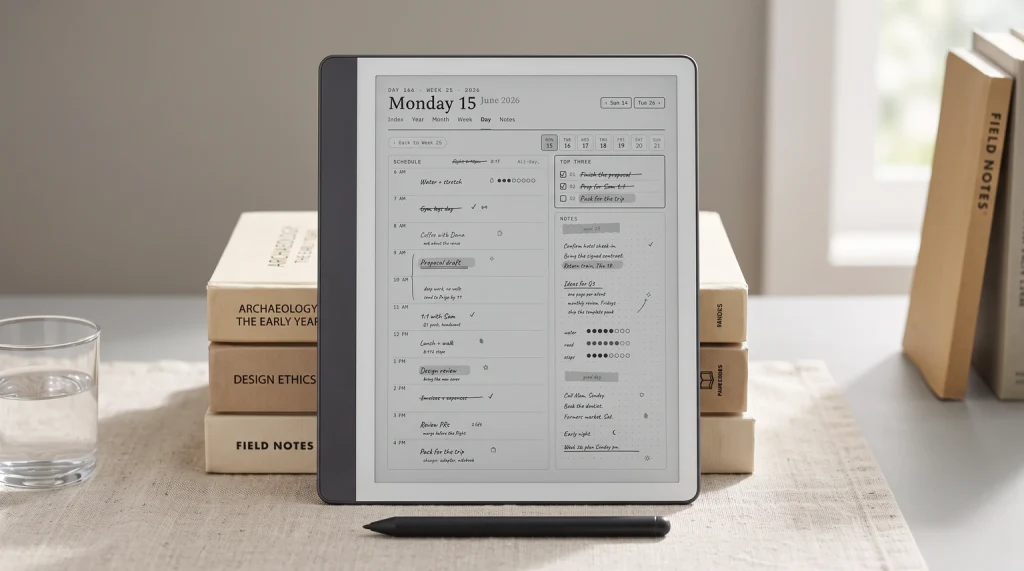
Templacity ships free preview pages from the Kindle Scribe bundle, including a Colorsoft-aware weekly planner and daily template designed specifically for the Colorsoft panel. These use the subdued e-ink-tuned palette (sage, brick red, slate, warm grey) rather than LCD-saturated colors, so the color hierarchy reads cleanly on Colorsoft instead of competing with the writing. The preview pages are limited to a one-week sample but are the most directly Colorsoft-tuned free option in this list.
For users who want the full planner system rather than a one-week preview, the paid Templacity Kindle Scribe bundle includes the Colorsoft-aware version alongside meeting, project, and journal templates that share the same visual language.
Decision matrix
Which free Colorsoft planner fits which workflow
| You want | Where to start |
|---|---|
| No download, instant start | Native Scribe templates (Notebooks, New) |
| Color-coded weekly with Colorsoft tuning | Templacity preview page (free) |
| Latest community design, free, varying quality | Reddit r/kindlescribe verified PDFs |
| One week of a paid planner before buying | Etsy or Gumroad free samples (Colorsoft-labeled) |
| Color hierarchy + linked navigation + full year | This list will not cover; see paid bundles |
The honest order: start with the native Scribe templates to confirm the workflow, then download the Templacity Colorsoft preview as the most-tuned free option, and only then explore community PDFs or paid samples if neither covers the need. Our Colorsoft planner overview covers the paid options if you decide to upgrade.
Bundle
FAQ
Common questions, answered briefly
Is there a free Kindle Scribe Colorsoft planner that uses the color panel properly?
Can the Colorsoft Scribe use any Kindle Scribe planner PDF?
Where can you find verified free Colorsoft planner PDFs?
Does the Colorsoft Scribe ship with planner templates built in?
What size should a Colorsoft Scribe planner PDF be?
Are free Colorsoft planners as good as paid ones?
If you have found a free Colorsoft planner that has held up over a few weeks of daily use, drop the source in the comments. Free templates are best surfaced by community recommendation, and the comments stay current in a way Reddit threads rarely do once they fall off the front page.