The split
Kobo vs Boox: one runs a bookstore, the other runs Android
The usual line on Kobo vs Boox is that Kobo is closed and Boox is open. That is true, and it does not tell you which one to buy, because “open” only matters if there is something you want to open. So start with where your books come from, not with the hardware.
A Kobo is built around one reading app that is also the whole device. You buy from the Kobo Store, borrow from your library through the built-in OverDrive and Libby integration, save web articles with Instapaper, and drag your own non-protected EPUB and PDF files on over USB. Kobo’s store and help pages list all of that. None of them lists an app store.
A Boox is an Android tablet with an e-ink screen. Every Go model we read on Boox’s US store lists the Google Play Store built in, on Android 11 to Android 15 depending on the model. On Google Play you will find the Amazon Kindle app, the Kobo app from Kobo Books, and Libby from OverDrive, so one Boox can open a Kindle library, a Kobo library and a library card at once. Boox also lists 26 supported file formats on its Go 6 (Gen II) and Go 10.3 (Gen II) pages.
That is the whole argument in two paragraphs. Everything below is what it costs you on each side: money, water resistance, battery figures, set-up time, and whether a pen comes into it. If you are also weighing a Kindle, our Kobo vs Kindle comparison covers that side.
Model for model
Kobo and Boox, matched size for size
Most people searching this have two specific models in mind, and the model pairs in our own search data line up by screen size. Here are the three pairs that line up on the two US stores, at the regular list price each store showed on 17 November 2026. Sale prices around Black Friday are tracked separately on our Kobo Black Friday and Boox Black Friday pages.
| KoboUS list | BooxUS list | Difference | |
|---|---|---|---|
| 6-inch, black and white | Clara BW, $159.99 | Go 6 (Gen II), $199.99 | Boox $40 more |
| 7-inch, color | Libra Colour, $259.99 | Go Color 7 (Gen II), $289.99 | Boox $30 more |
| 10.3-inch, pen in the box, front light | Elipsa 2E, $399.99 | Go 10.3 (Gen II) Lumi, $449.99 | Boox $50 more |
Kobo is cheaper at every size, by $30 to $50. Three notes the table cannot carry. Kobo also sells the Clara Colour, a 6-inch color reader, at $179.99. Boox also sells the Go 7, the mono version of its 7-inch, at $269.99, and a plain Go 10.3 (Gen II) at $419.99 that has no front light at all, which is why the Lumi is the fair match for the Elipsa 2E. And the Kobo Sage, the 8-inch model, showed as sold out on Kobo’s US store when we checked.
The 7-inch color pair is the one people ask about most, and it is the most interesting, because the screens are the same. Both use E Ink’s Kaleido 3 panel at 300 ppi for black-and-white text and 150 ppi for color.
Both have physical page-turn buttons and both take a pen. The differences are the ones in the system and water rows. Kobo’s battery figure is its own test: up to 40 days at 30 minutes of reading a day with the light at 30% and wireless off. Boox gives the capacity and no day count, so we do not invent one. Our Kobo Libra Colour review and Go Color 7 (Gen II) review go deeper on each.
Kobo’s case
Where a Kobo is the better e-reader
Water is the clearest win. The Clara BW, Clara Colour and Libra Colour all meet IPX8 on Kobo’s pages: up to 60 minutes in up to 2 metres of water. Boox’s Go 7 page describes a water-repellent design for spills, splashes and light rain, and says it is not meant to be submerged. If you read in the bath or at the pool, that is a real difference, not a spec-sheet one. Our waterproof e-reader guide lists the rest of the field.
Library books are the second. On a Kobo you add your library card on the device and borrow without a phone; Libby’s own help pages say many newer Kobo models have this built in. On a Boox you install the Libby app and read there, which works, but it is an app on a tablet rather than a feature of the reader.
Then the quieter things. Kobo publishes long battery claims with the test behind them: up to 53 days on the Clara BW at 10% light, 42 on the Clara Colour and 40 on the Libra Colour at 30%. There are no apps to choose or configure on a Kobo. And if you want a reading subscription, Kobo Plus reads on the device, at $7.99 a month for eBooks or $9.99 with audiobooks in the US, after a 14-day trial.
If you read in the bath or at the pool, that is a real difference, not a spec-sheet one.
The cost of all that is the walls. Books from the Kobo Store, your library and files you load yourself are what a Kobo reads. Your own EPUBs and PDFs go on by USB, by Dropbox or Google Drive on the models that support them, or by email with Kobo Stack, which our Send to Kobo guide walks through.
Boox’s case
Where a Boox is the better choice
A Boox wins the moment your books are not all in one store. If you have years of Kindle purchases, the Kindle app opens them on e-ink with physical page buttons on the Go 7 series. If you read on Kobo too, the Kobo app sits next to it. Library loans come through Libby, and comics and news apps install the same way. Our guide to the best Boox e-reader sorts the models for exactly this reader.
Storage is the second edge. The Go 7 and Go Color 7 (Gen II) carry 64 GB plus a microSD slot, against 32 GB on the Libra Colour and 16 GB on the Claras. Even the 6-inch Go 6 (Gen II) has 32 GB and a card slot. Boox also gives every account 10 GB of free Onyx cloud storage and promises firmware updates for more than three years from each model’s launch, on its Go 7 page.
The third is shape. Boox sells sizes Kobo’s US store did not show us, like the Palma 3 at $339.99, a 6.13-inch monochrome reader the size of a phone. If you want something to read on in a queue with one hand, that is the Boox with no Kobo to pair it with.
What you give up is simplicity. Android brings updates, permissions, app settings and refresh modes to learn, and apps built for phones do not always behave on e-ink. Our Boox Go 7 review covers what that looks like day to day. None of it is hard, but a Kobo asks for none of it.
Pens and pages
Writing on it: Kobo Stylus 2 or a Boox pen
Kobo’s pen story is narrower. The Kobo Stylus 2 works only with the Sage, the Elipsa, the Elipsa 2E and the Libra Colour, and it writes on EPUB, KEPUB and non-protected PDF files, plus Kobo’s notebooks. It is $69.99 on its own for the Libra Colour and comes in the box with the Elipsa 2E. The 6-inch Claras do not take a stylus at all. Our Kobo Stylus 2 guide has the details.
Boox puts pen support further down the range. The Go 6 (Gen II) supports the InkSense Plus stylus, so even the 6-inch Boox writes, and the Go Color 7 (Gen II) is $322.99 with that stylus bundled. The Go 10.3 (Gen II) series includes a stylus in the box. Each of these writes in Boox’s Notes app.
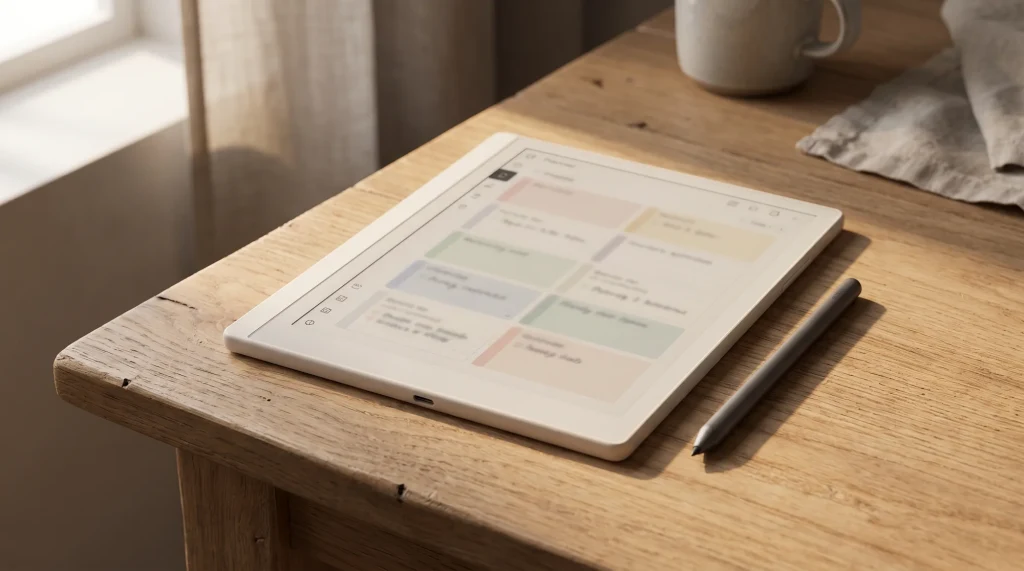
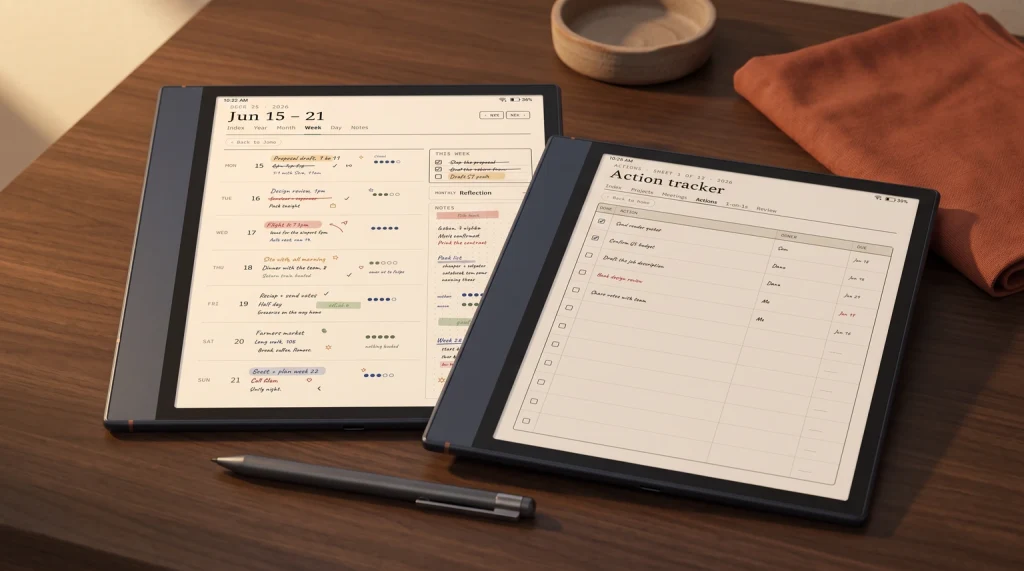
Notes is also where our Boox files run. Boox’s help center shows the route: in a note, Page+ and then From Files adds pages from a PDF, and the PDF’s hyperlinks stay clickable. That is why The Planner for Boox is a set of hyperlinked PDFs (index, year, month, week, day and notes) with separate 2026 and 2027 files: you tap from the year to a day instead of scrolling. Our Boox templates guide starts with the free downloads.
Kobo’s answer for planning sits inside a subscription. Kobo Stack includes five workbooks, among them the Kobo Planner and the Kobo Reading Journal, for eReaders that can write. And if you log your books on a laptop or phone rather than on the reader, our reading tracker for Google Sheets keeps a page per book, with a progress bar and a star rating, whichever brand you pick.
New on Kobo
Do Kobo Stack and the 6.0 beta close the gap?
Partly. Kobo Stack, the subscription that arrived with the 6.0 beta, costs $2.99 a month in the US after a free trial, and it is the first thing from Kobo that answers one of Boox’s old advantages. Stack adds up to 50 GB of Kobo Cloud for your own PDF and EPUB files, upload by drag and drop on kobo.com or by email, and sync of those files across Kobo devices and apps.
It comes with two conditions. Stack needs the optional 6.0 beta software, and the eReaders Kobo names for it are the Libra Colour, Clara Colour and Clara BW. Of those three, only the Libra Colour takes the Stylus 2, so on an eReader the Stack workbooks need that model for now. Kobo also lists a known issue with some 6.0 beta versions: some readers reported missing books, highlights and notes after updating, and Kobo asks you to read its missing-content page before you install.
The 6.0 beta improves Kobo’s own lane too: Libby borrowing on more than one library card, Adobe DRM sign-in on the device, Large Print up to 200% and lower stylus latency. What it does not change is the core of Kobo vs Boox. Stack moves your own files around more easily, but a Kobo still reads from Kobo’s store, your library and the files you bring, while a Boox runs whichever reading apps you install.
Verdict
Kobo or Boox: which one to buy
Most readers who search Kobo vs Boox are better served by the Kobo, and the reason is not the price gap. It is that most reading is one store plus a library card, and a Kobo does exactly that, for weeks per charge, with no apps to configure, and most models are waterproof. The Boox earns its extra $30 to $50 for a specific reader, and that reader usually knows who they are.
Own one of each, or switched from one to the other? Tell us in the comments which one you reach for and why. Both brands change their lineups often, and readers’ reports are how we keep this page right; more Boox comparisons live on the Boox hub.
FAQ
Common questions, answered briefly
Is Boox better than Kobo?
Can you read Kobo books on a Boox?
Can you use Libby on a Kobo and on a Boox?
Is the Boox Go Color 7 waterproof like the Kobo Libra Colour?
Which is cheaper, Kobo or Boox?
Have a Kobo or Boox question we did not answer? Leave it in the comments and we will add it here.
People also ask