The short answer
What is Kobo Stack? A subscription for the books Kobo did not sell you
A Kobo has always taken your own books for free over a USB cable, so a subscription for the same job sounds like a step backwards. Kobo Stack is narrower than that. Kobo’s US Stack page sells it as an upgrade to your Kobo account, and what it adds is storage and syncing for books and documents from outside the Kobo Store, plus notebooks to write in. It leaves the free ways of loading books where they were.
Kobo’s help page on Kobo Stack lists four parts: Kobo Cloud, with up to 50 GB for your own files; two ways to fill it, drag and drop on kobo.com and Send to Kobo by email; workbooks for journaling, planning and notes; and, in some countries, an extended warranty. Kobo walked readers through the email upload on its blog on November 11, 2026, and on an eReader every part of it needs the optional 6.0 beta software.
It leaves the free ways of loading books where they were.
Price
What Kobo Stack costs, and what a free Kobo account already does
In the US, Kobo Stack is $2.99 a month after a free trial, and you can cancel at any time. When we checked, Kobo was running a 90-day trial as a limited-time offer for new subscribers and people on the Kobo OS beta, with a 14-day trial in Tennessee and Washington, DC. Kobo’s help page adds two conditions: the price varies by region, and a prepaid card cannot start a free trial.
Kobo Stack
What it costs in the US, and what a free Kobo account already does.
What Stack adds
- i. Send to Kobo, upload by email
- ii. Drag-and-drop upload on kobo.com
- iii. Uploads and notes synced across Kobos
- iv. Workbooks for planning and journaling
What works without it
- i. Sideloading by USB, on every Kobo
- ii. Dropbox and Google Drive, five models
- iii. Several library cards in Libby
- iv. Syncing books bought from Kobo
Price checked 17 November 2026 at Kobo Stack
Kobo’s own comparison draws the line in one place. Everything that moves a book onto a single eReader stays free; everything that puts your own files in Kobo’s cloud and keeps them in step across devices is Stack. A book you sideload over USB, Kobo’s USB page says, appears only on the device you loaded it onto, even after a sync. And Kobo’s Dropbox page gives Dropbox to the Forma, Sage, Elipsa, Elipsa 2E and Libra Colour for free, but to the Clara Colour and Clara BW only with Stack.
| Free Kobo account | Kobo Stack | |
|---|---|---|
| Sync Kobo Store books and notes | Yes | Yes |
| Several library cards | Yes | Yes |
| Sideload by USB | Yes | Yes |
| Dropbox and Google Drive | Five models | Adds both Claras |
| Send to Kobo by email | No | Yes |
| Upload on kobo.com | No | Yes |
| Sync your own files and notes | No | Yes |
| Workbooks | No | Select eReaders |
One footnote on that table matters if you annotate. Kobo says annotations on your uploaded files sync to the Kobo Books app for viewing only: you make the marks on a Kobo eReader, and fixed-layout files are not supported.
Devices
Which Kobos run Kobo Stack, and the 6.0 beta it needs
Kobo Stack works on eReaders running the 6.0 software, and Kobo’s 6.0 page names three eligible models: the Kobo Libra Colour, Kobo Clara Colour and Kobo Clara BW. It also runs in the Kobo Books app (iOS 11.5 or later, Android 11.1 or later) and the Kobo Web Reader, so you do not need an eReader to use it. Kobo’s Stack page says access on eReaders made between 2018 and 2024 “will arrive soon”, without a date, so a Sage, Elipsa or Elipsa 2E cannot run it yet.
It is sold in 32 countries, Kobo’s help page lists, among them the US, Canada, the UK, Ireland, Australia, New Zealand, much of the EU and six Latin American countries. Germany is not on the list.
The 6.0 software is an optional beta, and Kobo is rolling it out country by country. An eligible eReader shows a prompt to update; to check yourself, tap More, then Settings, then Device Information, then Check for updates. Read Kobo’s list of what changes before you tap it.
The beta also brings free features that have nothing to do with Stack: borrowing on several library cards in Libby, signing in to Adobe DRM on the eReader with no Adobe Digital Editions, LCP-protected EPUBs, Large Print Mode up to 200 percent, Wi-Fi Protected Setup, a clock while you read and lower stylus latency. After the update you sign in to Libby again to see your loans; our Libby on Kobo guide has the steps.
Kobo Cloud
Kobo Cloud and Send to Kobo: how uploads work
There are two ways in, both covered on Kobo’s Kobo Cloud page. On a computer, sign in at kobo.com, open My Account, then Books, click Upload and drag your files into the window. By email, open My Account, then My Books, choose the By Email tab in the Upload Documents window and copy your personal address, which looks like yourname-XXXXXXXX@cloud.kobo.com. In the Kobo Books app for iPhone or Android, the address sits under Account, then Send to Kobo.
Kobo Cloud takes PDF, EPUB and LCP-protected EPUB files only, up to 200 MB each, so a MOBI or a comic still goes over USB. Kobo’s blog adds a rule the help page leaves out: your Kobo Cloud accepts a file only when it comes from the email address you sign in to Kobo with. Forward it from another account and it will not arrive. To see how much of the 50 GB you have used, open My Account, then My Subscriptions, and look under Storage used.
On the eReader, Kobo’s blog says you tap Kobo Stack near the top of the Home screen, and your uploads appear in the folders you set up in Kobo Cloud. Notes you make on them sync to every device signed in to your account, which is the part USB and Dropbox never did.
Workbooks
Kobo Stack Workbooks: planners and journals, on one of the three
Stack also comes with workbooks to write in. Kobo’s workbooks page lists five: the Kobo Moods and Habits Tracker, Kobo Planner, Kobo Project Planner, Kobo Reading Journal and Kobo Wellness Planner. You add one from the Workbooks page on kobo.com with Add to My Books, give it a title and sync the eReader. You can add the same workbook again for a fresh copy, and your notes are saved to Kobo Cloud each time you sync. Kobo makes them in English, Dutch, French, Italian, Spanish and Traditional Chinese.
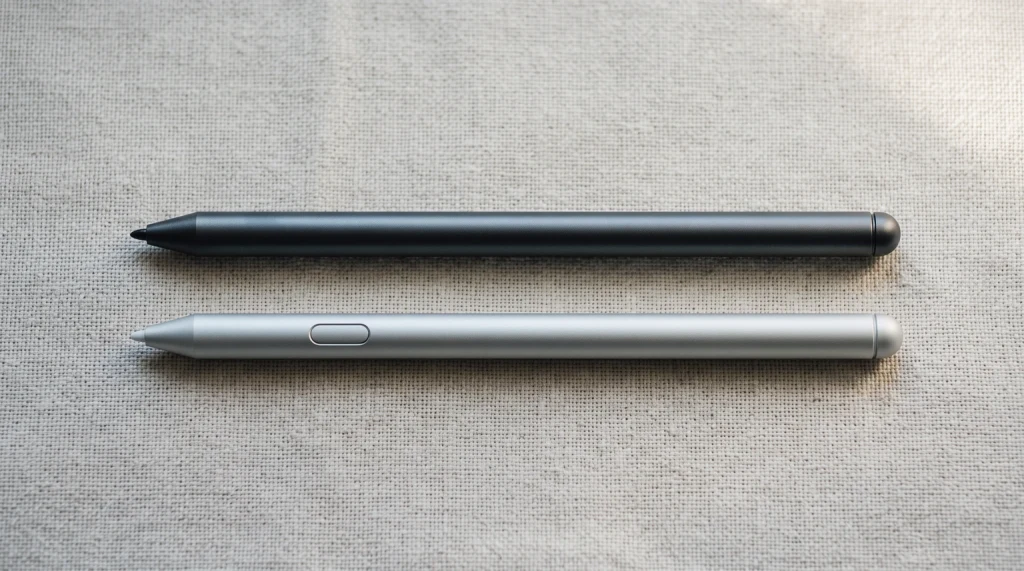
The catch is the pen. Kobo says the workbooks are for eReaders that can write, and its Stylus 2 page says that pen works only with the Sage, Elipsa, Elipsa 2E and Libra Colour. Of the three Kobos that run Stack, only the Libra Colour takes it, so a Clara Colour or Clara BW owner pays for workbooks the device cannot write in.
A pen-capable Kobo does not need Stack to hold a planner. The same Stylus 2 page says the pen writes on non-protected PDFs, so a PDF planner or journal you load over USB works on all four of those models with no subscription; our Kobo Libra Colour review covers how those notes are saved. And if you log your books on a laptop or phone rather than on the eReader, our reading tracker for Google Sheets keeps a page per book, with a progress bar and a star rating.
Stack vs Plus
Kobo Stack vs Kobo Plus: two subscriptions, two jobs
The names sit side by side in Kobo’s menu, and they do different things. Kobo’s Stack FAQ puts it plainly: Kobo Plus is unlimited access to a catalogue of more than 3 million eBooks and audiobooks, while Stack manages your own library, including books from the Kobo Store, from Plus and from anywhere else. Cancel Plus and those catalogue books go; cancel Stack and the books you bought stay in your account.
| Kobo Stack | Kobo Plus | |
|---|---|---|
| What you pay for | Your own files, in sync | A catalogue to read |
| US price a month | $2.99 | $7.99 or $9.99 |
| Free trial | 90 days, limited time | 14 days |
| Kobo eReaders | Three, on the 6.0 beta | Nearly every model |
Kobo’s US Plus page lists $9.99 a month for eBooks and audiobooks, $7.99 for eBooks only and $7.99 for audiobooks only, each after a 14-day trial, and Kobo’s Plus help page names only the Kobo Mini and Kobo Wi Fi as eReaders that cannot use it. If you mostly read what you buy or borrow, Plus is the one to weigh against Amazon’s Kindle+ (Kindle Unlimited until Amazon renamed it on October 22, 2026; $11.99 a month in the US), which our Kobo vs Kindle comparison covers. If you mostly read files from elsewhere, Stack is the one that touches your library.
On the Amazon side, our Kindle+ guide covers the plan Kindle Unlimited became: what the rename changed, the 20-title limit and how it compares with Prime Reading.
The fine print
The warranty, and what happens when you cancel Kobo Stack
The three-year warranty sounds like the strongest part of the offer, and in the US it is not part of it. Kobo’s warranty page offers it only to residents of Canada (Quebec excluded), Belgium, the Czech Republic, Denmark, France, Italy, the Netherlands, New Zealand and Romania. Where it applies, it covers manufacturing defects for up to three years from purchase on a Libra Colour, Clara Colour or Clara BW. The device must be registered to your account for the first time while Stack is active, or you must subscribe within 60 days of registering it. It covers up to five devices, and it ends when the subscription does.
Cancelling has a deadline attached. Kobo gives you a 60-day grace period to download your uploaded files and export your notes and annotations. Books you bought from Kobo stay in your account, and sideloaded books already on your eReader stay on it. After the 60 days, the notes and annotations you made within Stack, and anything that lived only in its cloud, are permanently deleted.
Still choosing a reader? The cheap e-reader guide covers the Clara BW, our Kobo Black Friday page tracks this month’s prices, and every brand is ranked in the best e-readers of 2026. Kindle owners will find the free equivalent in our guide to sending a PDF to a Kindle Scribe, and the rest of our reader coverage is on the Kindle Scribe hub.
Are you on the 6.0 beta, and did you keep Kobo Stack after the trial? Tell us in the comments which Kobo you use it on. Kobo is still changing both, and your reports are how we keep this page right.
FAQ
Common questions, answered briefly
How much does Kobo Stack cost?
Which Kobo eReaders support Kobo Stack?
Is Kobo Stack the same as Kobo Plus?
Do I need Kobo Stack to put my own books on a Kobo?
What happens to my files if I cancel Kobo Stack?
Is the Kobo 6.0 beta safe to install?
Have a Kobo Stack question we did not answer? Leave it in the comments and we will add it here.
People also ask