The budget
Why the guest list is the wedding budget
Most of what a wedding costs scales with the number of people: food, drink, chairs, favours, often the venue itself. That makes the guest list the most powerful line in the budget, and it is why a wedding guest list template in Google Sheets earns its place over a notes app. The sheet can turn every RSVP into a cost the moment it arrives.
It only works if the list counts the right thing. An invitation goes to a household, and a caterer charges per person. A list with one row per invitation and a count of invitations will be wrong by a factor of two or three, every time.
The rows
One row per household, people in every number
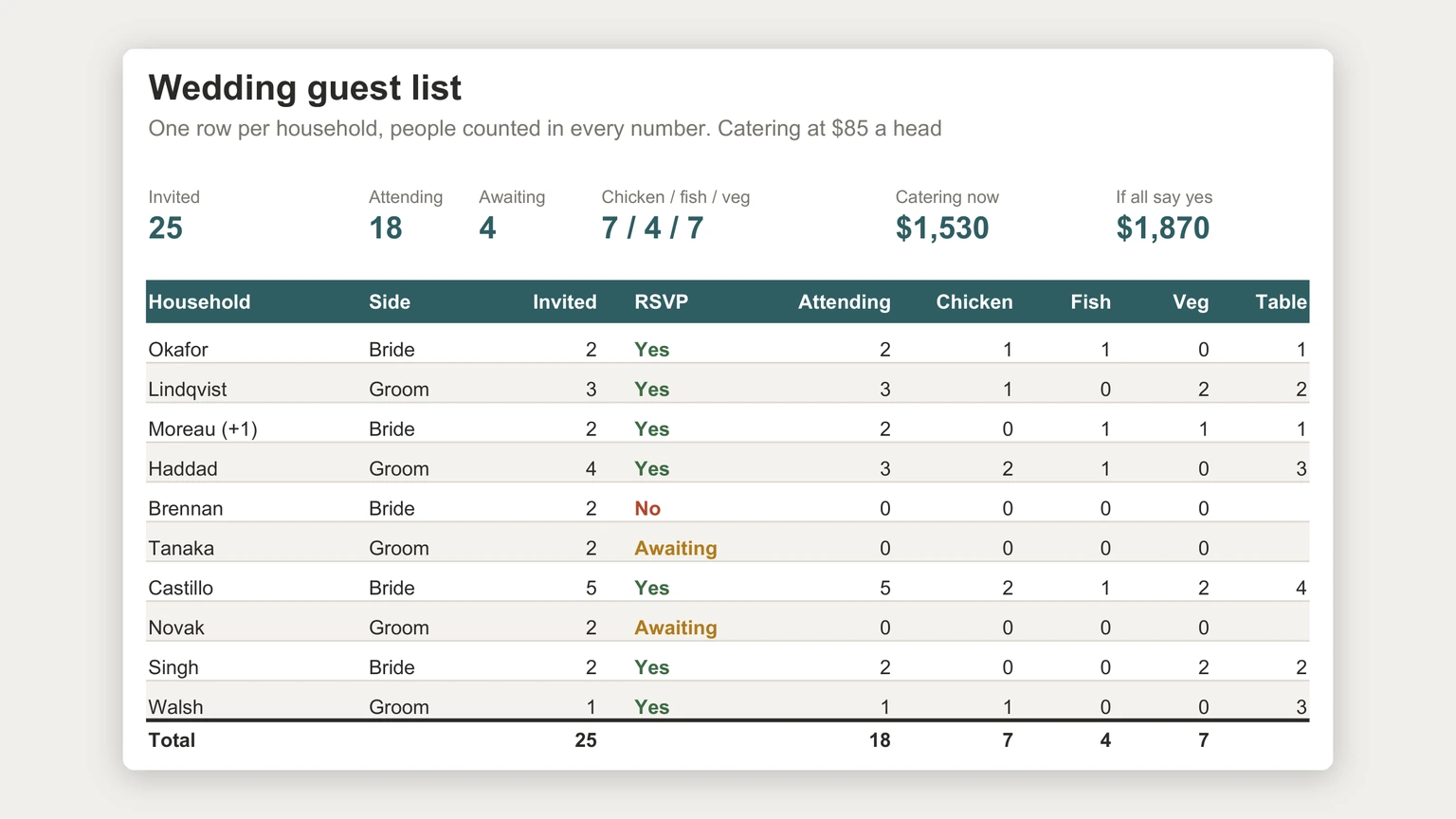
Give each household a row, because that is how invitations are addressed and how replies come back. Then make every number column a count of people: how many are invited, how many are coming, how many chose each meal. In the example at the top of this page, ten households hold 25 invited guests.
Plus-ones and children get counted in the invited column from the start, not added later. A household of two with a plus-one is three people on the day, and a sheet that only learns that at the RSVP stage will under-count the budget for months. We mark plus-ones in the household name as well, so nobody wonders later why a single friend has a two in the invited column.
Add a side column (whose guest this is) if the two families are splitting costs or numbers. It lets you see the balance of the list in one filter without keeping two separate lists that drift apart.
RSVPs
Three RSVP states, and the range they give you
An RSVP column needs exactly three values: yes, no and awaiting. Awaiting is the one templates leave out, and it is the one that matters most in the weeks before the deadline, because it is where the budget is still uncertain.
With three states the sheet can show a range instead of a single guess. In the example, 18 people have said yes, three have declined, and four are still awaiting. At $85 a head that is $1,530 of catering if nobody else replies yes, and $1,870 if all four do. The caterer’s final number lives somewhere in that band, and it narrows every time a reply comes in.
Make the RSVP column a dropdown so nobody types “yes!” or “maybe” and breaks the counts. Google’s help page on dropdown lists in Google Sheets gives the path: at the top, click Insert, then Dropdown, or use Data, then Data validation, then Add rule.
Meals
Meal counts the caterer can use
Put one column per meal option on the guest row, holding how many people in that household chose it. The columns sum straight to the caterer’s numbers: seven chicken, four fish and seven vegetarian in the example, which adds back to the 18 attending. If the meal columns ever stop adding up to the attending column, a reply has been entered only halfway, and the sheet has caught it before the caterer does.
If the meal columns ever stop adding up to the attending column, a reply has been entered only halfway.
For counts with conditions, such as how many households on one side are still awaiting, use COUNTIFS, which Google describes as a function that “returns the count of a range depending on multiple criteria”. Dietary notes and allergies deserve their own text column rather than a fourth meal option, since a caterer handles them case by case.
Tables
Seating from the same list
Add a table number to the household row once replies are in. A small summary beside the list, the sum of attending people for each table number, tells you instantly when a table is over its seat count. Because it reads the same attending column, a late decline frees a seat on the plan without anyone updating a second document.
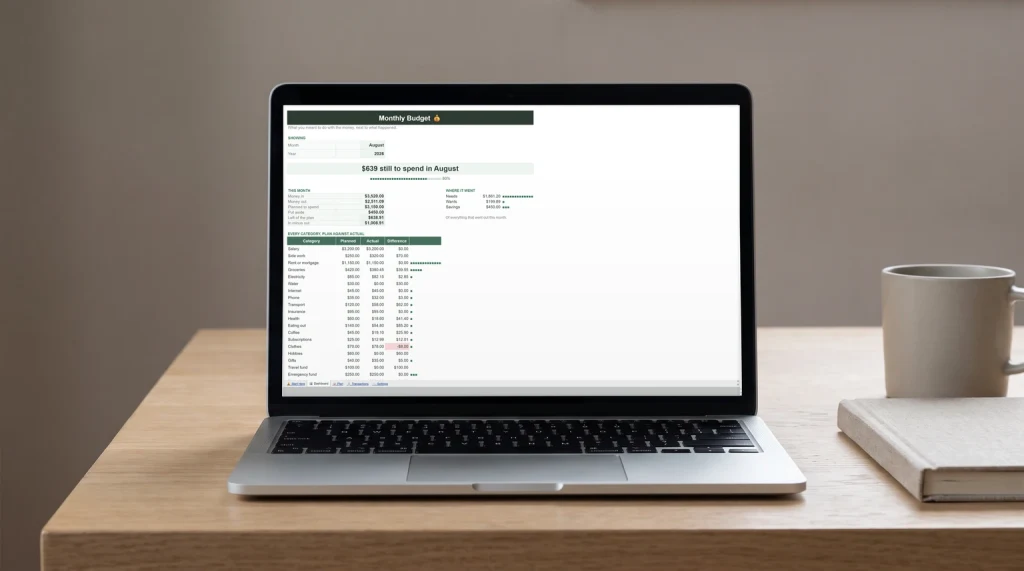
The same logic carries into the rest of the planning. The per-head cost belongs in your wedding budget, which our Google Sheets budget template guide lays out as plan against actual, and the long list of jobs before the day fits the Google Sheets to-do list template guide. For a destination wedding, guests’ travel details can sit in a copy of the travel itinerary template.
If you would rather start from a finished file, our Wedding Planner & Guest List Spreadsheet ($29, Google Sheets and Excel) keeps one row per guest with side, plus-one, RSVP, meal, table and thank-you, and works out the headcount and meal counts for the caterer. The same file dates 48 planning jobs from your wedding day, fills twelve table cards from the guest list, and tracks what is still owed.
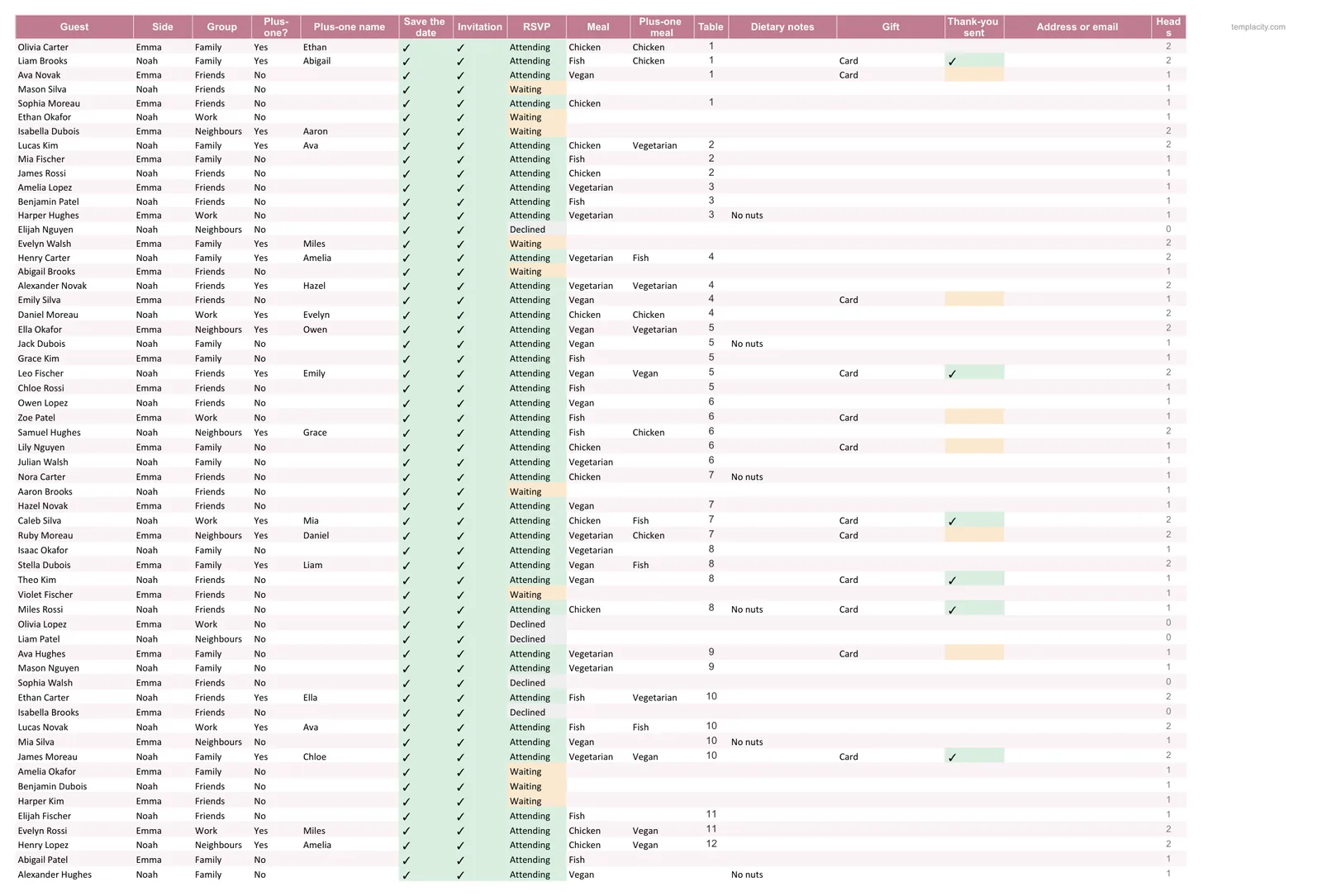
A guest list that counts people turns every reply into a number you can plan with, which is most of what keeps a wedding budget calm. Tell us in the comments how many guests you are planning for and which column you wish you had added from the start; we read every reply.
FAQ
Common questions, answered briefly
What columns should a wedding guest list template have?
Should a guest list count invitations or people?
How do I track RSVPs in Google Sheets?
How do I get meal counts for the caterer?
People also ask