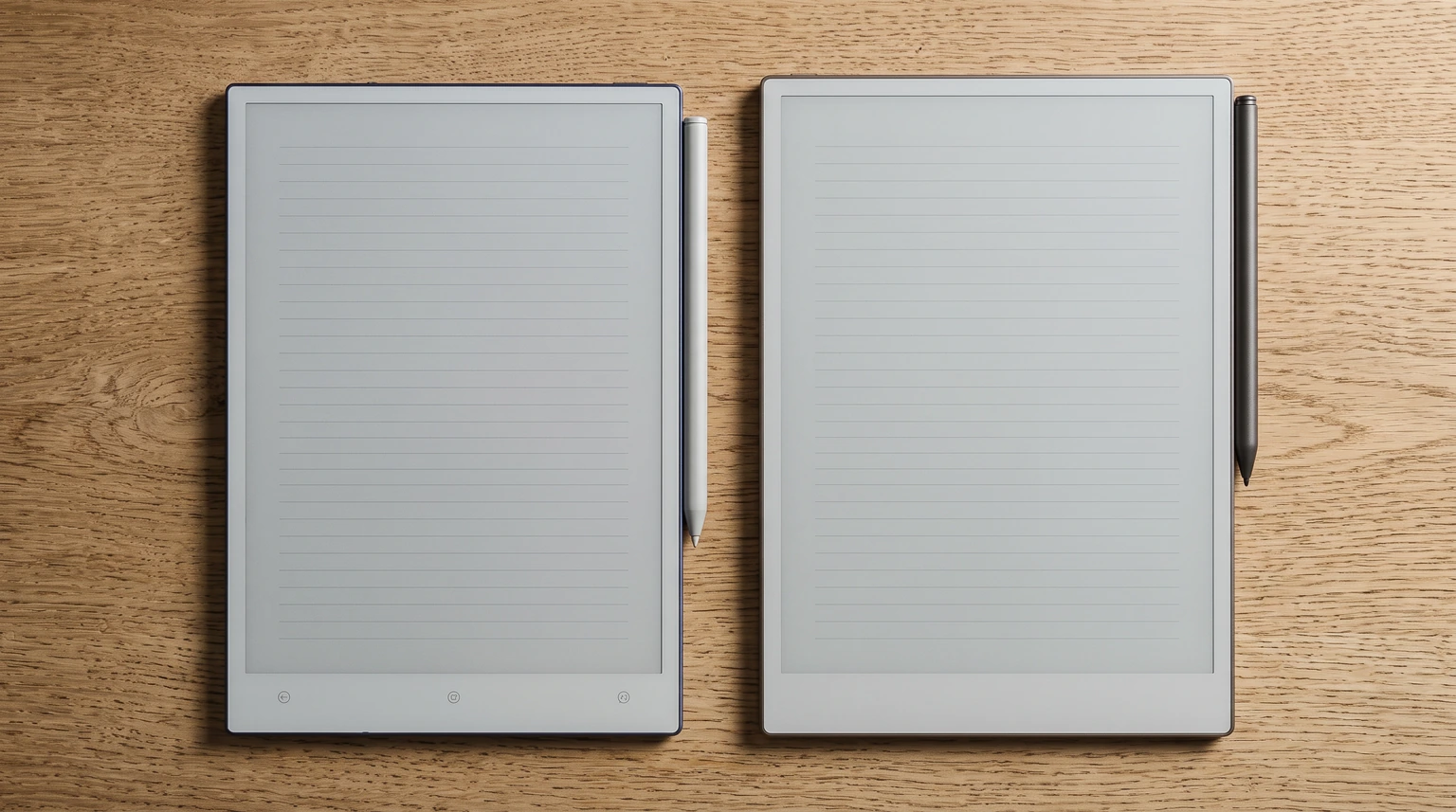
The matchup
Viwoods vs reMarkable: what you are really choosing between
Viwoods vs reMarkable is a newer question than Boox vs reMarkable, and a simpler one. Viwoods sells two writing tablets: the 10.65-inch AiPaper and the 8.2-inch AiPaper Mini, both Android devices with a pen and a folio in the box. reMarkable sells three: the 11.8-inch colour Paper Pro, the 10.3-inch mono Paper Pure and the 7.3-inch colour Paper Pro Move, all running reMarkable’s own closed software. Every figure in this post was read on viwoods.com and remarkable.com on 19 October 2026, and where Viwoods publishes no number we say so rather than borrow one from a forum.
The pairings that matter are by size. The AiPaper lines up against the Paper Pro and the Paper Pure; the Mini lines up against the Pro Move. If you have already read our Viwoods AiPaper review, this is the other half of it: the same facts, arranged as a decision, with the headline pair first.
Read those two cards as a trade rather than a ranking. The AiPaper has the sharpest mono panel of the five tablets here and the thinnest body, and it costs $80 less than the Paper Pro with a folio already in the price. The Paper Pro answers with colour, a reading light, and a spec sheet that lists everything the AiPaper’s does not: 525 grams, a 12 ms pen latency, 64 GB of storage, up to two weeks of battery. Viwoods does not publish a weight, a battery capacity or a latency figure for the AiPaper. That does not mean they are poor. It means you cannot compare them from the page, and a comparison that prints forum numbers next to reMarkable’s published ones is not comparing like with like.
The lineups
The five tablets, side by side
Here is the whole field at once. Prices are each brand’s US starting price on 19 October 2026: reMarkable’s includes the plain Marker, and Viwoods’ includes the W2 Stylus Pro, a folio and spare tips.
| Tablet | From (USD) | Screen | What you get |
|---|---|---|---|
| Viwoods AiPaper | $549 | 10.65″ mono, 300 ppi | Android 13, no light, pen and folio in the box |
| Viwoods AiPaper Mini | $429 | 8.2″ mono, 292 ppi | Android (version not stated), front light, pen and folio in the box |
| reMarkable Paper Pro | $629 | 11.8″ colour, 229 ppi | Closed system, reading light, Marker in the box |
| reMarkable Paper Pure | $399 | 10.3″ mono, 226 ppi | Closed system, no light, Marker in the box |
| reMarkable Paper Pro Move | $449 | 7.3″ colour, 264 ppi | Closed system, reading light, Marker in the box |
Two adjustments make the prices comparable. First, reMarkable’s Marker Plus, the pen with the eraser on the end, is a $50 step on every model: $679 for the Paper Pro, $449 for the Paper Pure, $499 for the Pro Move. Second, Viwoods’ price includes a folio and reMarkable’s does not. On remarkable.com a Book Folio is $89 for the Paper Pro and $69 for the Move, the Paper Pure’s Sleeve Folio is $69, and the Type Folio keyboard cover for the Paper Pro is $229. Viwoods sells its spare pen for $79 and a tip set for $19, which happen to be reMarkable’s prices for the same two items.
Screen and pen
Screen and pen: 300 ppi mono against Canvas Color
The AiPaper’s screen is a 10.65-inch E Ink Carta 1300 Mobius panel at 1920 x 2560, which works out to 300 ppi, with no front light. The Paper Pure uses the same Carta 1300 generation at 1872 x 1404 and 226 ppi, also without a light. The Paper Pro and the Pro Move use reMarkable’s Canvas Color panel, which reMarkable describes as based on E Ink Gallery 3: 2160 x 1620 at 229 ppi on the Pro, 1696 x 954 at 264 ppi on the Move, both with an adjustable reading light. On a mono page the AiPaper is the sharpest of the five, and the step from 226 to 300 ppi shows in small handwriting and in the fine type of a dense PDF. Gallery 3 carries colour in the ink itself rather than through a filter, so colour renders at the panel’s full resolution and reads richer than the filtered colour on a Boox or a Kindle Colorsoft; the cost is a slower refresh when a full-colour page changes.
Both brands put a pen in the box, and the difference is in what they tell you about it. reMarkable’s compare page lists a 12 ms pen latency on the Paper Pro and the Move, 21 ms on the Paper Pure, and a pen-to-ink distance under 1 mm on the Pro; the Marker Plus adds an eraser for $50. Viwoods ships the W2 Stylus Pro and sells a $99 C1 ceramic-tip stylus as an upgrade, but publishes no latency or pressure figure on the AiPaper page. If you write for hours, that gap in the spec sheet is the one to test inside the return window. If you read in bed, the decision is simpler: the AiPaper has no light, the Paper Pro and the Move do, and the only lit Viwoods writing tablet is the Mini.
Software
Software: a closed system against Android 13
A reMarkable does a short list of things and does them without asking you to manage anything. It keeps notebooks, imports PDFs and EPUBs, converts handwriting to text on the device, and, without any subscription, browses and imports from Google Drive, Dropbox and OneDrive. The Connect subscription, $3.99 a month or $39.90 a year after a 50-day trial, adds unlimited cloud storage (the free tier keeps only files used in the last 50 days), typing and editing notes in the desktop and mobile apps, handwriting search inside notebooks, and Convert to Notebook. There is no app store, no browser and no way to run anything reMarkable did not write. For a lot of people that is the product.
The AiPaper runs Android 13, with Viwoods’ own Notes and Learning apps and a layer of AI tools (summaries, questions about a page) on top. That openness is the whole case for Viwoods, and it is also the whole risk. It means your reading app, your cloud drive and your calendar can live on the same e-ink page that holds your notes, which is the wall most people hit with a reMarkable. It also means the AI features depend on a two-year-old company’s cloud staying up, and it means one unanswered question: the AiPaper page does not say whether the Google Play Store is installed. If one specific app is the reason you are buying, confirm it before you order or test it inside the return window. Our Android e-ink tablet guide walks the same trade-off for Boox and Bigme, where the brands are older and the question is identical.
That openness is the whole case for Viwoods, and it is also the whole risk.Software: a closed system against Android 13
Templates and PDFs
Templates and planner PDFs: what each tablet does with your files
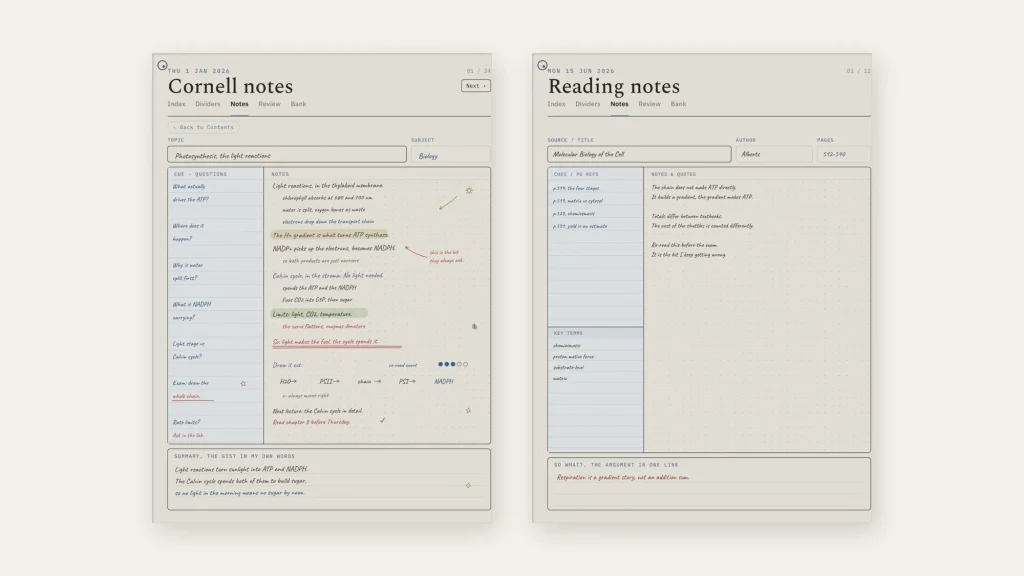
This is where our readers usually decide, so it deserves precision. reMarkable does not support custom templates: its own support page says third-party templates are not supported and that an imported PDF opens as a separate document rather than as a notebook background. In practice that is how most people use a planner on a reMarkable anyway. A hyperlinked planner PDF opens as a document, the tabs and links work, and you write on it with the Marker. Viwoods lists custom templates as a feature of the AiPaper’s Notes app but publishes no page size or file format for them, so treat that as real and unspecified. Its Learning app is better documented: the English manual says it imports PDF, EPUB, MOBI, AZW, PNG and JPG, and exports notes as PNG or PDF.
So for a planner PDF the two brands behave the same way: the file opens as a document and you write on it. The practical difference is the page shape. The AiPaper (1920 x 2560), the Paper Pro (1620 x 2160) and the Paper Pure (1404 x 1872) are all 3:4 pages, so one portrait planner fills all three with the same margins. The Pro Move’s 954 x 1696 screen is a 9:16 strip, closer to a phone, and a page laid out for a 3:4 tablet lands on it small, which is the one argument for the full-size pair over the Move if planners are the point. Our Paper Pure vs Paper Pro comparison covers the two reMarkable pages against each other.
The small pair
AiPaper Mini vs Paper Pro Move
People search this exact pair, and it is a different contest from the big one. The AiPaper Mini is an 8.2-inch tablet with a Carta 1000 panel at 1920 x 1440 and 292 ppi, an adjustable front light, 4 GB of memory and 128 GB of storage, sold for $429 with the pen, a folio and spare tips; its product page does not state which Android version it runs. The Paper Pro Move is a 7.3-inch Canvas Color tablet at 1696 x 954 and 264 ppi, with a reading light, 230 grams, 6.5 mm thick, a 12 ms pen and up to two weeks of battery, from $449 with the Marker or $499 with the Marker Plus.
Here the shapes decide more than the brands do. The Mini’s 4:3 page is a small notebook page; a portrait planner sits on it properly, just scaled down. The Move’s 9:16 page is a tall strip that suits lists, meeting notes and reading one column at a time, and reMarkable’s own pitch for it is exactly that. The Mini has the light the full-size AiPaper lacks; the Move has colour and reMarkable’s sync. The Mini’s Carta 1000 panel is a generation behind the Carta 1300 in the AiPaper, so expect a little less contrast than its bigger sibling. If you want a small page for planners and your own apps, the Mini is the better small page. If you want a pocket notebook that lives inside the reMarkable system, the Move is the better pocket notebook, and our Paper Pro Move alternatives post lists the other small tablets it competes with.
Box and brand
What is in the box, and the company behind it
Viwoods is a young brand. Its first tablet was listed in September 2024, its warranty on the AiPaper and the Mini is 14 months and covers functional defects only, accessories excluded, with cost-based repairs after that, and its certified refurbished page listed the AiPaper at $399 and the Mini at $299 on 19 October 2026 with every variant sold out. reMarkable has three generations of tablets behind it, a published spec sheet for every model, and a lineup that it prunes in public: the reMarkable 2 has left the new-tablet range in favour of the Paper Pure. None of that makes the AiPaper a worse tablet. It makes Viwoods vs reMarkable partly a question of trust: the AiPaper is a bet on a company, where a reMarkable is a bet on a system you can read about in full before you pay. The broader field, including Boox, Supernote and the Kindle Scribe, is in our reMarkable alternatives guide.
Verdict
Verdict: Viwoods or reMarkable
The people who can settle the numbers Viwoods leaves blank are the ones who own an AiPaper and a reMarkable side by side. If that is you, tell us in the comments how the pens compare in a long session and how the AiPaper’s battery holds up over a month, and we will fold it into this Viwoods vs reMarkable comparison and the rest of our reMarkable guides. If you went one way and regretted it, that is worth knowing too.
FAQ
Common questions, answered briefly
Is Viwoods better than reMarkable?
Viwoods AiPaper or reMarkable Paper Pro?
Viwoods AiPaper Mini or reMarkable Paper Pro Move?
Does the Viwoods AiPaper work with reMarkable templates?
How much do Viwoods and reMarkable tablets cost?
Which has the better screen, Viwoods or reMarkable?
If yours isn’t above, drop the question in the comments and we’ll add it.
People also ask