The question
Is RMKLY legit? The short RMKLY review
If you have seen RMKLY’s ads on Instagram or Facebook and searched the name before paying, you are asking the right question first. This RMKLY review starts with the answer: yes, RMKLY is a working store that sells digital planner files for reMarkable tablets, and what it sells is what it describes. It is not reMarkable’s own brand. Its footer says it is an independent company that is not affiliated with or owned by reMarkable AS, which is normal for template makers, us included.
The products are PDFs. You pay once, the download arrives straight away, and you load the files onto your tablet through the reMarkable app or a USB cable. RMKLY says plainly that there is no subscription, and that future updates to a bundle are free. Every fact about RMKLY in this post comes from its own store pages, read in November 2026; we have not bought its bundles, so we describe what it lists, not how it feels to use.
Two things are worth knowing before you buy anything like this. First, the refund policy: RMKLY says it cannot refund a digital product once the files have been downloaded, though it will consider cases like a duplicate order. Second, the reviews: the review section you see is on RMKLY’s own site, and the independent talk about it that comes up in search is mostly Reddit and Facebook group threads, so read a few of those before you decide.
The price list
What RMKLY templates cost, and what each bundle holds
RMKLY sells its range as bundles, with a struck-through higher price beside each one. These are the prices the US store shows, before any tax:
- Business Bundle, $27 (shown against $32): 25+ templates for work, with daily, weekly and monthly planners for 2026 and 2027, meeting notes, a project planner, a productivity planner, a budget planner, to-do lists and 150 stickers.
- Daily Life Bundle, $27 (shown against $32): 25+ templates for home, with daily and gratitude journals for 2026 and 2027, a self-care planner, a habit tracker, a meal planner, a recipe book, a pet tracker, an emergency binder and 150 stickers.
- All-in-One Bundle, $40 (shown against $53): both of the above, 70+ hyperlinked templates in all, plus a bonus planner. This is the one RMKLY steers most buyers to.
- Paper Pro Move Bundle, $32 (shown against $45): a separate set for the 7.3-inch Move.
- All-in-One Pro, $79 (shown against $97): the All-in-One plus 670+ selectable elements, such as widgets, shapes and diagrams you copy onto a page.
- Entire Store Bundle, $125 (shown against $192): all 29 RMKLY products in one purchase.
Every bundle comes in left-handed and right-handed versions, and RMKLY says the files work on the reMarkable 1, reMarkable 2, Paper Pro and Paper Pure, with the Move sold on its own. It also says the same PDFs keep their links in Goodnotes and Notability on an iPad. Single planners and add-ons, such as a budget planner, a Kanban board and a chess notebook, are sold on their own too.
On price per template, RMKLY is hard to beat. $40 for 70+ templates works out to well under a dollar each. Whether that is the number that matters depends on how many of those templates you will open more than once, which is the real question in the next section.
Side by side
RMKLY against our reMarkable planners
We make reMarkable planners too, so we are an interested party here, and we have tried to put the rows where RMKLY wins first. This is RMKLY’s best seller next to our two reMarkable products, on what each store lists.
| RMKLY All-in-One$40 | The Planner for reMarkable$49 | reMarkable Template Bundle$39 to $49 | |
|---|---|---|---|
| How many templates | 70+, across work and home | One planner: Index, Year, Month, Week, Day, Notes | Daily, Weekly, Daybook and three notebooks |
| Journals, meals, pets, recipes | Yes | No | No |
| Left-handed version | Yes, in every bundle | No separate edition | No separate edition |
| Dated | 2026 and 2027 | 2026 and 2027 | 2026 and 2027, plus undated notebooks |
| Depth of the daily pages | Not stated on the store | A linked page for every day of both years | 1,330 linked daily pages a year |
| Drawn per screen | One set for the 1, 2, Pro and Pure; Move sold separately | Paper Pro, rM2/Pure and Move files, Move included | One 3:4 set for rM2, Pure and Pro; its own Move set |
| Week start and languages | Not stated on the store | Six languages | Monday or Sunday start |
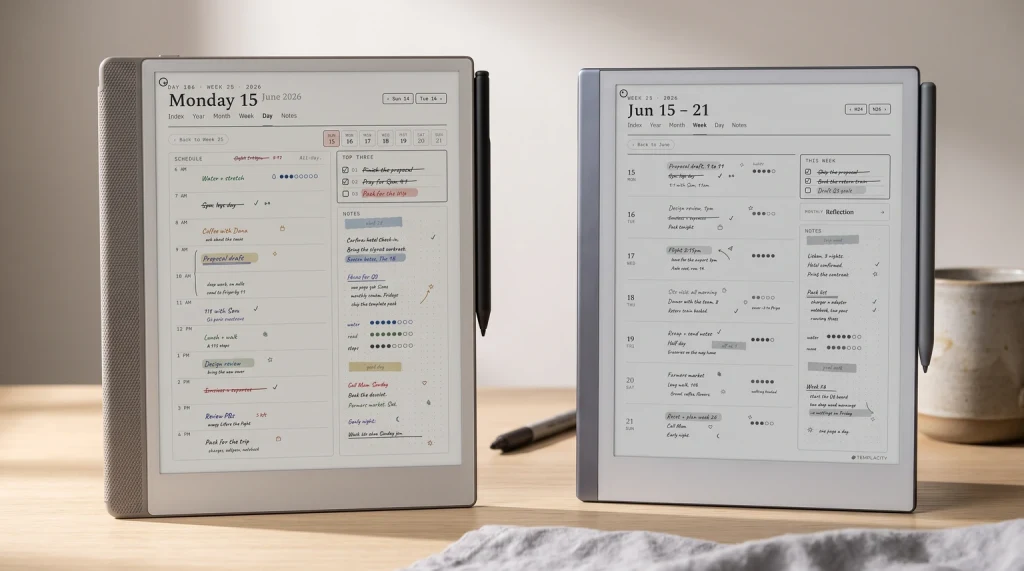
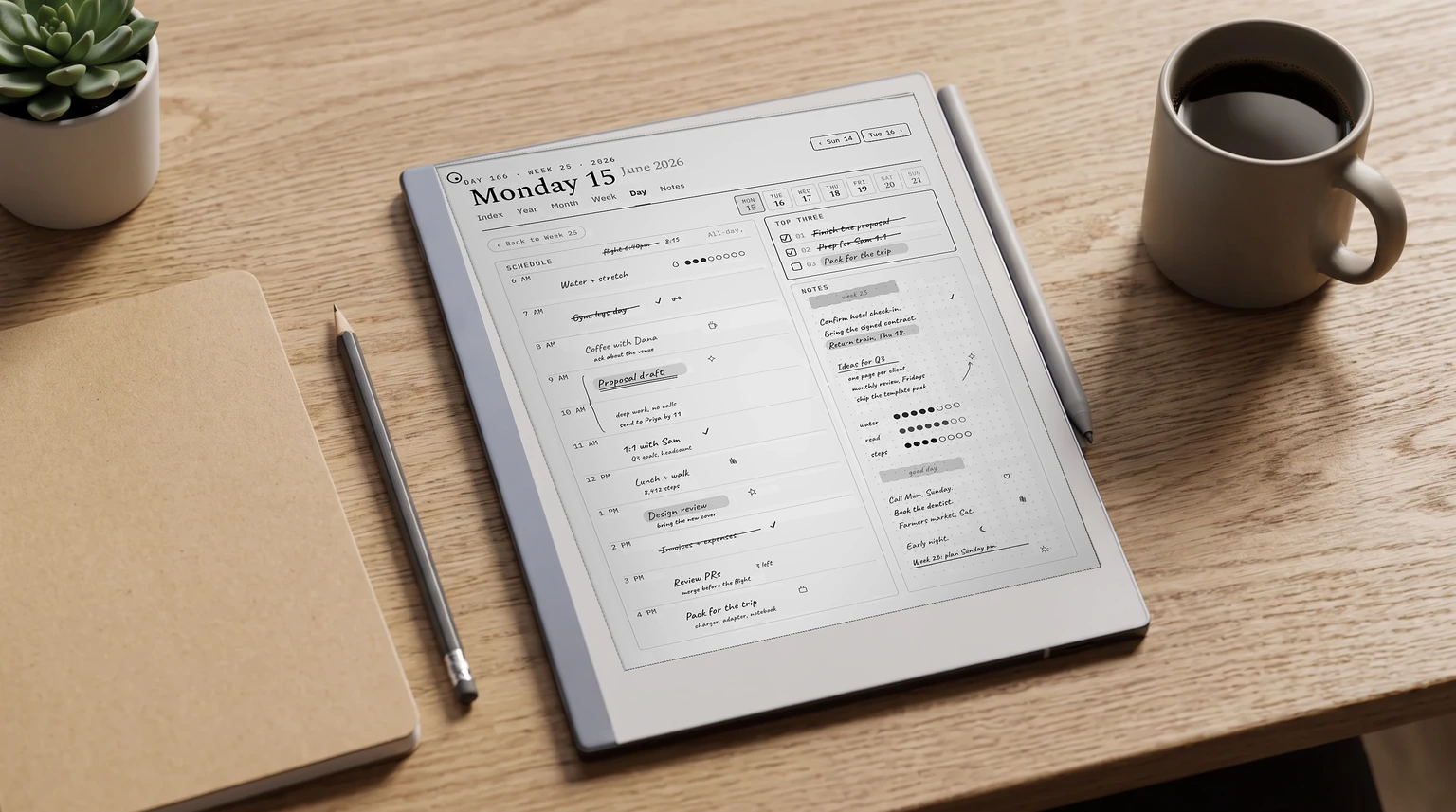
The table splits along one line. RMKLY sells a wide shelf of templates, most of them a page or a short section, joined by links. We sell fewer, deeper books: one planner that walks from the year down to the hour, drawn separately for the colour Paper Pro, the monochrome reMarkable 2 and Paper Pure, and the small Move. Neither is better in the abstract. They suit different people.
On the tablet
How any bought planner behaves on a reMarkable
Some of what makes a planner pleasant or annoying is not the maker’s choice at all, and it applies to RMKLY’s files and ours alike. reMarkable’s own help page says that custom templates are not supported on the tablet. A planner you buy, from anyone, cannot be added to the Templates menu. It goes onto the tablet as a PDF document instead, and that is what keeps its links working.
Links are followed with a fingertip. The Marker writes, so a tab touched with the pen leaves a stroke rather than jumping to the page. Every hyperlinked reMarkable planner works this way, whatever its sales page says about tapping to anywhere. If you need the steps, our guide to putting a PDF on a reMarkable 2 walks through the desktop app and the USB route.
Neither is better in the abstract. They suit different people.
Where makers do differ is in how a page is drawn for the screen it lands on. The Paper Pro’s colour panel shows accent colours that a reMarkable 2 renders as grey, and the Move’s 7.3-inch screen needs larger tap targets and tighter margins than a 10.3-inch page shrunk to fit. RMKLY handles the Move with its own bundle. We redraw our Planner for each of the three screens, and every copy of the Planner includes the Move files, so a second tablet does not mean a second purchase.
The honest call
Who should buy RMKLY, and who should not
RMKLY is a good buy if you want your whole life on the tablet, not only your calendar. The Daily Life side, with its journals, meal planner, recipe book and pet tracker, has nothing like it in our range. It is also the clear pick if you write with your left hand and want the navigation on the other side, or if you like decorating pages with stickers and copied elements. At $40 for everything, the risk is small.
It is a weaker fit if you buy a planner to run your days and weeks and little else. Seventy templates is a lot of menu to move through to reach the two you use, and the one figure RMKLY does not publish is how many pages sit behind each planner. If depth is what you are paying for, a planner that lists its pages tells you more before you pay. And if you only want to try a linked planner before spending anything, start with the free ones in our free reMarkable templates roundup.
The alternative
An RMKLY alternative built around one planner
Our Planner for reMarkable is one hyperlinked PDF per year: an Index, then Year, Month, Week, Day and Notes pages, all linked to each other and dated across 2026 and 2027. You pick your language from six and one of three covers, and the download holds the files for your tablet plus the Move. It is the planner we would point you to if your question is how to plan the day on a reMarkable, rather than how many templates you can get for the money.
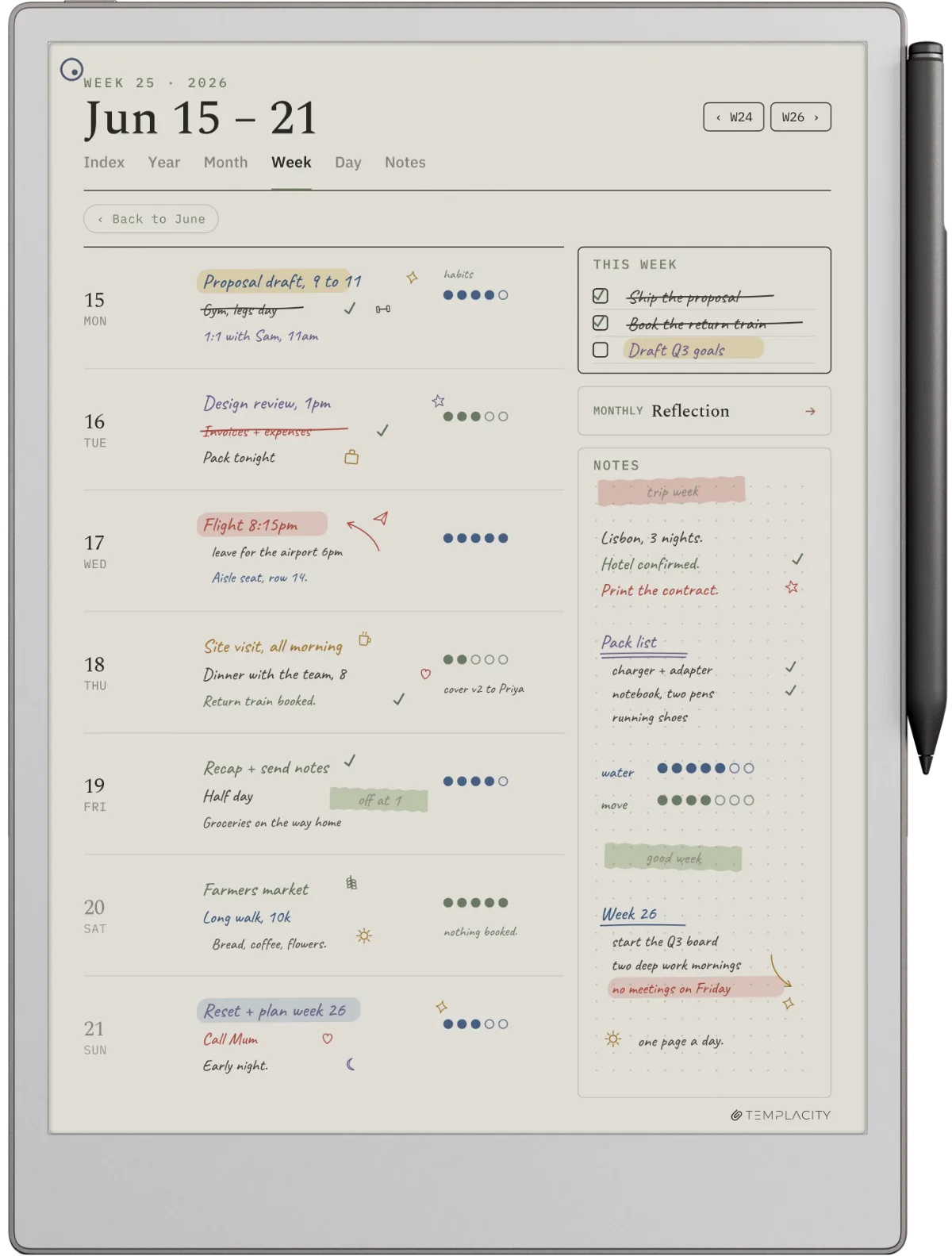
If you want more than one planner shape, the bundle below holds a daily planner, a weekly planner and a daybook, each with Monday and Sunday start editions, plus three undated notebooks. For a wider look at what else is out there, our best reMarkable planner guide compares planners by the way you work, and the best reMarkable templates roundup covers notebooks and single pages. Move owners have a page of their own in Paper Pro Move templates.
Whichever shop you buy from, the planner only works if you open it every day, and the best one is the one you are still opening in March. If you have used RMKLY’s bundles, ours, or both, tell us in the comments what you kept and what you stopped opening. That is more use to the next reader than any table we can draw.
FAQ
Common questions, answered briefly
Is RMKLY legit?
How much does RMKLY cost?
Do RMKLY templates go in the reMarkable Templates menu?
What is a good RMKLY alternative?
People also ask