Credit where it is due
What Obsidian gets right about a slip box
An Obsidian zettelkasten solves two problems that broke every paper slip box ever built, and it solves them so completely that most people never notice they were problems. The first is the reverse link. On cards, if note 42 points at note 17, note 17 has no idea. You either maintain both directions by hand or you accept that half your structure is invisible from wherever you happen to be standing. Obsidian keeps the reverse link for free.
The second is recall by phrase. Luhmann kept 90,000 slips and found things by walking the box and by an index he maintained himself. That works, and it costs a discipline most people do not have. Full-text search across ten thousand notes in a second is not a small convenience, it is a different relationship with your own archive.
It is also free to use, which removes the usual objection before it starts. Obsidian is free for personal and work use with no sign-up required. The paid parts are optional add-ons: Sync at $4 per user per month billed annually or $5 billed monthly, Publish at $8 per site per month billed annually or $10 billed monthly, an optional $50 per user per year commercial licence for organisations that want to support it, and a $25 one-time supporter licence called Catalyst (obsidian.md, checked October 2026). None of them are required to run a slip box. If you have not settled on Obsidian yet, our roundup of zettelkasten apps puts it beside the four other serious options.
The gap
Where the vault quietly fails you
None of the failures below are Obsidian’s fault. They are what happens when a fast, flexible tool meets a method whose active ingredient is friction.
What the vault gives you
- Backlinks maintained for you, in both directions, forever.
- Search that finds a phrase you half-remember from two years ago.
- Plain text files on your own disk, which is the best archival format there is.
What it quietly takes
- Configuration feels like progress, so month one goes to plugins and themes.
- The graph view looks like structure even when almost nothing is linked.
- Copy and paste is one keystroke, so quoting quietly replaces thinking.
The third one is the expensive one. A slip box only works if the notes are in your own words, because rewriting is where the understanding happens. In a text editor, pasting a passage takes a second and looks exactly like a note: same font, same file, same backlink. Six months later you have four hundred files, a beautiful graph, and no idea what you think about any of it.
The graph problem compounds it. A vault where every note carries a tag and a folder path will draw a dense, satisfying constellation without a single deliberate link in it. It looks like a slip box on screen while behaving like a folder in practice, which is the exact failure the method was designed to prevent.
Why slower helps
The case for writing the note by hand first
Handwriting is roughly a third the speed of typing, and for the note-forming step that is not a cost, it is the mechanism. You cannot transcribe at that speed, so you are forced to decide what the passage actually said before your pen reaches the page. That decision is the note. Everything else is storage.
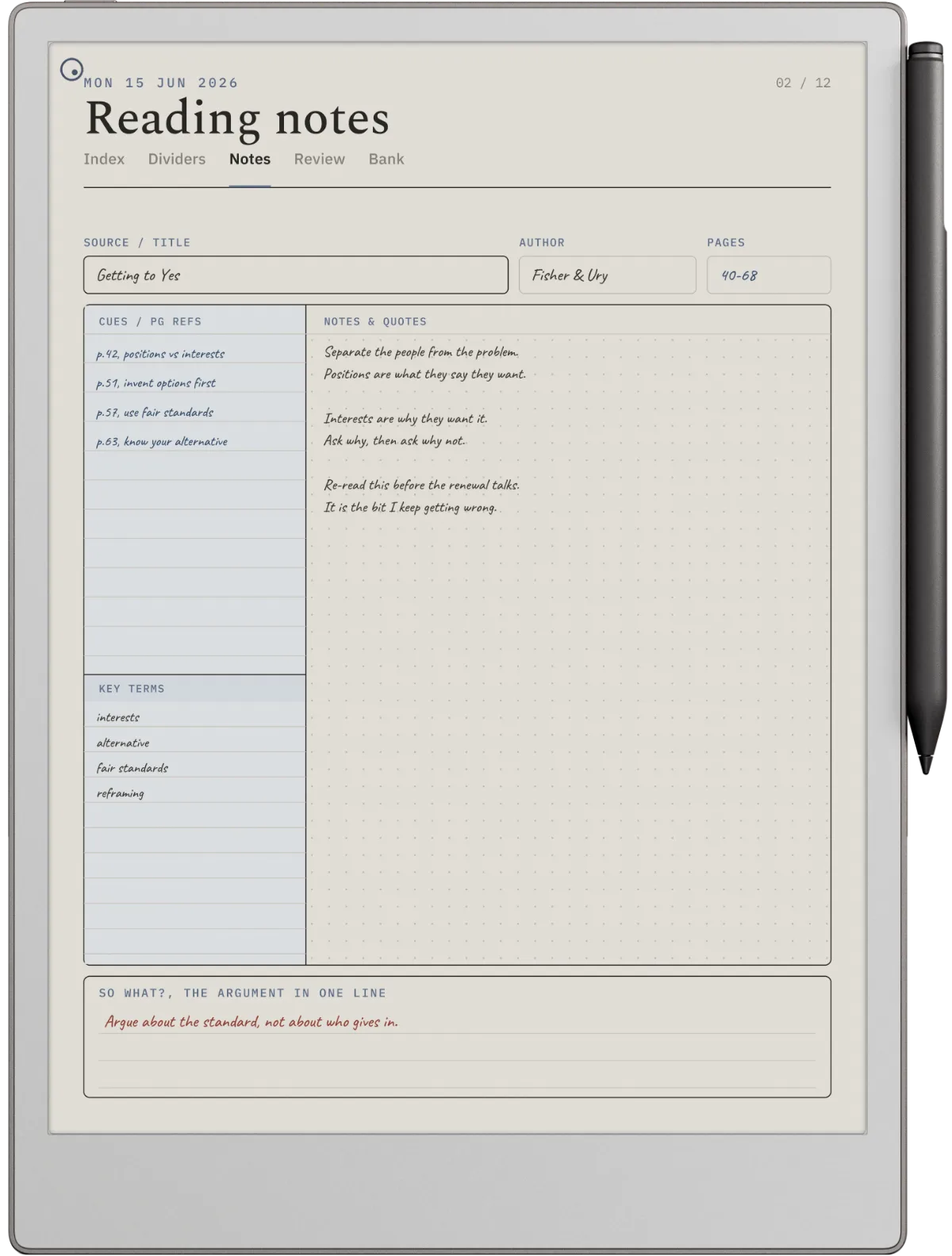
You can feel the difference in what comes out. A typed note tends to end up as a tidy paraphrase, close enough to the original that it adds nothing. A handwritten note of the same idea tends to be shorter, blunter, and occasionally wrong in a way you can argue with later. The wrong ones are the valuable ones, because a note you disagree with in two years is a note that made a claim.
A note you disagree with in two years is a note that made a claim.
On why handwritten notes are usually blunter
This is not an argument for leaving the vault. It is an argument for one boundary inside a workflow that stays mostly digital. If you want the underlying method rather than the tooling, our guide to the zettelkasten method covers the four rules that make any version of this work, and atomic notes covers the test that decides where one note should stop and the next should start.
The setup
A hybrid setup that works
The boundary that has held up for us is simple: ink for anything that requires a decision, the vault for anything that requires memory. Four moving parts, no plugins.
Capture on paper or on an e-ink tablet, with the source and the page.
These are source cards, not notes. They can be messy, they can be quotes, and most of them will never become anything. Their only job is to survive until the evening.
Write the permanent note by hand, later, in your own words.
Different session, different question: of everything captured today, what is worth saying in my own voice. One idea per page, a number in the corner, and the number of at least one existing note it connects to.
Type only the note into the vault, filename first.
The filename is the address and the title in one, for example 202608051430 compression is what makes a note atomic. Two or three sentences of body, then the wiki links out. Typing it is the second pass, and second passes improve notes.
Let Obsidian own the index, the links and the search.
Maps of content live in the vault as ordinary notes. This is the half of the system the app is genuinely better at, and there is no reason to do it on paper.
Notice what this does to the copy-paste problem. Nothing reaches the vault that has not already been through a pen, so a pasted passage has nowhere to enter. The friction sits in one place, deliberately, and the rest of the workflow stays as fast as it always was.
The awkward step
Getting handwritten notes into the vault
This is the part with no clean answer, and anyone who tells you otherwise is selling something. There are three honest options and each costs something real.
Retype the note. Slowest to describe, fastest in practice, because a permanent note is two or three sentences and you are retyping perhaps five a week. It is also a free second edit. This is what we would do, and the reason it sounds worse than it is comes from imagining you would retype everything. You would not. Source cards never go in.
Run handwriting recognition. Most e-ink tablets and note apps will convert ink to text now. Accuracy on neat handwriting is decent and on your actual handwriting at eleven at night it is not, so budget for a correction pass. That correction pass is often longer than retyping would have been, which is the trap.
Photograph the page and type only the title. The vault holds a stub with the address, the title, and the links, plus an image of the page. Search finds the title, the graph gets the link, and the body stays in ink. It is the cheapest option and the weakest, because a title is not searchable in the way a sentence is.
Whichever you pick, the rule is that the link and the address get typed. Those are what make the vault useful. If they live only on paper, you have two disconnected systems rather than one, which is worse than either alone. For how this feels on specific hardware, our notes on note taking on a Kindle Scribe go through the conversion step in more detail.
Folder, ID, plugin
Zettelkasten obsidian: the questions people actually ask
Three questions come up more than everything else combined, and all three have shorter answers than the forums suggest.
Folder structure. Three folders. One for permanent notes, one for source cards, one for maps of content. That is the whole thing. Nested topic folders recreate the filing system the method exists to escape, and every hour spent designing them is an hour not spent writing notes. Topic lives in the links, not in the path.
Note IDs. A date and time stamp is the pragmatic choice: it is unique without any bookkeeping, it sorts chronologically, and you will never have to invent one. Put it at the front of the filename with the title after it, so the file is both addressable and readable. Whatever you choose, the rule from the method holds without exception: the address never changes, because every link you have written is a promise that it will still be there.
Plugins. None, for the first month. Core Obsidian already does wiki links, backlinks, search and the graph, which is every feature the method needs. After a month of using it you will know which single thing annoys you, and you can go and fix that one thing. Installing plugins before you have notes is solving problems you have not had yet, and it is the most common way an Obsidian zettelkasten dies before it starts.
FAQ
Common questions, answered briefly
Is Obsidian free to use for a zettelkasten?
What folder structure should a zettelkasten obsidian vault use?
Do you need a zettelkasten plugin in Obsidian?
Should note IDs be timestamps or numbers?
If your setup differs, we would like to hear it, particularly the conversion step. Leave it in the comments and we will fold the good ones into this page.
People also ask