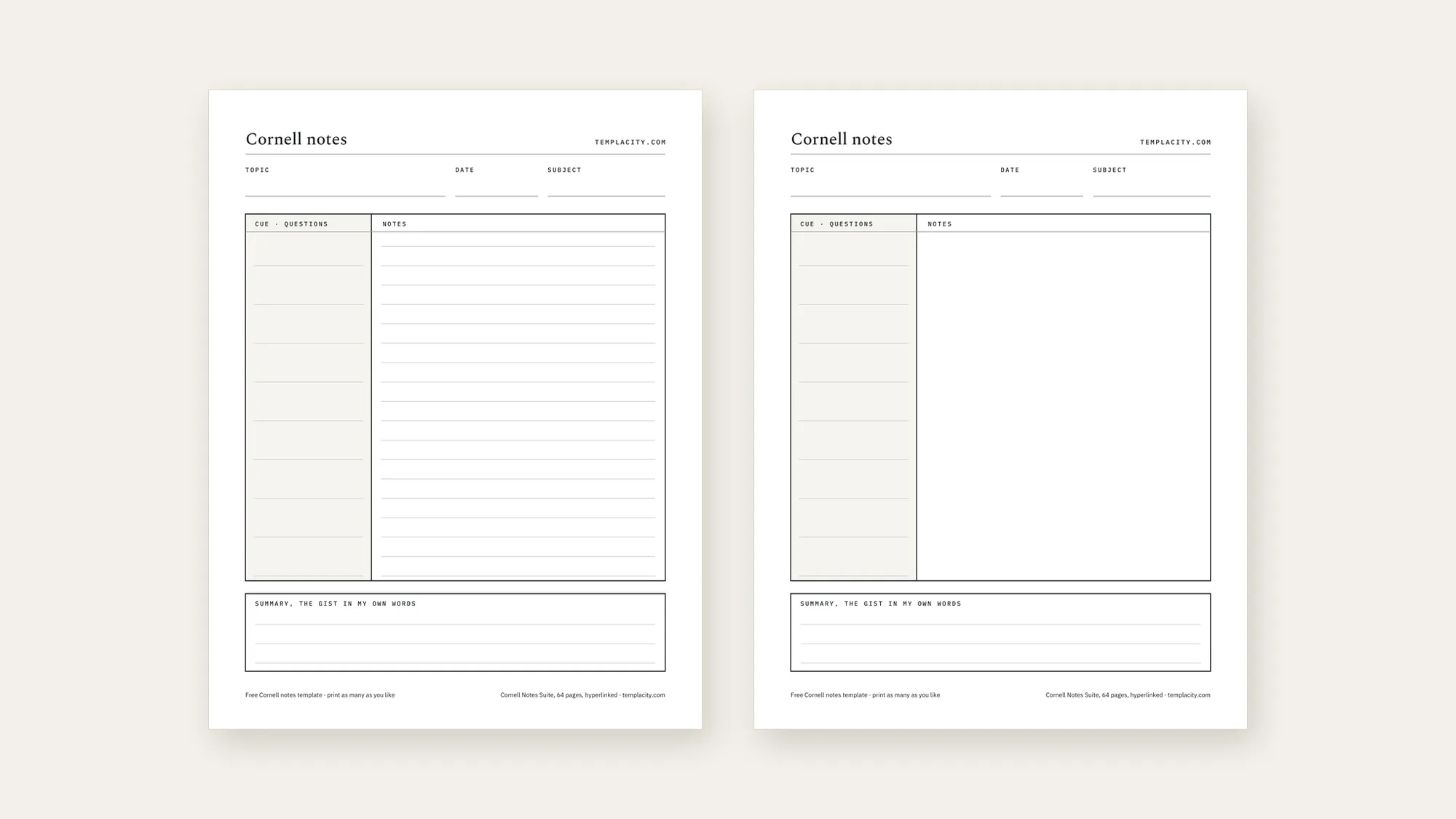
This is a free Cornell notes template, and the files are at the top of the page because that is what you came for. Everything below is about which one to take and how to print it without ruining the bottom third.
| Format | Paper | Pages | Download |
|---|---|---|---|
| PDF, print-ready | Letter, 8.5 × 11 in | 2, ruled and blank | Download the Letter PDF |
| PDF, print-ready | A4, 210 × 297 mm | 2, ruled and blank | Download the A4 PDF |
| Word .docx, editable | Letter, 8.5 × 11 in | 1 | Download the Letter .docx |
| Word .docx, editable | A4, 210 × 297 mm | 1 | Download the A4 .docx |
All four are undated, so a printed stack keeps working next term and the year after. They carry no tracking, no watermark beyond our name along the top, and no limit on how many you run off.
Which one
Which Cornell notes template to take
Two decisions, and neither of them is difficult. The first is paper size, and it is decided by your printer rather than your preference: Letter if you are in the United States or Canada, A4 nearly everywhere else. Printing the wrong one is the single most common way this goes wrong, and the section below explains what it costs you.
The second is format. Take the PDF if you are going to write by hand, which is most people: it prints exactly as drawn, and it carries both page layouts. Take the .docx if you want to type into the notes field, rename the zone labels for a language class, or set it up once for a course and reuse it. The .docx opens in Word, and uploading it to Google Drive converts it for editing in Google Docs, which is the route to take if you are working on a Chromebook.
The two layouts inside the PDF are worth understanding before you print fifty of them. Page one rules the notes column, which suits a lecture where the material arrives as sentences. Page two leaves that column blank, which is what you want for a diagram, a worked derivation, a mind map, or anything else where a ruled line is in the way. Printing double sided gives you one of each on a single sheet.
The layout
What the three zones are actually for
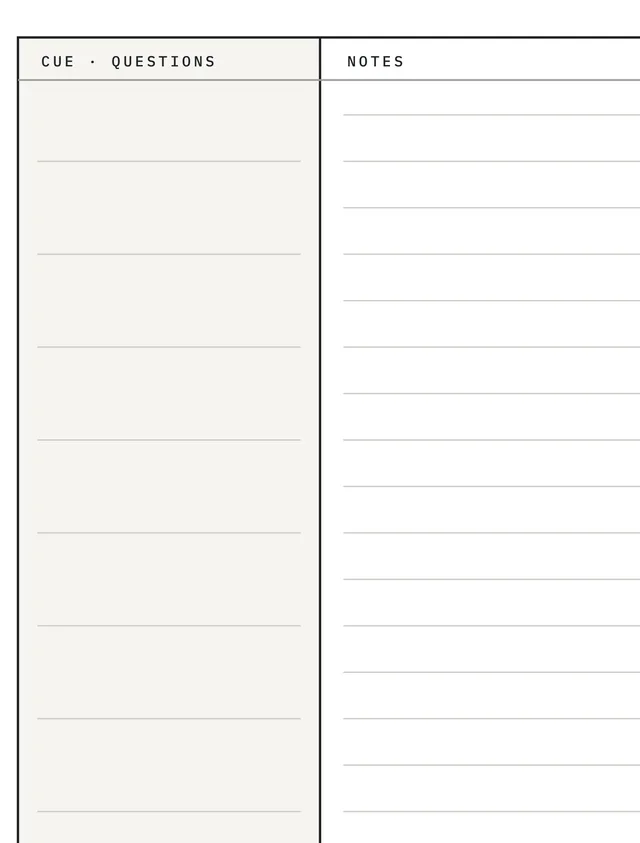
The Cornell Note-Taking System was originally developed by Cornell education professor, Walter Pauk, and the university’s Learning Strategies Center still publishes the primary guidance on it. The page shape is the visible part of the method, but only the part: what the zones do is force three passes over the same material instead of one.
What’s on the page
The free Cornell notes template
- .docx
- Letter + A4
Best for lectures, seminars and technical reading, where the material has answers you will be tested on.
- Questions
- Written later
- Covers the notes when you self-test
- Ruled version
- Blank version
- Topic, date, subject header
- Three ruled lines
- Written last
- The step everyone skips
2 layouts, 3 zonesundated · no page links · print as many as you like
Structure checked against the hosted files, 10 August 2026 How the method works
The narrowness of the cue column is a design decision, not a shortage of space. Give it half the page and it becomes a second notes field, which is what happens on most templates you will find, and the self-testing step quietly disappears. The same logic governs the summary strip: three lines, because a paragraph is a rewrite and a rewrite is not recall. Our worked Cornell notes examples show what both columns look like once they are filled, which is easier to copy than a rule.
If the method itself is what you are after rather than the file, the full walkthrough of Cornell notes goes through a page start to finish, including the cue-column step that most people abandon in week three.
Printing
Printing it without cropping the summary strip
Nobody in the search results for this covers printing, and it is where a free Cornell notes template most often disappoints. The summary strip sits closest to the bottom edge, so it is the first casualty of a print dialog that is quietly rescaling the page.
Printing the Letter file on A4 is the case worth naming, because it looks like it worked. A4 is narrower and taller, so a fit-to-page print shrinks the whole sheet by a few percent and leaves a band of white at the foot. Nothing is missing, but every ruled line is now slightly closer together than the pen you are holding expects, and the page feels cramped for reasons that are hard to place. Printing A4 on Letter is the opposite and worse: the sheet is wider than the tray in one dimension, and the strip along the bottom is what gets clipped.
Double sided is worth setting up once. The PDF is two pages, ruled then blank, so duplex printing puts a ruled side and a blank side on every sheet and you stop having to decide in advance which kind of session you are walking into.
The summary strip sits closest to the bottom edge, so it is the first casualty of a print dialog that is quietly rescaling the page.Printing
On a tablet
Using the same layout on a tablet
The free PDF loads onto a handwriting tablet the same way any other PDF does, and the layout holds: the zones are drawn, not typed, so nothing reflows. For a term or two of casual use that is genuinely enough, and plenty of people never need more than the file above. The page below is our paid Cornell book on a Paper Pro rather than the free file, because it is the one carrying the tab strip along the top; the three zones underneath it are identical.
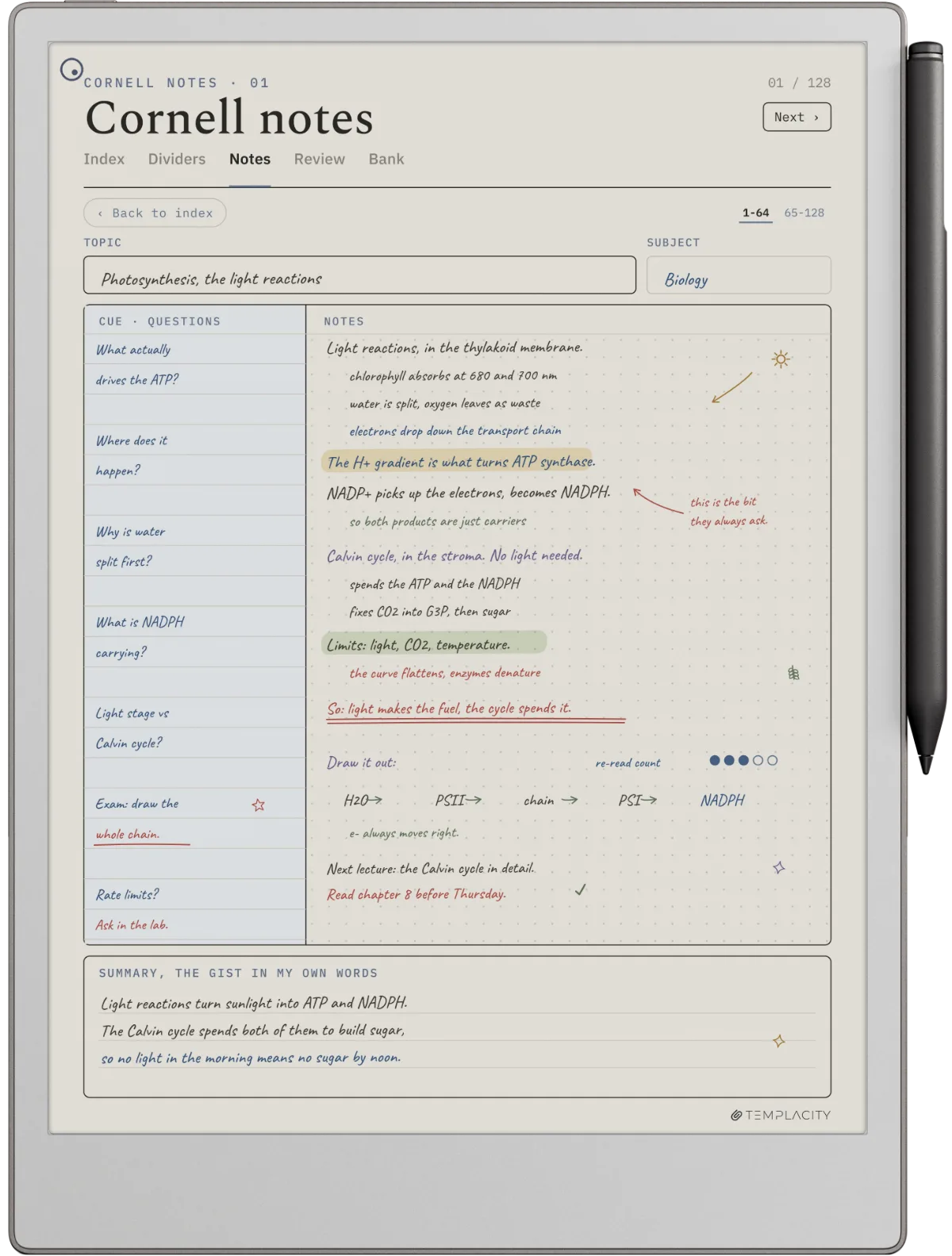
What it does not do is scale. Two hundred pages of an identical undated sheet is a stack you cannot navigate, and the honest limit of the free file is right there: it has no index, no page links, and no dates, so finding the lecture from six weeks ago means scrolling. On paper that problem is solved by a ring binder. On a tablet it is solved by hyperlinks or not at all.
Cornell pages also sit next to two other note structures worth knowing if you are building a study system rather than filling one page: the Zettelkasten method for linking ideas across sources, and atomic notes for keeping each one small enough to reuse. The rest of the shapes live in the reMarkable template library.
FAQ
Common questions, answered briefly
Is this Cornell notes template really free?
Is there a Cornell notes template for Word?
Should I print the Letter or the A4 version?
Why does the PDF have two pages?
What does the paid Cornell template add?
If yours isn’t above, drop the question in the comments and we’ll add it.
People also ask
Other questions, briefly answered
One thing we would genuinely like to know: whether you took the ruled page or the blank one, and for what subject. We built both because the argument about it never resolves, and the answer decides which layouts we cut next. Tell us in the comments.