The idea
What a Sunday reset checklist is for
It is Sunday night, the laundry is still in the basket, and nobody knows what Monday’s dinner is. A Sunday reset is the hour or two that stops that feeling arriving every week: you put the house back to a baseline and decide what the week is for, before the week decides for you. A Sunday reset checklist is the list you run it from, so the routine does not have to be reinvented every Sunday afternoon.
Most lists for this search mix three different jobs: a cleaning list, a self-care list and a planning list, in no particular order. Mixed together, the list has no end, and a list with no end is the one you stop opening. Ours separates the three, puts them in order and gives each a time budget, so you know when you are finished.
Free download
Download the free Sunday reset checklist
Page one is the full reset in three parts, with the time budget printed beside each: Look back (about 15 minutes), Reset the home (about 60) and Set up the week (about 30), including three numbered lines for the three things that matter this week. Page two is for the Sundays that do not have two hours in them: the 20-minute reset, eight blank lines to turn it into your own Sunday reset list, and a box for what next Sunday should start with. Every box ticks and every line takes typing in a PDF reader, or print it and use a pen.
The routine
The Sunday reset routine, in three parts
The order is the method. Each part feeds the next, so running them out of order costs time.
- Look back (about 15 minutes). Open last week’s page and deal with every task still open: move it to this week, give it a date, or cross it out. Empty your bag, pockets and wallet into one pile and sort it: pay it, file it, bin it, or give it a day this week. Then write one line on what went well and one on what to do differently.
- Reset the home (about 60 minutes). One lap of every room with a basket, putting things back where they live. Then laundry put away, counters and sink clear, a wipe of the bathroom, floors where the week walks, and the bins ready for collection day.
- Set up the week (about 30 minutes). Read the calendar day by day, write the three things that matter this week, name the dinners for at least Monday to Wednesday, write the grocery list, check the bills due, and lay out Monday’s clothes and bag.
Why look back first? Because last week’s leftovers are this week’s first tasks. The school form at the bottom of your bag, the two things you did not get to, the bill that arrived on Thursday: all of them belong on the new week’s page, and you only find them by emptying the old one. The idea is not new. David Allen’s Getting Things Done recommends scheduling a weekly review, and the look-back is that review at kitchen-table size.
The home
Reset the home, do not deep clean it
The home part is where most Sunday resets go wrong. It turns into a deep clean, eats the afternoon, and the planning never happens. A reset has a narrower job: it puts the house back to the state that makes a weekday morning easy. Nothing on the floor that lives somewhere else, clean clothes in the drawers rather than the basket, a clear counter to make breakfast on, the bins out before collection day.
Cooks have a name for this kind of work: mise en place, French for putting into place, the setup a kitchen does before a shift so everything the menu needs is within reach. The Sunday reset is the household version. The house only has to be ready for Monday, not for visitors.
The house only has to be ready for Monday, not for visitors.Reset, not deep clean
Scrubbing the oven, washing the windows and clearing out a cupboard are real jobs, but they belong on a rotation, one a week, written into the week’s plan as a task rather than added to Sunday. If cleaning is the part that never starts, our ADHD cleaning planner guide sorts chores by the energy they take instead of by weekday, and starts from a baseline rather than spotless, which suits anyone whose cleaning stalls on a low day.
The week
Set up the week on one page
The planning part is short because it has one output: a week you can see on a single page. Read the calendar a day at a time and note who is where. Write the three things that would make the week count; everything else fits around them. Name the dinners for the first three nights at least, because those are the nights a busy Monday swallows, then write the grocery list from them. Check which bills fall due before next Sunday. Put Monday’s clothes and bag out, and the reset is done.
Where that plan lives is up to you. Our weekly planner template guide has six free one-page layouts in Letter, A4 and A5; the printable weekly meal planner puts a week of meals and the grocery list on one page; and our printable grocery checklist is the list itself. If the three things need hours rather than a line, a time blocking template gives each one a slot in the day. More on planning a week, from week numbers to journal prompts, lives in our planning guides.
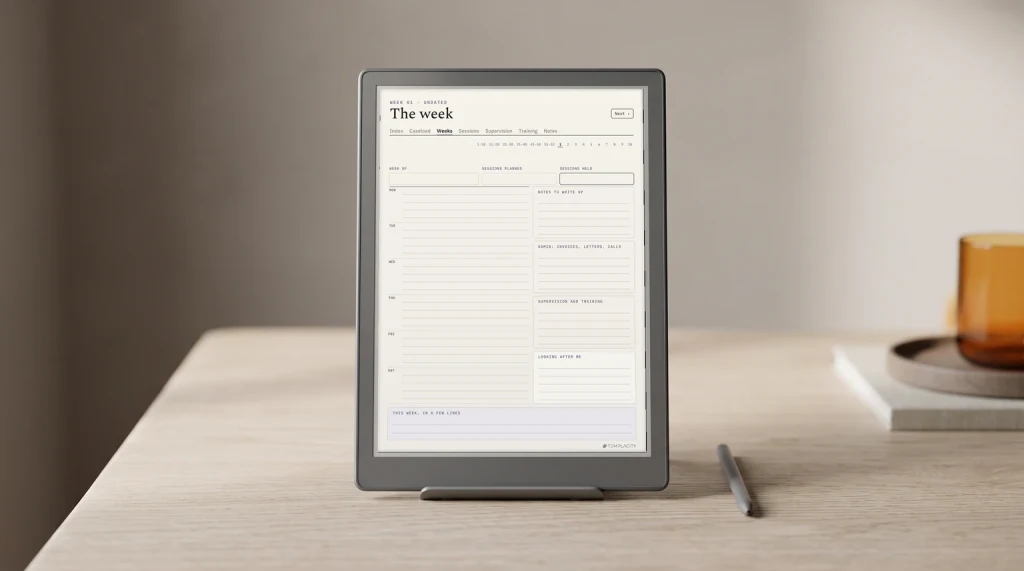
If you would rather have the weeks already dated, the Printable Planner 2027 has every week of 2027 in three designs, in Letter, A4 or A5, with Monday or Sunday starts; its Editorial design carries the same three priorities as our checklist, plus a habit row. On an e-ink tablet, the Weekly Planner for reMarkable 2 or Kindle Scribe ($29, also cut for Boox, Supernote and iFLYTEK screens) puts the week on one page and closes it with an assessment page: rate each day, then what went well, what you learned and what you are leaving behind. That page is the look-back, already drawn.
Short on time
The 20-minute reset for a short Sunday
Some Sundays have no hour in them. Page two of the checklist is for those: five things that make Monday easier even when the house stays as it is. Read the calendar for the week. Write down the three that matter. Clear the counters and empty the sink. Name the dinners for Monday and Tuesday. Put Monday’s clothes and bag by the door.
The short version is also the answer to a missed week. A reset does not pile up: skip a Sunday and nothing is owed, you start from page one next time. And it does not have to be Sunday. A weekly reset works as well on a Saturday morning or a Monday evening, if that is where your week has a gap; the order of the three parts matters more than the day.
What is the one job on your Sunday list that never gets done? Tell us in the comments; the answers shape the next version of the checklist.
FAQ
Common questions, answered briefly
What should be on a Sunday reset checklist?
How long does a Sunday reset take?
Is there a free printable Sunday reset checklist?
What is the difference between a Sunday reset and a weekly reset?
What if you miss a Sunday?
If yours isn’t above, drop it in the comments and we’ll add it.
People also ask