Why most 1:1s drift
Why a one on one meeting needs a template at all
Most one on one meetings fail in the same quiet way. They start as a weekly check-in, turn into a status update the manager could have read in a tool, and by the third month either side is happy to cancel. Nothing went wrong in any single meeting. There was simply no shape to hold it, so the loudest topic of the week took the time every week.
A one on one meeting template fixes that by deciding the order before the meeting starts. It reserves time for things that never feel urgent (growth, feedback, how the person is actually doing) and it carries last week’s promises into this week, so nothing agreed in a 1:1 quietly disappears. The template is not paperwork. It is the reason the meeting is still worth having in six months.
The one rule that matters more than any layout: the meeting belongs to the person reporting to you. You run the clock and keep the notes; they bring the first topics. A template that opens with your questions turns into a status meeting no matter how good the rest of it is.
The agenda
A one on one meeting template in six parts
This is the one on one meeting template we would hand any new manager. It fits a 30-minute weekly 1:1, and each part has a rough time so the important late sections do not get squeezed out.
| Part | Time | What goes here |
|---|---|---|
| 1. Their topics | 10 min | Whatever they added to the page before the meeting. Always first. |
| 2. Wins and blockers | 5 min | One thing that went well, one thing in the way, and what would unblock it. |
| 3. Work in flight | 5 min | Only what needs a decision or help; status lives elsewhere. |
| 4. Growth | 5 min | The skill or goal they are working toward, and this week’s step. |
| 5. Feedback both ways | 3 min | One piece from you, one question asking for theirs. |
| 6. Actions | 2 min | Who does what by when, written down before you leave. |
Their topics come first because they are the reason the meeting exists. Ask them to add items to the shared page during the week; if the list is empty, start with an open question instead of filling it yourself. Wins and blockers is short on purpose. The win keeps the meeting from being only about problems, and the blocker is the part where you earn your keep as a manager.
Work in flight is where 1:1s usually go to die, so cap it. If a project only needs a status, read it in the tracker before the meeting. Spend this slot on the one item where they need a decision, an introduction or a second opinion. Growth and feedback are the two sections that never feel urgent and matter most over a year. Five and three minutes are enough if they happen every single week.
Questions
One on one meeting questions that get real answers
Generic questions get generic answers. “How is everything going?” invites “fine”. The questions below are narrow enough that the honest answer is easier than the polite one. Pick one or two a week; asking all of them turns the meeting into an interview.
To open the meeting
- What is taking up most of your head this week?
- What would make the rest of this week easier?
- Is there anything you want to make sure we cover today?
On blockers and work
- What are you waiting on from someone else?
- Where are you spending time that feels wasted?
- Which decision is stuck, and who could unstick it?
On growth
- What do you want to be better at in six months than you are today?
- What part of your work would you happily do more of?
- Which project coming up would stretch you in a good way?
Asking for feedback on yourself
- What is one thing I could do differently that would help you?
- Is there anything I do in meetings that slows you down?
- What should I stop doing?
The last group is the hardest to ask and the most useful. Ask it the same way every few weeks, and when someone does give you something, act on it visibly. The second answer is always more honest than the first.
The meeting belongs to the person reporting to you. You run the clock and keep the notes; they bring the first topics.
Keeping the notes
Where to keep one on one meeting notes
The template matters less than where the notes live. Two rules make 1:1 notes useful later. First, one running page per person, with the newest meeting at the top. When review season comes, the year is already written down in order, and you are not reconstructing it from memory. Second, actions carry forward. The first thing you look at in every 1:1 is last week’s action list: what got done, what did not, and why.
Where the page sits is up to you. A shared document both of you can edit works well for remote teams, because your report can add topics during the week. A notebook or a handwriting tablet works well in person, because writing by hand keeps the laptop closed and the attention on the person in front of you. Some managers keep a private page alongside the shared one for things that are not ready to be said yet, such as a promotion case or a concern.
If you already plan your week on paper or a tablet, keep the 1:1 pages in the same place as the rest of your week. Our guide to digital work planners walks through how meetings, tasks and the week fit together on one device, and if your team lives in Microsoft tools, the OneNote meeting agenda template covers the shared, typed version.
Cadence
How often to hold one on ones, and how long
Weekly and 30 minutes is the default for a reason: it is frequent enough that nothing waits long and short enough that it survives busy weeks. Fortnightly works for experienced people on stable work, as long as the meeting runs longer when it happens. Monthly is usually too rare to catch problems while they are still small.
Two habits keep the cadence alive. Move a 1:1, never cancel it; a cancelled 1:1 tells the other person where they rank this week. And if you have more than eight or so direct reports, shorten each meeting rather than dropping some of them, because skipped people notice even when nobody says so.
| Cadence | Length | Suits |
|---|---|---|
| Weekly | 30 min | Most teams, new hires, anyone mid-project |
| Fortnightly | 45 min | Experienced people on steady work |
| Monthly | 60 min | Skip-level meetings, not direct reports |
Ours
A planner built around your people
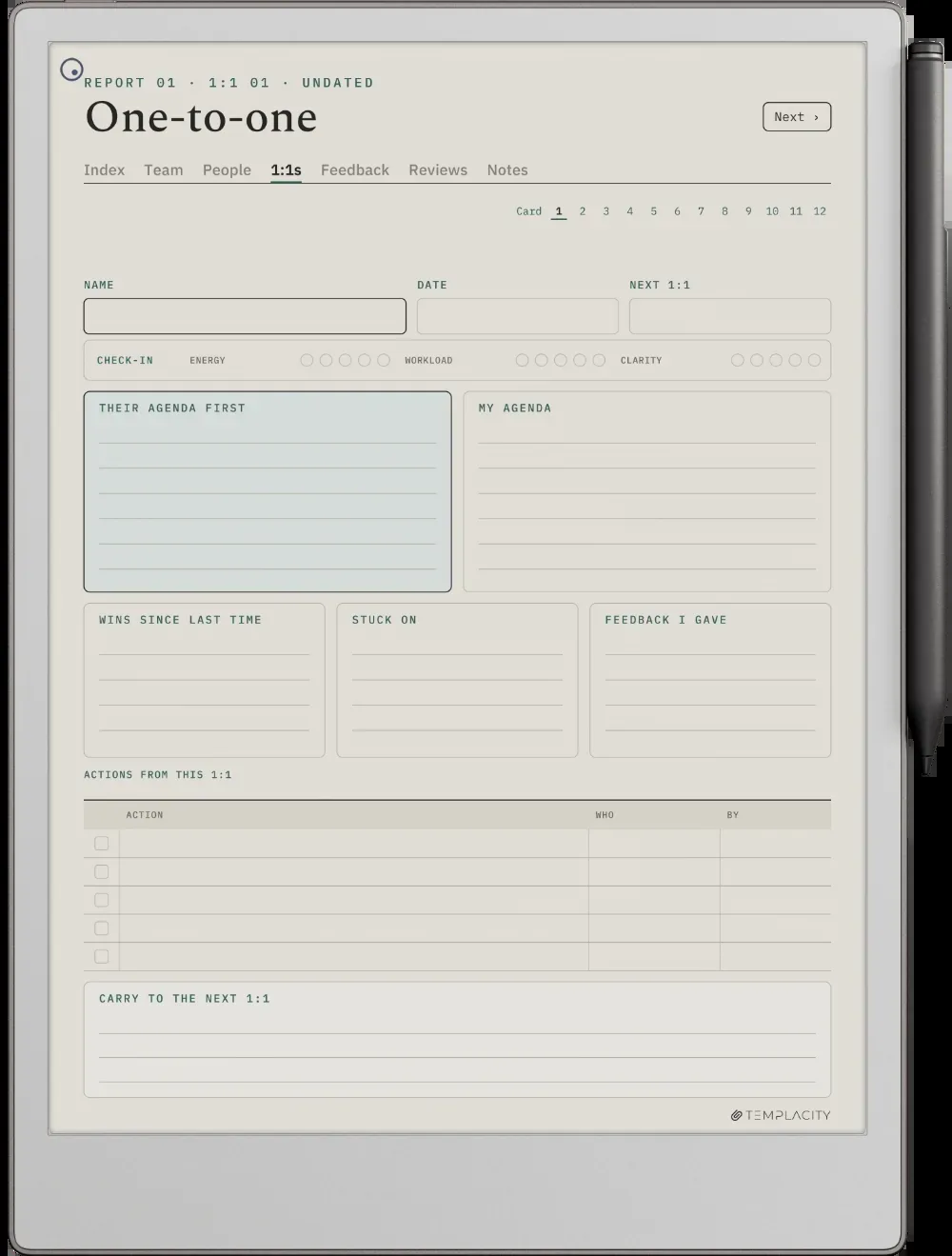
Most managers keep 1:1 notes scattered across a notebook, a document per person and a chat thread. Our People Manager Planner ($29, for reMarkable Paper Pro and Paper Pro Move) puts them in one place. A team page lists up to ten people, and each row opens that person’s folder: a person card with what drives them and how they like feedback, twelve 1:1 pages, a feedback log and review prep that pulls examples from the log instead of from memory. Twelve pages is a year of monthly 1:1s or a quarter of weekly ones, and the book is undated, so it starts the week you do.
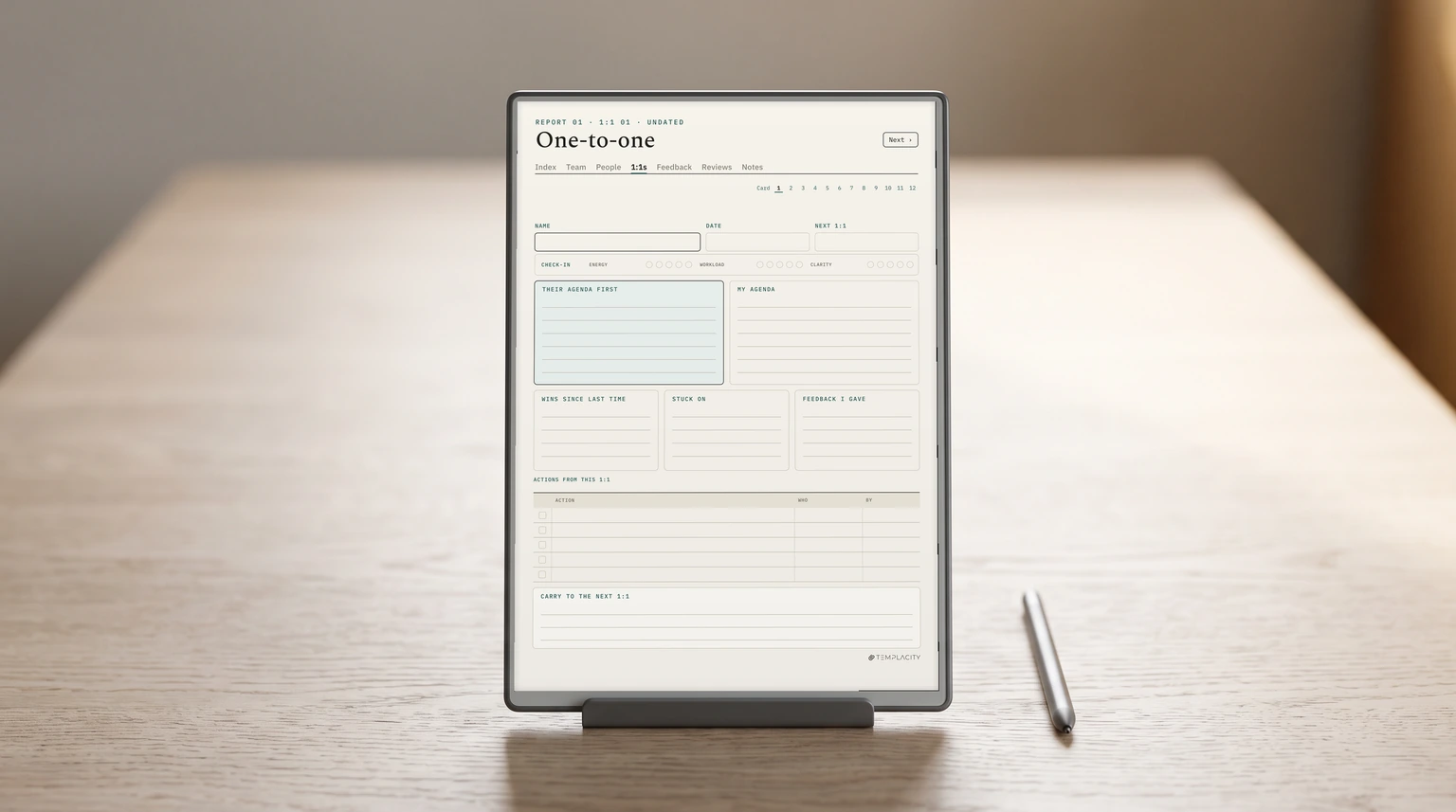
Each 1:1 page follows most of the order above: their agenda first, yours beside it, wins since last time, what they are stuck on, the feedback you gave, then actions with a name and a date. Growth lives on the person card, where they rate their skills each quarter. Anything you did not cover goes in the box at the bottom and opens the next page.
For your own week around those meetings, the Digital Work Planner carries meeting pages beside your days and weeks. More planning guides live in planning.
What is the one question that gets your team talking in a 1:1? Tell us in the comments; we read every one.
FAQ
Common questions, answered briefly
What should be on a one on one meeting agenda?
Who should run a one on one meeting?
How long should a one on one meeting be?
Should one on one meeting notes be shared?
What questions should a manager ask in a one on one?
If yours isn’t above, drop the question in the comments and we’ll add it.
People also ask