The short answer
Kindle Scribe vs Paperwhite: a pen, or a pocket
The Kindle Scribe vs Paperwhite question looks like a screen-size question and is not one. Both are Amazon e-ink devices, both read the same Kindle books at the same 300 pixels per inch, and both last weeks on a charge. The difference is what you do with your other hand. The Scribe comes with a pen and is built to be written on: notebooks, marked-up PDFs, a planner you fill in every morning. The Paperwhite has no pen support at all, and is built to disappear into a coat pocket and be read in the bath.
Both lines are new. Amazon redesigned the Scribe around an 11-inch screen in December 2025, and replaced the Paperwhite on 1 October 2026 with a thinner, flush-front model. So this is the first year the comparison is between two current designs, and the answer is cleaner than it used to be.
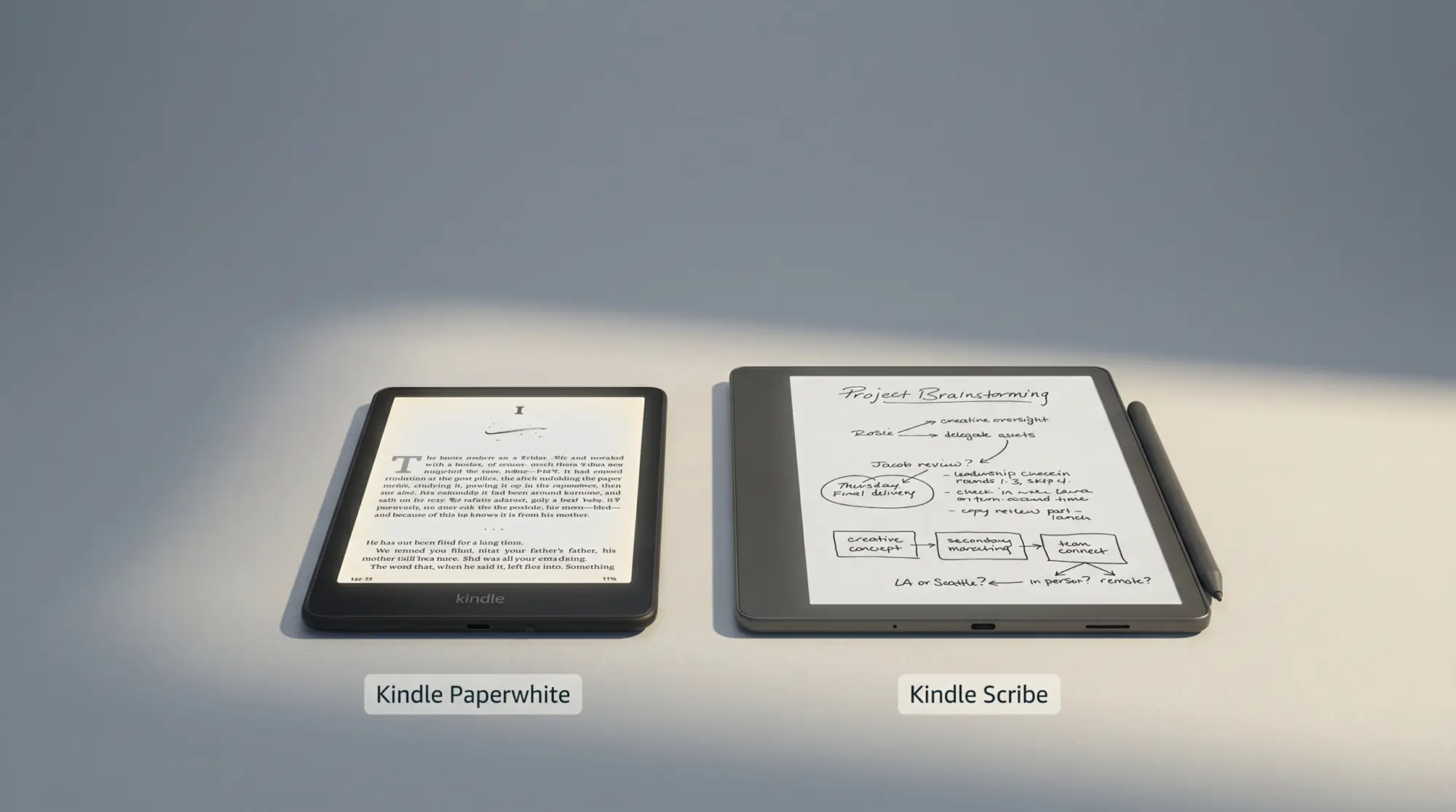
The $499.99 Scribe on the right is the front-lit 32 GB model, the one we would point most people to. The full ladder, including the cheaper Scribe without a front light and the older 10.2-inch model Amazon still sells, is in the price section below.
The two devices
What each one is in October 2026
The 2026 Paperwhite is, in Amazon’s words, thinner and lighter than the previous lineup, waterproof, with an adjustable warm light and up to 12 weeks of battery on a charge. Its display uses an oxide thin-film backplane and is the largest Paperwhite screen Amazon has made, with the highest contrast ratio. Good e-Reader’s launch report puts it at 7 inches and 300 ppi, on sale 28 October. The $249.99 Signature Edition adds 32 GB, an aluminum back, an auto-adjusting light, dock charging and double-tap page turns.
The 11-inch Scribe is Amazon’s redesigned writing Kindle: 5.4 mm thin, 400 g, and in Amazon’s words 40% faster for writing and page turns (Amazon gives no baseline), with a textured glass that adds friction under the pen and a display stack that brings the ink almost flush with the nib. The pen ships in the box, attaches magnetically and never needs charging. It comes in three versions: without a front light (16 GB), and with a front light at 32 GB or 64 GB.
- Screen
- 7″ Paperwhite · 11″ Scribe
- Sharpness
- 300 ppi · 300 ppi
- Pen
- None · included
- Battery, reading
- Up to 12 weeks · up to 12 weeks (16 without front light)
- Battery, writing
- n/a · about 3 weeks
- Waterproof
- Yes · no
- Price
- $199.99 · $429.99 to $549.99
Paperwhite
Flush-front 7-inch glass, waterproof body, warm light. Signature Edition adds an aluminum back and dock charging.
Scribe
5.4 mm and 400 g, flush glass with a molded texture for the pen, magnetic pen that clips to the side.
Battery figures are Amazon’s, as reported by Notebookcheck (30 minutes of reading a day, Wi-Fi off) and Good e-Reader’s full Scribe review for the writing figure. Notebookcheck also notes the Scribe skipped waterproofing again, which matters more than it sounds for a device that costs $500.
Reading
Reading: where the Paperwhite wins
For novels and most non-fiction, the Paperwhite is the better reader, and not only because it is cheaper. A 7-inch device is held in one hand for an hour without thinking about it. The Scribe at 400 g is light for an 11-inch tablet and still about twice the size of a paperback, which makes it a lap or a desk device more than a lie-on-your-side-in-bed device. The Paperwhite goes in a jacket pocket, a small bag, a beach tote. It survives the bath and the pool, and the Scribe is not rated to.
Text looks the same on both. At 300 ppi each, a page of a novel is equally crisp, and both have an adjustable warm light, except the $429.99 Scribe, which has no front light at all. That model is a real trap for readers: on a Kindle without a light you read by the lamp, as you would a paper book, and nothing else about it tells you so on the shelf.
Where the Scribe reads better is anything laid out for a page bigger than a paperback. PDFs, textbooks, sheet music, papers with figures, comics and manga at something close to print size: on a 7-inch screen you pinch and pan, on 11 inches you just read. If a large share of what you read is PDFs, the Scribe’s screen is a reading upgrade before you ever pick up the pen.
Writing
Writing: what the Scribe does that the Paperwhite cannot
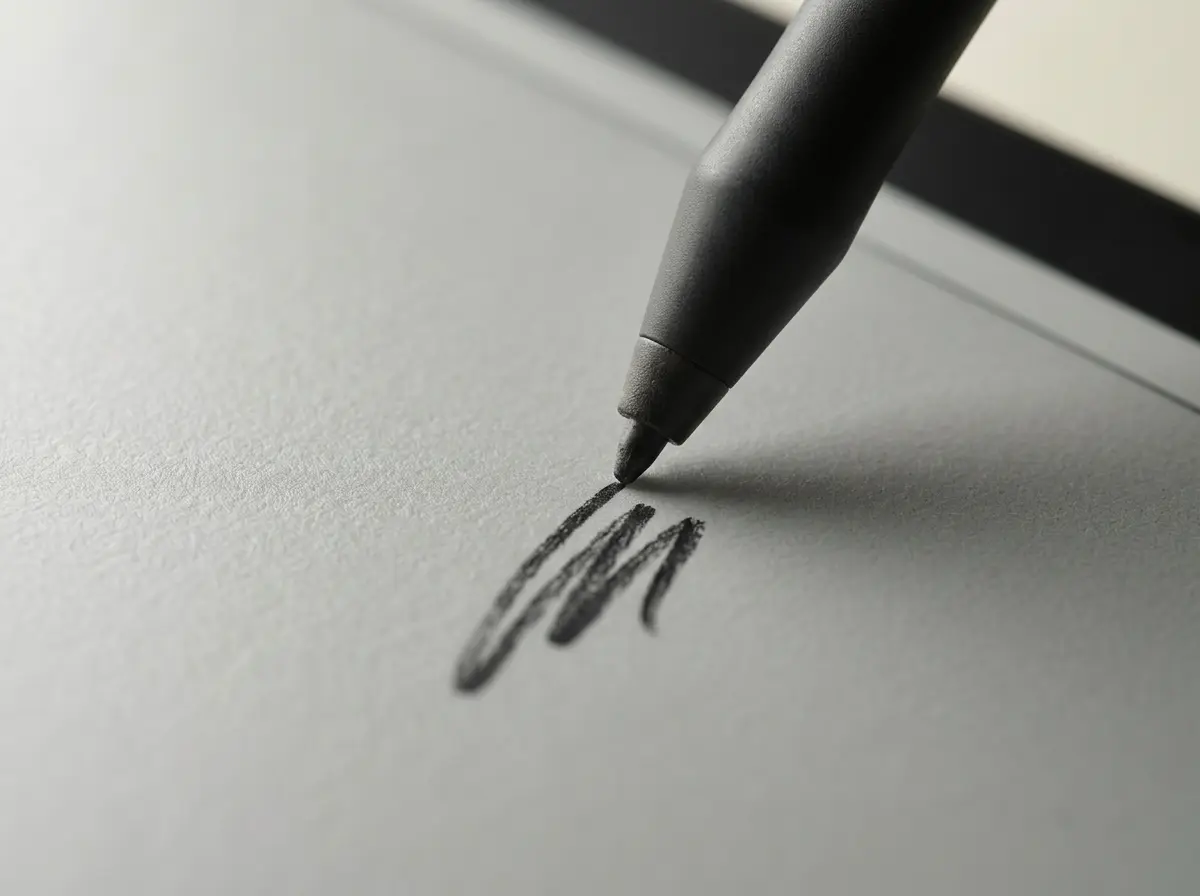
This is the whole case for the Scribe, and it is a strong one. You write in notebooks with the included pen, and Amazon’s AI notebook search lets you search those notes in plain language and get short summaries back. You can write directly on PDFs, pull files in from Google Drive and Microsoft OneDrive, export annotated PDFs back out, and send notes to OneNote as converted text or as an image. None of it exists on the Paperwhite, at any price.
The writing is also where the 2025 redesign earned its keep. Amazon cut the gap between glass and ink to almost nothing, added a molded texture so the nib drags a little like it would on paper, and moved to a faster quad-core chip. The pen has no battery, so there is nothing to charge and nothing to forget. It clips magnetically to the side.
The Scribe adds a pen and four extra inches of screen; the Paperwhite adds waterproofing and a size that fits a pocket.Templacity
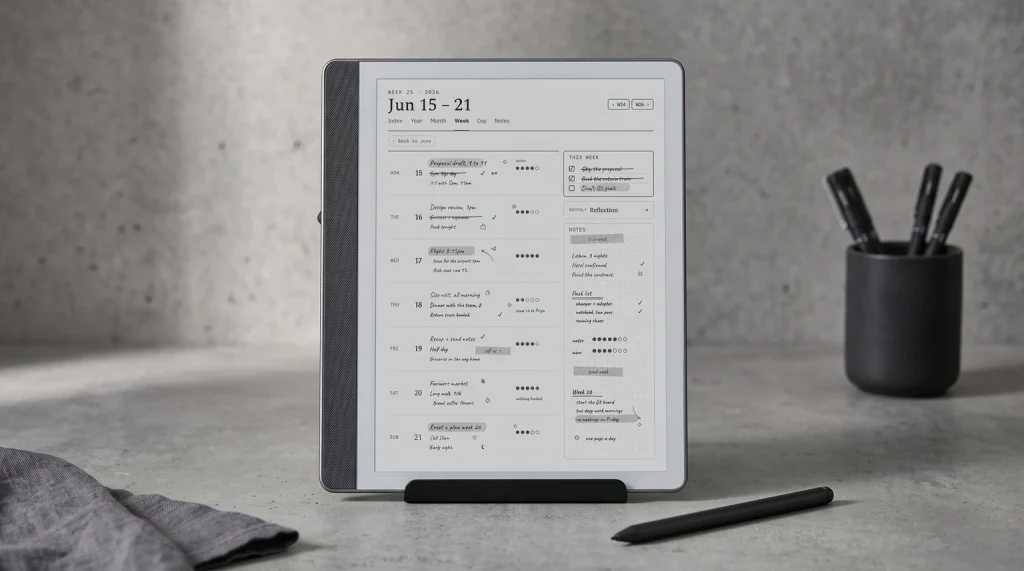
The planner use is the one most buyers underestimate. A PDF planner with linked tabs turns the Scribe into a dated year you flip through with the pen: tap a month, tap a day, write. The one catch to know before you buy is that the Scribe treats PDFs sent through Send to Kindle as writable; our Send to Kindle guide walks through the route, and the Kindle planner page shows what a dated planner looks like on the 11-inch screen.
Price
Price: what the extra $230 to $350 buys
These are Amazon’s US list prices, read from Amazon’s own listings on 10 October 2026. The Paperwhite prices are from Amazon’s launch announcement; the 2026 model is on pre-order until 28 October.
Kindle Scribe vs Paperwhite, US list price (October 2026)
Like for like, front-lit Scribe against Paperwhite, the gap is $300. What it buys is the pen, the notebook software, the PDF tools and the bigger page. If you would use those every week, $300 is cheap for what it replaces: a paper notebook habit, a stack of printed PDFs, a separate tablet for markup. If you would use them twice and then go back to reading novels, it is $300 for a heavier Paperwhite that cannot go in the bath.
Two shortcuts on the ladder. Amazon still sells the older 10.2-inch Scribe with a front light at $399.99; it writes and reads well, it is slower, and our old versus new Scribe page lays out exactly what the 11-inch model added. And the 2024 Paperwhite is no bargain this year: Amazon’s own listing for it now shows $199.99, the same as the 2026 model, so buy the new one unless another seller has the old one well below that.
Who buys which
Kindle Paperwhite vs Scribe, matched to how you use it
| How you use it | Buy | Price |
|---|---|---|
| Novels in bed, on the commute, in the bath | Paperwhite | $199.99 |
| Reading, and you want no ads and auto light | Paperwhite Signature | $249.99 |
| Notes, planner, meeting pages | Scribe, front-lit 32 GB | $499.99 |
| Mostly PDFs, textbooks, papers | Scribe, front-lit 32 GB | $499.99 |
| Writing on a budget, daylight only | Scribe, no front light | $429.99 |
| Writing in colour, highlights in colour | Scribe Colorsoft | $629.99 |
Plenty of people end up with both, and it is a sane setup: the Paperwhite for reading, the Scribe on the desk for writing. If budget forces one, pick by the activity you do daily, not the one you hope to start. A Scribe bought for a journaling habit that never starts is an expensive reader; a Paperwhite bought by someone who really needed to mark up PDFs is a daily frustration. If colour is on your mind, our Kindle Scribe vs Colorsoft page works out whether the colour model earns its extra $130.
If you searched for the basic Kindle against the Scribe, the same logic holds with a smaller reader: the 6-inch Kindle is $149.99, has no pen, and is the pocket choice. Our best Kindle 2026 guide sets every current model side by side with Amazon’s October prices, and the 2026 Paperwhite page covers what changed from the 2024 model.
Torn between the two, or already own one and wondering about the other? Tell us how you read and write in the comments, and once the 2026 Paperwhite is in readers’ hands we will fold what owners report back into this page.
FAQ
Common questions, answered briefly
Is the Kindle Scribe worth it over a Paperwhite?
Can you write on a Kindle Paperwhite?
Is the Kindle Scribe waterproof?
Which has better battery life, the Scribe or the Paperwhite?
When does the 2026 Kindle Paperwhite ship?
If yours isn’t above, drop the question in the comments and we’ll fold it in next refresh.
People also ask