For hosts
How to leave a review on Airbnb as a host
The host’s review is easy to look for in the wrong place: a guest’s review starts from their trip, but yours starts from the conversation. Airbnb’s own Leave a review article gives the same three steps for the app, desktop and a mobile browser:
- Open Messages and select a message from the guest you want to review.
- Tap or click Get started and write your feedback.
- Tap or click Submit to post the review.
If the thread is buried, there is a second route on desktop or a mobile browser: go to your profile, choose Reviews, then Reviews by You, and pick the stay under Reviews to Write. If you need to stop halfway, Save and exit keeps what you have written.
Airbnb’s guide for hosts on reviews says you will be asked to rate the guest on three things: cleanliness, communication and following your house rules. Then you write the public review. If your house rules are written down and were sent before arrival, the house-rules rating is easy to give fairly.
For guests
How to leave a review on Airbnb as a guest
Guests start from the trip, not the inbox. The steps are the same on the app, desktop and a mobile browser:
- Open Trips and select the trip you want to review.
- Tap or click Get started and write your feedback.
- Review what you wrote, then tap or click Submit.
The same Profile, Reviews, Reviews by You route works for guests too. Along the way you rate six things from one to five stars: check-in, cleanliness, accuracy, communication, location and value, plus an overall rating that, Airbnb notes, is not an average of the other six.
Not everything you enter is public. Airbnb’s reviews for homes article says only the overall star rating shows on the listing; the category ratings and any note you leave for the host are seen only by the host and Airbnb. That private note is the right place for a fix the host should make, like a broken lamp, that other guests do not need to read about.
The clock
How long you have to leave an Airbnb review
For a home stay, both host and guest have 14 days, starting on checkout day, when Airbnb prompts each of you to write. Airbnb’s review window article is firm on the end of it: it makes no exceptions for reviews more than 14 days after a stay. After that, a guest who still has something to say can only message the host.
Neither of you sees the other’s review early. Both go live together, once both are submitted or the 14 days end, whichever comes first, and Airbnb does not moderate them before they publish. Two other rules catch people out: a reservation cancelled before check-in cannot be reviewed by either side, and services and experiences work differently, with a 30-day window and reviews that publish as soon as they are submitted.
After you submit
Editing an Airbnb review, and replying to one
You get one chance to change your mind, and only if you went first. Airbnb’s editing a review article lets you edit a home review while the 14 days are open, as long as you submitted before the other side; once they submit, or the window ends, both reviews publish and nothing more can be changed. If you went second, what you submitted is final.
Once a review is public, the host can answer it. A reply appears below the review, so it is written for the next guest reading the listing, not for the one who left. Airbnb’s host guide asks hosts to respond constructively and to take sensitive issues to a direct message instead. Keep a reply calm and specific, since it is written for that next reader; our Airbnb message templates include a review pair and replies to reviews.
The words
What to write once the review box is open
Airbnb’s own advice to hosts is short: show gratitude and offer details. A review that names one real thing (the guest left the kitchen spotless, or messaged before arriving late) helps the next host more than five adjectives. For worked wording on both sides, including the difficult review, our Airbnb review examples are written to be copied and adapted.
Reviews also feed the two badges hosts care about most. How ratings count toward the Superhost requirements and the per-listing Guest Favorite badge is covered in those guides.


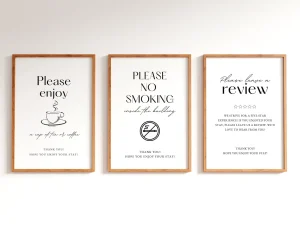
Everything you hand a guest, matched and priced to move together.
Hosts: what is the review habit that works for you, writing on checkout day or waiting to see how the place was left? Tell us in the comments; we read every one, and the best answers go into the next version of this guide.
FAQ
Common questions, answered briefly
How long do you have to leave a review on Airbnb?
Can a host see the guest’s review before writing their own?
Can you edit an Airbnb review after submitting it?
Can you review an Airbnb reservation that was cancelled?
If your question is not above, leave it in the comments and we will answer it.
People also ask