What changed
What airbnb mobile booking actually looks like
The airbnb mobile booking experience is a different visual flow than the desktop site. On a phone, the guest sees one large hero photo first, then swipes through a photo carousel before any prose loads. The price is anchored to the bottom of the screen at all times. The title appears truncated to roughly 80 characters before the “more” tap. The reviews summary collapses to a single line with the star rating and a count. Everything past that takes a tap to open.
For the host, this means three things load-bear more on mobile than they do on desktop: the hero photo, the first 80 characters of the title, and the response-time badge. A weak hero photo loses guests before they swipe. A title that buries the promise after character 90 reads as “Cozy private cottage in the heart of…” and the guest never sees what the heart of is. A response time over 60 minutes shows a less-favourable badge that guests notice on the booking confirmation screen.
The desktop and mobile flows share the same search ranking algorithm, so a listing does not have a “mobile version” and a “desktop version.” What changes is which surface elements the guest sees first; the underlying ranking is the same. That is why the practical optimisations are about reordering the existing content rather than producing different content.
The newest release is the 2026 one: our Airbnb fall update guide covers the AI search, AI filters and Airbnb-written listing descriptions it added, and what a host should check first.
Listing optimisations
Five listing changes that lift mobile conversion
Reorder photos so the hero earns the swipe
On the listing’s Photos tab, drag the strongest single image to position one. The hero is the image guests see in the carousel preview; if it does not pull a swipe, the listing has lost the booking before the guest reads anything. Best heroes show the space lit (daylight or warm interior light) and one human-relatable detail in frame (a made bed, an open book, a coffee setup).
Lead the title with the promise, not the location
“Modern 2-bed flat, 3 minutes to Central station” beats “Centrally located beautiful flat near major transport in the heart of.” The first 80 characters of the title are the entire visible title on mobile until the guest taps “more.” Front-load the concrete differentiator (bedroom count, walking distance to landmark, view) over the adjectives.
Enable Instant Book if your standards allow it
The mobile flow rewards Instant Book listings with a more prominent “Reserve” button and fewer steps to confirmation. Hosts who require the request-to-book flow can still convert well, but the mobile guest who is comparing 3 to 5 options often picks the Instant Book listing for the speed alone.
Tighten the response window to under 60 minutes
The response-time badge on mobile is one of the few host signals guests see before they tap Reserve. Under 60 minutes earns the strongest badge. Set up the Airbnb app notifications on a device you check often; the 60-minute threshold is measured from message receipt, not from the moment you next open the app.
Write the amenities list for tap-scrolling, not for reading
Guests on mobile scroll the amenities chip list in seconds, looking for two or three deal-makers (wifi speed, parking, kitchen, AC). Make sure the top six amenities in the list are the ones your target guest cares about. Anything generic (hangers, dishes, linens) is fine but should not be first.
None of these changes require new content. They are reorderings of what already exists on the listing. A host who runs the photo reorder, the title rewrite, and the Instant Book toggle in a single sitting usually sees the conversion rate move within two to four weeks; the response-time and amenities tweaks compound on top of that.
Mobile guests decide whether to swipe or tap-back in under five seconds.From the takeaway block
App features hosts care about
Airbnb app features that matter to hosts
From the host side, the Airbnb app is increasingly capable. The full hosting dashboard, calendar editing, message replies with templates, price overrides, reservation acceptance, and earnings reporting are all available without leaving the phone. The desktop site still has the edge for bulk operations (bulk-editing pricing rules, exporting a CSV of bookings, managing co-host permissions in detail), but the day-to-day single-listing host can run the business from the phone.
- Push notifications for booking events
- Booking requests, instant bookings, messages, and cancellations push to the lock screen. Notification settings live under Account, Settings, Notifications; turn on the ones tied to revenue and turn off the marketing ones.
- Calendar editing on a phone
- Open dates, block nights you cannot host, and adjust pricing settings like minimum nights and discounts from the phone. Host notes now sit on reservations in the Today tab, not on calendar dates, as our calendar notes guide explains. Airbnb’s May 2026 reservations redesign added more to the same screen: accept and decline buttons with a 24-hour countdown on booking requests, a message or call button, editable check-in and checkout times, the cancellation cutoffs, and an itemized earnings breakdown (Airbnb Resource Center).
- Quick replies for guest messages
- Pre-saved message templates (“Check-in instructions,” “Wi-fi password,” “Late arrival OK”) attach in two taps. Saves the response time on the most-repeated guest questions, which feeds the response-time badge.
- Trip insights on payouts
- The Earnings tab shows the next payout, the upcoming reservations, and a rolling 30/90-day comparison. Useful for quick decisions; not a replacement for a host spreadsheet for tax and longer-period planning.
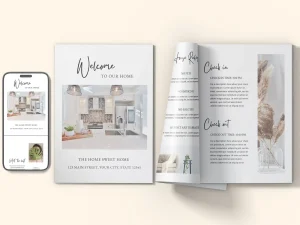
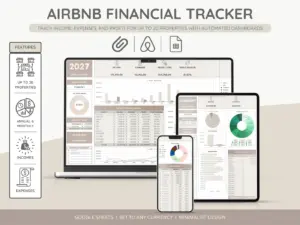
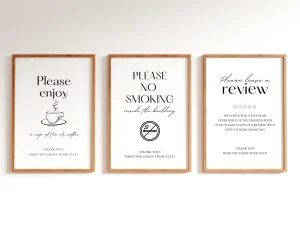
Everything you hand a guest, matched and priced to move together.
FAQ
Common questions, answered briefly
What share of airbnb bookings come from the mobile app?
How do I optimise my airbnb listing for mobile?
Does airbnb mobile booking rank listings differently from desktop?
Can I run my airbnb hosting business from the app alone?
What is the airbnb response-time badge and how is it measured?
Does enabling Instant Book hurt hosts who want to vet guests?
If yours is not above, drop the question in the comments and we will answer it under the next Airbnb piece.
People also ask