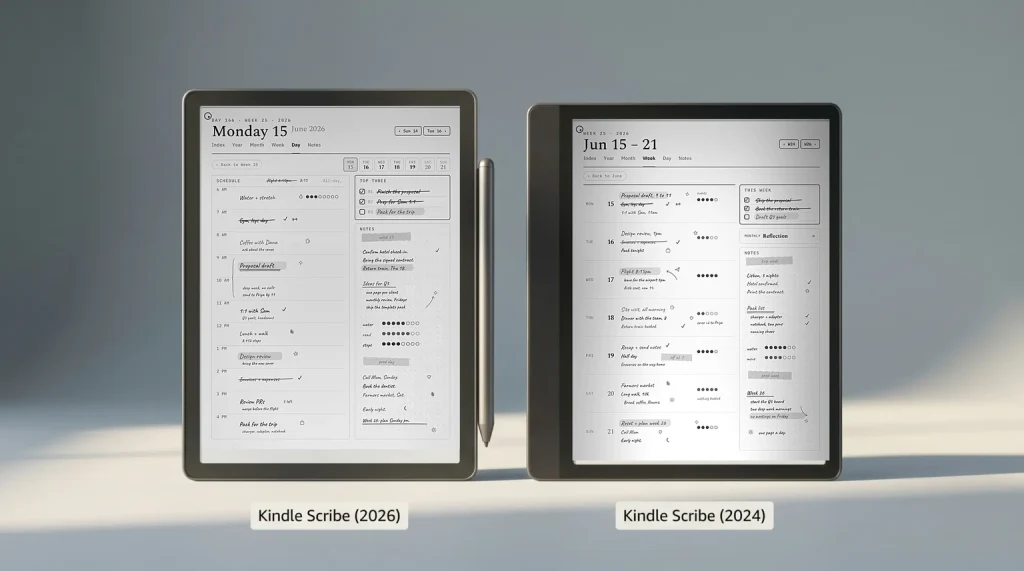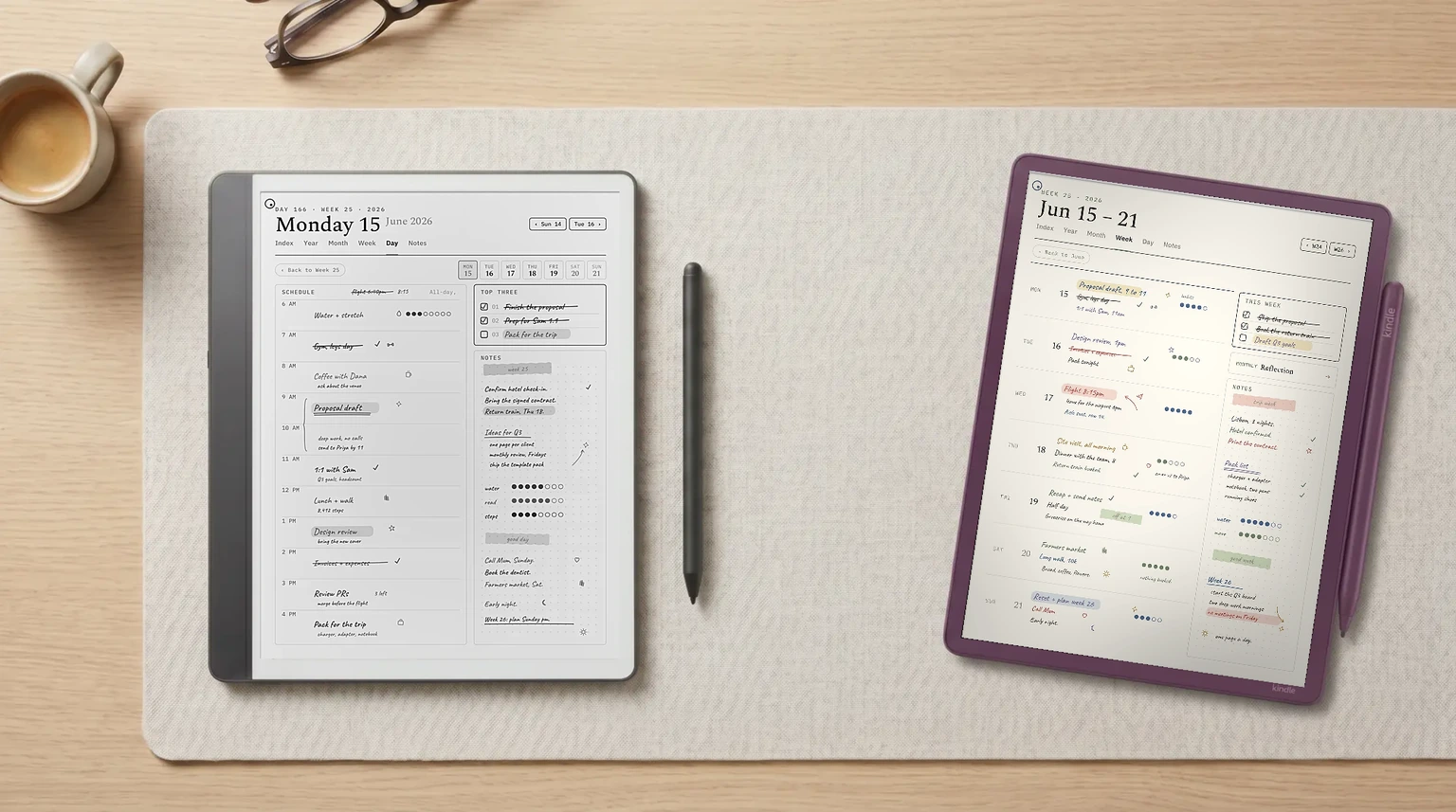
For our broader Kindle Scribe review covering hardware, writing, reading, planner workflow, and the alternatives, see the Kindle Scribe review pillar.
2026 update: The redesigned Kindle Scribe generation (11-inch panel, 5.4 mm body, faster chip) reached buyers on December 10, 2025 from $499.99, and the $429.99 no-front-light model followed on June 10, 2026. This page covers the models most owners have on their desks today; for the new lineup see our Kindle Scribe 2026 guide and the new vs old upgrade call. For what Amazon has not announced yet, we track the next Kindle release and the Kindle Paperwhite 13th generation separately.
Why now
Why the Kindle Scribe vs Colorsoft question is the upgrade question
This is not a cross-brand comparison; it is an upgrade decision inside Amazon’s own writing-Kindle line. The original Kindle Scribe launched in 2022 and was refreshed in 2024 with a textured display and a faster stylus. The Kindle Scribe Colorsoft arrived in late 2024 with the same writing engine on top of an oxide Kaleido 3 color panel at 11 inches. Both stay in the catalog; they are not replacements for each other. The Kindle Scribe vs Colorsoft choice is whether the color panel, the slightly bigger screen, and the AI reading features are worth $230.
For background on what the Colorsoft adds and when it shipped in your country, our Kindle Scribe Colorsoft release date guide covers regional availability. For the question of whether either Scribe is the right device against the wider category, see our Kindle Scribe alternatives roundup and the Colorsoft vs reMarkable Paper Pro head-to-head for the upper-tier comparison.
Side by side
The two Scribes, side by side
The four real differences across the columns: color (yes vs no), screen size (11″ vs 10.2″), battery (8 weeks reading vs 12 weeks because the color filter adds refresh tax), and AI reading features (Colorsoft only). Writing performance is identical at the pen-tip; the same stylus works on both devices and both register at the same latency.
| Axis | Kindle Scribe | Kindle Scribe Colorsoft |
|---|---|---|
| Price (base) | $399 | $629.99 |
| Price (top SKU) | $419 (64 GB) | $679.99 (64 GB Fig) |
| Screen size | 10.2″ | 11″ |
| Color e-ink | No (mono Carta 1300) | Yes (oxide Kaleido 3) |
| Reading battery | ~ 12 weeks | ~ 8 weeks |
| Story So Far AI | No | Yes |
| Ask This Book AI | No | Yes |
| Stylus included | Yes (with eraser) | Yes (with eraser) |
| Best for | Writers who don’t need color | Readers who want color + AI |
Nine rows; four meaningful differences. The Kindle Scribe vs Colorsoft question is which of the four you actually care about. The rest is identical between the two devices.
Color
Color on Kaleido 3, in practice
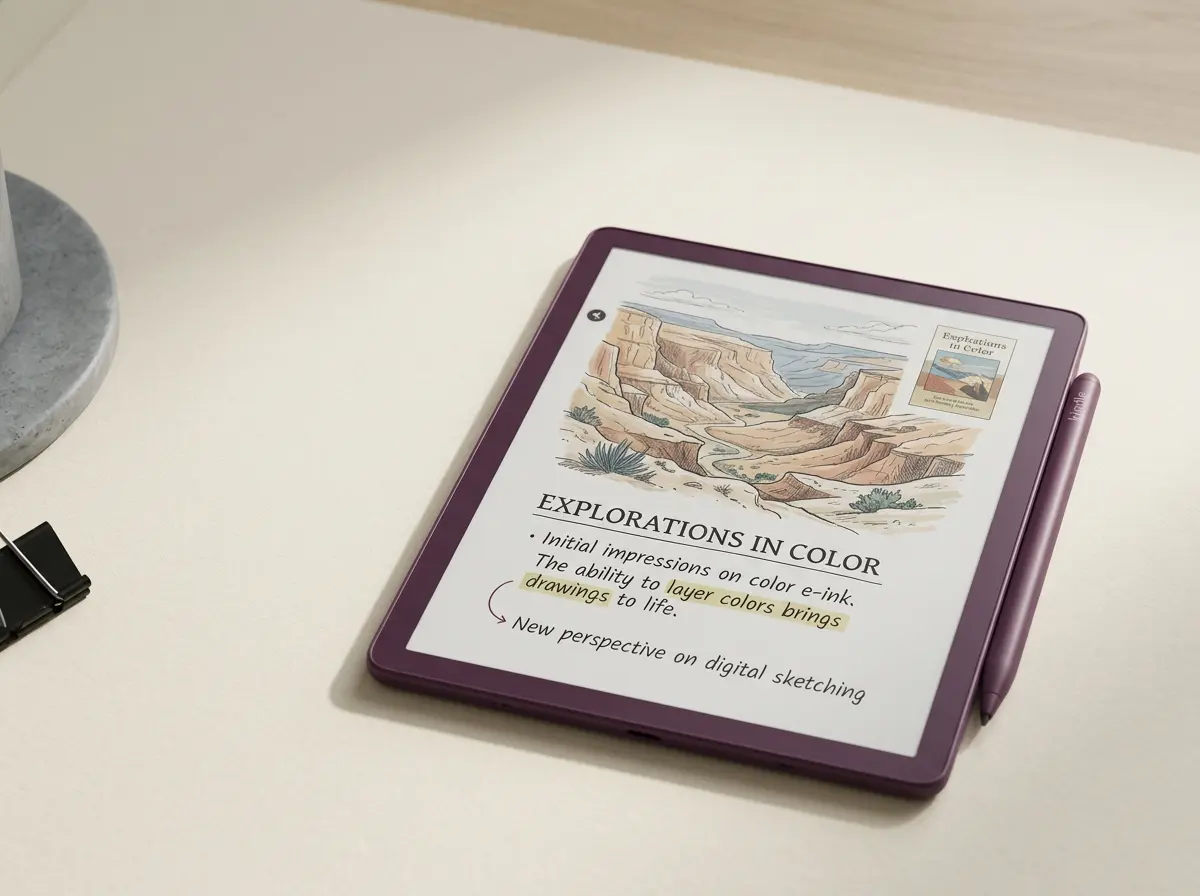
Kaleido 3 lays a color filter array over a mono e-ink panel. The mono resolution stays around 300 ppi on the Colorsoft; the color resolution drops to roughly 150 ppi. Line art, text, and highlighting all render cleanly. Saturated photographs, dense color illustrations, and color-rich book covers render acceptably but never beautifully. The marketing photographs of the Colorsoft do not match the in-hand experience; the screen looks more like a colored newspaper than a magazine.
What color is honestly useful for: highlighting reading in a second color, color-coded note-taking, planner pages that use color sections, children’s books, comics that lean on flat art (manga, classic newspaper strips), and any reading where the text is the point and color is decoration. What it is not useful for: photography, art books, anything where rendering accuracy matters. If color is the entire reason you are considering the Colorsoft, our honest read is that the panel will under-deliver against the marketing. If color is one of three reasons (alongside the bigger screen and the AI features), the Colorsoft starts to make sense.
Writing + AI
Writing performance and the AI reading features
Writing on the two Scribes is functionally the same experience. The pen is the same physical accessory (Amazon’s pen with eraser), the latency is the same 12 ms on both, and the writing surface texture is comparable; the Colorsoft’s slightly thicker color filter layer adds a hair of refresh tax on hatching but not enough to feel. If writing is the entire job, the original Scribe at $399 delivers the same writing performance as the Colorsoft at $629.99. The $230 buys color and AI, not better writing. If you can time the purchase, a Kindle Scribe Prime Day deal narrows that gap on either model.
The AI reading features are Colorsoft-only and have rolled out across 2026. Story So Far summarises where you are in a book in two or three paragraphs, useful when you pick up a novel after weeks away. Ask This Book answers natural-language questions about the parts of the book you have already read; the model refuses to spoil ahead of your reading position. Both are tied to the Kindle library; sideloaded PDFs and Send-to-Kindle conversions get partial AI support. If these features describe a real workflow for you, that alone is one of the reasons to step up.
Scorecard
Templacity scorecard, both Scribes
Kindle Scribe (orig), scored out of 10
Kindle Scribe Colorsoft, scored out of 10
The original Scribe wins value and battery. The Colorsoft wins reading (slight), color, and AI. Writing and pen feel are tied. The scorecard makes the trade-off explicit: $230 buys three axes (color, AI, screen size) and loses two (battery, value).
$230 buys color, AI, and 0.8 inches. It does not buy a better writing experience. Pick by which axis matters.From this comparison
Both Scribes read the bundle the same way. Send to Kindle handles import in two minutes; the pages stay hyperlinked, the planner sections still link to each other across months. The color sections (in the bundle’s weekly and project layouts) render as greyscale on the original Scribe and as muted color on the Colorsoft, which is the rendering you would expect from a Kaleido 3 panel. Neither device requires re-importing if you upgrade later.
Verdict
The call on Kindle Scribe vs Colorsoft
FAQ
Common questions, answered briefly
Is the Kindle Scribe Colorsoft worth the upgrade over the original Scribe?
What is the price difference between Kindle Scribe vs Colorsoft?
Does the original Kindle Scribe have the AI reading features?
Is color e-ink on the Colorsoft as good as a tablet?
Should I wait for the next Kindle Scribe refresh?
If yours isn’t above, drop it in the comments.
One more honest note for the Kindle Scribe vs Colorsoft buyer: if you already own the original Scribe and are debating the upgrade, the AI reading features are the only reason that justifies replacing a working device. If you have made the jump already, our Kindle Scribe Colorsoft daily planner is the layout drawn for the colour panel. Color is genuinely a “nice to have” and screen size delta (10.2 to 11 inches) is small enough that you adapt to it within a week either direction. The reverse migration is harder; buyers who upgrade to Colorsoft and then regret the battery hit do not generally drop back to the original Scribe.
People also ask
Other questions, briefly answered
If you’ve owned both Scribes, the comments are open. The upgrade question gets less abstract once someone says “I bought the Colorsoft and the AI features were actually the thing.”