Device Info
Which Kindle do I have? Check Device Info first
A cover listing says it fits 2026 releases only, Amazon’s update page asks which model you own, and the Kindle on your nightstand has no name on the front. Which Kindle do I have is a question the Kindle can answer for itself. Amazon’s Identify Your Kindle page starts in Settings rather than with the hardware, and so should you.
-
1
Open Quick Actions
From anywhere on the Kindle, swipe down from the top of the screen.
-
2
Open All Settings
Some models call it Settings.
-
3
Go to Device Options, then Device Info
The same screen also opens from the menu icon on the Settings page (three dots on a Scribe).
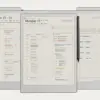
Amazon’s Paperwhite user guide says Device Info displays the device’s name and generation, its Wi-Fi MAC address, serial number, network capability, firmware version and free space, and the Scribe guide says the same. Device Info is the one screen that names the Kindle in your hand. The identify page adds a caveat: only select devices show the device name, so an older Kindle may give you a serial number and a firmware version and nothing else. The next two sections are for that case.
Device Info is the one screen that names the Kindle in your hand.Device Info
Not holding it? Every Kindle registered to your account is listed in Manage Your Devices on Amazon’s website, the page the identify page points to. Select one to open its details; Amazon’s warranty page says the same Devices tab shows when its Limited Warranty ends.
By the look of it
No name in Device Info? Tell it by the hardware
So which Kindle do I have, if Device Info will not say? Amazon’s identify page lists the features that set each Kindle apart, and each model’s user guide says where its power button sits. Five checks, in this order, narrow most Kindles to a family and many to a single model:
- A pen that writes on the screen: a Kindle Scribe. The 2022 and 2024 Scribes put the power button on the same edge as the charging port; the Scribes from 2025 on put it on the upper right edge.
- A color screen: a Kindle Colorsoft, or a Kindle Scribe Colorsoft if it also takes a pen.
- Page-turn buttons on the front: a Kindle Oasis, from 2016, 2017 or 2019. PagePress sensors on both sides of the screen instead of buttons mean the Kindle Voyage from 2014.
- A keyboard, or a five-way controller with four buttons: a Kindle from 2012 or earlier, which Amazon no longer supports. The last section covers what that means.
- None of those: a Kindle or a Kindle Paperwhite. A power button at the top right corner means a 2026 release. Amazon’s guides put it on the bottom edge of the Kindle from 2019 to 2024, the 2021 and 2024 Paperwhites and the first Colorsofts.
Storage and charging settle most of what is left. Device Info shows free space, and Amazon gives each model’s usable share: the 2026 Kindle has 16 GB with about 10.8 GB free, the aluminum Kindle from the same year 32 GB with about 24.7 GB. A Paperwhite Signature Edition from 2024 charges on a wireless dock, while the 2026 Signature Edition uses a pogo pin connector.
Model by model
Every Kindle model, and how to spot each one
This table answers which Kindle do I have model by model. It follows Amazon’s identify page, grouped by family and newest first, with the detail that separates each model from its neighbors. Two models that page leaves out, the 2022 Kindle Scribe and the 2022 Kindle (11th Generation), come from Amazon’s user guide index and its software update page. Kindles from 2012 and earlier are in the last section, and the same line-up by release year is in our list of Kindle generations by year.
| Model, as Amazon names it | Released | How to spot it |
|---|---|---|
| Kindle Scribe without Front Light | 2026 | Pen, no screen light, 16 GB |
| Kindle Scribe (3rd Generation) | 2025 | Pen, power button on the upper right edge, 32 or 64 GB |
| Kindle Scribe Colorsoft (1st Generation) | 2025 | Pen and a color screen |
| Kindle Scribe, 2024 release | 2024 | Pen, power button on the charging-port edge, 16, 32 or 64 GB |
| Kindle Scribe, 2022 release | 2022 | The first Scribe; Amazon has guides for a Basic Pen and a Premium Pen |
| Kindle Colorsoft (2026 release), Signature Edition, Amazon Kids | 2026 | Color 7-inch screen, power button at the top right corner |
| Kindle Colorsoft (1st Generation), Colorsoft Kids | 2025 | Color screen, 16 GB, auto-adjusting front light |
| Kindle Colorsoft Signature Edition (1st Generation) | 2024 | Color screen, 32 GB, wireless charging dock |
| Kindle Paperwhite (2026 release), Signature Edition, Amazon Kids | 2026 | Power button at the top right corner; Signature charges by pogo pins |
| Kindle Paperwhite (12th Generation), Signature Edition, Kids | 2024 | Power button on the bottom edge, warm light, waterproof |
| Kindle Paperwhite (11th Generation), Signature Edition, Kids | 2021 | USB-C, 8 GB (Signature Edition 32 GB) |
| Kindle Paperwhite (10th Generation) | 2018 | 8 or 32 GB, no USB-C in Amazon’s list |
| Kindle Paperwhite (7th Generation) | 2015 | 4 GB, adjustable screen light |
| Kindle Paperwhite (6th Generation) | 2013 | 2 GB, built-in light |
| Kindle (2026 release), Amazon Kids Kindle | 2026 | 6-inch, 16 GB, power button at the top right corner |
| Kindle (Aluminum, 2026 release) | 2026 | 6-inch, 32 GB |
| Kindle (11th Generation), Kindle Kids, 2024 release | 2024 | USB-C, 16 GB, power button on the bottom edge |
| Kindle (11th Generation), 2022 release | 2022 | USB-C, power button on the bottom edge |
| Kindle (10th Generation), Kids Edition | 2019 | Adjustable screen light, 4 or 8 GB |
| Kindle (8th Generation) | 2016 | Touchscreen, no screen light listed, 4 GB |
| Kindle (7th Generation) | 2014 | Touchscreen, no screen light listed, 4 GB |
| Kindle Oasis (10th Generation) | 2019 | Page-turn buttons on the front, 8 or 32 GB |
| Kindle Oasis (9th Generation) | 2017 | Page-turn buttons on the front, 8 or 32 GB |
| Kindle Oasis (8th Generation) | 2016 | Page-turn buttons on the front, 4 GB |
| Kindle Voyage (7th Generation) | 2014 | PagePress sensors on both sides of the screen |
Two pairs share a name, and the firmware number in Device Info splits them. Amazon’s update page lists 5.20.1 as the latest software for the 2024 Kindle (11th Generation) and 5.19.2 for the 2022 one (checked November 2026), so an 11th-generation Kindle on 5.20 or later is the 2024 model. The 2024 and 2026 Paperwhites share a 7-inch screen but not a cover, and the power button is the quick check. Buying a used or refurbished one? Our guide to the refurbished Kindle Paperwhite covers which generation Amazon’s own program sells.
A word on names, because not every label you meet online is Amazon’s. Amazon’s pages number the generations up to the 2025 models, from the Kindle (11th Generation) to the Kindle Scribe (3rd Generation), then switch to years: the newest Paperwhite is the Kindle Paperwhite (2026 release). Fans and the press kept counting, so you will see the 2026 Paperwhite called the 13th generation and the 2026 Kindle the 12th, as on our Paperwhite 13th generation and Kindle 12th generation pages. Amazon’s own pages slip now and then too: its user guide index calls the 2019 Oasis the 11th generation, where the identify and update pages say 10th. When two labels disagree, go by the release year.
Serial number
Kindle serial number lookup: what the number tells you
The serial number sits in Device Info, next to the firmware version, on every Kindle whose user guide we read. It is not a model lookup on its own. Amazon publishes a serial key only for its oldest Kindles, on its software update page, where the right download depends on how the number starts: B002 or B003 for the Kindle (2nd Generation), B004, B005 or B009 for the Kindle DX, and B006, B008 or B00A for the Kindle Keyboard.
For anything newer Amazon gives no prefix list, and on current software you do not need one, because Device Info names the model. Longer prefix tables do exist, such as the community-kept list on the MobileRead wiki. It is unofficial, so treat a match there as a lead and check it against Amazon’s identify page before you buy anything on the strength of it.
Why it matters
Why your Kindle model decides what fits
Most Kindle questions have one answer for every model. Accessories and updates are the exception, and Amazon’s own listings say so in their own words.
| If you are | What the model decides |
|---|---|
| Buying a Paperwhite or Colorsoft cover | Amazon’s covers fit 2026 or 2024 releases only |
| Buying a Scribe folio | Amazon’s leather folio fits 2025 Scribes only |
| Buying a pen | Only a Scribe takes one |
| Updating by hand | Each model has its own update file |
| Pairing a Kindle Click | Kindles from 2024 on only |
| Resetting or deregistering | Never on a Kindle from 2012 or earlier |
The cover rows come straight off the listings: Amazon’s 2026 Paperwhite and Colorsoft cover says “Fits 2026 Releases Only”, its 2024 cover says “Fits 2024 Release Only”, and its leather Scribe folio says “Compatible only with 2025 Kindle Scribe Releases”. Our Kindle Paperwhite cases and Kindle Scribe accessories guides sort the options by generation. The Kindle Scribe Pen listing says it works with only the Kindle Scribe and on no other Kindle, so a reading Kindle takes no pen at all; our Kindle Scribe pen guide covers the pens Amazon sells.
Software is the other place the model matters. Amazon’s update page tells you to determine your model before downloading anything, then lists a separate file for each one: 5.20.1 for the Scribes, the first Colorsoft and the 2024 Kindle and Paperwhite, 5.13.6 for the 2014 Voyage (checked November 2026). Our Kindle Scribe software update guide walks through a manual install. For the Kindle Click page-turn remote, Amazon’s compatibility page says it works with Kindle models from 2024 and later running the latest software. Even settings differ by model, as our Kindle dark mode guide shows for the color models.
Older Kindles
Kindles from 2012 or earlier: check before you reset
This is the check with the most riding on it. Amazon ended support on 20 May 2026 for nine Kindle e-readers released in 2012 or earlier: the Kindle (1st and 2nd Generation), the Kindle DX and DX Graphite, the Kindle Keyboard (3rd Generation), the Kindle (4th Generation), the Kindle Touch, the Kindle (5th Generation) and the Kindle Paperwhite (5th Generation). They can no longer buy, borrow or download books or be registered to an account, and if you deregister or factory reset one, Amazon says you cannot register it again or use it in any way. Books already on it keep opening as long as you stay signed in. The identify page describes them this way:
- Angled, rectangular keys, a select wheel and a wedge shape: Kindle (1st Generation), 2007.
- Round keys, headphone jack on top: Kindle (2nd Generation), 2009.
- Oblong keys, headphone jack on top: Kindle DX, 2009 and 2010.
- Round keys, headphone jack on the bottom: Kindle Keyboard (3rd Generation), 2010.
- A five-way controller and four buttons on the front: Kindle (4th Generation) in graphite from 2011, or Kindle (5th Generation) in black from 2012.
- A touchscreen and one three-line Home button on the front: Kindle Touch, 2011.
The 2012 Paperwhite is the hard one, because the identify page gives it the same features as the 2013 model: a built-in light, a touchscreen and 2 GB. The firmware number separates them. Amazon’s last update for the 5th generation is 5.6.1.1, against 5.12.2.2 for the 6th, so a Paperwhite on anything above 5.6.1.1 is not the 2012 model. If yours is on the list, keep it signed in and keep reading; on any newer Kindle, our Kindle factory reset guide covers what a reset erases and what comes back.
And if the answer is that yours is due for a replacement, our best Kindle guide compares the current line. Still not sure which Kindle you have? Tell us what Device Info shows, or describe the buttons, in the comments, and we will help you place it.
FAQ
Common questions, answered briefly
How do I find out which Kindle I have?
Where do I find my Kindle serial number?
Can I look up my Kindle model by serial number?
What generation is my Kindle Paperwhite?
Do Kindle cases fit every generation?
Is my old Kindle still supported?
Found a Kindle that is not in the table? Tell us in the comments and we will add it.
People also ask