The short answer
The Boox Note Mini C in one paragraph
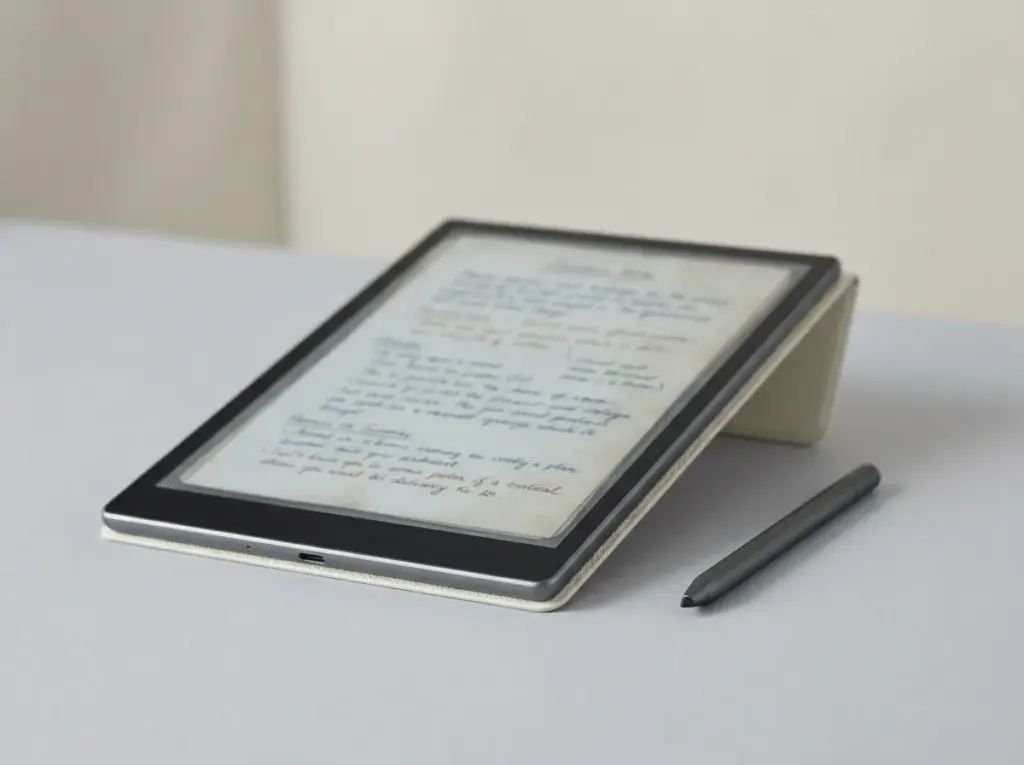
The Boox Note Mini C is the smaller sibling of the Note Air 6C: the same Kaleido 3 colour e-ink screen technology, the same 6GB of memory and 64GB of storage, the same Android 16 with the Google Play Store, in an 8.52-inch body that weighs about 300 g. Boox put both tablets in its store on 15 September 2026 at the same $579.99, and that shared price is the whole story of this review. You are not paying less for a smaller tablet. You are paying the same for a different shape, and the question is whether a notebook you can hold in one hand is worth giving up nearly two inches of screen, a bigger battery and the keyboard cover. On 22 October the US model is still a pre-order, listed as shipping around October, so anyone ordering today is buying on Boox’s spec sheet rather than on owner reports.
Every price, spec and stock line below was read on Boox’s official store and reMarkable’s compare page on 22 October 2026. Where Boox prints no number, such as pen latency, we say so rather than borrow one from a launch video.
Specifications
Boox Note Mini C specs, from Boox’s own sheet
This is the hardware block from the Note Mini C product page, trimmed to what changes a buying decision.
- Display
- 8.52″ Kaleido 3 colour e-ink, 4,096 colours, glass with flat cover lens
- Resolution
- 2048 x 1536 (300 ppi) black and white, 1024 x 768 (150 ppi) colour
- Front light
- Warm and cold (CTM)
- Processor
- Octa-core with BOOX Super Refresh
- Memory
- 6GB RAM, 64GB storage, microSD slot
- Software
- Android 16 with the Google Play Store
- Pen
- BOOX InkSight active stylus in the box, 4,096 pressure levels, charges over USB-C
- Audio
- Dual speakers, microphone
- Connectivity
- Wi-Fi, Bluetooth 6.0, USB-C with OTG
- Battery
- 3,150mAh, “several days with normal use”
- Body
- 187.7 x 156 x 6 mm, about 300 g, auto-rotation
- US price
- $579.99, pre-order, shipping around October
Two lines deserve a note. The battery is the one place Boox gives a usage figure at all: the Note Mini C, it says, runs for several days with normal use and for weeks in standby with wireless off. That is a soft claim, not a test result, and the 3,150mAh cell is smaller than the 3,700mAh in the Note Air 6C. And the screen is the same density as the bigger tablet, 300 ppi for black and white and 150 ppi for colour, so text on the Mini C is exactly as sharp; there is simply less of it on each page. The 2048 x 1536 panel also has the same 4:3 shape as the Note Air’s, which matters if you move pages between the two.
Against the Note Air 6C
Boox Note Mini C vs Note Air 6C: same price, different tablet
Boox’s own compare strip sets the two side by side. Here is every row that differs, with US stock as of this week.
| Spec | Note Mini C | Note Air 6C |
|---|---|---|
| US price | $579.99 | $579.99 |
| US stock | Pre-order | In stock |
| Screen | 8.52″ Kaleido 3 | 10.3″ Kaleido 3 |
| Weight | About 300 g | About 440 g |
| Thickness | About 6.0 mm | About 5.8 mm |
| Battery | 3,150mAh | 3,700mAh |
| Stylus in the box | InkSight (active) | Pen3 (magnetic) |
| Keyboard cover | Not supported | $109.99 |
| Fingerprint lock | No | Yes |
Memory, storage, Android 16, the microSD slot, the front light and the screen density all match. So the trade is plain. The Note Air 6C gives you a bigger page, a bigger battery, a fingerprint lock and the option of a keyboard; the Note Mini C gives you about 140 g less to carry and a size you can hold like a paperback. Neither ships with a case. The Note Mini C’s own magnetic cover is $39.99 and, on 22 October, sold out on the US store and in stock only in Hong Kong, so a US buyer may wait longer for the cover than for the tablet.
If you mostly write meeting notes at a desk, the 10.3-inch page and keyboard option make the Note Air 6C the better tablet for the money, and our Note Air 6C review goes through it, including how its keyboard bundle saves $32.99. If you read on the train, carry the tablet everywhere and write in short bursts, the weight difference is the one that will matter every day.
Writing and reading
Writing, reading and audio on the Note Mini C
The pen is the biggest hardware difference from the Note Air. The Note Mini C ships with the BOOX InkSight, an active stylus with 4,096 pressure levels that connects directly to the tablet and charges over USB-C, where the Note Air 6C uses a magnetic Pen3. Boox’s compare strip describes the Mini C as low-latency writing but prints no millisecond figure, and it lists no tilt support for the InkSight, so we claim neither. An active pen that needs charging is one more thing to keep topped up; it is also what Boox has chosen for this size, and the pen is in the box at the $579.99 price.
Reading is where an open tablet earns its price. Boox lists twenty document formats for the Note Mini C, among them PDF, EPUB, MOBI, AZW3, DJVU, CBZ, DOCX and PPTX, and because the Google Play Store is built in, you can install the reading and note apps you already pay for and keep your libraries in them. Boox says Google Drive, OneDrive and Dropbox sync at the system level, every Onyx account gets 10GB of free cloud storage, and BOOXDrop moves files over your home network to a phone or computer. From firmware 4.1, PDFs get page and crop OCR, offline in more than 30 languages.
You are not paying less for a smaller tablet. You are paying the same for a different shape.The Note Mini C against the Note Air 6C
The Note Mini C also has two things the Note Air 6C’s spec block does not list: built-in dual speakers and a microphone. That makes audiobooks and text-to-speech possible without headphones, and it is what Talk Insights uses to record, transcribe and summarise a conversation. Read the footnote before you count on it: Boox says Talk Insights needs an internet connection and the latest firmware, and works only in select regions, the US, Canada, Taiwan, Japan, South Korea and Australia among them, in select languages. Treat it as a useful extra, not the reason to buy.
Against the rivals
Boox Note Mini C vs reMarkable Paper Pro Move and the Tab Mini C
These are the two small colour tablets people set beside the Note Mini C: reMarkable’s pocket model, and the 7.8-inch Boox that used to fill this size.
| Spec | Note Mini C | Paper Pro Move | Tab Mini C |
|---|---|---|---|
| US price | $579.99 | From $449 | $399.99, sold out |
| Screen | 8.52″, Kaleido 3 | 7.3″, Canvas Color | 7.8″, Kaleido 3 |
| Sharpness | 300 / 150 ppi | 264 ppi | 300 / 150 ppi |
| Software | Android 16, Play Store | reMarkable’s own | Android 11, Play Store |
| Memory | 6GB + 64GB | 64GB | 4GB + 64GB |
| Battery | 3,150mAh | Up to 2 weeks | 5,000mAh |
| Weight | About 300 g | 230 g | About 310 g |
Against the reMarkable Paper Pro Move, the trade is openness against focus, as it is across the two brands. The Move is from $449 with the Marker included, on a 7.3-inch Canvas Color screen at 264 ppi, 230 g and 6.5 mm thin, and reMarkable publishes the numbers Boox does not: 12 milliseconds of writing latency, a 0.92 mm pen-to-ink distance, and up to two weeks of battery from a 2,334mAh cell. The Note Mini C costs $130 more and weighs 70 g more, and for that you get a larger page, the Play Store, a microSD slot, speakers and a microphone. If you want a pocket notebook that does notes and documents and nothing else, the Move is the cheaper and more focused tablet; our Paper Pro Move review covers it in full. If you want your Kindle, Kobo or Libby apps on the same screen you write on, only the Note Mini C does that, and our Paper Pro Move alternatives guide sets it against the rest of the small field.
Against the Tab Mini C, there is no choice to make new. Every Tab Mini C variant on Boox’s US store is sold out, and the model ran Android 11 with 4GB of memory. Boox does not call the Note Mini C its replacement, but on paper it is the closest thing: a bigger 8.52-inch screen at the same 300 and 150 ppi, five Android versions newer and 2GB more memory, for $180 more than the Tab Mini C’s stylus bundle. The one row where the older tablet wins is the battery, 5,000mAh against 3,150mAh. If you own a Tab Mini C that still does what you need, the new software is the only strong reason to move.
For the wider picture, our Android e-ink tablet guide lists every Boox in the US store with its Android version and stock, and the Boox vs reMarkable comparison goes through the two lineups side by side.
Buying it
Pre-order, the cover and the price outside the US
On 22 October 2026 the US listing on Boox’s store reads “To Be Shipped Around October”, and it takes orders. That means you pay now and the tablet follows; with October nearly over, expect the ship date to slip rather than land early, and check the listing on the day you order. The Hong Kong store lists the Note Mini C at $549.99, $30 less, and Boox notes that the final price is set at checkout from your shipping address.
The box holds the tablet, the InkSight stylus, a USB-C cable, a card-tray tool and paperwork; there is no case. The Note Mini C Magnetic Cover is $39.99 and weighs 134 g by Boox’s own figure, which brings the carried weight to about 434 g, close to a bare Note Air 6C. It is sold out in the US for now. If light weight is the reason you are choosing the Mini C, that is worth knowing before you add a cover.
Verdict
Should you buy the Boox Note Mini C?
What we liked
- Android 16 with the Play Store in an 8.52-inch, 300 g body, the newest software in any small Boox.
- The same 300 ppi text and 6GB of memory as the 10.3-inch Note Air 6C.
- Speakers, a microphone and microSD, which the Paper Pro Move does not have.
What we didn’t
- The same $579.99 as the bigger Note Air 6C, with a smaller battery and no keyboard support.
- Still a US pre-order on 22 October, and its cover is sold out in the US.
- No published pen latency, where reMarkable prints 12 ms for the Move.
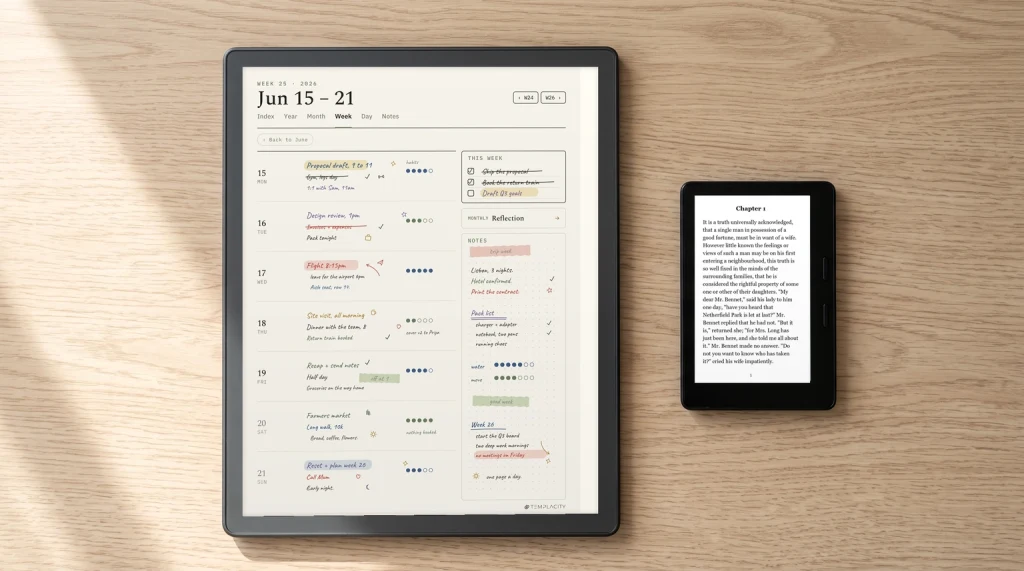
The decision comes down to two questions. Do you want Android apps on your writing tablet? And is one-handed size worth the same money as a bigger page? Answer yes and yes, and the Note Mini C is the only current tablet that does both. If you set planner pages on it, the Boox templates we make are drawn for the 10.3-inch Note Air, and because both screens share a 4:3 shape they scale down to the Mini C without cropping; our guide to Boox templates shows how to load any PDF page into Notes.
If your Note Mini C has arrived, you can tell us what no spec sheet does: how many days the battery lasts with the front light on, how the InkSight feels against a Pen3, and whether Talk Insights works where you live. Leave it in the comments and we will fold it into this Boox Note Mini C review and the rest of our Boox guides.
FAQ
Common questions, answered briefly
How much is the Boox Note Mini C?
What is the difference between the Boox Note Mini C and the Note Air 6C?
Is the Boox Note Mini C better than the reMarkable Paper Pro Move?
Does the Boox Note Mini C come with a pen?
Is the Note Mini C the new Tab Mini C?
If yours isn’t above, drop the question in the comments and we’ll add it.
People also ask