The short answer
The Boox Note Air 6C in one paragraph
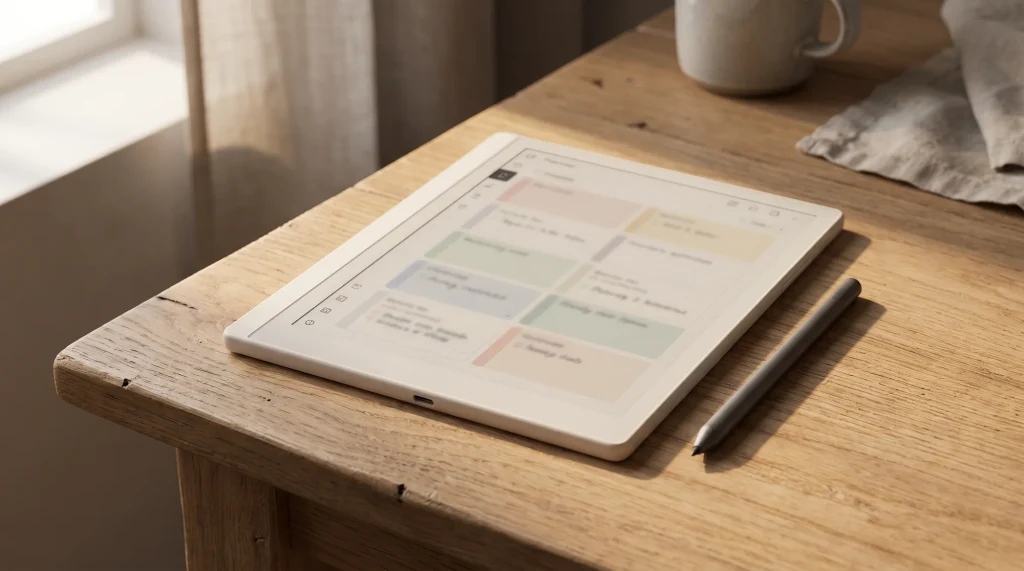
The Boox Note Air 6C is Boox’s current 10.3-inch colour writing tablet: an e-ink notebook that also runs Android 16 and the Google Play Store, so the apps you already use for reading, notes and research come with you. It went on sale on 15 September 2026 at $579.99 in the US store, or $656.99 with the magnetic keyboard cover, and it sits $50 above the Note Air 5C it replaces at the top of the line. If you are asking whether it is a new kind of device, it is not. The screen, memory, battery and body carry over from the 5C, and what changes is the software base, the processor and how the price is split between tablet and accessories. That makes this a narrow review, and an honest one is short on surprises: the question is whether those three changes are worth $50 to you, and how the whole package compares with the reMarkable Paper Pro that most buyers weigh it against.
Every price, spec and stock line below was read on Boox’s official store, reMarkable’s compare page and Amazon’s listing on 22 October 2026. Where Boox prints no number (battery life in days, pen latency), we say so rather than borrow one from a launch review.
Specifications
Boox Note Air 6C specs, from Boox’s own sheet
This is the hardware block from the Note Air6 C product page, trimmed to what changes a buying decision.
- Display
- 10.3″ Kaleido 3 colour e-ink, 4,096 colours, glass with flat cover lens
- Resolution
- 2480 x 1860 (300 ppi) black and white, 1240 x 930 (150 ppi) colour
- Front light
- Warm and cold (CTM)
- Processor
- Upgraded octa-core, 4 nm, with BOOX Super Refresh
- Memory
- 6GB RAM, 64GB storage, microSD up to 2TB
- Software
- Android 16 with the Google Play Store
- Pen
- BOOX Pen3 in the box, 4,096 pressure levels, tilt
- Connectivity
- Wi-Fi, Bluetooth 6.0, USB-C with OTG
- Battery
- 3,700mAh (no battery-life figure published)
- Body
- 225 x 192 x 5.8 mm, about 440 g, fingerprint power button
- US price
- $579.99, or $656.99 with keyboard cover
Two lines deserve a note. The 3,700mAh battery is the same cell the 5C and 4C carry, and Boox’s only battery remark is a footnote that heavy front-light use shortens run time; there is no days-or-weeks figure to quote. And the processor is described, not benchmarked. Boox calls it an upgraded octa-core built on a 4 nm process and publishes no speed comparison with the 5C, so any claim that it is a set percentage faster is someone else’s estimate, not Boox’s.
Against the 5C
Boox Note Air 6C vs 5C: the $50, and the case you lose
Boox’s own compare strip lists the two side by side, and most rows match. Here is the whole difference, with US stock as of this week.
| Spec | Note Air 6C | Note Air 5C |
|---|---|---|
| On sale since | September 2026 | October 2025 |
| US price | $579.99 | $529.99 |
| Android | 16 | 15 |
| Processor | Upgraded octa-core, 4 nm | Octa-core |
| Bluetooth | 6.0 | 5.1 |
| Screen, RAM, storage | Same | Same |
| Battery, thickness | 3,700mAh, 5.8 mm | 3,700mAh, 5.8 mm |
| Magnetic case in the box | No | Yes |
| Keyboard bundle, US | $656.99, in stock | Sold out |
The row most buyers miss is the box. The Note Air 5C’s standard bundle includes Boox’s magnetic protective case; the Note Air 6C’s standard box holds the tablet, the Pen3, a USB-C cable, a card-tray tool and paperwork, and Boox sells the same case separately at $50.99. So if you want a case either way, the real gap between the two is about $101, not $50.
What the money buys is time. Android versions decide how long app makers keep supporting a device, and Boox promises firmware updates for more than three years from each model’s launch, so a tablet that starts on Android 16 a year later than the 5C starts on 15 should stay current that much longer. If you plan to keep this tablet four or five years and lean on Play Store apps, that is a fair reason to pay the difference. If you mostly write in Boox’s own Notes app and read PDFs, the 5C does the same work on the same screen, and our Note Air 5C review goes into it in depth. Owners of a working 4C have the least reason to move: our Note Air 4 review lays out all three generations, and the keyboard is the only thing a 4C cannot add.
Writing and reading
Writing, reading and the AI tools on the Note Air 6C
Writing runs on the Pen3, a magnetic stylus with 4,096 pressure levels, tilt support and a nib compartment, on a textured screen protector Boox asks you not to remove because it gives the paper feel. Boox’s Notes app has seven brush types with adjustable width and colour, a shape tool for clean lines and boxes, a lasso that converts handwriting to text, and outline, tag and search tools for organising notebooks. A Dual Notes split screen and a Template Hub of page layouts arrive with the latest firmware, and the Template Hub needs a network connection. Colour is real but limited: like every Kaleido 3 screen, black and white text renders at 300 ppi and colour at half that, 150 ppi, so colour highlights and diagrams read well and colour photos look soft.
Reading is where an open tablet pays off. Boox lists twenty document formats for the Note Air6 C, PDF, EPUB, MOBI, AZW3, DJVU, CBZ, DOCX and PPTX among them, and its NeoReader app handles highlights, margin notes and a dark mode. Because the Play Store is built in, you can also install the reading and note apps you already use and keep your existing libraries in them. Boox names Google Drive, Readwise and Zotero as services it syncs with, gives every account 10GB of free Onyx cloud storage, and its BOOXDrop moves files over your local network to a phone or computer.
A tablet that starts on Android 16 a year later than the 5C starts on 15 should stay current that much longer.The Note Air 6C against the 5C
The AI features are the part to read the footnotes on. Talk Insights records a meeting and transcribes it live, translates into more than 20 languages and writes minutes you can export as PDF or TXT, but Boox says it needs an internet connection, the latest firmware, a switch in Settings under Lab Features, and a supported region; the US, Canada, Taiwan, Japan, South Korea and Australia are on Boox’s list. An AI Assistant explains selected text or images, and Boox’s own note on it is that its answers are for reference only. Treat both as useful extras that depend on where you live and what Boox ships next, not as the reason to buy.
Keyboard
The keyboard cover, and which bundle to buy
The Magnetic Keyboard Cover is $109.99 on its own and fits both the Note Air6 C and the Note Air5 C. It connects through pogo pins rather than Bluetooth, so there is nothing to pair or charge separately, and it has its own USB-C port you can charge the tablet through. Boox pitches it for drafting emails, editing essays and typing meeting minutes, which is a fair description: it turns the tablet into a quiet typing slab with no backlit screen.
The bundle math is simple. Bought separately, a Note Air 6C and the cover cost $689.98; the keyboard bundle is $656.99, so the bundle saves $32.99. On the 5C, the keyboard bundles are sold out on the US store, so a 5C owner who wants to type buys the cover alone at $109.99. If you know you will type, the 6C keyboard bundle is the cheapest way to own the full kit new from Boox today. If you are unsure, buy the tablet alone; the cover is in stock and fits later.
Against the rivals
Boox Note Air 6C vs reMarkable Paper Pro and Kindle Scribe Colorsoft
These are the two colour writing tablets people most often set beside the Note Air 6C, and all three sit within $50 of each other.
| Spec | Note Air 6C | Paper Pro | Scribe Colorsoft |
|---|---|---|---|
| US price | $579.99 | From $629 | $629.99 |
| Screen | 10.3″, Kaleido 3 | 11.8″, Canvas Color | 11″, colour |
| Sharpness | 300 / 150 ppi | 229 ppi | Not compared |
| Software | Android 16, Play Store | reMarkable’s own | Amazon’s own |
| Pen in the box | Pen3 | Marker | Not compared |
| Published latency | None | 12 ms | Not compared |
| Battery | 3,700mAh, no figure | Up to 2 weeks | Not compared |
| Weight | About 440 g | 525 g | Not compared |
Against the reMarkable Paper Pro, the trade is openness against focus. The Paper Pro is $629 with the Marker included, on an 11.8-inch Canvas Color screen at 229 ppi, 5.1 mm thin and 525 g, and reMarkable publishes what Boox does not: 12 milliseconds of writing latency, a 0.92 mm pen-to-ink distance, and up to two weeks of battery from a 5,030mAh cell. The Note Air 6C is the smaller, lighter and cheaper tablet, and of the two compare pages only Boox’s lists the Google Play Store, a microSD slot and third-party apps. Pick the Paper Pro if you want a bigger page and a device that only does notes and documents, very well. Pick the Note Air 6C if you want your reading apps, cloud drives and Zotero library on the same screen you write on. Our Boox vs reMarkable comparison goes through the two companies’ whole lineups.
Against the Kindle Scribe Colorsoft, the gap is the store. Amazon lists the 32GB Scribe Colorsoft at $629.99 with an 11-inch colour screen, and it is built around the Kindle bookstore and Amazon’s notebooks. The Note Air 6C installs other stores’ apps from Google Play next to everything else, for $50 less, but you give up Amazon’s own reading software on Amazon’s own hardware. We set the Colorsoft against its mono twin in our Kindle Scribe vs Colorsoft guide, and the full field, Boox included, is in our best e-ink tablet roundup.
One more Boox is worth a line. The Note Mini C launched alongside the Note Air 6C at the same $579.99, with an 8.52-inch Kaleido 3 screen at the same 300 and 150 ppi, Android 16, about 300 g and no keyboard support; Boox lists the US model as shipping around October. If 10.3 inches is more tablet than you will carry, it is the same generation in a smaller body.
Our Boox Note Mini C review sets the two side by side row by row, battery, stylus and cover included, and weighs the Mini C against the reMarkable Paper Pro Move.
Verdict
Should you buy the Boox Note Air 6C?
What we liked
- Android 16 with the Play Store, the newest base on any Note Air, which keeps the app library open for longer.
- Twenty document formats, microSD to 2TB and Zotero, Readwise and Google Drive sync on a 10.3-inch colour page.
- A keyboard bundle that saves $32.99 and is actually in stock, unlike the 5C’s.
What we didn’t
- The same screen, memory and battery as the $529.99 5C, which also ships with a case.
- No published battery life or pen latency, where reMarkable prints both.
- The headline AI tools depend on region, firmware and a Lab Features switch.
For most buyers the decision comes down to two questions. Do you want an Android tablet that writes, or a notebook that does nothing else? And will you keep it long enough for a newer Android to matter? Answer yes and yes, and the Note Air 6C is the one to buy new from Boox today. If you set your planner pages on it, the Boox templates we make are sized for the 10.3-inch Note Air screen, and our guide to Boox templates shows how to load any PDF page into Notes.
If you own a Note Air 6C, you can tell us what no spec sheet does: how many days the battery really lasts with the front light on, whether the new chip feels faster than your old 5C or 4C, and whether Talk Insights works where you live. Leave it in the comments and we will fold it into this Boox Note Air 6C review and the rest of our Boox guides.
FAQ
Common questions, answered briefly
How much is the Boox Note Air 6C?
What is the difference between the Boox Note Air 6C and 5C?
Is the Boox Note Air 6C better than the reMarkable Paper Pro?
Does the Boox Note Air 6C come with a pen?
When did the Boox Note Air 6C come out?
If yours isn’t above, drop the question in the comments and we’ll add it.
People also ask